
Android 17 Is Here — Compose-First, Adaptive-First, AppFunctions, and What Breaks at SDK 37
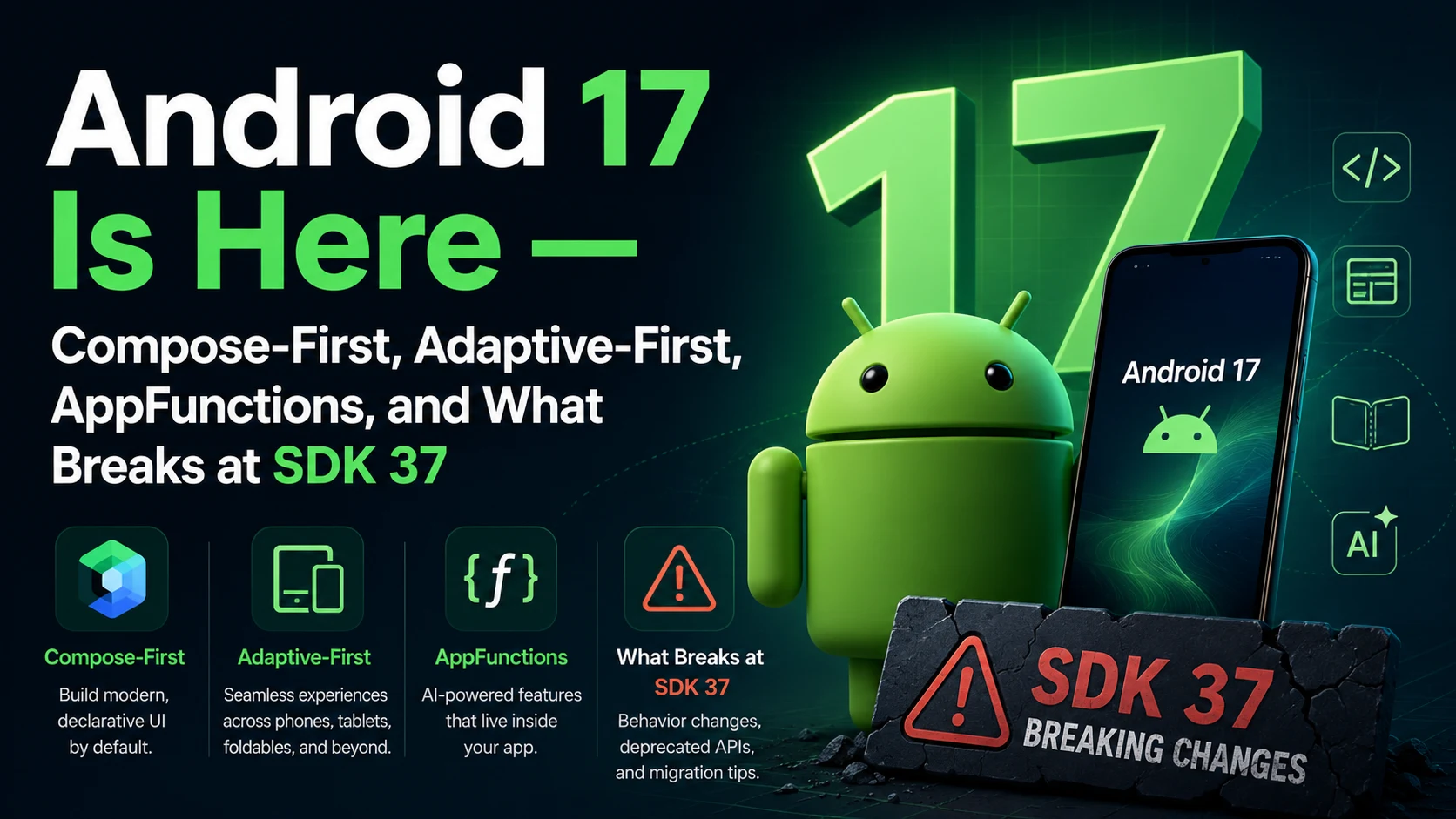
Android 17 (codename Cinnamon Bun, API level 37) landed on June 16, 2026 — and it’s the most opinionated release in years. Google isn’t just shipping features anymore; it’s laying down marching orders. Compose-first. Adaptive-first. AppFunctions for AI agents. Strict app memory limits. No more opt-out of large-screen resizability. If you ship an Android app, several of these will quietly break things the day you bump targetSdkVersion to 37. This post walks through what’s actually new, what breaks, and the parts you can use to your advantage right now.
The Headline Shift — Compose-First, Adaptive-First
Two announcements in the Android 17 launch are worth pulling out of the marketing language, because they change how Google expects you to build apps from now on.
The first is officially declared: Android development is now Compose-first. Every new API, library, tool, and piece of developer guidance going forward will be built exclusively for Jetpack Compose. The classic View-based components — Fragments, RecyclerView, ViewPager, the entire android.widget family — are in maintenance mode. Critical bug fixes only. No new features.
The second is enforcement: large-screen resizability is no longer optional. If your app targets API 37, the system ignores screenOrientation, setRequestedOrientation(), resizeableActivity=false, minAspectRatio, and maxAspectRatio on any device wider than 600dp. Games get an exemption based on their Play Store category. Everyone else has to deal with foldables, tablets, desktop mode, and the upcoming Googlebooks (Google’s laptop platform built on the Android stack) being first-class targets.
If you’ve been postponing a Compose migration or shipping a portrait-only phone app, those two paragraphs are the most important news in this release for your roadmap.
AppFunctions — Your App as an AI Tool
This is the most genuinely new capability in Android 17. AppFunctions let you expose your app’s key workflows as orchestratable tools that on-device AI agents (Gemini, primarily) can discover and call on the user’s behalf. Think of it as the on-device equivalent of MCP — the Model Context Protocol — baked into the platform.
The Jetpack library is currently in alpha. Adding an AppFunction is genuinely a one-annotation affair:
/**
 * A note app's [AppFunction]s.
 */
class NoteFunctions(
    private val noteRepository: NoteRepository
) {
    /**
     * Adds a new note to the app.
     *
     * @param appFunctionContext The execution context.
     * @param title The title of the note.
     * @param content The note's content.
     */
    @AppFunction(isDescribedByKDoc = true)
    // @AppFunction is an ANNOTATION from the AppFunctions Jetpack library
    // isDescribedByKDoc = true → the KDoc comments above become the LLM's
    // tool description — what the agent reads to decide whether to call this
    suspend fun createNote(
        appFunctionContext: AppFunctionContext,
        title: String,
        content: String
    ): Note {
        return noteRepository.createNote(title, content)
    }
}
That’s the entire integration. The system picks up the annotation, indexes the function, generates the schema from your KDoc, and exposes it to any agent that has user consent to call functions in your app.
Google ships a couple of helpful things alongside it:
- An AppFunctions agent skill that analyses your app’s workflows, generates the Kotlin glue code, optimises KDoc for LLM tool-calling, and provides ADB commands for testing.
- A test agent app that lets you discover and execute your AppFunctions and simulate an actual agent integration before Gemini access opens up. The Gemini integration is in private preview with trusted testers; an early access program is open at goo.gle/eap-af.
Even if you’re not chasing the Gemini integration, exposing 3–5 key workflows as AppFunctions is cheap insurance — agent-driven UX is where the platform is moving, and the apps that ship integration first will be the ones users reach for through Gemini.
App Bubbles, Bubble Bar, and Interactive PiP
Multitasking on Android gets a serious overhaul. Three new capabilities, all of which assume your app can render at any window size:
- App Bubbles — Users can long-press any app icon in the launcher to turn it into a floating bubble. This is no longer scoped to messaging apps. Any workflow can become a floating mini-window across phones, foldables, and tablets.
- The Bubble Bar — On large screens, the system taskbar now includes a dedicated area to organise, switch between, and dock floating app bubbles.
- Desktop interactive PiP — In desktop environments (Googlebooks, connected displays), Picture-in-Picture windows are no longer read-only. They stay fully interactive while always-on-top of other application windows.
The connection back to the resizability change above should now be obvious. If your app can’t handle being a 320×480 floating bubble, a 1280×800 docked window, and a fullscreen tablet experience in the same session, Android 17 is going to expose that.
Activity Recreation — Smoother by Default
A change that’s easy to miss in the release notes but matters for anyone who’s ever cursed at a configuration-change-induced state loss: activities are no longer restarted by default for trivial configuration changes. The system now sends them to onConfigurationChanged() instead, for:
CONFIG_KEYBOARDCONFIG_KEYBOARD_HIDDENCONFIG_NAVIGATIONCONFIG_TOUCHSCREENCONFIG_COLOR_MODE
That’s less stutter, less state loss, fewer cold restarts when a keyboard connects or the colour mode flips. If you have a real dependency on a full activity restart for any of these — for example, reloading themed resources — you now have to opt in explicitly:
<activity
    android:name=".MyActivity"
    android:recreateOnConfigChanges="colorMode" />
<!-- android:recreateOnConfigChanges is a new manifest ATTRIBUTE in API 37 -->
<!-- Opts back into the old "restart on this config change" behaviour -->
Continue On — Cross-Device Handoff
If you’ve used Handoff between an iPhone and a Mac, the concept is identical. Continue On lets the user transition a task between Android devices — phone to tablet, tablet to Chromebook — with a one-tap suggestion in the destination device’s taskbar. It supports both native app-to-app transitions and app-to-web fallback when the app isn’t installed on the target device.
Wiring it up is straightforward:
class MyHandoffActivity : Activity() {

    override fun onCreate(savedInstanceState: Bundle?) {
        super.onCreate(savedInstanceState)
        // ... your normal setup ...

        setHandoffEnabled(true, null)
        // setHandoffEnabled() is a FUNCTION on Activity (new in API 37)
        // Tells the system this activity participates in cross-device handoff
    }

    override fun onHandoffActivityDataRequested(
        handoffRequestInfo: HandoffActivityDataRequestInfo
    ): HandoffActivityData {
        // Build a payload describing where the user is in this activity
        // The destination device uses it to deep-link back to the same state
        return HandoffActivityData.Builder()
            .setIntent(buildResumeIntent())
            .setFallbackUrl("https://example.com/article/$articleId")
            .build()
    }
}
The state synchronises via CompanionDeviceManager in the background. The user sees a single tap to resume.
Performance — Memory Limits, Lock-Free Queues, Generational GC
Android 17 does several things to your app’s performance profile, and one of them is potentially a footgun.
Strict app memory limits
The system now enforces strict per-app memory limits based on the device’s total RAM. Apps that exceed the limit are abruptly terminated. If your app dies for this reason, ApplicationExitInfo.getDescription() will return "MemoryLimiter:AnonSwap". Google’s framing is that this targets “extreme memory leaks and other outliers,” but in practice it means every app team needs a memory health story.
The tooling on offer is solid:
- R8 Configuration Analyzer — A new tool to make sure your R8 config is actually shrinking what it should. R8 in full mode plus this analyser is the recommended baseline.
- LeakCanary in Android Studio Panda — Now natively integrated as a Profiler task, wired to your source.
- On-device anomaly detection via
ProfilingManager:
val profilingManager = applicationContext
    .getSystemService(ProfilingManager::class.java)

val triggers = ArrayList<ProfilingTrigger>().apply {
    add(
        ProfilingTrigger.Builder(ProfilingTrigger.TRIGGER_TYPE_ANOMALY)
            // TRIGGER_TYPE_ANOMALY is a CONSTANT on ProfilingTrigger
            // Fires automatically when the system detects memory anomalies,
            // including hitting the memory limit
            .build()
    )
}
profilingManager.addProfilingTriggers(triggers)
// You get a heap dump captured at the moment of the spike — gold for debugging
Lock-free MessageQueue
For apps targeting SDK 37+, android.os.MessageQueue is rewritten as a lock-free architecture. Real-world impact: fewer missed frames, faster app startup, much better behaviour under heavy multithreaded message traffic. The catch — anything relying on reflection into private MessageQueue fields will break. If your app or one of your libraries does that (some older crash reporters and APM tools do), prepare for compatibility work. For instrumentation testing without reaching into internals, use the new peekWhen() and poll() APIs on TestLooperManager.
Static final fields are now actually final
For apps targeting SDK 37+, you can no longer mutate static final fields via reflection or deep reflection — you’ll get an IllegalAccessException. Doing it via JNI’s SetStatic<Type>Field family will crash the app immediately. This unlocks more aggressive runtime optimisations but, again, audit your dependencies.
Generational GC for ART
The ART runtime gets generational garbage collection in its Concurrent Mark-Compact collector. Short-lived objects get swept in cheap young-generation passes; full-heap scans become rare. The result, per Google’s internal benchmarks, is significantly less GC interference with app threads and a reduction in peak resident set size. This change ships back to Android 12+ via Google Play System updates, so you get the benefit on most active devices, not just Android 17.
Privacy — Less Permission Surface, More System UI
The direction in Android 17 is clear: stop asking users for blanket permissions, start using system-mediated pickers that give your app exactly what it needs and nothing more.
System contact picker. Using ACTION_PICK_CONTACTS, your app can ask for one email or one phone number from one contact, chosen by the user, with no need for the broad READ_CONTACTS permission. It also handles work/personal profile separation natively.
Customisable photo picker. A new PhotoPickerUiCustomizationParams API lets you switch the picker grid from 1:1 to 9:16 portrait — sensible for any app where photos are vertical by default.
System-rendered location button. An embeddable button that grants precise location for the current session only. No more “allow all the time” prompts for a one-shot use case.
EyeDropper API. A new system-level intent that opens a colour picker over the entire screen and returns the picked colour to your app — without your app ever requesting screen capture or media projection permissions:
val eyeDropperLauncher = registerForActivityResult(
    ActivityResultContracts.StartActivityForResult()
) { result ->
    if (result.resultCode == Activity.RESULT_OK) {
        val color = result.data?.getIntExtra(Intent.EXTRA_COLOR, Color.BLACK)
        // EXTRA_COLOR is a CONSTANT — the picked ARGB int
    }
}

fun launchColorPicker() {
    val intent = Intent(Intent.ACTION_OPEN_EYE_DROPPER)
    // ACTION_OPEN_EYE_DROPPER is a NEW SYSTEM INTENT in API 37
    eyeDropperLauncher.launch(intent)
}
Local network access permission. If your app targets SDK 37 and wants to talk to local devices (smart home, casting), you either need the new ACCESS_LOCAL_NETWORK runtime permission or you need to use a system-mediated picker. ACCESS_LOCAL_NETWORK sits in the existing NEARBY_DEVICES group, so users who’ve already granted that won’t see a new prompt.
SMS OTP protection extended. Apps that are not the intended recipient of an SMS OTP now wait three hours before they can read it. For WebOTP this applies to all apps based on domain mismatch. For standard SMS OTPs, it applies to apps targeting SDK 37+. Default SMS, assistant, and connected companion apps are exempt. If you use OTPs, switch to the SMS Retriever API or SMS User Consent API — both bypass this delay because they don’t need broad SMS read access.
Hide first typed character. When entering passwords on a physical keyboard, the “show the last typed character” behaviour is now off by default. Compose 1.12’s SecureTextField picks this up automatically.
Post-Quantum Cryptography. The Keystore can now generate ML-DSA (Module-Lattice-Based Digital Signature Algorithm) keys in secure hardware, accessed via standard JCA APIs. There’s also a v3.2 APK Signature Scheme that combines classical signatures with ML-DSA for quantum-safe app delivery.
Safer dynamic code loading. The native code loading protection added in Android 14 for DEX/JAR files now extends to native libraries. If your app targets SDK 37, any file loaded via System.load() must be marked read-only — otherwise UnsatisfiedLinkError.
Media and Camera
Plenty here for media-heavy apps:
- Eclipsa Video — A new HDR video standard built on SMPTE ST 2094-50, with metadata for adapting to display headroom and ambient light, plus better simultaneous SDR/HDR playback.
- RAW14 image format — For pro camera apps that want the highest bit-depth output from compatible sensors.
- Versatile Video Coding (H.266) — Platform-level integration via
MediaFormat,MediaCodecInfo, andMediaExtractor. Same quality as HEVC at roughly half the bitrate, on devices with hardware decode support. - Vendor-defined camera extensions — OEMs can ship their own extension modes (computational photography, custom HDR pipelines) through a standard interface.
- Extended HE-AAC encoder — A system-provided software encoder for unified speech and audio coding, with significantly better quality for voice messages at low bitrates.
- Camera device types — New APIs to distinguish built-in cameras from USB webcams from virtual cameras.
- Constant-quality video recording —
setVideoEncodingQuality()onMediaRecorderfor CQ encoding mode. - BLE Audio hearing aids — A new
AudioDeviceInfo.TYPE_BLE_HEARING_AIDconstant, plus granular routing (notifications to the speaker, ringtones to the hearing aid, etc.).
One operational note: bump CameraX to 1.5.2 or 1.6.0+ to avoid a crash related to an added dynamic range mode on Android 17 devices.
What Will Break When You Target SDK 37
A consolidated checklist, because this is the part most teams will care about first. Anything in this list bites only when you bump targetSdkVersion to 37 — you can ship a compatible build first, then take the targeting step when you’re ready.
- Large-screen restrictions ignored. Orientation locks, aspect ratio constraints, and
resizeableActivity=falseare all ignored on devices wider than 600dp. Your UI must adapt. - Local network access blocked by default. Use
ACCESS_LOCAL_NETWORKor a privacy-preserving picker. - Background audio hardening. New restrictions on background playback, audio focus requests, and volume changes. Alarm audio is exempt; while-in-use foreground service rules are
targetSdk-gated. - SMS OTP delay. Standard SMS OTPs are delayed three hours for non-recipient apps.
- Static final fields immutable. Reflection mutations throw
IllegalAccessException; JNI mutations crash. - Lock-free MessageQueue. Reflection into private MessageQueue fields breaks.
- Native libraries must be read-only. Loading writable native libraries throws
UnsatisfiedLinkError. - Custom notification view size limits tightened. The URI-based loophole is closed.
- NPU access declaration required. If you use the LiteRT NPU delegate, vendor NPU SDKs, or the deprecated NNAPI, declare
FEATURE_NEURAL_PROCESSING_UNITin your manifest or you’ll be blocked from NPU access. - Certificate Transparency on by default. Apps had to opt in on Android 16; on 17 it’s default. Make sure your TLS infrastructure issues CT-logged certificates.
A Few Smaller Things Worth Knowing
Not feature headlines, but worth a mention:
- The Developer Preview channel has been retired. Going forward, Android uses a continuous Canary channel that lands new APIs as they pass internal testing, plus the existing Beta channel.
- Android 17 follows the new two-release-per-year cadence — a major SDK in Q2 (this one) and a minor SDK release in Q4 with additional APIs and features.
- For minimum graphics requirements, the floor is now Vulkan 1.4, with ANGLE support mandated.
- Gamepad remapping is now a system-level feature.
- Compose 1.11’s FlexBox and Grid APIs ship alongside Android 17 to make multi-pane and adaptive layouts easier.
- There’s a new Jetpack Compose adaptive skill (an AI workflow) that walks you through implementing
NavigationSuiteScaffold, list-detail layouts via Navigation 3 Scenes, multi-pane patterns, and trackpad/mouse input handling. - Google has shipped an XML-to-Compose migration skill that analyses legacy View layouts and converts them to Compose. Worth a look if you’re facing a migration backlog.
What I’d Actually Do This Week
If you ship an app and Android 17 just dropped, here’s a sensible order of operations:
- Install Android Studio Quail Canary and an Android 17 emulator. Run your app against it on
targetSdkVersion36 first. The behavioural changes that affect “all apps” regardless of target SDK already hit you here — memory limits, generational GC, system-level features. - Audit your manifest for resizability locks. If you have
android:screenOrientation,resizeableActivity=false, or aspect ratio constraints, decide now whether you actually need them or whether they were just there because nobody asked. (Games keep their exemption.) - Run the R8 Configuration Analyzer. Whether you target 37 or not, the memory limits are real on the device.
- Audit your dependencies for reflection. The MessageQueue and static-final changes break some older APM/crash-reporting libraries.
- Plan the SDK 37 bump. Decide your adaptive strategy — multi-pane layouts, NavigationSuiteScaffold, App Bubble support. None of this requires you to be on Compose 1.11, but it’s where the tooling is going.
- Expose 3–5 AppFunctions for the workflows users care about most. Even pre-Gemini integration, it positions you for what’s coming next.
- Test SMS OTP flows if you have any. Migrate to SMS Retriever or User Consent if you haven’t already.
Android 17 is a forcing function for a lot of things teams have been putting off — Compose migration, adaptive layouts, memory hygiene. The good news is the tooling is much better than it used to be. The bad news is the platform isn’t waiting for you anymore. The apps that adapt early will be the ones users find when they unfold their device, dock their phone, or ask Gemini to do something for them.
Happy coding!
Comments (0)
Sign in to leave a comment.
No comments yet. Be the first to share your thoughts.