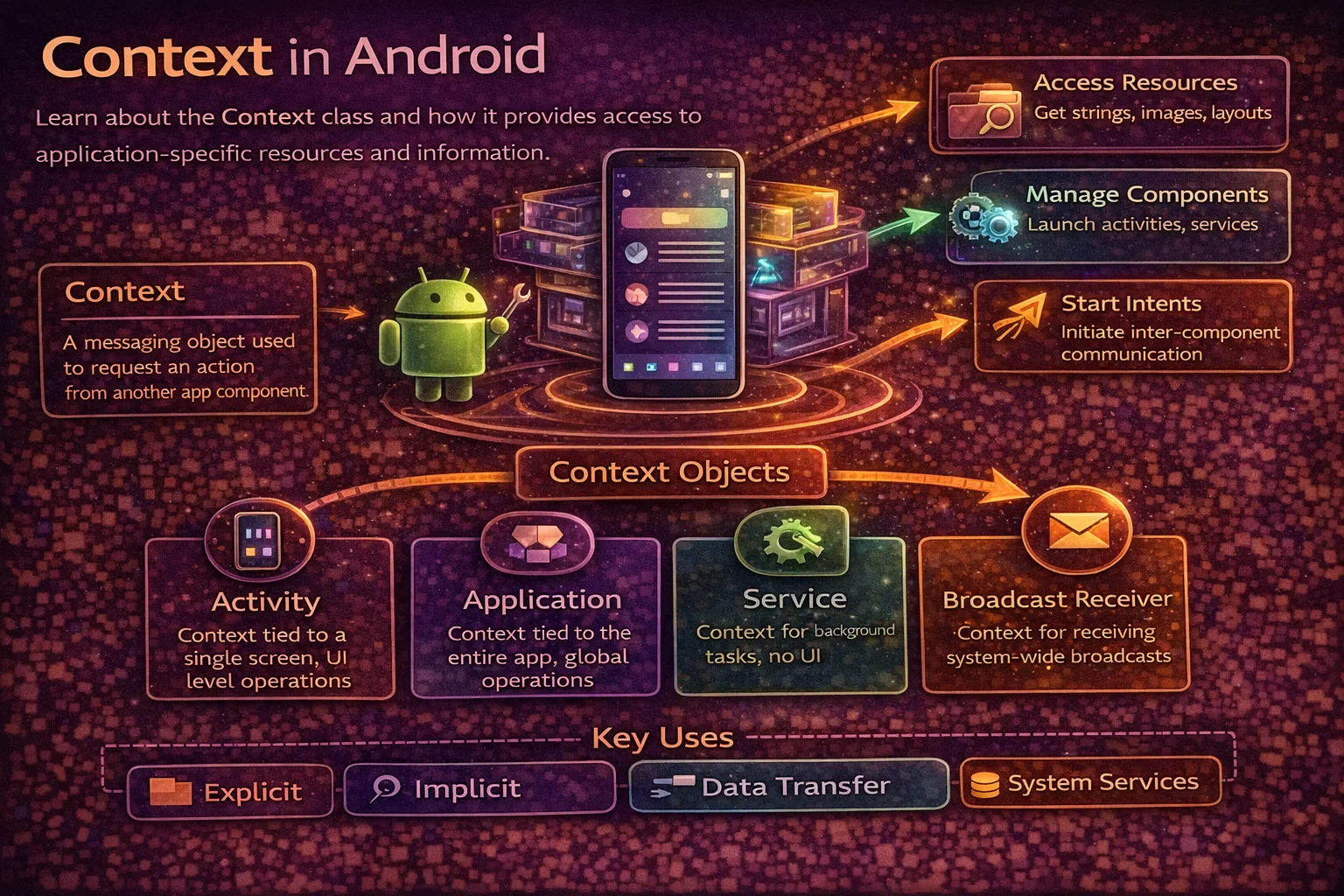
Context is the most used — and most misunderstood — class in Android. You pass it to almost everything: inflating layouts, accessing resources, creating Views, starting Activities, getting system services, reading databases. But using the wrong Context causes memory leaks, crashes, and theme bugs that are hard to track down. This guide explains what Context actually is, the difference between Application Context and Activity Context, when to use which, and the mistakes that trip up even experienced developers.
What is Context?
Context is an abstract class that represents your app’s environment. It’s the bridge between your code and the Android system — giving you access to app resources, system services, and application-level operations.
// Context gives you access to:
// 1. RESOURCES — strings, drawables, colors, dimensions
val appName = context.getString(R.string.app_name)
val icon = context.getDrawable(R.drawable.ic_launcher)

// 2. SYSTEM SERVICES — connectivity, alarms, notifications, location
val connectivityManager = context.getSystemService<ConnectivityManager>()
val notificationManager = context.getSystemService<NotificationManager>()

// 3. FILE SYSTEM — internal/external storage, cache, databases
val cacheDir = context.cacheDir
val database = context.getDatabasePath("mydb.db")
val prefs = context.getSharedPreferences("settings", Context.MODE_PRIVATE)

// 4. APP COMPONENTS — starting Activities, Services, Broadcasts
context.startActivity(Intent(context, DetailActivity::class.java))
context.startService(Intent(context, SyncService::class.java))
context.sendBroadcast(Intent("com.example.CUSTOM_ACTION"))

// 5. PACKAGE INFO — app version, permissions, installed packages
val packageInfo = context.packageManager.getPackageInfo(context.packageName, 0)

// Context is everywhere — you can't build an Android app without it
The Context Hierarchy
// Context is an abstract class with a concrete hierarchy:
//
//                    Context (abstract)
//                        │
//                  ContextWrapper
//                   │          │
//           ContextThemeWrapper   Application
//                   │                  │
//               Activity          MyApplication
//                   │
//             AppCompatActivity
//
// Also:
//           ContextWrapper
//                │
//             Service
//
// Key insight: Activity IS a Context (it extends Context)
// Application IS a Context (it extends Context)
// Service IS a Context (it extends Context)
// Fragment is NOT a Context (it has one via requireContext())

// That's why you can pass "this" as Context in an Activity:
val intent = Intent(this, DetailActivity::class.java)   // "this" is a Context

// And why Fragments use requireContext():
val intent = Intent(requireContext(), DetailActivity::class.java)
Types of Context
Application Context
// Lives for the ENTIRE lifetime of the app process
// Does NOT have theme information (uses default/base theme)
// Does NOT have an associated window

// How to get it:
val appContext = applicationContext              // from Activity
val appContext = context.applicationContext      // from any Context
val appContext = application                     // from Activity (typed as Application)

// What it CAN do:
appContext.getString(R.string.app_name)                   // ✅ access resources
appContext.getSystemService<ConnectivityManager>()        // ✅ system services
appContext.getSharedPreferences("prefs", MODE_PRIVATE)    // ✅ shared preferences
appContext.getDatabasePath("mydb.db")                     // ✅ database path
appContext.startService(intent)                            // ✅ start services
appContext.sendBroadcast(intent)                           // ✅ send broadcasts
appContext.startActivity(intent.addFlags(FLAG_ACTIVITY_NEW_TASK))  // ✅ (needs flag)

// What it CANNOT do properly:
appContext.startActivity(intent)       // ⚠️ needs FLAG_ACTIVITY_NEW_TASK
// LayoutInflater with Application context ignores themes
LayoutInflater.from(appContext).inflate(R.layout.item, parent, false)  // ⚠️ wrong theme

// When to use:
// - Singletons (Repository, Database, Analytics)
// - Anything that outlives a single Activity
// - Dependency injection scopes (@Singleton in Hilt)
Activity Context
// Lives for the lifetime of the Activity (destroyed on finish or config change)
// HAS theme information (Material theme, dark mode, etc.)
// HAS an associated window

// How to get it:
val activityContext = this                    // inside Activity
val activityContext = requireActivity()       // inside Fragment
val activityContext = requireContext()        // inside Fragment (ContextThemeWrapper)

// What it CAN do (everything Application can, PLUS):
LayoutInflater.from(activityContext).inflate(R.layout.item, parent, false)  // ✅ correct theme
AlertDialog.Builder(activityContext).create()    // ✅ dialogs need Activity context
PopupMenu(activityContext, anchorView)           // ✅ themed correctly
activityContext.startActivity(intent)            // ✅ no flag needed

// When to use:
// - Inflating Views and layouts
// - Creating dialogs, popups, snackbars, toasts with correct theme
// - Anything that is tied to a specific screen
// - Short-lived operations that finish within the Activity's lifetime

// ⚠️ DANGER: storing Activity context in a long-lived object
// The Activity gets destroyed on rotation — but the reference survives
// This prevents garbage collection = MEMORY LEAK
Service Context
// A Service is also a Context — similar to Application Context
// No theme, no window, lives as long as the Service runs

class MyService : Service() {
    override fun onStartCommand(intent: Intent?, flags: Int, startId: Int): Int {
        // "this" is the Service context
        val prefs = getSharedPreferences("settings", MODE_PRIVATE)   // ✅
        val manager = getSystemService<NotificationManager>()        // ✅
        return START_NOT_STICKY
    }
}
When to Use Which Context
// ┌─────────────────────────────────┬─────────────────┬─────────────────┐
// │ Use Case                        │ Application     │ Activity        │
// ├─────────────────────────────────┼─────────────────┼─────────────────┤
// │ Inflate a layout                │ ⚠️ Wrong theme  │ ✅ Correct       │
// │ Create a Dialog                 │ ❌ Crashes       │ ✅ Required      │
// │ Create a Toast                  │ ✅ Works         │ ✅ Works         │
// │ Start an Activity               │ ⚠️ Needs flag   │ ✅ Direct        │
// │ Start a Service                 │ ✅ Works         │ ✅ Works         │
// │ Send a Broadcast                │ ✅ Works         │ ✅ Works         │
// │ Get system services             │ ✅ Works         │ ✅ Works         │
// │ Access resources (strings, etc) │ ✅ Works         │ ✅ Works         │
// │ SharedPreferences               │ ✅ Works         │ ✅ Works         │
// │ Database / Room                 │ ✅ Preferred     │ ⚠️ Leak risk    │
// │ Singleton / Repository          │ ✅ Preferred     │ ❌ Memory leak   │
// │ Hilt @Singleton scope           │ ✅ Required      │ ❌ Memory leak   │
// │ RecyclerView Adapter            │ ⚠️ Wrong theme  │ ✅ Correct       │
// │ Custom View constructor         │ ⚠️ Wrong theme  │ ✅ Correct       │
// └─────────────────────────────────┴─────────────────┴─────────────────┘
//
// RULE OF THUMB:
// UI-related? → Activity Context (themes, dialogs, layouts, views)
// Long-lived? → Application Context (singletons, repositories, DI)
// Not sure?   → Application Context (safer, no leak risk)
Memory Leaks — The #1 Context Mistake
The most common Android memory leak is storing an Activity Context in a long-lived object:
// ❌ MEMORY LEAK — singleton holds Activity context
object ImageLoader {
    private lateinit var context: Context

    fun init(context: Context) {
        this.context = context   // if this is Activity context → LEAK
    }
}

// What happens:
// 1. Activity A calls ImageLoader.init(this)
// 2. User rotates screen → Activity A is destroyed, Activity B is created
// 3. ImageLoader still holds a reference to Activity A
// 4. Activity A can't be garbage collected → MEMORY LEAK
// 5. Activity A holds references to all its Views → huge leak!

// ✅ FIX: use Application Context for singletons
object ImageLoader {
    private lateinit var context: Context

    fun init(context: Context) {
        this.context = context.applicationContext   // ✅ lives forever, no leak
    }
}
Common leak scenarios
// LEAK 1: Storing Activity context in a companion object
class MyActivity : AppCompatActivity() {
    companion object {
        var leakedContext: Context? = null   // ❌ static reference to Activity
    }

    override fun onCreate(savedInstanceState: Bundle?) {
        super.onCreate(savedInstanceState)
        leakedContext = this   // ❌ Activity can't be GC'd
    }
}

// LEAK 2: Inner class holding implicit reference to Activity
class MyActivity : AppCompatActivity() {
    // ❌ Non-static inner class holds reference to outer Activity
    inner class MyTask : Runnable {
        override fun run() {
            // "this@MyActivity" is implicitly available → leak
            Thread.sleep(30_000)   // long-running task
        }
    }
}

// LEAK 3: Callback or listener holding Activity context
class MyActivity : AppCompatActivity() {
    override fun onCreate(savedInstanceState: Bundle?) {
        super.onCreate(savedInstanceState)
        // ❌ Lambda captures "this" (Activity) — if API call takes long, Activity leaks
        api.fetchData { data ->
            textView.text = data   // "this" Activity might be destroyed by now
        }
    }
}

// LEAK 4: ViewModel storing a Context
class MyViewModel(private val context: Context) : ViewModel() {
    // ❌ If this is Activity context → leak
    // ViewModel outlives Activity on rotation
}

// ✅ Use AndroidViewModel if you need context in ViewModel
class MyViewModel(application: Application) : AndroidViewModel(application) {
    private val context: Context = application.applicationContext   // ✅ safe
}
How to detect memory leaks
// 1. LeakCanary — automatic leak detection library
// Add to build.gradle (debug only):
debugImplementation("com.squareup.leakcanary:leakcanary-android:2.13")
// That's it — LeakCanary automatically detects leaks and shows a notification

// 2. Android Studio Profiler
// Open Profiler → Memory → dump heap → look for Activity instances
// If a destroyed Activity is still in memory → you have a leak

// 3. StrictMode (detects leaked closable resources)
if (BuildConfig.DEBUG) {
    StrictMode.setVmPolicy(
        StrictMode.VmPolicy.Builder()
            .detectLeakedClosableObjects()
            .detectActivityLeaks()
            .penaltyLog()
            .build()
    )
}
Context in Hilt — The Clean Way
// Hilt provides two Context qualifiers:

// @ApplicationContext — Application context (for singletons)
@Singleton
class ArticleRepository @Inject constructor(
    @ApplicationContext private val context: Context   // ✅ lives forever
) {
    fun getCacheDir() = context.cacheDir
}

// @ActivityContext — Activity context (for Activity-scoped objects)
@ActivityScoped
class DialogHelper @Inject constructor(
    @ActivityContext private val context: Context   // ✅ themed, short-lived
) {
    fun showError(message: String) {
        AlertDialog.Builder(context)
            .setMessage(message)
            .show()
    }
}

// Hilt makes this mistake-proof:
// - @Singleton + @ActivityContext → compile error (caught at build time)
// - @ActivityScoped + @ApplicationContext → works but loses theme
// - @Singleton + @ApplicationContext → ✅ correct pattern
Context in Fragments
// Fragments are NOT Context — they have access to one

class ArticleFragment : Fragment() {

    override fun onAttach(context: Context) {
        super.onAttach(context)
        // context is available from onAttach onwards
        // This is the host Activity
    }

    override fun onViewCreated(view: View, savedInstanceState: Bundle?) {
        super.onViewCreated(view, savedInstanceState)

        // Ways to get Context in a Fragment:
        val ctx1 = requireContext()       // throws if detached — safest
        val ctx2 = context                // nullable — returns null if detached
        val ctx3 = requireActivity()      // the host Activity (also a Context)
        val ctx4 = view.context           // the View's context (themed)

        // For UI operations — use requireContext() or view.context
        val dialog = AlertDialog.Builder(requireContext()).create()

        // For long-lived objects — use applicationContext
        val repo = ArticleRepository(requireContext().applicationContext)
    }

    // ⚠️ Don't store requireContext() in a property — Fragment can be detached
    // ❌ private val ctx = requireContext()   // might crash later
    // ✅ Call requireContext() when you need it
}
Context in ViewModels
// ViewModel outlives Activity on rotation — so it MUST NOT hold Activity context

// ❌ BAD — Activity context in ViewModel → memory leak
class MyViewModel(private val context: Context) : ViewModel()

// ✅ OPTION 1: Don't use Context in ViewModel at all (preferred)
// Let the Repository handle Context-dependent operations
class ArticleViewModel(private val repository: ArticleRepository) : ViewModel() {
    // No context needed — repository handles database, preferences, etc.
}

// ✅ OPTION 2: AndroidViewModel (has Application context)
class ArticleViewModel(application: Application) : AndroidViewModel(application) {
    private val context = application.applicationContext

    fun loadCachedData(): List<Article> {
        val prefs = context.getSharedPreferences("cache", Context.MODE_PRIVATE)
        // ...
    }
}

// ✅ OPTION 3: Inject Application context via Hilt (cleanest)
@HiltViewModel
class ArticleViewModel @Inject constructor(
    @ApplicationContext private val context: Context,
    private val repository: ArticleRepository
) : ViewModel()

// Best practice hierarchy:
// 1. Don't use Context in ViewModel (let Repository/UseCase handle it)
// 2. If you must, use @ApplicationContext via Hilt
// 3. If no Hilt, use AndroidViewModel
// 4. NEVER pass Activity/Fragment context to ViewModel
The Theme Problem
// Application Context does NOT have your app's theme
// This causes Views to use wrong colors, fonts, and styles

// ❌ Wrong theme — inflated with Application context
val view = LayoutInflater.from(applicationContext)
    .inflate(R.layout.item_article, parent, false)
// Result: default Android theme, not your Material theme

// ✅ Correct theme — inflated with Activity context
val view = LayoutInflater.from(requireActivity())
    .inflate(R.layout.item_article, parent, false)
// Result: your app's theme with correct colors and styles

// Why? Activity extends ContextThemeWrapper which carries theme info
// Application extends ContextWrapper which does NOT carry theme info

// This matters for:
// - LayoutInflater (inflating Views)
// - AlertDialog.Builder (dialog appearance)
// - PopupMenu (menu appearance)
// - Snackbar (styling)
// - Any View constructor

// RecyclerView Adapter — always use parent's context
class ArticleAdapter : ListAdapter<Article, ArticleViewHolder>(...) {
    override fun onCreateViewHolder(parent: ViewGroup, viewType: Int): ArticleViewHolder {
        // ✅ parent.context has the correct theme from the Activity
        val view = LayoutInflater.from(parent.context)
            .inflate(R.layout.item_article, parent, false)
        return ArticleViewHolder(view)
    }
}
Common Mistakes to Avoid
Mistake 1: Using Activity context in singletons
// ❌ Memory leak
class Database(context: Context) {
    private val db = Room.databaseBuilder(context, AppDb::class.java, "app.db").build()
    // If context is Activity → Activity leaks when destroyed
}

// ✅ Use applicationContext
class Database(context: Context) {
    private val db = Room.databaseBuilder(
        context.applicationContext, AppDb::class.java, "app.db"
    ).build()
}
Mistake 2: Using Application context for dialogs
// ❌ Crashes — AlertDialog needs an Activity window
AlertDialog.Builder(applicationContext)
    .setMessage("Error")
    .show()   // 💥 WindowManager$BadTokenException

// ✅ Use Activity context
AlertDialog.Builder(this)   // or requireContext() in Fragment
    .setMessage("Error")
    .show()
Mistake 3: Storing Context reference in ViewModel
// ❌ ViewModel outlives Activity — memory leak
class MyViewModel : ViewModel() {
    var context: Context? = null   // set from Activity — LEAK!
}

// ✅ Inject Application context via Hilt
@HiltViewModel
class MyViewModel @Inject constructor(
    @ApplicationContext private val context: Context
) : ViewModel()
Mistake 4: Using context after Fragment is detached
// ❌ Crashes if Fragment is already detached
viewModel.result.observe(this) {
    val name = requireContext().getString(R.string.app_name)
    // 💥 IllegalStateException — Fragment not attached to a context
}

// ✅ Use viewLifecycleOwner — only runs when Fragment is attached with a View
viewLifecycleOwner.lifecycleScope.launch {
    viewLifecycleOwner.repeatOnLifecycle(Lifecycle.State.STARTED) {
        viewModel.result.collect {
            val name = requireContext().getString(R.string.app_name)   // ✅ safe
        }
    }
}
Mistake 5: Creating Views with wrong context in RecyclerView
// ❌ Wrong theme — using stored Application context
class MyAdapter(private val context: Context) : RecyclerView.Adapter<VH>() {
    override fun onCreateViewHolder(parent: ViewGroup, viewType: Int): VH {
        val view = LayoutInflater.from(context).inflate(...)   // ⚠️ might be wrong context
        return VH(view)
    }
}

// ✅ Always use parent.context — guaranteed to have the correct theme
class MyAdapter : RecyclerView.Adapter<VH>() {
    override fun onCreateViewHolder(parent: ViewGroup, viewType: Int): VH {
        val view = LayoutInflater.from(parent.context).inflate(...)   // ✅ themed correctly
        return VH(view)
    }
}
Summary
- Context is an abstract class that provides access to resources, system services, files, and app components
- Activity, Application, and Service all extend Context — Fragment does not (use
requireContext()) - Application Context: lives forever, no theme, safe for singletons, repositories, DI
- Activity Context: lives with the Activity, has theme, required for UI (dialogs, layouts, Views)
- The #1 rule: never store Activity Context in long-lived objects — use
applicationContextinstead - Application Context lacks theme information — Views inflated with it get wrong colors and styles
- In RecyclerView Adapter, always use
parent.contextfor correct theming - In ViewModel, avoid Context entirely — if needed, use
@ApplicationContextvia Hilt orAndroidViewModel - In Fragments, use
requireContext()when needed — don’t store it in a property - Hilt provides
@ApplicationContextand@ActivityContextqualifiers to prevent mistakes at compile time - Use LeakCanary to automatically detect Context-related memory leaks in debug builds
- Dialogs require Activity Context — Application Context throws
BadTokenException
Context is deceptively simple on the surface — you pass it around and things work. But the difference between Application and Activity Context has real consequences: memory leaks, wrong themes, and crashes. The rule is simple: UI needs Activity Context, everything else uses Application Context. Follow that rule, use Hilt’s qualifiers when possible, and run LeakCanary in debug builds — and Context will never surprise you again.
Happy coding!
Comments (0)