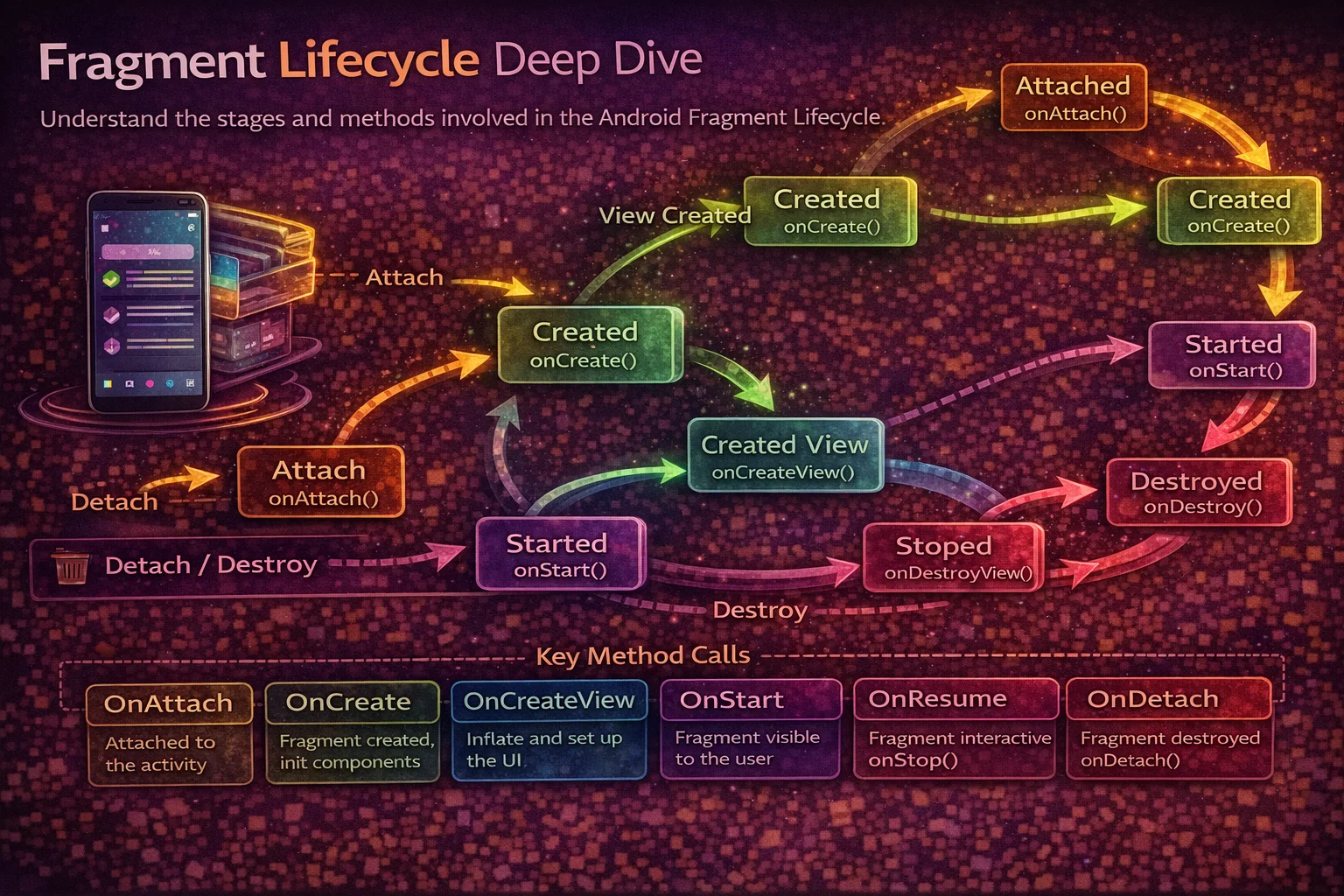
Fragments have a reputation for being confusing — and honestly, it’s deserved. A Fragment has two lifecycles (its own and its View’s), can outlive its View, gets recreated by the system in ways you don’t expect, and has a callback order that changes depending on how you add it. But Fragments are everywhere in modern Android — Navigation Component uses them, most multi-screen apps use them, and interview questions love them. This guide breaks down the Fragment lifecycle completely — every callback, every scenario, and the critical difference between the Fragment lifecycle and the View lifecycle.
Two Lifecycles — The Key Insight
The most important thing to understand about Fragments is that they have two separate lifecycles:
// 1. FRAGMENT LIFECYCLE — the Fragment object itself
//    Created once, can survive across view destruction
//    Managed by: lifecycle (this.lifecycle)

// 2. VIEW LIFECYCLE — the Fragment's View hierarchy
//    Created in onCreateView, destroyed in onDestroyView
//    Can be destroyed and recreated while the Fragment lives on
//    Managed by: viewLifecycleOwner.lifecycle

// Why two lifecycles?
// When you navigate away from a Fragment (but keep it in the back stack),
// the VIEW is destroyed (to save memory) but the FRAGMENT OBJECT stays alive.
// When you navigate back, the SAME Fragment object creates a NEW View.

// This is why you must use viewLifecycleOwner for UI observations:
// ❌ BAD — Fragment lifecycle lives longer than the View
lifecycleScope.launch {
    repeatOnLifecycle(Lifecycle.State.STARTED) {
        viewModel.data.collect { updateUI(it) }   // View might be dead!
    }
}

// ✅ GOOD — View lifecycle matches the View's actual lifetime
viewLifecycleOwner.lifecycleScope.launch {
    viewLifecycleOwner.repeatOnLifecycle(Lifecycle.State.STARTED) {
        viewModel.data.collect { updateUI(it) }   // safe — stops when View dies
    }
}
The Complete Fragment Lifecycle
// Fragment lifecycle callbacks — in order
//
//    onAttach()              ← Fragment is attached to its host Activity
//        ↓
//    onCreate()              ← Fragment is CREATED (initialise non-UI things)
//        ↓
//  ┌─ onCreateView()        ← Create and return the View hierarchy
//  │      ↓
//  │  onViewCreated()       ← View is ready — set up UI, observers, listeners
//  │      ↓
//  │  onViewStateRestored() ← Saved view state is restored (EditText text, scroll)
//  │      ↓
//  │  onStart()             ← Fragment is VISIBLE
//  │      ↓
//  │  onResume()            ← Fragment is INTERACTIVE
//  │      ↓
//  │  ———— Fragment is running ————
//  │      ↓
//  │  onPause()             ← Fragment losing focus
//  │      ↓
//  │  onStop()              ← Fragment no longer visible
//  │      ↓
//  │  onSaveInstanceState() ← Save state before potential destruction
//  │      ↓
//  └─ onDestroyView()       ← View hierarchy is DESTROYED (Fragment may survive)
//        ↓
//    onDestroy()             ← Fragment is being DESTROYED
//        ↓
//    onDetach()              ← Fragment is detached from Activity
//
// The VIEW LIFECYCLE is the portion between onCreateView and onDestroyView
// The FRAGMENT LIFECYCLE is the entire chain from onAttach to onDetach
Each Callback — What to Do Where
onAttach() — Connected to Activity
// Called when the Fragment is attached to its host Activity
// The Activity is available via context or requireActivity()

override fun onAttach(context: Context) {
    super.onAttach(context)

    // Get references to Activity-level objects
    // This is the earliest point where you can access the Activity

    // Old pattern (avoid): casting Activity to an interface
    // listener = context as OnItemClickListener

    // Modern pattern: use shared ViewModel or Fragment Result API
}

// Key facts:
// - Called BEFORE onCreate()
// - context parameter is the host Activity
// - Don't access Views here — they don't exist yet
onCreate() — Fragment Created
// Called when the Fragment instance is created
// Initialise things that are NOT related to the View

override fun onCreate(savedInstanceState: Bundle?) {
    super.onCreate(savedInstanceState)

    // 1. Process arguments
    val articleId = arguments?.getString("article_id") ?: ""

    // 2. Initialise ViewModel
    // (can also be done as a property delegate at class level)
    val viewModel: ArticleViewModel by viewModels()

    // 3. Restore non-UI state
    if (savedInstanceState != null) {
        currentPage = savedInstanceState.getInt("current_page", 0)
    }

    // 4. Set up non-UI dependencies
    // Don't touch Views here — they don't exist yet
}

// Key facts:
// - Called ONCE per Fragment instance (not again on view recreation)
// - savedInstanceState is null on first creation, non-null on recreation
// - Views do NOT exist yet — don't call findViewById or use binding here
// - ViewModel can be initialised here — it's not tied to the View
onCreateView() — Create the View
// Called to create the Fragment's View hierarchy
// Return the root View (or null for headless Fragments)

// With ViewBinding (recommended):
private var _binding: FragmentArticleBinding? = null
private val binding get() = _binding!!

override fun onCreateView(
    inflater: LayoutInflater,
    container: ViewGroup?,
    savedInstanceState: Bundle?
): View {
    _binding = FragmentArticleBinding.inflate(inflater, container, false)
    return binding.root
}

// Without ViewBinding:
override fun onCreateView(
    inflater: LayoutInflater,
    container: ViewGroup?,
    savedInstanceState: Bundle?
): View? {
    return inflater.inflate(R.layout.fragment_article, container, false)
}

// Key facts:
// - Return the View — do NOT add it to the container yourself
// - The second parameter (container) is the parent — pass false to attach
// - Keep this method simple — just inflate and return
// - Set up UI in onViewCreated, not here
onViewCreated() — View is Ready
// Called immediately after onCreateView returns
// The View is now ready — THIS is where you set up your UI

override fun onViewCreated(view: View, savedInstanceState: Bundle?) {
    super.onViewCreated(view, savedInstanceState)

    // 1. Set up RecyclerView, adapters, click listeners
    binding.recyclerView.adapter = articleAdapter
    binding.recyclerView.layoutManager = LinearLayoutManager(requireContext())

    // 2. Set up click listeners
    binding.retryButton.setOnClickListener { viewModel.retry() }

    // 3. Observe ViewModel with VIEW lifecycle (critical!)
    viewLifecycleOwner.lifecycleScope.launch {
        viewLifecycleOwner.repeatOnLifecycle(Lifecycle.State.STARTED) {
            launch { viewModel.uiState.collect { renderState(it) } }
            launch { viewModel.events.collect { handleEvent(it) } }
        }
    }

    // 4. Set up toolbar, menus, etc.
    binding.toolbar.setNavigationOnClickListener {
        findNavController().navigateUp()
    }
}

// Key facts:
// - THIS is the primary setup method — not onCreate, not onCreateView
// - View is guaranteed to be non-null here
// - Always use viewLifecycleOwner for observations, not this (Fragment)
// - Called every time the View is recreated (including back stack returns)
onViewStateRestored() — State Restored
// Called after the View's saved state has been restored
// EditText content, RecyclerView scroll position, etc. are restored here

override fun onViewStateRestored(savedInstanceState: Bundle?) {
    super.onViewStateRestored(savedInstanceState)

    // The system has already restored View state (EditText text, etc.)
    // You can read the restored state if needed

    // Rarely overridden — system handles most view state automatically
    // Use this only if you need to react AFTER view state restoration
}

// Key facts:
// - Called after onViewCreated and before onStart
// - System automatically restores View state for Views with android:id
// - Called EVERY TIME the view is recreated
onStart() / onResume() / onPause() / onStop()
// These mirror the Activity lifecycle callbacks

override fun onStart() {
    super.onStart()
    // Fragment is VISIBLE — same as Activity.onStart
}

override fun onResume() {
    super.onResume()
    // Fragment is INTERACTIVE — same as Activity.onResume
}

override fun onPause() {
    super.onPause()
    // Fragment losing focus — same as Activity.onPause
    // Keep it fast
}

override fun onStop() {
    super.onStop()
    // Fragment no longer visible — safe for heavier cleanup
}

// In practice, you rarely override these directly in modern Android
// Use viewLifecycleOwner.repeatOnLifecycle(Lifecycle.State.STARTED) instead
// It automatically starts/stops with onStart/onStop
onSaveInstanceState() — Save State
// Save small UI state before the Fragment might be destroyed

override fun onSaveInstanceState(outState: Bundle) {
    super.onSaveInstanceState(outState)

    outState.putInt("selected_tab", binding.tabLayout.selectedTabPosition)
    outState.putString("search_query", currentQuery)
}

// Restore in onCreate (Fragment state) or onViewCreated (View state)
// Same rules as Activity: keep the Bundle small (<1 MB)
onDestroyView() — View Dies, Fragment May Survive
// Called when the View hierarchy is destroyed
// The Fragment object may STILL BE ALIVE (in the back stack)

override fun onDestroyView() {
    super.onDestroyView()

    // 1. CRITICAL: null out the binding reference to avoid memory leaks
    _binding = null

    // 2. Clear any View references
    // adapter = null (if holding a reference)

    // 3. Cancel any View-specific work
}

// Why null the binding?
// If the Fragment is on the back stack, the Fragment object is alive
// but the Views are destroyed. If binding still holds View references,
// those Views can't be garbage collected = MEMORY LEAK

// Key facts:
// - Called when the View is destroyed (navigating away, back stack)
// - Fragment object may survive — it's still in memory
// - ViewModel survives — same instance when View is recreated
// - ALWAYS set _binding = null here with ViewBinding
onDestroy() / onDetach()
override fun onDestroy() {
    super.onDestroy()
    // Fragment object is being destroyed
    // Clean up anything tied to the Fragment itself (not the View)
}

override fun onDetach() {
    super.onDetach()
    // Fragment is detached from the Activity
    // requireActivity() will throw after this point
    // Last callback — Fragment is fully gone
}

// In modern Android, you rarely override these
// ViewModel handles data cleanup (cleared via viewModelScope)
// ViewBinding is nulled in onDestroyView
// Lifecycle-aware components clean up automatically
Real Scenarios — Exact Callback Order
Scenario 1: Fragment added for the first time
// Fragment is added via NavController or FragmentTransaction
// onAttach → onCreate → onCreateView → onViewCreated
// → onViewStateRestored → onStart → onResume
Scenario 2: Navigate to another Fragment (current goes to back stack)
// Fragment A → navigate to Fragment B (A stays in back stack)

// Fragment A:
// onPause → onStop → onSaveInstanceState → onDestroyView
// (Fragment A's View is DESTROYED, but Fragment A object SURVIVES)

// Fragment B:
// onAttach → onCreate → onCreateView → onViewCreated
// → onViewStateRestored → onStart → onResume

// Key insight: Fragment A's VIEW is destroyed to save memory
// But Fragment A itself (and its ViewModel) are alive in the back stack
Scenario 3: Press Back — return to previous Fragment
// Fragment B → press Back → return to Fragment A

// Fragment B:
// onPause → onStop → onDestroyView → onDestroy → onDetach
// (Fragment B is completely gone)

// Fragment A:
// onCreateView → onViewCreated → onViewStateRestored → onStart → onResume
// (Fragment A creates a NEW View but uses the SAME Fragment object)

// Notice: Fragment A's onCreate is NOT called again
// The Fragment object was alive the whole time — only the View was recreated
// ViewModel data is still there — no re-fetch needed
Scenario 4: Screen rotation (configuration change)
// Activity is destroyed and recreated — all Fragments go with it

// Old Fragment instance:
// onPause → onStop → onSaveInstanceState → onDestroyView → onDestroy → onDetach

// New Fragment instance (system recreates it):
// onAttach → onCreate(savedInstanceState) → onCreateView → onViewCreated
// → onViewStateRestored → onStart → onResume

// ViewModel SURVIVES — same instance, new Fragment and View
// savedInstanceState has data from onSaveInstanceState
Scenario 5: Activity goes to background (Home button)
// User presses Home
// Fragment: onPause → onStop

// User returns
// Fragment: onStart → onResume

// View is NOT destroyed — still in memory
// Fragment object is still alive
Scenario 6: Process death while in background
// System kills the app while in background
// onPause → onStop → onSaveInstanceState → (process killed)

// User returns — system recreates everything:
// Activity: onCreate(savedInstanceState)
// Fragment: onAttach → onCreate(savedInstanceState) → onCreateView
// → onViewCreated → onViewStateRestored → onStart → onResume

// ViewModel is NEW — previous data is lost
// SavedStateHandle data is restored
// Navigation state is restored — user is on the same screen
Fragment vs Activity Lifecycle — Side by Side
// ┌───────────────────────┬────────────────────────┐
// │ Activity              │ Fragment               │
// ├───────────────────────┼────────────────────────┤
// │                       │ onAttach()             │
// │ onCreate()            │ onCreate()             │
// │                       │ onCreateView()         │
// │                       │ onViewCreated()        │
// │                       │ onViewStateRestored()  │
// │ onStart()             │ onStart()              │
// │ onResume()            │ onResume()             │
// │ ——— running ———       │ ——— running ———        │
// │ onPause()             │ onPause()              │
// │ onStop()              │ onStop()               │
// │ onSaveInstanceState() │ onSaveInstanceState()  │
// │                       │ onDestroyView()        │
// │ onDestroy()           │ onDestroy()            │
// │                       │ onDetach()             │
// └───────────────────────┴────────────────────────┘
//
// Fragment has EXTRA callbacks:
// onAttach/onDetach — connection to Activity
// onCreateView/onDestroyView — View lifecycle (can happen independently)
// onViewCreated — safe place to set up UI
// onViewStateRestored — after system restores View state
Passing Data to Fragments
Arguments — the right way
// Pass data via arguments Bundle — survives recreation

// Creating with arguments
class ArticleFragment : Fragment(R.layout.fragment_article) {

    private val articleId: String by lazy {
        requireArguments().getString("article_id", "")
    }

    companion object {
        fun newInstance(articleId: String) = ArticleFragment().apply {
            arguments = bundleOf("article_id" to articleId)
        }
    }
}

// With Navigation Component (recommended):
// Arguments are defined in nav_graph.xml and passed via SafeArgs
// val args: ArticleFragmentArgs by navArgs()
// val articleId = args.articleId
Fragment Result API — communicating between Fragments
// Fragment A wants a result from Fragment B

// Fragment A — set up listener
setFragmentResultListener("filter_request") { _, bundle ->
    val selectedFilter = bundle.getString("filter_value", "all")
    applyFilter(selectedFilter)
}

// Fragment B — send result back
setFragmentResult("filter_request", bundleOf("filter_value" to "recent"))
findNavController().navigateUp()

// This replaces the old targetFragment pattern (deprecated)
// Works across configuration changes and process death
ViewBinding in Fragments — The Pattern
class ArticleFragment : Fragment(R.layout.fragment_article) {

    // Nullable backing field — null when View doesn't exist
    private var _binding: FragmentArticleBinding? = null

    // Non-null accessor — only use between onViewCreated and onDestroyView
    private val binding get() = _binding!!

    override fun onViewCreated(view: View, savedInstanceState: Bundle?) {
        super.onViewCreated(view, savedInstanceState)
        _binding = FragmentArticleBinding.bind(view)

        // Now safe to use binding
        binding.toolbar.title = "Articles"
        binding.recyclerView.adapter = adapter
    }

    override fun onDestroyView() {
        super.onDestroyView()
        _binding = null   // CRITICAL — prevents memory leak
    }
}

// Why this pattern?
// Fragment can outlive its View (back stack)
// If _binding holds View references after onDestroyView,
// those Views can't be garbage collected = memory leak
// Setting _binding = null in onDestroyView fixes this
Common Mistakes to Avoid
Mistake 1: Using Fragment lifecycle instead of View lifecycle for observations
// ❌ Fragment lifecycle outlives the View — crashes or duplicate observations
lifecycleScope.launch {
    repeatOnLifecycle(Lifecycle.State.STARTED) {
        viewModel.data.collect { binding.textView.text = it }
        // After navigating away and back, this runs TWICE
        // because the Fragment was alive the whole time
    }
}

// ✅ View lifecycle matches the View
viewLifecycleOwner.lifecycleScope.launch {
    viewLifecycleOwner.repeatOnLifecycle(Lifecycle.State.STARTED) {
        viewModel.data.collect { binding.textView.text = it }
        // Properly cancelled when View is destroyed
        // Restarted when new View is created
    }
}
Mistake 2: Not nulling out ViewBinding in onDestroyView
// ❌ Memory leak — binding holds references to destroyed Views
override fun onDestroyView() {
    super.onDestroyView()
    // forgot _binding = null!
}
// Fragment is on back stack, Views are destroyed
// But binding still references them → Views can't be GC'd

// ✅ Always null out binding
override fun onDestroyView() {
    super.onDestroyView()
    _binding = null
}
Mistake 3: Accessing Views in onCreate
// ❌ Views don't exist yet in onCreate — crash!
override fun onCreate(savedInstanceState: Bundle?) {
    super.onCreate(savedInstanceState)
    binding.textView.text = "Hello"   // 💥 View not created yet
}

// ✅ Access Views in onViewCreated
override fun onViewCreated(view: View, savedInstanceState: Bundle?) {
    super.onViewCreated(view, savedInstanceState)
    binding.textView.text = "Hello"   // ✅ View exists
}
Mistake 4: Creating Fragment with constructor parameters
// ❌ System uses no-arg constructor to recreate — your params are lost
class ArticleFragment(private val articleId: String) : Fragment() {
    // After rotation: system calls ArticleFragment() — no articleId! 💥
}

// ✅ Use arguments Bundle — survives recreation
class ArticleFragment : Fragment() {
    private val articleId by lazy { requireArguments().getString("article_id", "") }

    companion object {
        fun newInstance(articleId: String) = ArticleFragment().apply {
            arguments = bundleOf("article_id" to articleId)
        }
    }
}

// ✅ Even better with Navigation SafeArgs — compile-time safe
Mistake 5: Using requireContext() or requireActivity() in callbacks after detach
// ❌ Crash if Fragment is detached when callback fires
viewModel.result.observe(this) { result ->
    Toast.makeText(requireContext(), result, Toast.LENGTH_SHORT).show()
    // 💥 IllegalStateException if Fragment is already detached
}

// ✅ Check if Fragment is attached, or use viewLifecycleOwner
viewLifecycleOwner.lifecycleScope.launch {
    viewLifecycleOwner.repeatOnLifecycle(Lifecycle.State.STARTED) {
        viewModel.result.collect { result ->
            // Safe — only runs when View is alive and Fragment is attached
            Toast.makeText(requireContext(), result, Toast.LENGTH_SHORT).show()
        }
    }
}
Summary
- Fragments have two lifecycles: Fragment lifecycle (onAttach→onDetach) and View lifecycle (onCreateView→onDestroyView)
- Always use viewLifecycleOwner for UI observations — never the Fragment’s own lifecycle
- onViewCreated is where you set up UI, click listeners, and ViewModel observers
- Always null out ViewBinding in onDestroyView to prevent memory leaks
- When navigating away, the View is destroyed but the Fragment survives on the back stack
- When navigating back, the same Fragment creates a new View (onCreate is NOT called again)
- Pass data via arguments Bundle or Navigation SafeArgs — never constructor parameters
- Use Fragment Result API for communication between Fragments (replaces targetFragment)
- Fragment callbacks mirror Activity callbacks but add: onAttach, onCreateView, onViewCreated, onDestroyView, onDetach
- Configuration change destroys and recreates both Fragment and View — ViewModel survives
- Process death destroys everything — only onSaveInstanceState/SavedStateHandle data survives
- Use repeatOnLifecycle(STARTED) with viewLifecycleOwner instead of manually managing start/stop
- Never create Fragments with constructor parameters — the system uses a no-arg constructor on recreation
The Fragment lifecycle is harder than the Activity lifecycle because of the two-lifecycle design. But once you internalise the rule — “use viewLifecycleOwner for anything UI-related” — most of the complexity melts away. The View lifecycle is what matters for your day-to-day code. The Fragment lifecycle is what matters for understanding why things work the way they do.
Happy coding!
Comments (0)