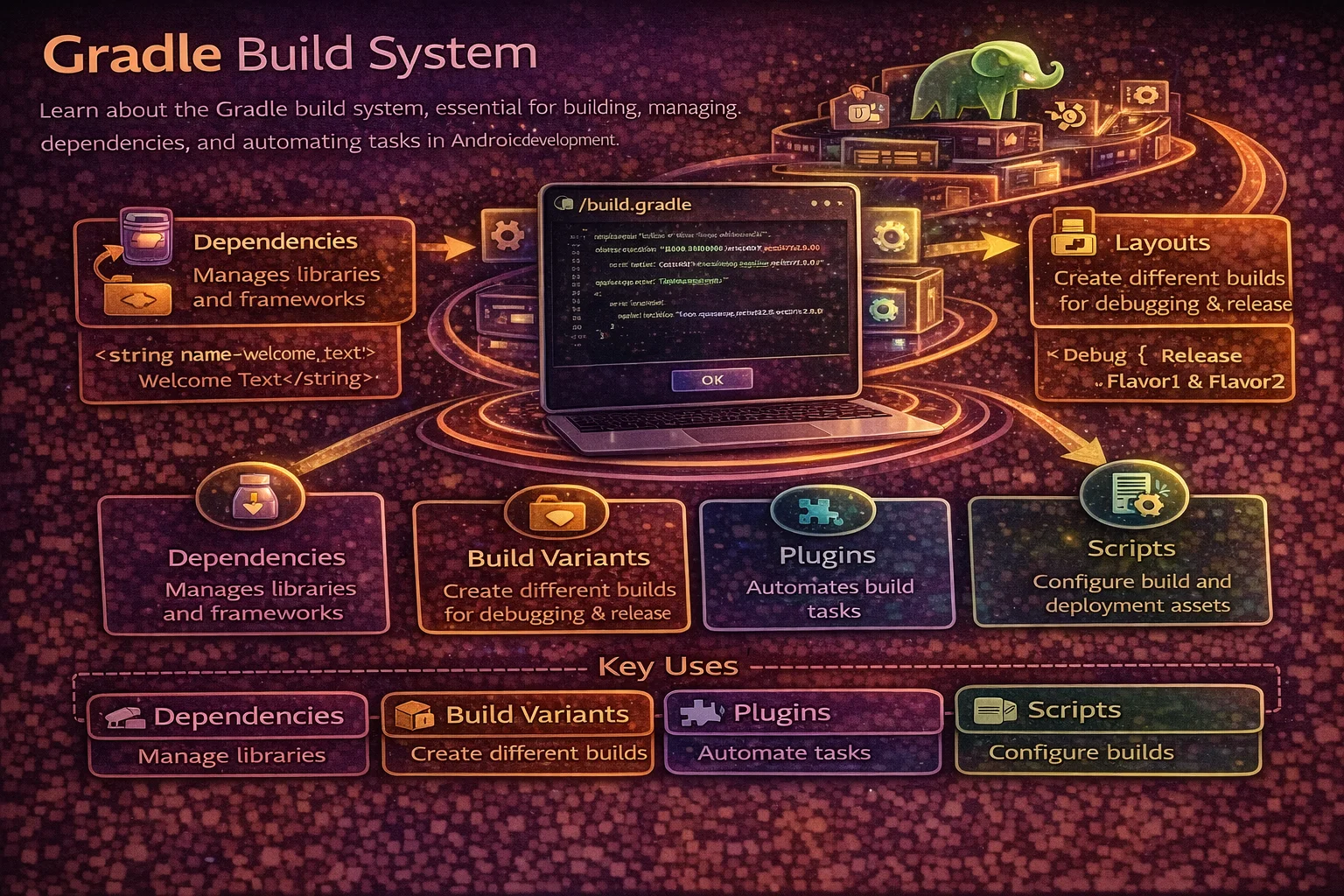
Gradle is the build system that turns your Kotlin code, resources, and libraries into an installable APK or AAB. Every Android developer uses it daily — adding dependencies, configuring build types, setting up flavors — but few truly understand how it works. When a build fails with a cryptic error, or you need to set up multi-module builds, product flavors for different environments, or custom build logic — that’s when Gradle knowledge becomes essential. This guide covers everything you need to know about Gradle for modern Android development.
What is Gradle?
// Gradle is an open-source BUILD AUTOMATION tool
// It handles:
// 1. COMPILING your Kotlin/Java source code
// 2. PROCESSING resources (layouts, strings, drawables)
// 3. RESOLVING and downloading dependencies (libraries)
// 4. RUNNING tests
// 5. PACKAGING everything into an APK or AAB
// 6. SIGNING the package for distribution
// 7. MINIFYING and obfuscating code (R8/ProGuard)

// Android uses the Android Gradle Plugin (AGP) on top of Gradle
// AGP adds Android-specific tasks: generating R files, merging manifests,
// building APK/AAB, running Android tests, etc.
Project Structure
// Typical Android project Gradle files:
//
// my-app/
// ├── build.gradle.kts              ← root project build file
// ├── settings.gradle.kts           ← declares modules and repositories
// ├── gradle.properties             ← project-wide Gradle properties
// ├── local.properties              ← local machine config (SDK path, API keys)
// ├── gradle/
// │   ├── wrapper/
// │   │   └── gradle-wrapper.properties  ← Gradle version
// │   └── libs.versions.toml        ← version catalog (dependency versions)
// ├── app/
// │   └── build.gradle.kts          ← app module build file
// ├── core/
// │   └── build.gradle.kts          ← library module build file
// └── feature/
//     └── build.gradle.kts          ← feature module build file
settings.gradle.kts
// settings.gradle.kts — the first file Gradle reads
// Declares which modules exist and where to find plugins/dependencies

pluginManagement {
    repositories {
        google()            // Android Gradle Plugin, Jetpack libraries
        mavenCentral()      // Most open-source libraries
        gradlePluginPortal() // Gradle plugins
    }
}

dependencyResolutionManagement {
    repositoriesMode.set(RepositoriesMode.FAIL_ON_PROJECT_REPOS)
    // Centralises repositories — modules can't add their own
    repositories {
        google()
        mavenCentral()
    }
}

rootProject.name = "MyApp"

// Declare all modules
include(":app")
include(":core:data")
include(":core:domain")
include(":core:ui")
include(":feature:articles")
include(":feature:profile")
Root build.gradle.kts
// Root build file — applies plugins that all modules need

plugins {
    // "apply false" means: make the plugin available but don't apply here
    // Each module applies what it needs
    alias(libs.plugins.android.application) apply false
    alias(libs.plugins.android.library) apply false
    alias(libs.plugins.kotlin.android) apply false
    alias(libs.plugins.kotlin.compose) apply false
    alias(libs.plugins.hilt) apply false
    alias(libs.plugins.ksp) apply false
}

// That's it for most projects — keep the root build file minimal
// All configuration should be in module-level build files
App Module build.gradle.kts
plugins {
    alias(libs.plugins.android.application)   // this is an app (not library)
    alias(libs.plugins.kotlin.android)
    alias(libs.plugins.kotlin.compose)
    alias(libs.plugins.hilt)
    alias(libs.plugins.ksp)
    id("kotlin-parcelize")                    // @Parcelize support
}

android {
    namespace = "com.example.myapp"           // package for R class and manifest
    compileSdk = 35                           // SDK used to compile (use latest)

    defaultConfig {
        applicationId = "com.example.myapp"   // unique app ID on Play Store
        minSdk = 26                           // minimum supported Android version
        targetSdk = 35                        // Android version you've tested against
        versionCode = 1                       // integer, incremented for each release
        versionName = "1.0.0"                 // human-readable version

        testInstrumentationRunner = "androidx.test.runner.AndroidJUnitRunner"

        // Build config fields — accessible in code
        buildConfigField("String", "API_BASE_URL", "\"https://api.example.com\"")
    }

    buildTypes {
        debug {
            isDebuggable = true
            applicationIdSuffix = ".debug"     // separate app ID for debug builds
            versionNameSuffix = "-debug"
            buildConfigField("String", "API_BASE_URL", "\"https://dev-api.example.com\"")
        }
        release {
            isMinifyEnabled = true             // R8 code shrinking
            isShrinkResources = true           // remove unused resources
            proguardFiles(
                getDefaultProguardFile("proguard-android-optimize.txt"),
                "proguard-rules.pro"
            )
            signingConfig = signingConfigs.getByName("release")
        }
    }

    compileOptions {
        sourceCompatibility = JavaVersion.VERSION_17
        targetCompatibility = JavaVersion.VERSION_17
    }

    kotlinOptions {
        jvmTarget = "17"
    }

    buildFeatures {
        compose = true           // enable Jetpack Compose
        viewBinding = true       // enable ViewBinding
        buildConfig = true       // enable BuildConfig generation
    }
}

dependencies {
    // Module dependencies
    implementation(project(":core:data"))
    implementation(project(":core:domain"))
    implementation(project(":feature:articles"))

    // Libraries (from version catalog)
    implementation(libs.androidx.core.ktx)
    implementation(libs.androidx.lifecycle.runtime)
    implementation(libs.androidx.activity.compose)
    implementation(platform(libs.androidx.compose.bom))
    implementation(libs.androidx.compose.ui)
    implementation(libs.androidx.compose.material3)

    // Hilt
    implementation(libs.hilt.android)
    ksp(libs.hilt.compiler)

    // Testing
    testImplementation(libs.junit)
    testImplementation(libs.mockk)
    testImplementation(libs.turbine)
    testImplementation(libs.kotlinx.coroutines.test)
    androidTestImplementation(libs.androidx.test.ext)
    androidTestImplementation(libs.androidx.test.espresso)
}
Version Catalog (libs.versions.toml)
The modern way to manage dependency versions in one place:
# gradle/libs.versions.toml

[versions]
agp = "8.7.0"
kotlin = "2.0.21"
compose-bom = "2024.10.00"
hilt = "2.52"
ksp = "2.0.21-1.0.25"
room = "2.6.1"
retrofit = "2.11.0"
coroutines = "1.9.0"
lifecycle = "2.8.6"

[libraries]
# AndroidX
androidx-core-ktx = { module = "androidx.core:core-ktx", version = "1.13.1" }
androidx-lifecycle-runtime = { module = "androidx.lifecycle:lifecycle-runtime-ktx", version.ref = "lifecycle" }
androidx-lifecycle-viewmodel = { module = "androidx.lifecycle:lifecycle-viewmodel-ktx", version.ref = "lifecycle" }
androidx-activity-compose = { module = "androidx.activity:activity-compose", version = "1.9.2" }

# Compose
androidx-compose-bom = { module = "androidx.compose:compose-bom", version.ref = "compose-bom" }
androidx-compose-ui = { module = "androidx.compose.ui:ui" }
androidx-compose-material3 = { module = "androidx.compose.material3:material3" }
androidx-compose-ui-tooling = { module = "androidx.compose.ui:ui-tooling" }

# Hilt
hilt-android = { module = "com.google.dagger:hilt-android", version.ref = "hilt" }
hilt-compiler = { module = "com.google.dagger:hilt-compiler", version.ref = "hilt" }

# Room
room-runtime = { module = "androidx.room:room-runtime", version.ref = "room" }
room-ktx = { module = "androidx.room:room-ktx", version.ref = "room" }
room-compiler = { module = "androidx.room:room-compiler", version.ref = "room" }

# Networking
retrofit = { module = "com.squareup.retrofit2:retrofit", version.ref = "retrofit" }
retrofit-gson = { module = "com.squareup.retrofit2:converter-gson", version.ref = "retrofit" }
okhttp-logging = { module = "com.squareup.okhttp3:logging-interceptor", version = "4.12.0" }

# Coroutines
kotlinx-coroutines-core = { module = "org.jetbrains.kotlinx:kotlinx-coroutines-core", version.ref = "coroutines" }
kotlinx-coroutines-android = { module = "org.jetbrains.kotlinx:kotlinx-coroutines-android", version.ref = "coroutines" }
kotlinx-coroutines-test = { module = "org.jetbrains.kotlinx:kotlinx-coroutines-test", version.ref = "coroutines" }

# Testing
junit = { module = "junit:junit", version = "4.13.2" }
mockk = { module = "io.mockk:mockk", version = "1.13.12" }
turbine = { module = "app.cash.turbine:turbine", version = "1.1.0" }

[plugins]
android-application = { id = "com.android.application", version.ref = "agp" }
android-library = { id = "com.android.library", version.ref = "agp" }
kotlin-android = { id = "org.jetbrains.kotlin.android", version.ref = "kotlin" }
kotlin-compose = { id = "org.jetbrains.kotlin.plugin.compose", version.ref = "kotlin" }
hilt = { id = "com.google.dagger.hilt.android", version.ref = "hilt" }
ksp = { id = "com.google.devtools.ksp", version.ref = "ksp" }
// Usage in build.gradle.kts — clean and type-safe
dependencies {
implementation(libs.retrofit)
implementation(libs.retrofit.gson)
implementation(libs.room.runtime)
implementation(libs.room.ktx)
ksp(libs.room.compiler)
}
// Benefits of version catalogs:
// - Single source of truth for all dependency versions
// - Type-safe access in build files (IDE autocomplete)
// - Easy to update versions across all modules
// - Shareable across projectsBuild Types
Build types define how your app is built. Every Android project has at least debug and release:
buildTypes {
    debug {
        isDebuggable = true                   // enables debugging, logging
        applicationIdSuffix = ".debug"         // com.example.myapp.debug
        versionNameSuffix = "-debug"           // 1.0.0-debug
        isMinifyEnabled = false                // no code shrinking (faster builds)

        buildConfigField("String", "API_BASE_URL", "\"https://dev-api.example.com\"")
        buildConfigField("Boolean", "ENABLE_LOGGING", "true")
    }

    release {
        isDebuggable = false
        isMinifyEnabled = true                 // R8 shrinks and obfuscates
        isShrinkResources = true               // removes unused resources
        proguardFiles(
            getDefaultProguardFile("proguard-android-optimize.txt"),
            "proguard-rules.pro"
        )

        buildConfigField("String", "API_BASE_URL", "\"https://api.example.com\"")
        buildConfigField("Boolean", "ENABLE_LOGGING", "false")
    }

    // Custom build type — inherits from another
    create("staging") {
        initWith(getByName("debug"))           // start from debug config
        applicationIdSuffix = ".staging"
        buildConfigField("String", "API_BASE_URL", "\"https://staging-api.example.com\"")
    }
}

// Access in code:
if (BuildConfig.DEBUG) {
    Timber.plant(Timber.DebugTree())
}
val apiUrl = BuildConfig.API_BASE_URL
Product Flavors
Product flavors let you build different versions of your app from the same codebase. Common uses: free vs paid, different branding, different API endpoints.
android {
    // Flavor dimensions — categories of flavors
    flavorDimensions += listOf("version", "store")

    productFlavors {
        // "version" dimension
        create("free") {
            dimension = "version"
            applicationIdSuffix = ".free"
            buildConfigField("Boolean", "IS_PREMIUM", "false")
            buildConfigField("Int", "MAX_DOWNLOADS", "5")
        }
        create("premium") {
            dimension = "version"
            applicationIdSuffix = ".premium"
            buildConfigField("Boolean", "IS_PREMIUM", "true")
            buildConfigField("Int", "MAX_DOWNLOADS", "999999")
        }

        // "store" dimension
        create("google") {
            dimension = "store"
            buildConfigField("String", "STORE", "\"google\"")
        }
        create("samsung") {
            dimension = "store"
            buildConfigField("String", "STORE", "\"samsung\"")
        }
    }
}

// This generates BUILD VARIANTS (flavor + buildType):
// freeGoogleDebug, freeGoogleRelease
// freeSamsungDebug, freeSamsungRelease
// premiumGoogleDebug, premiumGoogleRelease
// premiumSamsungDebug, premiumSamsungRelease

// Each variant can have its own:
// - Source code:     src/free/java/, src/premium/java/
// - Resources:       src/free/res/, src/premium/res/
// - Manifest:        src/free/AndroidManifest.xml
// - Dependencies:    freeImplementation(...), premiumImplementation(...)
Flavor-specific code and resources
// Directory structure for flavors:
// src/
// ├── main/         ← shared code (all flavors)
// ├── free/         ← free-only code
// │   ├── java/
// │   └── res/
// ├── premium/      ← premium-only code
// │   ├── java/
// │   └── res/
// ├── google/       ← Google Play-only
// └── samsung/      ← Samsung Store-only

// Example: different ad implementation per flavor
// src/free/java/com/example/ads/AdManager.kt
class AdManager {
    fun showAd() { /* show real ad */ }
}

// src/premium/java/com/example/ads/AdManager.kt
class AdManager {
    fun showAd() { /* no-op — premium has no ads */ }
}

// Main code references AdManager — the right version is included per flavor

// Flavor-specific dependencies
dependencies {
    freeImplementation(libs.admob)          // ads only in free version
    premiumImplementation(libs.premium.features)
}
Build Variants
// A build variant = product flavor(s) + build type
//
// ┌────────────────────┬─────────────────────────────────────────────┐
// │ Without flavors    │ debug, release                              │
// │ With 1 dimension   │ freeDebug, freeRelease,                     │
// │                    │ premiumDebug, premiumRelease                 │
// │ With 2 dimensions  │ freeGoogleDebug, freeGoogleRelease,         │
// │                    │ freeSamsungDebug, freeSamsungRelease,        │
// │                    │ premiumGoogleDebug, premiumGoogleRelease,    │
// │                    │ premiumSamsungDebug, premiumSamsungRelease   │
// └────────────────────┴─────────────────────────────────────────────┘

// Select the active variant in Android Studio:
// Build → Select Build Variant (left panel)

// Each variant produces its own APK/AAB with a unique applicationId:
// freeGoogleDebug    → com.example.myapp.free.debug
// premiumGoogleRelease → com.example.myapp.premium
Dependencies
Dependency configurations
dependencies {
    // implementation — available to this module only
    // Other modules that depend on this one CANNOT see this dependency
    implementation(libs.retrofit)

    // api — available to this module AND modules that depend on it
    // Use sparingly — increases build times due to wider recompilation
    api(libs.room.runtime)

    // compileOnly — available at compile time, NOT included in APK
    // Used for annotations processed at compile time
    compileOnly(libs.some.annotation)

    // runtimeOnly — NOT available at compile time, included in APK
    // Used for implementations that are loaded at runtime
    runtimeOnly(libs.some.driver)

    // ksp — Kotlin Symbol Processing (annotation processing)
    ksp(libs.room.compiler)
    ksp(libs.hilt.compiler)

    // testImplementation — only for unit tests (test/ source set)
    testImplementation(libs.junit)
    testImplementation(libs.mockk)

    // androidTestImplementation — only for instrumented tests (androidTest/)
    androidTestImplementation(libs.androidx.test.espresso)

    // debugImplementation — only in debug builds
    debugImplementation(libs.leakcanary)

    // Flavor-specific
    freeImplementation(libs.admob)
}

// implementation vs api:
// implementation: dependency is PRIVATE — faster builds, better encapsulation
// api: dependency is PUBLIC — exposed to consumers of your module
// Rule: use implementation by default, api only when consumers need direct access
Platform (BOM) dependencies
// BOM (Bill of Materials) manages versions for a set of related libraries
// You specify the BOM version, and it sets versions for all its libraries

dependencies {
    // Compose BOM — manages ALL Compose library versions
    implementation(platform(libs.androidx.compose.bom))
    implementation("androidx.compose.ui:ui")            // version from BOM
    implementation("androidx.compose.material3:material3")  // version from BOM
    implementation("androidx.compose.ui:ui-tooling-preview")

    // Firebase BOM
    implementation(platform("com.google.firebase:firebase-bom:33.4.0"))
    implementation("com.google.firebase:firebase-analytics")    // version from BOM
    implementation("com.google.firebase:firebase-messaging")    // version from BOM
}

// Benefits: no version conflicts between related libraries
// Update one BOM version → all libraries update together
Signing Configs
android {
    signingConfigs {
        // Debug signing — Android Studio generates automatically
        // Located at: ~/.android/debug.keystore
        getByName("debug") {
            // Uses default debug keystore — no config needed
        }

        // Release signing — YOUR key for Play Store
        create("release") {
            storeFile = file(System.getenv("KEYSTORE_PATH") ?: "release.keystore")
            storePassword = System.getenv("KEYSTORE_PASSWORD") ?: ""
            keyAlias = System.getenv("KEY_ALIAS") ?: ""
            keyPassword = System.getenv("KEY_PASSWORD") ?: ""
        }
    }

    buildTypes {
        release {
            signingConfig = signingConfigs.getByName("release")
        }
    }
}

// ⚠️ NEVER commit keystore passwords to version control
// Use environment variables (CI/CD) or local.properties (local dev)

// In local.properties (not committed to git):
// KEYSTORE_PATH=/path/to/release.keystore
// KEYSTORE_PASSWORD=mysecretpassword
// KEY_ALIAS=myapp
// KEY_PASSWORD=mykeypassword

// Read from local.properties in build.gradle.kts:
val localProperties = Properties().apply {
    val file = rootProject.file("local.properties")
    if (file.exists()) load(file.inputStream())
}
R8 / ProGuard — Code Shrinking
// R8 is Android's code shrinker (replaces ProGuard)
// Enabled with isMinifyEnabled = true in release build type

// R8 does three things:
// 1. CODE SHRINKING — removes unused classes, methods, fields
// 2. OBFUSCATION — renames classes/methods to short names (a, b, c)
// 3. OPTIMIZATION — inlines code, removes dead branches

// proguard-rules.pro — custom rules to keep certain code
-keep class com.example.myapp.data.models.** { *; }
// Keep all model classes (needed if using Gson with reflection)

-keepclassmembers class * implements android.os.Parcelable {
    public static final android.os.Parcelable$Creator CREATOR;
}
// Keep Parcelable creators

-keep class * extends androidx.room.RoomDatabase
// Keep Room database classes

// Check what R8 removed:
// Build → Analyze APK → select release APK → check classes

// Mapping file for crash reports:
// app/build/outputs/mapping/release/mapping.txt
// Upload this to Play Console to deobfuscate crash reports
Gradle Properties
# gradle.properties — project-wide settings

# JVM memory for Gradle daemon (increase for large projects)
org.gradle.jvmargs=-Xmx4096m -XX:+UseParallelGC

# Enable parallel module compilation
org.gradle.parallel=true

# Enable build caching
org.gradle.caching=true

# Enable configuration caching (faster repeat builds)
org.gradle.configuration-cache=true

# AndroidX (should always be true for modern projects)
android.useAndroidX=true

# Non-transitive R classes (faster builds, less R class pollution)
android.nonTransitiveRClass=true

# Kotlin incremental compilation
kotlin.incremental=true

# Disable Kotlin daemon fallback (faster builds)
kotlin.daemon.jvmargs=-Xmx2048m
Useful Gradle Tasks
# Build debug APK
./gradlew assembleDebug

# Build release AAB (for Play Store)
./gradlew bundleRelease

# Run unit tests
./gradlew test

# Run unit tests for specific module
./gradlew :app:testDebugUnitTest

# Run instrumented tests
./gradlew connectedAndroidTest

# Clean build
./gradlew clean

# List all tasks
./gradlew tasks

# Show dependency tree (useful for debugging version conflicts)
./gradlew :app:dependencies

# Show specific configuration dependencies
./gradlew :app:dependencies --configuration releaseRuntimeClasspath

# Check for dependency updates (requires plugin)
./gradlew dependencyUpdates

# Analyze APK size
./gradlew analyzeReleaseBundle
Multi-Module Projects
// Modern Android apps use multiple modules for:
// - Faster builds (only changed modules recompile)
// - Better separation of concerns
// - Enforced dependency boundaries
// - Reusability across projects

// Common module structure:
// :app                  — Application module (entry point, DI setup)
// :core:data            — Repositories, data sources, API, database
// :core:domain          — Use cases, domain models (pure Kotlin, no Android)
// :core:ui              — Shared UI components, themes
// :core:common          — Shared utilities
// :feature:articles     — Articles feature (UI + ViewModel)
// :feature:profile      — Profile feature (UI + ViewModel)
// :feature:settings     — Settings feature

// Module types:
// com.android.application  — only ONE per project (the :app module)
// com.android.library      — produces AAR, can be depended on by other modules
// org.jetbrains.kotlin.jvm — pure Kotlin module (no Android, for :core:domain)
Library module build.gradle.kts
// :core:data module
plugins {
    alias(libs.plugins.android.library)    // library, not application
    alias(libs.plugins.kotlin.android)
    alias(libs.plugins.hilt)
    alias(libs.plugins.ksp)
}

android {
    namespace = "com.example.core.data"
    compileSdk = 35

    defaultConfig {
        minSdk = 26
        // No applicationId, versionCode, versionName — libraries don't have these
    }
}

dependencies {
    // Depend on other modules
    implementation(project(":core:domain"))

    // This module's dependencies
    implementation(libs.room.runtime)
    implementation(libs.room.ktx)
    ksp(libs.room.compiler)
    implementation(libs.retrofit)
    implementation(libs.hilt.android)
    ksp(libs.hilt.compiler)

    // Use api for dependencies that consumers need
    api(libs.kotlinx.coroutines.core)   // consumers need Flow, StateFlow
}
Common Mistakes to Avoid
Mistake 1: Using api when implementation is sufficient
// ❌ api exposes the dependency to all consumers — slower builds
api(libs.retrofit)         // every module that depends on this one recompiles
                            // when Retrofit updates

// ✅ implementation keeps it private — faster builds
implementation(libs.retrofit)   // only this module recompiles on update

// Use api ONLY when consumers directly use types from the dependency
// Example: if your module returns Room entities, consumers need Room types
api(libs.room.runtime)     // consumers use @Entity, Flow<List<Entity>>
Mistake 2: Hardcoding versions instead of using version catalog
// ❌ Versions scattered across module build files
implementation("com.squareup.retrofit2:retrofit:2.11.0")   // version here
implementation("com.squareup.retrofit2:converter-gson:2.11.0")  // and here

// ✅ Version catalog — single source of truth
implementation(libs.retrofit)
implementation(libs.retrofit.gson)
Mistake 3: Not enabling R8 for release builds
// ❌ Release APK is huge and code is not obfuscated
release {
    isMinifyEnabled = false    // no shrinking!
}

// ✅ Always enable for release
release {
    isMinifyEnabled = true
    isShrinkResources = true
    proguardFiles(
        getDefaultProguardFile("proguard-android-optimize.txt"),
        "proguard-rules.pro"
    )
}
// Can reduce APK size by 30-70%
Mistake 4: Committing signing keys or passwords
// ❌ Passwords in build.gradle committed to git
create("release") {
    storePassword = "mysecretpassword"   // visible to everyone!
}

// ✅ Use environment variables or local.properties
create("release") {
    storePassword = System.getenv("KEYSTORE_PASSWORD") ?: ""
}

// Add to .gitignore:
// local.properties
// *.keystore
// *.jks
Mistake 5: Not using parallel and caching options
# ❌ Slow builds — default settings
# (no parallel, no caching, low memory)

# ✅ Faster builds — add to gradle.properties
org.gradle.parallel=true
org.gradle.caching=true
org.gradle.configuration-cache=true
org.gradle.jvmargs=-Xmx4096m -XX:+UseParallelGC
Summary
- Gradle is the build system that compiles, packages, signs, and shrinks your Android app
- settings.gradle.kts declares modules and repositories; root build.gradle.kts declares plugins; module build.gradle.kts configures each module
- Use version catalogs (
libs.versions.toml) for centralised dependency management with type-safe access - Build types (debug, release, staging) control how the app is built — debugging, minification, API endpoints
- Product flavors create different versions from the same codebase — free/premium, store variants
- Build variants = flavors + build type — each produces a unique APK with its own applicationId
- Use
implementationby default for dependencies;apionly when consumers need direct access - BOM dependencies manage versions for related library sets (Compose, Firebase)
- Always enable R8 (
isMinifyEnabled = true) in release builds — shrinks APK by 30-70% - Never commit signing keys or passwords — use environment variables or local.properties
- Multi-module projects improve build times, enforce boundaries, and improve code organisation
- Enable
parallel,caching, andconfiguration-cachein gradle.properties for faster builds - Use
./gradlew dependenciesto debug version conflicts and./gradlew assembleDebugto build from command line
Gradle is the tool you use every day but rarely think about — until something breaks. Understanding build types, flavors, dependency configurations, and the version catalog puts you in control. When builds fail, you’ll know where to look. When you need to set up a multi-module project or configure CI/CD, you’ll know exactly what to do.
Happy coding!
Comments (0)