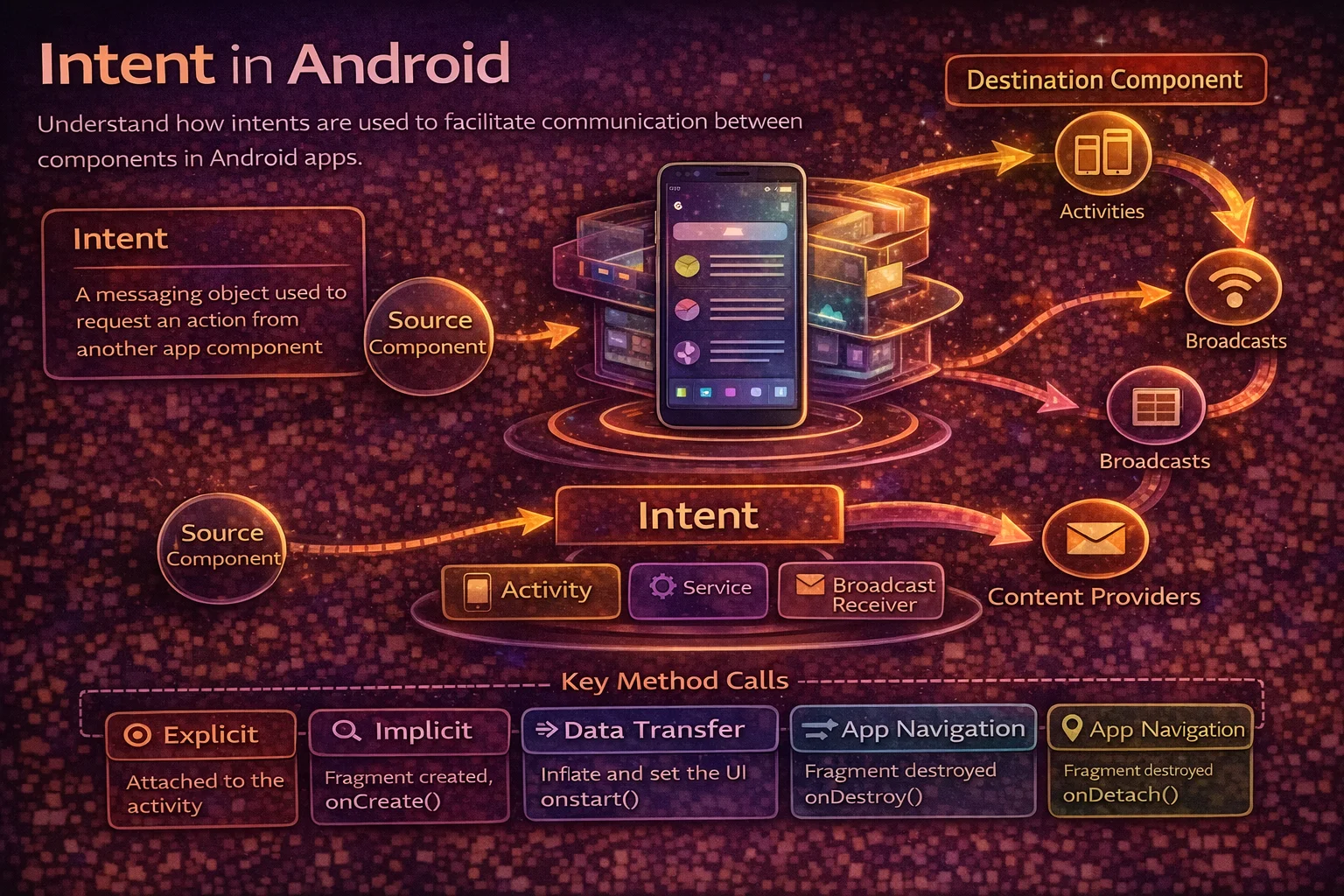
Intents are Android’s messaging system. Every time you open a new screen, share a photo, launch the camera, or start a background service — an Intent makes it happen. They’re the glue that connects Android’s four app components (Activities, Services, BroadcastReceivers, ContentProviders) both within your app and across different apps. Understanding Intents deeply — explicit vs implicit, data passing, flags, PendingIntents — is essential for building real Android apps and answering interview questions confidently.
What is an Intent?
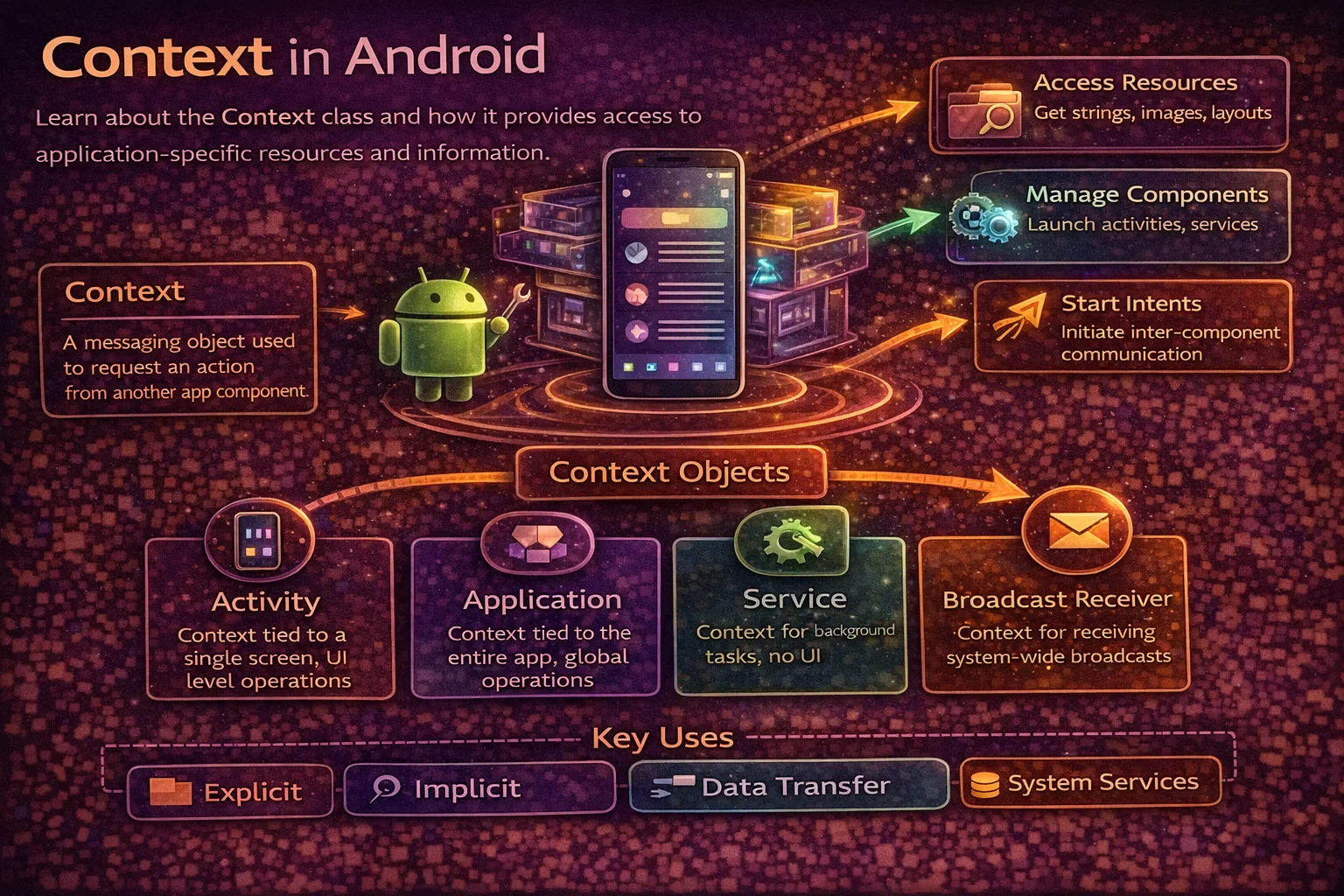
An Intent is a messaging object that describes an operation to perform. It tells the Android system “I want to do X” or “I want component Y to do X.”
// An Intent carries:
// 1. ACTION — what to do (view, send, edit, pick)
// 2. DATA — what to act on (a URI, a file, a URL)
// 3. COMPONENT — who should handle it (specific class or let system decide)
// 4. EXTRAS — additional key-value data (strings, ints, parcels)
// 5. CATEGORY — additional info about the kind of component to handle it
// 6. FLAGS — instructions for how to launch (new task, clear top, etc.)

// Intents are used to:
// - Start an Activity (navigate between screens)
// - Start a Service (background work)
// - Send a Broadcast (system-wide event)
// - Get a result from another Activity or app
Explicit Intents — You Know the Target
An explicit Intent specifies the exact component (class name) to start. Used for navigation within your own app.
// Start a specific Activity in your app
val intent = Intent(this, DetailActivity::class.java)
startActivity(intent)

// With data
val intent = Intent(this, DetailActivity::class.java).apply {
    putExtra("article_id", "123")
    putExtra("article_title", "Kotlin Coroutines")
    putExtra("is_bookmarked", true)
}
startActivity(intent)

// Receiving in DetailActivity
class DetailActivity : AppCompatActivity() {
    override fun onCreate(savedInstanceState: Bundle?) {
        super.onCreate(savedInstanceState)

        val articleId = intent.getStringExtra("article_id") ?: ""
        val title = intent.getStringExtra("article_title") ?: ""
        val isBookmarked = intent.getBooleanExtra("is_bookmarked", false)
    }
}

// Start a Service
val serviceIntent = Intent(this, DownloadService::class.java).apply {
    putExtra("url", "https://example.com/file.pdf")
}
startService(serviceIntent)

// Explicit intents are:
// - Used WITHIN your own app
// - You know the exact class to start
// - The system doesn't need to resolve anything
Type-safe approach with companion object
// Define a companion object in the target Activity for type safety
class DetailActivity : AppCompatActivity() {

    companion object {
        private const val EXTRA_ARTICLE_ID = "extra_article_id"
        private const val EXTRA_TITLE = "extra_title"

        fun newIntent(context: Context, articleId: String, title: String): Intent {
            return Intent(context, DetailActivity::class.java).apply {
                putExtra(EXTRA_ARTICLE_ID, articleId)
                putExtra(EXTRA_TITLE, title)
            }
        }
    }

    private val articleId: String by lazy {
        intent.getStringExtra(EXTRA_ARTICLE_ID) ?: ""
    }

    private val title: String by lazy {
        intent.getStringExtra(EXTRA_TITLE) ?: ""
    }
}

// Usage — clean and type-safe
val intent = DetailActivity.newIntent(this, articleId = "123", title = "Kotlin")
startActivity(intent)
Implicit Intents — Let the System Decide
An implicit Intent describes an action and optionally data, and the system finds the right app to handle it. Used for cross-app communication.
// Open a URL in the browser
val intent = Intent(Intent.ACTION_VIEW, Uri.parse("https://www.google.com"))
startActivity(intent)

// Share text
val intent = Intent(Intent.ACTION_SEND).apply {
    type = "text/plain"
    putExtra(Intent.EXTRA_TEXT, "Check out this article!")
    putExtra(Intent.EXTRA_SUBJECT, "Kotlin Coroutines Guide")
}
startActivity(Intent.createChooser(intent, "Share via"))

// Open the dialer with a phone number
val intent = Intent(Intent.ACTION_DIAL, Uri.parse("tel:+1234567890"))
startActivity(intent)

// Send an email
val intent = Intent(Intent.ACTION_SENDTO).apply {
    data = Uri.parse("mailto:")
    putExtra(Intent.EXTRA_EMAIL, arrayOf("hello@example.com"))
    putExtra(Intent.EXTRA_SUBJECT, "Feedback")
    putExtra(Intent.EXTRA_TEXT, "Great app!")
}
startActivity(intent)

// Open a file with the appropriate app
val intent = Intent(Intent.ACTION_VIEW).apply {
    setDataAndType(fileUri, "application/pdf")
    addFlags(Intent.FLAG_GRANT_READ_URI_PERMISSION)
}
startActivity(intent)

// Open Maps with a location
val intent = Intent(Intent.ACTION_VIEW, Uri.parse("geo:37.7749,-122.4194?q=coffee"))
startActivity(intent)

// Take a photo
val intent = Intent(MediaStore.ACTION_IMAGE_CAPTURE)
cameraLauncher.launch(intent)
Always check if an app can handle the Intent
// ❌ Crashes if no app can handle the Intent
val intent = Intent(Intent.ACTION_VIEW, Uri.parse("some://custom-uri"))
startActivity(intent)   // 💥 ActivityNotFoundException

// ✅ Check first with resolveActivity
val intent = Intent(Intent.ACTION_VIEW, Uri.parse("some://custom-uri"))
if (intent.resolveActivity(packageManager) != null) {
    startActivity(intent)
} else {
    Toast.makeText(this, "No app found to handle this", Toast.LENGTH_SHORT).show()
}

// ✅ Or use try-catch
try {
    startActivity(intent)
} catch (e: ActivityNotFoundException) {
    Toast.makeText(this, "No app found", Toast.LENGTH_SHORT).show()
}

// Note: On Android 11+ (API 30), you need to declare queries in manifest
// to see other apps:
// <queries>
//     <intent>
//         <action android:name="android.intent.action.VIEW" />
//         <data android:scheme="https" />
//     </intent>
// </queries>
Intent Filters — Declaring What Your App Can Handle
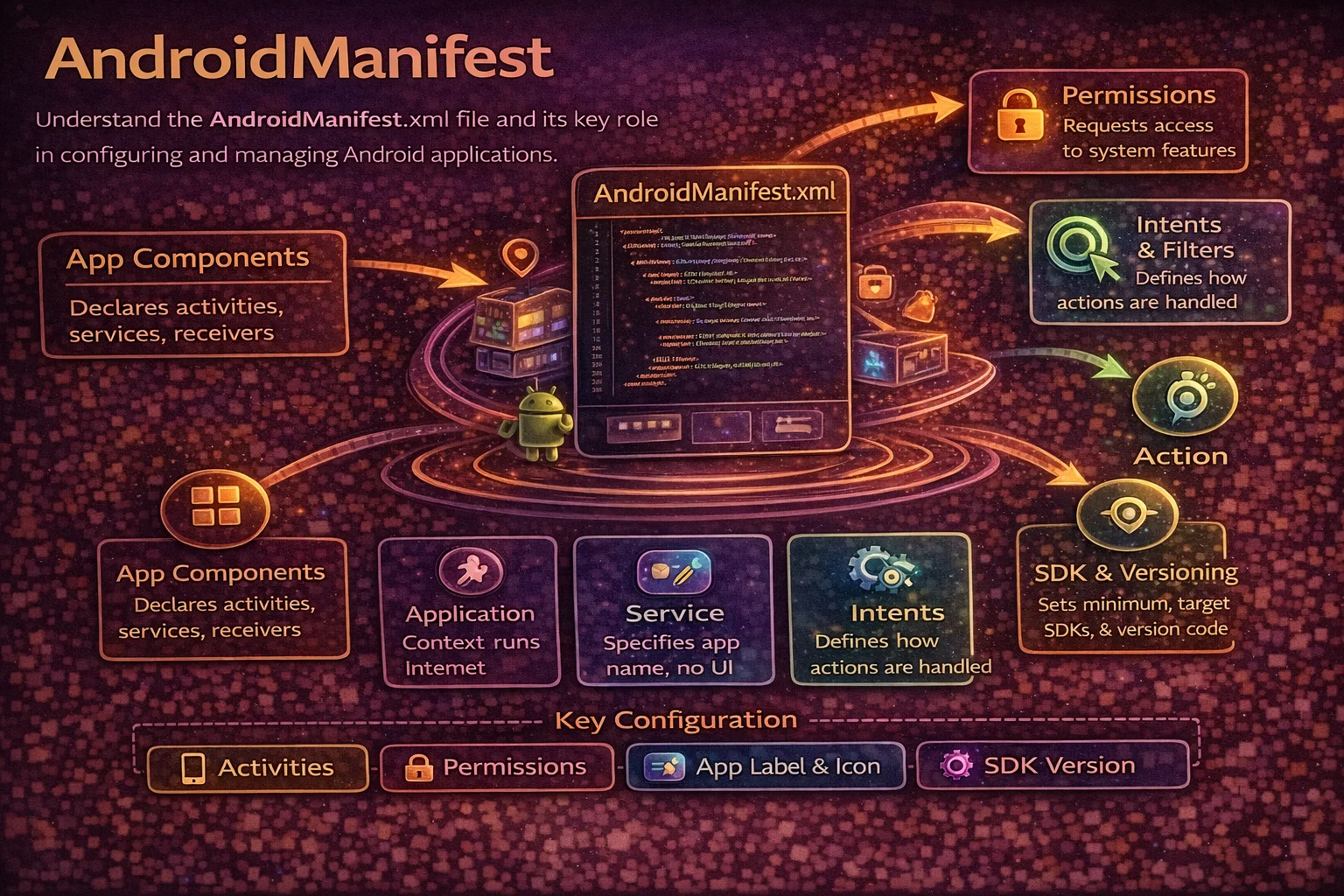
Intent filters tell the system what implicit Intents your app can handle. They’re declared in AndroidManifest.xml:
<!-- Make your Activity the launcher (app icon) -->
<activity android:name=".MainActivity" android:exported="true">
    <intent-filter>
        <action android:name="android.intent.action.MAIN" />
        <category android:name="android.intent.category.LAUNCHER" />
    </intent-filter>
</activity>

<!-- Handle custom URLs (deep links) -->
<activity android:name=".ArticleActivity" android:exported="true">
    <intent-filter>
        <action android:name="android.intent.action.VIEW" />
        <category android:name="android.intent.category.DEFAULT" />
        <category android:name="android.intent.category.BROWSABLE" />
        <data android:scheme="https"
              android:host="www.example.com"
              android:pathPrefix="/articles" />
    </intent-filter>
</activity>

<!-- Handle sharing (receive shared text) -->
<activity android:name=".ShareReceiverActivity" android:exported="true">
    <intent-filter>
        <action android:name="android.intent.action.SEND" />
        <category android:name="android.intent.category.DEFAULT" />
        <data android:mimeType="text/plain" />
    </intent-filter>
</activity>

<!-- An intent filter needs at least:
     - One <action> (what the component can do)
     - One <category> (DEFAULT is required for implicit Intents)
     - Optionally <data> (scheme, host, mime type) -->
How the system resolves implicit Intents
// When you fire an implicit Intent, the system:
//
// 1. Looks at the Intent's ACTION, DATA, and CATEGORY
// 2. Scans all installed apps' manifest for matching intent-filters
// 3. Filters by ACTION match → then CATEGORY match → then DATA match
// 4. If ONE app matches → launches it directly
// 5. If MULTIPLE apps match → shows a chooser dialog ("Open with...")
// 6. If ZERO apps match → throws ActivityNotFoundException
//
// Matching rules:
// ACTION: intent filter must include the Intent's action
// CATEGORY: intent filter must include ALL of the Intent's categories
// DATA: URI scheme, host, path, and MIME type must match
Passing Data with Intents
Extras — key-value pairs
// Sending extras
val intent = Intent(this, DetailActivity::class.java).apply {
    putExtra("id", 42)
    putExtra("name", "Alice")
    putExtra("scores", intArrayOf(90, 85, 92))
    putExtra("tags", arrayListOf("kotlin", "android"))
    putExtra("is_premium", true)
    putExtra("balance", 99.99)
}

// Receiving extras
val id = intent.getIntExtra("id", 0)                 // default if missing
val name = intent.getStringExtra("name") ?: ""        // nullable
val scores = intent.getIntArrayExtra("scores")        // nullable
val tags = intent.getStringArrayListExtra("tags")     // nullable
val isPremium = intent.getBooleanExtra("is_premium", false)
val balance = intent.getDoubleExtra("balance", 0.0)
Parcelable — passing complex objects
// Parcelable is Android's efficient serialisation mechanism
// Use @Parcelize (kotlin-parcelize plugin) for easy implementation

@Parcelize
data class Article(
    val id: String,
    val title: String,
    val author: String,
    val publishedAt: Long
) : Parcelable

// Sending
val intent = Intent(this, DetailActivity::class.java).apply {
    putExtra("article", article)   // Parcelable object
}

// Receiving
val article = if (Build.VERSION.SDK_INT >= Build.VERSION_CODES.TIRAMISU) {
    intent.getParcelableExtra("article", Article::class.java)
} else {
    @Suppress("DEPRECATION")
    intent.getParcelableExtra("article")
}

// Parcelable vs Serializable:
// Parcelable — fast, Android-specific, requires implementation (or @Parcelize)
// Serializable — slow (uses reflection), Java standard, zero implementation
// Always prefer Parcelable for Android — it's significantly faster
Bundle — grouping extras
// Bundle is a map of key-value pairs — used for extras and saved state

val bundle = Bundle().apply {
    putString("article_id", "123")
    putInt("position", 5)
    putParcelable("article", article)
}

// Attach to Intent
intent.putExtras(bundle)

// Or create Intent with extras inline
val intent = Intent(this, DetailActivity::class.java).apply {
    putExtras(bundleOf(
        "article_id" to "123",
        "position" to 5,
        "article" to article
    ))
}

// ⚠️ Bundle has a size limit (~1 MB for the entire transaction)
// Don't pass large data (bitmaps, large lists) via Intent extras
// Instead: pass an ID and load the data from database/cache in the target
Getting Results from Activities
Activity Result API (modern approach)
// The modern way to get results — type-safe, lifecycle-aware

// 1. Register a launcher in your Activity/Fragment
val detailLauncher = registerForActivityResult(
    ActivityResultContracts.StartActivityForResult()
) { result ->
    if (result.resultCode == Activity.RESULT_OK) {
        val updatedTitle = result.data?.getStringExtra("updated_title") ?: ""
        binding.titleText.text = updatedTitle
    }
}

// 2. Launch the Activity
val intent = Intent(this, EditActivity::class.java).apply {
    putExtra("article_id", articleId)
}
detailLauncher.launch(intent)

// 3. In EditActivity — set the result
binding.saveButton.setOnClickListener {
    val resultIntent = Intent().apply {
        putExtra("updated_title", binding.titleInput.text.toString())
    }
    setResult(Activity.RESULT_OK, resultIntent)
    finish()
}
Built-in Activity Result Contracts
// Take a photo
val takePicture = registerForActivityResult(ActivityResultContracts.TakePicturePreview()) { bitmap ->
    if (bitmap != null) {
        binding.imageView.setImageBitmap(bitmap)
    }
}
takePicture.launch(null)

// Pick a file
val pickFile = registerForActivityResult(ActivityResultContracts.GetContent()) { uri ->
    uri?.let { processFile(it) }
}
pickFile.launch("application/pdf")   // filter by MIME type

// Request a permission
val requestPermission = registerForActivityResult(
    ActivityResultContracts.RequestPermission()
) { isGranted ->
    if (isGranted) {
        openCamera()
    } else {
        showPermissionDeniedMessage()
    }
}
requestPermission.launch(Manifest.permission.CAMERA)

// Request multiple permissions
val requestMultiple = registerForActivityResult(
    ActivityResultContracts.RequestMultiplePermissions()
) { permissions ->
    val cameraGranted = permissions[Manifest.permission.CAMERA] ?: false
    val locationGranted = permissions[Manifest.permission.ACCESS_FINE_LOCATION] ?: false
}
requestMultiple.launch(arrayOf(
    Manifest.permission.CAMERA,
    Manifest.permission.ACCESS_FINE_LOCATION
))
Intent Flags — Controlling the Back Stack
// Flags control HOW the Activity is launched and where it sits in the back stack

// FLAG_ACTIVITY_NEW_TASK
// Start the Activity in a NEW task (back stack)
// Required when starting Activity from non-Activity context (Service, BroadcastReceiver)
val intent = Intent(context, MainActivity::class.java).apply {
    addFlags(Intent.FLAG_ACTIVITY_NEW_TASK)
}

// FLAG_ACTIVITY_CLEAR_TOP
// If the Activity already exists in the back stack, pop everything above it
// A → B → C → D, start A with CLEAR_TOP → back stack becomes A
val intent = Intent(this, MainActivity::class.java).apply {
    addFlags(Intent.FLAG_ACTIVITY_CLEAR_TOP)
}

// FLAG_ACTIVITY_SINGLE_TOP
// If the Activity is already at the top of the stack, don't create a new instance
// Instead, deliver the Intent to onNewIntent()
val intent = Intent(this, NotificationActivity::class.java).apply {
    addFlags(Intent.FLAG_ACTIVITY_SINGLE_TOP)
}

// FLAG_ACTIVITY_CLEAR_TASK + FLAG_ACTIVITY_NEW_TASK
// Clear the entire task and start fresh — common for logout
val intent = Intent(this, LoginActivity::class.java).apply {
    addFlags(Intent.FLAG_ACTIVITY_NEW_TASK or Intent.FLAG_ACTIVITY_CLEAR_TASK)
}
// After: only LoginActivity exists, all previous Activities are gone

// FLAG_ACTIVITY_NO_HISTORY
// Activity is not kept in the back stack — removed when user navigates away
// Used for splash screens, payment confirmation screens
val intent = Intent(this, SplashActivity::class.java).apply {
    addFlags(Intent.FLAG_ACTIVITY_NO_HISTORY)
}
onNewIntent — handling redelivered Intents
// When an Activity receives an Intent while already at the top of the stack
// (with SINGLE_TOP or singleTop launch mode)

class NotificationActivity : AppCompatActivity() {

    override fun onCreate(savedInstanceState: Bundle?) {
        super.onCreate(savedInstanceState)
        handleIntent(intent)
    }

    override fun onNewIntent(intent: Intent) {
        super.onNewIntent(intent)
        setIntent(intent)        // update the stored intent
        handleIntent(intent)     // process the new intent
    }

    private fun handleIntent(intent: Intent) {
        val notificationId = intent.getStringExtra("notification_id") ?: return
        loadNotification(notificationId)
    }
}
PendingIntent — Intents for the Future
A PendingIntent wraps an Intent and grants another app (or the system) permission to execute it on your behalf, at a later time:
// PendingIntent is used for:
// - Notifications (what happens when user taps the notification)
// - AlarmManager (run code at a scheduled time)
// - Widgets (handle button clicks in app widgets)
// - Geofencing (trigger when entering/leaving a location)

// Notification with PendingIntent
val intent = Intent(this, ArticleActivity::class.java).apply {
    putExtra("article_id", "123")
}

val pendingIntent = PendingIntent.getActivity(
    this,
    0,                                  // request code (unique per PendingIntent)
    intent,
    PendingIntent.FLAG_IMMUTABLE        // required on Android 12+
    // or FLAG_MUTABLE if the Intent needs to be modified later
)

val notification = NotificationCompat.Builder(this, "articles")
    .setContentTitle("New Article")
    .setContentText("Kotlin Coroutines Deep Dive")
    .setSmallIcon(R.drawable.ic_notification)
    .setContentIntent(pendingIntent)    // fires when notification is tapped
    .setAutoCancel(true)                // dismiss notification on tap
    .build()

// PendingIntent types:
// PendingIntent.getActivity()     — starts an Activity
// PendingIntent.getService()      — starts a Service
// PendingIntent.getBroadcast()    — sends a Broadcast

// FLAG_IMMUTABLE vs FLAG_MUTABLE:
// IMMUTABLE: the wrapped Intent can't be modified (more secure, preferred)
// MUTABLE: the wrapped Intent can be modified (needed for inline replies, bubbles)
// Android 12+ REQUIRES you to specify one of these flags
Deep Links — Opening Your App from URLs
// Deep links let external URLs open specific screens in your app

// 1. Declare in AndroidManifest.xml
<activity android:name=".ArticleActivity" android:exported="true">
    <intent-filter android:autoVerify="true">
        <action android:name="android.intent.action.VIEW" />
        <category android:name="android.intent.category.DEFAULT" />
        <category android:name="android.intent.category.BROWSABLE" />
        <data android:scheme="https"
              android:host="www.example.com"
              android:pathPrefix="/articles" />
    </intent-filter>
</activity>

// 2. Handle in Activity
class ArticleActivity : AppCompatActivity() {
    override fun onCreate(savedInstanceState: Bundle?) {
        super.onCreate(savedInstanceState)

        val uri = intent.data   // https://www.example.com/articles/123
        val articleId = uri?.lastPathSegment   // "123"
        if (articleId != null) {
            loadArticle(articleId)
        }
    }
}

// 3. Test with adb
// adb shell am start -a android.intent.action.VIEW \
//   -d "https://www.example.com/articles/123" com.example.myapp

// Deep Links vs App Links:
// Deep Link: any app can claim a URL scheme, user sees disambiguation dialog
// App Link (autoVerify=true): verified ownership via assetlinks.json on your server
//   → opens directly in your app without dialog (Android 6+)
Common Mistakes to Avoid
Mistake 1: Passing large data via Intent extras
// ❌ TransactionTooLargeException — extras are limited to ~1 MB
val intent = Intent(this, DetailActivity::class.java).apply {
    putExtra("bitmap", largeBitmap)         // 💥 too large!
    putExtra("articles", hugeArticleList)   // 💥 too large!
}

// ✅ Pass an ID and load data in the target
val intent = Intent(this, DetailActivity::class.java).apply {
    putExtra("article_id", "123")   // small — just an ID
}
// DetailActivity loads the article from database/cache using the ID
Mistake 2: Not handling ActivityNotFoundException for implicit Intents
// ❌ Crashes if no app can handle the Intent
startActivity(Intent(Intent.ACTION_VIEW, Uri.parse("custom://deeplink")))

// ✅ Always check or catch
try {
    startActivity(intent)
} catch (e: ActivityNotFoundException) {
    showError("No app found to handle this action")
}
Mistake 3: Missing FLAG_IMMUTABLE on PendingIntent (Android 12+)
// ❌ Crashes on Android 12+ — must specify mutability
val pendingIntent = PendingIntent.getActivity(this, 0, intent, 0)

// ✅ Always specify FLAG_IMMUTABLE or FLAG_MUTABLE
val pendingIntent = PendingIntent.getActivity(
    this, 0, intent, PendingIntent.FLAG_IMMUTABLE
)
Mistake 4: Forgetting android:exported in manifest (Android 12+)
<!-- ❌ Crashes on Android 12+ — exported must be explicit -->
<activity android:name=".DetailActivity">
    <intent-filter>...</intent-filter>
</activity>

<!-- ✅ Explicitly set exported -->
<activity android:name=".DetailActivity" android:exported="true">
    <intent-filter>...</intent-filter>
</activity>

<!-- Rules:
     exported="true"  → other apps can start this component (has intent-filter)
     exported="false" → only your app can start it (no intent-filter)
     Android 12+ REQUIRES you to set this explicitly -->
Mistake 5: Using startActivityForResult (deprecated)
// ❌ Deprecated — tightly coupled to Activity, breaks with config changes
override fun onActivityResult(requestCode: Int, resultCode: Int, data: Intent?) {
    if (requestCode == REQUEST_EDIT) { /* ... */ }
}

// ✅ Use Activity Result API — lifecycle-safe, works in Fragments too
val editLauncher = registerForActivityResult(
    ActivityResultContracts.StartActivityForResult()
) { result ->
    if (result.resultCode == RESULT_OK) { /* ... */ }
}
editLauncher.launch(intent)
Summary
- An Intent is a messaging object that describes an action to perform — the glue between Android components
- Explicit Intents target a specific component (class name) — used within your own app
- Implicit Intents describe an action + data and let the system find the right handler — used for cross-app communication
- Always check if an app can handle an implicit Intent before launching it
- Intent filters in the manifest declare what implicit Intents your app can handle
- Pass data via extras (primitives, Strings) or Parcelable objects — keep the Bundle under 1 MB
- Pass IDs instead of large objects — load the data in the target Activity
- Use the Activity Result API instead of deprecated startActivityForResult
- Intent flags control the back stack — CLEAR_TOP, SINGLE_TOP, NEW_TASK, CLEAR_TASK
- PendingIntent wraps an Intent for future execution — used in notifications, alarms, widgets
- Always specify FLAG_IMMUTABLE or FLAG_MUTABLE on PendingIntent (Android 12+ requirement)
- Always set android:exported explicitly for components with intent-filters (Android 12+ requirement)
- Deep links let URLs open specific screens; App Links (autoVerify) skip the disambiguation dialog
- Use companion object newIntent() pattern for type-safe explicit Intent creation
Intents are one of Android’s most fundamental concepts — they’re how every component in the system communicates. Whether you’re navigating between screens, sharing content to other apps, handling notifications, or responding to deep links — Intents are doing the work behind the scenes. Master explicit and implicit Intents, understand PendingIntent for deferred execution, and always handle the edge cases (missing handlers, size limits, exported flags) to build robust Android apps.
Happy coding!
Comments (0)