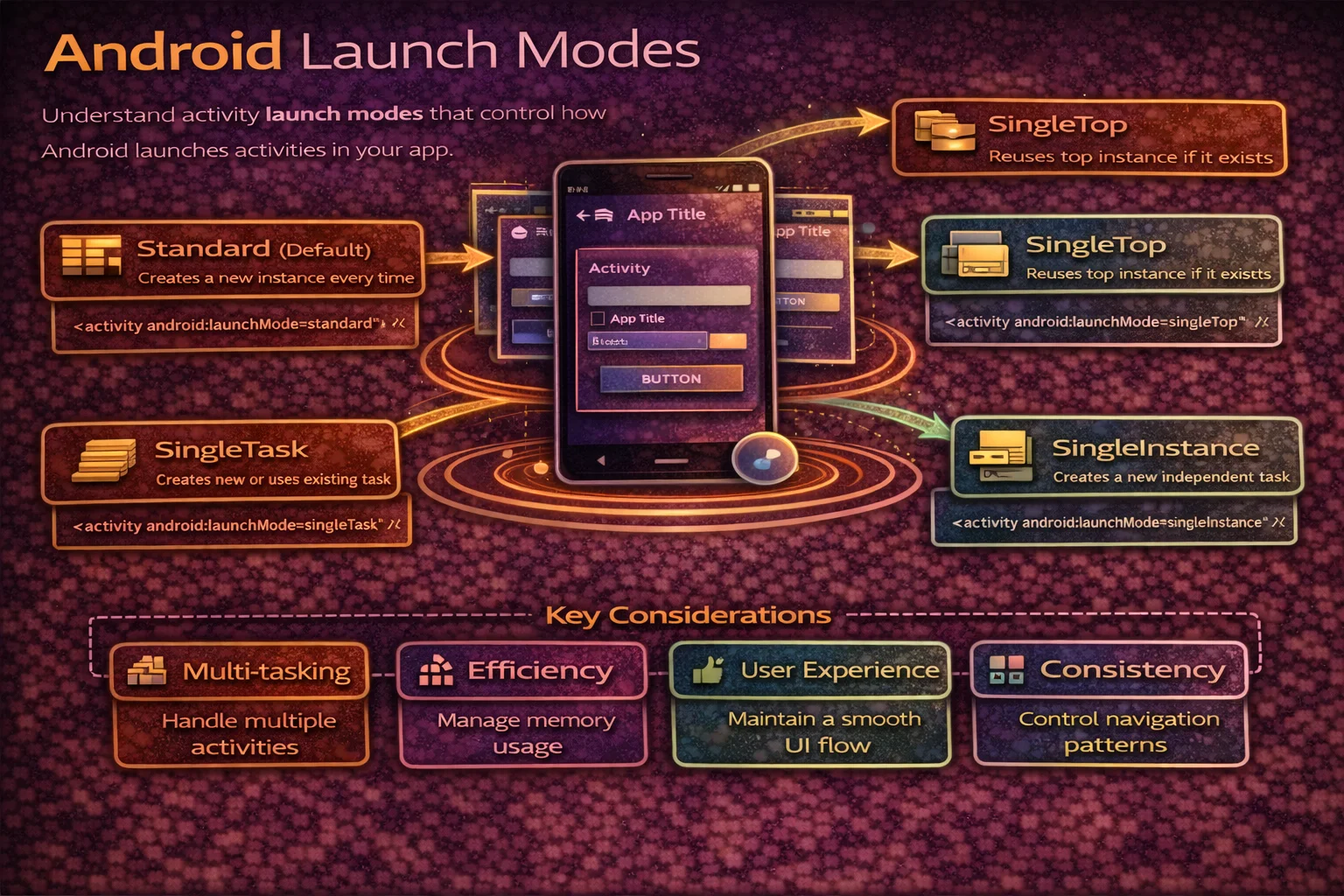
Launch modes control how Activities are created and placed in the back stack. Get them wrong and you end up with duplicate Activities, broken navigation, lost state, or users unable to go back to where they expect. Yet most developers never think about launch modes until something breaks. This guide covers all five launch modes with visual back stack diagrams, Intent flags vs manifest declaration, taskAffinity, onNewIntent, and the real-world scenarios where each mode matters.
The Back Stack — How Android Manages Screens
// Android organises Activities in a BACK STACK (last-in, first-out)
// When you start a new Activity, it's PUSHED onto the stack
// When the user presses Back, the top Activity is POPPED and destroyed

// Example: user navigates Home → Articles → Article Detail
//
// Back Stack:
// ┌─────────────────┐
// │ ArticleDetail    │  ← top (visible, interactive)
// │ ArticleList      │
// │ HomeActivity     │  ← bottom (entry point)
// └─────────────────┘
//
// User presses Back:
// ┌─────────────────┐
// │ ArticleList      │  ← now visible
// │ HomeActivity     │
// └─────────────────┘
//
// User presses Back again:
// ┌─────────────────┐
// │ HomeActivity     │  ← now visible
// └─────────────────┘
//
// User presses Back again → app exits (stack is empty)
Tasks
// A TASK is a collection of Activities that the user interacts with
// Each task has its own back stack
// Usually, your app has ONE task with multiple Activities in its stack

// But Android supports MULTIPLE tasks:
// - Your app can launch Activities in a new task
// - Other apps can launch your Activities in their task
// - Split-screen has two tasks visible simultaneously

// The "Recents" screen shows TASKS, not individual Activities
// Each card in Recents = one task with its own back stack
The Five Launch Modes
1. standard (default)
A new instance is created every time, regardless of whether one already exists in the stack.
// Manifest:
// <activity android:name=".DetailActivity" android:launchMode="standard" />
// (standard is the default — you don't need to declare it)

// Scenario: start DetailActivity three times
// Back Stack:
// ┌─────────────────┐
// │ DetailActivity   │  ← instance 3 (top)
// │ DetailActivity   │  ← instance 2
// │ DetailActivity   │  ← instance 1
// │ HomeActivity     │
// └─────────────────┘
// Three separate instances of the SAME Activity!
// User must press Back THREE times to get past all of them

// When to use:
// - Most Activities (the default is correct 90% of the time)
// - Content screens where each instance shows different data
// - Any screen where multiple instances make sense

// Example: email app — each email opens a new DetailActivity
// User can navigate back through each email they opened
2. singleTop
If the Activity is already at the top of the stack, don’t create a new instance — deliver the Intent to the existing one via onNewIntent(). If it’s NOT at the top, create a new instance (same as standard).
// Manifest:
// <activity android:name=".SearchActivity" android:launchMode="singleTop" />

// Scenario 1: SearchActivity is at the top → start SearchActivity again
// BEFORE:                          AFTER:
// ┌─────────────────┐              ┌─────────────────┐
// │ SearchActivity   │  ← top      │ SearchActivity   │  ← SAME instance
// │ HomeActivity     │              │ HomeActivity     │     onNewIntent() called
// └─────────────────┘              └─────────────────┘
// No new instance — existing one receives the new Intent

// Scenario 2: SearchActivity is NOT at the top → new instance created
// BEFORE:                          AFTER:
// ┌─────────────────┐              ┌─────────────────┐
// │ DetailActivity   │  ← top      │ SearchActivity   │  ← NEW instance
// │ SearchActivity   │              │ DetailActivity   │
// │ HomeActivity     │              │ SearchActivity   │  ← old instance still here
// └─────────────────┘              │ HomeActivity     │
//                                   └─────────────────┘

// When to use:
// - Search screens (new search replaces current results)
// - Notification targets (tapping notification doesn't stack duplicates)
// - Any screen where duplicate at the top makes no sense

// Handling onNewIntent:
class SearchActivity : AppCompatActivity() {

    override fun onCreate(savedInstanceState: Bundle?) {
        super.onCreate(savedInstanceState)
        handleIntent(intent)
    }

    override fun onNewIntent(intent: Intent) {
        super.onNewIntent(intent)
        setIntent(intent)       // update stored Intent
        handleIntent(intent)    // process new search query
    }

    private fun handleIntent(intent: Intent) {
        val query = intent.getStringExtra("query") ?: return
        viewModel.search(query)
    }
}
3. singleTask
The system creates a new task (or finds the existing one) and the Activity is the root of that task. If the Activity already exists anywhere in the task, all Activities above it are destroyed and the existing instance receives onNewIntent().
// Manifest:
// <activity android:name=".MainActivity" android:launchMode="singleTask" />

// Scenario: MainActivity exists deep in the stack → start it again
// BEFORE:                          AFTER:
// ┌─────────────────┐              ┌─────────────────┐
// │ SettingsActivity │              │ MainActivity     │  ← onNewIntent() called
// │ ProfileActivity  │              └─────────────────┘
// │ DetailActivity   │              SettingsActivity, ProfileActivity, DetailActivity
// │ MainActivity     │              are ALL DESTROYED (popped)
// └─────────────────┘

// singleTask clears everything above the existing instance
// The Activity is brought to the top by destroying what's above it

// When to use:
// - Main/Home Activity (should be the root of navigation)
// - Login Activity (after login, clear the auth flow)
// - Deep link entry points (clear existing stack, show fresh)

// ⚠️ singleTask creates a new task if taskAffinity differs
// With default taskAffinity (same app), it reuses the existing task
4. singleInstance
Like singleTask, but the Activity is the only Activity in its task. No other Activities can be launched into the same task — they go to a different task.
// Manifest:
// <activity android:name=".CallActivity" android:launchMode="singleInstance" />

// Scenario: HomeActivity starts CallActivity
// TASK 1 (your app):               TASK 2 (CallActivity's own task):
// ┌─────────────────┐              ┌─────────────────┐
// │ HomeActivity     │              │ CallActivity     │  ← alone in its task
// └─────────────────┘              └─────────────────┘

// If CallActivity starts another Activity, it goes to TASK 1 (not task 2)
// CallActivity is always ALONE in its task

// When to use:
// - Phone call screens (other apps can share this instance)
// - Media player floating Activity
// - Activities shared across multiple apps
// - Very rare — most apps never need this

// ⚠️ singleInstance causes confusing Back button behavior
// Pressing Back from CallActivity might switch to a different task
// Use with extreme caution
5. singleInstancePerTask (Android 12+)
// Manifest:
// <activity android:name=".EditorActivity"
//     android:launchMode="singleInstancePerTask" />

// Like singleInstance but allows ONE instance PER TASK
// Different tasks can each have their own instance

// Scenario: two tasks, each with their own EditorActivity
// TASK 1:                           TASK 2:
// ┌─────────────────┐              ┌─────────────────┐
// │ EditorActivity   │              │ EditorActivity   │
// │ (document 1)     │              │ (document 2)     │
// └─────────────────┘              └─────────────────┘
// Two instances allowed — one per task

// When to use:
// - Document editors (each document in its own task)
// - Multi-window scenarios where each window needs its own instance
// - Replaces some complex singleTask + taskAffinity combinations
Launch Mode Comparison
// ┌───────────────────────┬──────────────┬───────────────┬───────────────────┐
// │ Launch Mode           │ New Instance │ onNewIntent   │ Clears Above      │
// ├───────────────────────┼──────────────┼───────────────┼───────────────────┤
// │ standard              │ Always       │ Never         │ Never             │
// │ singleTop             │ If not on top│ If on top     │ Never             │
// │ singleTask            │ If not exists│ If exists     │ Yes (above it)    │
// │ singleInstance        │ If not exists│ If exists     │ N/A (alone)       │
// │ singleInstancePerTask │ One per task │ If exists     │ Yes (above it)    │
// └───────────────────────┴──────────────┴───────────────┴───────────────────┘
Intent Flags vs Manifest Launch Mode
You can control launch behaviour in two ways: statically in the manifest or dynamically with Intent flags. Intent flags take precedence over manifest declarations.
FLAG_ACTIVITY_SINGLE_TOP
// Same as android:launchMode="singleTop" but applied per-launch
val intent = Intent(this, SearchActivity::class.java).apply {
    addFlags(Intent.FLAG_ACTIVITY_SINGLE_TOP)
}
startActivity(intent)

// If SearchActivity is already at the top → onNewIntent()
// If not at the top → new instance created

// Use case: notification tap should not stack duplicates
val pendingIntent = PendingIntent.getActivity(
    this, 0,
    Intent(this, DetailActivity::class.java).apply {
        addFlags(Intent.FLAG_ACTIVITY_SINGLE_TOP)
    },
    PendingIntent.FLAG_IMMUTABLE
)
FLAG_ACTIVITY_CLEAR_TOP
// If the Activity exists in the stack, destroy everything above it
// and deliver the Intent to the existing instance

// BEFORE:                          AFTER:
// ┌─────────────────┐              ┌─────────────────┐
// │ SettingsActivity │              │ HomeActivity     │  ← onNewIntent()
// │ ProfileActivity  │              └─────────────────┘
// │ DetailActivity   │              Everything above Home is destroyed
// │ HomeActivity     │
// └─────────────────┘

val intent = Intent(this, HomeActivity::class.java).apply {
    addFlags(Intent.FLAG_ACTIVITY_CLEAR_TOP)
}
startActivity(intent)

// ⚠️ IMPORTANT: CLEAR_TOP alone with standard launch mode
// DESTROYS the existing Activity and RECREATES it (calls onCreate, not onNewIntent)
// To get onNewIntent instead, combine with SINGLE_TOP:
val intent = Intent(this, HomeActivity::class.java).apply {
    addFlags(Intent.FLAG_ACTIVITY_CLEAR_TOP or Intent.FLAG_ACTIVITY_SINGLE_TOP)
}
// Now: existing HomeActivity receives onNewIntent() without being recreated
FLAG_ACTIVITY_NEW_TASK
// Start the Activity in a NEW task
// Required when starting an Activity from a non-Activity context (Service, Receiver)

val intent = Intent(this, MainActivity::class.java).apply {
    addFlags(Intent.FLAG_ACTIVITY_NEW_TASK)
}
context.startActivity(intent)

// If an Activity with the same taskAffinity already exists in a task,
// that task is brought to the foreground instead of creating a new one

// Common use: deep links from notifications
val intent = Intent(this, ArticleActivity::class.java).apply {
    addFlags(Intent.FLAG_ACTIVITY_NEW_TASK)
    putExtra("article_id", "123")
}
startActivity(intent)
FLAG_ACTIVITY_CLEAR_TASK
// Clear the ENTIRE task and start fresh
// Must be used WITH FLAG_ACTIVITY_NEW_TASK

// BEFORE (any state):              AFTER:
// ┌─────────────────┐              ┌─────────────────┐
// │ SettingsActivity │              │ LoginActivity    │  ← only Activity
// │ ProfileActivity  │              └─────────────────┘
// │ HomeActivity     │              Everything cleared
// └─────────────────┘

// The #1 use case: LOGOUT
fun logout() {
    val intent = Intent(this, LoginActivity::class.java).apply {
        addFlags(Intent.FLAG_ACTIVITY_NEW_TASK or Intent.FLAG_ACTIVITY_CLEAR_TASK)
    }
    startActivity(intent)
    // Entire back stack is cleared — user can't press Back to return
    // LoginActivity is the only Activity in the task
}

// Also useful for: onboarding complete → go to Home with clean stack
FLAG_ACTIVITY_NO_HISTORY
// Activity is NOT kept in the back stack
// Once the user leaves, it's gone — pressing Back skips it

val intent = Intent(this, SplashActivity::class.java).apply {
    addFlags(Intent.FLAG_ACTIVITY_NO_HISTORY)
}
startActivity(intent)

// Use case: splash screens, payment confirmation screens, OTP verification
// User should never "go back" to these screens
Manifest vs Intent flags comparison
// ┌──────────────────────────────┬──────────────────────────────────┐
// │ Manifest (launchMode)        │ Intent Flag                      │
// ├──────────────────────────────┼──────────────────────────────────┤
// │ Applied ALWAYS               │ Applied per-launch               │
// │ Set by the RECEIVER          │ Set by the SENDER                │
// │ Can't be overridden          │ Takes precedence over manifest   │
// │ singleTop                    │ FLAG_ACTIVITY_SINGLE_TOP         │
// │ singleTask                   │ FLAG_ACTIVITY_NEW_TASK +         │
// │                              │ FLAG_ACTIVITY_CLEAR_TOP          │
// │ (no equivalent)              │ FLAG_ACTIVITY_CLEAR_TASK         │
// │ (no equivalent)              │ FLAG_ACTIVITY_NO_HISTORY         │
// └──────────────────────────────┴──────────────────────────────────┘

// Best practice:
// Use MANIFEST launch mode when the behavior is inherent to the Activity
//   (e.g., LoginActivity is always singleTask)
// Use INTENT FLAGS when the behavior depends on the caller's needs
//   (e.g., notification Intent uses SINGLE_TOP to avoid duplicates)
taskAffinity — Which Task an Activity Belongs To
// Every Activity has a taskAffinity — a string that defines which task it "prefers"
// By default, all Activities in your app have the same affinity (your package name)

// Default: all Activities share one task
// <activity android:name=".HomeActivity" />
// <activity android:name=".DetailActivity" />
// Both have taskAffinity = "com.example.myapp" (default)
// They live in the SAME task

// Custom affinity: Activity prefers a DIFFERENT task
// <activity
//     android:name=".FloatingPlayerActivity"
//     android:taskAffinity="com.example.myapp.player"
//     android:launchMode="singleTask" />
// This Activity creates/joins a DIFFERENT task when launched with NEW_TASK

// When taskAffinity matters:
// - singleTask uses affinity to find/create the right task
// - FLAG_ACTIVITY_NEW_TASK uses affinity to determine which task to join
// - "Recents" screen shows one card per task (different affinity = different card)

// Example: email app with separate compose task
// <activity
//     android:name=".ComposeEmailActivity"
//     android:taskAffinity="com.example.email.compose"
//     android:launchMode="singleTask" />
// Shows as a SEPARATE card in Recents — user can switch between
// reading emails and composing without losing their place
onNewIntent — Handling Redelivered Intents
// onNewIntent is called when an EXISTING Activity receives a new Intent
// This happens with: singleTop, singleTask, singleInstance, SINGLE_TOP flag, CLEAR_TOP flag

class ArticleActivity : AppCompatActivity() {

    override fun onCreate(savedInstanceState: Bundle?) {
        super.onCreate(savedInstanceState)
        setContentView(R.layout.activity_article)
        handleIntent(intent)
    }

    override fun onNewIntent(intent: Intent) {
        super.onNewIntent(intent)
        setIntent(intent)       // ⚠️ CRITICAL: update the stored Intent
        handleIntent(intent)
    }

    private fun handleIntent(intent: Intent) {
        val articleId = intent.getStringExtra("article_id") ?: return
        viewModel.loadArticle(articleId)
    }
}

// ⚠️ Common bug: forgetting to call setIntent(intent) in onNewIntent
// Without it, getIntent() still returns the OLD Intent
// If the Activity is recreated (rotation), it uses the old Intent's data!

// Lifecycle order when onNewIntent is called:
// onPause() → onNewIntent() → onResume()
// The Activity is briefly paused while the new Intent is delivered
Real-World Scenarios
Scenario 1: Notification tapping creates duplicate Activities
// Problem: each notification tap creates a new DetailActivity
// User taps 5 notifications → 5 DetailActivities stacked!

// ❌ Standard launch — duplicates
val intent = Intent(context, DetailActivity::class.java).apply {
    putExtra("article_id", articleId)
}
val pendingIntent = PendingIntent.getActivity(context, 0, intent,
    PendingIntent.FLAG_IMMUTABLE)

// ✅ Fix: SINGLE_TOP prevents duplicate if already at top
val intent = Intent(context, DetailActivity::class.java).apply {
    putExtra("article_id", articleId)
    addFlags(Intent.FLAG_ACTIVITY_SINGLE_TOP)
}

// ✅ Or: CLEAR_TOP + SINGLE_TOP clears to existing instance anywhere in stack
val intent = Intent(context, DetailActivity::class.java).apply {
    putExtra("article_id", articleId)
    addFlags(Intent.FLAG_ACTIVITY_CLEAR_TOP or Intent.FLAG_ACTIVITY_SINGLE_TOP)
}
Scenario 2: Logout should clear entire back stack
// Problem: after logout, user presses Back and sees their profile!

// ❌ Just starting LoginActivity — old Activities still in stack
startActivity(Intent(this, LoginActivity::class.java))

// ✅ Clear entire task
fun logout() {
    authManager.clearSession()
    val intent = Intent(this, LoginActivity::class.java).apply {
        addFlags(Intent.FLAG_ACTIVITY_NEW_TASK or Intent.FLAG_ACTIVITY_CLEAR_TASK)
    }
    startActivity(intent)
    finish()   // finish current Activity too
}
Scenario 3: Deep link should show proper back navigation
// Problem: deep link opens ArticleDetail, but pressing Back exits the app
// Expected: Back should go to ArticleList → Home

// ✅ Use TaskStackBuilder to create a synthetic back stack
val intent = Intent(context, ArticleDetailActivity::class.java).apply {
    putExtra("article_id", "123")
}

TaskStackBuilder.create(context)
    .addParentStack(ArticleDetailActivity::class.java)  // adds Home → ArticleList
    .addNextIntent(intent)                                // adds ArticleDetail on top
    .startActivities()

// Now pressing Back goes: ArticleDetail → ArticleList → Home
// Even though the user entered via deep link

// The parent stack is defined in manifest:
// <activity android:name=".ArticleDetailActivity"
//     android:parentActivityName=".ArticleListActivity" />
// <activity android:name=".ArticleListActivity"
//     android:parentActivityName=".HomeActivity" />
Scenario 4: Home button should go back to Home, clearing the stack
// Bottom navigation "Home" tab should clear everything and go to Home

fun onHomeTabClicked() {
    val intent = Intent(this, HomeActivity::class.java).apply {
        addFlags(Intent.FLAG_ACTIVITY_CLEAR_TOP or Intent.FLAG_ACTIVITY_SINGLE_TOP)
    }
    startActivity(intent)
}

// If HomeActivity exists in the stack:
// - Everything above it is cleared
// - HomeActivity receives onNewIntent (not recreated)
// - Clean back stack: only HomeActivity remains
Scenario 5: OAuth/login flow should not remain in back stack
// Problem: user completes login, presses Back, sees the login screen again

// ✅ Use NO_HISTORY for intermediate screens
val intent = Intent(this, OAuthWebActivity::class.java).apply {
    addFlags(Intent.FLAG_ACTIVITY_NO_HISTORY)
}
startActivity(intent)
// When user completes OAuth and is redirected, OAuthWebActivity is already gone

// ✅ Or finish() after navigating away
class LoginActivity : AppCompatActivity() {
    fun onLoginSuccess() {
        startActivity(Intent(this, HomeActivity::class.java))
        finish()   // remove LoginActivity from back stack
    }
}
Debugging the Back Stack
// Use adb to inspect the current back stack and tasks

// Dump all Activity tasks and their stacks:
// adb shell dumpsys activity activities | grep -A 5 "Task{"
// adb shell dumpsys activity activities | grep "Hist #"

// Output looks like:
// Task{abc #1 type=standard A=com.example.myapp}
//   Hist #2: ActivityRecord{... com.example.myapp/.DetailActivity}
//   Hist #1: ActivityRecord{... com.example.myapp/.ArticleListActivity}
//   Hist #0: ActivityRecord{... com.example.myapp/.HomeActivity}

// Useful for debugging:
// - Are there duplicate Activities?
// - Is the Activity in the right task?
// - Does the back stack look correct after deep linking?
// - Did CLEAR_TOP actually clear what you expected?

// You can also start Activities from adb to test:
// adb shell am start -n com.example.myapp/.DetailActivity \
//   --es "article_id" "123" \
//   -f 0x04000000   // FLAG_ACTIVITY_SINGLE_TOP (hex)
Common Mistakes to Avoid
Mistake 1: Using singleTask when singleTop is sufficient
// ❌ singleTask clears everything above — too aggressive
// User navigates: Home → Articles → Detail → starts Articles again
// singleTask: Home → Articles (Detail is DESTROYED)
// User loses their Detail screen!

// ✅ singleTop: only prevents duplicate at the TOP
// If Articles is already at top → reuse. If not → create new (no clearing)
Mistake 2: Forgetting setIntent() in onNewIntent
// ❌ getIntent() returns the OLD Intent after rotation
override fun onNewIntent(intent: Intent) {
    super.onNewIntent(intent)
    handleIntent(intent)   // works now...
}
// After rotation: getIntent() returns the original Intent, not the new one!

// ✅ Always call setIntent()
override fun onNewIntent(intent: Intent) {
    super.onNewIntent(intent)
    setIntent(intent)       // updates stored Intent for future use
    handleIntent(intent)
}
Mistake 3: Using CLEAR_TOP without SINGLE_TOP
// ❌ CLEAR_TOP alone with standard launch mode DESTROYS and RECREATES
val intent = Intent(this, HomeActivity::class.java).apply {
    addFlags(Intent.FLAG_ACTIVITY_CLEAR_TOP)
}
// HomeActivity is destroyed and a new instance is created
// State is lost! (ViewModel is recreated too)

// ✅ Combine with SINGLE_TOP to reuse the existing instance
val intent = Intent(this, HomeActivity::class.java).apply {
    addFlags(Intent.FLAG_ACTIVITY_CLEAR_TOP or Intent.FLAG_ACTIVITY_SINGLE_TOP)
}
// Existing HomeActivity receives onNewIntent — no recreation, state preserved
Mistake 4: Not creating a proper back stack for deep links
// ❌ Deep link opens Detail directly — Back exits the app
val intent = Intent(this, DetailActivity::class.java)
startActivity(intent)
// User presses Back → app exits (no parent Activities in stack)

// ✅ Use TaskStackBuilder for synthetic back stack
TaskStackBuilder.create(this)
    .addParentStack(DetailActivity::class.java)
    .addNextIntent(Intent(this, DetailActivity::class.java))
    .startActivities()
// Back goes: Detail → List → Home (proper navigation)
Mistake 5: Using singleInstance when you don’t need it
// ❌ singleInstance causes confusing task switching
// Activity is alone in its own task — Back button switches between tasks
// Users get confused about where they are

// singleInstance is for:
// - Activities shared between multiple apps (very rare)
// - System-level Activities (phone call, media player)

// For most apps, use:
// standard (default) → most Activities
// singleTop → notifications, search
// singleTask → main/home Activity, login entry point
// Intent flags → dynamic control per-launch
Summary
- Android manages Activities in a back stack (LIFO) within tasks
- standard (default) — new instance every time, use for most Activities
- singleTop — reuse if already at top, use for search and notification targets
- singleTask — one instance per task, clears above, use for main/home/login Activities
- singleInstance — alone in its own task, very rare, use only for cross-app shared Activities
- singleInstancePerTask (Android 12+) — one instance per task, use for multi-window editors
- Intent flags override manifest launch modes — use flags for dynamic behaviour (per-launch)
- FLAG_ACTIVITY_CLEAR_TOP + SINGLE_TOP — navigate to existing Activity without recreating it
- FLAG_ACTIVITY_NEW_TASK + CLEAR_TASK — clear everything (logout pattern)
- FLAG_ACTIVITY_NO_HISTORY — Activity isn’t kept in the back stack (splash, OTP, payment)
- Always call
setIntent()inonNewIntent()to update the stored Intent - Use TaskStackBuilder for deep links to create a proper synthetic back stack
- taskAffinity determines which task an Activity belongs to — different affinity = different task in Recents
- Debug with
adb shell dumpsys activity activitiesto inspect tasks and back stacks
Launch modes are one of those Android topics that seem simple in theory but cause real bugs in practice. Most Activities should stay standard. Use singleTop for notifications and search. Use Intent flags for logout and deep links. And always test your back stack navigation by pressing Back from every screen — if the user ends up somewhere unexpected, your launch mode is wrong.
Happy coding!
Comments (0)