The Navigation Component is Android’s official library for navigating between Fragment-based screens. It replaces manual FragmentTransaction calls with a declarative navigation graph, type-safe argument passing via SafeArgs, and built-in support for deep links, bottom navigation, and the back stack. Even as Compose Navigation grows, many production apps still use Fragment-based navigation — and understanding it is essential for maintaining existing codebases and for interviews. This guide covers everything from setup to advanced patterns.
Setup
// build.gradle.kts (app module)
dependencies {
    // Navigation Component
    implementation("androidx.navigation:navigation-fragment-ktx:2.8.3")
    // navigation-fragment-ktx — Fragment integration
    implementation("androidx.navigation:navigation-ui-ktx:2.8.3")
    // navigation-ui-ktx — toolbar, bottom nav, drawer integration
}

// For SafeArgs (type-safe arguments):
// build.gradle.kts (project root)
plugins {
    id("androidx.navigation.safeargs.kotlin") version "2.8.3" apply false
    // safeargs.kotlin is a GRADLE PLUGIN — generates type-safe arg classes
}

// build.gradle.kts (app module)
plugins {
    id("androidx.navigation.safeargs.kotlin")
}
Core Concepts
// Three core pieces:
//
// 1. NAVIGATION GRAPH (nav_graph.xml)
//    An XML resource that defines ALL destinations and the connections between them
//    Like a map of every screen and how they link together
//
// 2. NAV HOST FRAGMENT
//    A container Fragment that displays the current destination from the graph
//    NavHostFragment is a CLASS from navigation-fragment
//
// 3. NAV CONTROLLER
//    The object that manages navigation — navigates, pops back stack, handles deep links
//    NavController is a CLASS from navigation-runtime

// How they connect:
//
//  Activity Layout           NavHostFragment              NavController
//  ┌──────────────┐         ┌──────────────────┐         ┌──────────────┐
//  │              │         │                  │         │              │
//  │ NavHostFrag  │────────→│ Displays current │←────────│ navigate()   │
//  │ (container)  │         │ Fragment from    │         │ popBackStack │
//  │              │         │ nav_graph.xml    │         │ currentDest  │
//  └──────────────┘         └──────────────────┘         └──────────────┘
Navigation Graph — nav_graph.xml
<!-- res/navigation/nav_graph.xml -->
<!-- The navigation graph is an XML RESOURCE in the res/navigation/ folder -->

<?xml version="1.0" encoding="utf-8"?>
<navigation xmlns:android="http://schemas.android.com/apk/res/android"
    xmlns:app="http://schemas.android.com/apk/res-auto"
    xmlns:tools="http://schemas.android.com/tools"
    android:id="@+id/nav_graph"
    app:startDestination="@id/articleListFragment">
    <!-- startDestination — the FIRST screen shown when the graph loads -->

    <!-- Destination 1: Article List -->
    <fragment
        android:id="@+id/articleListFragment"
        android:name="com.example.feature.ArticleListFragment"
        android:label="Articles"
        tools:layout="@layout/fragment_article_list">

        <!-- Action: navigate from list to detail -->
        <action
            android:id="@+id/action_list_to_detail"
            app:destination="@id/articleDetailFragment"
            app:enterAnim="@anim/slide_in_right"
            app:exitAnim="@anim/slide_out_left"
            app:popEnterAnim="@anim/slide_in_left"
            app:popExitAnim="@anim/slide_out_right" />
        <!-- action is an XML ELEMENT — defines a navigation path
             destination — where to go
             enterAnim/exitAnim — forward animations
             popEnterAnim/popExitAnim — back animations -->
    </fragment>

    <!-- Destination 2: Article Detail -->
    <fragment
        android:id="@+id/articleDetailFragment"
        android:name="com.example.feature.ArticleDetailFragment"
        android:label="Article Detail"
        tools:layout="@layout/fragment_article_detail">

        <!-- Argument: articleId -->
        <argument
            android:name="articleId"
            app:argType="string" />
        <!-- argument is an XML ELEMENT — defines data passed to this destination
             name — the key
             argType — the type (string, integer, long, float, boolean,
                       reference, or a Parcelable/Serializable class) -->

        <!-- Optional argument with default -->
        <argument
            android:name="showComments"
            app:argType="boolean"
            android:defaultValue="false" />

        <!-- Deep link -->
        <deepLink
            app:uri="https://www.example.com/articles/{articleId}" />
        <!-- deepLink is an XML ELEMENT — maps a URL pattern to this destination
             {articleId} is extracted from the URL path -->
    </fragment>

    <!-- Destination 3: Settings -->
    <fragment
        android:id="@+id/settingsFragment"
        android:name="com.example.feature.SettingsFragment"
        android:label="Settings" />

</navigation>
NavHostFragment — The Container
<!-- In your Activity's layout XML -->
<!-- res/layout/activity_main.xml -->

<androidx.fragment.app.FragmentContainerView
    android:id="@+id/navHostFragment"
    android:name="androidx.navigation.fragment.NavHostFragment"
    android:layout_width="match_parent"
    android:layout_height="match_parent"
    app:defaultNavHost="true"
    app:navGraph="@navigation/nav_graph" />

<!-- FragmentContainerView is a CLASS from androidx.fragment — the container View
     android:name — specifies NavHostFragment as the hosted Fragment
     NavHostFragment is a CLASS that implements NavHost interface
     app:defaultNavHost="true" — intercepts the system Back button
     app:navGraph — points to the navigation graph XML resource -->
// In Activity — get the NavController
class MainActivity : AppCompatActivity() {
private lateinit var navController: NavController
// NavController is a CLASS from navigation-runtime
override fun onCreate(savedInstanceState: Bundle?) {
super.onCreate(savedInstanceState)
setContentView(R.layout.activity_main)
// Get NavController from the NavHostFragment
val navHostFragment = supportFragmentManager
.findFragmentById(R.id.navHostFragment) as NavHostFragment
// NavHostFragment is a CLASS — cast from Fragment
navController = navHostFragment.navController
// navController is a PROPERTY on NavHostFragment
}
// Handle Up navigation (toolbar back button)
override fun onSupportNavigateUp(): Boolean {
return navController.navigateUp() || super.onSupportNavigateUp()
// navigateUp() is a FUNCTION on NavController
}
}Navigating Between Destinations
Basic navigation
// In a Fragment — get NavController and navigate
class ArticleListFragment : Fragment(R.layout.fragment_article_list) {

    override fun onViewCreated(view: View, savedInstanceState: Bundle?) {
        super.onViewCreated(view, savedInstanceState)

        binding.articleCard.setOnClickListener {
            // Navigate using action ID from nav_graph.xml
            findNavController().navigate(R.id.action_list_to_detail)
            // findNavController() is an EXTENSION FUNCTION on Fragment
            // Returns the NavController for this Fragment
            // navigate() is a FUNCTION on NavController
            // R.id.action_list_to_detail references the action defined in XML
        }
    }
}

// Navigating back
findNavController().popBackStack()
// popBackStack() is a FUNCTION on NavController — pops the current destination

// Navigating back to a specific destination
findNavController().popBackStack(R.id.articleListFragment, inclusive = false)
// Pops everything above articleListFragment
// inclusive = false → articleListFragment stays
// inclusive = true → articleListFragment is also popped
Navigation with arguments (without SafeArgs)
// Pass data via Bundle
val bundle = bundleOf("articleId" to "abc-123", "showComments" to true)
// bundleOf() is a TOP-LEVEL FUNCTION from core-ktx — creates a Bundle

findNavController().navigate(R.id.action_list_to_detail, bundle)

// Receive in destination Fragment
class ArticleDetailFragment : Fragment() {
    override fun onViewCreated(view: View, savedInstanceState: Bundle?) {
        val articleId = arguments?.getString("articleId") ?: ""
        val showComments = arguments?.getBoolean("showComments", false) ?: false
    }
}

// Problems with this approach:
// ❌ String keys — typos cause runtime crashes
// ❌ No type safety — getString vs getInt can be wrong
// ❌ No compile-time validation — missing arguments crash at runtime
SafeArgs — Type-Safe Arguments
SafeArgs is a Gradle plugin that generates type-safe classes for navigation actions and arguments from your nav_graph.xml:
// SafeArgs generates TWO types of classes:
//
// 1. DIRECTIONS classes — for navigating FROM a destination
//    ArticleListFragmentDirections.actionListToDetail(articleId = "123")
//
// 2. ARGS classes — for reading arguments AT a destination
//    ArticleDetailFragmentArgs.fromBundle(arguments)

// SENDING arguments (in ArticleListFragment):
class ArticleListFragment : Fragment(R.layout.fragment_article_list) {

    override fun onViewCreated(view: View, savedInstanceState: Bundle?) {
        super.onViewCreated(view, savedInstanceState)

        binding.articleCard.setOnClickListener {
            // SafeArgs generates ArticleListFragmentDirections
            // It's a generated CLASS with functions for each action
            val action = ArticleListFragmentDirections.actionListToDetail(
                articleId = "abc-123",
                showComments = true
            )
            // actionListToDetail() is a generated FUNCTION
            // Returns a NavDirections object
            // NavDirections is an INTERFACE from navigation-common

            findNavController().navigate(action)
            // navigate(NavDirections) is an overload of navigate()
        }
    }
}

// RECEIVING arguments (in ArticleDetailFragment):
class ArticleDetailFragment : Fragment(R.layout.fragment_article_detail) {

    // SafeArgs generates ArticleDetailFragmentArgs
    // It's a generated DATA CLASS
    private val args: ArticleDetailFragmentArgs by navArgs()
    // navArgs() is an EXTENSION FUNCTION on Fragment
    // Returns a NavArgsLazy — a PROPERTY DELEGATE that reads args from the Bundle
    // The type is inferred from the property type (ArticleDetailFragmentArgs)

    override fun onViewCreated(view: View, savedInstanceState: Bundle?) {
        super.onViewCreated(view, savedInstanceState)

        val articleId: String = args.articleId
        // Type-safe! Compile-time validated!
        val showComments: Boolean = args.showComments

        viewModel.loadArticle(articleId)
    }
}

// SafeArgs benefits:
// ✅ Type-safe — wrong type = compile error
// ✅ Null-safe — required args can't be null
// ✅ IDE autocomplete — see available args as properties
// ✅ Refactor-safe — rename an arg, all usages update
// ✅ Default values — optional args with defaults from XML
SafeArgs argument types
<!-- Supported argTypes in nav_graph.xml -->

<!-- Primitives -->
<argument android:name="count" app:argType="integer" />
<argument android:name="price" app:argType="float" />
<argument android:name="timestamp" app:argType="long" />
<argument android:name="enabled" app:argType="boolean" />

<!-- String -->
<argument android:name="articleId" app:argType="string" />

<!-- Nullable string -->
<argument android:name="query" app:argType="string" app:nullable="true"
    android:defaultValue="@null" />

<!-- Resource reference -->
<argument android:name="titleRes" app:argType="reference" />

<!-- Parcelable object -->
<argument android:name="article"
    app:argType="com.example.model.Article" />
<!-- The class must implement Parcelable (use @Parcelize) -->

<!-- Serializable object -->
<argument android:name="filter"
    app:argType="com.example.model.Filter" />

<!-- Enum -->
<argument android:name="category"
    app:argType="com.example.model.Category"
    android:defaultValue="TECHNOLOGY" />

<!-- Array -->
<argument android:name="ids" app:argType="string[]" />
<argument android:name="scores" app:argType="integer[]" />
Accessing Args in ViewModel via SavedStateHandle
// Navigation arguments are automatically available in SavedStateHandle
// No need to pass them from Fragment to ViewModel manually

@HiltViewModel
class ArticleDetailViewModel @Inject constructor(
    private val repository: ArticleRepository,
    private val savedStateHandle: SavedStateHandle
    // SavedStateHandle is a CLASS — auto-provided by Hilt
    // Navigation arguments are automatically injected into SavedStateHandle
) : ViewModel() {

    // Read navigation argument directly from SavedStateHandle
    private val articleId: String = savedStateHandle.get<String>("articleId") ?: ""
    // get() is a FUNCTION on SavedStateHandle — reads by key name
    // The key "articleId" matches the argument name in nav_graph.xml

    private val showComments: Boolean = savedStateHandle.get<Boolean>("showComments") ?: false

    val article: StateFlow<Article?> = repository.getArticleFlow(articleId)
        .stateIn(viewModelScope, SharingStarted.WhileSubscribed(5000), null)
}

// This pattern means:
// ✅ Fragment doesn't need to pass args to ViewModel — it's automatic
// ✅ ViewModel doesn't depend on Fragment's arguments Bundle
// ✅ Args survive process death (SavedStateHandle persists)
Navigation Actions and Options
// NavOptions control the back stack behavior during navigation
// NavOptions is a CLASS from navigation-common

// Using NavOptions builder:
findNavController().navigate(
    R.id.action_list_to_detail,
    args = bundleOf("articleId" to "123"),
    navOptions = navOptions {
        // navOptions {} is a TOP-LEVEL FUNCTION — creates NavOptions via DSL
        // The lambda receiver is NavOptionsBuilder — a CLASS

        anim {
            // Animation block
            enter = R.anim.slide_in_right
            exit = R.anim.slide_out_left
            popEnter = R.anim.slide_in_left
            popExit = R.anim.slide_out_right
        }

        launchSingleTop = true
        // If destination is already at top → don't create duplicate

        popUpTo(R.id.articleListFragment) {
            // popUpTo() is a FUNCTION on NavOptionsBuilder
            inclusive = false
            saveState = true
        }

        restoreState = true
    }
)

// Common navigation patterns:

// 1. Navigate and clear back stack (logout)
findNavController().navigate(R.id.loginFragment, null, navOptions {
    popUpTo(R.id.nav_graph) { inclusive = true }
    // Pops entire graph — only login screen remains
})

// 2. Single top (avoid duplicates)
findNavController().navigate(R.id.homeFragment, null, navOptions {
    launchSingleTop = true
})

// 3. Pop to specific destination
findNavController().popBackStack(R.id.homeFragment, inclusive = false)
Bottom Navigation
<!-- Activity layout with BottomNavigationView and NavHostFragment -->
<!-- res/layout/activity_main.xml -->
<LinearLayout
    android:layout_width="match_parent"
    android:layout_height="match_parent"
    android:orientation="vertical">

    <androidx.fragment.app.FragmentContainerView
        android:id="@+id/navHostFragment"
        android:name="androidx.navigation.fragment.NavHostFragment"
        android:layout_width="match_parent"
        android:layout_height="0dp"
        android:layout_weight="1"
        app:defaultNavHost="true"
        app:navGraph="@navigation/nav_graph" />

    <com.google.android.material.bottomnavigation.BottomNavigationView
        android:id="@+id/bottomNav"
        android:layout_width="match_parent"
        android:layout_height="wrap_content"
        app:menu="@menu/bottom_nav_menu" />

</LinearLayout>
// Wire BottomNavigationView to NavController
class MainActivity : AppCompatActivity() {
override fun onCreate(savedInstanceState: Bundle?) {
super.onCreate(savedInstanceState)
setContentView(R.layout.activity_main)
val navHostFragment = supportFragmentManager
.findFragmentById(R.id.navHostFragment) as NavHostFragment
val navController = navHostFragment.navController
val bottomNav = findViewById<BottomNavigationView>(R.id.bottomNav)
bottomNav.setupWithNavController(navController)
// setupWithNavController() is an EXTENSION FUNCTION on BottomNavigationView
// from navigation-ui-ktx
// Automatically:
// - Highlights the correct tab based on current destination
// - Navigates to the tab's destination on tap
// - Handles back stack correctly (saves/restores per tab)
}
}
// ⚠️ Bottom nav menu item IDs must match destination IDs in nav_graph:
// menu/bottom_nav_menu.xml: <item android:id="@+id/articleListFragment" ... />
// nav_graph.xml: <fragment android:id="@+id/articleListFragment" ... />
// The IDs MUST match — that's how setupWithNavController links themToolbar Integration
// NavigationUI connects the toolbar title and back button to NavController

class MainActivity : AppCompatActivity() {

    private lateinit var appBarConfig: AppBarConfiguration
    // AppBarConfiguration is a CLASS from navigation-ui
    // Defines which destinations are "top-level" (no back button)

    override fun onCreate(savedInstanceState: Bundle?) {
        super.onCreate(savedInstanceState)
        setContentView(R.layout.activity_main)

        val navController = findNavController(R.id.navHostFragment)
        // findNavController(viewId) is an EXTENSION FUNCTION on Activity

        val toolbar = findViewById<MaterialToolbar>(R.id.toolbar)
        setSupportActionBar(toolbar)

        // Define top-level destinations (no back arrow shown)
        appBarConfig = AppBarConfiguration(
            setOf(R.id.homeFragment, R.id.searchFragment, R.id.profileFragment)
            // These destinations show a hamburger icon or no back arrow
            // All other destinations show a back arrow
        )

        setupActionBarWithNavController(navController, appBarConfig)
        // setupActionBarWithNavController() is an EXTENSION FUNCTION on AppCompatActivity
        // from navigation-ui-ktx
        // Automatically:
        // - Updates toolbar title from android:label in nav_graph
        // - Shows back arrow for non-top-level destinations
        // - Handles Up navigation
    }

    override fun onSupportNavigateUp(): Boolean {
        val navController = findNavController(R.id.navHostFragment)
        return navController.navigateUp(appBarConfig) || super.onSupportNavigateUp()
        // navigateUp(AppBarConfiguration) is an EXTENSION FUNCTION on NavController
    }
}
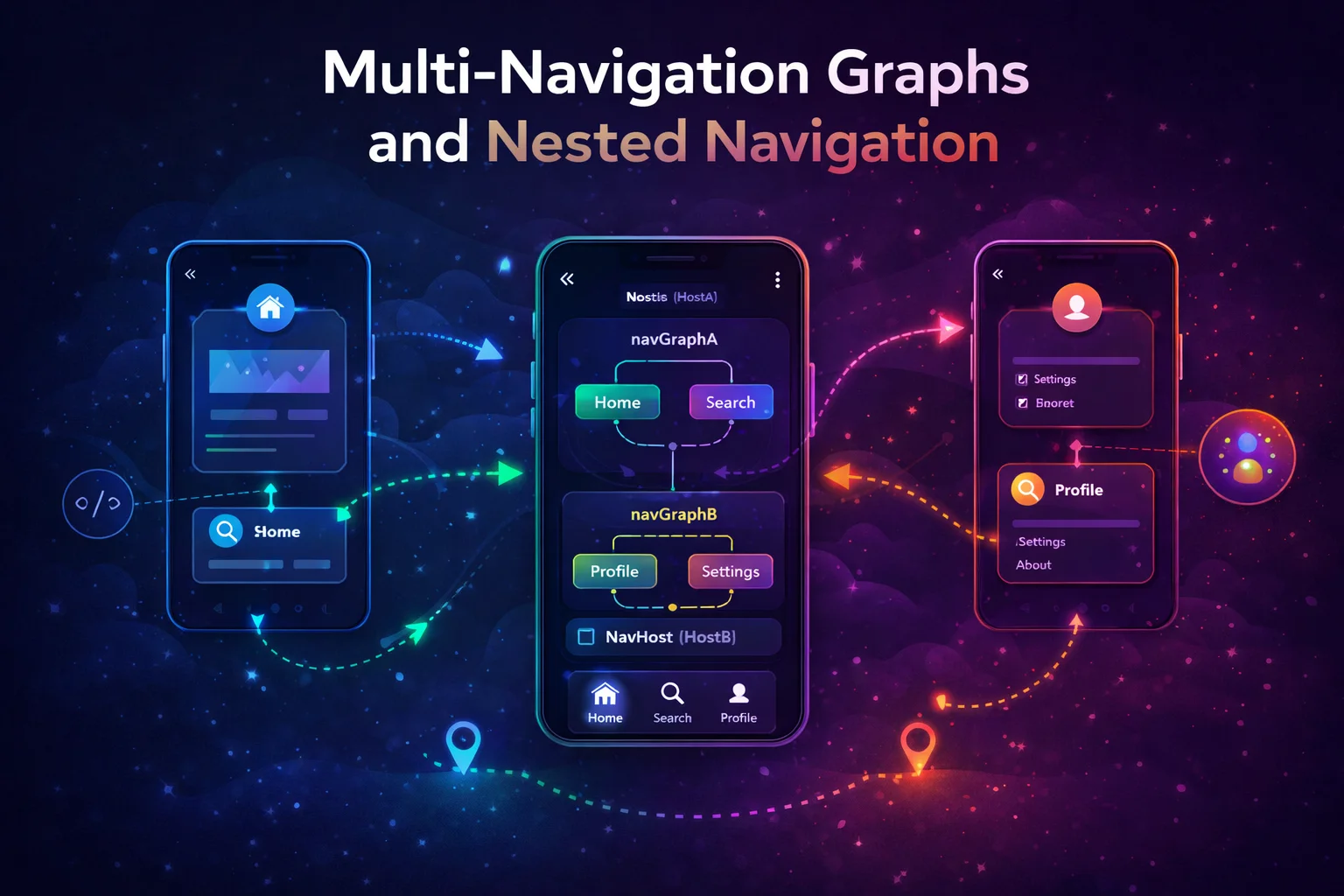
Nested Navigation Graphs
<!-- Group related destinations into nested graphs -->
<!-- Useful for: auth flow, onboarding flow, checkout flow -->

<navigation android:id="@+id/nav_graph"
    app:startDestination="@id/auth_graph">

    <!-- Nested auth graph -->
    <navigation android:id="@+id/auth_graph"
        app:startDestination="@id/loginFragment">

        <fragment android:id="@+id/loginFragment"
            android:name=".LoginFragment">
            <action android:id="@+id/action_login_to_register"
                app:destination="@id/registerFragment" />
            <action android:id="@+id/action_login_to_home"
                app:destination="@id/homeFragment"
                app:popUpTo="@id/auth_graph"
                app:popUpToInclusive="true" />
            <!-- popUpTo auth_graph inclusive = clear entire auth flow after login -->
        </fragment>

        <fragment android:id="@+id/registerFragment"
            android:name=".RegisterFragment" />

    </navigation>

    <!-- Main content -->
    <fragment android:id="@+id/homeFragment"
        android:name=".HomeFragment" />

</navigation>
// Navigate into a nested graph
findNavController().navigate(R.id.auth_graph)
// Navigates to the nested graph's startDestination (loginFragment)
// Pop the entire nested graph
findNavController().popBackStack(R.id.auth_graph, inclusive = true)
// Removes all auth screens from the back stackDeep Links
<!-- In nav_graph.xml — declare deep link on the destination -->
<fragment android:id="@+id/articleDetailFragment"
    android:name=".ArticleDetailFragment">

    <argument android:name="articleId" app:argType="string" />

    <deepLink app:uri="https://www.example.com/articles/{articleId}" />
    <deepLink app:uri="myapp://articles/{articleId}" />
    <!-- Supports both HTTPS and custom scheme -->
</fragment>
<!-- In AndroidManifest.xml — declare the nav-graph for deep link handling -->
<activity android:name=".MainActivity">
<nav-graph android:value="@navigation/nav_graph" />
<!-- nav-graph is an XML ELEMENT — tells the system this Activity
handles deep links defined in the nav graph
The system auto-generates the intent filters from your deepLink elements -->
</activity>// Handle deep links that arrive while app is already open
class MainActivity : AppCompatActivity() {
override fun onNewIntent(intent: Intent) {
super.onNewIntent(intent)
findNavController(R.id.navHostFragment).handleDeepLink(intent)
// handleDeepLink() is a FUNCTION on NavController
// Navigates to the matching destination from the deep link URI
}
}
// Test with adb:
// adb shell am start -a android.intent.action.VIEW \
// -d "https://www.example.com/articles/abc-123" com.example.myappFragment Communication via Navigation
// Pass results BACK from destination B to destination A

// Fragment A — set up result listener
class ArticleListFragment : Fragment() {
    override fun onViewCreated(view: View, savedInstanceState: Bundle?) {
        // Listen for results from any Fragment that navigated from here
        val navController = findNavController()
        navController.currentBackStackEntry?.savedStateHandle
            ?.getLiveData<String>("selected_filter")
            // getLiveData() is a FUNCTION on SavedStateHandle — returns LiveData
            ?.observe(viewLifecycleOwner) { filter ->
                viewModel.setFilter(filter)
            }
    }
}

// Fragment B — send result back
class FilterFragment : Fragment() {
    fun onFilterSelected(filter: String) {
        findNavController().previousBackStackEntry?.savedStateHandle
            // previousBackStackEntry is a PROPERTY on NavController
            // Returns the back stack entry of the PREVIOUS destination
            ?.set("selected_filter", filter)
            // set() is a FUNCTION on SavedStateHandle — stores the result
        findNavController().popBackStack()
    }
}

// This replaces Fragment Result API for navigation-aware communication
// Results survive configuration changes (saved in SavedStateHandle)
Common Mistakes to Avoid
Mistake 1: Using FragmentTransaction instead of NavController
// ❌ Manual Fragment transactions — loses nav graph benefits
supportFragmentManager.beginTransaction()
    .replace(R.id.container, ArticleDetailFragment())
    .addToBackStack(null)
    .commit()
// No SafeArgs, no deep links, no toolbar integration, fragile back stack

// ✅ Use NavController — everything is managed
findNavController().navigate(R.id.action_list_to_detail)
Mistake 2: Menu item IDs not matching destination IDs
<!-- ❌ IDs don't match — bottom nav won't highlight correctly -->
<!-- menu: --> <item android:id="@+id/menu_home" />
<!-- nav:  --> <fragment android:id="@+id/homeFragment" />
<!-- "menu_home" ≠ "homeFragment" — setupWithNavController can't match them -->

<!-- ✅ IDs must match -->
<!-- menu: --> <item android:id="@+id/homeFragment" />
<!-- nav:  --> <fragment android:id="@+id/homeFragment" />
Mistake 3: Passing large data as navigation arguments
// ❌ Passing entire Article object — Bundle has ~1 MB limit
<argument android:name="article" app:argType="com.example.Article" />
// Large objects risk TransactionTooLargeException

// ✅ Pass the ID, load the data in the destination
<argument android:name="articleId" app:argType="string" />

// In destination ViewModel:
private val articleId: String = savedStateHandle.get<String>("articleId") ?: ""
val article = repository.getArticleFlow(articleId).stateIn(...)
Mistake 4: Not handling onSupportNavigateUp
// ❌ Toolbar back button doesn't work — forgot to handle Up navigation
// User taps back arrow → nothing happens!

// ✅ Override onSupportNavigateUp
override fun onSupportNavigateUp(): Boolean {
    return findNavController(R.id.navHostFragment).navigateUp(appBarConfig)
        || super.onSupportNavigateUp()
}
Mistake 5: Creating Fragment instances manually with Navigation Component
// ❌ Creating Fragment with constructor — NavController creates Fragments internally
findNavController().navigate(R.id.articleDetailFragment)
// DON'T: val fragment = ArticleDetailFragment(articleId)
// NavController creates the Fragment using its no-arg constructor
// Pass data through SafeArgs, not constructor parameters

// ✅ SafeArgs handles data passing — NavController creates the Fragment
val action = ArticleListFragmentDirections.actionListToDetail(articleId = "123")
findNavController().navigate(action)
Summary
- The Navigation Component replaces manual FragmentTransaction with a declarative navigation graph, SafeArgs, and NavController
- Navigation Graph (
nav_graph.xml) is an XML resource that defines destinations, actions, arguments, and deep links - NavHostFragment (class) is the container that displays the current destination Fragment
- NavController (class) manages the back stack and handles navigation; get it with
findNavController()(extension function on Fragment) - SafeArgs (Gradle plugin) generates type-safe Directions and Args classes from the nav graph
navArgs()is an extension function on Fragment (property delegate) for type-safe argument access- Navigation arguments are automatically available in SavedStateHandle — ViewModel reads them directly
setupWithNavController()is an extension function on BottomNavigationView that wires bottom nav to NavControllersetupActionBarWithNavController()is an extension function on AppCompatActivity for toolbar integration- AppBarConfiguration (class) defines top-level destinations that show no back arrow
- Nested navigation graphs group related destinations (auth flow, checkout flow) — pop the entire graph at once
- Deep links are declared in nav_graph.xml with
<deepLink>and auto-registered via<nav-graph>in the manifest - Pass results between Fragments using SavedStateHandle on the previous back stack entry
- Bottom nav menu item IDs must match destination IDs in the nav graph
- Pass IDs, not large objects as navigation arguments to avoid TransactionTooLargeException
The Fragment-based Navigation Component brings structure to what used to be one of Android’s most error-prone areas — navigating between screens. SafeArgs catches argument errors at compile time, the nav graph visualises your app’s flow, and NavController handles the back stack correctly. Even as Compose Navigation grows, understanding this system is essential for maintaining existing apps and passing Android interviews.
Happy coding!

Comments (0)