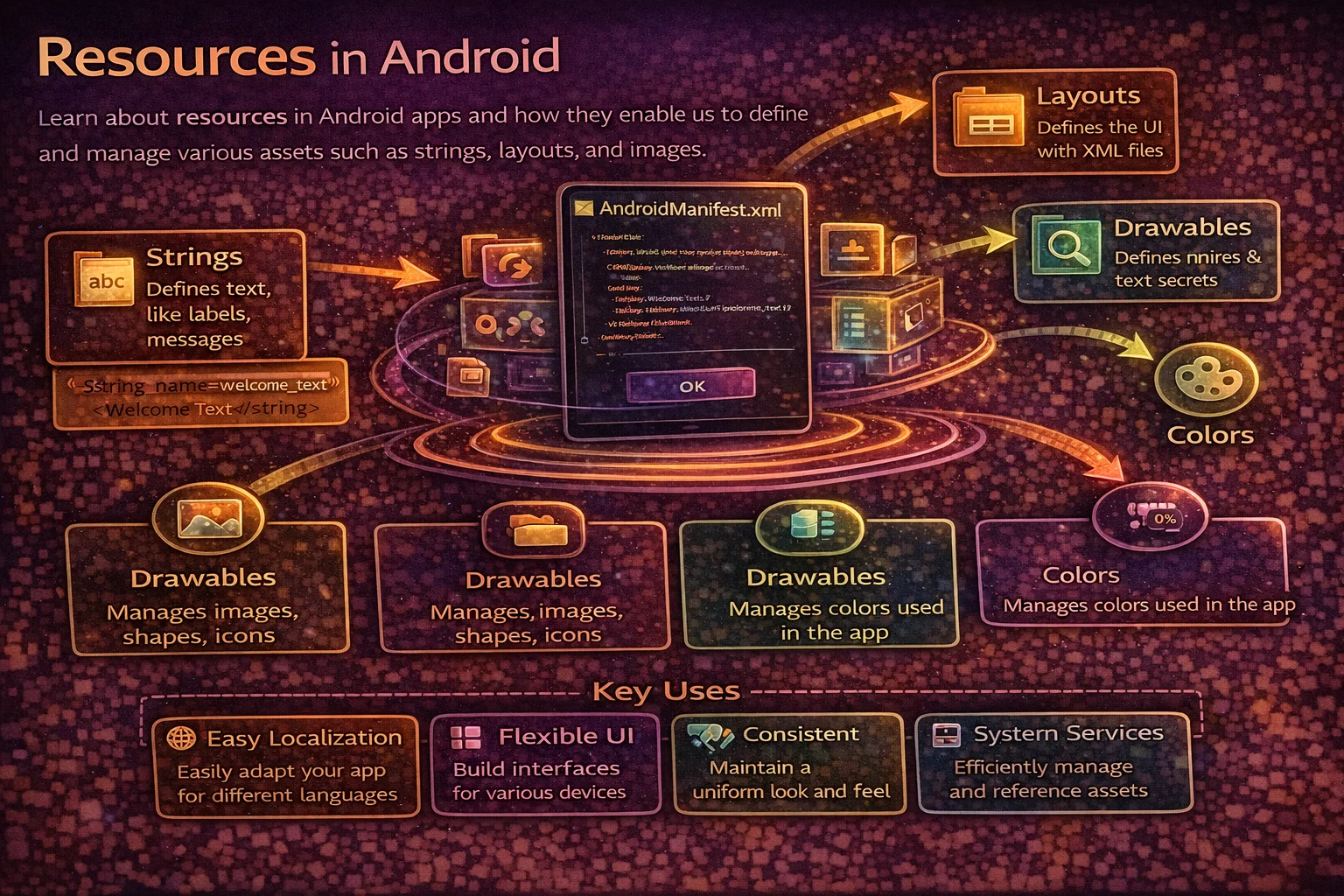
Android’s resource system is what makes your app work across thousands of different devices — different screen sizes, languages, densities, and themes. Instead of hardcoding strings, colors, and dimensions into your code, you place them in resource files and let the system pick the right one for each device at runtime. This guide covers the entire resource system — strings, dimensions, colors, drawables, themes, styles, qualifiers, and dark mode — with practical examples for modern Android development.
The res/ Directory Structure
// Every Android app's resources live in the res/ folder:
//
// res/
// ├── drawable/           — images, vector drawables, shape drawables
// ├── drawable-night/     — dark mode drawables
// ├── layout/             — XML layouts
// ├── layout-land/        — landscape-specific layouts
// ├── mipmap-mdpi/        — app icon (medium density)
// ├── mipmap-hdpi/        — app icon (high density)
// ├── mipmap-xhdpi/       — app icon (extra high density)
// ├── mipmap-xxhdpi/      — app icon (extra extra high)
// ├── mipmap-xxxhdpi/     — app icon (extra extra extra high)
// ├── values/             — strings, colors, dimensions, styles, themes
// ├── values-night/       — dark mode colors, themes
// ├── values-es/          — Spanish strings
// ├── values-hi/          — Hindi strings
// ├── values-sw600dp/     — tablet-specific values (600dp+ width)
// ├── values-v31/         — Android 12+ specific values
// ├── xml/                — network security config, file paths, preferences
// ├── raw/                — raw files (audio, JSON, text)
// ├── font/               — custom fonts
// └── anim/               — animations

// The folder NAME determines WHEN each resource is used
// Android picks the best match based on device configuration at runtime
Strings
Basic strings
<!-- res/values/strings.xml -->
<resources>
    <!-- Simple string -->
    <string name="app_name">My App</string>
    <string name="welcome_message">Welcome to My App</string>

    <!-- String with special characters — use escape sequences -->
    <string name="terms">Don\'t share your password</string>
    <string name="quote">She said \"hello\"</string>

    <!-- String with HTML formatting -->
    <string name="styled">This is <b>bold</b> and <i>italic</i></string>

    <!-- String with arguments (for dynamic values) -->
    <string name="greeting">Hello, %1$s! You have %2$d messages.</string>
    <!-- %1$s = first argument (String), %2$d = second argument (integer) -->

    <!-- Translatable flag — mark strings that should NOT be translated -->
    <string name="api_base_url" translatable="false">https://api.example.com</string>
</resources>
Using strings in code
// In Activity/Fragment
val appName = getString(R.string.app_name)
val greeting = getString(R.string.greeting, "Alice", 5)
// → "Hello, Alice! You have 5 messages."

// In XML layout
android:text="@string/welcome_message"

// With HTML formatting
val styled = getText(R.string.styled)   // preserves HTML spans
textView.text = styled

// From any Context
val name = context.getString(R.string.app_name)

// ⚠️ Never hardcode strings in layouts or code
// ❌ android:text="Welcome"
// ✅ android:text="@string/welcome"
// Hardcoded strings can't be translated and trigger lint warnings
Plurals — handling quantity strings
<!-- Different text based on quantity -->
<plurals name="items_count">
    <item quantity="zero">No items</item>
    <item quantity="one">%d item</item>
    <item quantity="other">%d items</item>
</plurals>

<!-- quantity values: zero, one, two, few, many, other
     Which ones exist depends on the language
     English: one, other
     Arabic: zero, one, two, few, many, other
     Always include "other" as a fallback -->
// Using plurals in code
val count = 5
val text = resources.getQuantityString(R.plurals.items_count, count, count)
// → "5 items"
val singleItem = resources.getQuantityString(R.plurals.items_count, 1, 1)
// → "1 item"String arrays
<!-- Array of strings — useful for spinners, lists -->
<string-array name="sort_options">
    <item>Newest first</item>
    <item>Oldest first</item>
    <item>Most popular</item>
    <item>Alphabetical</item>
</string-array>
// Using in code
val options = resources.getStringArray(R.array.sort_options)
// Using in XML (Spinner)
android:entries="@array/sort_options"Localization — translating strings
// res/values/strings.xml (default — English)
<string name="hello">Hello</string>
<string name="goodbye">Goodbye</string>

// res/values-es/strings.xml (Spanish)
<string name="hello">Hola</string>
<string name="goodbye">Adiós</string>

// res/values-hi/strings.xml (Hindi)
<string name="hello">नमस्ते</string>
<string name="goodbye">अलविदा</string>

// res/values-ja/strings.xml (Japanese)
<string name="hello">こんにちは</string>
<string name="goodbye">さようなら</string>

// The system automatically picks the right file based on device language
// If no match, falls back to the default (values/strings.xml)

// Best practices:
// - Default strings.xml must have ALL strings (it's the fallback)
// - Use translatable="false" for strings that shouldn't be translated
// - Test with pseudolocale to catch layout issues with longer translations
//   (Developer Options → "Pseudolocales" → enable)
Dimensions
<!-- res/values/dimens.xml -->
<resources>
    <!-- Spacing -->
    <dimen name="spacing_xs">4dp</dimen>
    <dimen name="spacing_sm">8dp</dimen>
    <dimen name="spacing_md">16dp</dimen>
    <dimen name="spacing_lg">24dp</dimen>
    <dimen name="spacing_xl">32dp</dimen>

    <!-- Text sizes -->
    <dimen name="text_body">14sp</dimen>
    <dimen name="text_title">20sp</dimen>
    <dimen name="text_headline">24sp</dimen>
    <dimen name="text_caption">12sp</dimen>

    <!-- Component sizes -->
    <dimen name="toolbar_height">56dp</dimen>
    <dimen name="button_height">48dp</dimen>
    <dimen name="icon_size">24dp</dimen>
    <dimen name="avatar_size">40dp</dimen>

    <!-- Corner radius -->
    <dimen name="corner_radius_sm">4dp</dimen>
    <dimen name="corner_radius_md">8dp</dimen>
    <dimen name="corner_radius_lg">16dp</dimen>
</resources>

<!-- Tablet-specific dimensions -->
<!-- res/values-sw600dp/dimens.xml -->
<resources>
    <dimen name="spacing_md">24dp</dimen>
    <dimen name="text_body">16sp</dimen>
    <dimen name="text_title">24sp</dimen>
</resources>
dp vs sp vs px
// dp (density-independent pixels) — for layouts, spacing, sizes
// 1 dp = 1 physical pixel on a 160 dpi screen
// Scales automatically with screen density
// USE FOR: margins, padding, width, height, everything except text

// sp (scale-independent pixels) — for text sizes
// Same as dp but ALSO scales with user's font size preference
// USE FOR: textSize only

// px (pixels) — actual screen pixels
// NEVER use for layouts — looks different on every screen density
// Only use for: 1px divider lines, or when you need exact pixel control

// ❌ android:textSize="14px"    — tiny on high-density screens
// ✅ android:textSize="14sp"    — scales correctly everywhere

// ❌ android:layout_margin="16px"  — different on every device
// ✅ android:layout_margin="16dp"  — consistent on every device
Using dimensions
// In XML
android:layout_margin="@dimen/spacing_md"
android:textSize="@dimen/text_body"
android:layout_height="@dimen/toolbar_height"

// In code
val spacing = resources.getDimensionPixelSize(R.dimen.spacing_md)
view.setPadding(spacing, spacing, spacing, spacing)
Colors
<!-- res/values/colors.xml -->
<resources>
    <!-- Format: #AARRGGBB or #RRGGBB -->
    <color name="primary">#1976D2</color>
    <color name="primary_dark">#1565C0</color>
    <color name="accent">#FF6F00</color>
    <color name="background">#FFFFFF</color>
    <color name="surface">#FFFFFF</color>
    <color name="on_primary">#FFFFFF</color>
    <color name="on_background">#212121</color>
    <color name="on_surface">#212121</color>
    <color name="error">#B00020</color>
    <color name="divider">#1F000000</color>  <!-- 12% black -->
    <color name="text_secondary">#99000000</color>  <!-- 60% black -->
</resources>

<!-- Dark mode colors -->
<!-- res/values-night/colors.xml -->
<resources>
    <color name="primary">#90CAF9</color>
    <color name="background">#121212</color>
    <color name="surface">#1E1E1E</color>
    <color name="on_primary">#000000</color>
    <color name="on_background">#FFFFFF</color>
    <color name="on_surface">#FFFFFF</color>
    <color name="divider">#1FFFFFFF</color>
    <color name="text_secondary">#99FFFFFF</color>
</resources>
// In XML
android:textColor="@color/on_background"
android:background="@color/surface"
// In code
val color = ContextCompat.getColor(context, R.color.primary)
view.setBackgroundColor(color)Styles and Themes
Styles and themes are both collections of attributes, but they serve different purposes:
Styles — applied to individual Views
<!-- res/values/styles.xml -->
<resources>
    <!-- A style is a reusable set of View attributes -->
    <style name="TitleText">
        <item name="android:textSize">@dimen/text_title</item>
        <item name="android:textColor">@color/on_background</item>
        <item name="android:fontFamily">sans-serif-medium</item>
        <item name="android:letterSpacing">0.01</item>
    </style>

    <style name="BodyText">
        <item name="android:textSize">@dimen/text_body</item>
        <item name="android:textColor">@color/on_surface</item>
        <item name="android:lineSpacingMultiplier">1.4</item>
    </style>

    <style name="PrimaryButton" parent="Widget.MaterialComponents.Button">
        <item name="android:textAllCaps">false</item>
        <item name="cornerRadius">@dimen/corner_radius_md</item>
        <item name="android:minHeight">@dimen/button_height</item>
    </style>

    <!-- Style inheritance with dot notation -->
    <style name="TitleText.Large">
        <!-- Inherits all of TitleText, overrides textSize -->
        <item name="android:textSize">@dimen/text_headline</item>
    </style>
</resources>
<!-- Using styles in XML -->
<TextView
style="@style/TitleText"
android:layout_width="wrap_content"
android:layout_height="wrap_content"
android:text="@string/article_title" />
<com.google.android.material.button.MaterialButton
style="@style/PrimaryButton"
android:layout_width="match_parent"
android:layout_height="wrap_content"
android:text="@string/submit" />Themes — applied to the entire Activity or app
<!-- res/values/themes.xml -->
<resources>
    <!-- App theme — applies to ALL Activities by default -->
    <style name="Theme.MyApp" parent="Theme.Material3.DayNight.NoActionBar">
        <!-- Material 3 color scheme -->
        <item name="colorPrimary">@color/primary</item>
        <item name="colorOnPrimary">@color/on_primary</item>
        <item name="colorSecondary">@color/accent</item>
        <item name="colorSurface">@color/surface</item>
        <item name="colorOnSurface">@color/on_surface</item>
        <item name="colorError">@color/error</item>
        <item name="android:colorBackground">@color/background</item>

        <!-- Status bar and navigation bar -->
        <item name="android:statusBarColor">@android:color/transparent</item>
        <item name="android:navigationBarColor">@android:color/transparent</item>

        <!-- Default text appearances -->
        <item name="textAppearanceHeadlineLarge">@style/TitleText.Large</item>
        <item name="textAppearanceBodyMedium">@style/BodyText</item>

        <!-- Default widget styles -->
        <item name="materialButtonStyle">@style/PrimaryButton</item>
    </style>

    <!-- Per-Activity theme override -->
    <style name="Theme.MyApp.Fullscreen" parent="Theme.MyApp">
        <item name="android:windowFullscreen">true</item>
        <item name="windowNoTitle">true</item>
    </style>

    <!-- Splash screen theme -->
    <style name="Theme.MyApp.Splash" parent="Theme.SplashScreen">
        <item name="windowSplashScreenBackground">@color/primary</item>
        <item name="windowSplashScreenAnimatedIcon">@drawable/ic_launcher_foreground</item>
        <item name="postSplashScreenTheme">@style/Theme.MyApp</item>
    </style>
</resources>
<!-- Apply in AndroidManifest.xml -->
<!-- App-wide theme -->
<application android:theme="@style/Theme.MyApp">
<!-- Per-Activity override -->
<activity android:name=".VideoActivity"
android:theme="@style/Theme.MyApp.Fullscreen" />
</application>Style vs Theme — the key difference
// STYLE — applied to a SINGLE View, sets View-specific attributes
// Applied with: style="@style/MyStyle" on a View
// Affects: only that one View
<TextView style="@style/TitleText" ... />

// THEME — applied to an Activity or Application, sets GLOBAL attributes
// Applied with: android:theme="@style/Theme.MyApp" in manifest
// Affects: all Views in the Activity, provides default attributes
// Theme attributes are accessible everywhere via ?attr/colorPrimary

// Using theme attributes in XML (the ? prefix)
android:textColor="?attr/colorOnSurface"     // resolves at runtime based on theme
android:background="?attr/colorSurface"      // works in both light and dark mode

// ❌ Hardcoded color — won't change with dark mode
android:textColor="#000000"

// ✅ Theme attribute — automatically adapts
android:textColor="?attr/colorOnBackground"
Dark Mode
Setting up dark mode support
// Step 1: Use a DayNight theme
<style name="Theme.MyApp" parent="Theme.Material3.DayNight.NoActionBar">
    <!-- DayNight automatically switches between light and dark -->
</style>

// Step 2: Define dark mode colors
// res/values/colors.xml          → light mode colors
// res/values-night/colors.xml    → dark mode colors (same names, different values)

// Step 3: Use theme attributes (not hardcoded colors) everywhere
// ?attr/colorSurface, ?attr/colorOnSurface, ?attr/colorPrimary
// These resolve to the right color based on current mode
Controlling dark mode programmatically
// Follow system setting (default — recommended)
AppCompatDelegate.setDefaultNightMode(AppCompatDelegate.MODE_NIGHT_FOLLOW_SYSTEM)

// Force dark mode
AppCompatDelegate.setDefaultNightMode(AppCompatDelegate.MODE_NIGHT_YES)

// Force light mode
AppCompatDelegate.setDefaultNightMode(AppCompatDelegate.MODE_NIGHT_NO)

// Check current mode
val isDarkMode = resources.configuration.uiMode and
    Configuration.UI_MODE_NIGHT_MASK == Configuration.UI_MODE_NIGHT_YES

// Save user preference and apply on app startup
class SettingsRepository(private val dataStore: DataStore<Preferences>) {
    val darkModeFlow: Flow<Int> = dataStore.data.map { prefs ->
        prefs[DARK_MODE_KEY] ?: AppCompatDelegate.MODE_NIGHT_FOLLOW_SYSTEM
    }
}

// In Application.onCreate()
lifecycleScope.launch {
    settingsRepo.darkModeFlow.collect { mode ->
        AppCompatDelegate.setDefaultNightMode(mode)
    }
}
Dark mode resources
// Any resource folder can have a -night qualifier:
// res/values-night/colors.xml       — dark mode colors
// res/values-night/themes.xml       — dark mode theme overrides
// res/drawable-night/               — dark mode specific drawables
// res/drawable-night/bg_card.xml    — different card background in dark mode

// For most apps, you only need:
// 1. values-night/colors.xml (different colors)
// 2. Theme using ?attr/ references (adapts automatically)
// 3. Optionally drawable-night/ for images that look bad in dark mode
Resource Qualifiers
Resource qualifiers let you provide different resources for different device configurations. The system picks the best match at runtime:
// LANGUAGE/LOCALE
// values-es/         — Spanish
// values-zh-rCN/     — Chinese (Simplified, China)
// values-pt-rBR/     — Portuguese (Brazil)

// SCREEN SIZE (smallest width)
// values-sw320dp/    — phones (320dp+ smallest width)
// values-sw600dp/    — 7" tablets
// values-sw720dp/    — 10" tablets

// SCREEN ORIENTATION
// layout-land/       — landscape layouts
// layout-port/       — portrait layouts (rarely needed — port is default)

// SCREEN DENSITY
// drawable-mdpi/     — ~160 dpi (1x)
// drawable-hdpi/     — ~240 dpi (1.5x)
// drawable-xhdpi/    — ~320 dpi (2x)
// drawable-xxhdpi/   — ~480 dpi (3x)
// drawable-xxxhdpi/  — ~640 dpi (4x)

// NIGHT MODE
// values-night/      — dark mode
// drawable-night/    — dark mode images

// API LEVEL
// values-v26/        — Android 8.0+ (API 26+)
// values-v31/        — Android 12+ (API 31+)

// You can COMBINE qualifiers:
// values-es-night/        — Spanish + dark mode
// layout-sw600dp-land/    — tablet + landscape
// values-sw600dp-v31/     — tablet + Android 12+
How Android picks the right resource
// The system uses a BEST MATCH algorithm:
// 1. Eliminate folders that contradict the device config
// 2. Pick the folder with the highest priority matching qualifier
// 3. If multiple remain, pick the one with the most specific match
// 4. If nothing matches, use the default (unqualified) folder

// Example: device is Spanish, dark mode, 600dp width
// Available: values/, values-es/, values-night/, values-sw600dp/
// System checks each qualifier in priority order:
// Language (es) → Night mode → Screen size → etc.

// ⚠️ The default folder (values/) is the FALLBACK
// If you define a string only in values-es/ but not in values/,
// the app CRASHES on non-Spanish devices!
// Always define all resources in the default folder first
Drawables
Vector drawables — preferred for icons
<!-- res/drawable/ic_bookmark.xml -->
<vector xmlns:android="http://schemas.android.com/apk/res/android"
    android:width="24dp"
    android:height="24dp"
    android:viewportWidth="24"
    android:viewportHeight="24"
    android:tint="?attr/colorOnSurface">
    <path
        android:fillColor="@android:color/white"
        android:pathData="M17,3H7c-1.1,0-2,0.9-2,2v16l7,-3 7,3V5c0,-1.1-0.9,-2-2,-2z" />
</vector>

<!-- Advantages of vector drawables:
     - Single file works at ALL densities (no mdpi/hdpi/xhdpi variants)
     - Smaller APK size than bitmap images
     - Can be tinted with theme colors (?attr/colorOnSurface)
     - Scales perfectly without pixelation
     Use for: icons, simple illustrations, UI elements -->
Shape drawables — backgrounds and borders
<!-- res/drawable/bg_card.xml -->
<shape xmlns:android="http://schemas.android.com/apk/res/android"
    android:shape="rectangle">
    <solid android:color="?attr/colorSurface" />
    <corners android:radius="@dimen/corner_radius_md" />
    <stroke android:width="1dp" android:color="@color/divider" />
</shape>

<!-- res/drawable/bg_rounded_button.xml -->
<shape xmlns:android="http://schemas.android.com/apk/res/android"
    android:shape="rectangle">
    <solid android:color="?attr/colorPrimary" />
    <corners android:radius="24dp" />
    <padding android:left="16dp" android:right="16dp"
             android:top="8dp" android:bottom="8dp" />
</shape>

<!-- res/drawable/bg_circle.xml -->
<shape xmlns:android="http://schemas.android.com/apk/res/android"
    android:shape="oval">
    <solid android:color="?attr/colorPrimary" />
    <size android:width="40dp" android:height="40dp" />
</shape>
Selector drawables — state-based appearance
<!-- res/drawable/selector_button.xml -->
<selector xmlns:android="http://schemas.android.com/apk/res/android">
    <item android:state_pressed="true" android:drawable="@color/primary_dark" />
    <item android:state_enabled="false" android:drawable="@color/divider" />
    <item android:drawable="@color/primary" />  <!-- default (must be last) -->
</selector>

<!-- res/color/text_color_selector.xml -->
<selector xmlns:android="http://schemas.android.com/apk/res/android">
    <item android:state_enabled="false" android:color="@color/text_secondary" />
    <item android:color="@color/on_surface" />
</selector>
Common Mistakes to Avoid
Mistake 1: Hardcoding strings in layouts or code
// ❌ Can't be translated, triggers lint warning
android:text="Submit"
android:hint="Enter your name"

// ✅ Use string resources
android:text="@string/submit"
android:hint="@string/hint_name"
Mistake 2: Using px instead of dp/sp
// ❌ Looks different on every screen density
android:layout_margin="16px"
android:textSize="14px"

// ✅ dp for layouts, sp for text
android:layout_margin="16dp"
android:textSize="14sp"
Mistake 3: Hardcoding colors instead of using theme attributes
// ❌ Doesn't adapt to dark mode
android:textColor="#000000"
android:background="#FFFFFF"

// ✅ Adapts automatically to light and dark mode
android:textColor="?attr/colorOnBackground"
android:background="?attr/colorSurface"
Mistake 4: Missing default resource folder
// ❌ String only defined in values-es/ → crashes on non-Spanish devices
// res/values-es/strings.xml
<string name="special_offer">Oferta especial</string>
// No default in values/strings.xml → ResourceNotFoundException!

// ✅ Always define in default folder first
// res/values/strings.xml
<string name="special_offer">Special offer</string>
// res/values-es/strings.xml
<string name="special_offer">Oferta especial</string>
Mistake 5: Using bitmap images for icons instead of vectors
// ❌ Need separate files for each density — bloats APK
// drawable-mdpi/ic_settings.png    (24x24)
// drawable-hdpi/ic_settings.png    (36x36)
// drawable-xhdpi/ic_settings.png   (48x48)
// drawable-xxhdpi/ic_settings.png  (72x72)

// ✅ Single vector drawable works at all densities
// drawable/ic_settings.xml  (vector — one file, any size)
// Smaller APK, perfect scaling, tintable with theme colors
Summary
- Resources live in res/ — the folder name determines when each resource is used based on device configuration
- Strings: never hardcode text, use
getString(), support plurals and arguments, translate with locale-qualified folders - Dimensions: use dp for layouts, sp for text sizes, never px
- Colors: define in
values/colors.xml, provide dark variants invalues-night/colors.xml - Styles are applied to individual Views; Themes are applied to Activities or the entire app
- Use
?attr/references (not hardcoded colors) so your UI adapts to dark mode automatically - Dark mode: use DayNight theme, provide
-nightqualified resources, control withAppCompatDelegate - Qualifiers let you provide different resources for languages, screen sizes, densities, orientations, API levels, and night mode
- Always define resources in the default folder first — it’s the fallback when no qualifier matches
- Prefer vector drawables over bitmap images — single file, all densities, smaller APK, tintable
- Use shape drawables for backgrounds, borders, and corners instead of bitmap images
- Selector drawables change appearance based on View state (pressed, disabled, focused)
- Test localisation with pseudolocales to catch layout issues with longer translated strings
The resource system is what makes Android apps adaptable. Instead of writing code to handle every screen size, language, and display mode, you declare resources and let the system choose. Master string resources, theme attributes, and resource qualifiers, and your app will look right on every device — from a small phone in Tokyo to a large tablet in Cairo, in light mode or dark mode.
Happy coding!
Comments (0)