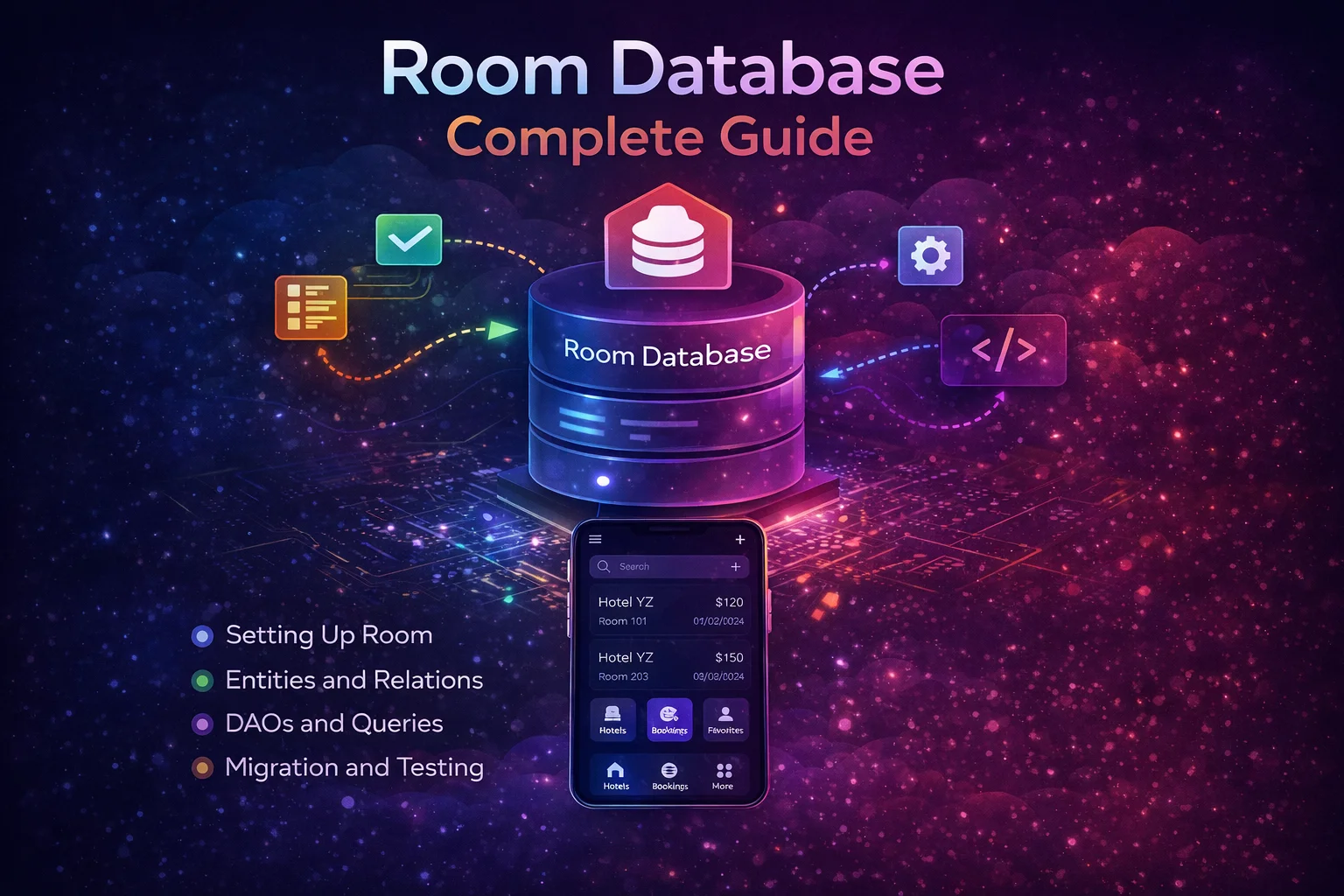
If your app shows a list of articles, saves bookmarks, stores messages, or caches API responses — you need a database. On Android, that means Room. Room is a Jetpack library that wraps SQLite and gives you a clean, type-safe, Kotlin-friendly API. Instead of writing raw SQL strings and parsing cursors manually, you define your tables as data classes, your queries as annotated functions, and Room generates all the boring SQLite code for you. This guide covers Room from zero to production — entities, DAOs, the database class, reactive queries, and Hilt integration.
The Mental Model — What is Room?
// Think of Room as a TRANSLATOR between your Kotlin code and SQLite:
//
//  YOUR CODE                    ROOM                      SQLITE
//  (Kotlin)                     (Generated)               (Database)
//
//  data class Article           →  CREATE TABLE articles   →  articles.db
//  @Entity                         (id TEXT, title TEXT...)
//
//  @Query("SELECT * FROM        →  cursor = db.rawQuery()  →  SELECT *
//   articles")                     while(cursor.moveToNext)    FROM articles
//  fun getAll(): Flow<List>        Article(cursor.getString)
//
//  @Insert                      →  INSERT INTO articles    →  Row added
//  suspend fun insert(article)     VALUES(...)
//
// You write Kotlin data classes and annotated interfaces
// Room GENERATES the SQLite code at compile time
// You never touch SQLite, cursors, or raw queries directly
//
// Room has THREE main components:
// 1. ENTITY — a data class that becomes a database TABLE
// 2. DAO — an interface with annotated functions for database OPERATIONS
// 3. DATABASE — an abstract class that holds everything together
Setup
// build.gradle.kts
plugins {
    alias(libs.plugins.ksp)
    // KSP (Kotlin Symbol Processing) — Room's annotation processor
    // ksp is a GRADLE PLUGIN that processes annotations at compile time
}

dependencies {
    implementation("androidx.room:room-runtime:2.6.1")
    // room-runtime is a LIBRARY — the Room runtime (needed at runtime)

    implementation("androidx.room:room-ktx:2.6.1")
    // room-ktx provides Kotlin extensions: Flow support, suspend functions

    ksp("androidx.room:room-compiler:2.6.1")
    // room-compiler GENERATES the implementation code at compile time
    // Uses KSP to read your @Entity, @Dao, @Database annotations
    // and generate the SQLite code

    // For testing:
    testImplementation("androidx.room:room-testing:2.6.1")
}
Step 1 — Define an Entity (Your Table)
An Entity is a Kotlin data class that represents a table in the database. Each property becomes a column:
@Entity(tableName = "articles")
// @Entity is an ANNOTATION from androidx.room
// It tells Room: "this data class is a database table"
// tableName = "articles" → the SQL table name (lowercase, plural by convention)
// If you omit tableName, Room uses the class name ("ArticleEntity")
data class ArticleEntity(

    @PrimaryKey
    // @PrimaryKey is an ANNOTATION from Room
    // Every table MUST have exactly one primary key
    // The primary key uniquely identifies each row
    val id: String,

    @ColumnInfo(name = "title")
    // @ColumnInfo is an ANNOTATION from Room — customises the column
    // name = "title" → the SQL column name
    // If you omit @ColumnInfo, Room uses the property name as the column name
    val title: String,

    @ColumnInfo(name = "content")
    val content: String,

    @ColumnInfo(name = "author_name")
    // Useful when Kotlin property name differs from desired column name
    val authorName: String,

    @ColumnInfo(name = "published_at")
    val publishedAt: Long,
    // SQLite doesn't have a Date type — store as Long (timestamp)

    @ColumnInfo(name = "image_url")
    val imageUrl: String? = null,
    // Nullable — some articles may not have an image
    // null in Kotlin → NULL in SQLite

    @ColumnInfo(name = "is_bookmarked", defaultValue = "0")
    // defaultValue = "0" → SQL default (0 = false in SQLite)
    val isBookmarked: Boolean = false,

    @ColumnInfo(name = "category")
    val category: String = "general",

    @ColumnInfo(name = "view_count")
    val viewCount: Int = 0
)

// What Room generates from this:
// CREATE TABLE articles (
//     id TEXT NOT NULL PRIMARY KEY,
//     title TEXT NOT NULL,
//     content TEXT NOT NULL,
//     author_name TEXT NOT NULL,
//     published_at INTEGER NOT NULL,
//     image_url TEXT,
//     is_bookmarked INTEGER NOT NULL DEFAULT 0,
//     category TEXT NOT NULL,
//     view_count INTEGER NOT NULL
// )
//
// Kotlin types → SQLite types:
// String → TEXT
// Int, Long, Boolean → INTEGER
// Float, Double → REAL
// ByteArray → BLOB
// Nullable (?) → allows NULL
Auto-generated primary key
// If you want the database to generate IDs automatically:
@Entity(tableName = "notes")
data class NoteEntity(
    @PrimaryKey(autoGenerate = true)
    // autoGenerate = true → Room uses SQLite's AUTOINCREMENT
    // IDs are: 1, 2, 3, 4, ... (auto-assigned on insert)
    val id: Long = 0,
    // Default to 0 — Room replaces 0 with the auto-generated value

    val text: String,
    val createdAt: Long
)

// When inserting, don't set the id:
// dao.insert(NoteEntity(text = "Hello", createdAt = System.currentTimeMillis()))
// Room assigns id automatically: 1, 2, 3, ...
Indices — speed up queries
@Entity(
    tableName = "articles",
    indices = [
        Index(value = ["category"]),
        // Index is a CLASS from Room — creates a database INDEX on the column
        // Speeds up: WHERE category = 'tech' queries
        Index(value = ["published_at"]),
        // Speeds up: ORDER BY published_at DESC queries
        Index(value = ["author_name", "published_at"])
        // Composite index — speeds up queries that filter/sort by both columns
    ]
)
data class ArticleEntity(/* ... */)

// Unique index (prevents duplicate values):
@Entity(
    indices = [Index(value = ["email"], unique = true)]
    // unique = true → no two rows can have the same email
    // Inserting a duplicate → SQLite throws an error
)
data class UserEntity(
    @PrimaryKey val id: String,
    val email: String
)
Step 2 — Define a DAO (Your Queries)
A DAO (Data Access Object) is an interface where you define all database operations. Room generates the implementation:
@Dao
// @Dao is an ANNOTATION from Room
// It tells Room: "this interface defines database operations"
// Room GENERATES the implementation at compile time via KSP
interface ArticleDao {

    // ═══ READ operations (queries) ════════════════════════════════════

    @Query("SELECT * FROM articles ORDER BY published_at DESC")
    // @Query is an ANNOTATION from Room — raw SQL query
    // Room validates the SQL AT COMPILE TIME
    // If you have a typo in the table name → compile error!
    fun getAllArticles(): Flow<List<ArticleEntity>>
    // Returns Flow → REACTIVE
    // Room automatically emits a new list whenever the articles table changes
    // Insert, update, delete → all collectors receive the updated list
    // This is NOT a suspend function — Flow is already async

    @Query("SELECT * FROM articles WHERE id = :articleId")
    // :articleId is a PARAMETER BINDING — maps to the function parameter
    // Room prevents SQL injection — parameters are always bound safely
    fun getArticleById(articleId: String): Flow<ArticleEntity?>
    // Returns Flow<ArticleEntity?> — nullable because article might not exist
    // Emits null if no article found, or the article if it exists

    @Query("SELECT * FROM articles WHERE category = :category ORDER BY published_at DESC")
    fun getArticlesByCategory(category: String): Flow<List<ArticleEntity>>

    @Query("SELECT * FROM articles WHERE title LIKE '%' || :query || '%' OR content LIKE '%' || :query || '%'")
    // SQL LIKE for text search — || is SQL string concatenation
    fun searchArticles(query: String): Flow<List<ArticleEntity>>

    @Query("SELECT * FROM articles WHERE is_bookmarked = 1 ORDER BY published_at DESC")
    fun getBookmarkedArticles(): Flow<List<ArticleEntity>>

    @Query("SELECT COUNT(*) FROM articles")
    // COUNT returns a single value, not a list
    fun getArticleCount(): Flow<Int>

    // One-shot query (not reactive) — use suspend
    @Query("SELECT * FROM articles WHERE id = :articleId")
    suspend fun getArticleOnce(articleId: String): ArticleEntity?
    // suspend KEYWORD — this is a one-time read, not reactive
    // Use when you need a single snapshot, not continuous updates

    // ═══ WRITE operations ═════════════════════════════════════════════

    @Insert(onConflict = OnConflictStrategy.REPLACE)
    // @Insert is an ANNOTATION from Room — generates INSERT SQL
    // OnConflictStrategy is an ENUM from Room:
    //   REPLACE — if primary key exists, replace the entire row
    //   IGNORE — if primary key exists, skip (don't update)
    //   ABORT — if primary key exists, throw an error (default)
    suspend fun insertArticle(article: ArticleEntity)
    // suspend — write operations should always be suspend

    @Insert(onConflict = OnConflictStrategy.REPLACE)
    suspend fun insertArticles(articles: List<ArticleEntity>)
    // Can insert a LIST in one call — Room wraps in a transaction automatically

    @Update
    // @Update is an ANNOTATION from Room — generates UPDATE SQL
    // Updates the row with matching primary key
    suspend fun updateArticle(article: ArticleEntity)

    @Delete
    // @Delete is an ANNOTATION from Room — generates DELETE SQL
    // Deletes the row with matching primary key
    suspend fun deleteArticle(article: ArticleEntity)

    @Query("DELETE FROM articles WHERE id = :articleId")
    // For delete by ID — use @Query with DELETE SQL
    suspend fun deleteArticleById(articleId: String)

    @Query("DELETE FROM articles")
    suspend fun deleteAllArticles()

    // ═══ UPSERT (insert or update) — Room 2.5+ ═══════════════════════

    @Upsert
    // @Upsert is an ANNOTATION from Room (since 2.5.0)
    // If primary key exists → UPDATE the row
    // If primary key doesn't exist → INSERT a new row
    // Replaces the common @Insert(REPLACE) pattern with a more explicit name
    suspend fun upsertArticle(article: ArticleEntity)

    @Upsert
    suspend fun upsertArticles(articles: List<ArticleEntity>)

    // ═══ TRANSACTION — multiple operations atomically ═════════════════

    @Transaction
    // @Transaction is an ANNOTATION from Room
    // Runs all operations inside as a single ATOMIC transaction
    // If any operation fails → ALL operations are rolled back
    suspend fun replaceAllArticles(articles: List<ArticleEntity>) {
        deleteAllArticles()
        insertArticles(articles)
        // Both run in one transaction — either BOTH succeed or NEITHER does
        // Without @Transaction: if app crashes between delete and insert → data lost!
    }
}
Step 3 — Create the Database
The Database class ties Entities and DAOs together:
@Database(
    entities = [ArticleEntity::class, UserEntity::class],
    // entities — list of ALL @Entity classes in this database
    // Each entity becomes a table
    version = 1,
    // version — the database schema version
    // Increment this when you change the schema (add/remove columns, tables)
    // Room uses this for MIGRATIONS
    exportSchema = true
    // exportSchema = true → Room exports the schema as a JSON file
    // Useful for testing migrations and tracking schema history
)
// @Database is an ANNOTATION from Room
// It tells Room: "this is the database, here are my tables and version"
abstract class AppDatabase : RoomDatabase() {
    // RoomDatabase is an ABSTRACT CLASS from Room — your database extends it
    // Room GENERATES the concrete implementation at compile time

    abstract fun articleDao(): ArticleDao
    // Abstract function that returns your DAO
    // Room generates the implementation that creates/returns the DAO
    // You can have MULTIPLE DAOs:
    // abstract fun userDao(): UserDao
    // abstract fun settingsDao(): SettingsDao
}

// That's the entire database class — Room generates everything else!
Building the database instance
// Create the database with Room.databaseBuilder()
// Room.databaseBuilder() is a STATIC FUNCTION on Room CLASS

// In a Hilt module (recommended):
@Module
@InstallIn(SingletonComponent::class)
object DatabaseModule {

    @Provides
    @Singleton
    // @Singleton — ONE database instance for the entire app
    // NEVER create multiple instances — causes crashes and data corruption
    fun provideDatabase(@ApplicationContext context: Context): AppDatabase {
        return Room.databaseBuilder(
            context,                       // Application context (not Activity!)
            AppDatabase::class.java,       // Your database class
            "my_app_database"              // Database file name (stored as .db file)
        )
        .fallbackToDestructiveMigration()
        // fallbackToDestructiveMigration() is a FUNCTION on RoomDatabase.Builder
        // If no migration is found for a version change → DELETE the database and recreate
        // ⚠️ Only use during development — you'll lose all data!
        // For production, write proper migrations (covered in next blog)
        .build()
        // build() is a FUNCTION on RoomDatabase.Builder — creates the database
    }

    @Provides
    fun provideArticleDao(database: AppDatabase): ArticleDao {
        return database.articleDao()
        // Hilt calls this to get the DAO
        // The DAO is then injectable anywhere:
        // class ArticleRepository @Inject constructor(private val dao: ArticleDao)
    }
}

// WITHOUT Hilt (manual singleton):
object DatabaseProvider {
    @Volatile
    private var INSTANCE: AppDatabase? = null

    fun getDatabase(context: Context): AppDatabase {
        return INSTANCE ?: synchronized(this) {
            val instance = Room.databaseBuilder(
                context.applicationContext,
                AppDatabase::class.java,
                "my_app_database"
            ).build()
            INSTANCE = instance
            instance
        }
    }
}
How Reactive Queries Work
// This is Room's KILLER FEATURE — reactive queries with Flow
//
// When a DAO function returns Flow:
// 1. Room runs the query and emits the result
// 2. Room WATCHES the table for changes (insert, update, delete)
// 3. When the table changes → Room re-runs the query → emits new result
// 4. All collectors receive the updated data automatically
//
//  DAO                          Room                         Collector
//  fun getAll(): Flow           (watches table)              .collect { }
//
//  ┌───────────────┐           ┌──────────────┐             ┌──────────┐
//  │ SELECT * FROM │──query──→ │  articles    │──result───→ │ [A,B,C]  │
//  │ articles      │           │  table       │             │          │
//  └───────────────┘           └──────────────┘             └──────────┘
//                                    │
//                               INSERT article D
//                                    │
//  ┌───────────────┐           ┌──────────────┐             ┌──────────┐
//  │ SELECT * FROM │──re-query→│  articles    │──new result→│ [A,B,C,D]│
//  │ articles      │           │  table       │             │          │
//  └───────────────┘           └──────────────┘             └──────────┘
//
// The collector gets [A,B,C] first, then [A,B,C,D] automatically
// No manual refresh, no re-fetching — Room handles it

// In ViewModel:
val articles: StateFlow<List<Article>> = dao.getAllArticles()
    // Returns Flow<List<ArticleEntity>> — emits on every table change
    .map { entities -> entities.map { it.toDomain() } }
    .stateIn(viewModelScope, SharingStarted.WhileSubscribed(5000), emptyList())

// In Compose:
val articles by viewModel.articles.collectAsStateWithLifecycle()
// UI automatically shows the latest data — zero manual refresh code!
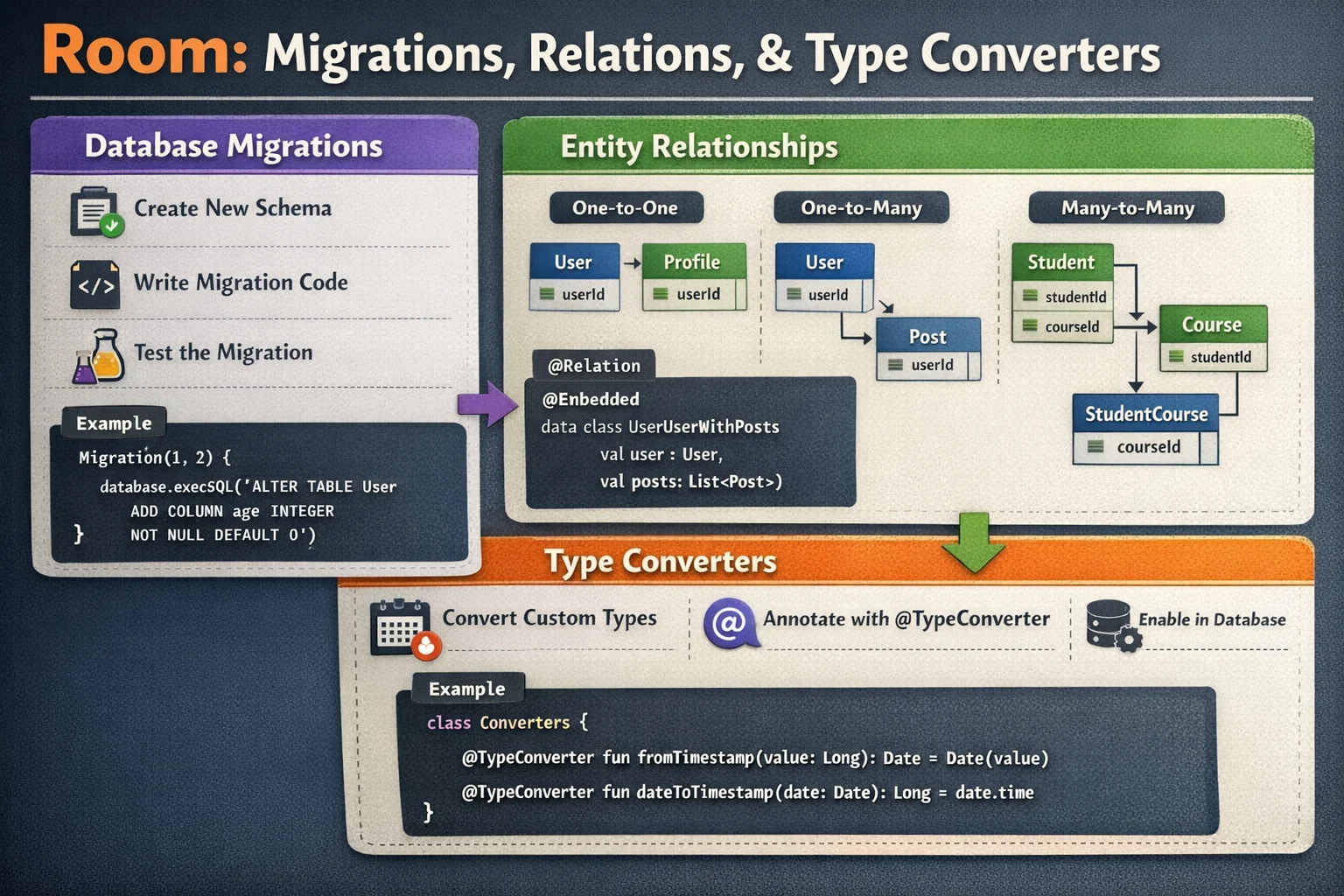
TypeConverters — Storing Complex Types
SQLite only supports basic types (TEXT, INTEGER, REAL, BLOB). For anything else, you need a TypeConverter:
// PROBLEM: you want to store List<String> (tags) in a single column
// SQLite doesn't have a "list" type!
// SOLUTION: convert List<String> → JSON String for storage
//           convert JSON String → List<String> for reading

class Converters {
    // TypeConverters is a regular CLASS with annotated conversion functions

    @TypeConverter
    // @TypeConverter is an ANNOTATION from Room
    // Tells Room: "use this function to convert between types"
    fun fromStringList(value: List<String>): String {
        return Gson().toJson(value)
        // List → JSON String for storage
        // ["kotlin", "android"] → "[\"kotlin\",\"android\"]"
    }

    @TypeConverter
    fun toStringList(value: String): List<String> {
        val listType = object : TypeToken<List<String>>() {}.type
        return Gson().fromJson(value, listType)
        // JSON String → List for reading
    }

    @TypeConverter
    fun fromDate(date: Date?): Long? {
        return date?.time
        // Date → Long (timestamp) for storage
    }

    @TypeConverter
    fun toDate(timestamp: Long?): Date? {
        return timestamp?.let { Date(it) }
        // Long → Date for reading
    }
}

// Register converters on the database:
@Database(entities = [ArticleEntity::class], version = 1)
@TypeConverters(Converters::class)
// @TypeConverters is an ANNOTATION from Room
// Registers converter functions for the ENTIRE database
// Now Room knows how to handle List<String> and Date columns
abstract class AppDatabase : RoomDatabase() {
    abstract fun articleDao(): ArticleDao
}

// Now your entity can use List<String>:
@Entity(tableName = "articles")
data class ArticleEntity(
    @PrimaryKey val id: String,
    val title: String,
    val tags: List<String>,    // stored as JSON string via TypeConverter
    val createdAt: Date         // stored as Long via TypeConverter
)
Embedded Objects
// Sometimes you want to group columns logically without creating a separate table
// @Embedded flattens a nested object's fields into the parent table

data class Address(
    val street: String,
    val city: String,
    val zipCode: String,
    val country: String
)
// Address is NOT an @Entity — it's just a regular data class

@Entity(tableName = "users")
data class UserEntity(
    @PrimaryKey val id: String,
    val name: String,

    @Embedded(prefix = "home_")
    // @Embedded is an ANNOTATION from Room
    // Flattens Address fields into the users table as:
    // home_street, home_city, home_zipCode, home_country
    // prefix avoids column name conflicts if you have multiple addresses
    val homeAddress: Address,

    @Embedded(prefix = "work_")
    val workAddress: Address?
    // Nullable — work address is optional
)

// The users table has columns:
// id, name, home_street, home_city, home_zipCode, home_country,
// work_street, work_city, work_zipCode, work_country
Complete Repository Using Room
class ArticleRepository @Inject constructor(
    private val dao: ArticleDao,
    private val api: ArticleApi
) {
    // OBSERVE — read from database (single source of truth)
    fun getArticlesFlow(): Flow<List<Article>> {
        return dao.getAllArticles()
            .map { entities -> entities.map { it.toDomain() } }
            // toDomain() is an EXTENSION FUNCTION on ArticleEntity (mapper)
    }

    fun getArticleFlow(id: String): Flow<Article?> {
        return dao.getArticleById(id)
            .map { entity -> entity?.toDomain() }
    }

    fun searchFlow(query: String): Flow<List<Article>> {
        return dao.searchArticles(query)
            .map { entities -> entities.map { it.toDomain() } }
    }

    // REFRESH — fetch from network, save to database
    suspend fun refreshArticles() {
        val remoteArticles = api.getArticles()
        val entities = remoteArticles.map { it.toEntity() }
        dao.upsertArticles(entities)
        // Database updates → Flow re-emits → UI updates automatically
    }

    // WRITE — modify database
    suspend fun toggleBookmark(articleId: String) {
        val article = dao.getArticleOnce(articleId) ?: return
        dao.updateArticle(article.copy(isBookmarked = !article.isBookmarked))
    }

    suspend fun deleteArticle(articleId: String) {
        dao.deleteArticleById(articleId)
    }
}

// Mapper extension functions:
fun ArticleEntity.toDomain(): Article = Article(
    id = id, title = title, content = content,
    authorName = authorName, publishedAt = publishedAt,
    imageUrl = imageUrl, isBookmarked = isBookmarked,
    category = category, viewCount = viewCount
)

fun ArticleDto.toEntity(): ArticleEntity = ArticleEntity(
    id = id, title = title, content = content,
    authorName = author, publishedAt = publishedAt,
    imageUrl = imageUrl
)
Common Mistakes to Avoid
Mistake 1: Running database operations on the main thread
// ❌ Room blocks if you try to run queries on the main thread
// (Room throws IllegalStateException by default)
val articles = dao.getAllArticlesSync()   // 💥 crashes!

// ✅ Use suspend functions (auto-switches to background) or Flow
suspend fun load() {
    val article = dao.getArticleOnce("123")   // suspend — runs on Room's thread
}
val articles: Flow<List<ArticleEntity>> = dao.getAllArticles()   // Flow — async

// ⚠️ Never use .allowMainThreadQueries() in production
// Room.databaseBuilder(...).allowMainThreadQueries()   // for debugging ONLY
Mistake 2: Creating multiple database instances
// ❌ Two instances → data corruption, crashes
val db1 = Room.databaseBuilder(context, AppDatabase::class.java, "app.db").build()
val db2 = Room.databaseBuilder(context, AppDatabase::class.java, "app.db").build()
// Two connections to the same file — writes conflict!

// ✅ Always use @Singleton with Hilt or a manual singleton
@Provides @Singleton
fun provideDatabase(context: Context): AppDatabase { /* ... */ }
Mistake 3: Forgetting @Transaction for multi-step operations
// ❌ Without @Transaction — crash between delete and insert loses data
suspend fun replaceArticles(articles: List<ArticleEntity>) {
    dao.deleteAllArticles()     // step 1: delete
    // ⚠️ if app crashes HERE — all data is gone, nothing inserted!
    dao.insertArticles(articles) // step 2: insert
}

// ✅ With @Transaction — atomic, all-or-nothing
@Transaction
suspend fun replaceArticles(articles: List<ArticleEntity>) {
    dao.deleteAllArticles()
    dao.insertArticles(articles)
    // If crash happens → entire transaction is rolled back → old data preserved
}
Mistake 4: Returning List instead of Flow for UI-facing queries
// ❌ Returns a snapshot — UI won't update when data changes
@Query("SELECT * FROM articles")
suspend fun getAllArticles(): List<ArticleEntity>
// Call this once → get the list → if someone inserts an article, you don't know!
// Need to manually re-fetch — error-prone

// ✅ Returns Flow — UI automatically updates on any change
@Query("SELECT * FROM articles")
fun getAllArticles(): Flow<List<ArticleEntity>>
// Room watches the table → emits on every INSERT/UPDATE/DELETE → UI always fresh
Mistake 5: Using fallbackToDestructiveMigration in production
// ❌ Users lose ALL data when you update the database version
Room.databaseBuilder(context, AppDatabase::class.java, "app.db")
    .fallbackToDestructiveMigration()   // ❌ deletes everything on schema change!
    .build()
// User updates app → database version changes → ALL articles, bookmarks, GONE!

// ✅ Write proper migrations for production (covered in next blog)
Room.databaseBuilder(context, AppDatabase::class.java, "app.db")
    .addMigrations(MIGRATION_1_2, MIGRATION_2_3)
    // addMigrations() is a FUNCTION on RoomDatabase.Builder
    // Preserves existing data when schema changes
    .build()
Summary
- Room is a Jetpack library that wraps SQLite — type-safe, compile-time validated, Kotlin-native
- Three components: @Entity (table), @Dao (operations), @Database (ties them together)
- @Entity (annotation) marks a data class as a database table; properties become columns
- @PrimaryKey (annotation) identifies each row uniquely;
autoGenerate = truefor auto-incrementing IDs - @ColumnInfo (annotation) customises column name and default values
- @Dao (annotation) marks an interface for database operations — Room generates the implementation
- @Query (annotation) runs raw SQL validated at compile time;
:parambinds function parameters safely - @Insert, @Update, @Delete, @Upsert (annotations) generate SQL for common operations
- OnConflictStrategy (enum): REPLACE, IGNORE, ABORT — controls what happens on primary key conflicts
- DAO functions returning Flow are reactive — Room re-emits automatically when the table changes
- DAO functions with suspend are one-shot — read once, not reactive
- @Transaction (annotation) makes multiple operations atomic — all succeed or all roll back
- @TypeConverters (annotation) with @TypeConverter functions handle complex types (List, Date, enums)
- @Embedded (annotation) flattens nested objects into the parent table as columns
- Index (class) speeds up queries;
unique = trueprevents duplicate values - RoomDatabase (abstract class) — your database extends it;
Room.databaseBuilder()(static function) creates the instance - Always use @Singleton — only ONE database instance per app
- Use Flow for UI-facing queries (reactive), suspend for internal one-shot reads
- Use proper migrations in production, not
fallbackToDestructiveMigration()
Room turns SQLite from a headache into a joy. Define your tables as data classes, write queries as annotated functions, and Room generates everything else. Reactive Flow queries mean your UI always shows the latest data without manual refreshing. Combined with the Repository pattern — network refreshes write to Room, UI reads from Room — you get offline-first architecture almost for free.
Happy coding!
Comments (0)