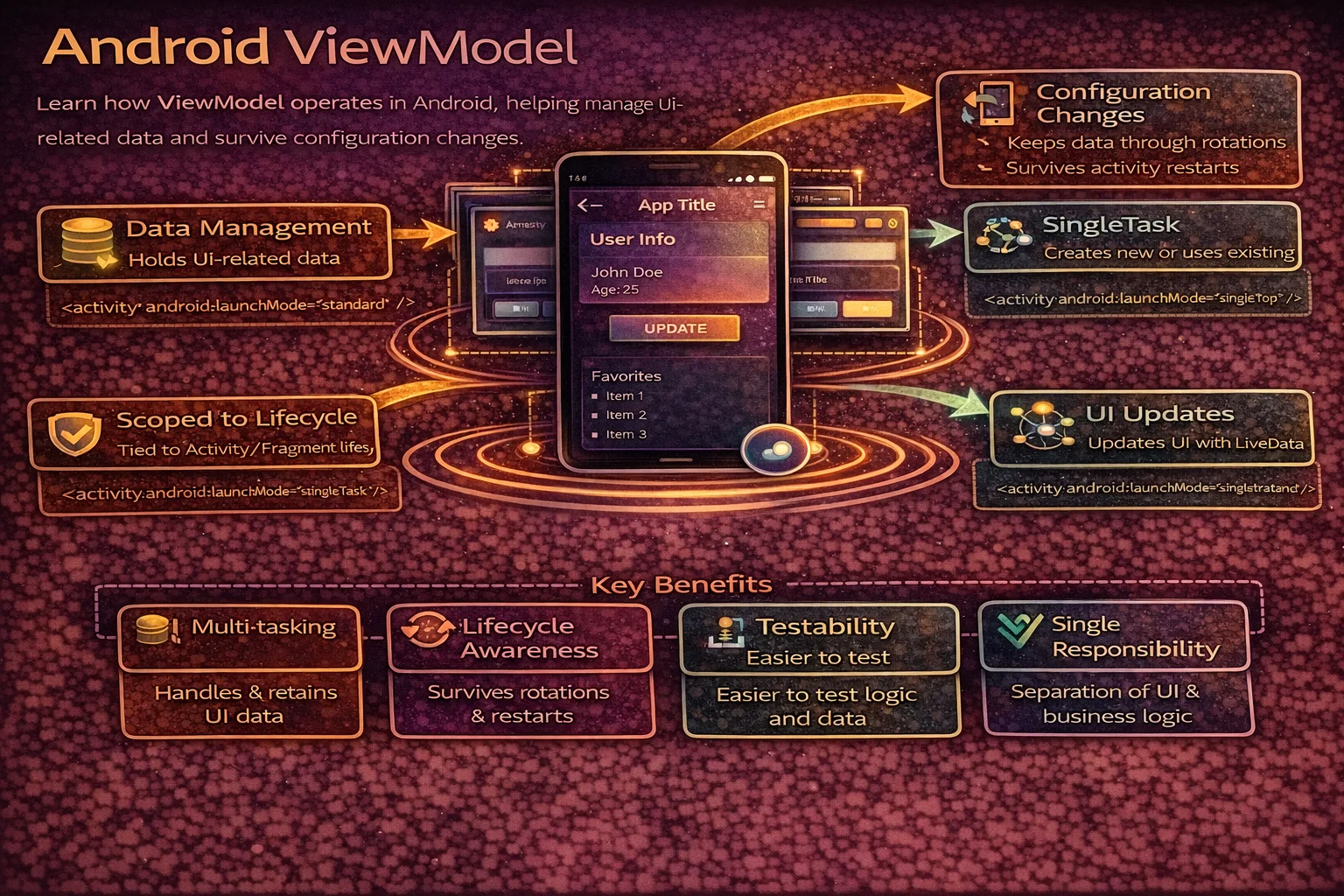
ViewModel is the most important Jetpack component in modern Android development. Every screen in every well-architected app has one. You already know that it survives rotation — but how? What keeps it alive when the Activity is destroyed and recreated? How does viewModelScope know when to cancel? How do you share a ViewModel between Fragments? And what’s the difference between ViewModel, SavedStateHandle, and onSaveInstanceState? This guide covers the internals, the lifecycle, and every pattern you need in production.
What ViewModel Solves
// The problem: Activity is destroyed and recreated on configuration change (rotation)
// Without ViewModel:
// 1. User loads articles (network call)
// 2. User rotates screen
// 3. Activity is destroyed → all in-memory data is GONE
// 4. Activity is recreated → network call happens AGAIN
// 5. User sees loading spinner AGAIN — bad UX, wasted bandwidth

// With ViewModel:
// 1. User loads articles (network call, data stored in ViewModel)
// 2. User rotates screen
// 3. Activity is destroyed → ViewModel SURVIVES
// 4. Activity is recreated → observes EXISTING data from ViewModel
// 5. User sees articles instantly — no loading, no re-fetch

class ArticleViewModel(private val repository: ArticleRepository) : ViewModel() {

    val articles: StateFlow<List<Article>> = flow {
        emit(repository.getArticles())
    }.stateIn(viewModelScope, SharingStarted.WhileSubscribed(5000), emptyList())

    // This data survives rotation because the ViewModel survives
    // init{} and stateIn run ONCE — not again on rotation
}
How ViewModel Survives Rotation — The Internals
// Three classes make this work:

// 1. ViewModelStore — a HashMap that stores ViewModels by key
//    class ViewModelStore {
//        private val map = HashMap<String, ViewModel>()
//        fun put(key: String, viewModel: ViewModel) { map[key] = viewModel }
//        fun get(key: String): ViewModel? = map[key]
//        fun clear() { map.values.forEach { it.clear() }; map.clear() }
//    }

// 2. ViewModelStoreOwner — the Activity/Fragment that owns the store
//    interface ViewModelStoreOwner {
//        val viewModelStore: ViewModelStore
//    }
//    ComponentActivity implements ViewModelStoreOwner

// 3. ViewModelProvider — creates or retrieves ViewModels from the store
//    val viewModel = ViewModelProvider(this)[ArticleViewModel::class.java]
//    Internally: store.get(key) ?: factory.create() → store.put(key, vm)

// The magic: HOW does ViewModelStore survive rotation?

// STEP BY STEP:
// 1. Activity.onDestroy() is called (rotation)
//    → isChangingConfigurations = true (not a real finish)
//    → Activity saves its ViewModelStore in a NonConfigurationInstance
//    → The system holds this object across destruction

// 2. New Activity is created
//    → getLastNonConfigurationInstance() retrieves the saved object
//    → ViewModelStore is RESTORED with all ViewModels intact
//    → ViewModelProvider finds the existing ViewModel in the store

// 3. When Activity finishes FOR REAL (back press, finish())
//    → isChangingConfigurations = false
//    → ViewModelStore.clear() is called
//    → All ViewModels receive onCleared()
//    → viewModelScope is cancelled
Visualising the flow
// ROTATION:
//
// Activity A (created)
//   └── ViewModelStore ──→ ArticleViewModel (created in init)
//              │
// Activity A (onDestroy, isChangingConfigurations = true)
//   └── ViewModelStore saved via NonConfigurationInstance
//              │
// Activity B (created)  ← new instance
//   └── ViewModelStore ──→ SAME ArticleViewModel (retrieved, not recreated)
//              │
// ViewModelProvider(this)[ArticleViewModel::class.java]
//   → store.get("ArticleViewModel") → returns existing instance ✅

// FINISH (back press):
//
// Activity B (onDestroy, isFinishing = true)
//   └── ViewModelStore.clear()
//         └── ArticleViewModel.onCleared()
//               └── viewModelScope.cancel() ← all coroutines cancelled
ViewModel Lifecycle
// ViewModel lifecycle vs Activity lifecycle:
//
// Activity:  onCreate ── onStart ── onResume ── onPause ── onStop ── onDestroy
//                                                                      │
//            onCreate ── onStart ── onResume ── onPause ── onStop ── onDestroy
//            (rotation)                                                  │
//                                                                   (finish)
//
// ViewModel: created ─────────────────────────────────────────── onCleared
//            │              survives rotation                         │
//            │         (same instance across both Activities)         │
//            created when                                       cleared when
//            first accessed                                     Activity finishes
//                                                               (not rotation)

// Key facts:
// - ViewModel is created LAZILY — on first access, not when Activity is created
// - ViewModel survives ALL configuration changes (rotation, locale, dark mode)
// - ViewModel is cleared ONLY when Activity finishes (back press, finish())
// - onCleared() is called ONCE — use it for final cleanup
// - viewModelScope is cancelled when onCleared() is called
onCleared — cleanup
class ArticleViewModel(private val repository: ArticleRepository) : ViewModel() {

    private val locationTracker = LocationTracker()

    init {
        locationTracker.start()
    }

    override fun onCleared() {
        super.onCleared()
        // Called when ViewModel is permanently destroyed (Activity finishes)
        // NOT called on rotation

        locationTracker.stop()
        // viewModelScope is already cancelled at this point
        // Coroutines launched in viewModelScope are automatically cleaned up
    }
}

// In practice, you rarely override onCleared() because:
// - viewModelScope handles coroutine cancellation automatically
// - Hilt handles dependency cleanup
// - Use it only for non-coroutine resources (listeners, trackers, connections)
Creating ViewModels
Basic — no dependencies
// ViewModel with no constructor parameters
class SimpleViewModel : ViewModel() {
    private val _count = MutableStateFlow(0)
    val count: StateFlow<Int> = _count

    fun increment() { _count.value++ }
}

// In Activity
class MainActivity : AppCompatActivity() {
    private val viewModel: SimpleViewModel by viewModels()
}

// In Fragment
class MyFragment : Fragment() {
    private val viewModel: SimpleViewModel by viewModels()
}

// by viewModels() is a Kotlin delegate that:
// 1. Creates a ViewModelProvider with the correct ViewModelStore
// 2. Lazily creates or retrieves the ViewModel on first access
// 3. Uses the default ViewModelProvider.Factory (no-arg constructor)
With SavedStateHandle — survives process death
// SavedStateHandle is a special map that survives process death
// It's automatically provided by the framework — no factory needed

class ArticleViewModel(private val savedStateHandle: SavedStateHandle) : ViewModel() {

    // Read from saved state (survives process death)
    private val articleId: String = savedStateHandle.get<String>("article_id") ?: ""

    // Save to saved state
    fun saveScrollPosition(position: Int) {
        savedStateHandle["scroll_position"] = position
    }

    // Restore
    val scrollPosition: Int get() = savedStateHandle.get<Int>("scroll_position") ?: 0

    // StateFlow backed by SavedStateHandle — survives BOTH rotation AND process death
    val searchQuery: StateFlow<String> = savedStateHandle.getStateFlow("query", "")

    fun onQueryChanged(query: String) {
        savedStateHandle["query"] = query
    }
}

// by viewModels() automatically provides SavedStateHandle
// No custom factory needed — it's built into the default factory
With Hilt — @HiltViewModel (recommended)
// Hilt automatically injects dependencies into ViewModel

@HiltViewModel
class ArticleViewModel @Inject constructor(
    private val repository: ArticleRepository,
    private val analytics: Analytics,
    private val savedStateHandle: SavedStateHandle   // auto-provided by Hilt
) : ViewModel() {

    private val articleId: String = savedStateHandle.get<String>("article_id") ?: ""

    val articles: StateFlow<List<Article>> = repository.getArticlesFlow()
        .stateIn(viewModelScope, SharingStarted.WhileSubscribed(5000), emptyList())

    fun trackView() {
        analytics.logEvent("article_viewed", mapOf("id" to articleId))
    }
}

// Activity (must be @AndroidEntryPoint)
@AndroidEntryPoint
class ArticleActivity : AppCompatActivity() {
    private val viewModel: ArticleViewModel by viewModels()
    // Hilt creates the ViewModel with all dependencies injected
}

// Fragment
@AndroidEntryPoint
class ArticleFragment : Fragment() {
    private val viewModel: ArticleViewModel by viewModels()
}

// Hilt handles:
// - Creating the correct ViewModelProvider.Factory
// - Injecting all constructor dependencies
// - Providing SavedStateHandle automatically
// - Managing lifecycle of scoped dependencies
With custom Factory — manual DI (without Hilt)
// When you need constructor parameters but don't use Hilt

class ArticleViewModel(
    private val repository: ArticleRepository
) : ViewModel() {
    // ...
}

class ArticleViewModelFactory(
    private val repository: ArticleRepository
) : ViewModelProvider.Factory {

    @Suppress("UNCHECKED_CAST")
    override fun <T : ViewModel> create(modelClass: Class<T>): T {
        if (modelClass.isAssignableFrom(ArticleViewModel::class.java)) {
            return ArticleViewModel(repository) as T
        }
        throw IllegalArgumentException("Unknown ViewModel class: ${modelClass.name}")
    }
}

// Usage in Activity
class ArticleActivity : AppCompatActivity() {
    private val viewModel: ArticleViewModel by viewModels {
        ArticleViewModelFactory(ArticleRepository(api, dao))
    }
}

// This approach is verbose — Hilt eliminates all of this boilerplate
Sharing ViewModel Between Fragments
activityViewModels — shared via Activity scope
// Multiple Fragments can share the SAME ViewModel instance
// by scoping it to the Activity

class SharedViewModel : ViewModel() {
    private val _selectedArticle = MutableStateFlow<Article?>(null)
    val selectedArticle: StateFlow<Article?> = _selectedArticle

    fun selectArticle(article: Article) {
        _selectedArticle.value = article
    }
}

// Fragment A — the list
class ArticleListFragment : Fragment() {
    // Scoped to ACTIVITY — same instance as Fragment B
    private val sharedViewModel: SharedViewModel by activityViewModels()

    fun onArticleClicked(article: Article) {
        sharedViewModel.selectArticle(article)
    }
}

// Fragment B — the detail
class ArticleDetailFragment : Fragment() {
    // Scoped to ACTIVITY — same instance as Fragment A
    private val sharedViewModel: SharedViewModel by activityViewModels()

    override fun onViewCreated(view: View, savedInstanceState: Bundle?) {
        super.onViewCreated(view, savedInstanceState)
        viewLifecycleOwner.lifecycleScope.launch {
            viewLifecycleOwner.repeatOnLifecycle(Lifecycle.State.STARTED) {
                sharedViewModel.selectedArticle.collect { article ->
                    article?.let { displayArticle(it) }
                }
            }
        }
    }
}

// Both Fragments get the SAME SharedViewModel instance
// Because both use activityViewModels() — scoped to the Activity's ViewModelStore
// The ViewModel lives as long as the Activity lives
navGraphViewModels — shared via Navigation Graph scope
// Share ViewModel between Fragments within a SPECIFIC navigation graph
// More scoped than activityViewModels — cleared when nav graph is popped

class CheckoutViewModel : ViewModel() {
    val cart = MutableStateFlow<List<CartItem>>(emptyList())
    val shippingAddress = MutableStateFlow<Address?>(null)
    val paymentMethod = MutableStateFlow<Payment?>(null)
}

// All checkout fragments share the same ViewModel
class CartFragment : Fragment() {
    private val checkoutViewModel: CheckoutViewModel by navGraphViewModels(R.id.checkout_graph)
}

class ShippingFragment : Fragment() {
    private val checkoutViewModel: CheckoutViewModel by navGraphViewModels(R.id.checkout_graph)
}

class PaymentFragment : Fragment() {
    private val checkoutViewModel: CheckoutViewModel by navGraphViewModels(R.id.checkout_graph)
}

class ConfirmationFragment : Fragment() {
    private val checkoutViewModel: CheckoutViewModel by navGraphViewModels(R.id.checkout_graph)
}

// When user completes checkout and navigation pops the checkout_graph,
// CheckoutViewModel is CLEARED — cart data is gone (correct behavior)

// vs activityViewModels: would keep data alive until Activity is destroyed
// navGraphViewModels is more precise — data lives only as long as the flow needs it

// With Hilt:
private val checkoutViewModel: CheckoutViewModel by navGraphViewModels(R.id.checkout_graph) {
    defaultViewModelProviderFactory   // Hilt's factory
}
Scoping comparison
// ┌───────────────────────┬────────────────────────┬──────────────────────────────┐
// │ Delegate              │ Scope                  │ Cleared When                 │
// ├───────────────────────┼────────────────────────┼──────────────────────────────┤
// │ by viewModels()       │ This Fragment           │ Fragment is destroyed        │
// │ by activityViewModels │ Host Activity            │ Activity is destroyed        │
// │ by navGraphViewModels │ Navigation graph         │ Nav graph is popped          │
// └───────────────────────┴────────────────────────┴──────────────────────────────┘

// Rule of thumb:
// Screen-specific data → viewModels() (most cases)
// Shared between sibling Fragments → activityViewModels()
// Shared within a flow (checkout, onboarding) → navGraphViewModels()
viewModelScope Internals
// viewModelScope is a CoroutineScope tied to the ViewModel's lifecycle

// Internally, it's defined roughly as:
val ViewModel.viewModelScope: CoroutineScope
    get() {
        return CloseableCoroutineScope(
            SupervisorJob() + Dispatchers.Main.immediate
        )
    }

// Key properties:
// 1. SupervisorJob — one failing coroutine doesn't cancel others
// 2. Dispatchers.Main.immediate — runs on Main thread, executes immediately if already on Main
// 3. Cancelled automatically when ViewModel.onCleared() is called

// This means:
viewModelScope.launch {
    throw RuntimeException("Error!")
}

viewModelScope.launch {
    delay(1000)
    println("Still running!")   // ✅ SupervisorJob protects this
}

// ⚠️ SupervisorJob only protects DIRECT children of viewModelScope
// Children inside a launch block follow regular Job rules:
viewModelScope.launch {   // direct child of supervisor
    launch { throw RuntimeException() }   // grandchild
    launch { println("Cancelled!") }      // ❌ cancelled by sibling failure
}

// Use supervisorScope inside launch if you need independent grandchildren
ViewModel vs SavedStateHandle vs onSaveInstanceState
// ┌───────────────────────┬──────────────┬───────────────┬──────────────┐
// │ Storage               │ Config Change│ Process Death │ App Finish   │
// │                       │ (rotation)   │ (system kill) │ (back press) │
// ├───────────────────────┼──────────────┼───────────────┼──────────────┤
// │ ViewModel (in-memory) │ ✅ Survives   │ ❌ Lost        │ ❌ Lost       │
// │ SavedStateHandle      │ ✅ Survives   │ ✅ Survives    │ ❌ Lost       │
// │ onSaveInstanceState   │ ✅ Survives   │ ✅ Survives    │ ❌ Not called │
// │ Room / DataStore      │ ✅ Persisted  │ ✅ Persisted   │ ✅ Persisted  │
// └───────────────────────┴──────────────┴───────────────┴──────────────┘

// Decision tree:
// Large screen data (article list, API response)?
//   → ViewModel (re-fetch on process death if needed)
//
// Small UI state (scroll position, selected tab, search query)?
//   → SavedStateHandle (survives both rotation AND process death)
//
// Persistent user data (settings, auth token, drafts)?
//   → Room or DataStore (survives everything, even app uninstall backup)

// Complete pattern:
class ArticleViewModel @Inject constructor(
    private val repository: ArticleRepository,
    private val savedStateHandle: SavedStateHandle
) : ViewModel() {

    // Large data — ViewModel only (re-fetched on process death)
    val articles: StateFlow<List<Article>> = repository.getArticlesFlow()
        .stateIn(viewModelScope, SharingStarted.WhileSubscribed(5000), emptyList())

    // Small UI state — SavedStateHandle (survives process death)
    val searchQuery: StateFlow<String> = savedStateHandle.getStateFlow("query", "")

    fun onQueryChanged(query: String) {
        savedStateHandle["query"] = query
    }

    val selectedTab: Int
        get() = savedStateHandle.get<Int>("tab") ?: 0

    fun onTabSelected(tab: Int) {
        savedStateHandle["tab"] = tab
    }
}
Process Death and ViewModel
// ⚠️ ViewModel does NOT survive process death
// This is the most common misconception

// What happens during process death:
// 1. App is in background → system kills the process to reclaim memory
// 2. ALL objects in memory are destroyed — including ViewModel
// 3. User returns to the app → system recreates Activity from scratch
// 4. A NEW ViewModel instance is created — previous data is GONE

// Without SavedStateHandle:
class BadViewModel : ViewModel() {
    var articles = listOf<Article>()   // LOST on process death
    var searchQuery = ""                // LOST on process death
}
// After process death: articles is empty, searchQuery is ""
// User sees a blank screen!

// With SavedStateHandle:
class GoodViewModel(private val savedStateHandle: SavedStateHandle) : ViewModel() {
    // searchQuery survives process death
    val searchQuery: StateFlow<String> = savedStateHandle.getStateFlow("query", "")

    // articles are re-fetched (or loaded from Room cache)
    val articles: StateFlow<List<Article>> = searchQuery
        .flatMapLatest { query ->
            if (query.isBlank()) repository.getArticlesFlow()
            else repository.searchFlow(query)
        }
        .stateIn(viewModelScope, SharingStarted.WhileSubscribed(5000), emptyList())
}
// After process death: searchQuery is restored, articles are re-fetched with the correct query

// TEST process death:
// Developer Options → "Don't keep activities" → ON
// Or: adb shell am kill com.example.myapp
ViewModel with Compose
// In Jetpack Compose, ViewModels work the same way
// Use hiltViewModel() or viewModel() to get the instance

@Composable
fun ArticleScreen(
    viewModel: ArticleViewModel = hiltViewModel()   // Hilt injection
) {
    val uiState by viewModel.uiState.collectAsStateWithLifecycle()

    when (val state = uiState) {
        is UiState.Loading -> LoadingIndicator()
        is UiState.Success -> ArticleList(
            articles = state.articles,
            onArticleClick = { viewModel.onArticleClicked(it) }
        )
        is UiState.Error -> ErrorMessage(
            message = state.message,
            onRetry = { viewModel.retry() }
        )
    }
}

// The ViewModel is scoped to the nearest ViewModelStoreOwner:
// - If inside an Activity → scoped to that Activity
// - If inside a NavHost destination → scoped to that destination
// - Use hiltViewModel() for Hilt injection (most common)
// - Use viewModel() without Hilt

// Sharing ViewModel in Compose — pass the parent's backStackEntry
@Composable
fun CheckoutNavGraph(navController: NavHostController) {
    val parentEntry = remember { navController.getBackStackEntry("checkout") }

    NavHost(navController, startDestination = "cart") {
        composable("cart") {
            val viewModel: CheckoutViewModel = hiltViewModel(parentEntry)
            CartScreen(viewModel)
        }
        composable("payment") {
            val viewModel: CheckoutViewModel = hiltViewModel(parentEntry)
            PaymentScreen(viewModel)   // SAME instance as CartScreen
        }
    }
}
Common Mistakes to Avoid
Mistake 1: Storing Activity/Fragment Context in ViewModel
// ❌ ViewModel outlives Activity on rotation — memory leak!
class MyViewModel : ViewModel() {
    lateinit var context: Context   // holds dead Activity reference
}

// ✅ Option 1: Don't use Context in ViewModel (best)
// Let Repository handle Context-dependent operations

// ✅ Option 2: Use @ApplicationContext via Hilt
@HiltViewModel
class MyViewModel @Inject constructor(
    @ApplicationContext private val context: Context   // app context — no leak
) : ViewModel()

// ✅ Option 3: AndroidViewModel (without Hilt)
class MyViewModel(application: Application) : AndroidViewModel(application) {
    private val context = application.applicationContext
}
Mistake 2: Assuming ViewModel survives process death
// ❌ Data lost when system kills the app
class MyViewModel : ViewModel() {
    var selectedFilter = "all"   // gone after process death!
}

// ✅ Use SavedStateHandle for important UI state
class MyViewModel(private val savedStateHandle: SavedStateHandle) : ViewModel() {
    val selectedFilter: StateFlow<String> = savedStateHandle.getStateFlow("filter", "all")

    fun setFilter(filter: String) {
        savedStateHandle["filter"] = filter
    }
}
Mistake 3: Doing heavy work in ViewModel init without coroutines
// ❌ Blocking the main thread in init
class MyViewModel(private val repository: ArticleRepository) : ViewModel() {
    val articles: List<Article>

    init {
        articles = repository.getArticlesSync()   // blocks main thread!
    }
}

// ✅ Use coroutines in init
class MyViewModel(private val repository: ArticleRepository) : ViewModel() {
    private val _articles = MutableStateFlow<List<Article>>(emptyList())
    val articles: StateFlow<List<Article>> = _articles

    init {
        viewModelScope.launch {
            _articles.value = repository.getArticles()   // async, non-blocking
        }
    }
}

// ✅ Even better: reactive Flow pipeline
class MyViewModel(private val repository: ArticleRepository) : ViewModel() {
    val articles: StateFlow<List<Article>> = repository.getArticlesFlow()
        .stateIn(viewModelScope, SharingStarted.WhileSubscribed(5000), emptyList())
}
Mistake 4: Creating ViewModel with constructor directly
// ❌ Creates a new instance every time — doesn't survive rotation
val viewModel = ArticleViewModel(repository)
// This is a regular object — NOT managed by ViewModelStore

// ✅ Always use ViewModelProvider or delegates
val viewModel: ArticleViewModel by viewModels()           // Fragment
val viewModel: ArticleViewModel by viewModels { factory }  // with factory
val viewModel: ArticleViewModel = hiltViewModel()          // Compose + Hilt
Mistake 5: Using viewModels() when activityViewModels() is needed
// ❌ Each Fragment gets its OWN ViewModel instance — data not shared
class ListFragment : Fragment() {
    private val viewModel: SharedViewModel by viewModels()   // Fragment-scoped
}
class DetailFragment : Fragment() {
    private val viewModel: SharedViewModel by viewModels()   // DIFFERENT instance!
}

// ✅ Use activityViewModels for shared data
class ListFragment : Fragment() {
    private val viewModel: SharedViewModel by activityViewModels()   // Activity-scoped
}
class DetailFragment : Fragment() {
    private val viewModel: SharedViewModel by activityViewModels()   // SAME instance
}
Mistake 6: Not using WhileSubscribed(5000) with stateIn
// ❌ Eagerly — keeps upstream running even when no one is observing
val articles = repository.getArticlesFlow()
    .stateIn(viewModelScope, SharingStarted.Eagerly, emptyList())
// Upstream runs forever — wastes resources when app is in background

// ✅ WhileSubscribed(5000) — stops upstream when no collectors
val articles = repository.getArticlesFlow()
    .stateIn(viewModelScope, SharingStarted.WhileSubscribed(5000), emptyList())
// Stops 5 seconds after last collector unsubscribes
// 5s timeout survives rotation (collector briefly unsubscribes)
// But stops when app is truly in background
Summary
- ViewModel holds UI-related data that survives configuration changes (rotation, dark mode, locale)
- Internally, ViewModel survives via ViewModelStore saved in NonConfigurationInstance during recreation
- ViewModelProvider creates or retrieves ViewModels from the store — never create ViewModels with constructors directly
- ViewModel is created lazily (first access) and cleared when Activity finishes (not rotation)
- viewModelScope uses SupervisorJob + Main.immediate — cancelled automatically in onCleared()
- ViewModel does NOT survive process death — use SavedStateHandle for UI state that must survive
- SavedStateHandle.getStateFlow() gives you a StateFlow that survives both rotation AND process death
- Share ViewModel between Fragments: activityViewModels() (Activity scope) or navGraphViewModels() (nav graph scope)
- Use @HiltViewModel for dependency injection — eliminates manual Factory boilerplate
- Never store Activity/Fragment Context in ViewModel — use @ApplicationContext or AndroidViewModel
- Use WhileSubscribed(5000) with stateIn to stop upstream work when app is in background
- Test process death with “Don’t keep activities” in Developer Options
ViewModel is deceptively simple on the surface — you create it, it survives rotation, done. But understanding the internals (ViewModelStore, NonConfigurationInstance), knowing the process death limitations (SavedStateHandle), and choosing the right scope (viewModels vs activityViewModels vs navGraphViewModels) is what separates a working app from a robust one. Get these right, and your app handles every lifecycle scenario gracefully.
Happy coding!
Comments (0)