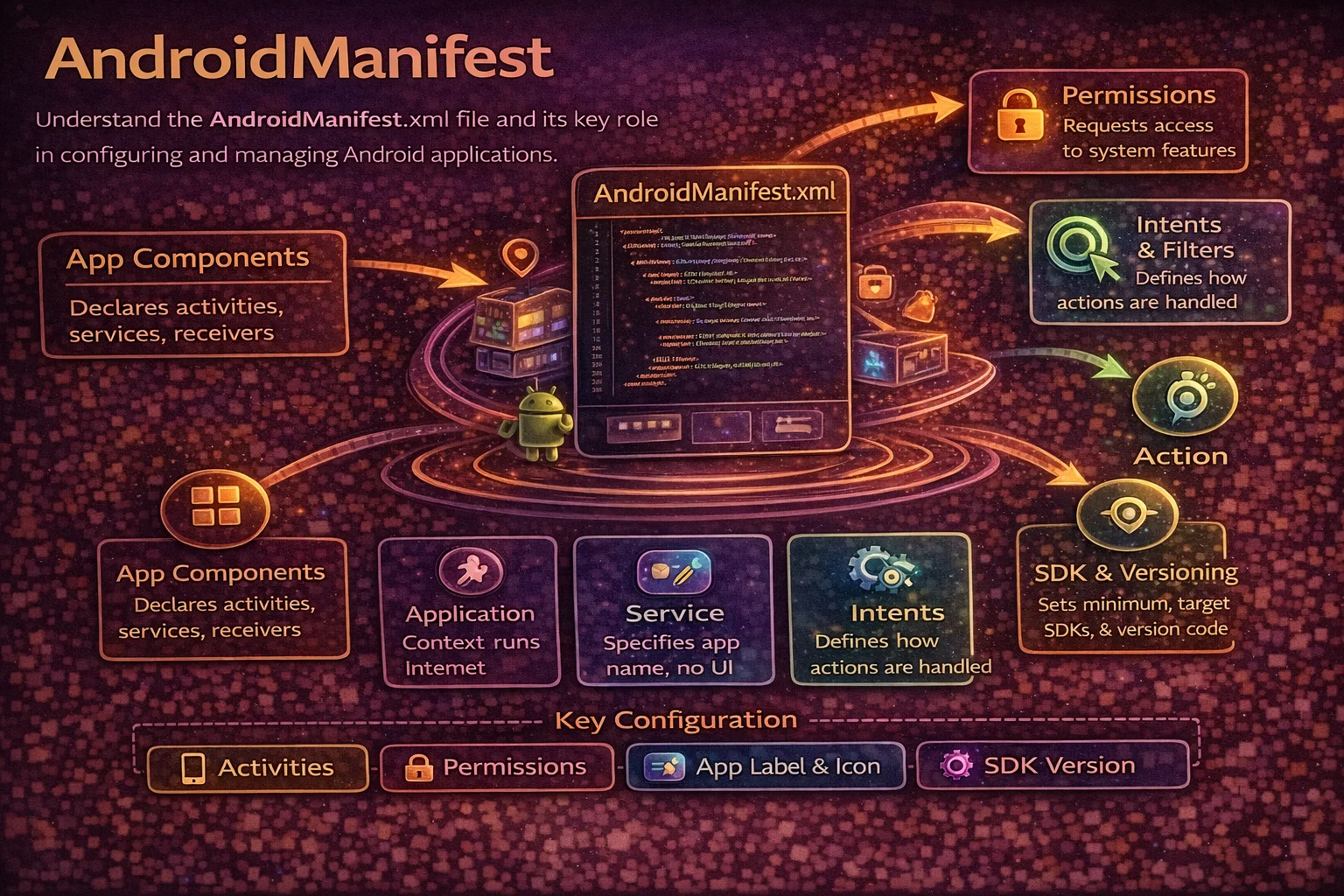
Every Android app has an AndroidManifest.xml file. It’s the first thing the system reads before your app runs — before any Activity is created, before any code executes. It declares your app’s components, permissions, hardware requirements, and configuration. Yet most developers treat it as a file they edit only when something breaks. Understanding the manifest deeply helps you debug installation failures, permission issues, deep link problems, and the increasingly strict requirements that each new Android version introduces. This guide covers everything in the manifest that matters for modern Android development.
What is AndroidManifest.xml?
The manifest is your app’s declaration file. It tells the Android system everything it needs to know about your app before running it:
// The manifest answers these questions for the system:
// 1. What is the app's package name? (unique identifier)
// 2. What components does it have? (Activities, Services, Receivers, Providers)
// 3. What permissions does it need? (camera, location, internet)
// 4. What hardware/software features does it require? (camera, GPS, Bluetooth)
// 5. What is the minimum/target API level?
// 6. What libraries does it link to?
// 7. How should each component behave? (launch mode, theme, orientation)

// The system reads the manifest at INSTALL TIME — not at runtime
// This is why changes to the manifest require reinstalling the app
// (unlike code changes which can sometimes be hot-swapped)
Complete Manifest Structure
<?xml version="1.0" encoding="utf-8"?>
<manifest xmlns:android="http://schemas.android.com/apk/res/android"
    xmlns:tools="http://schemas.android.com/tools">

    <!-- 1. PERMISSIONS -->
    <uses-permission ... />

    <!-- 2. HARDWARE/SOFTWARE FEATURES -->
    <uses-feature ... />

    <!-- 3. QUERIES (what other apps you need to see — Android 11+) -->
    <queries> ... </queries>

    <!-- 4. APPLICATION (your app and all its components) -->
    <application ...>

        <!-- Activities -->
        <activity ... />

        <!-- Services -->
        <service ... />

        <!-- Broadcast Receivers -->
        <receiver ... />

        <!-- Content Providers -->
        <provider ... />

        <!-- Meta-data -->
        <meta-data ... />

    </application>

</manifest>
The <manifest> Tag
<manifest xmlns:android="http://schemas.android.com/apk/res/android"
    xmlns:tools="http://schemas.android.com/tools">

    <!-- package attribute is NO LONGER used in modern projects
         The application ID is set in build.gradle instead:
         android { namespace = "com.example.myapp" }

         Before AGP 7.0, you had:
         <manifest package="com.example.myapp">
         Now the namespace in build.gradle serves this purpose -->

    <!-- xmlns:tools enables manifest merger tools
         Used for: overriding, removing, or replacing merged values -->

</manifest>
Permissions
Declaring permissions your app needs
<!-- NORMAL permissions — granted automatically at install, no user prompt -->
<uses-permission android:name="android.permission.INTERNET" />
<uses-permission android:name="android.permission.ACCESS_NETWORK_STATE" />
<uses-permission android:name="android.permission.VIBRATE" />
<uses-permission android:name="android.permission.WAKE_LOCK" />
<uses-permission android:name="android.permission.RECEIVE_BOOT_COMPLETED" />

<!-- DANGEROUS permissions — require RUNTIME permission request (API 23+) -->
<uses-permission android:name="android.permission.CAMERA" />
<uses-permission android:name="android.permission.ACCESS_FINE_LOCATION" />
<uses-permission android:name="android.permission.ACCESS_COARSE_LOCATION" />
<uses-permission android:name="android.permission.READ_CONTACTS" />
<uses-permission android:name="android.permission.RECORD_AUDIO" />
<uses-permission android:name="android.permission.READ_EXTERNAL_STORAGE" />
<uses-permission android:name="android.permission.READ_MEDIA_IMAGES" />  <!-- API 33+ -->

<!-- SPECIAL permissions — require special user action (Settings screen) -->
<uses-permission android:name="android.permission.SYSTEM_ALERT_WINDOW" />
<uses-permission android:name="android.permission.WRITE_SETTINGS" />
<uses-permission android:name="android.permission.REQUEST_INSTALL_PACKAGES" />

<!-- Permission with maxSdkVersion — only needed on older APIs -->
<uses-permission
    android:name="android.permission.WRITE_EXTERNAL_STORAGE"
    android:maxSdkVersion="28" />
<!-- Scoped Storage on API 29+ means this permission is unnecessary -->
Requesting runtime permissions in code
// Declaring in manifest is NOT enough for dangerous permissions
// You must also request them at runtime (API 23+)

// Modern approach — Activity Result API
val requestPermission = registerForActivityResult(
    ActivityResultContracts.RequestPermission()
) { isGranted ->
    if (isGranted) {
        openCamera()
    } else {
        showPermissionDeniedMessage()
    }
}

// Request when needed
fun onCameraButtonClicked() {
    when {
        // Already granted
        ContextCompat.checkSelfPermission(this, Manifest.permission.CAMERA)
            == PackageManager.PERMISSION_GRANTED -> {
            openCamera()
        }
        // Show rationale (user denied before, explain why you need it)
        shouldShowRequestPermissionRationale(Manifest.permission.CAMERA) -> {
            showRationaleDialog()
        }
        // First time or "Don't ask again" — just request
        else -> {
            requestPermission.launch(Manifest.permission.CAMERA)
        }
    }
}
Removing permissions added by libraries
<!-- Some libraries add permissions you don't want
     Use tools:node="remove" to strip them from the merged manifest -->

<uses-permission
    android:name="android.permission.ACCESS_FINE_LOCATION"
    tools:node="remove" />

<!-- This is common when a library requests location but your app doesn't need it
     Example: some ad SDKs add location permissions -->
Features
<!-- Declare hardware/software features your app uses
     Google Play uses this to filter your app from incompatible devices -->

<!-- REQUIRED feature — app won't appear on devices without it -->
<uses-feature android:name="android.hardware.camera" android:required="true" />

<!-- OPTIONAL feature — app works without it but uses it if available -->
<uses-feature android:name="android.hardware.camera" android:required="false" />

<!-- Common features -->
<uses-feature android:name="android.hardware.camera" android:required="false" />
<uses-feature android:name="android.hardware.camera.autofocus" android:required="false" />
<uses-feature android:name="android.hardware.location.gps" android:required="false" />
<uses-feature android:name="android.hardware.bluetooth" android:required="false" />
<uses-feature android:name="android.hardware.telephony" android:required="false" />

<!-- ⚠️ Important: some permissions IMPLY required features
     <uses-permission CAMERA> implies <uses-feature camera required="true">
     If your app can work without camera, you must explicitly set required="false"
     Otherwise your app won't appear on devices without a camera! -->
The <application> Tag
<application
    android:name=".MyApplication"
    android:allowBackup="true"
    android:dataExtractionRules="@xml/data_extraction_rules"
    android:fullBackupContent="@xml/backup_rules"
    android:icon="@mipmap/ic_launcher"
    android:roundIcon="@mipmap/ic_launcher_round"
    android:label="@string/app_name"
    android:supportsRtl="true"
    android:theme="@style/Theme.MyApp"
    android:networkSecurityConfig="@xml/network_security_config"
    android:enableOnBackInvokedCallback="true"
    tools:targetApi="34">

    <!-- All components go inside here -->

</application>
Key attributes explained
// android:name=".MyApplication"
// Your custom Application class — runs before anything else
// Used for: initialising Hilt, Timber, crash reporting, WorkManager

// android:allowBackup="true"
// Allows the system to include app data in device backups
// Set false for sensitive apps (banking, health)

// android:theme="@style/Theme.MyApp"
// Default theme for all Activities (can be overridden per Activity)

// android:networkSecurityConfig="@xml/network_security_config"
// Defines network security rules (HTTP cleartext, certificate pinning)
// Required if you need HTTP (non-HTTPS) connections on API 28+

// android:enableOnBackInvokedCallback="true"
// Enables predictive back gesture (Android 14+)
// Shows preview of where "back" will go before the user commits

// android:supportsRtl="true"
// Enables right-to-left layout support (Arabic, Hebrew, etc.)

// android:dataExtractionRules / android:fullBackupContent
// Rules for what data to include/exclude from backups
// dataExtractionRules is for Android 12+, fullBackupContent for older
Declaring Activities
<!-- Basic Activity declaration -->
<activity android:name=".MainActivity" />

<!-- Launcher Activity (app icon entry point) -->
<activity
    android:name=".MainActivity"
    android:exported="true">
    <intent-filter>
        <action android:name="android.intent.action.MAIN" />
        <category android:name="android.intent.category.LAUNCHER" />
    </intent-filter>
</activity>

<!-- Activity with configuration -->
<activity
    android:name=".DetailActivity"
    android:exported="false"
    android:parentActivityName=".MainActivity"
    android:screenOrientation="portrait"
    android:windowSoftInputMode="adjustResize"
    android:theme="@style/Theme.MyApp.Detail"
    android:launchMode="singleTop"
    android:configChanges="orientation|screenSize" />
Important Activity attributes
// android:exported
// true  — other apps can start this Activity (REQUIRED if intent-filter present)
// false — only your app can start it
// Android 12+ REQUIRES explicit setting — won't compile without it

// android:launchMode
// "standard"    — default, new instance every time (most Activities)
// "singleTop"   — reuse if already at top of stack (notifications)
// "singleTask"  — only one instance in the task, clears above it
// "singleInstance" — only one instance system-wide, in its own task

// android:screenOrientation
// "unspecified" — system decides (default)
// "portrait"    — locked to portrait
// "landscape"   — locked to landscape
// "fullSensor"  — rotates freely based on sensor

// android:windowSoftInputMode
// "adjustResize" — Activity resizes to make room for keyboard
// "adjustPan"    — Activity pans up to keep focused view visible
// "stateHidden"  — keyboard hidden when Activity starts

// android:configChanges
// Lists config changes the Activity handles ITSELF (no recreation)
// "orientation|screenSize" — handle rotation yourself (not recommended usually)
// Only use when you have a specific reason to avoid recreation
// ⚠️ Using this means YOU are responsible for handling the config change

// android:parentActivityName
// Declares the logical parent for Up navigation
// System uses this for the Up button in the action bar
Declaring Services
<!-- Basic Service -->
<service android:name=".SyncService" />

<!-- Foreground Service (Android 14+ requires type declaration) -->
<service
    android:name=".MusicService"
    android:exported="false"
    android:foregroundServiceType="mediaPlayback" />

<!-- Foreground Service types (Android 14+):
     camera, connectedDevice, dataSync, health, location,
     mediaPlayback, mediaProjection, microphone, phoneCall,
     remoteMessaging, shortService, specialUse, systemExempted

     You must declare the type AND hold the matching permission -->

<!-- Foreground Service permissions (Android 14+) -->
<uses-permission android:name="android.permission.FOREGROUND_SERVICE" />
<uses-permission android:name="android.permission.FOREGROUND_SERVICE_MEDIA_PLAYBACK" />

<!-- Bound Service for IPC -->
<service
    android:name=".MessengerService"
    android:exported="true"
    android:permission="com.example.permission.BIND_SERVICE">
    <intent-filter>
        <action android:name="com.example.messenger.BIND" />
    </intent-filter>
</service>
Declaring Broadcast Receivers
<!-- Static registration — receives broadcasts even when app is not running -->
<receiver
    android:name=".BootReceiver"
    android:exported="true">
    <intent-filter>
        <action android:name="android.intent.action.BOOT_COMPLETED" />
    </intent-filter>
</receiver>

<!-- Most broadcasts should be registered DYNAMICALLY in code instead:
     This is more efficient and doesn't keep your app alive unnecessarily -->
// Dynamic registration in Activity/Fragment (preferred for most cases)
val receiver = object : BroadcastReceiver() {
override fun onReceive(context: Context, intent: Intent) {
// handle broadcast
}
}
// Register
ContextCompat.registerReceiver(
this, receiver,
IntentFilter(Intent.ACTION_BATTERY_LOW),
ContextCompat.RECEIVER_NOT_EXPORTED // Android 14+ security
)
// Unregister when done
unregisterReceiver(receiver)
// Static vs Dynamic:
// Static (manifest): app receives even when not running, limited broadcasts
// Dynamic (code): only receives while registered, any broadcast
// Android 8+ restricts most implicit broadcasts to dynamic-onlyDeclaring Content Providers
<!-- Content Provider for sharing data -->
<provider
    android:name=".data.ArticleProvider"
    android:authorities="com.example.myapp.provider"
    android:exported="false" />

<!-- FileProvider for sharing files securely (very common) -->
<provider
    android:name="androidx.core.content.FileProvider"
    android:authorities="${applicationId}.fileprovider"
    android:exported="false"
    android:grantUriPermissions="true">
    <meta-data
        android:name="android.support.FILE_PROVIDER_PATHS"
        android:resource="@xml/file_paths" />
</provider>
<!-- res/xml/file_paths.xml -->
<paths>
<cache-path name="images" path="images/" />
<files-path name="documents" path="documents/" />
<external-path name="downloads" path="Download/" />
</paths>
<!-- FileProvider is used to:
- Share files with other apps securely (camera photos, downloads)
- Generate content:// URIs instead of file:// URIs
- Required since Android 7 (API 24) — file:// URIs throw FileUriExposedException -->Queries — Package Visibility (Android 11+)
<!-- Android 11+ restricts which other apps you can see
     You must declare what you intend to interact with -->

<queries>
    <!-- Specific apps -->
    <package android:name="com.whatsapp" />
    <package android:name="com.instagram.android" />

    <!-- Apps that handle specific intents -->
    <intent>
        <action android:name="android.intent.action.VIEW" />
        <data android:scheme="https" />
    </intent>

    <intent>
        <action android:name="android.intent.action.SEND" />
        <data android:mimeType="text/plain" />
    </intent>

    <!-- Apps that provide a specific ContentProvider -->
    <provider android:authorities="com.example.provider" />
</queries>

<!-- Without <queries>, resolveActivity() returns null
     and implicit Intents may not find matching apps
     This is a common cause of "it works on API 29 but not API 30" bugs -->
Deep Links and App Links
<!-- Deep Link — any app can claim the URL, user sees chooser -->
<activity android:name=".ArticleActivity" android:exported="true">
    <intent-filter>
        <action android:name="android.intent.action.VIEW" />
        <category android:name="android.intent.category.DEFAULT" />
        <category android:name="android.intent.category.BROWSABLE" />
        <data android:scheme="https"
              android:host="www.example.com"
              android:pathPrefix="/articles" />
    </intent-filter>
</activity>

<!-- App Link — verified ownership, opens directly without chooser -->
<activity android:name=".ArticleActivity" android:exported="true">
    <intent-filter android:autoVerify="true">
        <action android:name="android.intent.action.VIEW" />
        <category android:name="android.intent.category.DEFAULT" />
        <category android:name="android.intent.category.BROWSABLE" />
        <data android:scheme="https"
              android:host="www.example.com"
              android:pathPrefix="/articles" />
    </intent-filter>
</activity>

<!-- For App Links, you must host a verification file on your server:
     https://www.example.com/.well-known/assetlinks.json
     [{ "relation": ["delegate_permission/common.handle_all_urls"],
        "target": { "namespace": "android_app",
                    "package_name": "com.example.myapp",
                    "sha256_cert_fingerprints": ["..."] } }] -->
Manifest Merger
Your final manifest is the result of merging multiple manifests: your app’s, your libraries’, and your build variants’:
// Merge order (highest priority first):
// 1. Build variant manifest (e.g., src/debug/AndroidManifest.xml)
// 2. Your app's main manifest (src/main/AndroidManifest.xml)
// 3. Library manifests (from all dependencies)

// This means libraries can ADD permissions, activities, services, etc.
// to your final manifest — sometimes without you knowing!

// View the merged manifest:
// Android Studio → Open AndroidManifest.xml → "Merged Manifest" tab at bottom

// Common merger tools:
// tools:node="remove"       — remove an element added by a library
// tools:node="replace"      — replace an element from a library
// tools:replace="attribute" — replace a specific attribute
// tools:remove="attribute"  — remove a specific attribute
Fixing merge conflicts
<!-- Problem: library sets allowBackup="false", you want "true" -->
<application
    android:allowBackup="true"
    tools:replace="android:allowBackup">

<!-- Problem: library adds a permission you don't want -->
<uses-permission
    android:name="android.permission.ACCESS_FINE_LOCATION"
    tools:node="remove" />

<!-- Problem: library declares a receiver you want to remove -->
<receiver
    android:name="com.library.UnwantedReceiver"
    tools:node="remove" />

<!-- Problem: two libraries set different minSdkVersion -->
<uses-sdk tools:overrideLibrary="com.some.library" />
<!-- ⚠️ Use with caution — the library might not work on lower API levels -->
Build Variant Manifests
// You can have different manifests per build variant:
// src/main/AndroidManifest.xml        — base (always included)
// src/debug/AndroidManifest.xml       — debug-only additions
// src/release/AndroidManifest.xml     — release-only additions
// src/staging/AndroidManifest.xml     — staging flavor additions

// Example: debug manifest with StrictMode Activity
// src/debug/AndroidManifest.xml
<manifest>
    <application>
        <activity
            android:name=".debug.DebugMenuActivity"
            android:exported="false" />
    </application>
</manifest>
// This Activity only exists in debug builds

// Example: debug manifest allowing cleartext HTTP
// src/debug/AndroidManifest.xml
<manifest>
    <application
        android:usesCleartextTraffic="true"
        tools:replace="android:usesCleartextTraffic" />
</manifest>
Meta-data
<!-- Meta-data provides configuration values to libraries and the system -->

<!-- Google Maps API key -->
<meta-data
    android:name="com.google.android.geo.API_KEY"
    android:value="${MAPS_API_KEY}" />
<!-- ${MAPS_API_KEY} is replaced from local.properties or build.gradle -->

<!-- Firebase -->
<meta-data
    android:name="firebase_performance_logcat_enabled"
    android:value="true" />

<!-- Disable auto-init for libraries -->
<meta-data
    android:name="firebase_analytics_collection_deactivated"
    android:value="true" />

<!-- WorkManager auto-initialisation (disable for custom config) -->
<provider
    android:name="androidx.startup.InitializationProvider"
    android:authorities="${applicationId}.androidx-startup"
    android:exported="false"
    tools:node="merge">
    <meta-data
        android:name="androidx.work.WorkManagerInitializer"
        android:value="androidx.startup"
        tools:node="remove" />
</provider>

<!-- Read meta-data in code -->
val appInfo = packageManager.getApplicationInfo(packageName, PackageManager.GET_META_DATA)
val apiKey = appInfo.metaData.getString("com.google.android.geo.API_KEY")
Android Version Requirements in Manifest
<!-- In modern projects, these are set in build.gradle, NOT in manifest -->

// build.gradle.kts
android {
    compileSdk = 34           // SDK version used to compile (use latest)
    defaultConfig {
        minSdk = 24           // minimum Android version your app supports
        targetSdk = 34        // Android version you've tested against
    }
}

// What each value means:
// compileSdk: which APIs are available at COMPILE TIME
//   → Use the latest for access to newest APIs
//   → Does NOT affect runtime behaviour

// minSdk: the LOWEST Android version your app runs on
//   → Devices below this can't install your app
//   → You must handle API checks for features above minSdk

// targetSdk: what version you've TESTED and OPTIMISED for
//   → System applies behaviour changes up to this level
//   → Higher targetSdk = stricter system rules
//   → Google Play requires recent targetSdk for new submissions
Common Mistakes to Avoid
Mistake 1: Missing android:exported (Android 12+ crash)
<!-- ❌ Crashes on Android 12+ — exported must be explicit -->
<activity android:name=".ShareActivity">
    <intent-filter>
        <action android:name="android.intent.action.SEND" />
    </intent-filter>
</activity>

<!-- ✅ Explicitly set exported -->
<activity android:name=".ShareActivity" android:exported="true">
    <intent-filter>
        <action android:name="android.intent.action.SEND" />
    </intent-filter>
</activity>

<!-- Rule: exported="true" if intent-filter present, "false" otherwise -->
Mistake 2: Implied features filtering your app on Play Store
<!-- ❌ Camera permission implies camera feature is REQUIRED -->
<uses-permission android:name="android.permission.CAMERA" />
<!-- Your app won't appear on tablets without cameras! -->

<!-- ✅ Explicitly mark camera as optional -->
<uses-permission android:name="android.permission.CAMERA" />
<uses-feature android:name="android.hardware.camera" android:required="false" />
<!-- Now your app appears on all devices, and you check for camera at runtime -->
Mistake 3: Not checking the merged manifest
// ❌ A library adds WRITE_EXTERNAL_STORAGE but you don't know
// Your app requests a permission you didn't intend!

// ✅ Always check the merged manifest after adding new dependencies
// Android Studio → Open AndroidManifest.xml → "Merged Manifest" tab

// Remove unwanted permissions:
<uses-permission
    android:name="android.permission.WRITE_EXTERNAL_STORAGE"
    tools:node="remove" />
Mistake 4: Missing <queries> on Android 11+
// ❌ resolveActivity() returns null — Intent appears to have no handler
val intent = Intent(Intent.ACTION_VIEW, Uri.parse("https://www.google.com"))
if (intent.resolveActivity(packageManager) != null) {
    startActivity(intent)   // never reaches here on API 30+!
}

// ✅ Add queries for the intents you fire
<queries>
    <intent>
        <action android:name="android.intent.action.VIEW" />
        <data android:scheme="https" />
    </intent>
</queries>
Mistake 5: Hardcoding API keys in manifest
<!-- ❌ API key visible in the APK — anyone can decompile and extract it -->
<meta-data
    android:name="com.google.android.geo.API_KEY"
    android:value="AIzaSyB1234567890abcdefghijk" />

<!-- ✅ Reference from local.properties (not committed to git) -->
<!-- In local.properties: MAPS_API_KEY=AIzaSyB1234567890abcdefghijk -->
<!-- In build.gradle: manifestPlaceholders["MAPS_API_KEY"] = localProperties["MAPS_API_KEY"] -->
<meta-data
    android:name="com.google.android.geo.API_KEY"
    android:value="${MAPS_API_KEY}" />
Summary
- AndroidManifest.xml is your app’s declaration file — read by the system at install time before any code runs
- All four components must be declared: Activity, Service, BroadcastReceiver, ContentProvider
- Permissions: normal (auto-granted), dangerous (runtime request), special (settings screen)
uses-featurewithrequired="false"prevents Play Store from filtering your app on devices without that hardware- Some permissions imply required features — always check and explicitly set
required="false"when optional android:exportedmust be set explicitly on Android 12+ for any component with an intent-filter<queries>is required on Android 11+ to see and interact with other apps- Your final manifest is a merge of your app manifest, library manifests, and build variant manifests
- Use
tools:node="remove"andtools:replaceto fix merge conflicts and remove unwanted library additions - Always check the Merged Manifest tab after adding dependencies to catch unwanted permissions and components
- Foreground Services require
foregroundServiceTypedeclaration on Android 14+ - Use FileProvider for sharing files —
file://URIs throw exceptions since Android 7 - Never hardcode API keys — use manifest placeholders from
local.properties compileSdk,minSdk,targetSdkare set in build.gradle, not in the manifest
The manifest is easy to ignore until something breaks — an app crashes on Android 12 because of missing exported, an implicit Intent fails on Android 11 because of missing queries, or your app disappears from the Play Store because a permission implied a required feature. Spend time understanding the manifest now, and you’ll avoid hours of debugging later.
Happy coding!
Comments (0)