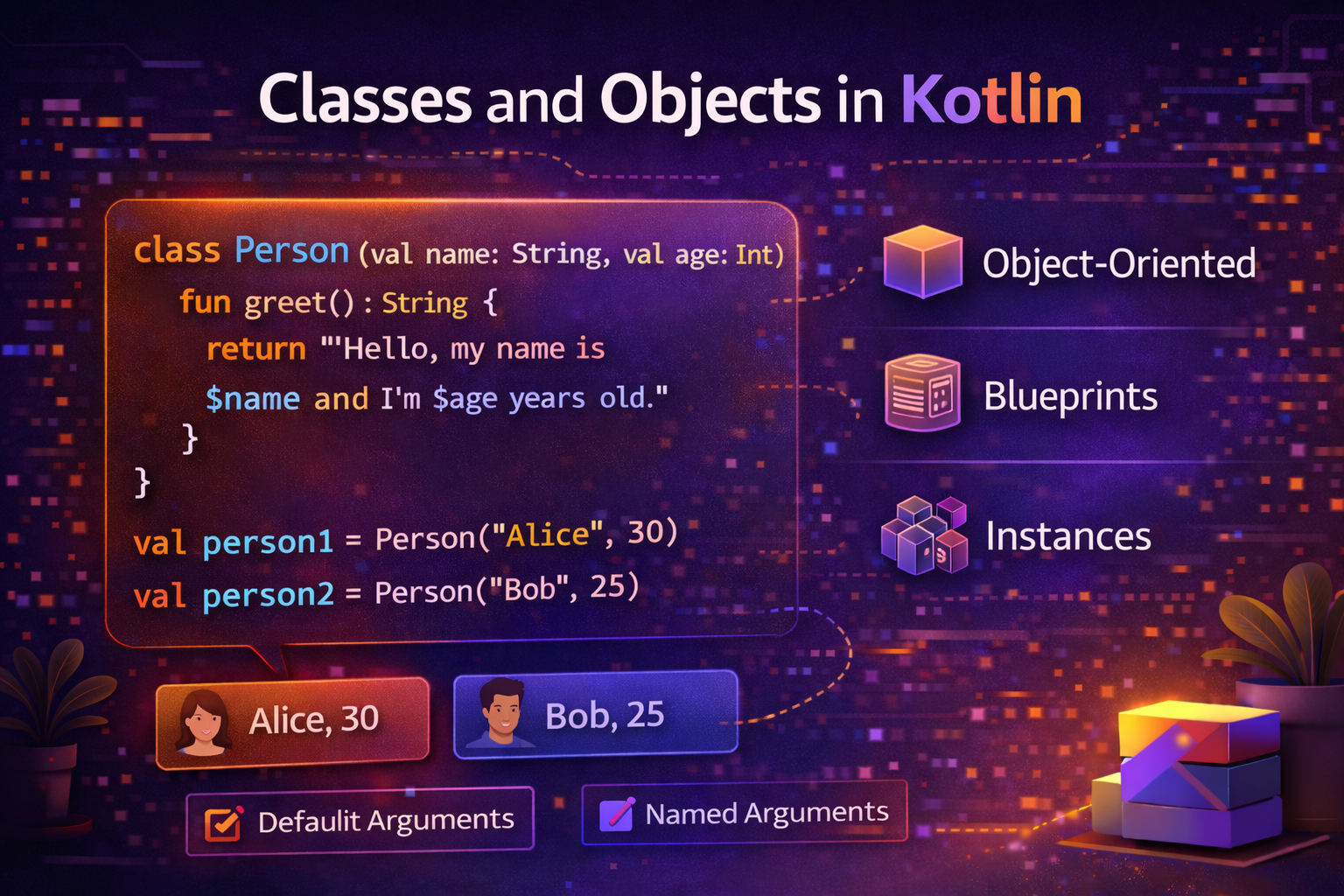
Classes are the blueprint for creating objects. Every real-world Android app is built on classes — a User class, a PostAdapter class, a LoginViewModel class. Kotlin makes classes concise, expressive, and powerful. This guide covers everything from basic class creation to constructors, properties, methods, and more.
What Is a Class?
A class is a template that defines the properties (data) and behavior (functions) of a group of objects.
Real-world analogy: A class is like a blueprint for a house. The blueprint defines how many rooms, where the doors are, the size of windows. An object is an actual house built from that blueprint. You can build many houses from one blueprint — each is a separate object with the same structure but different details.
// Blueprint (class)
class User {
    var name: String = ""
    var age: Int = 0

    fun introduce() {
        println("Hi, I'm $name and I'm $age years old.")
    }
}

// Objects created from the blueprint
val user1 = User()
user1.name = "Alice"
user1.age = 25
user1.introduce()   // Hi, I'm Alice and I'm 25 years old.

val user2 = User()
user2.name = "Bob"
user2.age = 30
user2.introduce()   // Hi, I'm Bob and I'm 30 years old.
Primary Constructor
In Kotlin, the constructor is typically defined directly in the class header — this is called the primary constructor.
class User(val name: String, val age: Int)That's it. One line creates a class with two properties and a constructor. Compare with Java's 20+ lines.
val user = User("Alice", 25)
println(user.name)   // Alice
println(user.age)    // 25
val vs var in Constructor
class User(
    val name: String,    // val = read-only property
    var age: Int,        // var = mutable property
    val email: String
)

val user = User("Alice", 25, "alice@email.com")
user.age = 26          // ✅ allowed — age is var
user.name = "Bob"      // ❌ error — name is val
Default Values in Primary Constructor
class User(
    val name: String,
    val age: Int = 0,
    val email: String = "",
    val isAdmin: Boolean = false
)

// All arguments
val user1 = User("Alice", 25, "alice@email.com", true)

// Only required argument — defaults used for rest
val user2 = User("Bob")

// Mix with named arguments
val user3 = User(name = "Charlie", age = 30, isAdmin = true)
init Block — Code That Runs on Construction
If you need to run some code when the object is created, use the
initblock:class User(val name: String, val age: Int) { val displayName: String init { // Runs when object is created println("User created: $name") displayName = name.trim().replaceFirstChar { it.uppercase() } // Validation require(name.isNotBlank()) { "Name cannot be blank" } require(age >= 0) { "Age cannot be negative" } } } val user = User(" alice ", 25) println(user.displayName) // AliceYou can have multiple
initblocks — they run in the order they appear.
Secondary Constructors
Sometimes you need multiple ways to create an object. Use
secondary constructorswith theconstructorkeyword.class User(val name: String, val age: Int, val email: String) { // Secondary constructor — must call primary with 'this' constructor(name: String) : this(name, 0, "") constructor(name: String, age: Int) : this(name, age, "") } val u1 = User("Alice", 25, "alice@email.com") // primary val u2 = User("Bob") // secondary — age=0, email="" val u3 = User("Charlie", 30) // secondary — email=""Tip: In most cases, default parameters in the primary constructor are cleaner than secondary constructors.
Properties — Beyond Simple Fields
Computed Properties with get
A property doesn't have to store a value — it can compute it on the fly.
class Circle(val radius: Double) {
    val area: Double
        get() = Math.PI * radius * radius

    val circumference: Double
        get() = 2 * Math.PI * radius

    val diameter: Double
        get() = radius * 2
}

val circle = Circle(5.0)
println(circle.area)           // 78.53981633974483
println(circle.circumference)  // 31.41592653589793
println(circle.diameter)       // 10.0
Every time you access
area, it's computed fresh — no stored value needed.Custom Setters
class User(name: String) {

    var name: String = name
        set(value) {
            // Custom logic when name is set
            field = value.trim().replaceFirstChar { it.uppercase() }
        }

    var age: Int = 0
        set(value) {
            require(value >= 0) { "Age cannot be negative" }
            field = value
        }
}

val user = User("  alice  ")
println(user.name)   // Alice — trimmed and capitalized automatically

user.age = -5        // throws IllegalArgumentException
fieldrefers to the backing field — the actual stored value.
Member Functions (Methods)
Functions defined inside a class are called member functions or methods.
class BankAccount(
    val owner: String,
    private var balance: Double = 0.0    // private — only accessible inside class
) {
    fun deposit(amount: Double) {
        require(amount > 0) { "Deposit amount must be positive" }
        balance += amount
        println("Deposited $$amount. New balance: $$balance")
    }

    fun withdraw(amount: Double): Boolean {
        if (amount > balance) {
            println("Insufficient funds")
            return false
        }
        balance -= amount
        println("Withdrew $$amount. New balance: $$balance")
        return true
    }

    fun getBalance(): Double = balance

    override fun toString(): String {
        return "BankAccount(owner=$owner, balance=$$balance)"
    }
}

val account = BankAccount("Alice", 1000.0)
account.deposit(500.0)     // Deposited $500.0. New balance: $1500.0
account.withdraw(200.0)    // Withdrew $200.0. New balance: $1300.0
account.withdraw(2000.0)   // Insufficient funds
println(account)           // BankAccount(owner=Alice, balance=$1300.0)
Visibility Modifiers
Kotlin has four visibility modifiers that control who can access a class, property, or function.
Modifier Visible To public(default)Everyone — no restriction privateOnly inside the class protectedInside the class and subclasses internalAnywhere in the same module class UserRepository { private val cache = mutableMapOf<String, User>() // only this class internal var lastFetchTime: Long = 0 // same module protected open fun onUserLoaded(user: User) { } // subclasses fun getUser(id: String): User? { // public — everyone return cache[id] ?: fetchFromServer(id) } private fun fetchFromServer(id: String): User? { // only this class // ... return null } }
Nested and Inner Classes
Nested Class — No Access to Outer Class
class Outer {
    val x = 10

    class Nested {
        fun greet() = "Hello from Nested"
        // cannot access x — no reference to Outer
    }
}

val nested = Outer.Nested()   // created without Outer instance
println(nested.greet())
Inner Class — Has Access to Outer Class
class Outer {
    val x = 10

    inner class Inner {
        fun greet() = "Hello, x = $x"   // can access Outer's x
    }
}

val outer = Outer()
val inner = outer.Inner()    // needs Outer instance
println(inner.greet())       // Hello, x = 10
Object — Singleton
The
objectkeyword creates a singleton — a class with only one instance. No need to implement the singleton pattern manually.object DatabaseConfig { const val HOST = "localhost" const val PORT = 5432 const val DB_NAME = "androidnewworld" fun getConnectionString(): String { return "jdbc:postgresql://$HOST:$PORT/$DB_NAME" } } // Access directly — no instantiation needed println(DatabaseConfig.HOST) println(DatabaseConfig.getConnectionString())Companion Object — Static Members
A
companion objectlives inside a class and provides class-level functions and properties (likestaticin Java):class User(val name: String, val email: String) { companion object { // Factory function — creates User from different sources fun fromJson(json: String): User { // parse JSON and create User return User("Parsed Name", "parsed@email.com") } fun guest(): User = User("Guest", "") const val MAX_NAME_LENGTH = 50 } } // Access companion members on the class, not instance val user = User.fromJson("{...}") val guest = User.guest() println(User.MAX_NAME_LENGTH) // 50
Anonymous Objects
When you need a one-time object without defining a named class:
val clickListener = object : View.OnClickListener {
    override fun onClick(v: View?) {
        println("Button clicked!")
    }
}

button.setOnClickListener(clickListener)

// Or inline
button.setOnClickListener(object : View.OnClickListener {
    override fun onClick(v: View?) {
        println("Clicked!")
    }
})

// Even simpler with lambda (when interface has one method)
button.setOnClickListener { println("Clicked!") }
Destructuring
If a class defines
componentN()functions (which data classes do automatically), you can destructure it:class Point(val x: Int, val y: Int) { operator fun component1() = x operator fun component2() = y } val point = Point(10, 20) val (x, y) = point println("x=$x, y=$y") // x=10, y=20 // Data classes support this automatically data class Coordinate(val lat: Double, val lng: Double) val (lat, lng) = Coordinate(28.6, 77.2)
Real-World Android Example
Here's a complete, realistic class used in an Android app:
class ArticleRepository(
    private val apiService: ApiService,
    private val articleDao: ArticleDao
) {
    companion object {
        private const val PAGE_SIZE = 20
        private const val TAG = "ArticleRepository"
    }

    private var currentPage = 1
    private val cachedArticles = mutableListOf<Article>()

    val hasMorePages: Boolean
        get() = cachedArticles.size == currentPage * PAGE_SIZE

    suspend fun getArticles(category: String): List<Article> {
        return try {
            val articles = apiService.getArticles(
                category = category,
                page = currentPage,
                size = PAGE_SIZE
            )
            cachedArticles.addAll(articles)
            currentPage++
            articles
        } catch (e: Exception) {
            Log.e(TAG, "Failed to fetch articles", e)
            articleDao.getByCategory(category)
        }
    }

    fun clearCache() {
        cachedArticles.clear()
        currentPage = 1
    }

    override fun toString(): String {
        return "ArticleRepository(page=$currentPage, cached=${cachedArticles.size})"
    }
}
Common Mistakes to Avoid
Mistake 1: Forgetting
val/varin primary constructor// ❌ These are just constructor parameters, not properties class User(name: String, age: Int) val user = User("Alice", 25) println(user.name) // ❌ Error — name is not a property // ✅ Add val or var to make them properties class User(val name: String, val age: Int) println(user.name) // ✅ WorksMistake 2: Using
newkeyword (Java habit)// ❌ No 'new' in Kotlin val user = new User("Alice", 25) // ✅ Correct val user = User("Alice", 25)Mistake 3: Making everything public
// ❌ Exposing internal state unnecessarily
class BankAccount {
    var balance: Double = 0.0   // anyone can set this directly
}

// ✅ Encapsulate — only expose what's needed
class BankAccount {
    private var balance: Double = 0.0
    fun getBalance() = balance
    fun deposit(amount: Double) { balance += amount }
}
Mistake 4: Using object when class is needed
// ❌ Wrong — object is singleton, can't have multiple users
object User {
    var name: String = ""
}

// ✅ Use class for things you need multiple of
class User(val name: String)
Summary
- A
classis a blueprint — use it to define properties and behavior of objects- The primary constructor is defined in the class header — most concise way
- Use
valfor immutable properties,varfor mutable ones in the constructor- The
initblock runs when an object is created — good for validation and setup- Computed properties with custom
get()calculate their value on access- Use visibility modifiers — prefer
privatefor internal detailsobjectcreates a singleton — one instance for the entire appcompanion objectgives you class-level functions and constants (like Java'sstatic)- Use
inner classwhen the inner class needs access to the outer classClasses are the foundation of every Android app. Mastering them is essential before moving on to inheritance, interfaces, and design patterns.
Happy coding!
Comments (0)