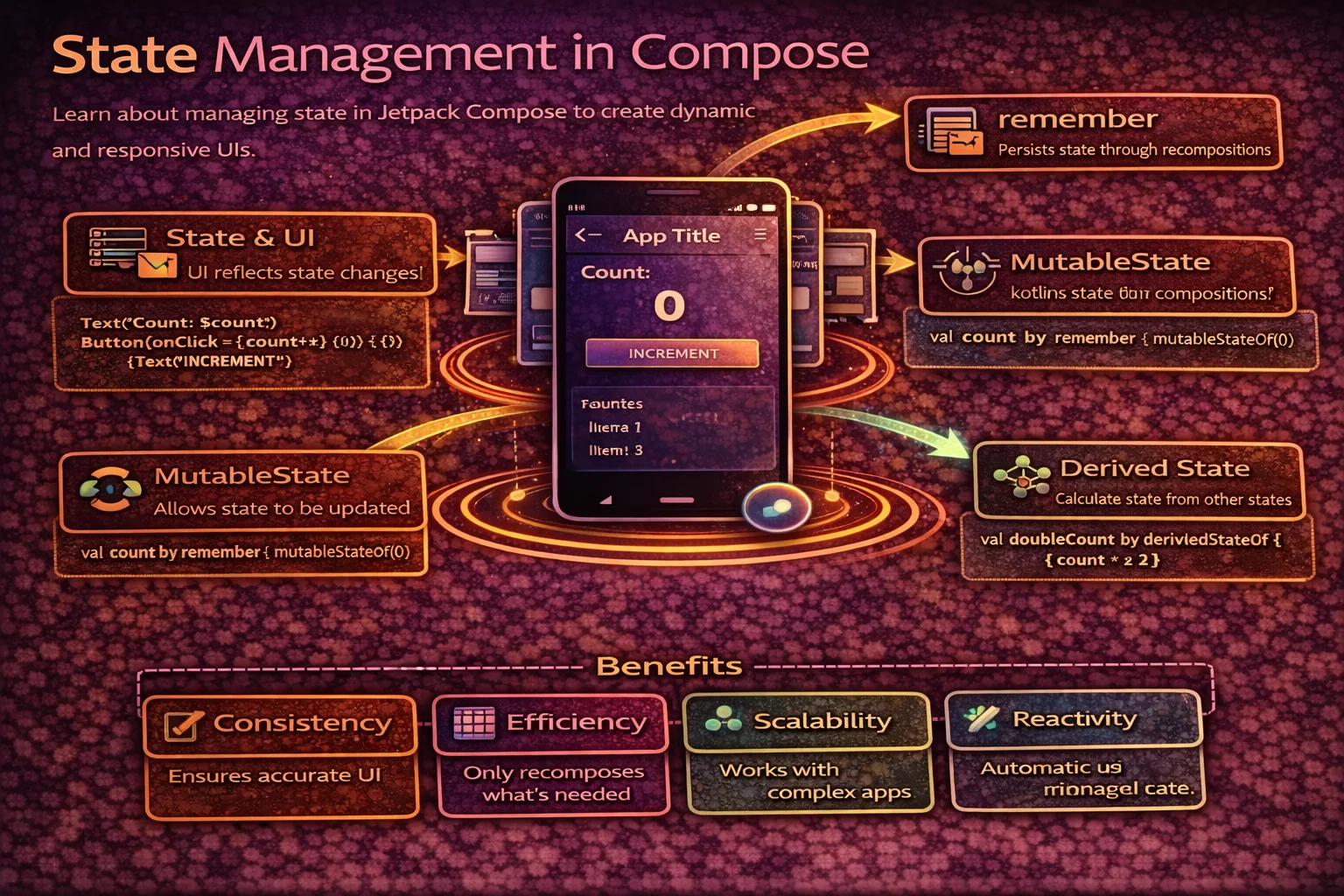
State is the engine of Jetpack Compose. When state changes, the UI automatically updates. When state is managed incorrectly, you get stale UI, lost input, recomposition bugs, and data that vanishes on rotation. This guide covers every state mechanism in Compose — remember, mutableStateOf, rememberSaveable, state hoisting, derivedStateOf, state in ViewModels, and the patterns that make production Compose apps work reliably.
How State Drives Compose
// Compose is DECLARATIVE — you describe the UI as a function of state
// When state changes → Compose re-calls the function → UI updates

// The cycle:
//
//  ┌─────────────────────────────────────────────────┐
//  │                                                   │
//  │    STATE ──────→ COMPOSABLE ──────→ UI            │
//  │      ↑           (function)        (screen)       │
//  │      │                                             │
//  │      └──────── USER EVENT ←────────────────────── │
//  │               (click, type, scroll)                │
//  │                                                   │
//  └─────────────────────────────────────────────────┘
//
//  1. State holds the current data (count = 5, text = "hello")
//  2. Composable function reads state and describes UI
//  3. User interacts → event fires → state changes
//  4. Compose detects the state change → RECOMPOSES (re-calls the function)
//  5. UI updates to reflect the new state
//
//  You NEVER manually update the UI — you update STATE, Compose does the rest
mutableStateOf — Creating Observable State
mutableStateOf() is a top-level function from androidx.compose.runtime that creates an observable state holder. When you write to it, Compose knows which composables read it and recomposes them.
// mutableStateOf() returns MutableState<T>
// MutableState is an INTERFACE with .value property
val countState: MutableState<Int> = mutableStateOf(0)

// Read and write through .value
countState.value = 5           // write → triggers recomposition
println(countState.value)      // read → 5

// Using Kotlin PROPERTY DELEGATION with "by"
// This lets you read/write WITHOUT .value
var count by mutableStateOf(0)
// "by" delegates to State.getValue() and MutableState.setValue()
// These are EXTENSION OPERATOR FUNCTIONS on State/MutableState
count = 5          // same as countState.value = 5
println(count)     // same as println(countState.value)

// Optimised variants for primitives (avoid boxing overhead):
var count by mutableIntStateOf(0)         // for Int
var price by mutableFloatStateOf(0.0f)    // for Float
var total by mutableLongStateOf(0L)       // for Long
var enabled by mutableStateOf(true)       // Boolean (no special variant)

// mutableIntStateOf() is a TOP-LEVEL FUNCTION — optimised for Int
// Returns MutableIntState which is an INTERFACE
remember — Surviving Recomposition
remember is a composable inline function that stores a value in the Composition. Without it, every recomposition creates a fresh value:
// ═══ WITHOUT remember — state resets on every recomposition ══════════
//
//  Recomposition 1:     var count = mutableIntStateOf(0)  → count = 0
//  User clicks +1
//  Recomposition 2:     var count = mutableIntStateOf(0)  → count = 0 AGAIN!
//                       The state was RECREATED — previous value lost
//
//
// ═══ WITH remember — state persists across recompositions ════════════
//
//  Recomposition 1:     remember { mutableIntStateOf(0) }  → count = 0 (stored)
//  User clicks +1       count = 1 (state updated)
//  Recomposition 2:     remember { ... }  → count = 1 (RETRIEVED from storage)
//                       The stored value is returned — not recreated
@Composable
fun Counter() {
// ❌ WITHOUT remember — resets to 0 on every recomposition
var count by mutableIntStateOf(0) // recreated every time!
// count is always 0 — clicking does nothing visible
// ✅ WITH remember — persists across recompositions
var count by remember { mutableIntStateOf(0) }
// remember {} is a COMPOSABLE INLINE FUNCTION
// It stores the value in the Composition's slot table
// On recomposition, it returns the stored value instead of recreating
Column(horizontalAlignment = Alignment.CenterHorizontally) {
Text("Count: $count")
Button(onClick = { count++ }) {
Text("Increment")
}
}
}
// remember can store ANY value, not just state:
val formatter = remember { SimpleDateFormat("MMM dd, yyyy", Locale.getDefault()) }
// Created once, reused on every recomposition — avoids repeated allocation
val filteredList = remember(articles, filter) {
// Recalculated only when articles OR filter changes
articles.filter { it.category == filter }
}
// remember(key1, key2) { } — recalculates when ANY key changesremember with keys
// remember(key) { } recalculates when the key changes

@Composable
fun UserGreeting(userId: String) {
    // Recalculates only when userId changes
    val greeting = remember(userId) {
        // This block runs once per unique userId
        computeGreeting(userId)   // expensive calculation
    }
    Text(greeting)
}

// How it works:
// 1st composition: userId = "alice" → computes greeting, stores it
// Recomposition (same userId): remember returns stored value (no recompute)
// Recomposition (userId changes to "bob"): key changed → recomputes

// Multiple keys:
val result = remember(query, filter, sortOrder) {
    processData(query, filter, sortOrder)
}
// Recomputes when ANY of the three keys changes
rememberSaveable — Surviving Configuration Changes
rememberSaveable is a composable function from androidx.compose.runtime.saveable that works like remember but also saves the value to the saved instance state Bundle:
// ═══ remember vs rememberSaveable ════════════════════════════════════
//
//                          Recomposition    Rotation    Process Death
// remember                   ✅ Survives     ❌ Lost      ❌ Lost
// rememberSaveable           ✅ Survives     ✅ Survives   ✅ Survives
//
// rememberSaveable saves to the Bundle (like onSaveInstanceState)
// So it survives anything that Bundle survives
@Composable
fun SearchBar() {
// ❌ remember — query lost on rotation
var query by remember { mutableStateOf("") }
// ✅ rememberSaveable — query survives rotation AND process death
var query by rememberSaveable { mutableStateOf("") }
// rememberSaveable is a COMPOSABLE FUNCTION from compose.runtime.saveable
// Automatically saves String to Bundle (String is Bundle-compatible)
OutlinedTextField(
value = query,
onValueChange = { query = it },
label = { Text("Search") }
)
}
// What types work automatically with rememberSaveable:
// ✅ Primitives: Int, Long, Float, Double, Boolean
// ✅ String
// ✅ Parcelable objects (with @Parcelize)
// ✅ Lists, Maps, Sets of the above
// ❌ Custom objects without Parcelable → need a custom SaverCustom Saver for complex objects
// For objects that aren't automatically saveable, provide a Saver
// Saver is an INTERFACE with save() and restore() methods

data class FilterState(
    val category: String,
    val sortOrder: String,
    val showFavorites: Boolean
)

// mapSaver is a TOP-LEVEL FUNCTION that creates a Saver using a Map
val FilterStateSaver = mapSaver(
    save = { filter ->
        mapOf(
            "category" to filter.category,
            "sortOrder" to filter.sortOrder,
            "showFavorites" to filter.showFavorites
        )
    },
    restore = { map ->
        FilterState(
            category = map["category"] as String,
            sortOrder = map["sortOrder"] as String,
            showFavorites = map["showFavorites"] as Boolean
        )
    }
)

@Composable
fun FilterScreen() {
    var filterState by rememberSaveable(stateSaver = FilterStateSaver) {
        mutableStateOf(FilterState("all", "newest", false))
    }
    // Survives rotation and process death!
}

// For Parcelable objects, use rememberSaveable directly:
@Parcelize
data class FilterState(...) : Parcelable

var filterState by rememberSaveable { mutableStateOf(FilterState(...)) }
// Parcelable is automatically saved to Bundle — no custom Saver needed
State Hoisting — The Most Important Pattern
State hoisting is the pattern of moving state up to a caller and passing it down as parameters. This makes composables stateless, reusable, testable, and previewable.
// ═══ STATEFUL vs STATELESS ═══════════════════════════════════════════
//
//  STATEFUL (manages its own state):
//  ┌────────────────────┐
//  │ SearchBar           │
//  │ ┌────────────────┐ │
//  │ │ query = "kot"  │ │ ← state lives INSIDE
//  │ └────────────────┘ │
//  │ onValueChange →    │ ← handles changes internally
//  │   query = "kotl"   │
//  └────────────────────┘
//  Problem: parent can't read/control the query
//
//
//  STATELESS (receives state from parent):
//  ┌──────────────────┐         ┌────────────────────┐
//  │ Parent            │         │ SearchBar           │
//  │ query = "kot"     │── "kot" →│ displays "kot"     │
//  │                   │←─ event ─│ onValueChange("kotl")│
//  │ query = "kotl"    │         │                    │
//  └──────────────────┘         └────────────────────┘
//  State flows DOWN (parameters), Events flow UP (callbacks)
//  Parent is in control — can validate, debounce, share the query
// ❌ STATEFUL — hard to test, can't control from outside
@Composable
fun SearchBar() {
var query by remember { mutableStateOf("") }
OutlinedTextField(
value = query,
onValueChange = { query = it },
label = { Text("Search") }
)
// Parent has no way to read or set the query!
}
// ✅ STATELESS — reusable, testable, controllable
@Composable
fun SearchBar(
query: String, // state flows DOWN
onQueryChange: (String) -> Unit // events flow UP
) {
OutlinedTextField(
value = query,
onValueChange = onQueryChange,
label = { Text("Search") }
)
}
// STATEFUL WRAPPER — manages state and delegates to stateless version
@Composable
fun SearchBarStateful() {
var query by rememberSaveable { mutableStateOf("") }
SearchBar(
query = query,
onQueryChange = { query = it }
)
}
// Or in a screen composable:
@Composable
fun ArticleScreen(viewModel: ArticleViewModel = hiltViewModel()) {
val query by viewModel.searchQuery.collectAsStateWithLifecycle()
// collectAsStateWithLifecycle() is an EXTENSION FUNCTION on StateFlow
SearchBar(
query = query,
onQueryChange = { viewModel.onQueryChanged(it) }
)
// State is in ViewModel, SearchBar is fully stateless
}The state hoisting rules
// 1. STATE flows DOWN — pass as parameters
// 2. EVENTS flow UP — pass as callback lambdas (typically onXxx)
// 3. Hoist to the LOWEST common ancestor that needs the state
// 4. ViewModel is the ultimate state owner for screen-level state

// Example: three levels of hoisting

// Level 1: Composable manages its own state (animation, scroll position)
@Composable
fun AnimatedCard(content: @Composable () -> Unit) {
    var expanded by remember { mutableStateOf(false) }
    // Animation state is INTERNAL — no one else needs it
}

// Level 2: Parent composable manages shared state
@Composable
fun ArticleListScreen() {
    var selectedFilter by rememberSaveable { mutableStateOf("all") }
    // Filter is shared between FilterChips and ArticleList
    FilterChips(selected = selectedFilter, onSelect = { selectedFilter = it })
    ArticleList(filter = selectedFilter)
}

// Level 3: ViewModel manages screen-level state
@Composable
fun ArticleListScreen(viewModel: ArticleViewModel = hiltViewModel()) {
    val uiState by viewModel.uiState.collectAsStateWithLifecycle()
    // Screen state lives in ViewModel — survives rotation
    ArticleListContent(
        articles = uiState.articles,
        isLoading = uiState.isLoading,
        onRefresh = { viewModel.refresh() }
    )
}

// Where to hoist:
// Animation, scroll → remember (composable-internal)
// Form input, selected tab → rememberSaveable (screen-internal)
// Loaded data, UI state → ViewModel (screen-level)
// App-wide state → ViewModel in Activity or NavGraph scope
derivedStateOf — Computed State
derivedStateOf is a top-level function that creates state derived from other state. It only recalculates when the inputs actually change — preventing unnecessary recompositions:
@Composable
fun ItemList(items: List<Item>) {
    // ❌ WITHOUT derivedStateOf — recalculates on EVERY recomposition
    val hasItems = items.isNotEmpty()
    // Even if items hasn't changed, this runs on every recomposition

    // ✅ WITH derivedStateOf — recalculates ONLY when items changes
    val hasItems by remember {
        derivedStateOf { items.isNotEmpty() }
        // derivedStateOf {} is a TOP-LEVEL FUNCTION from compose.runtime
        // Returns State<T> — read-only, derived from other state
        // Re-evaluates only when the state READ INSIDE changes
    }

    if (hasItems) {
        LazyColumn { /* ... */ }
    } else {
        EmptyView()
    }
}

// Real use case: enable button only when form is valid
@Composable
fun RegistrationForm() {
    var name by rememberSaveable { mutableStateOf("") }
    var email by rememberSaveable { mutableStateOf("") }
    var password by rememberSaveable { mutableStateOf("") }

    // Derived state — recalculates only when name/email/password change
    val isFormValid by remember {
        derivedStateOf {
            name.length >= 2 &&
            email.contains("@") &&
            password.length >= 8
        }
    }

    // ... text fields ...

    Button(
        onClick = { submit(name, email, password) },
        enabled = isFormValid   // derived — no unnecessary recomposition
    ) {
        Text("Register")
    }
}

// When to use derivedStateOf:
// ✅ Computed value from state that changes LESS than the state itself
//    Example: "is list empty?" changes rarely, but list might recompose often
// ✅ Expensive computation that shouldn't run on every recomposition
// ❌ Don't use for simple state transformations — just use remember(key) { }
//    derivedStateOf { items.size } → overkill
//    remember(items) { items.size } → simpler, same result
State with Collections
// ⚠️ Compose tracks state by REFERENCE, not by content
// Mutating a list IN PLACE does NOT trigger recomposition

// ❌ Mutating the same list — Compose doesn't detect the change
@Composable
fun TodoList() {
    val items = remember { mutableListOf("Buy milk", "Walk dog") }
    // items.add("New todo")   — list is mutated but Compose doesn't know!
    // No recomposition — UI stays the same
}

// ✅ Use mutableStateListOf — Compose-aware observable list
@Composable
fun TodoList() {
    val items = remember { mutableStateListOf("Buy milk", "Walk dog") }
    // mutableStateListOf() is a TOP-LEVEL FUNCTION from compose.runtime
    // Returns SnapshotStateList — a LIST that triggers recomposition on mutation

    items.add("New todo")       // ✅ triggers recomposition
    items.removeAt(0)           // ✅ triggers recomposition
    items[1] = "Updated item"   // ✅ triggers recomposition
}

// ✅ Alternative: immutable list in mutableStateOf
@Composable
fun TodoList() {
    var items by remember { mutableStateOf(listOf("Buy milk", "Walk dog")) }

    // Create a NEW list instead of mutating
    items = items + "New todo"          // ✅ new reference → recomposition
    items = items.filter { it != "Walk dog" }  // ✅ new reference → recomposition
}

// Same pattern for Maps:
val settings = remember { mutableStateMapOf<String, Boolean>() }
// mutableStateMapOf() is a TOP-LEVEL FUNCTION → returns SnapshotStateMap
State in ViewModel — Screen-Level State
// For screen-level state that should survive rotation:
// ViewModel holds state, Compose observes it

@HiltViewModel   // ANNOTATION from dagger.hilt.android.lifecycle
class ArticleViewModel @Inject constructor(
    private val repository: ArticleRepository,
    private val savedStateHandle: SavedStateHandle
    // SavedStateHandle is a CLASS — auto-provided by Hilt
) : ViewModel() {
    // ViewModel is an ABSTRACT CLASS from androidx.lifecycle

    // UI state — exposed as StateFlow (HOT, holds current value)
    private val _uiState = MutableStateFlow(ArticleUiState())
    // MutableStateFlow is a CLASS, the constructor is a TOP-LEVEL FUNCTION
    val uiState: StateFlow<ArticleUiState> = _uiState.asStateFlow()
    // asStateFlow() is an EXTENSION FUNCTION on MutableStateFlow → returns read-only StateFlow

    // Search query — survives BOTH rotation AND process death
    val searchQuery: StateFlow<String> = savedStateHandle.getStateFlow("query", "")
    // getStateFlow() is a FUNCTION on SavedStateHandle — returns StateFlow backed by saved state

    fun onQueryChanged(query: String) {
        savedStateHandle["query"] = query
        // Updates SavedStateHandle → StateFlow emits → Compose recomposes
    }

    // Events — one-time (snackbar, navigation)
    private val _events = MutableSharedFlow<UiEvent>()
    // MutableSharedFlow constructor is a TOP-LEVEL FUNCTION
    val events: SharedFlow<UiEvent> = _events.asSharedFlow()
    // asSharedFlow() is an EXTENSION FUNCTION → returns read-only SharedFlow

    fun loadArticles() {
        viewModelScope.launch {
            // viewModelScope is an EXTENSION PROPERTY on ViewModel
            // launch is an EXTENSION FUNCTION on CoroutineScope (builder)
            _uiState.update { it.copy(isLoading = true) }
            // update {} is an EXTENSION FUNCTION on MutableStateFlow (thread-safe)
            try {
                val articles = repository.getArticles()
                _uiState.update { it.copy(isLoading = false, articles = articles) }
            } catch (e: CancellationException) {
                throw e
            } catch (e: Exception) {
                _uiState.update { it.copy(isLoading = false, error = e.message) }
                _events.emit(UiEvent.ShowSnackbar(e.message ?: "Error"))
                // emit() is a SUSPEND FUNCTION on MutableSharedFlow
            }
        }
    }
}

data class ArticleUiState(
    val isLoading: Boolean = false,
    val articles: List<Article> = emptyList(),
    val error: String? = null
)

sealed interface UiEvent {
    data class ShowSnackbar(val message: String) : UiEvent
}
Observing ViewModel state in Compose
@Composable
fun ArticleScreen(
    viewModel: ArticleViewModel = hiltViewModel()
    // hiltViewModel() is a COMPOSABLE FUNCTION from hilt-navigation-compose
) {
    // Observe StateFlow as Compose state
    val uiState by viewModel.uiState.collectAsStateWithLifecycle()
    // collectAsStateWithLifecycle() is an EXTENSION FUNCTION on StateFlow
    // from androidx.lifecycle.runtime.compose
    // Converts Flow → Compose State<T> with lifecycle awareness
    // Stops collecting when lifecycle goes below STARTED

    val query by viewModel.searchQuery.collectAsStateWithLifecycle()

    // Handle one-time events
    val snackbarHostState = remember { SnackbarHostState() }
    // SnackbarHostState is a CLASS from Material3
    // remember {} stores it across recompositions

    LaunchedEffect(Unit) {
        // LaunchedEffect is a COMPOSABLE FUNCTION for side effects
        // Launches a coroutine scoped to the Composition
        viewModel.events.collect { event ->
            when (event) {
                is UiEvent.ShowSnackbar -> {
                    snackbarHostState.showSnackbar(event.message)
                    // showSnackbar() is a SUSPEND FUNCTION on SnackbarHostState
                }
            }
        }
    }

    Scaffold(
        // Scaffold is a COMPOSABLE FUNCTION — Material3 layout structure
        snackbarHost = { SnackbarHost(snackbarHostState) }
    ) { padding ->
        // padding is PaddingValues — CLASS with top/bottom/start/end
        ArticleContent(
            uiState = uiState,
            query = query,
            onQueryChange = viewModel::onQueryChanged,
            // :: creates a FUNCTION REFERENCE
            onRefresh = viewModel::loadArticles,
            modifier = Modifier.padding(padding)
        )
    }
}
State Survival Summary
// ┌─────────────────────────┬───────────────┬──────────────┬──────────────┐
// │ Mechanism               │ Recomposition │ Rotation     │ Process Death│
// ├─────────────────────────┼───────────────┼──────────────┼──────────────┤
// │ No remember             │ ❌ Lost        │ ❌ Lost       │ ❌ Lost       │
// │ remember { }            │ ✅ Survives    │ ❌ Lost       │ ❌ Lost       │
// │ rememberSaveable { }    │ ✅ Survives    │ ✅ Survives   │ ✅ Survives   │
// │ ViewModel (StateFlow)   │ ✅ Survives    │ ✅ Survives   │ ❌ Lost       │
// │ ViewModel + SavedState  │ ✅ Survives    │ ✅ Survives   │ ✅ Survives   │
// │ Room / DataStore        │ ✅ Persisted   │ ✅ Persisted  │ ✅ Persisted  │
// └─────────────────────────┴───────────────┴──────────────┴──────────────┘
//
// Decision guide:
// Animation, derived values        → remember
// User input, scroll, selected tab → rememberSaveable
// Screen data, UI state            → ViewModel + StateFlow
// Important UI state (search query)→ ViewModel + SavedStateHandle
// Persistent data (settings, cache)→ DataStore / Room
Common Mistakes to Avoid
Mistake 1: Forgetting remember
// ❌ State resets on every recomposition
@Composable
fun Counter() {
    var count by mutableIntStateOf(0)   // new state EVERY recomposition
    Button(onClick = { count++ }) { Text("$count") }   // always shows 0
}

// ✅ remember preserves state across recompositions
@Composable
fun Counter() {
    var count by remember { mutableIntStateOf(0) }
    Button(onClick = { count++ }) { Text("$count") }   // 0, 1, 2, 3...
}
Mistake 2: Using remember when rememberSaveable is needed
// ❌ remember — user's typed text lost on rotation
var searchQuery by remember { mutableStateOf("") }

// ✅ rememberSaveable — preserves across rotation
var searchQuery by rememberSaveable { mutableStateOf("") }

// Rule: if the user would be frustrated losing this value on rotation
// → use rememberSaveable
Mistake 3: Mutating a list in place
// ❌ In-place mutation — Compose doesn't detect it
val items = remember { mutableListOf("A", "B") }
Button(onClick = { items.add("C") }) { Text("Add") }
// Nothing happens — same list reference, no recomposition

// ✅ Option 1: mutableStateListOf
val items = remember { mutableStateListOf("A", "B") }
Button(onClick = { items.add("C") }) { Text("Add") }
// Recomposes correctly

// ✅ Option 2: new list assignment
var items by remember { mutableStateOf(listOf("A", "B")) }
Button(onClick = { items = items + "C" }) { Text("Add") }
// New reference → Compose detects change → recomposes
Mistake 4: Creating state in ViewModel with mutableStateOf instead of StateFlow
// ❌ Compose-specific state in ViewModel — couples ViewModel to Compose
class MyViewModel : ViewModel() {
    var count by mutableIntStateOf(0)   // Compose dependency in ViewModel!
}

// ✅ Use StateFlow — ViewModel stays Compose-agnostic
class MyViewModel : ViewModel() {
    private val _count = MutableStateFlow(0)
    val count: StateFlow<Int> = _count

    fun increment() { _count.value++ }
}
// ViewModel can be used with XML Views OR Compose — no coupling
Mistake 5: Hoisting state too high or too low
// ❌ TOO LOW — parent can't access the filter to pass it to the list
@Composable
fun Screen() {
    FilterChips()   // filter state is inside — ArticleList can't access it!
    ArticleList()   // how does this know the selected filter?
}

// ❌ TOO HIGH — ViewModel for simple animation state is overkill
class MyViewModel : ViewModel() {
    val isExpanded = MutableStateFlow(false)   // overkill for UI-only animation
}

// ✅ RIGHT LEVEL — hoist to the lowest common ancestor
@Composable
fun Screen(viewModel: ArticleViewModel = hiltViewModel()) {
    // Screen data → ViewModel
    val articles by viewModel.articles.collectAsStateWithLifecycle()

    // Shared UI state → composable level
    var selectedFilter by rememberSaveable { mutableStateOf("all") }

    FilterChips(selected = selectedFilter, onSelect = { selectedFilter = it })
    ArticleList(articles = articles, filter = selectedFilter)

    // Animation → internal to the component
    // (don't hoist animation expanded/collapsed state)
}
Mistake 6: Using collectAsState instead of collectAsStateWithLifecycle
// ❌ collectAsState — doesn't respect lifecycle, collects in background
val uiState by viewModel.uiState.collectAsState()
// Keeps collecting even when app is backgrounded — wastes resources

// ✅ collectAsStateWithLifecycle — lifecycle-aware
val uiState by viewModel.uiState.collectAsStateWithLifecycle()
// collectAsStateWithLifecycle() is an EXTENSION FUNCTION on StateFlow
// from lifecycle-runtime-compose library
// Stops collecting below STARTED, resumes when STARTED again
Summary
- Compose is driven by state — when state changes, UI automatically recomposes
mutableStateOf()is a top-level function that creates observable state — changes trigger recompositionmutableIntStateOf(),mutableFloatStateOf(),mutableLongStateOf()are optimised variants for primitivesremember { }is a composable inline function that stores values across recompositions — without it, state resets every timeremember(key) { }recalculates when the key changes — use for derived computationsrememberSaveable { }is a composable function that also survives configuration changes and process death- Custom objects need a Saver (or
@Parcelize) for rememberSaveable - State hoisting: state flows DOWN (parameters), events flow UP (callbacks) — makes composables stateless and reusable
- Hoist to the lowest common ancestor that needs the state — not too high, not too low
derivedStateOf { }is a top-level function for computed state that only recalculates when inputs change- Use
mutableStateListOf()or new list assignment for observable collections — in-place mutation is invisible to Compose - Screen-level state belongs in ViewModel with StateFlow (not mutableStateOf)
- Use
collectAsStateWithLifecycle()(extension function on StateFlow) to observe ViewModel state — lifecycle-aware - Use SavedStateHandle in ViewModel for state that must survive process death
State management is the skill that separates Compose beginners from Compose experts. Know which mechanism to use (remember vs rememberSaveable vs ViewModel), hoist state to the right level, keep composables stateless, and use lifecycle-aware collection — and your Compose UI will be reliable, testable, and performant across every configuration change and process death scenario.
Happy coding!

Comments (0)