
Compose UI Testing — Semantics, Finders, Assertions, Synchronization, and Production Patterns
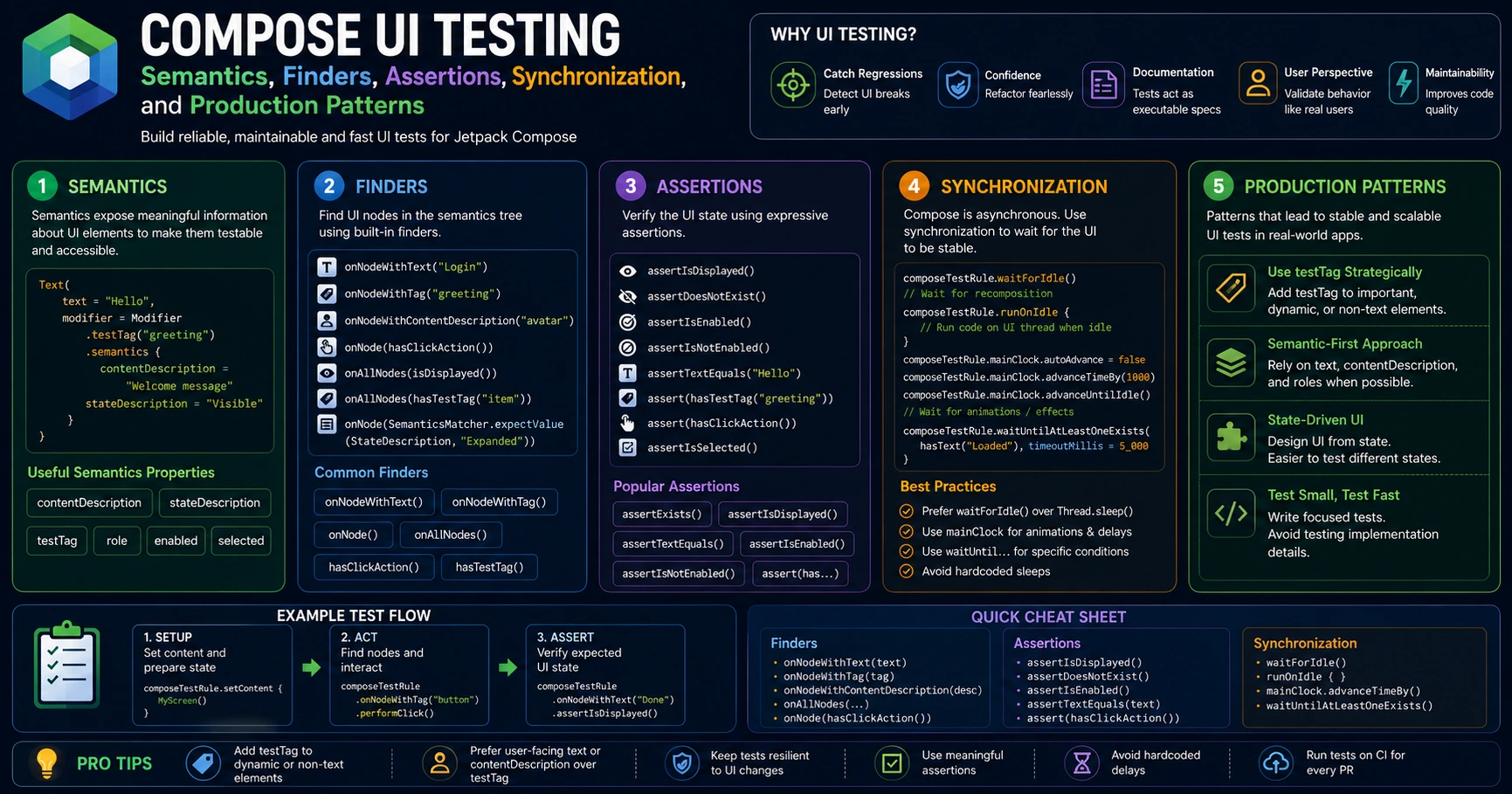
Your unit tests pass. Your ViewModel logic is rock solid. But does the screen actually show what the user is supposed to see? Does clicking the button trigger the right action? Does the loading spinner disappear when data arrives? Unit tests can’t answer those questions — they don’t render UI. Compose UI tests do. They run real composables, find nodes by text or tag, perform clicks and swipes, and assert what’s on screen — automatically, every build. This guide covers Compose UI testing from zero to production — the semantics tree, finders, actions, synchronization, and the patterns that matter.
The Mental Model — How Compose UI Tests Work
// Unit tests verify a function. UI tests verify what the USER SEES.
//
// Think of it like inspecting a painted canvas:
// - The PAINTER (your composable) draws nodes onto a tree
// - The INSPECTOR (the test) reads the tree and checks what's there
//
// Compose builds a SEMANTICS TREE alongside the visual UI:
//
//   Visual tree              Semantics tree (what tests see)
//   ─────────────            ──────────────────────────────────
//   Column                   Node(role=None)
//   ├── Text("Hello")        ├── Node(text="Hello")
//   ├── Button               └── Node(role=Button, text="Submit",
//   │   └── Text("Submit")       hasClickAction=true)
//
// Tests query this tree:
//   "find a node with text 'Submit'"  → returns the Button node
//   "perform click on it"             → fires onClick
//   "assert text 'Hello' is shown"    → reads node from tree
//
// Why a semantics tree?
// ✅ Decouples tests from rendering — no pixel matching
// ✅ Same tree powers Accessibility (TalkBack reads it)
// ✅ Good UI tests = good accessibility (free win)
//
// Tests run on the JVM (Robolectric) OR on a real device/emulator
// Compose tests use the SAME API in both cases — write once, run anywhere
Setup
// build.gradle.kts
dependencies {
    // Compose UI test core — finders, assertions, actions
    androidTestImplementation("androidx.compose.ui:ui-test-junit4:1.7.5")
    // ui-test-junit4 is a LIBRARY — provides createComposeRule, finders, assertions

    // Compose UI test manifest — needed at runtime on device
    debugImplementation("androidx.compose.ui:ui-test-manifest:1.7.5")
    // Must be debugImplementation — adds <activity> entry for ComponentActivity

    // For running Compose tests on JVM with Robolectric (faster, no emulator)
    testImplementation("androidx.compose.ui:ui-test-junit4:1.7.5")
    testImplementation("org.robolectric:robolectric:4.13")

    // Coroutines test — for screens that use Flows / suspend
    androidTestImplementation("org.jetbrains.kotlinx:kotlinx-coroutines-test:1.9.0")

    // Hilt for instrumented tests (if using Hilt)
    androidTestImplementation("com.google.dagger:hilt-android-testing:2.51.1")
    kspAndroidTest("com.google.dagger:hilt-compiler:2.51.1")

    // Navigation testing (for TestNavHostController)
    androidTestImplementation("androidx.navigation:navigation-testing:2.8.4")
}

// Where do tests live?
// ──────────────────────
// src/test/         → JVM tests (Robolectric for Compose) — fast, no device
// src/androidTest/  → Instrumented tests — run on device/emulator, slower but real
//
// Compose UI tests can run in BOTH locations using the same API
// Use Robolectric (JVM) for most UI tests — 10x faster than emulator
Your First Compose UI Test — createComposeRule
// Production composable:
@Composable
fun GreetingScreen(name: String, onContinue: () -> Unit) {
    Column {
        Text("Hello, $name!")
        Button(onClick = onContinue) {
            Text("Continue")
        }
    }
}

// Test:
class GreetingScreenTest {

    @get:Rule
    // @get:Rule is an ANNOTATION from JUnit — applies the rule to each test
    val composeTestRule = createComposeRule()
    // createComposeRule() is a TOP-LEVEL FUNCTION from compose ui-test
    // Sets up a Compose host without an Activity — fastest option
    // Returns a ComposeContentTestRule for finding and acting on nodes

    @Test
    fun greetingScreen_displaysName() {
        // GIVEN — set the content under test
        composeTestRule.setContent {
            GreetingScreen(name = "Hemant", onContinue = {})
        }
        // setContent { } is a FUNCTION on the rule — sets the composable to test
        // Same API as setContent { } in an Activity

        // THEN — assert what's on screen
        composeTestRule.onNodeWithText("Hello, Hemant!").assertIsDisplayed()
        // onNodeWithText() is a FUNCTION on the rule — finds a node by text
        // assertIsDisplayed() is a FUNCTION on a node — fails if node not visible
    }

    @Test
    fun greetingScreen_continueButton_triggersCallback() {
        // GIVEN — track callback invocations
        var continueClicked = false

        composeTestRule.setContent {
            GreetingScreen(
                name = "Hemant",
                onContinue = { continueClicked = true }
            )
        }

        // WHEN — perform a click
        composeTestRule.onNodeWithText("Continue").performClick()
        // performClick() is a FUNCTION on a node — simulates a tap

        // THEN
        assertTrue(continueClicked)
    }
}

// Run with: ./gradlew connectedDebugAndroidTest (instrumented)
//        or ./gradlew test (Robolectric)
// No Activity setup needed — createComposeRule() is enough for most cases
Finders — Locating Nodes in the Semantics Tree
Finders return one or more SemanticsNodeInteraction objects. You then chain assertions or actions onto them.
// ═══ FIND BY TEXT ════════════════════════════════════════════════════
composeTestRule.onNodeWithText("Submit")
// Matches a node with EXACTLY this text (case-sensitive)

composeTestRule.onNodeWithText("Submit", ignoreCase = true)
composeTestRule.onNodeWithText("ubmi", substring = true)
// substring = true → matches if "ubmi" is anywhere in the text

// ═══ FIND BY CONTENT DESCRIPTION ═════════════════════════════════════
composeTestRule.onNodeWithContentDescription("Profile picture")
// Matches Image / Icon nodes with this contentDescription
// ALWAYS set contentDescription on icons — required for a11y AND for tests

// ═══ FIND BY TEST TAG ════════════════════════════════════════════════
@Composable
fun MyScreen() {
    TextField(
        value = query,
        onValueChange = { query = it },
        modifier = Modifier.testTag("search_field")
        // testTag is a MODIFIER — adds a stable identifier for tests
        // Survives text/locale changes — best for stable test selection
    )
}

composeTestRule.onNodeWithTag("search_field")
// onNodeWithTag() finds a node by its testTag
// ═══ FIND MULTIPLE NODES ═════════════════════════════════════════════
composeTestRule.onAllNodesWithText("Item")
.assertCountEquals(3)
// onAllNodesWithText() returns a SemanticsNodeInteractionCollection
// assertCountEquals() — assert how many nodes matched
composeTestRule.onAllNodesWithTag("article_card")[0].performClick()
// Index into the collection to act on a specific match
// ═══ COMBINING MATCHERS WITH onNode() ═══════════════════════════════
composeTestRule.onNode(
hasText("Submit") and hasClickAction()
).assertIsDisplayed()
// hasText(), hasClickAction(), hasContentDescription() — composable matchers
// Combine with `and`, `or`, `not`
// ═══ NAVIGATING THE TREE ═════════════════════════════════════════════
composeTestRule.onNodeWithTag("article_card")
.onChildren()
.filterToOne(hasText("Read more"))
.performClick()
// onChildren() — get child nodes
// onParent() — get parent node
// onSiblings() — get sibling nodes
// filterToOne(matcher) — narrow a collection to a single nodeAssertions — Verifying What’s on Screen
// ═══ VISIBILITY ══════════════════════════════════════════════════════
composeTestRule.onNodeWithText("Loading").assertIsDisplayed()
composeTestRule.onNodeWithText("Loading").assertIsNotDisplayed()
composeTestRule.onNodeWithText("Loading").assertDoesNotExist()
// assertIsDisplayed   — node exists AND is visible on screen
// assertIsNotDisplayed — node exists but is hidden
// assertDoesNotExist  — node is NOT in the semantics tree at all

// ═══ TEXT CONTENT ════════════════════════════════════════════════════
composeTestRule.onNodeWithTag("price").assertTextEquals("₹999")
// assertTextEquals() — exact text match

composeTestRule.onNodeWithTag("price").assertTextContains("999")
// assertTextContains() — substring match

// ═══ STATE ASSERTIONS ════════════════════════════════════════════════
composeTestRule.onNodeWithTag("submit_button").assertIsEnabled()
composeTestRule.onNodeWithTag("submit_button").assertIsNotEnabled()
composeTestRule.onNodeWithTag("agree_checkbox").assertIsOn()
composeTestRule.onNodeWithTag("agree_checkbox").assertIsOff()
composeTestRule.onNodeWithTag("notifications_switch").assertIsToggleable()
composeTestRule.onNodeWithTag("name_field").assertIsFocused()

// ═══ HIERARCHY ═══════════════════════════════════════════════════════
composeTestRule.onNodeWithTag("login_form")
    .assert(hasAnyChild(hasText("Email")))
// hasAnyChild(matcher) — assert at least one child matches

composeTestRule.onNodeWithTag("article_list")
    .onChildren()
    .assertCountEquals(10)

// ═══ COMPOSITE — chain assertions ════════════════════════════════════
composeTestRule.onNodeWithText("Continue")
    .assertIsDisplayed()
    .assertIsEnabled()
    .assertHasClickAction()
// Each assertion returns the same node — chainable
Actions — Performing User Interactions
// ═══ CLICK ═══════════════════════════════════════════════════════════
composeTestRule.onNodeWithText("Submit").performClick()

composeTestRule.onNodeWithTag("article_card").performTouchInput {
    longClick()
}
// performTouchInput { } takes a lambda for low-level gestures
// Available: click(), longClick(), doubleClick(), swipe*, pinch, etc.

// ═══ TEXT INPUT ══════════════════════════════════════════════════════
composeTestRule.onNodeWithTag("search_field")
    .performTextInput("kotlin")
// performTextInput() — types text into a TextField

composeTestRule.onNodeWithTag("search_field")
    .performTextReplacement("compose")
// performTextReplacement() — clears existing text and types new

composeTestRule.onNodeWithTag("search_field").performTextClearance()
// performTextClearance() — clears the field

// ═══ IME ACTIONS (keyboard Done/Search/Next) ═════════════════════════
composeTestRule.onNodeWithTag("search_field").performImeAction()
// performImeAction() — triggers the keyboard's action button

// ═══ SCROLLING ═══════════════════════════════════════════════════════
composeTestRule.onNodeWithTag("article_list")
    .performScrollToIndex(50)
// performScrollToIndex() — scrolls a LazyColumn/LazyRow to an index

composeTestRule.onNodeWithTag("article_list")
    .performScrollToNode(hasText("Item 50"))
// performScrollToNode() — scrolls until a matching node is visible

composeTestRule.onNodeWithTag("article_list")
    .performTouchInput { swipeUp() }
// Manual swipe gestures via performTouchInput

// ═══ KEY EVENTS ══════════════════════════════════════════════════════
composeTestRule.onNodeWithTag("name_field").requestFocus()
composeTestRule.onNodeWithTag("name_field").performKeyInput {
    pressKey(Key.Tab)
}
Testing State and Recomposition
// Production code:
@Composable
fun CounterScreen() {
    var count by remember { mutableStateOf(0) }
    Column {
        Text(text = "Count: $count", modifier = Modifier.testTag("count_text"))
        Button(
            onClick = { count++ },
            modifier = Modifier.testTag("increment_button")
        ) {
            Text("Increment")
        }
    }
}

// Test:
@Test
fun counter_increments_when_button_clicked() {
    composeTestRule.setContent {
        CounterScreen()
    }

    // Initial state
    composeTestRule.onNodeWithTag("count_text").assertTextEquals("Count: 0")

    // Click 3 times
    composeTestRule.onNodeWithTag("increment_button").performClick()
    composeTestRule.onNodeWithTag("increment_button").performClick()
    composeTestRule.onNodeWithTag("increment_button").performClick()

    // After clicks — Compose recomposes, semantics tree updates, test reads new value
    composeTestRule.onNodeWithTag("count_text").assertTextEquals("Count: 3")
}

// KEY POINT — The test framework AUTOMATICALLY waits for recomposition
// After performClick(), Compose schedules recomposition
// The next assertion automatically waits for the tree to settle
// No manual sleep() / wait() needed — Compose tests are SYNCHRONIZED
Synchronization — How Compose Tests Stay Reliable
// The test framework auto-syncs with Compose by waiting for:
// - Pending recompositions
// - LaunchedEffect / DisposableEffect to start
// - Animations driven by the test clock
//
// It does NOT auto-sync with:
// - External coroutines (your ViewModel's viewModelScope.launch)
// - Delays (Flow.debounce, delay() in suspend functions)
// - Real network or database calls
//
// For those, you need MANUAL sync helpers:

// ═══ waitForIdle() — wait for current work to finish ═════════════════
composeTestRule.waitForIdle()
// Waits until: no pending recompositions, no pending Snapshot changes

// ═══ waitUntil() — wait for a custom condition ═══════════════════════
composeTestRule.waitUntil(timeoutMillis = 5_000) {
    composeTestRule.onAllNodesWithText("Loaded")
        .fetchSemanticsNodes().isNotEmpty()
}
// waitUntil() — polls the condition until true OR timeout
// Use for waiting on async operations (network, DB)

// ═══ Convenience wrappers (compose-ui-test 1.7+) ═════════════════════
composeTestRule.waitUntilExists(hasText("Article loaded"))
composeTestRule.waitUntilDoesNotExist(hasText("Loading"))
composeTestRule.waitUntilAtLeastOneExists(hasTestTag("article_card"))
composeTestRule.waitUntilExactlyOneExists(hasText("Welcome"))

// ═══ mainClock — control time for animations ═════════════════════════
composeTestRule.mainClock.autoAdvance = false
// autoAdvance = false → freeze the test clock

composeTestRule.onNodeWithTag("show_button").performClick()
composeTestRule.mainClock.advanceTimeBy(150)
// Advance by 150ms — partway through a 300ms animation
composeTestRule.onNodeWithTag("animated_card").assertExists()

composeTestRule.mainClock.advanceTimeBy(200)
// Now past 300ms — animation complete

composeTestRule.mainClock.autoAdvance = true   // resume normal mode
Testing a Screen With ViewModel and Flow
// Production code:
@Composable
fun ArticleListScreen(viewModel: ArticleViewModel) {
    val state by viewModel.uiState.collectAsStateWithLifecycle()

    when (val s = state) {
        UiState.Loading -> CircularProgressIndicator(
            modifier = Modifier.testTag("loading")
        )
        UiState.Empty -> Text("No articles", modifier = Modifier.testTag("empty"))
        is UiState.Success -> LazyColumn(modifier = Modifier.testTag("article_list")) {
            items(s.articles) { article ->
                Text(article.title, modifier = Modifier.testTag("article_${article.id}"))
            }
        }
        is UiState.Error -> Text(s.message, modifier = Modifier.testTag("error"))
    }
}

// Test:
class ArticleListScreenTest {

    @get:Rule
    val composeTestRule = createComposeRule()

    private val fakeRepository = FakeArticleRepository()
    private lateinit var viewModel: ArticleViewModel

    @OptIn(ExperimentalCoroutinesApi::class)
    private val testDispatcher = UnconfinedTestDispatcher()

    @Before
    fun setup() {
        Dispatchers.setMain(testDispatcher)
        viewModel = ArticleViewModel(fakeRepository)
    }

    @After
    fun tearDown() {
        Dispatchers.resetMain()
    }

    @Test
    fun screen_showsArticles_whenLoadSucceeds() {
        // GIVEN — repo will return articles
        fakeRepository.articles = mutableListOf(
            Article(id = "1", title = "Kotlin Basics"),
            Article(id = "2", title = "Compose Guide")
        )

        composeTestRule.setContent {
            ArticleListScreen(viewModel)
        }

        // Initially Loading
        composeTestRule.onNodeWithTag("loading").assertIsDisplayed()

        // Trigger load — viewModelScope.launch fires off
        viewModel.loadArticles()

        // Wait for state to update (Flow → recomposition)
        composeTestRule.waitUntilExists(hasTestTag("article_list"))

        // THEN — articles shown
        composeTestRule.onNodeWithTag("article_1").assertIsDisplayed()
        composeTestRule.onNodeWithTag("article_2").assertIsDisplayed()
    }

    @Test
    fun screen_showsEmpty_whenNoArticles() {
        fakeRepository.articles = mutableListOf()

        composeTestRule.setContent { ArticleListScreen(viewModel) }
        viewModel.loadArticles()

        composeTestRule.waitUntilExists(hasTestTag("empty"))
        composeTestRule.onNodeWithText("No articles").assertIsDisplayed()
    }

    @Test
    fun screen_showsError_whenRepoThrows() {
        fakeRepository.shouldThrow = true

        composeTestRule.setContent { ArticleListScreen(viewModel) }
        viewModel.loadArticles()

        composeTestRule.waitUntilExists(hasTestTag("error"))
    }
}
Testing Lists — LazyColumn / LazyRow
// LazyColumn only composes VISIBLE items — items off-screen don't exist in the tree!
// You CANNOT find a node that's been scrolled out of view

@Test
fun list_displaysAllItems_afterScrolling() {
    val articles = (1..100).map { Article(id = "$it", title = "Article $it") }

    composeTestRule.setContent {
        LazyColumn(modifier = Modifier.testTag("list")) {
            items(articles) { article ->
                Text(article.title, modifier = Modifier.testTag("item_${article.id}"))
            }
        }
    }

    // ❌ This fails — item 99 isn't composed yet!
    // composeTestRule.onNodeWithTag("item_99").assertIsDisplayed()

    // ✅ Scroll to it first
    composeTestRule.onNodeWithTag("list").performScrollToIndex(99)
    composeTestRule.onNodeWithTag("item_99").assertIsDisplayed()

    // Or scroll until a matcher succeeds:
    composeTestRule.onNodeWithTag("list")
        .performScrollToNode(hasText("Article 50"))
    composeTestRule.onNodeWithText("Article 50").assertIsDisplayed()
}

// PRO TIP — useUnmergedTree for inspecting items inside lists
composeTestRule.onNodeWithTag("item_5", useUnmergedTree = true)
    .onChildren()
    .filterToOne(hasContentDescription("Bookmark"))
    .performClick()
// useUnmergedTree = true → access individual semantics nodes inside merged groups
// (Compose merges nodes by default for accessibility — sometimes hides children)
Testing Navigation
// Production code:
@Composable
fun AppNavHost(navController: NavHostController) {
    NavHost(navController = navController, startDestination = "home") {
        composable("home") { HomeScreen(navController) }
        composable("details/{id}") { backStack ->
            DetailsScreen(id = backStack.arguments?.getString("id") ?: "")
        }
    }
}

// Test:
@Test
fun clickingArticle_navigatesToDetails() {
    lateinit var navController: TestNavHostController

    composeTestRule.setContent {
        navController = TestNavHostController(LocalContext.current)
        // TestNavHostController is a CLASS from navigation-testing
        // Lets tests inspect the navigation state
        navController.navigatorProvider.addNavigator(ComposeNavigator())
        AppNavHost(navController)
    }

    // Click an article on home
    composeTestRule.onNodeWithTag("article_1").performClick()

    // Verify navigation happened
    val route = navController.currentBackStackEntry?.destination?.route
    assertEquals("details/{id}", route)

    val argument = navController.currentBackStackEntry?.arguments?.getString("id")
    assertEquals("1", argument)
}
Testing With Hilt (Real ViewModels Wired Up)
// For instrumented tests using Hilt-injected ViewModels:

@HiltAndroidTest
@UninstallModules(NetworkModule::class)
class ArticleListScreenHiltTest {

    @get:Rule(order = 0)
    val hiltRule = HiltAndroidRule(this)

    @get:Rule(order = 1)
    val composeTestRule = createAndroidComposeRule<HiltTestActivity>()
    // createAndroidComposeRule<HiltTestActivity>() — for tests that need an Activity
    // HiltTestActivity is a custom test Activity annotated with @AndroidEntryPoint

    @BindValue
    // @BindValue — replaces a binding in Hilt with a test double
    @JvmField
    val fakeRepository: ArticleRepository = FakeArticleRepository().apply {
        articles = mutableListOf(Article("1", "Kotlin"))
    }

    @Before
    fun setup() { hiltRule.inject() }

    @Test
    fun screen_showsArticlesFromHiltInjectedRepo() {
        composeTestRule.activity.setContent {
            val vm: ArticleViewModel = hiltViewModel()
            ArticleListScreen(vm)
        }

        composeTestRule.waitUntilExists(hasTestTag("article_1"))
        composeTestRule.onNodeWithText("Kotlin").assertIsDisplayed()
    }
}

// The whole stack — ViewModel + Repository + UseCase — runs with real wiring
// Only the network/database is replaced via @BindValue
Debugging Failing Tests — printToLog and onRoot
@Test
fun debug_printSemanticsTree() {
    composeTestRule.setContent { MyScreen() }

    // Print the full semantics tree to logcat
    composeTestRule.onRoot().printToLog("ComposeTest")
    // onRoot() — get the root node of the composition
    // printToLog("TAG") — dump the entire semantics tree

    // Output looks like:
    // Node #1 at (l=0, t=0, r=1080, b=2400)
    //  |-Node #2 at (l=40, t=200) Text = '[Hello]'
    //  |-Node #3 at (l=40, t=300) Role = 'Button'
    //     Actions = [OnClick]
    //     |-Node #4 Text = '[Submit]'

    // Use this when:
    // - "Could not find node with text X"   → see what text actually exists
    // - "Multiple nodes matched"             → see which nodes the matcher hit
    // - Verifying testTags are applied correctly
}

// Print just one subtree:
composeTestRule.onNodeWithTag("login_form").printToLog("LoginForm")

// useUnmergedTree to see ALL nodes (not the accessibility-merged tree)
composeTestRule.onRoot(useUnmergedTree = true).printToLog("Full")
Common Mistakes to Avoid
Mistake 1: Asserting on text before async load completes
// ❌ Race condition — async load hasn't finished
composeTestRule.setContent { ArticleScreen(viewModel) }
viewModel.loadArticles()
composeTestRule.onNodeWithText("Article 1").assertIsDisplayed()
// Might fail — ViewModel still loading when assertion runs!

// ✅ Wait for the async work to complete
composeTestRule.setContent { ArticleScreen(viewModel) }
viewModel.loadArticles()
composeTestRule.waitUntilExists(hasText("Article 1"))
composeTestRule.onNodeWithText("Article 1").assertIsDisplayed()
Mistake 2: Looking for items that aren’t visible in a LazyColumn
// ❌ Item 50 was never composed — it's off-screen
composeTestRule.onNodeWithTag("item_50").performClick()   // 💥 fails

// ✅ Scroll to it first
composeTestRule.onNodeWithTag("list").performScrollToIndex(50)
composeTestRule.onNodeWithTag("item_50").performClick()
Mistake 3: Not using testTag on dynamic content
// ❌ Brittle — breaks when localized or when text changes
composeTestRule.onNodeWithText("Submit form").performClick()

// ✅ Stable identifier
composeTestRule.onNodeWithTag("submit_button").performClick()
// Use testTag for ALL nodes you reference in tests
// Use onNodeWithText only when testing the text content itself
Mistake 4: Multiple nodes match — ambiguous finder
// ❌ Two buttons both have text "OK" — test fails with "multiple nodes"
composeTestRule.onNodeWithText("OK").performClick()

// ✅ Combine matchers
composeTestRule.onNode(
    hasText("OK") and hasAnyAncestor(hasTestTag("dialog"))
).performClick()
Mistake 5: Forgetting to set Dispatchers.Main with Flows + ViewModels
// ❌ ViewModelScope launches on Main — crashes in tests
@Test
fun test() {
    composeTestRule.setContent { Screen(viewModel) }
    viewModel.loadArticles()   // 💥 viewModelScope uses Main!
}

// ✅ Replace Main with a test dispatcher
@Before
fun setup() { Dispatchers.setMain(UnconfinedTestDispatcher()) }

@After
fun tearDown() { Dispatchers.resetMain() }
Mistake 6: Asserting on merged vs unmerged tree
// Compose MERGES semantics for accessibility:
//   Button("Submit") → ONE node with text "Submit" + click action
//   (Even though internally it's Button > Text)

// ❌ Trying to find the inner Text — fails!
composeTestRule.onAllNodesWithText("Submit").assertCountEquals(1)
// Returns the Button (merged) — not the inner Text

// ✅ Use useUnmergedTree if you need the inner structure
composeTestRule.onAllNodesWithText("Submit", useUnmergedTree = true)
    .assertCountEquals(1)
Production Patterns
// ═══ 1. Robot pattern — reusable, readable test API ═════════════════
class LoginScreenRobot(private val rule: ComposeTestRule) {
    fun typeEmail(email: String) = apply {
        rule.onNodeWithTag("email_field").performTextInput(email)
    }

    fun typePassword(password: String) = apply {
        rule.onNodeWithTag("password_field").performTextInput(password)
    }

    fun clickLogin() = apply {
        rule.onNodeWithTag("login_button").performClick()
    }

    fun assertErrorShown(message: String) = apply {
        rule.waitUntilExists(hasText(message))
    }
}

// Usage — readable, maintainable
@Test
fun login_showsErrorOnInvalidCredentials() {
    composeTestRule.setContent { LoginScreen(viewModel) }

    LoginScreenRobot(composeTestRule)
        .typeEmail("user@example.com")
        .typePassword("wrong")
        .clickLogin()
        .assertErrorShown("Invalid credentials")
}

// ═══ 2. Centralize testTags ══════════════════════════════════════════
object TestTags {
    const val LOGIN_EMAIL = "login_email_field"
    const val LOGIN_PASSWORD = "login_password_field"
    const val LOGIN_BUTTON = "login_button"
    const val ARTICLE_LIST = "article_list"
}

// In composables:
Modifier.testTag(TestTags.LOGIN_EMAIL)

// In tests:
composeTestRule.onNodeWithTag(TestTags.LOGIN_EMAIL)

// Single source of truth — refactoring a tag updates both sides

// ═══ 3. Don't test pure presentation — focus on user-visible behaviour
// ❌ Testing colors, padding, font size — fragile, low value
// ✅ Testing: "After clicking submit, the success message shows"

// ═══ 4. Use Robolectric for fast UI tests on JVM ═════════════════════
@RunWith(RobolectricTestRunner::class)
@Config(sdk = [33])
class FastComposeTest {
    @get:Rule val composeTestRule = createComposeRule()

    @Test
    fun runs_in_milliseconds_no_emulator_needed() {
        composeTestRule.setContent { GreetingScreen("Hemant", {}) }
        composeTestRule.onNodeWithText("Hello, Hemant!").assertIsDisplayed()
    }
}
// Run with ./gradlew test (NOT connectedAndroidTest)
// 10x faster — perfect for CI
Summary
- Compose UI tests verify what the user sees by querying the semantics tree — not pixels
- The semantics tree is built alongside the visual UI — same tree powers TalkBack (good tests = good a11y)
- Use
createComposeRule()(function) for most tests — no Activity needed - Use
createAndroidComposeRule<MyActivity>()(function) when you need a real Activity (Hilt, intents) - Finders:
onNodeWithText(),onNodeWithContentDescription(),onNodeWithTag(),onAllNodesWith*()— all functions on the test rule - Assertions:
assertIsDisplayed(),assertTextEquals(),assertIsEnabled(),assertExists(),assertDoesNotExist()— chainable - Actions:
performClick(),performTextInput(),performScrollToIndex(),performScrollToNode()— modify state - Synchronization is automatic for recomposition — but use
waitUntil { }orwaitUntilExists()for async work (network, Flow emissions) - Always add
Modifier.testTag("stable_id")to nodes you reference — survives text/locale changes - For LazyColumn, scroll first with
performScrollToNode()— off-screen items aren’t composed - Use
printToLog("TAG")(function on a node) to dump the semantics tree when debugging - Replace
Dispatchers.MainwithUnconfinedTestDispatcherwhen testing screens with ViewModels - Use
useUnmergedTree = trueto access individual nodes inside merged accessibility groups - For Hilt:
HiltAndroidRule+@BindValueswaps real bindings with test doubles - Use Robolectric for fast Compose tests on the JVM — same API, no emulator
- Apply the Robot pattern for reusable, readable test code
- Centralize testTags in an object — single source of truth across composables and tests
UI tests are slower than unit tests but catch a different class of bugs — broken layouts, missing click handlers, wrong state mappings, navigation breakage. The right mix is many unit tests for ViewModels and one or two UI tests per screen for the critical user paths. With testTag, robots, and waitUntilExists, your UI tests stay readable and reliable as your app grows.
Happy coding!
Related articles
Testing Retrofit & OkHttp with MockWebServer — From Setup to Network-Condition Simulation
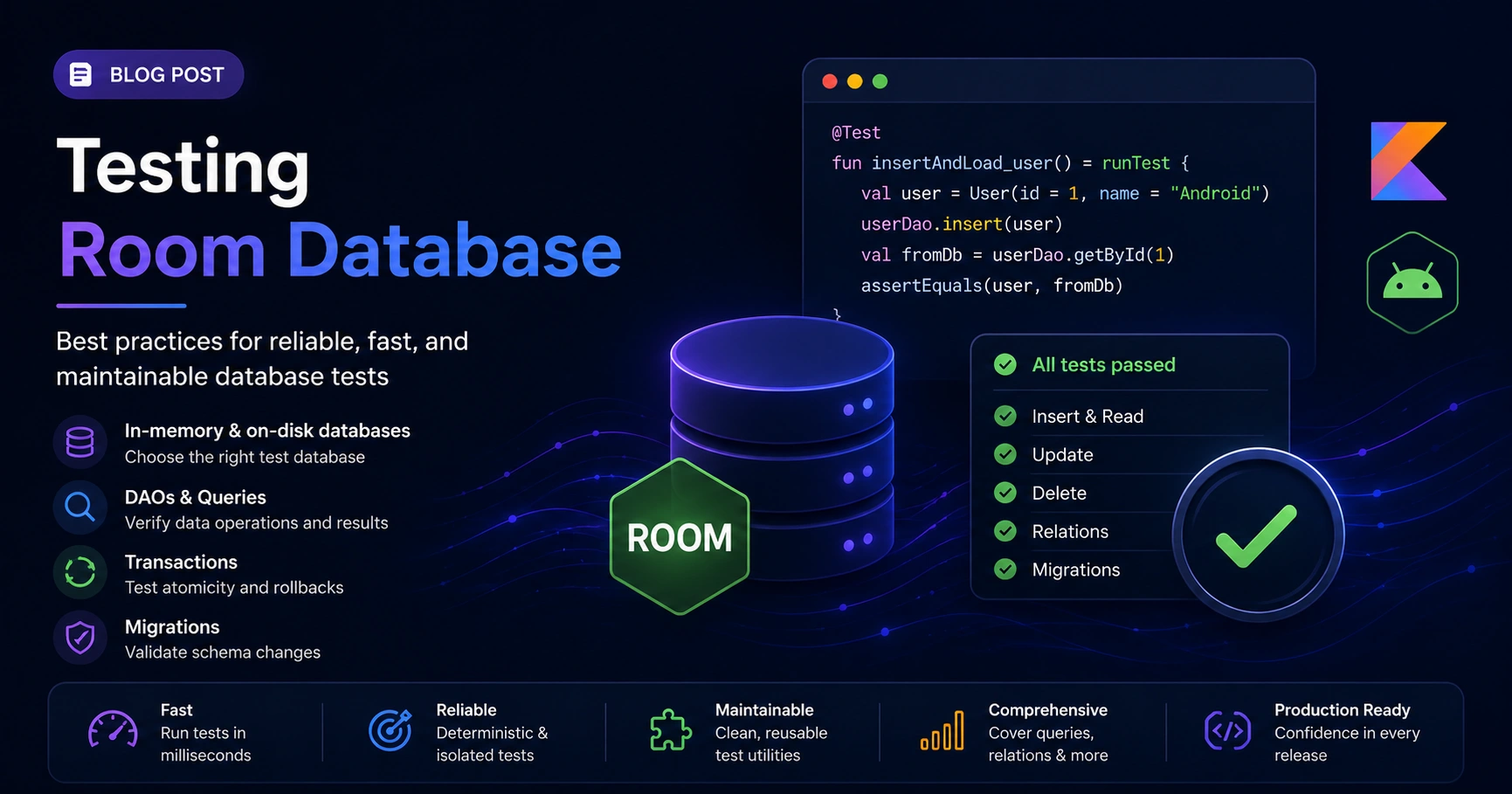
Testing Room Database — In-Memory Setup, DAO Tests, Migrations, Foreign Keys, and the Tests That Save Production
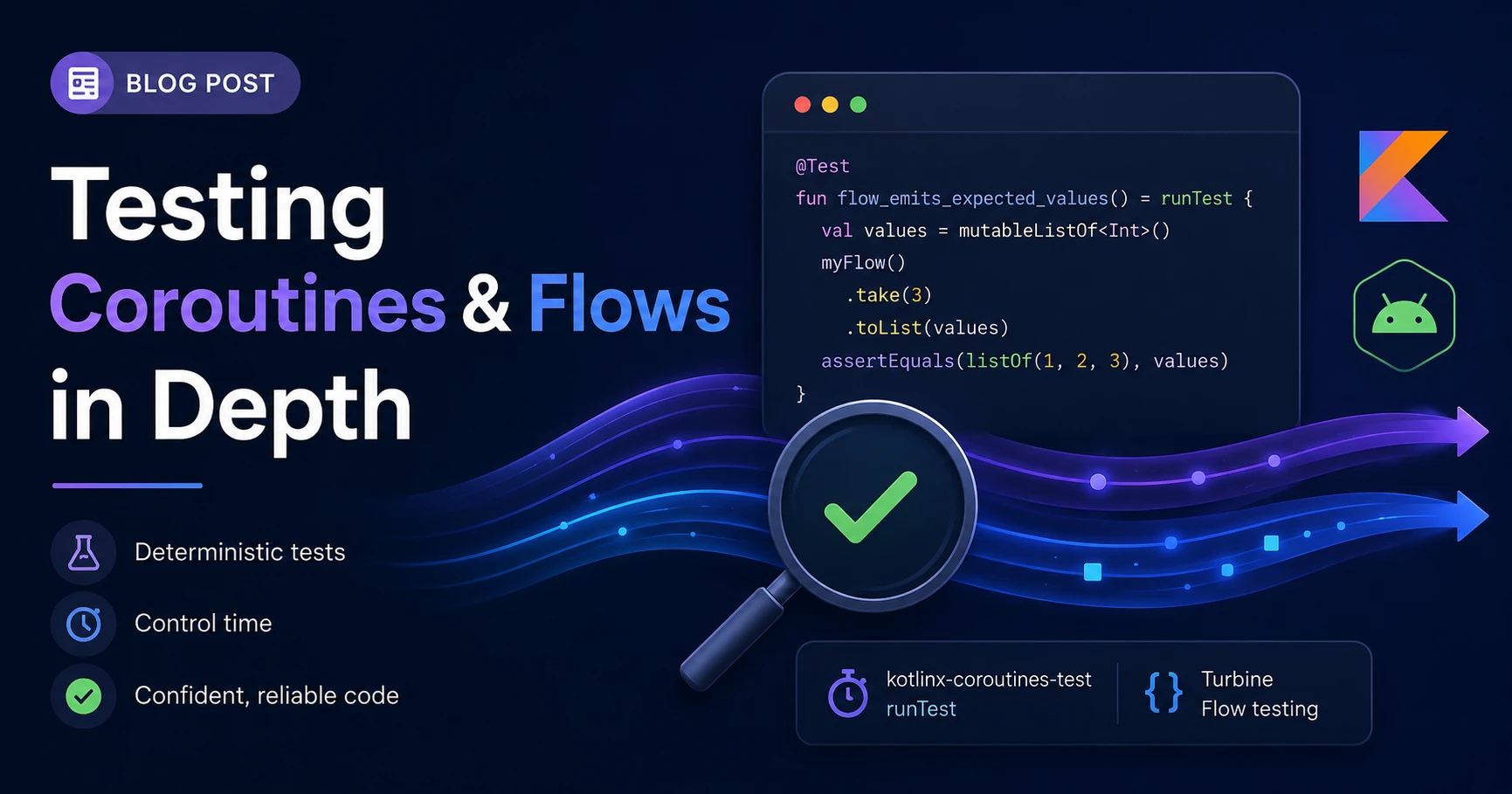
Testing Coroutines and Flows in Depth — runTest, TestDispatcher, Virtual Time, Turbine Patterns, and Production Recipes
Comments (0)
Sign in to leave a comment.
No comments yet. Be the first to share your thoughts.