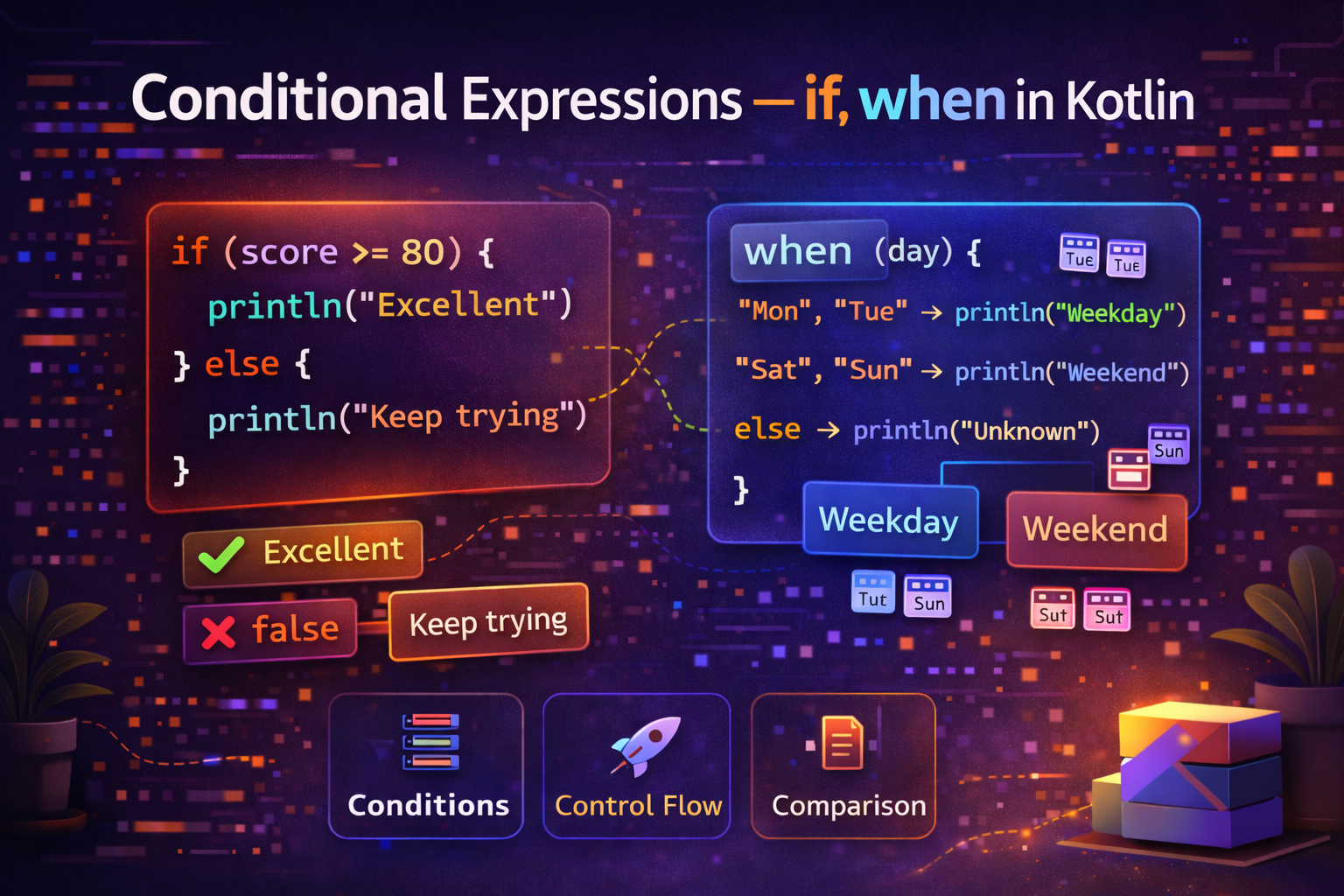
Every app makes decisions — show this screen or that one, display an error or a success message, charge a discount or full price. In Kotlin, if and when are the tools for making those decisions. What makes Kotlin special is that both of these are expressions — they return a value, making your code cleaner and more concise. This guide covers everything with practical examples.
if — The Basic Conditional
The if statement works the same way as in most languages — run a block of code only if a condition is true.
val age = 20

if (age >= 18) {
    println("You are an adult")
}
Add else to handle the false case:
val age = 15

if (age >= 18) {
    println("You are an adult")
} else {
    println("You are a minor")
}
Chain multiple conditions with else if:
val score = 75

if (score >= 90) {
    println("Grade: A")
} else if (score >= 80) {
    println("Grade: B")
} else if (score >= 70) {
    println("Grade: C")
} else if (score >= 60) {
    println("Grade: D")
} else {
    println("Grade: F")
}
if as an Expression — Returns a Value
This is where Kotlin differs from Java. In Kotlin, if is an expression — it returns a value. This means you can assign the result of an if directly to a variable.
val age = 20

// if as an expression
val status = if (age >= 18) "Adult" else "Minor"

println(status)  // Adult
No need for a ternary operator (? :) like in Java — Kotlin's if expression does the same thing more readably.
Java ternary:
String status = age >= 18 ? "Adult" : "Minor";Kotlin if expression:
val status = if (age >= 18) "Adult" else "Minor"Multi-line if expression:
When the blocks are longer, use curly braces. The last expression in each block is the return value:
val score = 85

val grade = if (score >= 90) {
    println("Excellent!")
    "A"                      // this is returned
} else if (score >= 80) {
    println("Great job!")
    "B"                      // this is returned
} else if (score >= 70) {
    "C"
} else {
    "F"
}

println("Grade: $grade")  // Grade: B
Important: When using if as an expression that returns a value, the else branch is mandatory. Otherwise Kotlin doesn't know what to return if no condition matches.
// ❌ Error — else is required when if is used as expression
val result = if (x > 0) "Positive"

// ✅ Correct
val result = if (x > 0) "Positive" else "Non-positive"
Practical Android if Examples
Showing/hiding views based on state
fun updateUI(isLoading: Boolean, hasError: Boolean) {
    progressBar.visibility = if (isLoading) View.VISIBLE else View.GONE
    errorView.visibility = if (hasError) View.VISIBLE else View.GONE
    contentView.visibility = if (!isLoading && !hasError) View.VISIBLE else View.GONE
}
Setting text based on condition
fun bindUser(user: User) {
    nameTextView.text = user.name
    statusTextView.text = if (user.isOnline) "Online" else "Offline"
    statusTextView.setTextColor(
        if (user.isOnline) Color.GREEN else Color.GRAY
    )
    premiumBadge.visibility = if (user.isPremium) View.VISIBLE else View.GONE
}
Calculating values conditionally
fun calculateShipping(orderTotal: Double, isPremiumMember: Boolean): Double {
    return if (isPremiumMember) {
        0.0   // free shipping for premium
    } else if (orderTotal >= 50.0) {
        0.0   // free shipping over $50
    } else {
        4.99  // standard shipping fee
    }
}
when — Kotlin's Powerful Switch
when replaces Java's switch statement, but it's far more powerful. It can match against values, ranges, types, and conditions — and like if, it's an expression that returns a value.
Basic when
val day = 3

when (day) {
    1 -> println("Monday")
    2 -> println("Tuesday")
    3 -> println("Wednesday")
    4 -> println("Thursday")
    5 -> println("Friday")
    6 -> println("Saturday")
    7 -> println("Sunday")
    else -> println("Invalid day")
}
No break needed — Kotlin doesn't fall through to the next case automatically.
when as an Expression
val day = 3

val dayName = when (day) {
    1 -> "Monday"
    2 -> "Tuesday"
    3 -> "Wednesday"
    4 -> "Thursday"
    5 -> "Friday"
    6 -> "Saturday"
    7 -> "Sunday"
    else -> "Invalid day"
}

println(dayName)  // Wednesday
Multiple Values per Branch
val day = "Saturday"

val type = when (day) {
    "Monday", "Tuesday", "Wednesday", "Thursday", "Friday" -> "Weekday"
    "Saturday", "Sunday" -> "Weekend"
    else -> "Unknown"
}

println(type)  // Weekend
Ranges in when
val score = 85

val grade = when (score) {
    in 90..100 -> "A"
    in 80..89  -> "B"
    in 70..79  -> "C"
    in 60..69  -> "D"
    else       -> "F"
}

println(grade)  // B
when Without an Argument — Replaces if-else chains
When you don't pass an argument to when, each branch becomes a boolean condition. This is a clean replacement for long if-else if chains:
val temperature = 35

val weather = when {
    temperature < 0  -> "Freezing"
    temperature < 10 -> "Very Cold"
    temperature < 20 -> "Cold"
    temperature < 30 -> "Warm"
    temperature < 40 -> "Hot"
    else             -> "Extremely Hot"
}

println(weather)  // Hot
Type Checking with when
fun describe(obj: Any): String {
    return when (obj) {
        is Int    -> "Integer: $obj"
        is String -> "String of length ${obj.length}"
        is Boolean -> "Boolean: $obj"
        is List<*> -> "List with ${obj.size} elements"
        else      -> "Unknown type"
    }
}

println(describe(42))           // Integer: 42
println(describe("Hello"))      // String of length 5
println(describe(true))         // Boolean: true
println(describe(listOf(1,2)))  // List with 2 elements
Notice the smart cast — inside is String branch, obj is automatically treated as a String, so you can call obj.length without casting.
when with Sealed Classes — The Real Power
when truly shines when used with sealed classes. You get exhaustive checking — the compiler warns you if you miss a case.
sealed class NetworkResult {
    data class Success(val data: String) : NetworkResult()
    data class Error(val message: String) : NetworkResult()
    object Loading : NetworkResult()
}

fun handleResult(result: NetworkResult) {
    when (result) {
        is NetworkResult.Success -> {
            println("Data: ${result.data}")
        }
        is NetworkResult.Error -> {
            println("Error: ${result.message}")
        }
        is NetworkResult.Loading -> {
            println("Loading...")
        }
        // No else needed — sealed class covers all cases
        // Compiler warns if you miss a case
    }
}
when with return value and sealed class — real Android ViewModel
sealed class UiState {
    object Loading : UiState()
    data class Success(val articles: List<Article>) : UiState()
    data class Error(val message: String) : UiState()
    object Empty : UiState()
}

// In Fragment
private fun observeUiState(state: UiState) {
    when (state) {
        is UiState.Loading -> {
            progressBar.visibility = View.VISIBLE
            recyclerView.visibility = View.GONE
            errorView.visibility = View.GONE
        }
        is UiState.Success -> {
            progressBar.visibility = View.GONE
            recyclerView.visibility = View.VISIBLE
            errorView.visibility = View.GONE
            adapter.submitList(state.articles)
        }
        is UiState.Error -> {
            progressBar.visibility = View.GONE
            recyclerView.visibility = View.GONE
            errorView.visibility = View.VISIBLE
            errorTextView.text = state.message
        }
        is UiState.Empty -> {
            progressBar.visibility = View.GONE
            recyclerView.visibility = View.GONE
            emptyView.visibility = View.VISIBLE
        }
    }
}
Nested Conditions
Sometimes you need conditions inside conditions. Keep them readable:
val age = 25
val hasLicense = true
val hasInsurance = false

val canDrive = if (age >= 16) {
    if (hasLicense) {
        if (hasInsurance) {
            "Can drive"
        } else {
            "Need insurance"
        }
    } else {
        "Need a license"
    }
} else {
    "Too young to drive"
}

println(canDrive)  // Need insurance
But deeply nested conditions get hard to read. Prefer using when or logical operators:
// Cleaner version
val canDrive = when {
    age < 16            -> "Too young to drive"
    !hasLicense         -> "Need a license"
    !hasInsurance       -> "Need insurance"
    else                -> "Can drive"
}
if and when — Comparison
| Feature | if | when |
|---|---|---|
| Basic condition | ✅ | ✅ |
| Multiple branches | With else if | Cleaner with -> |
| Range matching | With && operators | in 1..10 -> |
| Type checking | With is |
is Type -> built-in |
| No argument (any condition) | Natural | when { } |
| Sealed class | Manually | Exhaustive check |
| Returns a value | ✅ | ✅ |
Use if when:
- You have a simple true/false condition
- You have just 2-3 branches
- The condition is a complex boolean expression
Use when when:
- You have 3+ branches
- You're matching against a specific value
- You're checking types
- You're using sealed classes
- You want cleaner, more readable code
Common Mistakes to Avoid
Mistake 1: Forgetting else in if expression
// ❌ Error — else required when used as expression
val message = if (isLoggedIn) "Welcome back!"

// ✅ Correct
val message = if (isLoggedIn) "Welcome back!" else "Please log in"
Mistake 2: Using if-else chain when when is cleaner
// ❌ Hard to read
val label = if (status == "active") "Active"
    else if (status == "inactive") "Inactive"
    else if (status == "pending") "Pending"
    else if (status == "banned") "Banned"
    else "Unknown"

// ✅ Much cleaner
val label = when (status) {
    "active"   -> "Active"
    "inactive" -> "Inactive"
    "pending"  -> "Pending"
    "banned"   -> "Banned"
    else       -> "Unknown"
}
Mistake 3: Not using when for type checking
// ❌ Verbose
if (result is Success) {
    handleSuccess(result as Success)
} else if (result is Error) {
    handleError(result as Error)
}

// ✅ Clean — smart cast handles the casting
when (result) {
    is Success -> handleSuccess(result)   // result is auto-cast to Success
    is Error   -> handleError(result)     // result is auto-cast to Error
}
Mistake 4: Missing cases in when with sealed class
sealed class Shape {
    class Circle(val radius: Double) : Shape()
    class Rectangle(val width: Double, val height: Double) : Shape()
    class Triangle(val base: Double, val height: Double) : Shape()
}

fun area(shape: Shape): Double {
    return when (shape) {
        is Shape.Circle    -> Math.PI * shape.radius * shape.radius
        is Shape.Rectangle -> shape.width * shape.height
        // ❌ Missing Triangle — compiler will warn you!
        // ✅ Add: is Shape.Triangle -> 0.5 * shape.base * shape.height
    }
}
Summary
ifin Kotlin is an expression — it returns a value, so you can assign it directly to a variable- Always include
elsewhen usingifas an expression whenis a powerful replacement forswitchthat supports values, ranges, types, and conditionswhenwithout an argument replaces longif-else ifchains cleanly- Use
whenwith sealed classes for exhaustive, compiler-checked branching - Smart cast works inside
whenbranches — no manual casting needed - Prefer
whenover longif-else ifchains for 3 or more conditions
Mastering if and when expressions is one of the quickest ways to write more idiomatic, readable Kotlin code.
Happy coding!
Comments (0)