If you’ve ever written Android code that fetches data from the internet, you’ve faced this problem: doing that work on the main thread freezes the app. The old solutions — callbacks, threads, AsyncTask — all work but they make your code messy and hard to follow.
Kotlin Coroutines solve this problem elegantly. This guide explains everything from scratch with real examples so you can start using coroutines confidently.
The Problem Coroutines Solve
Imagine you’re ordering food at a restaurant. The waiter takes your order, goes to the kitchen, and stands there staring at the chef until your food is ready — not serving anyone else. That’s a blocking operation.
In Android, the main thread is that waiter. If it gets stuck waiting for a network response, nothing else can happen — buttons stop responding, animations freeze, and the user sees an ANR (App Not Responding) crash.
The old ways of solving this:
- Callbacks — work but create deeply nested “callback hell” that’s hard to read
- Threads — work but are expensive, hard to manage, and easy to leak
- AsyncTask — Android-specific, deprecated, caused memory leaks and lifecycle problems
Coroutines give you a clean, simple way to do background work that reads almost like normal sequential code.
// Old way with callbacks — messy
fun loadUser(userId: String) {
    api.getUser(userId, onSuccess = { user ->
        db.saveUser(user, onSuccess = {
            notifyUI(onSuccess = {
                // deeply nested, hard to follow
            })
        })
    })
}

// Coroutine way — clean and readable
suspend fun loadUser(userId: String) {
    val user = api.getUser(userId)   // waits, but doesn't block
    db.saveUser(user)                // then this
    notifyUI()                       // then this
}
Same logic, but the coroutine version reads top to bottom like normal code.
What Is a Coroutine?
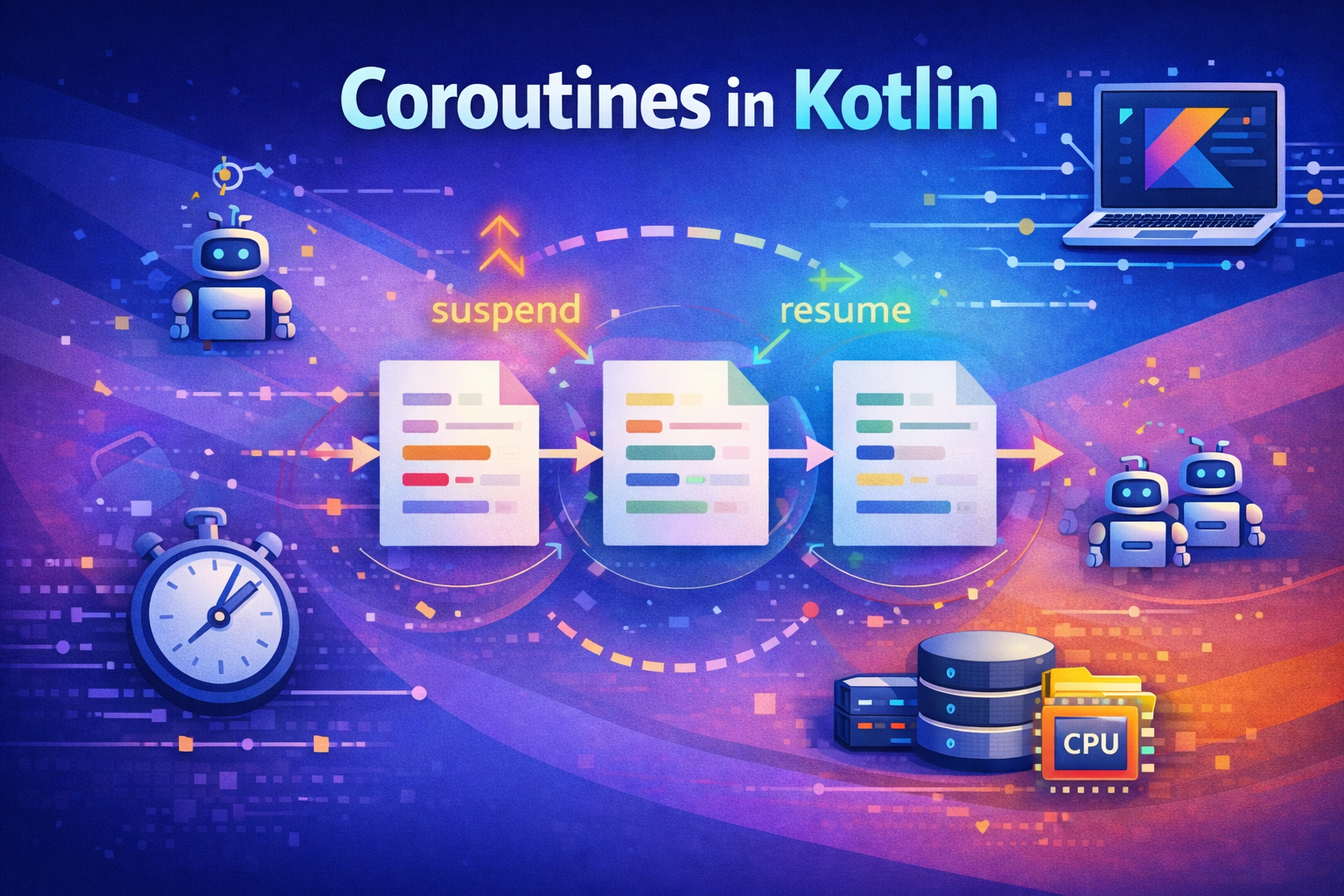
A coroutine is a piece of code that can pause itself (suspend) without blocking the thread it’s running on, and resume later when its work is ready to continue.
Real-world analogy: Imagine a chef who puts a dish in the oven, sets a timer, and goes to prep another dish while waiting. When the timer goes off, they come back to the oven. They never stood there staring — they suspended their work on dish 1, did other things, then resumed. That’s exactly how a coroutine works.
Setting Up Coroutines
Add this to your build.gradle:
dependencies {
    implementation "org.jetbrains.kotlinx:kotlinx-coroutines-android:1.7.3"
    implementation "androidx.lifecycle:lifecycle-viewmodel-ktx:2.7.0"
}
suspend Functions — The Building Block
Before understanding coroutines fully, you need to understand suspend functions. A suspend function is a function that can be paused and resumed. It can only be called from inside a coroutine or another suspend function.
// Regular function — runs and returns immediately
fun getName(): String {
    return "John"
}

// Suspend function — can pause while waiting
suspend fun getUserFromServer(): String {
    delay(1000)          // pauses for 1 second (doesn't block thread)
    return "John"        // then resumes and returns
}
delay() is itself a suspend function — it pauses the coroutine without blocking the thread, unlike Thread.sleep() which blocks the thread completely.
// Thread.sleep — blocks the thread, nothing else can run
Thread.sleep(1000)

// delay — suspends the coroutine, thread is free to do other work
delay(1000)
Coroutine Builders — How to Start a Coroutine
launch — Fire and Forget
Use launch when you want to start a coroutine but don’t need a result back. It returns a Job you can use to track or cancel the work.
Analogy: You send an email and don’t wait for a reply — you just continue with your day.
viewModelScope.launch {
    val user = userRepository.getUser()
    _userName.value = user.name
}
Practical Android example:
class HomeViewModel : ViewModel() {

    private val _posts = MutableLiveData<List<Post>>()
    val posts: LiveData<List<Post>> = _posts

    fun loadPosts() {
        viewModelScope.launch {
            try {
                val result = withContext(Dispatchers.IO) {
                    api.getPosts()           // network call on background thread
                }
                _posts.value = result        // update LiveData on main thread
            } catch (e: CancellationException) {
                throw e                      // always re-throw cancellation
            } catch (e: Exception) {
                // handle error
            }
        }
    }
}
async — Launch and Get a Result
Use async when you want to run a coroutine and get a result back. It returns a Deferred — like a promise that will hold the result.
Analogy: You order something online. You get a tracking number (Deferred). You can check back later to see if it arrived. When you call
.await(), you’re checking if the package has arrived — and if not, you wait.
viewModelScope.launch {
    // Start both requests at the SAME TIME
    val userDeferred = async(Dispatchers.IO) { api.getUser() }
    val postsDeferred = async(Dispatchers.IO) { api.getPosts() }

    // Wait for BOTH to finish
    val user = userDeferred.await()
    val posts = postsDeferred.await()

    // Both are done — update UI
    showProfile(user, posts)
}
This is powerful — both network calls run in parallel. If each takes 1 second, the total time is 1 second, not 2.
Why you should NOT use viewModelScope.async { } directly
Technically, you can write viewModelScope.async { } — it compiles. But it’s a pattern you should avoid:
// ❌ BAD — async directly on the scope
fun loadProfile(userId: String) {
    val deferred = viewModelScope.async {
        repository.getUser(userId)
    }
    // Problem 1: Who calls await()? You need another coroutine to await!
    // Problem 2: If you never await, the exception is SILENTLY lost
    // Problem 3: Even without await, exception still propagates to parent
    //            and can crash if no CoroutineExceptionHandler is set up
}

// ❌ BAD — calling await() on Main thread would need another coroutine anyway
fun loadProfile(userId: String) {
    val deferred = viewModelScope.async(Dispatchers.IO) {
        repository.getUser(userId)
    }
    // Can't call deferred.await() here — await() is a suspend function!
    // You'd need to wrap it in launch... so why not just use launch from the start?
}

// ✅ CORRECT — async INSIDE launch or coroutineScope
fun loadProfile(userId: String) {
    viewModelScope.launch {
        try {
            val user = coroutineScope {
                async(Dispatchers.IO) { repository.getUser(userId) }
            }.await()
            _uiState.value = UiState.Success(user)
        } catch (e: CancellationException) {
            throw e
        } catch (e: Exception) {
            _uiState.value = UiState.Error(e.message ?: "Unknown error")
        }
    }
}

// ✅ CORRECT — multiple async inside launch for parallel work
fun loadDashboard() {
    viewModelScope.launch {
        try {
            val (user, posts) = coroutineScope {
                val u = async(Dispatchers.IO) { repository.getUser() }
                val p = async(Dispatchers.IO) { repository.getPosts() }
                Pair(u.await(), p.await())
            }
            _uiState.value = UiState.Success(user, posts)
        } catch (e: CancellationException) {
            throw e
        } catch (e: Exception) {
            _uiState.value = UiState.Error(e.message ?: "Unknown error")
        }
    }
}
Why this matters:
asyncis designed for parallel decomposition inside an existing coroutine — not as a top-level entry pointawait()is a suspend function — you need to be inside a coroutine to call it, so you needlaunchanyway- If an
asynccoroutine fails and you never callawait(), the exception still propagates to the parent scope (becauseasyncis a child of the scope’s Job) — this can crash your app - Wrapping
asyncincoroutineScopeensures proper structured concurrency — if one fails, the other is cancelled
Rule of thumb: Use launch as the entry point from a scope. Use async inside that launch (or inside coroutineScope/supervisorScope) when you need parallel work.
launch vs async — when to use which:
// launch — you don't need the result (entry point)
viewModelScope.launch {
    analytics.logEvent("screen_viewed")  // fire and forget
}

// async — you need parallel results (INSIDE launch/coroutineScope)
viewModelScope.launch {
    coroutineScope {
        val token = async { authService.getToken() }
        val profile = async { profileService.getProfile() }
        setupDashboard(token.await(), profile.await())
    }
}
withContext — Switch Dispatcher (Not a Builder)
withContext is a suspend function, not a coroutine builder. This is an important distinction. launch and async create new coroutines. withContext does not — it switches the current coroutine’s execution to a different dispatcher, runs the block, and then switches back.
viewModelScope.launch {
    // Currently on Main thread
    println("1. Before withContext")       // runs on Main

    val data = withContext(Dispatchers.IO) {
        println("2. Inside withContext")   // runs on IO thread
        database.getAllPosts()             // heavy work on IO
    }
    // withContext SUSPENDS here — the coroutine WAITS for the result
    // The Main thread is FREE during this time (not blocked)

    println("3. After withContext")        // runs on Main AFTER result is ready
    adapter.submitList(data)               // data is guaranteed to be ready

    // Output order is ALWAYS: 1, 2, 3
    // Code after withContext ONLY runs after it returns
}
Key point: withContext is sequential. The coroutine suspends at withContext and does not move to the next line until the block finishes and returns the result. The thread is not blocked — the coroutine is suspended, and the thread is free to do other work.
withContext is sequential — async is parallel
// withContext — SEQUENTIAL (one after the other)
viewModelScope.launch {
    val user = withContext(Dispatchers.IO) { api.getUser() }       // 1 second
    val posts = withContext(Dispatchers.IO) { api.getPosts() }     // 1 second
    // Total time: 2 seconds (second call WAITS for first to finish)
    showProfile(user, posts)
}

// async — PARALLEL (both at the same time)
viewModelScope.launch {
    val user = async(Dispatchers.IO) { api.getUser() }     // starts immediately
    val posts = async(Dispatchers.IO) { api.getPosts() }   // starts immediately
    // Total time: 1 second (both run at the same time)
    showProfile(user.await(), posts.await())
}
When to use which
// Use withContext when:
// - You have a SINGLE background operation
// - Operations must run SEQUENTIALLY (one after another)
// - You just need to switch dispatchers temporarily

viewModelScope.launch {
    showLoading(true)
    val data = withContext(Dispatchers.IO) { repository.getData() }
    showLoading(false)
    display(data)
}

// Use async when:
// - You have MULTIPLE independent operations
// - Operations can run in PARALLEL
// - You want to combine results from multiple sources

viewModelScope.launch {
    coroutineScope {
        val user = async(Dispatchers.IO) { api.getUser() }
        val feed = async(Dispatchers.IO) { api.getFeed() }
        showDashboard(user.await(), feed.await())
    }
}
withContext vs launch vs async — summary
// launch  — BUILDER: creates a new coroutine, returns Job, no result
// async   — BUILDER: creates a new coroutine, returns Deferred<T>, has result
// withContext — SUSPEND FUNCTION: switches dispatcher, suspends until done, returns result

// launch and async create NEW coroutines (children of the current one)
// withContext does NOT create a new coroutine — it runs in the SAME coroutine
runBlocking — Bridge to the Coroutine World
runBlocking starts a coroutine and blocks the current thread until it finishes. This is the opposite of what coroutines normally do — so you should only use it in specific situations:
// In main() function
fun main() = runBlocking {
    val data = fetchData()   // can call suspend functions here
    println(data)
}

// In unit tests
@Test
fun testFetchUser() = runBlocking {
    val user = repository.getUser("123")
    assertEquals("Alice", user.name)
}

// ❌ Never use runBlocking in Android UI code
// It blocks the thread — defeats the purpose of coroutines
// Use viewModelScope.launch or lifecycleScope.launch instead
Coroutine Scopes — Where Coroutines Live
A coroutine scope defines the lifetime of coroutines. When a scope is cancelled, all coroutines inside it are cancelled too. This prevents memory leaks and wasted background work.
viewModelScope — For ViewModels
The most common scope in Android. Automatically cancelled when the ViewModel is destroyed.
class ArticleViewModel : ViewModel() {

    fun loadArticle(id: Int) {
        viewModelScope.launch {
            try {
                val article = withContext(Dispatchers.IO) {
                    repository.getArticle(id)
                }
                _article.value = article
            } catch (e: CancellationException) {
                throw e
            } catch (e: Exception) {
                _error.value = e.message
            }
        }
    }

    // When ViewModel is cleared, all coroutines cancel automatically
    // No manual cleanup needed!
}
lifecycleScope — For Activities and Fragments
Automatically cancelled when the Activity or Fragment is destroyed.
class HomeFragment : Fragment() {

    override fun onViewCreated(view: View, savedInstanceState: Bundle?) {
        super.onViewCreated(view, savedInstanceState)

        viewLifecycleOwner.lifecycleScope.launch {
            viewLifecycleOwner.repeatOnLifecycle(Lifecycle.State.STARTED) {
                viewModel.uiState.collect { state ->
                    updateUI(state)
                }
            }
        }
    }
}
coroutineScope — For Grouping Work
Creates a temporary scope that waits for all its children to finish before returning. If any child fails, all other children are cancelled.
suspend fun loadDashboard() = coroutineScope {
    // Both run in parallel, function doesn't return until BOTH finish
    val stats = async { repository.getStats() }
    val notifications = async { repository.getNotifications() }

    DashboardData(
        stats = stats.await(),
        notifications = notifications.await()
    )
}

// If getStats() fails, getNotifications() is automatically cancelled
// This is "all or nothing" — either everything succeeds or everything stops
supervisorScope — Independent Failures
In a normal coroutineScope, if one child fails, all others are cancelled. supervisorScope prevents this — each child is independent.
supervisorScope {
    launch {
        // Even if this fails...
        val ads = adService.loadAds()
        showAds(ads)
    }

    launch {
        // ...this still runs normally
        val articles = repository.getArticles()
        showArticles(articles)
    }
}

// supervisorScope is useful when tasks are independent:
// Failing to load ads shouldn't prevent showing articles
GlobalScope — When to Use and When to Avoid
GlobalScope lives for the entire app lifetime. Coroutines launched here are never automatically cancelled — which is exactly why it’s dangerous in most cases, but useful in a few specific situations.
// ❌ WRONG — GlobalScope in ViewModel or UI
// Keeps running even after user leaves the screen = memory leak
GlobalScope.launch {
    val articles = repository.getArticles()
    _articles.value = articles   // updating dead UI!
}

// ✅ Use viewModelScope or lifecycleScope instead
viewModelScope.launch {
    val articles = repository.getArticles()
    _articles.value = articles   // automatically cancelled when ViewModel clears
}
Legitimate use cases for GlobalScope (or an app-level scope):
// 1. Analytics / Logging — should complete even if user navigates away
GlobalScope.launch(Dispatchers.IO) {
    analytics.logEvent("purchase_completed", purchaseData)
    // If user leaves the screen mid-purchase, we still want to log it
}

// 2. Pre-fetching / Warming caches at app startup
class MyApplication : Application() {
    override fun onCreate() {
        super.onCreate()
        GlobalScope.launch(Dispatchers.IO) {
            configRepository.fetchRemoteConfig()
            imageLoader.preloadCriticalImages()
        }
    }
}

// 3. Sending pending data that must not be lost
GlobalScope.launch(Dispatchers.IO) {
    offlineQueue.syncPendingUploads()
    // Must complete even if the triggering screen is gone
}
Better alternative: create an app-level scope with proper structure instead of using GlobalScope directly:
// Define in your Application class or DI module
val appScope = CoroutineScope(
    SupervisorJob() +                         // children are independent
    Dispatchers.Default +                     // default dispatcher
    CoroutineExceptionHandler { _, e ->       // catch uncaught exceptions
        Log.e("AppScope", "Coroutine failed", e)
    }
)

// Usage — same as GlobalScope but with proper error handling
appScope.launch(Dispatchers.IO) {
    analytics.logEvent("purchase_completed", purchaseData)
}

// Why this is better than GlobalScope:
// - You control the exception handler (GlobalScope has none)
// - SupervisorJob means one failure doesn't affect other coroutines
// - You can cancel appScope in Application.onTerminate() if needed
// - Easier to inject and test
Managing Jobs — Control Your Coroutines
Every launch returns a Job. You can use it to check status, wait, or cancel.
val job = viewModelScope.launch {
    repeat(10) { i ->
        println("Working: $i")
        delay(500)
    }
}

println(job.isActive)     // true while running
println(job.isCompleted)  // true when done
println(job.isCancelled)  // true if cancelled

job.cancel()              // cancel it
job.cancelAndJoin()       // cancel and wait for cleanup to finish
Real use case — cancel previous search when user types a new query:
class SearchViewModel : ViewModel() {

    private var searchJob: Job? = null

    fun search(query: String) {
        searchJob?.cancel()  // cancel previous search

        searchJob = viewModelScope.launch {
            delay(300)  // debounce — wait before searching
            val results = withContext(Dispatchers.IO) {
                searchRepository.search(query)
            }
            _results.value = results
        }
    }
}
Handling Errors in Coroutines
try-catch
viewModelScope.launch {
    try {
        val data = withContext(Dispatchers.IO) {
            api.fetchData()
        }
        _data.value = data
    } catch (e: CancellationException) {
        throw e   // always re-throw — never swallow cancellation
    } catch (e: IOException) {
        _error.value = "No internet connection"
    } catch (e: HttpException) {
        _error.value = "Server error: ${e.code()}"
    }
}
Always Re-throw CancellationException
When a coroutine is cancelled, a CancellationException is thrown. Never swallow it — always re-throw it so the cancellation propagates correctly:
// ❌ BAD — catches CancellationException along with other exceptions
viewModelScope.launch {
    try {
        doLongWork()
    } catch (e: Exception) {
        handleError(e)   // this catches CancellationException too!
    }
}

// ✅ GOOD — re-throw CancellationException explicitly
viewModelScope.launch {
    try {
        doLongWork()
    } catch (e: CancellationException) {
        throw e          // always re-throw this
    } catch (e: Exception) {
        handleError(e)   // handle real errors here
    } finally {
        cleanUp()        // always runs — success, error, or cancel
    }
}
Real-World Example — Full ViewModel
Here’s a complete, realistic ViewModel that loads a user profile and posts simultaneously:
class ProfileViewModel(
    private val userRepository: UserRepository,
    private val postRepository: PostRepository
) : ViewModel() {

    private val _uiState = MutableStateFlow<ProfileUiState>(ProfileUiState.Loading)
    val uiState: StateFlow<ProfileUiState> = _uiState

    fun loadProfile(userId: String) {
        viewModelScope.launch {
            _uiState.value = ProfileUiState.Loading

            try {
                // coroutineScope ensures structured concurrency:
                // if one async fails, the other is cancelled automatically
                val (user, posts) = coroutineScope {
                    val userDeferred = async(Dispatchers.IO) {
                        userRepository.getUser(userId)
                    }
                    val postsDeferred = async(Dispatchers.IO) {
                        postRepository.getUserPosts(userId)
                    }
                    Pair(userDeferred.await(), postsDeferred.await())
                }

                _uiState.value = ProfileUiState.Success(user, posts)

            } catch (e: CancellationException) {
                throw e   // always re-throw — coroutine was cancelled
            } catch (e: Exception) {
                _uiState.value = ProfileUiState.Error(e.message ?: "Unknown error")
            }
        }
    }
}

sealed interface ProfileUiState {
    data object Loading : ProfileUiState
    data class Success(val user: User, val posts: List<Post>) : ProfileUiState
    data class Error(val message: String) : ProfileUiState
}
Quick Reference
// COROUTINE BUILDERS (create new coroutines)
// ┌──────────────────┬──────────────────┬─────────────────────────────────────┐
// │ Builder          │ Returns          │ Use When                            │
// ├──────────────────┼──────────────────┼─────────────────────────────────────┤
// │ launch           │ Job              │ Fire and forget, no result needed   │
// │ async            │ Deferred<T>      │ Need a result, run in parallel      │
// │ runBlocking      │ T                │ Tests and main() only (blocks!)     │
// └──────────────────┴──────────────────┴─────────────────────────────────────┘

// SUSPEND FUNCTIONS (run in the current coroutine)
// ┌──────────────────┬──────────────────┬─────────────────────────────────────┐
// │ Function         │ Returns          │ Use When                            │
// ├──────────────────┼──────────────────┼─────────────────────────────────────┤
// │ withContext      │ T                │ Switch dispatcher, sequential work  │
// │ coroutineScope   │ T                │ Group parallel work (all-or-nothing)│
// │ supervisorScope  │ T                │ Group parallel work (independent)   │
// │ delay            │ Unit             │ Pause without blocking the thread   │
// └──────────────────┴──────────────────┴─────────────────────────────────────┘

// SCOPES (define coroutine lifetime)
// ┌──────────────────┬───────────────────────────┬─────────────────────────────┐
// │ Scope            │ Lifetime                  │ Use In                      │
// ├──────────────────┼───────────────────────────┼─────────────────────────────┤
// │ viewModelScope   │ Until ViewModel cleared   │ ViewModel                   │
// │ lifecycleScope   │ Until Activity/Fragment    │ Activity, Fragment          │
// │                  │ destroyed                 │                             │
// │ GlobalScope      │ Entire app lifetime       │ Analytics, logging only     │
// │                  │ (never cancelled)         │ (prefer custom app scope)   │
// └──────────────────┴───────────────────────────┴─────────────────────────────┘
Summary
- Coroutines let you write asynchronous code that reads like normal sequential code
suspendfunctions can pause without blocking the threadlaunchandasyncare coroutine builders — they create new coroutines.withContextis a suspend function — it switches the current coroutine’s dispatcher without creating a new one- Use
launchfor fire-and-forget,asyncfor parallel work with results,withContextto switch dispatchers sequentially withContextsuspends until its block completes — the next line runs only after the result is returned- Always use
viewModelScopeorlifecycleScopein Android — they handle cancellation automatically - Use
coroutineScopefor all-or-nothing parallel tasks andsupervisorScopewhen tasks should be independent - Always re-throw
CancellationException— never swallow it in a genericcatch (e: Exception) - Use a
Jobreference when you need to cancel ongoing work (search debounce, cancel-and-restart) - Wrap
asynccalls incoroutineScopefor proper structured concurrency — ensures all children are cancelled on failure - Use
runBlockingonly in tests andmain()— never in Android UI code
Coroutines are one of the best things to happen to Android development. Once you get comfortable with them, you’ll never want to go back to callbacks or threads.
Happy coding!
Comments (0)