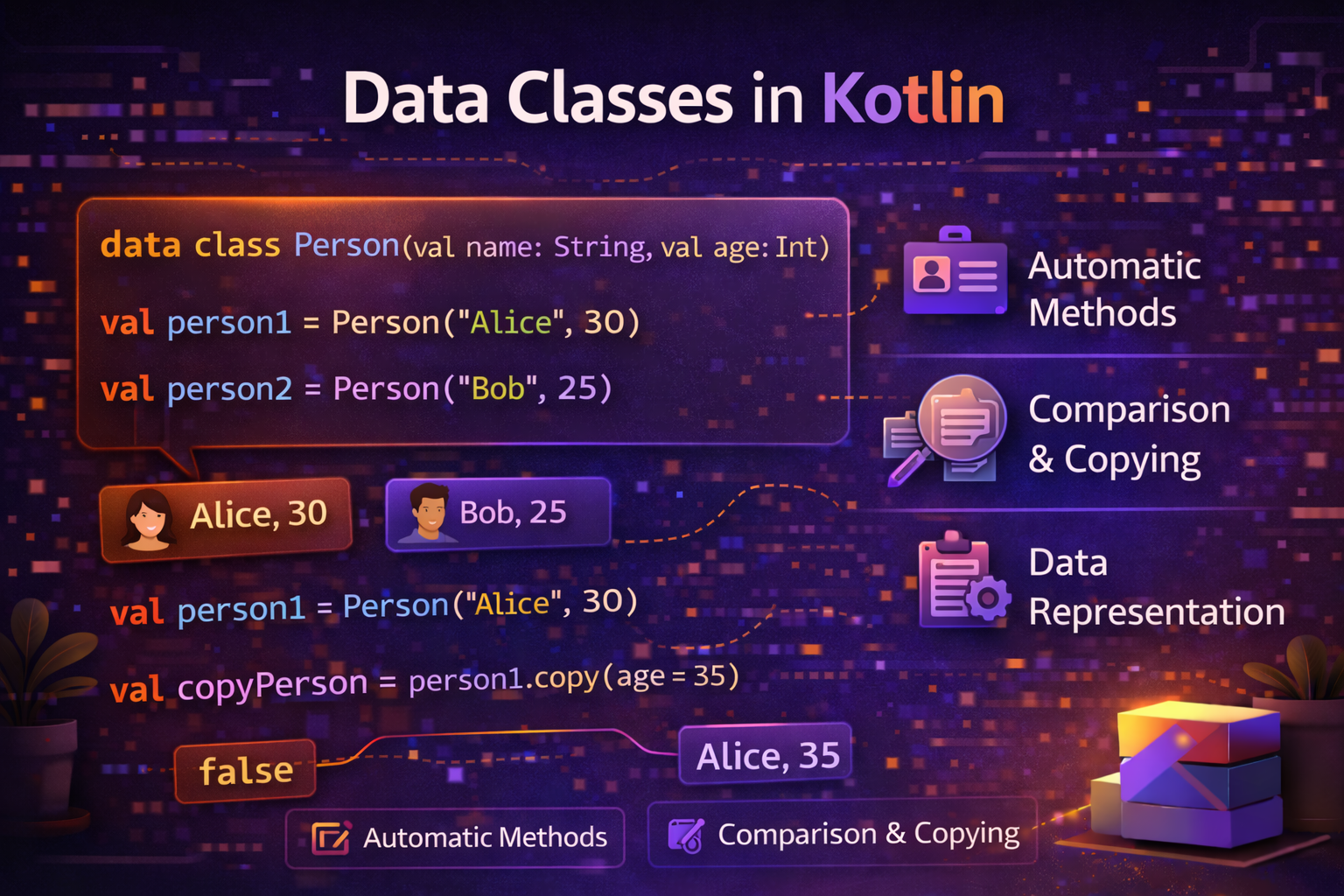
In almost every Android app, you need model classes — a User, an Article, a Product. In Java, creating these means writing constructors, getters, setters, toString(), equals(), and hashCode() — all manually, all repetitive, all error-prone. Kotlin's data class generates all of this automatically in a single line. This guide covers everything about data classes with practical examples.
The Problem Data Classes Solve
Let's say you need a simple User model with three fields.
Java — 40+ lines:
public class User {
    private String name;
    private int age;
    private String email;

    public User(String name, int age, String email) {
        this.name = name;
        this.age = age;
        this.email = email;
    }

    public String getName() { return name; }
    public int getAge() { return age; }
    public String getEmail() { return email; }

    public void setName(String name) { this.name = name; }
    public void setAge(int age) { this.age = age; }
    public void setEmail(String email) { this.email = email; }

    @Override
    public String toString() {
        return "User{name='" + name + "', age=" + age + ", email='" + email + "'}";
    }

    @Override
    public boolean equals(Object o) {
        if (this == o) return true;
        if (!(o instanceof User)) return false;
        User user = (User) o;
        return age == user.age &&
               Objects.equals(name, user.name) &&
               Objects.equals(email, user.email);
    }

    @Override
    public int hashCode() {
        return Objects.hash(name, age, email);
    }
}
Kotlin data class — 1 line:
data class User(val name: String, val age: Int, val email: String)Same result. All of the above is generated automatically.
What Does data class Generate?
When you declare a data class, Kotlin automatically generates:
| Generated | What It Does |
|---|---|
| Constructor | Creates objects with all properties |
toString() |
Readable string representation |
equals() |
Compares by content, not reference |
hashCode() |
Consistent with equals() |
copy() |
Creates a modified copy |
componentN() |
Enables destructuring |
data class User(val name: String, val age: Int, val email: String)

val user = User("Alice", 25, "alice@email.com")

// toString() — auto-generated
println(user)
// User(name=Alice, age=25, email=alice@email.com)

// equals() — compares by content
val user2 = User("Alice", 25, "alice@email.com")
println(user == user2)   // true — same content
println(user === user2)  // false — different objects in memory

// copy() — create modified version
val updatedUser = user.copy(age = 26)
println(updatedUser)
// User(name=Alice, age=26, email=alice@email.com)
println(user)            // original unchanged
// User(name=Alice, age=25, email=alice@email.com)

// Destructuring — componentN()
val (name, age, email) = user
println("$name is $age years old")  // Alice is 25 years old
copy() — Creating Modified Copies
copy() is one of the most useful features of data classes. It creates a new object with the same values, except for the ones you explicitly change.
data class Article(
    val id: Int,
    val title: String,
    val content: String,
    val isPublished: Boolean = false,
    val viewCount: Int = 0,
    val tags: List<String> = emptyList()
)

val draft = Article(
    id = 1,
    title = "Kotlin Data Classes",
    content = "Everything you need to know..."
)

// Publish the article — only change isPublished
val published = draft.copy(isPublished = true)

// Update view count — only change viewCount
val viewed = published.copy(viewCount = published.viewCount + 1)

// Add tags — only change tags
val tagged = viewed.copy(tags = listOf("Kotlin", "Android", "Basics"))

println(draft.isPublished)     // false — original unchanged
println(published.isPublished) // true
println(tagged.tags)           // [Kotlin, Android, Basics]
Why copy() matters — immutability:
Data classes with val properties are immutable — you can't change them after creation. Instead of modifying an object, you create a new one with copy(). This is the foundation of safe, predictable code, especially in ViewModels and state management.
// Instead of mutating state
uiState.isLoading = true   // ❌ dangerous if state is shared

// Create a new state with copy
_uiState.value = _uiState.value.copy(isLoading = true)  // ✅ safe
equals() and hashCode() — Content Comparison
By default, Kotlin (and Java) objects are compared by reference — two variables are equal only if they point to the exact same object in memory. Data classes override this to compare by content instead.
// Regular class — reference comparison
class PointRegular(val x: Int, val y: Int)

val p1 = PointRegular(1, 2)
val p2 = PointRegular(1, 2)
println(p1 == p2)   // false — different objects in memory

// Data class — content comparison
data class Point(val x: Int, val y: Int)

val p3 = Point(1, 2)
val p4 = Point(1, 2)
println(p3 == p4)   // true — same content
This matters a lot when:
- Checking if a user is already in a list
- Comparing API responses with cached data
- Using objects as map keys
- Detecting changes in LiveData / StateFlow
data class User(val id: String, val name: String)

val users = setOf(User("1", "Alice"), User("2", "Bob"))
println(User("1", "Alice") in users)   // true — data class finds it by content
Destructuring
Data classes automatically support destructuring — unpacking an object's properties into individual variables.
data class Coordinate(val lat: Double, val lng: Double)
data class Article(val id: Int, val title: String, val author: String)

val location = Coordinate(28.6139, 77.2090)
val (lat, lng) = location
println("Lat: $lat, Lng: $lng")   // Lat: 28.6139, Lng: 77.209

val article = Article(1, "Kotlin Guide", "John")
val (id, title, author) = article
println("$id: $title by $author")   // 1: Kotlin Guide by John
Destructuring in loops:
val articles = listOf(
    Article(1, "Kotlin Basics", "Alice"),
    Article(2, "Coroutines", "Bob"),
    Article(3, "Jetpack Compose", "Charlie")
)

for ((id, title, author) in articles) {
    println("[$id] $title — $author")
}
// [1] Kotlin Basics — Alice
// [2] Coroutines — Bob
// [3] Jetpack Compose — Charlie
Skip a component with _:
val article = Article(1, "Kotlin Guide", "John")
val (_, title, _) = article   // only care about title
println(title)   // Kotlin Guide
Data Class Requirements and Limitations
Requirements
- Must have at least one property in the primary constructor
- Properties in the primary constructor must be
valorvar
Limitations
- Cannot be
abstract,open,sealed, orinner - Can extend other classes and implement interfaces (since Kotlin 1.1)
interface Displayable {
    fun display(): String
}

abstract class Entity(val id: Int)

// Data class extending class and implementing interface
data class Product(
    val productId: Int,
    val name: String,
    val price: Double
) : Entity(productId), Displayable {
    override fun display() = "$name — $$price"
}
Properties Outside the Primary Constructor
Only properties declared in the primary constructor are used in equals(), hashCode(), toString(), and copy(). Properties defined in the class body are ignored by these generated functions.
data class User(val name: String, val email: String) {
    var isLoggedIn: Boolean = false   // NOT included in equals/hashCode/toString
    val nameLength: Int get() = name.length  // NOT included either
}

val u1 = User("Alice", "alice@email.com")
val u2 = User("Alice", "alice@email.com")
u1.isLoggedIn = true

println(u1 == u2)   // true — isLoggedIn is ignored in equals()
println(u1)         // User(name=Alice, email=alice@email.com) — isLoggedIn not shown
This is intentional — keep your data class constructor properties to the core identity of the object.
Nested Data Classes
Data classes can contain other data classes:
data class Address(
    val street: String,
    val city: String,
    val country: String,
    val zipCode: String
)

data class User(
    val id: String,
    val name: String,
    val email: String,
    val address: Address
)

val user = User(
    id = "u001",
    name = "Alice",
    email = "alice@email.com",
    address = Address(
        street = "123 Main St",
        city = "New York",
        country = "USA",
        zipCode = "10001"
    )
)

println(user)
// User(id=u001, name=Alice, email=alice@email.com,
//      address=Address(street=123 Main St, city=New York, country=USA, zipCode=10001))

// Update just the city using nested copy
val movedUser = user.copy(
    address = user.address.copy(city = "Los Angeles", zipCode = "90001")
)
println(movedUser.address.city)   // Los Angeles
println(user.address.city)        // New York — original unchanged
Data Classes for API Responses
This is one of the most common uses — modeling JSON responses with data classes:
data class ApiResponse<T>(
    val success: Boolean,
    val data: T?,
    val message: String?,
    val errorCode: Int? = null
)

data class ArticleResponse(
    val id: Int,
    val title: String,
    val content: String,
    val author: AuthorResponse,
    val publishedAt: String,
    val tags: List<String>,
    val viewCount: Int
)

data class AuthorResponse(
    val id: Int,
    val name: String,
    val avatarUrl: String?
)

// With Gson/Moshi — maps directly to/from JSON
// {
//   "id": 1,
//   "title": "Kotlin Data Classes",
//   "content": "...",
//   "author": { "id": 5, "name": "John", "avatarUrl": null },
//   "publishedAt": "2026-01-15",
//   "tags": ["Kotlin", "Android"],
//   "viewCount": 1250
// }
Data Classes for UI State
A powerful pattern in modern Android — using data classes to represent the complete UI state:
data class ArticleListUiState(
    val isLoading: Boolean = false,
    val articles: List<Article> = emptyList(),
    val errorMessage: String? = null,
    val selectedCategory: String = "All",
    val searchQuery: String = "",
    val hasMorePages: Boolean = true
)

class ArticleViewModel : ViewModel() {

    private val _uiState = MutableStateFlow(ArticleListUiState())
    val uiState: StateFlow<ArticleListUiState> = _uiState

    fun loadArticles() {
        // Update only isLoading — copy() keeps everything else the same
        _uiState.value = _uiState.value.copy(isLoading = true, errorMessage = null)

        viewModelScope.launch {
            try {
                val articles = repository.getArticles()
                _uiState.value = _uiState.value.copy(
                    isLoading = false,
                    articles = articles
                )
            } catch (e: Exception) {
                _uiState.value = _uiState.value.copy(
                    isLoading = false,
                    errorMessage = e.message
                )
            }
        }
    }

    fun selectCategory(category: String) {
        _uiState.value = _uiState.value.copy(selectedCategory = category)
        loadArticles()
    }

    fun updateSearch(query: String) {
        _uiState.value = _uiState.value.copy(searchQuery = query)
    }
}
This pattern — a single data class representing all UI state, updated with copy() — is used in almost every modern Android app.
data class vs Regular class — When to Use Which
Use data class when |
Use regular class when |
|---|---|
| Modeling data (API response, DB entity, UI state) | Modeling behavior (Repository, ViewModel, Manager) |
Need equals() by content |
Need equals() by reference (default) |
Need copy() |
Need inheritance with open |
Need toString() for debugging |
Have complex logic and lifecycle |
| Simple value holders | Android components (Activity, Fragment, Service) |
// ✅ Use data class
data class Article(val id: Int, val title: String)
data class LoginUiState(val isLoading: Boolean, val error: String?)
data class UserPreferences(val theme: String, val language: String)

// ✅ Use regular class
class ArticleRepository(private val api: ApiService)
class LoginViewModel(private val authService: AuthService) : ViewModel()
class ImageLoader(private val context: Context)
Common Mistakes to Avoid
Mistake 1: Using var when val is sufficient
// ❌ Mutable data class — loses immutability benefits
data class User(var name: String, var age: Int)

// ✅ Prefer val — use copy() to "change" values
data class User(val name: String, val age: Int)
val updated = user.copy(age = 26)
Mistake 2: Putting business logic in data classes
// ❌ Data class doing too much
data class User(val name: String, val email: String) {
    fun sendWelcomeEmail() { /* ... */ }
    fun validateEmail(): Boolean { /* ... */ }
    fun fetchProfilePicture() { /* ... */ }
}

// ✅ Keep data class simple — put logic in a repository or use case
data class User(val name: String, val email: String)

class UserService {
    fun sendWelcomeEmail(user: User) { /* ... */ }
    fun validateEmail(email: String): Boolean { /* ... */ }
}
Mistake 3: Forgetting that body properties are excluded from equals()
data class Product(val id: Int, val name: String) {
    var isInCart: Boolean = false  // excluded from equals!
}

val p1 = Product(1, "Phone")
val p2 = Product(1, "Phone")
p1.isInCart = true

println(p1 == p2)  // true — isInCart is ignored
// This might be surprising — make sure it's what you want
Mistake 4: Empty data class
// ❌ Data class with no constructor properties
data class Empty()   // pointless — use object instead

// ✅ Use object for singletons with no data
object EmptyState
Summary
data classautomatically generatestoString(),equals(),hashCode(),copy(), andcomponentN()- Use
copy()to create modified versions of an object — the foundation of immutable state management equals()compares by content — two data class instances with the same values are equal- Only constructor properties are included in generated functions — body properties are excluded
- Destructuring lets you unpack data class properties into variables with
val (a, b, c) = object - Use data classes for models, API responses, database entities, and UI state
- Keep data classes simple — just data, minimal behavior
- Prefer
valovervarin data classes to maintain immutability
Data classes are one of the most used features in Kotlin Android development. Once you understand copy() with StateFlow, you'll see this pattern in virtually every modern Android codebase.
Happy coding!
Comments (0)