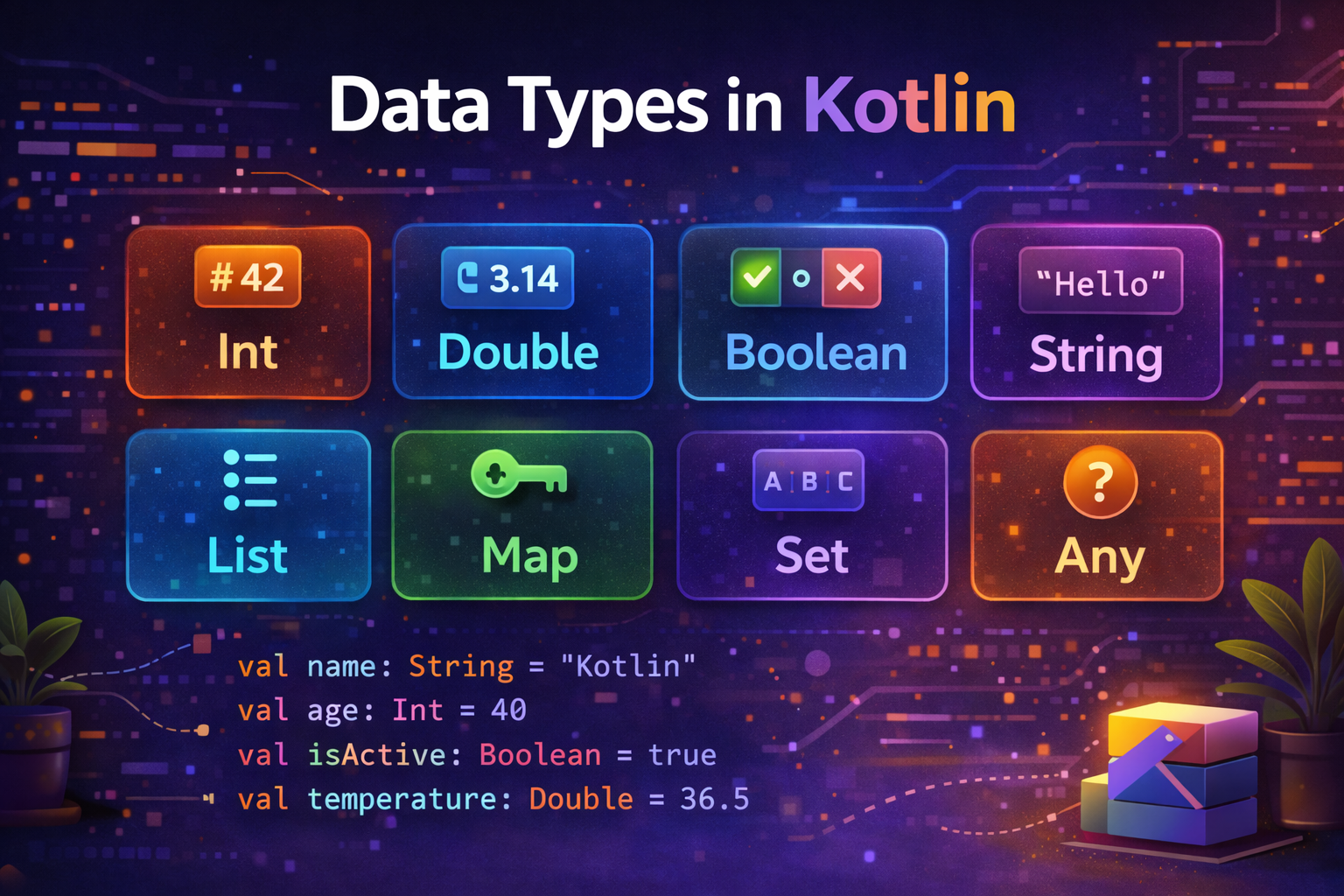
Every value in your program has a type — a number, a piece of text, a true/false value. Kotlin has a rich set of built-in data types that cover everything you'll need. This guide walks through all of them clearly with practical examples so you know exactly when and how to use each one.
What Is a Data Type?
A data type tells Kotlin what kind of value a variable holds and what operations are allowed on it.
val age = 25           // Int — whole number
val price = 9.99       // Double — decimal number
val name = "John"      // String — text
val isActive = true    // Boolean — true or false
val grade = 'A'        // Char — single character
Each type has a specific size in memory and a range of values it can hold. Choosing the right type matters for performance and correctness.
Numbers
Kotlin has six numeric types, split into two groups — integers (whole numbers) and floating-point (decimal numbers).
Integer Types
| Type | Size | Range |
|---|---|---|
Byte |
8 bits | -128 to 127 |
Short |
16 bits | -32,768 to 32,767 |
Int |
32 bits | -2,147,483,648 to 2,147,483,647 |
Long |
64 bits | -9.2 quintillion to 9.2 quintillion |
Int — the most common integer type:
val age = 25
val itemCount = 1000
val year = 2026
val negativeTemp = -10
Long — for very large numbers:
val worldPopulation = 8000000000L    // note the L suffix
val fileSize = 5368709120L           // 5 GB in bytes
val milliseconds = System.currentTimeMillis()  // Long by default
Rule of thumb: Use
Intfor most whole numbers. Switch toLongonly when the value could exceed 2 billion (like timestamps, file sizes, or large counters).
Byte and Short — rarely used directly:
val smallValue: Byte = 100
val mediumValue: Short = 30000
// Mostly used when working with binary data, files, or network protocols
Floating-Point Types
| Type | Size | Precision | Use For |
|---|---|---|---|
Float |
32 bits | ~6-7 decimal digits | Less precision needed, saves memory |
Double |
64 bits | ~15-16 decimal digits | Most decimal calculations |
Double — the default for decimals:
val price = 19.99             // Double by default
val temperature = 36.6
val latitude = 28.6139
val pi = 3.141592653589793
Float — when you explicitly need less precision:
val rating = 4.5f             // note the f suffix
val discount = 0.10f
Rule of thumb: Always use Double for decimals unless you have a specific reason to use Float. Double is more precise and is the default in Kotlin.
Number Literals — Making Them Readable
Kotlin lets you use underscores in numbers to make large values easier to read:
Number Literals — Making Them Readable
Kotlin lets you use underscores in numbers to make large values easier to read:
val million = 1_000_000
val creditCard = 1234_5678_9012_3456L
val hexColor = 0xFF_EC_D8_00      // hexadecimal
val binary = 0b0001_0101          // binary
This is purely cosmetic — the underscores are ignored by the compiler. It just makes your code more readable.
Arithmetic Operations
val a = 10
val b = 3

println(a + b)   // 13 — addition
println(a - b)   // 7  — subtraction
println(a * b)   // 30 — multiplication
println(a / b)   // 3  — integer division (decimal part dropped)
println(a % b)   // 1  — remainder (modulo)
Watch out — integer division drops the decimal:
val result = 10 / 3       // result is 3, NOT 3.333
val result = 10.0 / 3     // result is 3.333... (use Double)
val result = 10 / 3.0     // result is 3.333... (use Double)
Type Conversion
Kotlin does not automatically convert between number types. You must convert explicitly.
val intValue: Int = 42
val longValue: Long = intValue        // ❌ error — no automatic conversion
val longValue: Long = intValue.toLong()  // ✅ explicit conversion
Every number type has conversion functions:
val number = 42

val toByte   = number.toByte()
val toShort  = number.toShort()
val toInt    = number.toInt()
val toLong   = number.toLong()
val toFloat  = number.toFloat()
val toDouble = number.toDouble()
Practical example — converting String input to number:
val input = "123"
val number = input.toInt()       // converts String to Int
val price = "9.99".toDouble()    // converts String to Double

// Safe conversion — returns null if conversion fails
val safe = "abc".toIntOrNull()   // returns null instead of crashing
val safe = "123".toIntOrNull()   // returns 123
Boolean
A Boolean holds one of two values — true or false. It is used for conditions and logic.
val isLoggedIn = true
val hasInternet = false
val isPremiumUser = true
Boolean operators:
val a = true
val b = false

println(a && b)   // false — AND: both must be true
println(a || b)   // true  — OR: at least one must be true
println(!a)       // false — NOT: opposite value
Practical example:
val isLoggedIn = true
val hasPermission = true
val isAdmin = false

val canEdit = isLoggedIn && hasPermission    // true
val canDelete = isLoggedIn && isAdmin        // false
val canView = isLoggedIn || hasPermission    // true
val isGuest = !isLoggedIn                   // false
Char
A Char holds a single character. Use single quotes ' ' for Char values.
val grade: Char = 'A'
val initial: Char = 'J'
val symbol: Char = '@'
val digit: Char = '5'    // this is Char '5', not Int 5
Char operations:
val letter = 'A'
println(letter.code)          // 65 — Unicode code point
println(letter + 1)           // B — next character
println(letter.isUpperCase()) // true
println(letter.isLetter())    // true
println(letter.lowercaseChar()) // a

val digit = '7'
println(digit.isDigit())      // true
println(digit.digitToInt())   // 7 — convert Char digit to Int
Note: Don't confuse Char with String. A Char is a single character with single quotes. A String is text with double quotes.
val c: Char = 'A'       // single character
val s: String = "A"     // String containing one character — different type
String
String is one of the most used types in any program. It holds a sequence of characters — text of any length.
val name = "John Doe"
val empty = ""
val sentence = "Kotlin is awesome!"
String Templates
The most powerful String feature in Kotlin — embed variables and expressions directly:
val name = "John"
val age = 25

val greeting = "Hello, $name!"
val info = "Name: $name, Age: $age"
val calc = "Next year you'll be ${age + 1}"    // use ${} for expressions
val upper = "Name in caps: ${name.uppercase()}" // method calls too
Multiline Strings
Use triple quotes """ for strings that span multiple lines:
val address = """
    123 Main Street
    New York, NY 10001
    USA
""".trimIndent()   // removes the leading whitespace from each line

val html = """
    <html>
        <body>
            <h1>Hello</h1>
        </body>
    </html>
""".trimIndent()
Common String Operations
val text = "Hello, Kotlin!"

println(text.length)                 // 14
println(text.uppercase())            // HELLO, KOTLIN!
println(text.lowercase())            // hello, kotlin!
println(text.contains("Kotlin"))     // true
println(text.startsWith("Hello"))    // true
println(text.endsWith("!"))          // true
println(text.replace("Kotlin", "World"))  // Hello, World!
println(text.substring(7, 13))       // Kotlin
println(text.split(", "))            // [Hello, Kotlin!]
println(text.trim())                 // removes leading/trailing spaces
println(text.isEmpty())              // false
println("".isEmpty())               // true
println("   ".isBlank())            // true — only whitespace
String to Number Conversions
val numStr = "42"
val floatStr = "3.14"

val number = numStr.toInt()           // 42
val decimal = floatStr.toDouble()     // 3.14
val safe = "abc".toIntOrNull()        // null — doesn't crash
Arrays
An array holds a fixed-size collection of elements of the same type.
// Create arrays
val numbers = arrayOf(1, 2, 3, 4, 5)
val names = arrayOf("Alice", "Bob", "Charlie")
val zeros = IntArray(5)                // [0, 0, 0, 0, 0]
val filled = IntArray(5) { it * 2 }   // [0, 2, 4, 6, 8]

// Access elements
println(numbers[0])    // 1 — first element
println(numbers[4])    // 5 — last element
numbers[0] = 10        // modify element

// Array properties
println(numbers.size)  // 5
println(numbers.first()) // 1
println(numbers.last())  // 5

// Iterate
for (number in numbers) {
    println(number)
}
Note: In practice, Kotlin developers use List more often than arrays because Lists have more powerful operations. Arrays are mainly used when working with Java libraries or performance-critical code.
Type Checking and Casting
Check type with is
val obj: Any = "Hello"

if (obj is String) {
    println(obj.length)  // smart cast — no manual cast needed
}

if (obj !is Int) {
    println("Not an integer")
}
Safe cast with as?
val obj: Any = "Hello"

val str = obj as? String   // returns null if cast fails (safe)
val num = obj as? Int      // returns null — obj is not an Int

val forced = obj as String // unsafe cast — crashes if obj is not String
Any — The Root Type
In Kotlin, every type inherits from Any. It's like Object in Java.
val anything: Any = "Hello"  // can hold any type
val anything: Any = 42
val anything: Any = true
Nothing — The Bottom Type
Nothing represents a value that never exists — used for functions that always throw or never return.
fun fail(message: String): Nothing {
    throw IllegalArgumentException(message)
}
Nullable Types — Quick Recap
Every type in Kotlin has a nullable counterpart by adding ?:
var name: String = "John"    // cannot be null
var name: String? = null     // can be null

var age: Int = 25            // cannot be null
var age: Int? = null         // can be null
Practical Example — Putting It All Together
Here's a real-world example using various data types together:
data class Product(
    val id: Int,
    val name: String,
    val price: Double,
    val category: String,
    val isAvailable: Boolean,
    val rating: Float,
    val reviewCount: Long,
    val description: String?    // nullable — some products have no description
)

fun displayProduct(product: Product) {
    println("=== ${product.name} ===")
    println("ID: ${product.id}")
    println("Price: $${product.price}")
    println("Category: ${product.category}")
    println("Rating: ${product.rating}/5.0 (${product.reviewCount} reviews)")
    println("Available: ${if (product.isAvailable) "Yes" else "No"}")
    println("Description: ${product.description ?: "No description available"}")
}

fun main() {
    val product = Product(
        id = 1,
        name = "Android Development Masterclass",
        price = 49.99,
        category = "Education",
        isAvailable = true,
        rating = 4.8f,
        reviewCount = 15_432L,
        description = "Learn Android from scratch to advanced level."
    )
    displayProduct(product)
}
Output:
=== Android Development Masterclass ===
ID: 1
Price: $49.99
Category: Education
Rating: 4.8/5.0 (15432 reviews)
Available: Yes
Description: Learn Android from scratch to advanced level.
Summary
| Type | Use For | Example |
|---|---|---|
Int |
Whole numbers (most common) | val age = 25 |
Long |
Very large whole numbers | val size = 5000000000L |
Double |
Decimal numbers (most common) | val price = 9.99 |
Float |
Decimal numbers (less precision) | val rating = 4.5f |
Boolean |
True/false values | val isActive = true |
Char |
Single character | val grade = 'A' |
String |
Text | val name = "John" |
Array |
Fixed-size collection | val nums = arrayOf(1,2,3) |
- Use
Intfor most whole numbers,Longfor values over 2 billion - Use
Doublefor almost all decimals — it's the default and most precise - Kotlin does not automatically convert between types — use
.toInt(),.toDouble()etc. - Every type has a nullable version by adding
?—Int?,String?, etc. - Use
toIntOrNull()andtoDoubleOrNull()for safe conversion from String
Understanding data types is fundamental — every variable, function parameter, and return value has a type. Getting comfortable with these types makes everything else in Kotlin click naturally.
Happy coding!
Comments (0)