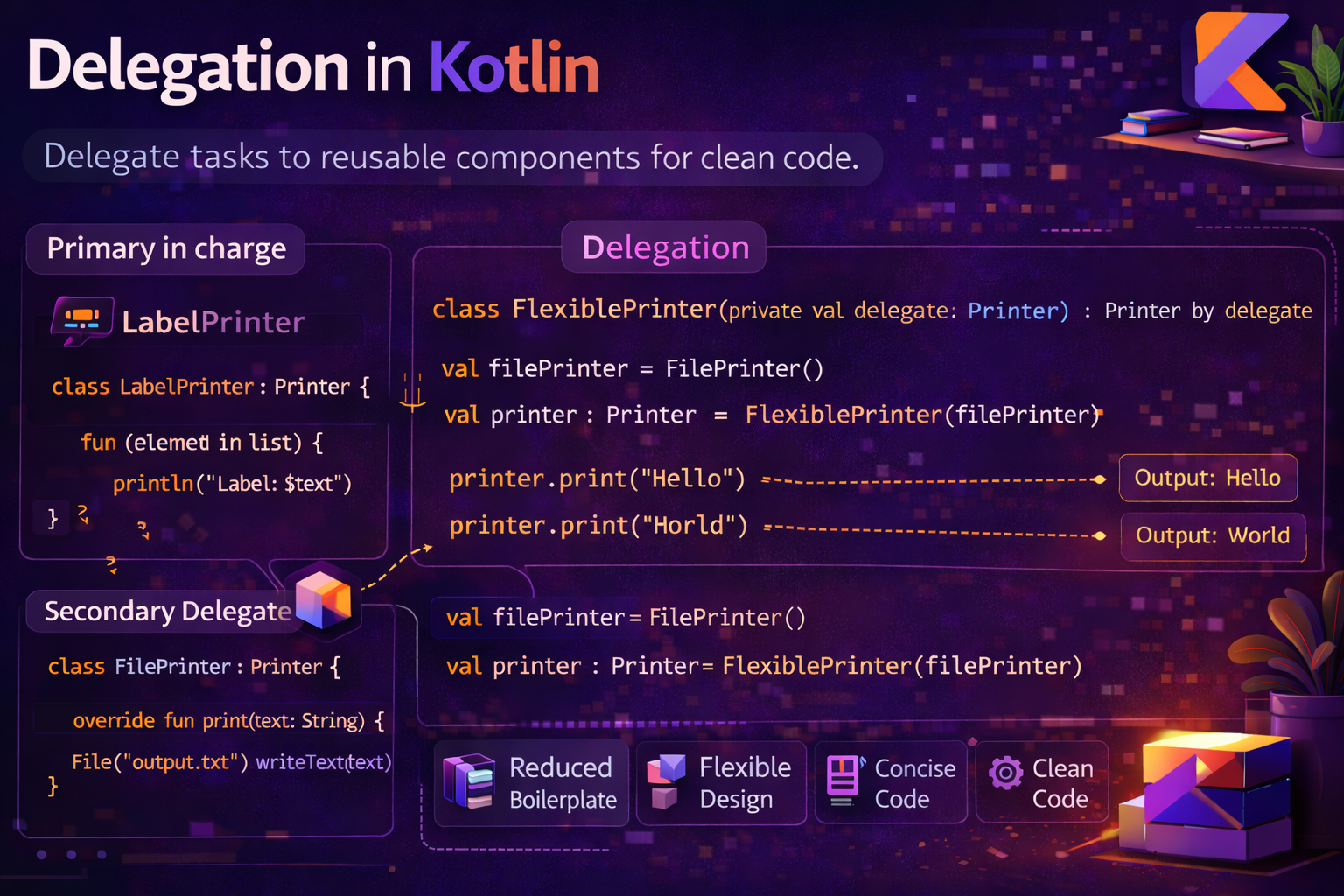
Delegation is one of Kotlin's most practical features. Instead of inheriting behavior, you delegate responsibility to another object — and Kotlin makes this effortless with the by keyword. This guide covers interface delegation, property delegation, lazy, observable, vetoable, and how to write your own custom delegates — all with real Android examples.
What Is Delegation?
Delegation is a design pattern where an object hands off (delegates) some of its responsibilities to another helper object. It's an alternative to inheritance — instead of extending a class to reuse its behavior, you hold an instance of it and forward calls to it.
// Without delegation — manual forwarding
class LoggingList<T>(private val inner: MutableList<T>) : MutableList<T> {
    override fun add(element: T): Boolean {
        println("Adding: $element")
        return inner.add(element)   // manually forward to inner
    }
    override fun remove(element: T): Boolean = inner.remove(element)
    override fun size() = inner.size()
    // ... implement ALL 20+ MutableList methods manually — tedious
}

// With Kotlin delegation — by keyword handles the forwarding
class LoggingList<T>(private val inner: MutableList<T>) : MutableList<T> by inner {
    override fun add(element: T): Boolean {
        println("Adding: $element")
        return inner.add(element)   // only override what you need
    }
    // all other methods automatically forwarded to inner
}
The by keyword tells Kotlin: "implement this interface by forwarding all calls to this object."
Interface Delegation — Class-Level by
Interface delegation lets a class implement an interface by delegating to another object that already implements it.
interface Printer {
    fun print(message: String)
    fun printError(message: String)
}

class ConsolePrinter : Printer {
    override fun print(message: String) = println("LOG: $message")
    override fun printError(message: String) = println("ERROR: $message")
}

// Delegate ALL Printer methods to ConsolePrinter
class App(printer: Printer) : Printer by printer {
    fun run() {
        print("App started")       // delegated to ConsolePrinter
        printError("Test error")   // delegated to ConsolePrinter
    }
}

val app = App(ConsolePrinter())
app.run()
// LOG: App started
// ERROR: Test error
Overriding Specific Methods
You can delegate most methods but override specific ones:
interface Analytics {
    fun trackEvent(name: String)
    fun trackScreen(name: String)
    fun trackError(error: Throwable)
}

class FirebaseAnalytics : Analytics {
    override fun trackEvent(name: String) { /* Firebase impl */ }
    override fun trackScreen(name: String) { /* Firebase impl */ }
    override fun trackError(error: Throwable) { /* Firebase impl */ }
}

// Delegate everything to Firebase, but add extra logging for errors
class AppAnalytics(private val firebase: FirebaseAnalytics) : Analytics by firebase {
    override fun trackError(error: Throwable) {
        println("Critical error tracked: ${error.message}")
        firebase.trackError(error)   // still call Firebase too
    }
    // trackEvent and trackScreen automatically go to firebase
}
Multiple Interface Delegation
interface Logger {
    fun log(message: String)
}

interface Cache {
    fun save(key: String, value: String)
    fun get(key: String): String?
}

class ConsoleLogger : Logger {
    override fun log(message: String) = println(message)
}

class MemoryCache : Cache {
    private val map = mutableMapOf<String, String>()
    override fun save(key: String, value: String) { map[key] = value }
    override fun get(key: String) = map[key]
}

// One class, two delegates
class Repository(
    logger: Logger,
    cache: Cache
) : Logger by logger, Cache by cache {

    fun fetchUser(id: String): String {
        val cached = get(id)   // delegated to MemoryCache
        if (cached != null) {
            log("Cache hit for $id")   // delegated to ConsoleLogger
            return cached
        }
        log("Cache miss for $id")
        val user = "User_$id"   // simulate fetch
        save(id, user)
        return user
    }
}
Property Delegation — Property-Level by
Property delegation lets a property's get/set logic be handled by a delegate object. Instead of writing custom getter/setter logic, you delegate to a class that does it for you.
// The delegate handles get() and set() for the property
val myProperty: String by SomeDelegate()

// Kotlin calls:
// SomeDelegate.getValue(thisRef, property) on get
// SomeDelegate.setValue(thisRef, property, value) on set
Kotlin's standard library ships with several ready-to-use property delegates.
lazy — Initialize Only When First Accessed
lazy delays initialization of a property until the first time it's accessed. The value is then cached and reused on every subsequent access.
class ArticleViewModel : ViewModel() {

    // Not created until first access — then cached forever
    val repository: ArticleRepository by lazy {
        ArticleRepository(ApiService.create(), ArticleDatabase.getInstance())
    }

    val analytics: Analytics by lazy {
        FirebaseAnalytics()
    }
}

val vm = ArticleViewModel()
// repository and analytics not created yet

vm.repository.getArticles()
// Now repository is created — and stays created for all future calls
lazy Thread Safety Modes
// SYNCHRONIZED (default) — thread-safe, one thread initializes
val heavyObject by lazy { HeavyObject() }

// PUBLICATION — multiple threads can initialize, first one wins
val sharedObject by lazy(LazyThreadSafetyMode.PUBLICATION) { SharedObject() }

// NONE — no thread safety, fastest, use only on main thread
val uiObject by lazy(LazyThreadSafetyMode.NONE) { UiHelper() }
Real Android uses of lazy
class MainActivity : AppCompatActivity() {

    // ViewBinding — created once when first needed
    private val binding by lazy { ActivityMainBinding.inflate(layoutInflater) }

    // Heavy helper — only created if this screen is actually used
    private val imageLoader by lazy { ImageLoader(this) }

    // Regex — compiled once, reused
    private val emailRegex by lazy {
        Regex("^[A-Za-z0-9._%+\\-]+@[A-Za-z0-9.\\-]+\\.[A-Za-z]{2,}$")
    }

    override fun onCreate(savedInstanceState: Bundle?) {
        super.onCreate(savedInstanceState)
        setContentView(binding.root)   // binding initialized here, first access
    }
}
// In a singleton — safe lazy initialization
object AppDatabase {
val instance: RoomDatabase by lazy {
Room.databaseBuilder(
AppContext.get(),
ArticleDatabase::class.java,
"articles.db"
).build()
}
}observable — React to Property Changes
Delegates.observable calls a callback every time the property value changes. The callback receives the property, old value, and new value.
import kotlin.properties.Delegates

var name: String by Delegates.observable("initial") { property, oldValue, newValue ->
    println("${property.name} changed: $oldValue → $newValue")
}

name = "Alice"   // name changed: initial → Alice
name = "Bob"     // name changed: Alice → Bob
Real Android uses of observable
class ThemeManager {
    var isDarkMode: Boolean by Delegates.observable(false) { _, oldValue, newValue ->
        if (oldValue != newValue) {
            AppCompatDelegate.setDefaultNightMode(
                if (newValue) AppCompatDelegate.MODE_NIGHT_YES
                else AppCompatDelegate.MODE_NIGHT_NO
            )
        }
    }
}

val themeManager = ThemeManager()
themeManager.isDarkMode = true    // immediately applies dark mode
themeManager.isDarkMode = false   // immediately applies light mode
// Auto-save preferences when property changes
class UserSettings(private val prefs: SharedPreferences) {
var username: String by Delegates.observable(
prefs.getString("username", "") ?: ""
) { _, _, newValue ->
prefs.edit().putString("username", newValue).apply()
}
var notificationsEnabled: Boolean by Delegates.observable(
prefs.getBoolean("notifications", true)
) { _, _, newValue ->
prefs.edit().putBoolean("notifications", newValue).apply()
}
}
// Usage — setting the property automatically saves to prefs
settings.username = "Alice" // saved to SharedPreferences
settings.notificationsEnabled = false // saved to SharedPreferencesvetoable — Conditionally Reject Changes
Delegates.vetoable is like observable but gives you the power to reject a new value by returning false from the callback. If you return false, the property keeps its old value.
var age: Int by Delegates.vetoable(0) { _, _, newValue ->
    newValue >= 0   // only accept non-negative values
}

age = 25    // ✅ accepted — 25 >= 0
println(age)   // 25

age = -5    // ❌ rejected — -5 < 0
println(age)   // still 25

age = 30    // ✅ accepted
println(age)   // 30
// Real use — validated progress bar
var downloadProgress: Int by Delegates.vetoable(0) { _, _, newValue ->
newValue in 0..100 // only accept valid percentage
}
downloadProgress = 50 // ✅ 50
downloadProgress = 150 // ❌ rejected — stays 50
downloadProgress = 100 // ✅ 100
// Validated page number
var currentPage: Int by Delegates.vetoable(1) { _, _, newValue ->
newValue >= 1 // pages start at 1
}
currentPage = 5 // ✅
currentPage = 0 // ❌ rejected — stays 5
currentPage = -1 // ❌ rejected — stays 5notNull — Non-Null Late Initialization
Delegates.notNull() is an alternative to lateinit that works with any type including primitives:
// lateinit doesn't work with primitives
// lateinit var count: Int   // ❌ compile error

// Delegates.notNull() works with any type
var count: Int by Delegates.notNull()
var threshold: Double by Delegates.notNull()

// Must set before reading — throws if accessed before initialization
count = 42
println(count)   // 42

// println(threshold)   // ❌ throws IllegalStateException if not set yet
Custom Property Delegates
You can write your own delegate by implementing getValue and optionally setValue:
import kotlin.reflect.KProperty

// Read-only delegate — only needs getValue
class Logged<T>(private val initialValue: T) {
    private var value = initialValue

    operator fun getValue(thisRef: Any?, property: KProperty<*>): T {
        println("Getting '${property.name}' = $value")
        return value
    }
}

// Read-write delegate — needs both getValue and setValue
class LoggedVar<T>(private var value: T) {
    operator fun getValue(thisRef: Any?, property: KProperty<*>): T {
        println("Getting '${property.name}' = $value")
        return value
    }

    operator fun setValue(thisRef: Any?, property: KProperty<*>, newValue: T) {
        println("Setting '${property.name}': $value → $newValue")
        value = newValue
    }
}

class Config {
    val appName: String by Logged("AndroidNewWorld")
    var version: String by LoggedVar("1.0.0")
}

val config = Config()
println(config.appName)   // Getting 'appName' = AndroidNewWorld
config.version = "1.1.0"  // Setting 'version': 1.0.0 → 1.1.0
println(config.version)   // Getting 'version' = 1.1.0
SharedPreferences delegate — real Android custom delegate
class SharedPrefsDelegate<T>(
    private val prefs: SharedPreferences,
    private val key: String,
    private val defaultValue: T
) {
    @Suppress("UNCHECKED_CAST")
    operator fun getValue(thisRef: Any?, property: KProperty<*>): T {
        return when (defaultValue) {
            is String  -> prefs.getString(key, defaultValue) as T
            is Int     -> prefs.getInt(key, defaultValue) as T
            is Boolean -> prefs.getBoolean(key, defaultValue) as T
            is Float   -> prefs.getFloat(key, defaultValue) as T
            is Long    -> prefs.getLong(key, defaultValue) as T
            else       -> throw IllegalArgumentException("Unsupported type")
        }
    }

    operator fun setValue(thisRef: Any?, property: KProperty<*>, value: T) {
        prefs.edit().apply {
            when (value) {
                is String  -> putString(key, value)
                is Int     -> putInt(key, value)
                is Boolean -> putBoolean(key, value)
                is Float   -> putFloat(key, value)
                is Long    -> putLong(key, value)
            }
            apply()
        }
    }
}

// Helper function to create the delegate
fun <T> SharedPreferences.delegate(key: String, defaultValue: T) =
    SharedPrefsDelegate(this, key, defaultValue)

// Usage — properties read/write SharedPreferences automatically
class AppPreferences(prefs: SharedPreferences) {
    var userId: String      by prefs.delegate("user_id", "")
    var isDarkMode: Boolean by prefs.delegate("dark_mode", false)
    var fontSize: Int       by prefs.delegate("font_size", 16)
    var lastSyncTime: Long  by prefs.delegate("last_sync", 0L)
}

val appPrefs = AppPreferences(getSharedPreferences("app_prefs", MODE_PRIVATE))
appPrefs.isDarkMode = true    // automatically saves to SharedPreferences
println(appPrefs.userId)      // automatically reads from SharedPreferences
Delegating to a Map — Dynamic Properties
Kotlin allows delegating properties to a Map — useful for dynamic configurations or JSON-like structures:
class UserConfig(private val map: Map<String, Any?>) {
    val name: String by map
    val age: Int by map
    val email: String by map
}

val config = UserConfig(mapOf(
    "name" to "Alice",
    "age" to 25,
    "email" to "alice@example.com"
))

println(config.name)    // Alice
println(config.age)     // 25
println(config.email)   // alice@example.com
// Mutable — delegate to MutableMap
class MutableConfig(private val map: MutableMap<String, Any?> = mutableMapOf()) {
var host: String by map
var port: Int by map
var debug: Boolean by map
}
val config = MutableConfig()
config.host = "api.example.com"
config.port = 443
config.debug = false
// The map contains all the values
println(config.host) // api.example.comCommon Mistakes to Avoid
Mistake 1: Using lazy with var
// ❌ lazy only works with val — compile error
var heavyObject by lazy { HeavyObject() }

// ✅ lazy is for val only — use observable/vetoable for var
val heavyObject by lazy { HeavyObject() }
Mistake 2: Accessing a notNull delegate before setting it
var count: Int by Delegates.notNull()

println(count)   // ❌ throws IllegalStateException — not initialized yet

count = 10
println(count)   // ✅ 10
Mistake 3: Forgetting operator keyword on custom delegate
class MyDelegate {
    fun getValue(thisRef: Any?, property: KProperty<*>): String {  // ❌ missing operator
        return "value"
    }
}

class MyDelegate {
    operator fun getValue(thisRef: Any?, property: KProperty<*>): String {  // ✅
        return "value"
    }
}
Mistake 4: Interface delegation with val delegate — changes not reflected
// ❌ delegate is captured at construction time
class Broken(base: Base) : Base by base

val base = ConcreteBase()
val broken = Broken(base)
// replacing 'base' variable won't affect broken — it captured the original object

// ✅ This is actually fine and expected — just be aware delegation is fixed at construction
Quick Reference
| Delegate | Type | What It Does |
|---|---|---|
by SomeObject |
Interface | Forwards all interface method calls to SomeObject |
by lazy { } |
Property (val) | Initializes on first access, caches result |
by Delegates.observable() |
Property (var) | Calls callback on every change |
by Delegates.vetoable() |
Property (var) | Calls callback, can reject new value |
by Delegates.notNull() |
Property (var) | Non-null late init for any type including primitives |
by map |
Property | Reads/writes value from a Map by property name |
| Custom delegate | Property | Any logic via getValue / setValue |
Summary
- Delegation lets you forward responsibilities to another object using the
bykeyword - Interface delegation —
class Foo(bar: Bar) : Bar by bar— auto-forwards all interface methods tobar - Override only the methods you need — the rest are forwarded automatically
lazy— initializes avalproperty on first access and caches it; great for heavy objects, ViewBinding, regex, singletonsobservable— calls a callback whenever avarchanges; great for auto-saving preferences and applying theme changesvetoable— like observable but can reject new values by returningfalse; great for validationnotNull()— late init for primitives and any type- Map delegation — read/write properties from a
Mapby name - Custom delegates — implement
operator fun getValue/setValuefor any reusable property logic - The SharedPreferences delegate pattern is one of the most practical custom delegates in Android
Delegation is composition over inheritance in action. Once you get comfortable with lazy, observable, and interface delegation, you'll find yourself reaching for them constantly — they eliminate boilerplate and make your intent clearer with every use.
Happy coding!
Comments (0)