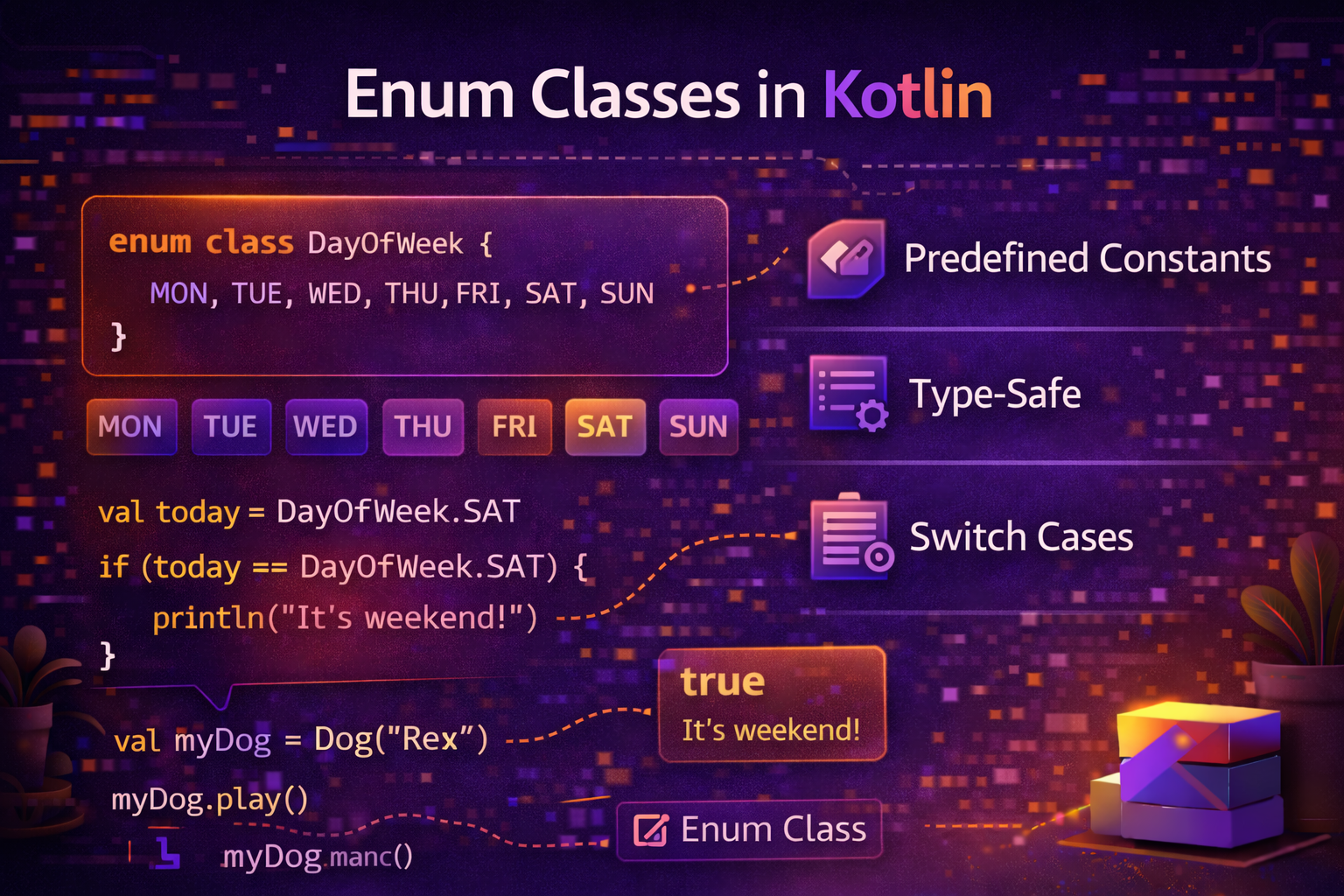
Enums are perfect when a variable should only hold one of a fixed set of values — days of the week, directions, order status, themes. Kotlin's enum classes go far beyond simple named constants — they can have properties, functions, and implement interfaces. This guide covers everything with practical Android examples.
What Is an Enum?
An enum (enumeration) is a type that represents a group of named constants. Instead of using raw strings or integers to represent fixed values, you use an enum — making your code safer, clearer, and less error-prone.
// ❌ Using raw strings — easy to make typos, no type safety
var status = "active"
if (status == "actve") { }  // typo — no compile error

// ✅ Using enum — type safe, compiler catches mistakes
enum class UserStatus { ACTIVE, INACTIVE, BANNED, PENDING }

var status = UserStatus.ACTIVE
if (status == UserStatus.ACTVE) { }  // ❌ compile error — typo caught
Declaring an Enum Class
enum class Direction {
    NORTH,
    SOUTH,
    EAST,
    WEST
}

val heading = Direction.NORTH
println(heading)          // NORTH
println(heading.name)     // NORTH — name as String
println(heading.ordinal)  // 0 — position in declaration (0-based)
Using Enum with when
Enums work perfectly with when — and since the compiler knows all possible values, you get exhaustive checking:
enum class Direction { NORTH, SOUTH, EAST, WEST }

fun describe(direction: Direction): String {
    return when (direction) {
        Direction.NORTH -> "Heading up"
        Direction.SOUTH -> "Heading down"
        Direction.EAST  -> "Heading right"
        Direction.WEST  -> "Heading left"
        // No else needed — all cases covered
    }
}

println(describe(Direction.NORTH))  // Heading up
If you add a new value to the enum later and forget to handle it in when, the compiler warns you — just like sealed classes.
Enum with Properties
Each enum constant can carry data by giving the enum class a constructor:
enum class Planet(val mass: Double, val radius: Double) {
    MERCURY(3.303e+23, 2.4397e6),
    VENUS(4.869e+24, 6.0518e6),
    EARTH(5.976e+24, 6.37814e6),
    MARS(6.421e+23, 3.3972e6);

    val gravity: Double
        get() = 6.67300E-11 * mass / (radius * radius)
}

println(Planet.EARTH.mass)      // 5.976E24
println(Planet.EARTH.gravity)   // 9.802652743...
println(Planet.MARS.gravity)    // 3.709208..
Practical Android example — Theme enum with colors:
enum class AppTheme(
    val backgroundColor: Int,
    val textColor: Int,
    val accentColor: Int,
    val displayName: String
) {
    LIGHT(
        backgroundColor = 0xFFFFFFFF.toInt(),
        textColor = 0xFF000000.toInt(),
        accentColor = 0xFF6200EE.toInt(),
        displayName = "Light"
    ),
    DARK(
        backgroundColor = 0xFF121212.toInt(),
        textColor = 0xFFFFFFFF.toInt(),
        accentColor = 0xFFBB86FC.toInt(),
        displayName = "Dark"
    ),
    SYSTEM(
        backgroundColor = 0xFF000000.toInt(),
        textColor = 0xFFFFFFFF.toInt(),
        accentColor = 0xFF6200EE.toInt(),
        displayName = "Follow System"
    );
}

// Usage
val theme = AppTheme.DARK
println(theme.displayName)   // Dark
println(theme.textColor)     // -1 (white as Int)
Enum with Functions
Enum classes can define functions — both shared (same for all constants) and abstract (each constant implements its own):
Shared Function
enum class DayOfWeek {
    MONDAY, TUESDAY, WEDNESDAY, THURSDAY, FRIDAY, SATURDAY, SUNDAY;

    fun isWeekend(): Boolean = this == SATURDAY || this == SUNDAY

    fun isWeekday(): Boolean = !isWeekend()

    fun next(): DayOfWeek {
        val values = entries
        return values[(ordinal + 1) % values.size]
    }
}

println(DayOfWeek.MONDAY.isWeekend())    // false
println(DayOfWeek.SATURDAY.isWeekend())  // true
println(DayOfWeek.FRIDAY.next())         // SATURDAY
println(DayOfWeek.SUNDAY.next())         // MONDAY
Abstract Function — Each Constant Has Its Own Implementation
enum class Operation(val symbol: String) {
    ADD("+") {
        override fun apply(a: Double, b: Double) = a + b
    },
    SUBTRACT("-") {
        override fun apply(a: Double, b: Double) = a - b
    },
    MULTIPLY("*") {
        override fun apply(a: Double, b: Double) = a * b
    },
    DIVIDE("/") {
        override fun apply(a: Double, b: Double) = a / b
    };

    abstract fun apply(a: Double, b: Double): Double

    override fun toString() = symbol
}

println(Operation.ADD.apply(10.0, 5.0))       // 15.0
println(Operation.MULTIPLY.apply(4.0, 3.0))   // 12.0
println(Operation.DIVIDE.apply(10.0, 2.0))    // 5.0
println("10 ${Operation.ADD} 5 = ${Operation.ADD.apply(10.0, 5.0)}")
// 10 + 5 = 15.0
Enum Implementing an Interface
interface Displayable {
    fun display(): String
}

enum class OrderStatus : Displayable {
    PENDING {
        override fun display() = "⏳ Pending"
    },
    PROCESSING {
        override fun display() = "🔄 Processing"
    },
    SHIPPED {
        override fun display() = "🚚 Shipped"
    },
    DELIVERED {
        override fun display() = "✅ Delivered"
    },
    CANCELLED {
        override fun display() = "❌ Cancelled"
    };
}

val status = OrderStatus.SHIPPED
println(status.display())   // 🚚 Shipped
Enum Utility Functions
values() and entries — Get All Constants
enum class Season { SPRING, SUMMER, AUTUMN, WINTER }

// entries (preferred in Kotlin 1.9+)
for (season in Season.entries) {
    println(season)
}
// SPRING, SUMMER, AUTUMN, WINTER

// values() — older approach, still works
for (season in Season.values()) {
    println(season)
}

println(Season.entries.size)   // 4
valueOf() — Get Enum from String
val season = Season.valueOf("SUMMER")
println(season)   // SUMMER

// Safe version — returns null instead of throwing
val safe = Season.entries.find { it.name == "FALL" }
println(safe)   // null — FALL doesn't exist
enumValues() and enumValueOf() — Generic Access
inline fun <reified T : Enum<T>> getAll(): List<T> {
    return enumValues<T>().toList()
}

println(getAll<Season>())  // [SPRING, SUMMER, AUTUMN, WINTER]
Real-World Android Examples
Network State
enum class NetworkState {
    CONNECTED,
    DISCONNECTED,
    CONNECTING,
    UNKNOWN;

    val isAvailable: Boolean
        get() = this == CONNECTED

    companion object {
        fun from(isConnected: Boolean): NetworkState {
            return if (isConnected) CONNECTED else DISCONNECTED
        }
    }
}

fun handleNetworkState(state: NetworkState) {
    when (state) {
        NetworkState.CONNECTED    -> hideOfflineBanner()
        NetworkState.DISCONNECTED -> showOfflineBanner("No internet connection")
        NetworkState.CONNECTING   -> showOfflineBanner("Connecting...")
        NetworkState.UNKNOWN      -> showOfflineBanner("Network status unknown")
    }
}
Sort Order
enum class SortOrder(val displayName: String, val apiParam: String) {
    NEWEST("Newest First", "created_at_desc"),
    OLDEST("Oldest First", "created_at_asc"),
    MOST_VIEWED("Most Viewed", "view_count_desc"),
    ALPHABETICAL("A to Z", "title_asc");

    companion object {
        val default = NEWEST
    }
}

// Build sort dropdown
val sortOptions = SortOrder.entries.map { it.displayName }
// ["Newest First", "Oldest First", "Most Viewed", "A to Z"]

// Use in API call
val currentSort = SortOrder.MOST_VIEWED
apiService.getArticles(sortBy = currentSort.apiParam)
Permission State
enum class PermissionState {
    GRANTED,
    DENIED,
    PERMANENTLY_DENIED,
    NOT_REQUESTED;

    val isGranted get() = this == GRANTED
    val shouldShowRationale get() = this == DENIED
    val shouldOpenSettings get() = this == PERMANENTLY_DENIED
}

fun handlePermission(state: PermissionState) {
    when (state) {
        PermissionState.GRANTED ->
            startCamera()
        PermissionState.DENIED ->
            showRationaleDialog("Camera permission is needed to take photos")
        PermissionState.PERMANENTLY_DENIED ->
            showSettingsDialog("Please enable camera permission in settings")
        PermissionState.NOT_REQUESTED ->
            requestCameraPermission()
    }
}
Article Category
enum class ArticleCategory(
    val displayName: String,
    val apiSlug: String,
    val iconResId: Int
) {
    KOTLIN("Kotlin", "kotlin", R.drawable.ic_kotlin),
    ANDROID("Android", "android", R.drawable.ic_android),
    JETPACK_COMPOSE("Jetpack Compose", "jetpack-compose", R.drawable.ic_compose),
    ARCHITECTURE("Architecture", "architecture", R.drawable.ic_architecture),
    DSA("DSA", "dsa", R.drawable.ic_dsa);

    companion object {
        fun fromSlug(slug: String): ArticleCategory? {
            return entries.find { it.apiSlug == slug }
        }
    }
}

// Usage
val category = ArticleCategory.fromSlug("kotlin")
println(category?.displayName)   // Kotlin
Enum vs Sealed Class — When to Use Which
This is a common question — here's the clear answer:
| Use Enum When | Use Sealed Class When |
|---|---|
| All values are the same shape | Each case needs different data |
| Simple named constants | Complex state with varying properties |
You need values() / iteration |
You don't need to iterate |
| Ordering/comparison by ordinal | No ordering needed |
Using in when with simple behavior |
Using in when with type-specific data |
// Enum — all values same shape, just named constants
enum class Direction { NORTH, SOUTH, EAST, WEST }
enum class LogLevel { DEBUG, INFO, WARNING, ERROR }

// Sealed class — each case has different data
sealed class NetworkResult {
    object Loading : NetworkResult()
    data class Success(val data: List<Article>) : NetworkResult()
    data class Error(val message: String, val code: Int) : NetworkResult()
}
Common Mistakes to Avoid
Mistake 1: Using raw strings/ints instead of enums
// ❌ Fragile — typos, no type safety
fun setTheme(theme: String) {
    if (theme == "dark") applyDark()
    else if (theme == "lite") applyLight()  // typo — no error
}

// ✅ Use enum
fun setTheme(theme: AppTheme) {
    when (theme) {
        AppTheme.DARK   -> applyDark()
        AppTheme.LIGHT  -> applyLight()
        AppTheme.SYSTEM -> applySystem()
    }
}
Mistake 2: Forgetting the semicolon before functions
// ❌ Compile error — missing semicolon before abstract function
enum class Shape {
    CIRCLE,
    SQUARE

    abstract fun area(): Double  // Error — need ; before functions
}

// ✅ Semicolon after last constant
enum class Shape {
    CIRCLE,
    SQUARE;   // semicolon here!

    abstract fun area(): Double
}
Mistake 3: Using ordinal for logic
// ❌ Fragile — if you reorder enum values, ordinal changes
if (status.ordinal < OrderStatus.SHIPPED.ordinal) {
    showTrackButton()
}

// ✅ Explicit comparison
val shippableStatuses = listOf(OrderStatus.PENDING, OrderStatus.PROCESSING)
if (status in shippableStatuses) {
    showTrackButton()
}
Mistake 4: Using sealed class when enum is enough
// ❌ Overkill
sealed class LogLevel {
    object Debug : LogLevel()
    object Info : LogLevel()
    object Warning : LogLevel()
    object Error : LogLevel()
}

// ✅ Enum is perfect — all cases are identical shape
enum class LogLevel { DEBUG, INFO, WARNING, ERROR }
Quick Reference
| Feature | Code |
|---|---|
| Declare enum | enum class Name { A, B, C } |
| Access constant | Name.A |
| Get name as String | Name.A.name |
| Get position | Name.A.ordinal |
| All constants | Name.entries |
| From String | Name.valueOf("A") |
| Enum with properties | enum class Name(val x: Int) { A(1), B(2) } |
| Enum with function | Add function after ; |
| Abstract per-constant | abstract fun f() + override in each |
| Implement interface | enum class Name : Interface { ... } |
Summary
- Enum classes represent a fixed set of named constants with full type safety
- Enums integrate perfectly with
when— compiler checks exhaustiveness - Enum constants can have properties — pass values in the constructor
- Enum classes can have shared functions and abstract functions per constant
- Use
entries(Kotlin 1.9+) orvalues()to iterate all constants - Use
valueOf()to get an enum from a String — orentries.find { }for safe lookup - Use enums when all cases have the same shape — use sealed classes when each case needs different data
- Don't use
ordinalfor business logic — add explicit properties or functions instead - Remember the semicolon after the last constant when adding functions or properties
Enums are one of those features that seem simple at first but have a lot of depth. Used correctly, they make your code dramatically safer and more expressive.
Happy coding!
Comments (0)