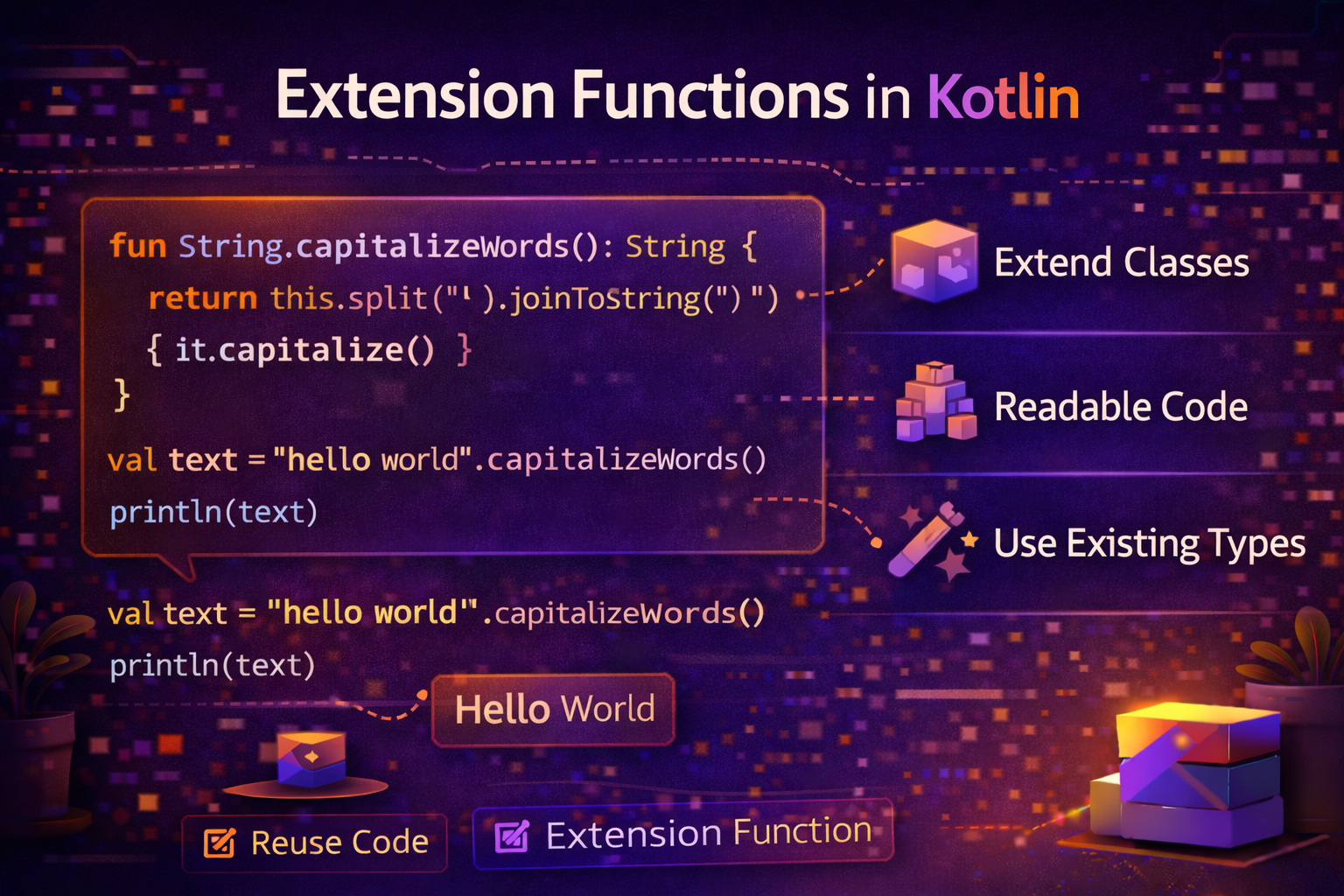
Extension functions are one of Kotlin's most loved features. They let you add new functions to existing classes without modifying their source code, without subclassing, and without any wrappers. This guide explains everything — how they work, where to use them, and how they transform Android development.
What Problem Do Extension Functions Solve?
Imagine you're using Android's View class and you find yourself writing this over and over:
view.visibility = View.VISIBLE
view.visibility = View.GONE
view.visibility = View.INVISIBLE
You'd love to write view.show(), view.hide(), view.invisible() — but you can't modify Android's View class. In Java, you'd create a ViewUtils utility class with static methods:
ViewUtils.show(view);
ViewUtils.hide(view);
This works but feels unnatural. Kotlin lets you do this instead:
view.show()    // clean, reads naturally
view.hide()
view.invisible()
That's what extension functions enable — adding functions to classes you don't own, called as if they were always part of that class.
Declaring an Extension Function
The syntax is simple — prefix the function name with the class you're extending:
fun ClassName.functionName(parameters): ReturnType {
    // 'this' refers to the instance of ClassName
}

// Extending String — add a function to check if it's a valid email
fun String.isValidEmail(): Boolean {
    return isNotBlank() && contains("@") && contains(".")
}

// Use it like a built-in String function
println("john@email.com".isValidEmail())   // true
println("not-an-email".isValidEmail())     // false
println("".isValidEmail())                 // false
Inside the extension function, this refers to the object the function is called on — just like in a regular member function.
this — The Receiver Object
fun String.addExclamation(): String {
    return this + "!"   // 'this' is the String
}

fun Int.isEven(): Boolean {
    return this % 2 == 0   // 'this' is the Int
}

fun List<Int>.sum(): Int {
    var total = 0
    for (item in this) {   // 'this' is the List
        total += item
    }
    return total
}

println("Hello".addExclamation())          // Hello!
println(4.isEven())                        // true
println(listOf(1, 2, 3, 4, 5).sum())      // 15
You can even omit this when it's clear:
fun String.isValidEmail(): Boolean {
    return isNotBlank() && contains("@") && contains(".")
    // 'isNotBlank()' and 'contains()' implicitly use 'this'
}
Extension Functions Are Resolved Statically
This is important to understand. Extension functions are not actually added to the class. They're resolved at compile time based on the declared type, not the runtime type.
open class Animal
class Dog : Animal()

fun Animal.speak() = println("Some animal sound")
fun Dog.speak() = println("Woof!")

val animal: Animal = Dog()   // declared as Animal, actual Dog
animal.speak()               // Some animal sound — uses Animal's extension!
Because animal is declared as Animal, the Animal extension is called — not Dog's. This differs from regular overriding where the runtime type determines which function runs.
The practical takeaway: Extension functions work best on concrete types. Don't rely on polymorphism with them.
Extension Properties
Just like functions, you can add properties to existing classes:
val String.wordCount: Int
    get() = trim().split("\\s+".toRegex()).size

val Int.isEven: Boolean
    get() = this % 2 == 0

val Int.isOdd: Boolean
    get() = this % 2 != 0

val Double.formattedPrice: String
    get() = "$${"%.2f".format(this)}"

println("Hello World from Kotlin".wordCount)   // 4
println(4.isEven)                              // true
println(7.isOdd)                               // true
println(9.99.formattedPrice)                   // $9.99
Extension properties cannot have backing fields — they can only have getters (and setters for var).
Practical Android Extension Functions
This is where extension functions really shine. Here are the ones every Android developer should have.
View Extensions
// Visibility helpers
fun View.show() {
    visibility = View.VISIBLE
}

fun View.hide() {
    visibility = View.GONE
}

fun View.invisible() {
    visibility = View.INVISIBLE
}

fun View.isVisible() = visibility == View.VISIBLE

// Enable/disable with visual feedback
fun View.enable() {
    isEnabled = true
    alpha = 1.0f
}

fun View.disable() {
    isEnabled = false
    alpha = 0.5f
}

// Show/hide with condition
fun View.showIf(condition: Boolean) {
    visibility = if (condition) View.VISIBLE else View.GONE
}

// Usage
progressBar.show()
contentLayout.hide()
errorView.showIf(hasError)
submitButton.disable()
Context Extensions
fun Context.showToast(message: String, duration: Int = Toast.LENGTH_SHORT) {
    Toast.makeText(this, message, duration).show()
}

fun Context.getColorCompat(colorResId: Int): Int {
    return ContextCompat.getColor(this, colorResId)
}

fun Context.getDrawableCompat(drawableResId: Int): Drawable? {
    return ContextCompat.getDrawable(this, drawableResId)
}

fun Context.dpToPx(dp: Float): Int {
    return TypedValue.applyDimension(
        TypedValue.COMPLEX_UNIT_DIP, dp, resources.displayMetrics
    ).toInt()
}

fun Context.isNetworkAvailable(): Boolean {
    val connectivityManager = getSystemService(Context.CONNECTIVITY_SERVICE)
            as ConnectivityManager
    val network = connectivityManager.activeNetwork ?: return false
    val capabilities = connectivityManager.getNetworkCapabilities(network) ?: return false
    return capabilities.hasCapability(NetworkCapabilities.NET_CAPABILITY_INTERNET)
}

// Usage — in Activity or Fragment
showToast("Saved successfully!")
val color = getColorCompat(R.color.primary)
val size = dpToPx(16f)
Fragment Extensions
fun Fragment.showToast(message: String, duration: Int = Toast.LENGTH_SHORT) {
    requireContext().showToast(message, duration)
}

fun Fragment.hideKeyboard() {
    val imm = requireContext().getSystemService(Context.INPUT_METHOD_SERVICE)
            as InputMethodManager
    imm.hideSoftInputFromWindow(view?.windowToken, 0)
}

fun Fragment.showKeyboard(view: View) {
    val imm = requireContext().getSystemService(Context.INPUT_METHOD_SERVICE)
            as InputMethodManager
    imm.showSoftInput(view, InputMethodManager.SHOW_IMPLICIT)
}

// Usage
showToast("Profile updated!")
hideKeyboard()
String Extensions
fun String.toTitleCase(): String {
    return split(" ").joinToString(" ") { word ->
        word.replaceFirstChar { it.uppercase() }
    }
}

fun String.truncate(maxLength: Int, suffix: String = "..."): String {
    return if (length <= maxLength) this
    else take(maxLength - suffix.length) + suffix
}

fun String.isValidUrl(): Boolean {
    return startsWith("http://") || startsWith("https://")
}

fun String.toSlug(): String {
    return lowercase()
        .replace(Regex("[^a-z0-9\\s-]"), "")
        .replace(Regex("\\s+"), "-")
        .trim('-')
}

fun String?.orDefault(default: String = ""): String {
    return this ?: default
}

// Usage
println("hello world from kotlin".toTitleCase())
// Hello World From Kotlin

println("This is a very long article title that needs truncating".truncate(30))
// This is a very long article...

println("Kotlin Data Classes Guide".toSlug())
// kotlin-data-classes-guide

val name: String? = null
println(name.orDefault("Anonymous"))   // Anonymous
EditText Extensions
fun EditText.text(): String = text.toString().trim()

fun EditText.isEmpty(): Boolean = text().isEmpty()

fun EditText.isNotEmpty(): Boolean = !isEmpty()

fun EditText.clear() {
    setText("")
}

fun EditText.onTextChanged(action: (String) -> Unit) {
    addTextChangedListener(object : TextWatcher {
        override fun beforeTextChanged(s: CharSequence?, start: Int, count: Int, after: Int) {}
        override fun onTextChanged(s: CharSequence?, start: Int, before: Int, count: Int) {
            action(s.toString())
        }
        override fun afterTextChanged(s: Editable?) {}
    })
}

// Usage
val email = emailEditText.text()
if (emailEditText.isEmpty()) {
    showToast("Email is required")
}
emailEditText.onTextChanged { text ->
    viewModel.onEmailChanged(text)
}
Number Extensions
fun Int.formatAsCount(): String = when {
    this >= 1_000_000 -> "${"%.1f".format(this / 1_000_000.0)}M"
    this >= 1_000     -> "${"%.1f".format(this / 1_000.0)}K"
    else              -> toString()
}

fun Long.toFormattedDate(): String {
    val sdf = SimpleDateFormat("MMM dd, yyyy", Locale.getDefault())
    return sdf.format(Date(this))
}

fun Long.toRelativeTime(): String {
    val diff = System.currentTimeMillis() - this
    val minutes = diff / 60_000
    val hours = minutes / 60
    val days = hours / 24
    return when {
        minutes < 1  -> "just now"
        minutes < 60 -> "${minutes}m ago"
        hours < 24   -> "${hours}h ago"
        days < 7     -> "${days}d ago"
        else         -> toFormattedDate()
    }
}

// Usage
println(1_250_000.formatAsCount())          // 1.2M
println(15_500.formatAsCount())             // 15.5K
println(System.currentTimeMillis().toRelativeTime())  // just now
Collection Extensions
fun <T> List<T>.second(): T? = if (size >= 2) this[1] else null

fun <T> List<T>.addOrRemove(item: T): List<T> {
    return if (item in this) this - item else this + item
}

fun <T> MutableList<T>.swap(index1: Int, index2: Int) {
    val temp = this[index1]
    this[index1] = this[index2]
    this[index2] = temp
}

fun <K, V> Map<K, V>.getOrDefault(key: K, default: V): V {
    return this[key] ?: default
}

// Usage
val items = listOf("A", "B", "C")
println(items.second())   // B

val selectedTags = listOf("Kotlin", "Android")
val updated = selectedTags.addOrRemove("Kotlin")   // removes Kotlin
// ["Android"]
val updated2 = selectedTags.addOrRemove("Compose")  // adds Compose
// ["Kotlin", "Android", "Compose"]
Organizing Extension Functions
Keep extension functions in dedicated files organized by what they extend:
extensions/
    ViewExtensions.kt
    ContextExtensions.kt
    StringExtensions.kt
    FragmentExtensions.kt
    NumberExtensions.kt
    CollectionExtensions.kt
This makes them easy to find, reuse across the project, and share between projects.
Extension Functions on Nullable Types
You can define extension functions on nullable types — useful for null-safe operations:
fun String?.isNullOrEmpty(): Boolean {
    return this == null || this.isEmpty()
}

fun String?.orEmpty(): String {
    return this ?: ""
}

fun Any?.isNull(): Boolean = this == null
fun Any?.isNotNull(): Boolean = this != null

val name: String? = null
println(name.isNullOrEmpty())  // true
println(name.orEmpty())        // ""
println(name.isNull())         // true
Extension Functions vs Member Functions
If a class already has a member function with the same name and signature as an extension function, the member function always wins:
class MyClass {
    fun hello() = println("Member function")
}

fun MyClass.hello() = println("Extension function")

MyClass().hello()   // Member function — member always takes priority
This means extension functions can't override existing behavior — they can only add new behavior.
Common Mistakes to Avoid
Mistake 1: Putting too much logic in extension functions
// ❌ Too much — extension functions should be simple and focused
fun View.setupCompleteLoginForm(
    viewModel: LoginViewModel,
    navController: NavController,
    analyticsService: AnalyticsService
) {
    // 100 lines of code...
}

// ✅ Keep them focused and small
fun View.show() { visibility = View.VISIBLE }
fun View.hide() { visibility = View.GONE }
Mistake 2: Extending when inheritance or composition is better
// ❌ Wrong use — adding lots of business logic to standard classes
fun List<Article>.processAndFilterAndSortAndPaginate(
    page: Int, filter: String
): List<Article> {
    // complex business logic in extension
}

// ✅ Put business logic in repository/use case
class GetArticlesUseCase(private val repository: ArticleRepository) {
    suspend fun execute(page: Int, filter: String): List<Article> { /* ... */ }
}
Mistake 3: Forgetting extensions are statically resolved
open class Base
class Child : Base()

fun Base.greet() = "Hello from Base"
fun Child.greet() = "Hello from Child"

val obj: Base = Child()
println(obj.greet())   // "Hello from Base" — not Child!
// This might surprise you if you expect polymorphism
Mistake 4: Not organizing extensions in dedicated files
// ❌ Extension functions scattered across feature files
// LoginFragment.kt — has some String extensions
// HomeFragment.kt — has some View extensions
// UserRepository.kt — has some List extensions

// ✅ Centralized in dedicated extension files
// extensions/ViewExtensions.kt
// extensions/StringExtensions.kt
// extensions/CollectionExtensions.kt
Summary
- Extension functions let you add functions to existing classes without modifying them
- Syntax:
fun ClassName.functionName() { }—thisrefers to the instance - Extension properties work the same way but cannot have backing fields
- Extensions are resolved statically — based on declared type, not runtime type
- They cannot override existing member functions — members always win
- Most powerful use: Android extensions for
View,Context,Fragment,String - Define extensions on nullable types for null-safe helper functions
- Organize extensions in dedicated files by what they extend
- Keep extension functions small and focused — they're utilities, not business logic
Extension functions are one of the features that make Kotlin code feel elegant and expressive. Once you build your own extension library for your Android projects, you'll find yourself writing cleaner, more readable code with far less repetition.
Happy coding!
Comments (0)