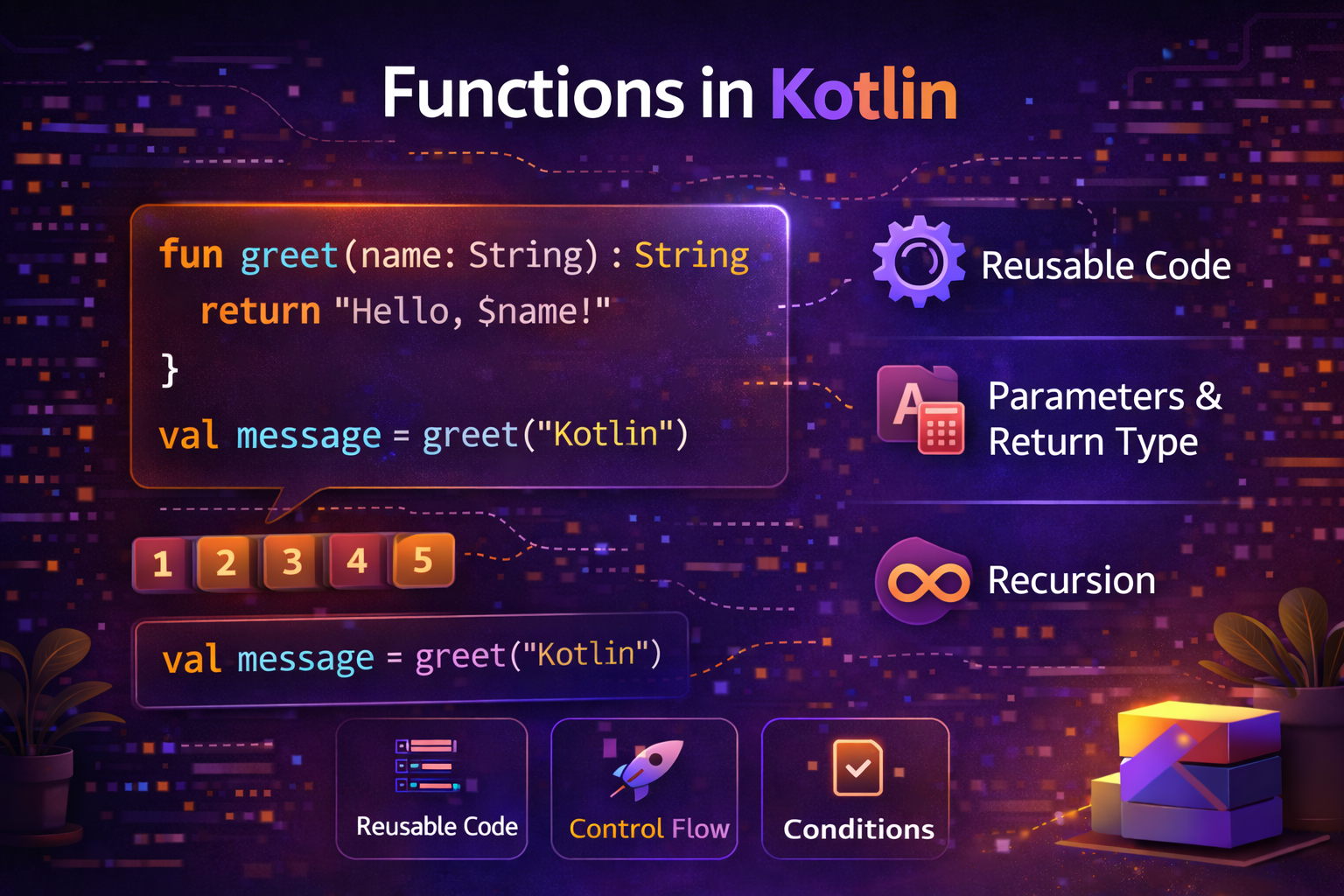
Functions are the building blocks of every program. They let you group related code together, give it a name, and reuse it anywhere. Kotlin takes functions to a whole new level — they are concise, powerful, and flexible. This guide covers everything from basic functions to advanced patterns you'll use every day in Android development.
What Is a Function?
A function is a named block of code that performs a specific task. Instead of writing the same code over and over, you write it once in a function and call that function whenever you need it.
// Without functions — repetitive
println("=== Header ===")
println("Welcome, Alice!")
println("=== Footer ===")

println("=== Header ===")
println("Welcome, Bob!")
println("=== Footer ===")

// With a function — clean and reusable
fun showWelcome(name: String) {
    println("=== Header ===")
    println("Welcome, $name!")
    println("=== Footer ===")
}

showWelcome("Alice")
showWelcome("Bob")
Declaring a Function
The basic syntax for a function in Kotlin:
fun functionName(parameter: Type): ReturnType {
    // function body
    return value
}fun— keyword to declare a functionfunctionName— name of the function (use camelCase)parameter: Type— input values the function needsReturnType— the type of value the function returnsreturn— sends a value back to the caller
fun add(a: Int, b: Int): Int {
    return a + b
}

val result = add(3, 5)
println(result)  // 8
Functions with No Return Value — Unit
If a function doesn't return anything meaningful, its return type is Unit (equivalent to void in Java). You can omit Unit — it's the default.
// Explicit Unit return type
fun printMessage(message: String): Unit {
    println(message)
}

// Unit is optional — same result
fun printMessage(message: String) {
    println(message)
}
Single-Expression Functions
When a function body is just one expression, you can use the shorthand = syntax:
// Regular function
fun square(n: Int): Int {
    return n * n
}

// Single-expression function — cleaner
fun square(n: Int): Int = n * n

// Return type can also be inferred
fun square(n: Int) = n * n
More examples:
fun greet(name: String) = "Hello, $name!"
fun isEven(n: Int) = n % 2 == 0
fun maxOf(a: Int, b: Int) = if (a > b) a else b
fun celsiusToFahrenheit(c: Double) = c * 9 / 5 + 32
This is one of the most common patterns in Kotlin — short, readable, no boilerplate.
Default Parameter Values
Kotlin lets you provide default values for parameters. Callers can omit those arguments and the default is used automatically.
fun showNotification(
    title: String,
    message: String,
    priority: Int = 0,
    sound: Boolean = true,
    vibrate: Boolean = false
) {
    println("[$priority] $title: $message (sound=$sound, vibrate=$vibrate)")
}

// All arguments
showNotification("Update", "New version available", 2, true, true)

// Only required arguments — defaults used for the rest
showNotification("Update", "New version available")

// Mix — some defaults, some overridden
showNotification("Alert", "Low battery", priority = 1, vibrate = true)
This eliminates the need for multiple overloaded functions like in Java.
Named Arguments
When calling a function, you can name the arguments. This makes the call more readable and lets you pass them in any order.
fun createUser(
    name: String,
    age: Int,
    email: String,
    isAdmin: Boolean = false
) {
    println("Created: $name, $age, $email, admin=$isAdmin")
}

// Without names — hard to read, easy to mix up
createUser("John", 25, "john@email.com", true)

// With names — clear and readable
createUser(
    name = "John",
    age = 25,
    email = "john@email.com",
    isAdmin = true
)

// Named args can be in any order
createUser(
    email = "john@email.com",
    name = "John",
    age = 25
)
Named arguments are especially useful when a function has many parameters, or when passing boolean values where the meaning isn't obvious from the value alone.
// Without names — what do true and false mean here?
sendEmail("john@email.com", true, false, true)

// With names — perfectly clear
sendEmail(
    to = "john@email.com",
    includeSignature = true,
    isHtml = false,
    sendCopy = true
)
Variable Number of Arguments — vararg
Use vararg when a function should accept any number of arguments of the same type.
fun sum(vararg numbers: Int): Int {
    var total = 0
    for (n in numbers) {
        total += n
    }
    return total
}

println(sum(1, 2, 3))           // 6
println(sum(10, 20))            // 30
println(sum(1, 2, 3, 4, 5))    // 15
Spread operator — pass an array to a vararg function:
val numbers = intArrayOf(1, 2, 3, 4, 5)
println(sum(*numbers))   // * spreads the array into individual arguments
Return Types
Returning Multiple Values with Pair and Triple
fun getMinMax(numbers: List<Int>): Pair<Int, Int> {
    return Pair(numbers.min(), numbers.max())
}

val (min, max) = getMinMax(listOf(3, 1, 7, 2, 9))
println("Min: $min, Max: $max")  // Min: 1, Max: 9
For three values, use Triple. For more, use a data class:
data class UserStats(
    val totalPosts: Int,
    val totalLikes: Int,
    val totalComments: Int
)

fun getUserStats(userId: String): UserStats {
    return UserStats(
        totalPosts = 42,
        totalLikes = 1250,
        totalComments = 318
    )
}

val stats = getUserStats("user_123")
println("Posts: ${stats.totalPosts}, Likes: ${stats.totalLikes}")
Nothing — Functions That Never Return
fun fail(message: String): Nothing {
    throw IllegalArgumentException(message)
}

fun getUser(id: String): User {
    return userRepository.find(id) ?: fail("User not found: $id")
}
Local Functions — Functions Inside Functions
Kotlin lets you define functions inside other functions. These are called local functions and are only visible within the enclosing function.
fun validateRegistration(name: String, email: String, password: String): Boolean {

    // Local helper functions
    fun isValidName(n: String) = n.isNotBlank() && n.length >= 2
    fun isValidEmail(e: String) = e.contains("@") && e.contains(".")
    fun isValidPassword(p: String) = p.length >= 8 && p.any { it.isDigit() }

    if (!isValidName(name)) {
        println("Invalid name")
        return false
    }
    if (!isValidEmail(email)) {
        println("Invalid email")
        return false
    }
    if (!isValidPassword(password)) {
        println("Invalid password")
        return false
    }
    return true
}
Local functions can access variables from the enclosing function — useful for avoiding repetition without polluting the class namespace.
Extension Functions
Extension functions let you add new functions to existing classes without modifying or subclassing them. This is one of Kotlin's most powerful features.
// Add a function to String class
fun String.isPalindrome(): Boolean {
    return this == this.reversed()
}

// Add a function to Int class
fun Int.isEven(): Boolean = this % 2 == 0

// Add a function to List class
fun <T> List<T>.secondOrNull(): T? = if (size >= 2) this[1] else null

// Use them like built-in functions
println("racecar".isPalindrome())   // true
println("hello".isPalindrome())     // false
println(4.isEven())                 // true
println(listOf(1, 2, 3).secondOrNull())  // 2
Practical Android extension functions:
// View extensions
fun View.show() { visibility = View.VISIBLE }
fun View.hide() { visibility = View.GONE }
fun View.invisible() { visibility = View.INVISIBLE }

// Context extensions
fun Context.showToast(message: String, duration: Int = Toast.LENGTH_SHORT) {
    Toast.makeText(this, message, duration).show()
}

// String extensions
fun String.toTitleCase(): String {
    return split(" ").joinToString(" ") { word ->
        word.replaceFirstChar { it.uppercase() }
    }
}

// Usage
progressBar.hide()
contentView.show()
showToast("Saved successfully!")
println("hello world from kotlin".toTitleCase())  // Hello World From Kotlin
Higher-Order Functions — Functions as Parameters
A higher-order function is a function that takes another function as a parameter or returns a function. This is the foundation of functional programming in Kotlin.
// Takes a function as parameter
fun operateOnNumbers(a: Int, b: Int, operation: (Int, Int) -> Int): Int {
    return operation(a, b)
}

// Pass different functions
val sum = operateOnNumbers(10, 5) { x, y -> x + y }       // 15
val product = operateOnNumbers(10, 5) { x, y -> x * y }   // 50
val max = operateOnNumbers(10, 5) { x, y -> if (x > y) x else y }  // 10
The type (Int, Int) -> Int means "a function that takes two Ints and returns an Int."
Practical example — reusable error handling:
suspend fun <T> safeApiCall(apiCall: suspend () -> T): Result<T> {
    return try {
        Result.success(apiCall())
    } catch (e: IOException) {
        Result.failure(e)
    } catch (e: HttpException) {
        Result.failure(e)
    }
}

// Usage
val result = safeApiCall { apiService.getUser(userId) }
val posts = safeApiCall { apiService.getPosts() }
Lambda Functions
A lambda is an anonymous function — a function without a name, defined inline.
// Named function
fun double(n: Int): Int = n * 2

// Same as a lambda
val double = { n: Int -> n * 2 }

println(double(5))   // 10
Lambda syntax breakdown:
val greet = { name: String -> "Hello, $name!" }
//           ^^^^^^^^^^^^^^^^  ^^^^^^^^^^^^^^
//           parameters         function body (return value)
Lambdas with collections — the most common use:
val numbers = listOf(1, 2, 3, 4, 5, 6, 7, 8, 9, 10)

val evens = numbers.filter { it % 2 == 0 }        // [2, 4, 6, 8, 10]
val doubled = numbers.map { it * 2 }               // [2, 4, 6, 8, 10, 12, 14, 16, 18, 20]
val sum = numbers.reduce { acc, n -> acc + n }     // 55
val bigEvens = numbers.filter { it % 2 == 0 }.map { it * 10 }  // [20, 40, 60, 80, 100]
When a lambda has only one parameter, you can use it as the implicit name:
val names = listOf("Alice", "Bob", "Charlie")

names.forEach { println(it) }              // 'it' is each name
val upper = names.map { it.uppercase() }   // 'it' is each name
val long = names.filter { it.length > 3 } // 'it' is each name
Inline Functions
When you pass a lambda to a function, Kotlin creates an object for it. For performance-critical code, use inline to avoid this overhead — the compiler copies the function body directly at the call site.
inline fun measureTime(block: () -> Unit): Long {
    val start = System.currentTimeMillis()
    block()
    return System.currentTimeMillis() - start
}

val time = measureTime {
    // code to measure
    processLargeList()
}
println("Took ${time}ms")
Practical Android Function Examples
Repository pattern functions
class ArticleRepository(
    private val apiService: ApiService,
    private val articleDao: ArticleDao
) {
    suspend fun getArticles(
        category: String,
        page: Int = 1,
        pageSize: Int = 20
    ): List<Article> {
        return try {
            val remote = apiService.getArticles(category, page, pageSize)
            articleDao.insertAll(remote)
            remote
        } catch (e: Exception) {
            articleDao.getArticlesByCategory(category)
        }
    }

    suspend fun getArticleById(id: String): Article? {
        return articleDao.getById(id) ?: run {
            val remote = apiService.getArticle(id)
            articleDao.insert(remote)
            remote
        }
    }

    fun searchArticles(
        query: String,
        onResult: (List<Article>) -> Unit,
        onError: (String) -> Unit
    ) {
        viewModelScope.launch {
            try {
                val results = apiService.search(query)
                onResult(results)
            } catch (e: Exception) {
                onError(e.message ?: "Search failed")
            }
        }
    }
}
Utility functions
// Format numbers
fun formatCount(count: Int): String = when {
    count >= 1_000_000 -> "${"%.1f".format(count / 1_000_000.0)}M"
    count >= 1_000     -> "${"%.1f".format(count / 1_000.0)}K"
    else               -> count.toString()
}

println(formatCount(500))        // 500
println(formatCount(1500))       // 1.5K
println(formatCount(2_500_000))  // 2.5M

// Format relative time
fun formatTimeAgo(timestamp: Long): String {
    val diff = System.currentTimeMillis() - timestamp
    val seconds = diff / 1000
    val minutes = seconds / 60
    val hours = minutes / 60
    val days = hours / 24

    return when {
        seconds < 60  -> "just now"
        minutes < 60  -> "${minutes}m ago"
        hours < 24    -> "${hours}h ago"
        days < 7      -> "${days}d ago"
        else          -> "${days / 7}w ago"
    }
}
Quick Reference
| Concept | Syntax |
|---|---|
| Basic function | fun name(param: Type): ReturnType { } |
| No return value | fun name(param: Type) { } |
| Single expression | fun name(param: Type) = expression |
| Default parameter | fun name(param: Type = default) { } |
| Named argument | name(param = value) |
| Variable args | fun name(vararg items: Type) { } |
| Extension function | fun ClassName.newFunction() { } |
| Lambda | { param -> body } |
| Higher-order | fun name(block: (Type) -> ReturnType) { } |
| Local function | Function defined inside another function |
Summary
- Functions are declared with
fun, take typed parameters, and return a typed value - Use single-expression syntax (
=) for short functions — cleaner and more readable - Default parameters eliminate the need for overloaded functions
- Named arguments make function calls clear, especially with many parameters
- Extension functions add new behavior to existing classes — great for utilities
- Higher-order functions take or return other functions — the foundation of functional Kotlin
- Lambdas are anonymous functions used everywhere — especially with collections
- Local functions keep helper logic close to where it's used
varargaccepts a variable number of arguments- Use named arguments whenever booleans or multiple similar parameters could be confused
Functions in Kotlin are far more powerful than in Java. Once you're comfortable with extension functions, higher-order functions, and lambdas, you'll find yourself writing elegant, concise code that's easy to read and maintain.
Happy coding!
Comments (0)