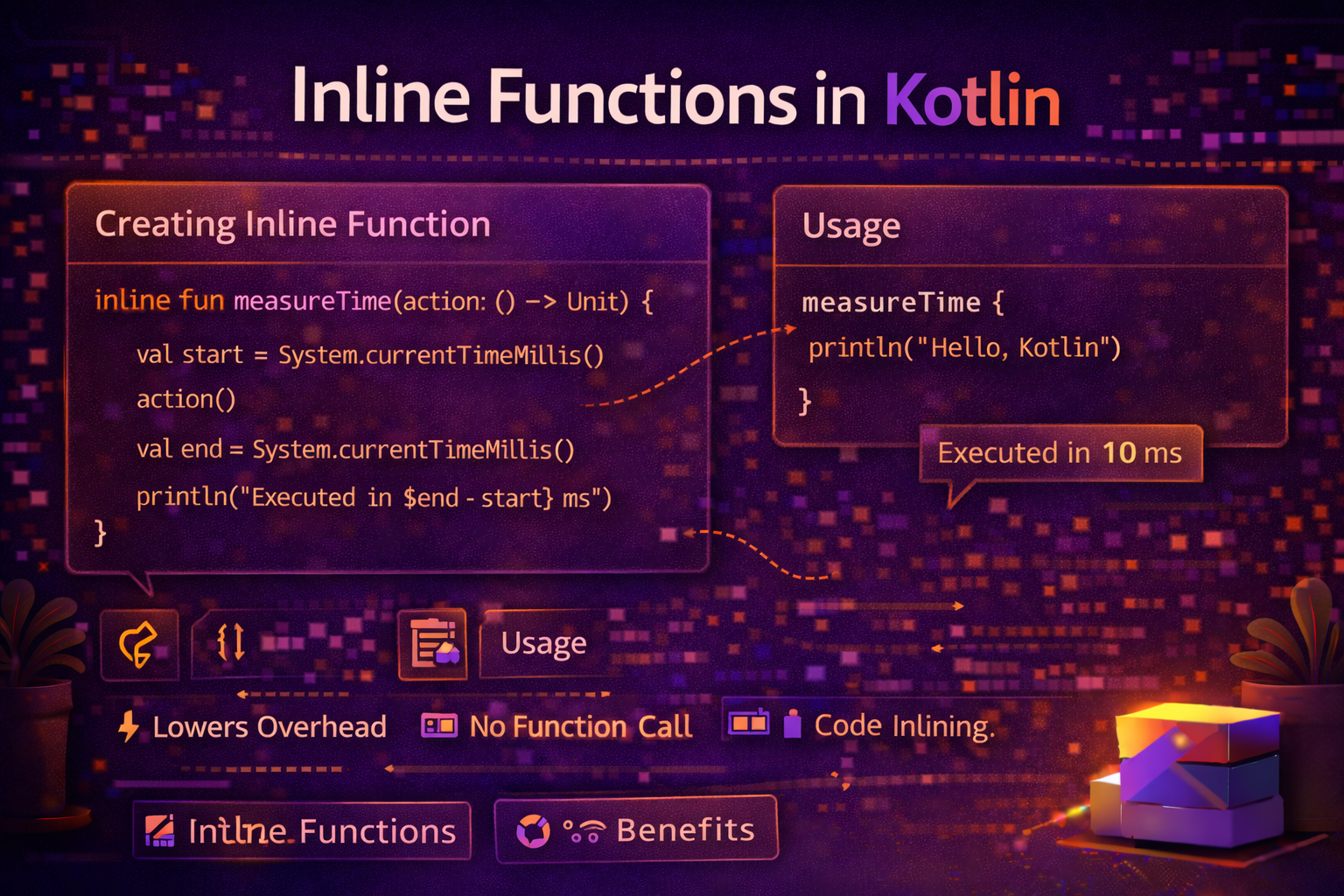
Inline functions are one of those features that quietly make Kotlin faster and more powerful. You've been using them without realizing it — filter, map, let, apply, repeat, run — they're all inline. This guide explains what inlining means, why it matters, when to use it, and how reified unlocks things that are otherwise impossible in Kotlin.
The Problem Inline Functions Solve
Every time you pass a lambda to a function, Kotlin creates a new object for that lambda at runtime. This is usually fine — but in hot paths like tight loops, RecyclerView adapters, or animation callbacks, it adds up.
fun doTwice(action: () -> Unit) {
    action()
    action()
}

doTwice { println("Hello") }
Under the hood, calling doTwice creates a new anonymous class instance for the lambda { println("Hello") }. Every call = one object allocation.
With inline, there's no object created at all. The compiler copies the function body and lambda directly to the call site — as if you had written it out manually.
What Does inline Do?
Marking a function as inline tells the compiler: "Don't call this function. Copy its body here instead."
inline fun doTwice(action: () -> Unit) {
    action()
    action()
}

doTwice { println("Hello") }
The compiler transforms this into:
// What the compiler actually generates at the call site:
println("Hello")
println("Hello")
No function call. No lambda object. No overhead. Just the code, pasted in.
Real-world analogy: Imagine a recipe book. A regular function call is like saying "follow the instructions on page 47." An inline function is like tearing out page 47 and gluing it right into your current recipe. Slightly larger book — but no page-flipping needed at runtime.
Basic Inline Function
inline fun measureTime(block: () -> Unit): Long {
    val start = System.currentTimeMillis()
    block()
    return System.currentTimeMillis() - start
}

val time = measureTime {
    // expensive operation
    processLargeDataSet()
}
println("Took ${time}ms")
Without inline, this creates a lambda object every time. With inline, the lambda body is copied directly — zero allocation.
reified — Access Generic Type at Runtime
This is the most powerful benefit of inline functions. Normally in Kotlin (and Java), generic types are erased at runtime — the JVM doesn't know what T is once the code is compiled.
fun <T> isInstance(value: Any): Boolean {
    return value is T   // ❌ compile error — cannot check erased type T
}
With inline + reified, the generic type is preserved and you can use it at runtime:
inline fun <reified T> isInstance(value: Any): Boolean {
    return value is T   // ✅ works — T is reified (preserved at runtime)
}

println(isInstance<String>("hello"))    // true
println(isInstance<Int>("hello"))       // false
println(isInstance<List<*>>(listOf())) // true
The compiler replaces T with the actual type at each call site — so isInstance<String> becomes value is String, and isInstance<Int> becomes value is Int.
reified in Practice
Type-safe Intent / Bundle extras:
inline fun <reified T : Activity> Context.startActivity(
    noinline block: Intent.() -> Unit = {}
) {
    val intent = Intent(this, T::class.java).apply(block)
    startActivity(intent)
}

// Usage — no Class parameter needed
startActivity<LoginActivity>()
startActivity<ArticleDetailActivity> {
    putExtra("article_id", article.id)
}
Type-safe SharedPreferences / Bundle retrieval:
inline fun <reified T> Bundle.get(key: String): T? {
    return when (T::class) {
        String::class  -> getString(key) as? T
        Int::class     -> getInt(key) as? T
        Boolean::class -> getBoolean(key) as? T
        Long::class    -> getLong(key) as? T
        else           -> null
    }
}

// Usage
val articleId = bundle.get<String>("article_id")
val page = bundle.get<Int>("page")
Type-safe JSON parsing:
inline fun <reified T> fromJson(json: String): T {
    return Gson().fromJson(json, T::class.java)
}

// Usage — no need to pass Class manually
val user = fromJson<User>(jsonString)
val articles = fromJson<List<Article>>(jsonString)
Type-safe ViewModel retrieval:
inline fun <reified VM : ViewModel> Fragment.getViewModel(
    factory: ViewModelProvider.Factory? = null
): VM {
    return if (factory != null) {
        ViewModelProvider(this, factory)[VM::class.java]
    } else {
        ViewModelProvider(this)[VM::class.java]
    }
}

// Usage
val viewModel = getViewModel<ArticleViewModel>()
Filtering a list by type:
inline fun <reified T> List<*>.filterIsInstance(): List<T> {
    return filterIsInstance(T::class.java)
}

val mixed: List<Any> = listOf(1, "hello", 2, "world", true)
val strings = mixed.filterIsInstance<String>()
// [hello, world]
noinline — Opt Out of Inlining for a Specific Lambda
When a function has multiple lambda parameters, you can prevent specific ones from being inlined with noinline. This is needed when you want to store a lambda in a variable or pass it to a non-inline function.
inline fun processWithCallback(
    action: () -> Unit,
    noinline callback: () -> Unit   // NOT inlined — can be stored/passed around
) {
    action()                        // inlined
    scheduleCallback(callback)      // callback can be passed here because it's noinline
}

fun scheduleCallback(callback: () -> Unit) {
    // stores callback for later — requires a real lambda object
    handler.post(callback)
}
Rule: If you need to store a lambda from an inline function into a variable or pass it to a regular function, mark it noinline.
crossinline — Allow Non-Local Returns in Lambdas Called from Another Context
This is the most subtle part of inline functions. When a lambda is inlined, return inside it returns from the enclosing function — this is called a non-local return.
inline fun doSomething(action: () -> Unit) {
    action()
}

fun findFirst(): String {
    doSomething {
        return "found"   // ✅ returns from findFirst() — non-local return
    }
    return "not found"
}
This is powerful but can cause issues when the lambda is called from a different execution context — like inside another lambda or a different thread:
inline fun runInBackground(action: () -> Unit) {
    Thread {
        action()   // ❌ non-local return from here is impossible — different thread
    }.start()
}
Use crossinline to say: "inline this lambda, but don't allow non-local returns from it":
inline fun runInBackground(crossinline action: () -> Unit) {
    Thread {
        action()   // ✅ inlined, but return inside action only returns from the lambda
    }.start()
}
Practical rule:
- No modifier → lambda is inlined, non-local returns allowed
noinline→ lambda is NOT inlined, stored/passed as objectcrossinline→ lambda IS inlined, but non-local returns NOT allowed
When to Use inline
Use inline when:
✅ Your function takes one or more lambda parameters ✅ The function is called frequently (in loops, adapters, hot paths) ✅ You need reified generics ✅ The function body is small (inlining large functions can bloat bytecode)
Don't use inline when:
❌ The function takes no lambda parameters (no benefit) ❌ The function body is very large (bloats call sites) ❌ You need to store the lambda for later use (use noinline instead)
// ✅ Good use of inline — small, lambda parameter, used frequently
inline fun <T> List<T>.forEachIf(condition: Boolean, action: (T) -> Unit) {
    if (condition) forEach(action)
}

// ❌ No benefit — no lambda parameter
inline fun add(a: Int, b: Int) = a + b   // pointless, compiler warns you
Real Android Examples
Inline logging utility
inline fun logDebug(tag: String, message: () -> String) {
    if (BuildConfig.DEBUG) {
        Log.d(tag, message())   // message() only evaluated in debug builds
    }
}

// Usage — string construction only happens if DEBUG is true
logDebug(TAG) { "User loaded: ${user.name}, articles: ${articles.size}" }
Without inline, the lambda object is always created even if the log is skipped. With inline, the entire block is omitted in release builds — zero cost.
Inline safe execution
inline fun <T> tryOrNull(block: () -> T): T? {
    return try {
        block()
    } catch (e: Exception) {
        null
    }
}

// Usage
val number = tryOrNull { "abc".toInt() }   // null — no crash
val user = tryOrNull { parseUser(json) }   // null if parsing fails
Inline ViewBinding helper
inline fun <T : ViewBinding> AppCompatActivity.viewBinding(
    crossinline inflater: (LayoutInflater) -> T
): Lazy<T> = lazy(LazyThreadSafetyMode.NONE) {
    inflater(layoutInflater)
}

// Usage
class MainActivity : AppCompatActivity() {
    private val binding by viewBinding(ActivityMainBinding::inflate)
}
Inline coroutine timer
inline fun CoroutineScope.timer(
    intervalMs: Long,
    crossinline action: suspend () -> Unit
): Job {
    return launch {
        while (isActive) {
            action()
            delay(intervalMs)
        }
    }
}

// Usage
viewModelScope.timer(1000L) {
    updateClock()
}
Inline extension for conditional execution
inline fun <T> T.applyIf(condition: Boolean, block: T.() -> Unit): T {
    return if (condition) apply(block) else this
}

// Usage
recyclerView
    .applyIf(showDividers) {
        addItemDecoration(DividerItemDecoration(context, DividerItemDecoration.VERTICAL))
    }
    .applyIf(hasFixedSize) {
        setHasFixedSize(true)
    }
Common Mistakes to Avoid
Mistake 1: Inlining large functions
// ❌ Inlining a large function bloats every call site
inline fun complexOperation(data: List<String>): Result {
    // 100 lines of code
    // Every call site gets 100 lines copied in — massive bytecode bloat
}

// ✅ Only inline small functions with lambda parameters
inline fun <T> withTiming(block: () -> T): T {
    val start = System.nanoTime()
    val result = block()
    println("Took ${System.nanoTime() - start}ns")
    return result
}
Mistake 2: Using inline without lambda parameters
// ❌ Pointless — compiler will warn you
inline fun double(n: Int) = n * 2

// ✅ Only use inline when there's a lambda parameter
inline fun repeat(times: Int, action: () -> Unit) {
    for (i in 0 until times) action()
}
Mistake 3: Forgetting noinline when storing a lambda
// ❌ Can't store an inlined lambda in a variable
inline fun process(action: () -> Unit) {
    val stored = action   // ❌ compile error — inline lambda can't be referenced
}

// ✅ Mark it noinline
inline fun process(noinline action: () -> Unit) {
    val stored = action   // ✅ noinline lambda can be stored
    executor.submit(stored)
}
Mistake 4: Non-local return surprise
fun processItems(items: List<String>) {
    items.forEach {     // forEach is inline!
        if (it == "stop") return   // returns from processItems, not just the lambda!
        println(it)
    }
    println("Done")   // might never print
}

// ✅ Use return@forEach for local return
fun processItems(items: List<String>) {
    items.forEach {
        if (it == "stop") return@forEach   // returns from lambda only
        println(it)
    }
    println("Done")   // always prints now
}
Summary
inlinetells the compiler to copy the function body to the call site — no function call, no lambda object allocation- Best used for small functions with lambda parameters that are called frequently
reified— only available withinline— preserves generic type at runtime, enablingis T,T::class.java, and type-safe generic operationsnoinline— opt a specific lambda out of inlining when you need to store or pass it elsewherecrossinline— inline the lambda but disallow non-local returns (needed when lambda runs in a different context)- Non-local
returninside a lambda passed to an inline function returns from the enclosing function — usereturn@labelfor local return - Don't inline large functions — it bloats bytecode
- Don't inline functions without lambda parameters — no benefit
Inline functions are one of those features you don't think about often — but they're behind the performance of Kotlin's standard library and many powerful Android utilities. Understanding reified in particular opens up elegant APIs that would otherwise require verbose reflection code.
Happy coding!
Comments (0)