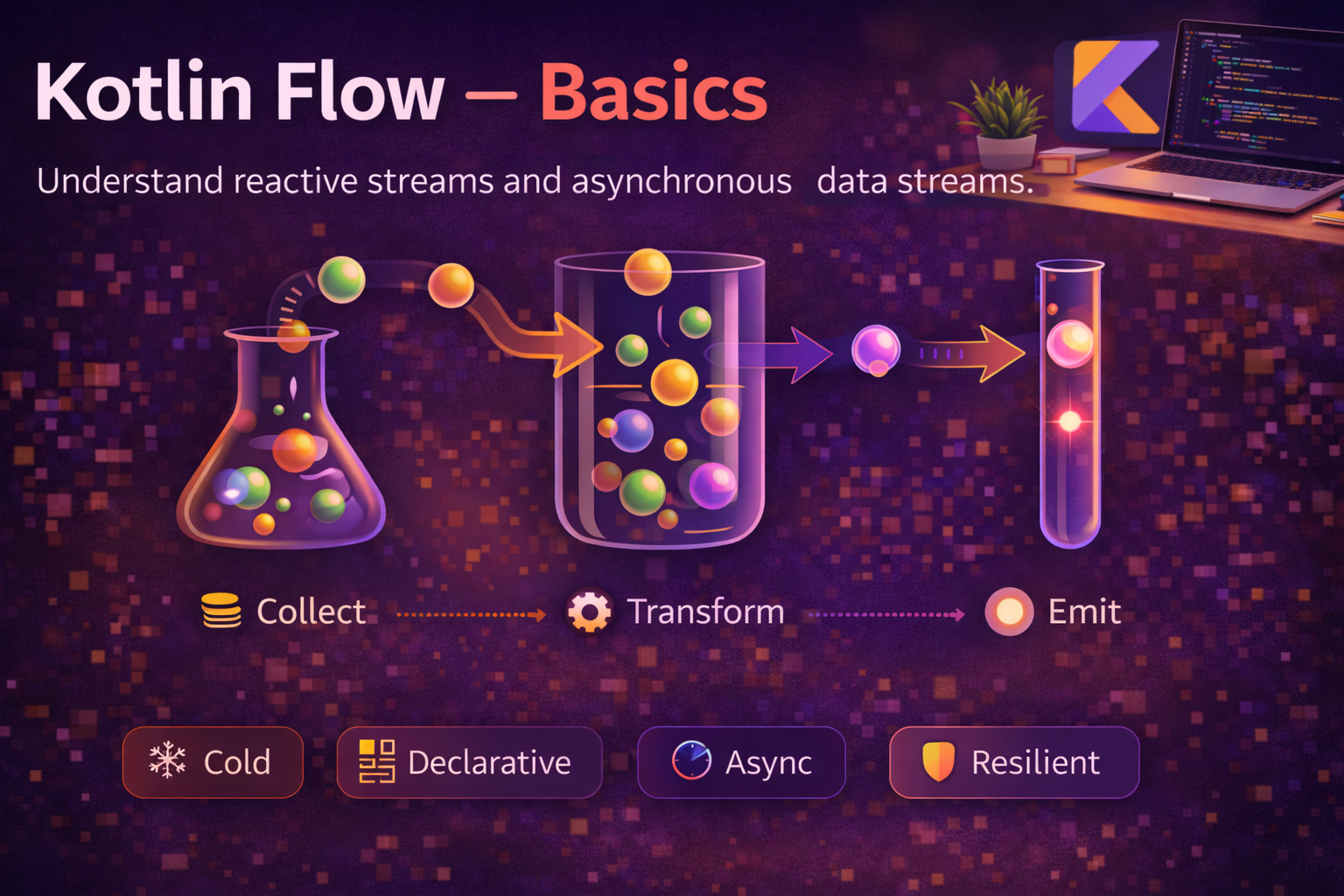
Kotlin Flow is how you handle streams of data in coroutines. While a regular suspending function returns a single value, a Flow emits multiple values over time — think search results arriving one by one, real-time sensor readings, or a stream of database updates. If you’ve used RxJava before, Flow is Kotlin’s native, coroutine-based replacement — simpler, lighter, and built on structured concurrency. This guide covers what Flow is, how to create and collect it, and how it fits into real Android apps.
What is a Flow?
A Flow is a cold, asynchronous stream that emits values sequentially. “Cold” means it doesn’t produce values until someone starts collecting it — just like a sequence doesn’t evaluate until you iterate over it.
// A simple Flow that emits three numbers
val numberFlow: Flow<Int> = flow {
    emit(1)          // send value downstream
    delay(1000)      // simulate async work
    emit(2)
    delay(1000)
    emit(3)
}

// Nothing happens until you collect
numberFlow.collect { value ->
    println(value)   // prints 1, then 2, then 3
}
Key points about Flow:
- Cold — code inside
flow { }doesn’t run untilcollectis called - Sequential — values are emitted one at a time, in order
- Cancellable — collection respects coroutine cancellation automatically
- Suspending — both
emit()andcollect()are suspending functions
Creating Flows
flow { } builder — the most common way
// Emit values from a long-running operation
fun fetchArticles(): Flow<Article> = flow {
    val articles = api.getArticles()      // suspend call
    for (article in articles) {
        emit(article)                      // emit each article one by one
    }
}

// Emit values over time — like a ticker
fun tickerFlow(intervalMs: Long): Flow<Long> = flow {
    var count = 0L
    while (true) {
        emit(count++)
        delay(intervalMs)
    }
}
flowOf() — from fixed values
// Create a Flow from known values — like listOf() for streams
val greetings = flowOf("Hello", "Bonjour", "Hola")

greetings.collect { println(it) }
// Hello
// Bonjour
// Hola
asFlow() — convert collections and sequences
// Convert a list to a Flow
val listFlow = listOf(1, 2, 3).asFlow()

// Convert a range
val rangeFlow = (1..10).asFlow()

// Convert a sequence
val sequenceFlow = generateSequence(1) { it * 2 }
    .take(5)
    .asFlow()   // emits 1, 2, 4, 8, 16
callbackFlow — bridge callback-based APIs
// Convert a callback-based API to Flow
fun locationUpdates(): Flow<Location> = callbackFlow {
    val callback = object : LocationCallback() {
        override fun onLocationResult(result: LocationResult) {
            trySend(result.lastLocation)   // send from callback into Flow
        }
    }

    locationClient.requestLocationUpdates(request, callback, Looper.getMainLooper())

    // awaitClose is called when the Flow collector cancels
    awaitClose {
        locationClient.removeLocationUpdates(callback)   // cleanup
    }
}
Collecting Flows
collect is the primary way to receive values from a Flow. It’s a suspending function, so it must be called from a coroutine:
// Basic collection
viewModelScope.launch {
    repository.getArticles().collect { article ->
        println(article.title)
    }
}

// collect is terminal — it suspends until the Flow completes
// Code after collect runs only after the Flow finishes emitting
Other terminal operators
val numbers = flowOf(1, 2, 3, 4, 5)

// first() — collect only the first value
val first = numbers.first()           // 1

// first { } — first value matching a condition
val firstEven = numbers.first { it % 2 == 0 }   // 2

// toList() — collect all values into a List
val list = numbers.toList()           // [1, 2, 3, 4, 5]

// toSet() — collect into a Set
val set = numbers.toSet()             // {1, 2, 3, 4, 5}

// single() — expects exactly one value
val single = flowOf(42).single()      // 42

// reduce — accumulate values
val sum = numbers.reduce { acc, value -> acc + value }   // 15

// fold — accumulate with initial value
val sumPlus100 = numbers.fold(100) { acc, value -> acc + value }   // 115

// count
val count = numbers.count()           // 5
Flow is Cold — What That Means
Every time you call collect, the flow { } block runs from the start. Each collector gets its own independent execution:
val timestampFlow = flow {
    println("Flow started")
    emit(System.currentTimeMillis())
    delay(1000)
    emit(System.currentTimeMillis())
}

// First collection
timestampFlow.collect { println("Collector 1: $it") }

// Second collection — runs the flow block again from scratch
timestampFlow.collect { println("Collector 2: $it") }

// Output:
// Flow started
// Collector 1: 1700000000000
// Collector 1: 1700000001000
// Flow started                      <— runs again!
// Collector 2: 1700000001500
// Collector 2: 1700000002500
This is fundamentally different from hot streams (like StateFlow or SharedFlow) where values are emitted regardless of collectors. We’ll cover those in a later post.
Context and Dispatchers
By default, a Flow runs in the coroutine context of the collector. But you can change which dispatcher the upstream (emission) code runs on using flowOn:
fun fetchArticles(): Flow<Article> = flow {
    // This runs on Dispatchers.IO because of flowOn below
    val articles = api.getArticles()
    articles.forEach { emit(it) }
}
.flowOn(Dispatchers.IO)   // upstream runs on IO dispatcher

// In ViewModel — collection happens on Main
viewModelScope.launch {
    // collect runs on Main (viewModelScope's dispatcher)
    fetchArticles().collect { article ->
        _articles.value += article   // safe to update UI state
    }
}
flowOn changes upstream context only
flow {
    // Runs on IO (because of the first flowOn below)
    emit(heavyComputation())
}
.map { result ->
    // Runs on Default (because of the second flowOn below)
    transform(result)
}
.flowOn(Dispatchers.Default)   // applies to map
.flowOn(Dispatchers.IO)        // applies to flow { }
.collect { value ->
    // Runs on the collector's context (Main in viewModelScope)
    updateUi(value)
}
Important: Never use withContext inside flow { } to switch the emission context. Use flowOn instead — it’s the correct, safe way:
// ❌ WRONG — throws IllegalStateException
flow {
    withContext(Dispatchers.IO) {
        emit(fetchData())   // emission from different context = crash
    }
}

// ✅ CORRECT — use flowOn
flow {
    emit(fetchData())
}.flowOn(Dispatchers.IO)
Basic Operators
Flow supports familiar transformation operators. These are intermediate operators — they return a new Flow and don’t trigger collection:
repository.getArticlesFlow()
    .filter { it.isPublished }              // only published articles
    .map { it.toUiModel() }                 // transform to UI model
    .take(10)                                // only first 10
    .collect { article ->
        showArticle(article)
    }
map — transform each value
val names: Flow<String> = userFlow.map { user -> user.name }filter — keep values matching a condition
val adults: Flow<User> = userFlow.filter { it.age >= 18 }transform — flexible emit for each value
val detailed: Flow<String> = userFlow.transform { user ->
    emit("Loading ${user.name}...")        // emit a loading message
    val details = fetchDetails(user.id)    // suspend call
    emit("${user.name}: $details")         // emit the result
}
take — limit the number of values
val firstThree: Flow<Int> = numberFlow.take(3)
// Cancels the upstream Flow after 3 values
onEach — side effect without changing values
repository.getArticlesFlow()
    .onEach { println("Received: ${it.title}") }   // logging
    .collect { showArticle(it) }
Exception Handling
Use catch to handle exceptions in a Flow. It catches any exception thrown upstream (above it in the chain):
repository.getArticlesFlow()
    .map { it.toUiModel() }
    .catch { e ->
        // Catches exceptions from getArticlesFlow() and map
        println("Error: ${e.message}")
        emit(emptyUiModel())               // emit a fallback value
    }
    .collect { article ->
        showArticle(article)
    }
catch only catches upstream exceptions
flow { emit(1) }
    .catch { println("Caught: $it") }     // catches upstream errors
    .collect {
        throw RuntimeException("Oops")    // ❌ NOT caught by catch
    }

// To handle collector exceptions, use try-catch around collect
try {
    flow { emit(1) }.collect {
        throw RuntimeException("Oops")
    }
} catch (e: Exception) {
    println("Caught in try-catch: ${e.message}")
}
onCompletion — runs when Flow completes (normally or with error)
repository.getArticlesFlow()
    .onCompletion { cause ->
        if (cause == null) {
            println("Flow completed successfully")
        } else {
            println("Flow failed: ${cause.message}")
        }
        _isLoading.value = false   // cleanup — always runs
    }
    .catch { e -> _error.value = e.message }
    .collect { _articles.value = it }
Real Android Patterns
Repository returning a Flow (Room database)
// Room DAO — returns Flow automatically
@Dao
interface ArticleDao {
    @Query("SELECT * FROM articles ORDER BY date DESC")
    fun getArticles(): Flow<List<Article>>   // emits new list on every DB change
}

// Repository — expose Flow
class ArticleRepository(private val dao: ArticleDao) {
    fun getArticles(): Flow<List<Article>> = dao.getArticles()
        .map { articles -> articles.filter { it.isPublished } }
        .flowOn(Dispatchers.IO)
}

// ViewModel — convert Flow to StateFlow for UI
class ArticleViewModel(private val repository: ArticleRepository) : ViewModel() {

    val articles: StateFlow<List<Article>> = repository.getArticles()
        .catch { emit(emptyList()) }
        .stateIn(
            scope = viewModelScope,
            started = SharingStarted.WhileSubscribed(5000),
            initialValue = emptyList()
        )
}
Collecting Flow safely in a Fragment
class ArticleFragment : Fragment() {

    override fun onViewCreated(view: View, savedInstanceState: Bundle?) {
        super.onViewCreated(view, savedInstanceState)

        // Lifecycle-aware collection — automatically stops when view is destroyed
        viewLifecycleOwner.lifecycleScope.launch {
            viewLifecycleOwner.repeatOnLifecycle(Lifecycle.State.STARTED) {
                viewModel.articles.collect { articles ->
                    adapter.submitList(articles)
                }
            }
        }
    }
    // When fragment goes below STARTED → collection paused
    // When fragment returns to STARTED → collection resumes
    // When view destroyed → collection cancelled permanently
}
Network + cache with Flow
class ArticleRepository(
    private val api: ArticleApi,
    private val dao: ArticleDao
) {
    fun getArticles(): Flow<List<Article>> = flow {
        // Step 1: Emit cached data immediately
        val cached = dao.getArticlesList()
        if (cached.isNotEmpty()) {
            emit(cached)
        }

        // Step 2: Fetch fresh data from network
        try {
            val fresh = api.getArticles()
            dao.insertAll(fresh)        // update cache
            emit(fresh)                  // emit fresh data
        } catch (e: Exception) {
            if (cached.isEmpty()) {
                throw e                  // no cache, propagate error
            }
            // else: we already emitted cache, silently fail network
        }
    }.flowOn(Dispatchers.IO)
}
Search with Flow — debounce + distinctUntilChanged
class SearchViewModel(private val repository: SearchRepository) : ViewModel() {

    private val _query = MutableStateFlow("")

    val results: StateFlow<List<SearchResult>> = _query
        .debounce(300)                         // wait 300ms after last keystroke
        .distinctUntilChanged()                // skip if query hasn't changed
        .filter { it.isNotBlank() }            // skip empty queries
        .flatMapLatest { query ->              // cancel previous search, start new
            repository.search(query)
                .catch { emit(emptyList()) }
        }
        .stateIn(
            scope = viewModelScope,
            started = SharingStarted.WhileSubscribed(5000),
            initialValue = emptyList()
        )

    fun onQueryChanged(query: String) {
        _query.value = query
    }
}
Common Mistakes to Avoid
Mistake 1: Using withContext inside flow { } to change emission context
// ❌ Crashes with IllegalStateException
flow {
    withContext(Dispatchers.IO) {
        emit(repository.getData())
    }
}

// ✅ Use flowOn instead
flow {
    emit(repository.getData())
}.flowOn(Dispatchers.IO)
Mistake 2: Collecting in GlobalScope or without lifecycle awareness
// ❌ Leaks — collection continues even after Activity/Fragment is destroyed
GlobalScope.launch {
    viewModel.articles.collect { updateUi(it) }
}

// ✅ Use lifecycle-aware collection
viewLifecycleOwner.lifecycleScope.launch {
    viewLifecycleOwner.repeatOnLifecycle(Lifecycle.State.STARTED) {
        viewModel.articles.collect { updateUi(it) }
    }
}
Mistake 3: Forgetting that Flow is cold — creating new Flow on every call
// ❌ Creates a new Flow every time — each collector triggers a fresh API call
class MyViewModel : ViewModel() {
    fun getArticles(): Flow<List<Article>> = flow {
        emit(repository.fetchArticles())   // called every time someone collects
    }
}

// ✅ Use stateIn to share a single Flow among multiple collectors
class MyViewModel : ViewModel() {
    val articles: StateFlow<List<Article>> = flow {
        emit(repository.fetchArticles())
    }
    .stateIn(viewModelScope, SharingStarted.WhileSubscribed(5000), emptyList())
}
Mistake 4: Catching CancellationException inside a Flow
// ❌ Swallows cancellation — breaks structured concurrency
flow { emit(fetchData()) }
    .catch { e ->
        // catches ALL exceptions including CancellationException
        emit(fallbackData())
    }

// ✅ catch already handles this correctly — CancellationException is re-thrown
// by default in Flow's catch operator. But in custom try-catch:
flow {
    try {
        emit(fetchData())
    } catch (e: CancellationException) {
        throw e   // always re-throw
    } catch (e: Exception) {
        emit(fallbackData())
    }
}
Summary
- A Flow is a cold, asynchronous stream that emits values sequentially
- Cold means the
flow { }block only runs whencollectis called — each collector gets its own execution - Create Flows with
flow { },flowOf(),.asFlow(), orcallbackFlow { } collectis the primary terminal operator — others includefirst(),toList(),reduce(),fold()- Use
flowOnto change the upstream dispatcher — never usewithContextinsideflow { } - Intermediate operators like
map,filter,transform,takereturn new Flows without triggering collection catchhandles upstream exceptions — usetry-catcharoundcollectfor downstream errorsonCompletionruns when a Flow finishes — whether successful, failed, or cancelled- In Android, convert Flow to
StateFlowusingstateInfor lifecycle-safe UI state - Always collect with
repeatOnLifecyclein Fragments/Activities — neverGlobalScope - Room returns
Flow<List<T>>that auto-emits on database changes — perfect for reactive UI debounce+distinctUntilChanged+flatMapLatestis the standard pattern for search
Flow is the foundation of reactive programming in Kotlin. Once you understand that it’s cold, sequential, and coroutine-based — everything from simple data transformations to complex multi-source reactive streams becomes straightforward. Master the basics here, and operators + StateFlow/SharedFlow in the next posts will build naturally on top.
Happy coding!
Comments (0)