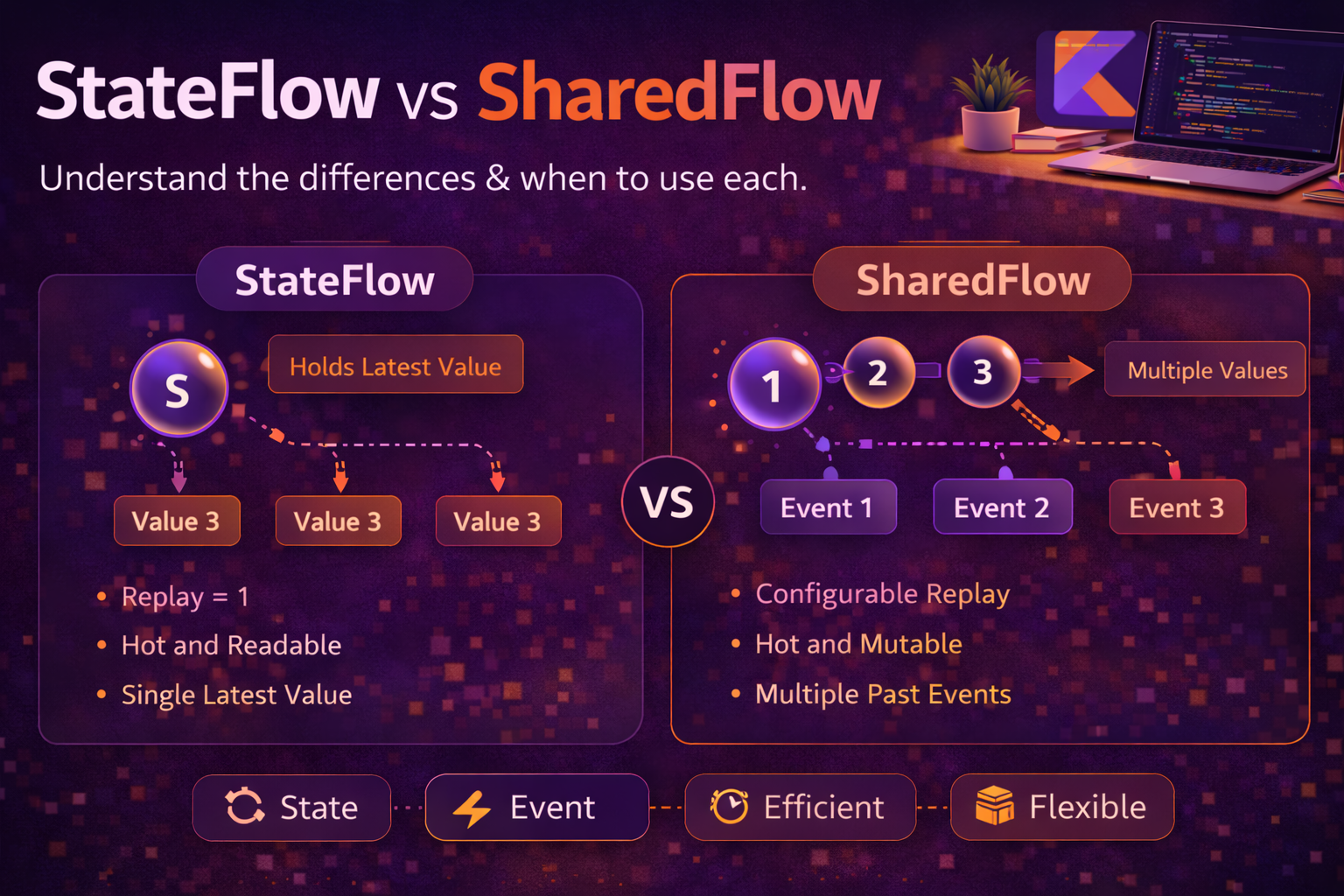
In the previous post, we covered what Flow is and how to create, collect, and handle errors in basic streams. Now it’s time to go deeper into Flow operators — the tools that let you transform, combine, filter, and flatten streams of data. These operators are what make Flow truly powerful. Instead of writing manual loops and state tracking, you chain declarative operators that handle the complexity for you. This guide covers every operator category with practical examples you’ll actually use in Android apps.
Transformation Operators
map — transform each value
// Convert domain model to UI model
val uiModels: Flow<ArticleUiModel> = repository.getArticlesFlow()
    .map { article ->
        ArticleUiModel(
            title = article.title,
            subtitle = "${article.author} · ${article.date.format()}",
            imageUrl = article.coverImage
        )
    }
mapNotNull — transform and skip nulls
// Parse JSON strings, skip failures
val validUsers: Flow<User> = jsonFlow.mapNotNull { json ->
    try {
        parseUser(json)
    } catch (e: Exception) {
        null   // returning null = this value is skipped
    }
}
transform — emit zero, one, or multiple values per input
// Emit loading state before each network call
val detailedUsers: Flow<UiState> = userIdsFlow.transform { userId ->
    emit(UiState.Loading(userId))                  // first emit: loading
    val user = repository.fetchUser(userId)        // suspend call
    emit(UiState.Success(user))                    // second emit: result
}

// Skip certain values entirely — just don't emit
val filtered: Flow<Int> = numberFlow.transform { value ->
    if (value > 0) emit(value)   // negative numbers are dropped
}
scan — running accumulation (like fold but emits every step)
// Running total — emits after every value
val runningTotal: Flow<Int> = flowOf(1, 2, 3, 4, 5)
    .scan(0) { accumulator, value ->
        accumulator + value
    }
// Emits: 0, 1, 3, 6, 10, 15
//        ^initial  ^0+1  ^1+2  ^3+3  ^6+4  ^10+5

// Track state changes over time
val stateHistory: Flow<List<Event>> = eventFlow
    .scan(emptyList<Event>()) { history, event ->
        history + event   // append each event to history
    }
Filtering Operators
filter — keep values matching a condition
val activeUsers: Flow<User> = userFlow.filter { it.isActive }

val largeFiles: Flow<File> = fileFlow.filter { it.size > 1_000_000 }
filterNot — keep values that don’t match
val nonAdmins: Flow<User> = userFlow.filterNot { it.isAdmin }filterIsInstance — keep only values of a specific type
// Filter sealed class subtypes
val errors: Flow<UiState.Error> = uiStateFlow.filterIsInstance<UiState.Error>()

// From a mixed-type Flow
val strings: Flow<String> = mixedFlow.filterIsInstance<String>()
distinctUntilChanged — skip consecutive duplicates
// Only emit when value actually changes
val uniqueStates: Flow<ConnectionState> = connectionFlow
    .distinctUntilChanged()
// CONNECTED, CONNECTED, DISCONNECTED, DISCONNECTED, CONNECTED
// becomes: CONNECTED, DISCONNECTED, CONNECTED

// Custom equality check
val nameChanges: Flow<User> = userFlow
    .distinctUntilChanged { old, new -> old.name == new.name }
// Emits only when name changes, ignoring other field changes
take — limit the number of values
val firstFive: Flow<Article> = articleFlow.take(5)
// Collects 5 values, then cancels the upstream Flow
takeWhile — take until condition fails
// Take values while user is online
val onlineEvents: Flow<Event> = eventFlow
    .takeWhile { it.userStatus == Status.ONLINE }
// Stops collecting as soon as one event has offline status
drop — skip the first N values
// Skip initial loading states
val afterWarmup: Flow<SensorData> = sensorFlow.drop(5)

// dropWhile — skip until condition fails
val afterCalibration: Flow<SensorData> = sensorFlow
    .dropWhile { it.isCalibrating }
debounce — wait for a pause in emissions
// Search — only emit after user stops typing for 300ms
val searchQuery: Flow<String> = queryFlow
    .debounce(300)
// User types: "k" "ko" "kot" "kotl" "kotli" "kotlin"
// Only "kotlin" is emitted (300ms after last keystroke)
sample — emit the latest value at fixed intervals
// High-frequency sensor data — sample every 100ms for UI
val sampledData: Flow<SensorReading> = sensorFlow
    .sample(100)
// If sensor emits 1000 times/sec, UI only gets ~10 updates/sec
Combining Operators
combine — merge latest values from multiple Flows
// Combine search query with filter selection
val query: StateFlow<String> = _query
val filter: StateFlow<Category> = _filter

val results: Flow<List<Article>> = combine(query, filter) { q, f ->
    repository.search(q, f)
}
// Emits whenever EITHER query or filter changes
// Always uses the latest value from both

// Three-way combine
val uiState: Flow<UiState> = combine(
    userFlow,
    settingsFlow,
    networkStatusFlow
) { user, settings, networkStatus ->
    UiState(
        userName = user.name,
        darkMode = settings.darkMode,
        isOffline = !networkStatus.isConnected
    )
}
zip — pair values one-to-one from two Flows
val names = flowOf("Alice", "Bob", "Charlie")
val ages = flowOf(25, 30, 35)

val users: Flow<String> = names.zip(ages) { name, age ->
    "$name is $age years old"
}
// "Alice is 25 years old"
// "Bob is 30 years old"
// "Charlie is 35 years old"

// zip completes when EITHER Flow completes
val short = flowOf(1, 2)
val long = flowOf("a", "b", "c", "d")
short.zip(long) { num, letter -> "$num$letter" }
// Emits: "1a", "2b" — stops because short Flow is done
combine vs zip — the key difference
val flow1 = flow {
    emit("A")
    delay(100)
    emit("B")
    delay(100)
    emit("C")
}

val flow2 = flow {
    emit(1)
    delay(250)
    emit(2)
}

// combine — uses latest from each, emits on ANY change
flow1.combine(flow2) { letter, number -> "$letter$number" }
// "A1", "B1", "C1", "C2"
// ^both arrive  ^flow1 updates  ^flow1 updates  ^flow2 updates

// zip — pairs values strictly one-to-one
flow1.zip(flow2) { letter, number -> "$letter$number" }
// "A1", "B2"
// Waits for a value from EACH flow before emitting
merge — combine multiple Flows into one stream
// Merge events from multiple sources
val allEvents: Flow<Event> = merge(
    networkEvents,
    databaseEvents,
    userInputEvents
)
// Emits values from all three Flows as they arrive
// Order depends on timing, not declaration order
Flattening Operators
When a Flow emits other Flows (a Flow<Flow<T>>), you need a flattening operator to merge them into a single Flow<T>. The three options differ in how they handle new inner Flows:
flatMapConcat — process one at a time, in order
// Fetch details for each user — one at a time, strictly ordered
val allDetails: Flow<UserDetails> = userIdsFlow
    .flatMapConcat { userId ->
        repository.getUserDetails(userId)   // returns Flow<UserDetails>
    }
// Waits for each inner Flow to complete before starting the next
// User 1 details → (complete) → User 2 details → (complete) → ...
flatMapLatest — cancel previous, keep only latest
// Search — cancel previous search when query changes
val results: Flow<List<SearchResult>> = queryFlow
    .flatMapLatest { query ->
        repository.search(query)   // previous search is CANCELLED
    }
// User types "kot" → search starts
// User types "kotlin" → "kot" search cancelled, "kotlin" search starts

// This is the most common flattening operator in Android —
// perfect for any "cancel and restart" pattern
flatMapMerge — run all concurrently
// Download multiple files concurrently
val downloadResults: Flow<DownloadResult> = urlsFlow
    .flatMapMerge(concurrency = 4) { url ->    // max 4 concurrent downloads
        downloadFile(url)   // returns Flow<DownloadResult>
    }
// All inner Flows run at the same time (up to concurrency limit)
// Results arrive in whatever order they complete
When to use which
// flatMapConcat  — order matters, sequential processing
//   Example: paginated API (page 1, then page 2, then page 3)

// flatMapLatest  — only care about the latest, cancel old work
//   Example: search, user selection, live filters

// flatMapMerge   — process all concurrently for speed
//   Example: batch downloads, parallel API calls
Side Effect Operators
repository.getArticlesFlow()
    .onStart {
        // Runs BEFORE the Flow starts emitting
        _isLoading.value = true
        println("Flow collection started")
    }
    .onEach { article ->
        // Runs for EACH emitted value — before it reaches collect
        println("Received: ${article.title}")
        analyticsTracker.logArticleLoaded(article.id)
    }
    .onCompletion { cause ->
        // Runs when Flow completes (success or failure)
        _isLoading.value = false
        if (cause != null) {
            println("Flow failed: ${cause.message}")
        }
    }
    .catch { e ->
        _error.value = e.message
    }
    .collect { article ->
        _articles.value += article
    }
onStart — emit initial values
// Emit a default value before the real data arrives
val articlesWithDefault: Flow<List<Article>> = repository.getArticlesFlow()
    .onStart { emit(emptyList()) }   // collector gets empty list immediately
Buffering and Conflation
When a collector is slower than the emitter, backpressure builds up. Flow handles this sequentially by default — the emitter suspends until the collector processes each value. You can change this behaviour:
buffer — run emitter and collector concurrently
// Without buffer: total time = emission time + collection time (sequential)
flow {
    emit(1)          // emits at 0ms
    delay(100)
    emit(2)          // emits at 100ms
    delay(100)
    emit(3)          // emits at 200ms
}
.collect { value ->
    delay(300)       // slow collector
    println(value)
}
// Total: ~1200ms (each value waits for collector)

// With buffer: emitter and collector run concurrently
flow {
    emit(1)
    delay(100)
    emit(2)
    delay(100)
    emit(3)
}
.buffer()            // emitter doesn't wait for collector
.collect { value ->
    delay(300)
    println(value)
}
// Total: ~1100ms (emitter runs ahead, values queue up)
conflate — skip intermediate values if collector is slow
// Sensor data arriving fast, UI update is slow
sensorFlow
    .conflate()   // if collector is busy, drop intermediate values
    .collect { reading ->
        delay(300)   // slow UI update
        updateChart(reading)
    }
// If values 1, 2, 3, 4, 5 arrive while collector processes 1:
// Collector gets: 1, then 5 (2, 3, 4 are dropped)
// Always processes the LATEST available value
collectLatest — cancel slow processing when new value arrives
// Re-render UI with latest data — cancel if new data arrives
searchResults
    .collectLatest { results ->
        // If a new emission arrives while this is running,
        // this block is CANCELLED and restarted with the new value
        val rendered = heavyRender(results)   // cancellable work
        updateUi(rendered)
    }
Real Android Patterns
Combining multiple data sources for UI state
class DashboardViewModel(
    private val userRepo: UserRepository,
    private val articleRepo: ArticleRepository,
    private val settingsRepo: SettingsRepository
) : ViewModel() {

    val uiState: StateFlow<DashboardUiState> = combine(
        userRepo.currentUser(),              // Flow<User>
        articleRepo.getArticles(),           // Flow<List<Article>>
        settingsRepo.getSettings()           // Flow<Settings>
    ) { user, articles, settings ->
        DashboardUiState(
            userName = user.displayName,
            articles = articles.map { it.toUiModel() },
            isDarkMode = settings.darkMode
        )
    }
    .catch { e ->
        emit(DashboardUiState.Error(e.message ?: "Unknown error"))
    }
    .stateIn(
        scope = viewModelScope,
        started = SharingStarted.WhileSubscribed(5000),
        initialValue = DashboardUiState.Loading
    )
}
Filter + sort with reactive inputs
class ArticleListViewModel(private val repository: ArticleRepository) : ViewModel() {

    private val _sortOrder = MutableStateFlow(SortOrder.DATE_DESC)
    private val _categoryFilter = MutableStateFlow<Category?>(null)

    val articles: StateFlow<List<ArticleUiModel>> = combine(
        repository.getArticles(),
        _sortOrder,
        _categoryFilter
    ) { articles, sort, category ->
        articles
            .filter { article ->
                category == null || article.category == category
            }
            .sortedWith(
                when (sort) {
                    SortOrder.DATE_DESC -> compareByDescending { it.date }
                    SortOrder.DATE_ASC -> compareBy { it.date }
                    SortOrder.TITLE -> compareBy { it.title }
                }
            )
            .map { it.toUiModel() }
    }
    .stateIn(viewModelScope, SharingStarted.WhileSubscribed(5000), emptyList())

    fun setSortOrder(order: SortOrder) { _sortOrder.value = order }
    fun setCategory(category: Category?) { _categoryFilter.value = category }
}
Retry with exponential backoff
fun <T> Flow<T>.retryWithBackoff(
    maxRetries: Int = 3,
    initialDelayMs: Long = 1000,
    maxDelayMs: Long = 10000
): Flow<T> = this.retryWhen { cause, attempt ->
    if (cause is CancellationException) {
        false   // never retry cancellation
    } else if (attempt < maxRetries) {
        val delayMs = (initialDelayMs * 2.0.pow(attempt.toInt()))
            .toLong()
            .coerceAtMost(maxDelayMs)
        delay(delayMs)
        true    // retry
    } else {
        false   // max retries exceeded
    }
}

// Usage
repository.getArticlesFlow()
    .retryWithBackoff(maxRetries = 3)
    .catch { e -> _error.value = e.message }
    .collect { _articles.value = it }
Paginated list with flatMapConcat
class PaginatedViewModel(private val repository: ArticleRepository) : ViewModel() {

    private val _loadNextPage = MutableSharedFlow<Unit>()
    private var currentPage = 0

    val articles: StateFlow<List<Article>> = _loadNextPage
        .onStart { emit(Unit) }   // load first page automatically
        .scan(emptyList<Article>()) { accumulated, _ ->
            val nextPage = repository.getArticles(page = currentPage++)
            accumulated + nextPage   // append new page to existing list
        }
        .stateIn(viewModelScope, SharingStarted.WhileSubscribed(5000), emptyList())

    fun loadMore() {
        viewModelScope.launch { _loadNextPage.emit(Unit) }
    }
}
Common Mistakes to Avoid
Mistake 1: Using flatMapMerge when order matters
// ❌ Concurrent execution — results arrive in random order
pagesFlow.flatMapMerge { page ->
    repository.fetchPage(page)
}

// ✅ Use flatMapConcat for ordered sequential processing
pagesFlow.flatMapConcat { page ->
    repository.fetchPage(page)
}
Mistake 2: Collecting the same cold Flow multiple times accidentally
// ❌ Each collect triggers a separate network call
val articlesFlow = flow { emit(api.getArticles()) }

viewModelScope.launch { articlesFlow.collect { /* ... */ } }
viewModelScope.launch { articlesFlow.collect { /* ... */ } }
// Two API calls!

// ✅ Share with stateIn or shareIn
val articlesFlow = flow { emit(api.getArticles()) }
    .stateIn(viewModelScope, SharingStarted.WhileSubscribed(5000), emptyList())
Mistake 3: Forgetting that combine emits on every change
// ❌ Heavy computation runs every time ANY input changes
combine(flowA, flowB, flowC) { a, b, c ->
    expensiveComputation(a, b, c)   // runs 3x if all three change quickly
}

// ✅ Add debounce or use distinctUntilChanged to reduce emissions
combine(flowA, flowB, flowC) { a, b, c -> Triple(a, b, c) }
    .debounce(100)   // batch rapid changes
    .map { (a, b, c) -> expensiveComputation(a, b, c) }
Mistake 4: Using flatMapLatest when you need all results
// ❌ Previous downloads get cancelled!
urlsFlow.flatMapLatest { url ->
    downloadFile(url)   // only the LAST url is downloaded
}

// ✅ Use flatMapMerge for concurrent execution of all items
urlsFlow.flatMapMerge { url ->
    downloadFile(url)   // all downloads run concurrently
}

// ✅ Use flatMapConcat for sequential execution of all items
urlsFlow.flatMapConcat { url ->
    downloadFile(url)   // downloads run one at a time, in order
}
Summary
- Transformation:
maptransforms each value,mapNotNullskips nulls,transformgives full control over emissions,scanprovides running accumulation - Filtering:
filter,filterNot,filterIsInstancefor type-based filtering,distinctUntilChangedto skip consecutive duplicates - Limiting:
takelimits count,takeWhiletakes until condition fails,dropanddropWhileskip initial values - Timing:
debouncewaits for a pause in emissions,sampleemits at fixed intervals - Combining:
combinemerges latest values (emits on any change),zippairs values one-to-one,mergeinterleaves multiple Flows - Flattening:
flatMapConcatfor sequential,flatMapLatestfor cancel-and-restart,flatMapMergefor concurrent processing - Side effects:
onStartruns before collection,onEachruns per value,onCompletionruns when Flow ends - Backpressure:
bufferdecouples emitter from collector,conflatedrops intermediate values,collectLatestcancels slow processing combineis the go-to operator for merging multiple UI inputs (search + filter + sort)flatMapLatestis the go-to for search and any “cancel previous, restart” patternretryWhenwith exponential backoff handles transient network failures gracefully- Use
stateInto share a cold Flow among multiple collectors and avoid duplicate work
Flow operators are where reactive programming becomes practical. Once you know the difference between combine and zip, between flatMapLatest and flatMapConcat, and when to use buffer vs conflate — you can model almost any async data pipeline declaratively. Next up, we’ll look at StateFlow vs SharedFlow — the hot counterparts to cold Flow.
Happy coding!
Comments (0)