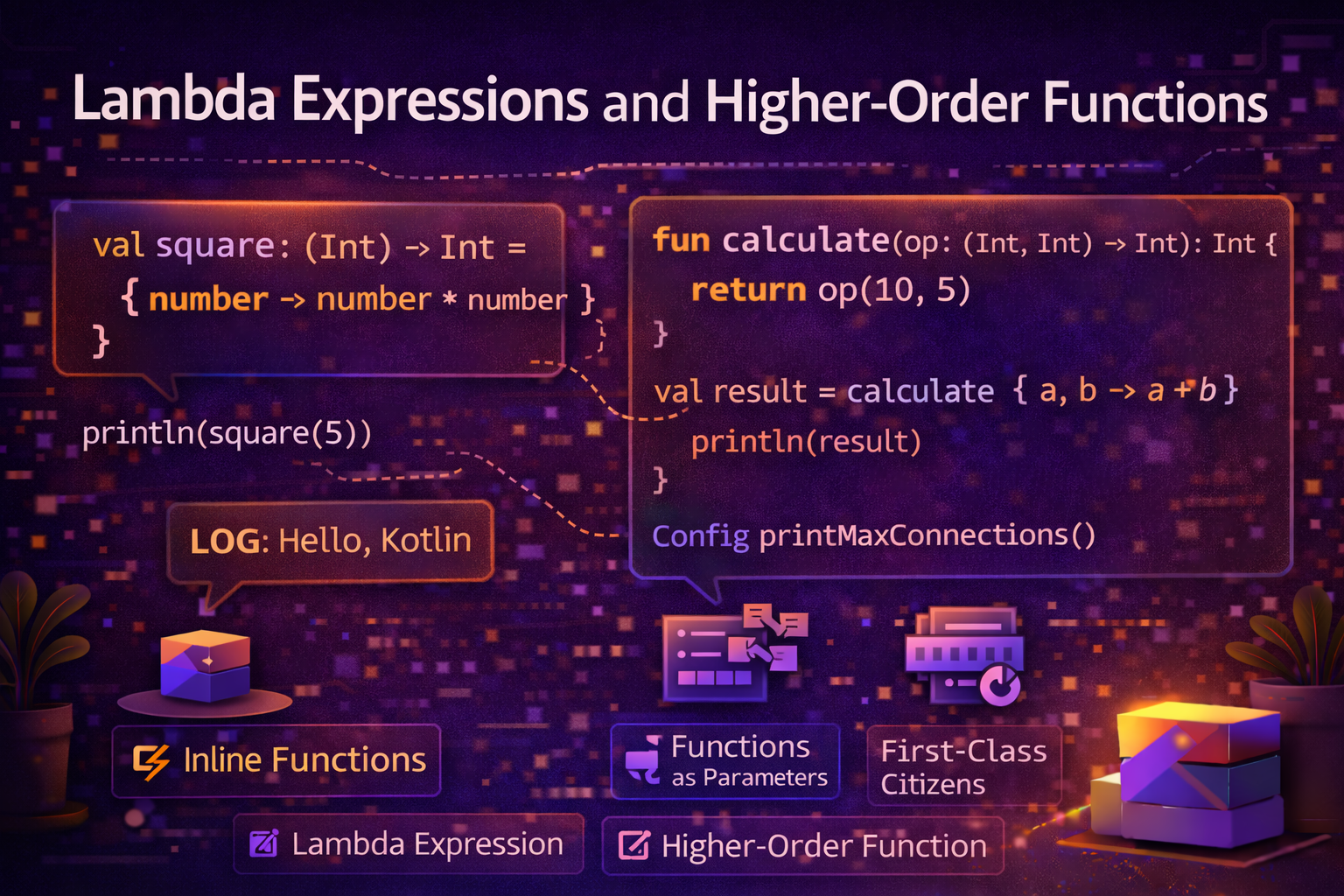
Lambdas and higher-order functions are at the heart of functional programming in Kotlin. You use them every single day — whenever you call filter, map, forEach, setOnClickListener, or launch. This guide explains everything from scratch with practical examples so you understand not just how to use them, but why they exist and when to use them.
What Is a Lambda?
A lambda is a function without a name — defined inline, passed around like a value.
Think of a regular function:
fun double(n: Int): Int {
    return n * 2
}
A lambda does the same thing but without the fun keyword and name:
val double = { n: Int -> n * 2 }You can store it in a variable, pass it to another function, or return it — just like any other value.
val double = { n: Int -> n * 2 }

println(double(5))    // 10
println(double(10))   // 20
Real-world analogy: Imagine you're ordering coffee. Normally you'd say "I want the large latte with oat milk — that's my regular order" (named function). A lambda is like saying "give me whatever has the most caffeine" — a quick, one-off instruction right there in the moment.
Lambda Syntax
val lambdaName = { parameter: Type -> body }Breaking it down:
val greet = { name: String -> "Hello, $name!" }
//            ^^^^^^^^^^^^    ^^^^^^^^^^^^^^^^
//            parameter       body (return value)

println(greet("Alice"))   // Hello, Alice!
Multiple parameters:
val add = { a: Int, b: Int -> a + b }
println(add(3, 5))   // 8
No parameters:
val sayHello = { println("Hello!") }
sayHello()   // Hello!
The last expression in a lambda is its return value — no return keyword needed:
val calculate = { a: Int, b: Int ->
    val sum = a + b
    val doubled = sum * 2
    doubled   // this is returned
}
println(calculate(3, 4))   // 14
Function Types
Every lambda has a function type that describes its parameters and return type:
// (parameter types) -> return type

val greet: (String) -> String = { name -> "Hello, $name!" }
val add: (Int, Int) -> Int = { a, b -> a + b }
val printMessage: (String) -> Unit = { message -> println(message) }
val getNumber: () -> Int = { 42 }
When Kotlin can infer the type from the lambda, you don't need to declare it:
val greet = { name: String -> "Hello, $name!" } // type inferredit — Implicit Parameter Name
When a lambda has exactly one parameter, you can skip naming it and use it instead:
val double = { n: Int -> n * 2 }

// Same with 'it'
val double: (Int) -> Int = { it * 2 }
This is extremely common with collection operations:
val names = listOf("Alice", "Bob", "Charlie")

// With explicit parameter name
names.forEach { name -> println(name) }
names.filter { name -> name.length > 3 }
names.map { name -> name.uppercase() }

// With 'it' — shorter and idiomatic
names.forEach { println(it) }
names.filter { it.length > 3 }
names.map { it.uppercase() }
Use it for short, obvious lambdas. Use an explicit name when the lambda is longer or the parameter meaning isn't obvious.
What Is a Higher-Order Function?
A higher-order function is a function that:
- Takes a function (lambda) as a parameter, or
- Returns a function
This is what makes Kotlin's collection operations so powerful.
// This is a higher-order function — takes a lambda as parameter
fun operateOnNumbers(a: Int, b: Int, operation: (Int, Int) -> Int): Int {
    return operation(a, b)
}

// Pass different lambdas to get different behavior
println(operateOnNumbers(10, 5) { a, b -> a + b })   // 15
println(operateOnNumbers(10, 5) { a, b -> a * b })   // 50
println(operateOnNumbers(10, 5) { a, b -> a - b })   // 5
Trailing Lambda Syntax
When the last parameter of a function is a lambda, you can move it outside the parentheses. This is called trailing lambda syntax and it's used everywhere in Kotlin.
fun doSomething(times: Int, action: () -> Unit) {
    repeat(times) { action() }
}

// Normal call
doSomething(3, { println("Hello!") })

// Trailing lambda — lambda moved outside parentheses
doSomething(3) { println("Hello!") }

// If lambda is the ONLY parameter, drop parentheses entirely
listOf(1, 2, 3).forEach({ println(it) })   // normal
listOf(1, 2, 3).forEach { println(it) }    // trailing lambda — much cleaner
This is why setOnClickListener, launch, let, apply and many others look the way they do — they all use trailing lambda syntax.
button.setOnClickListener {
    // this is a trailing lambda
    showToast("Clicked!")
}

viewModelScope.launch {
    // this is a trailing lambda
    val data = repository.fetchData()
}
Higher-Order Functions with Collections
This is where you'll use lambdas most in everyday Android development.
filter — Keep items that match a condition
val numbers = listOf(1, 2, 3, 4, 5, 6, 7, 8, 9, 10)

val evens = numbers.filter { it % 2 == 0 }
// [2, 4, 6, 8, 10]

val articles = listOf(/* article objects */)
val kotlinArticles = articles.filter { it.category == "Kotlin" }
val publishedArticles = articles.filter { it.isPublished && !it.isDeleted }
map — Transform each item
val numbers = listOf(1, 2, 3, 4, 5)

val doubled = numbers.map { it * 2 }
// [2, 4, 6, 8, 10]

val names = listOf("alice", "bob", "charlie")
val capitalized = names.map { it.replaceFirstChar { c -> c.uppercase() } }
// [Alice, Bob, Charlie]

// Transform articles to display models
val displayItems = articles.map { article ->
    ArticleDisplayItem(
        id = article.id,
        title = article.title,
        excerpt = article.content.take(150),
        authorName = article.author.name,
        formattedDate = DateUtils.formatDate(article.publishedAt)
    )
}
forEach — Run an action for each item
val articles = listOf(/* articles */)

articles.forEach { article ->
    println("${article.title} by ${article.author}")
}

// With index
articles.forEachIndexed { index, article ->
    println("$index: ${article.title}")
}
find / firstOrNull — Find first matching item
val articles = listOf(/* articles */)

val kotlinArticle = articles.find { it.category == "Kotlin" }
val featuredArticle = articles.firstOrNull { it.isFeatured }
// Returns null if not found — safe
any / all / none — Check conditions
val articles = listOf(/* articles */)

val hasKotlinArticles = articles.any { it.category == "Kotlin" }
val allPublished = articles.all { it.isPublished }
val noDeleted = articles.none { it.isDeleted }
groupBy — Group items by a key
val articles = listOf(/* articles */)

val byCategory = articles.groupBy { it.category }
// Map<String, List<Article>>
// { "Kotlin" -> [...], "Android" -> [...], "Compose" -> [...] }

byCategory.forEach { (category, articleList) ->
    println("$category: ${articleList.size} articles")
}
sortedBy / sortedByDescending
val articles = listOf(/* articles */)

val byDate = articles.sortedByDescending { it.publishedAt }
val byTitle = articles.sortedBy { it.title }
val byViews = articles.sortedByDescending { it.viewCount }
Chaining Operations
val result = articles
    .filter { it.isPublished && it.category == "Kotlin" }
    .sortedByDescending { it.publishedAt }
    .take(10)
    .map { article ->
        ArticlePreview(
            id = article.id,
            title = article.title,
            excerpt = article.content.take(100)
        )
    }
Returning Functions from Functions
A higher-order function can also return a function:
fun makeMultiplier(factor: Int): (Int) -> Int {
    return { number -> number * factor }
}

val double = makeMultiplier(2)
val triple = makeMultiplier(3)

println(double(5))   // 10
println(triple(5))   // 15
Practical use — creating configured validators:
fun createLengthValidator(min: Int, max: Int): (String) -> Boolean {
    return { text -> text.length in min..max }
}

val validateName = createLengthValidator(2, 50)
val validatePassword = createLengthValidator(8, 128)
val validateBio = createLengthValidator(0, 500)

println(validateName("Al"))         // true
println(validatePassword("short"))  // false — too short
println(validateBio(""))            // true — bio is optional
Storing Lambdas as Variables
You can store lambdas in variables and pass them around:
// Storing as variable
val isEven: (Int) -> Boolean = { it % 2 == 0 }
val isPositive: (Int) -> Boolean = { it > 0 }

// Passing to another function
val numbers = listOf(-3, -1, 0, 2, 4, 6)
println(numbers.filter(isEven))      // [0, 2, 4, 6]
println(numbers.filter(isPositive))  // [2, 4, 6]

// Combining conditions
val isPositiveEven: (Int) -> Boolean = { isEven(it) && isPositive(it) }
println(numbers.filter(isPositiveEven))  // [2, 4, 6]
Function References — ::
Instead of writing a lambda that just calls an existing function, you can reference the function directly with :::
fun isEven(n: Int): Boolean = n % 2 == 0
fun printUppercase(s: String) = println(s.uppercase())

val numbers = listOf(1, 2, 3, 4, 5, 6)
val names = listOf("alice", "bob", "charlie")

// Lambda version
numbers.filter { isEven(it) }
names.forEach { printUppercase(it) }

// Function reference — cleaner when lambda just calls one function
numbers.filter(::isEven)
names.forEach(::printUppercase)
names.forEach(::println)  // reference to standard library function
Member function references:
data class Article(val title: String, val isPublished: Boolean)

val articles = listOf(
    Article("Kotlin Guide", true),
    Article("Draft Post", false)
)

// Lambda
articles.filter { it.isPublished }

// Function reference to member
articles.filter(Article::isPublished)
Practical Android Higher-Order Functions
Reusable error handling
suspend fun <T> withErrorHandling(
    onError: (String) -> Unit,
    block: suspend () -> T
): T? {
    return try {
        block()
    } catch (e: IOException) {
        onError("No internet connection")
        null
    } catch (e: Exception) {
        onError(e.message ?: "Something went wrong")
        null
    }
}

// Usage
viewModelScope.launch {
    val articles = withErrorHandling(
        onError = { message -> _errorState.value = message }
    ) {
        repository.getArticles()
    }
    articles?.let { _articles.value = it }
}
Click debouncer
fun View.setDebouncedClickListener(
    debounceMs: Long = 300L,
    onClick: (View) -> Unit
) {
    var lastClickTime = 0L
    setOnClickListener { view ->
        val currentTime = System.currentTimeMillis()
        if (currentTime - lastClickTime >= debounceMs) {
            lastClickTime = currentTime
            onClick(view)
        }
    }
}

// Usage
submitButton.setDebouncedClickListener {
    viewModel.submitForm()
}
Builder-style configuration
class DialogBuilder(private val context: Context) {
    private var title = ""
    private var message = ""
    private var positiveAction: (() -> Unit)? = null
    private var negativeAction: (() -> Unit)? = null

    fun title(text: String) = apply { title = text }
    fun message(text: String) = apply { message = text }
    fun onPositive(action: () -> Unit) = apply { positiveAction = action }
    fun onNegative(action: () -> Unit) = apply { negativeAction = action }

    fun show() {
        AlertDialog.Builder(context)
            .setTitle(title)
            .setMessage(message)
            .setPositiveButton("Yes") { _, _ -> positiveAction?.invoke() }
            .setNegativeButton("No") { _, _ -> negativeAction?.invoke() }
            .show()
    }
}

// Usage
DialogBuilder(context)
    .title("Delete Article")
    .message("Are you sure you want to delete this article?")
    .onPositive { viewModel.deleteArticle(articleId) }
    .onNegative { /* do nothing */ }
    .show()
Closures — Lambdas Capturing Variables
A lambda can access and capture variables from its surrounding scope — this is called a closure.
var clickCount = 0

button.setOnClickListener {
    clickCount++   // captures and modifies clickCount
    println("Clicked $clickCount times")
}

fun makeCounter(): () -> Int {
    var count = 0
    return {
        count++   // captured variable persists across calls
        count
    }
}

val counter = makeCounter()
println(counter())   // 1
println(counter())   // 2
println(counter())   // 3
Common Mistakes to Avoid
Mistake 1: Using return inside a lambda when you mean to skip
val names = listOf("Alice", "Bob", "Charlie")

// ❌ This returns from the enclosing function, not just the lambda!
names.forEach {
    if (it == "Bob") return   // exits the entire function
    println(it)
}

// ✅ Use return@forEach to return from the lambda only
names.forEach {
    if (it == "Bob") return@forEach   // skips to next iteration
    println(it)
}
Mistake 2: Overusing it when explicit name is clearer
// ❌ Hard to read — what is 'it'?
articles.filter { it.it != null }

// ✅ Name it explicitly
articles.filter { article -> article.category != null }
Mistake 3: Writing verbose lambda when function reference works
// ❌ Verbose
names.forEach { name -> println(name) }
numbers.filter { number -> isEven(number) }

// ✅ Cleaner with function reference
names.forEach(::println)
numbers.filter(::isEven)
Mistake 4: Creating lambda objects in hot paths
// ❌ Creates a new lambda object every time list renders
recyclerView.adapter = object : RecyclerView.Adapter<...>() {
    override fun onBindViewHolder(holder: ViewHolder, position: Int) {
        holder.itemView.setOnClickListener {   // new lambda every bind!
            onItemClick(items[position])
        }
    }
}

// ✅ Use inline functions or store listener reference
Summary
- A lambda is an anonymous function — defined inline, stored in variables, passed as arguments
- Function type syntax:
(ParamType) -> ReturnType - Use
itas implicit parameter name when lambda has exactly one parameter - A higher-order function takes a function as parameter or returns a function
- Use trailing lambda syntax when the last (or only) parameter is a lambda
- Collection operations —
filter,map,forEach,find,any,all,groupBy,sortedBy— all use lambdas - Use function references (
::functionName) instead of lambdas that just call one function - Lambdas capture variables from their surrounding scope — this is called a closure
- Use
return@labelto return from a lambda without returning from the enclosing function
Lambdas and higher-order functions transform the way you write Android code. Once you're fluent with them, filter, map, let, apply, and launch will all feel completely natural — because they're all just higher-order functions under the hood.
Happy coding!
Comments (0)