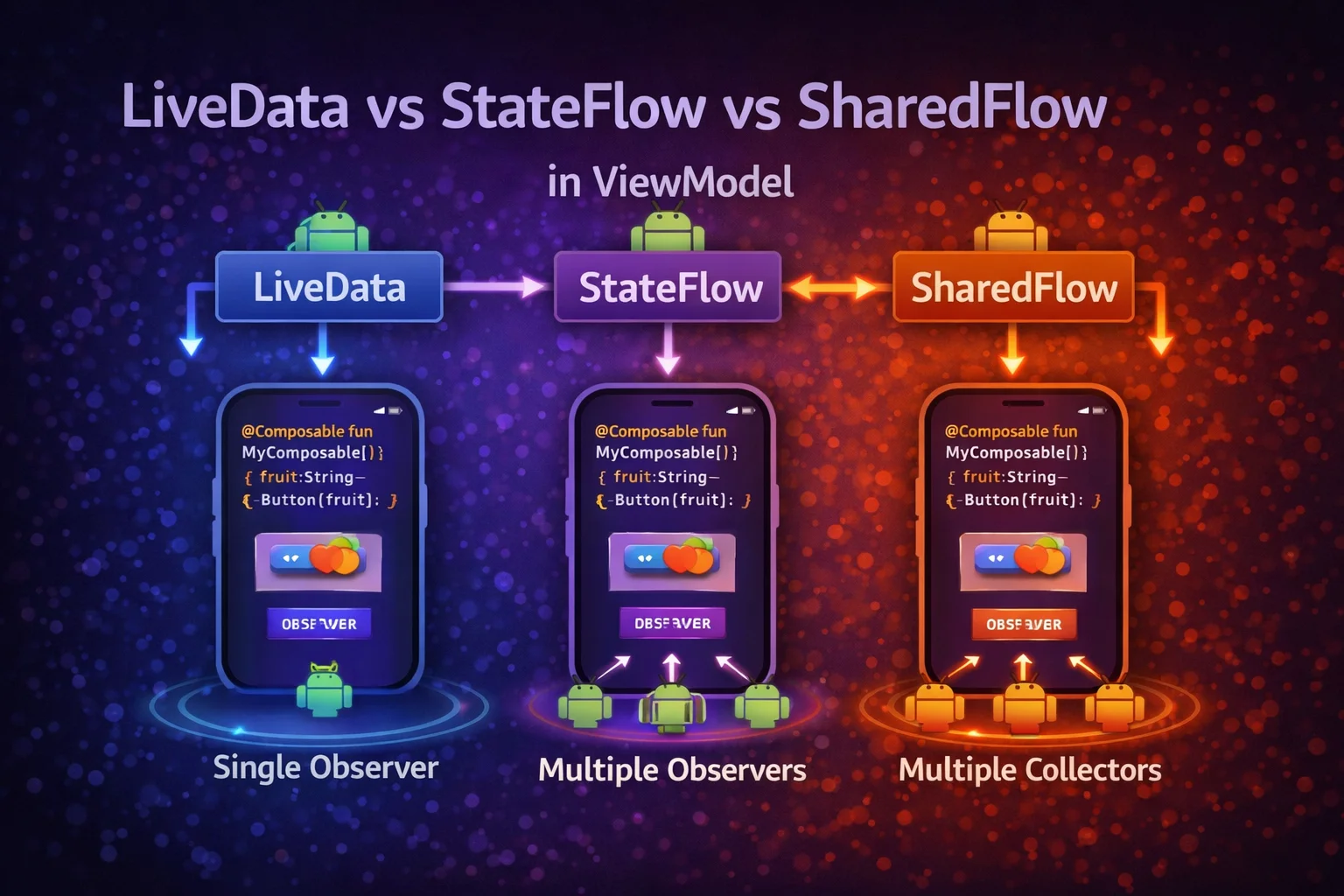
Every Android developer faces this question: should I use LiveData, StateFlow, or SharedFlow in my ViewModel? Five years ago, LiveData was the only option. Today, StateFlow and SharedFlow are the recommended choice — but LiveData is still everywhere in existing codebases. This guide gives you a clear, definitive answer: what each one is, how they differ, when to use which, and how to migrate from LiveData to Flow.
What Each One Is
LiveData
// LiveData is an ABSTRACT CLASS from androidx.lifecycle
// It's a lifecycle-aware observable data holder

// MutableLiveData is a CLASS that extends LiveData — allows writes
// LiveData is read-only (expose to UI), MutableLiveData is read-write (internal)

class ArticleViewModel : ViewModel() {
    private val _articles = MutableLiveData<List<Article>>()
    // MutableLiveData() is a CONSTRUCTOR
    val articles: LiveData<List<Article>> = _articles
    // LiveData is an ABSTRACT CLASS — read-only version

    fun load() {
        viewModelScope.launch {
            val data = repository.getArticles()
            _articles.value = data
            // .value is a PROPERTY on MutableLiveData — sets value on main thread
            // .postValue() is a FUNCTION on MutableLiveData — sets from any thread
        }
    }
}

// Observing in Activity/Fragment:
viewModel.articles.observe(viewLifecycleOwner) { articles ->
    // observe() is a FUNCTION on LiveData
    // Takes LifecycleOwner — automatically starts/stops observing
    adapter.submitList(articles)
}

// Key characteristics:
// ✅ Lifecycle-aware — auto stops when observer's lifecycle is inactive
// ✅ No initial value required — can start as null
// ✅ Simple API — value, observe, postValue
// ❌ Android-specific — can't use in pure Kotlin modules
// ❌ No built-in operators (map, filter, combine are limited)
// ❌ Not designed for coroutines
// ❌ Delivers last value to new observers (can cause issues with events)
StateFlow
// StateFlow is an INTERFACE from kotlinx.coroutines.flow
// It's a hot Flow that always holds a current value

// MutableStateFlow() is a TOP-LEVEL FUNCTION that creates a MutableStateFlow
// MutableStateFlow is an INTERFACE — allows reads and writes

class ArticleViewModel : ViewModel() {
    private val _articles = MutableStateFlow<List<Article>>(emptyList())
    // MUST provide initial value — StateFlow always has a value
    val articles: StateFlow<List<Article>> = _articles.asStateFlow()
    // asStateFlow() is an EXTENSION FUNCTION on MutableStateFlow → read-only StateFlow

    fun load() {
        viewModelScope.launch {
            val data = repository.getArticles()
            _articles.value = data
            // .value is a PROPERTY on MutableStateFlow — thread-safe
        }
    }
}

// Observing in Compose:
val articles by viewModel.articles.collectAsStateWithLifecycle()
// collectAsStateWithLifecycle() is an EXTENSION FUNCTION on StateFlow
// Lifecycle-aware — stops collecting when below STARTED

// Observing in Fragment:
viewLifecycleOwner.lifecycleScope.launch {
    viewLifecycleOwner.repeatOnLifecycle(Lifecycle.State.STARTED) {
        // repeatOnLifecycle() is an EXTENSION FUNCTION on LifecycleOwner
        // Starts collection when STARTED, cancels when STOPPED
        viewModel.articles.collect { articles ->
            adapter.submitList(articles)
        }
    }
}

// Key characteristics:
// ✅ Pure Kotlin — works in any Kotlin module (no Android dependency)
// ✅ Always has a value (.value property)
// ✅ Conflated — duplicate values are skipped (distinctUntilChanged)
// ✅ Thread-safe — .value can be set from any thread
// ✅ Full Flow operators (map, filter, combine, flatMapLatest, etc.)
// ✅ Coroutines-native — designed for suspend/Flow world
// ❌ Requires initial value (can't start as "no value")
// ❌ Requires lifecycle handling in XML Views (repeatOnLifecycle)
SharedFlow
// SharedFlow is an INTERFACE from kotlinx.coroutines.flow
// It's a hot Flow that broadcasts values to all collectors — no stored value

// MutableSharedFlow() is a TOP-LEVEL FUNCTION that creates a MutableSharedFlow
// MutableSharedFlow is an INTERFACE — allows emitting values

class ArticleViewModel : ViewModel() {
    private val _events = MutableSharedFlow<UiEvent>()
    // No initial value — SharedFlow doesn't hold state
    val events: SharedFlow<UiEvent> = _events.asSharedFlow()
    // asSharedFlow() is an EXTENSION FUNCTION on MutableSharedFlow → read-only

    fun onDeleteClicked(articleId: String) {
        viewModelScope.launch {
            repository.deleteArticle(articleId)
            _events.emit(UiEvent.ShowSnackbar("Article deleted"))
            // emit() is a SUSPEND FUNCTION on MutableSharedFlow
            // Suspends if buffer is full and no collectors
        }
    }

    sealed interface UiEvent {
        data class ShowSnackbar(val message: String) : UiEvent
        data class NavigateTo(val route: String) : UiEvent
    }
}

// Observing in Compose:
LaunchedEffect(Unit) {
    viewModel.events.collect { event ->
        when (event) {
            is UiEvent.ShowSnackbar -> snackbarHostState.showSnackbar(event.message)
            is UiEvent.NavigateTo -> navController.navigate(event.route)
        }
    }
}

// Key characteristics:
// ✅ No stored value — events are consumed, not replayed (with replay=0)
// ✅ Duplicate emissions delivered (not conflated)
// ✅ Configurable replay and buffer
// ✅ Pure Kotlin — no Android dependency
// ❌ Missed events if no collector at emit time (with replay=0)
// ❌ No .value property — can't read current state synchronously
Side-by-Side Comparison
// ┌─────────────────────────┬──────────────┬──────────────┬──────────────┐
// │                         │ LiveData     │ StateFlow    │ SharedFlow   │
// ├─────────────────────────┼──────────────┼──────────────┼──────────────┤
// │ Type                    │ abstract     │ interface    │ interface    │
// │                         │ class        │              │              │
// │ Package                 │ androidx.    │ kotlinx.     │ kotlinx.     │
// │                         │ lifecycle    │ coroutines   │ coroutines   │
// │ Requires Android?       │ ✅ Yes       │ ❌ No        │ ❌ No         │
// │ Initial value           │ Optional     │ Required     │ Not needed   │
// │ Has .value              │ ✅ Yes       │ ✅ Yes       │ ❌ No         │
// │ Nullability             │ Can be null  │ As declared  │ As declared  │
// │ Duplicate emissions     │ Delivered    │ Skipped      │ Delivered    │
// │ Lifecycle-aware         │ Built-in     │ Manual*      │ Manual*      │
// │ Operators               │ Limited      │ Full Flow    │ Full Flow    │
// │ Thread safety           │ postValue()  │ .value       │ emit()       │
// │ Coroutines support      │ Workarounds  │ Native       │ Native       │
// │ Compose support         │ observeAs    │ collectAs    │ collect in   │
// │                         │ State()      │ StateWith    │ Launched     │
// │                         │              │ Lifecycle()  │ Effect       │
// │ Best for                │ Legacy/      │ UI State     │ One-time     │
// │                         │ simple       │              │ events       │
// │ Comparable to           │ —            │ LiveData     │ SingleLive   │
// │                         │              │ replacement  │ Event        │
// └─────────────────────────┴──────────────┴──────────────┴──────────────┘
//
// * StateFlow/SharedFlow lifecycle awareness:
//   Compose: collectAsStateWithLifecycle() handles it automatically
//   XML: repeatOnLifecycle(STARTED) { collect { } } handles it manually
When to Use Which — Decision Tree
// Q: Is this UI STATE (loading, content, error, form data)?
// ├── YES → StateFlow ✅
// │         The screen always needs a "current state" to render
// │         StateFlow always has a value — perfect fit
// │
// └── NO → Q: Is this a ONE-TIME EVENT (snackbar, navigation, toast)?
//          ├── YES → SharedFlow (replay=0) ✅
//          │         Events should be consumed once, not replayed
//          │         SharedFlow doesn't hold state — events are fire-and-forget
//          │
//          └── NO → Q: Are you in a LEGACY codebase with LiveData everywhere?
//                   ├── YES → LiveData is fine — migrate gradually
//                   │         No need to rewrite working LiveData code
//                   │
//                   └── NO → StateFlow ✅ (default choice)
//                             For any new code, StateFlow is the answer

// Summary:
// NEW projects → StateFlow for state, SharedFlow for events, no LiveData
// EXISTING projects → keep LiveData where it works, use Flow for new code
// PURE KOTLIN modules → StateFlow/SharedFlow only (no Android dependency)
The Same ViewModel — Three Ways
With LiveData (legacy)
class ArticleViewModel(private val repository: ArticleRepository) : ViewModel() {

    // UI state
    private val _uiState = MutableLiveData<UiState>(UiState.Loading)
    val uiState: LiveData<UiState> = _uiState

    // One-time events — the "SingleLiveEvent" problem
    // LiveData replays the last value to new observers
    // Navigation event fires AGAIN on rotation → navigates twice!
    private val _event = MutableLiveData<Event<UiEvent>>()
    // Event wrapper is a CUSTOM CLASS — hack to prevent replaying
    val event: LiveData<Event<UiEvent>> = _event

    fun load() {
        _uiState.value = UiState.Loading
        viewModelScope.launch {
            try {
                val articles = repository.getArticles()
                _uiState.value = UiState.Success(articles)
            } catch (e: Exception) {
                _uiState.value = UiState.Error(e.message ?: "Unknown error")
            }
        }
    }

    fun onArticleClicked(id: String) {
        _event.value = Event(UiEvent.NavigateTo(id))
        // Must wrap in Event to prevent replaying on rotation
    }
}

// Problems with this approach:
// ❌ Event wrapper is a hack — every team writes their own
// ❌ No Flow operators (can't debounce, combine, flatMap easily)
// ❌ LiveData.map and switchMap are limited and lifecycle-unaware
// ❌ LiveData can't be used in pure Kotlin modules
With StateFlow + SharedFlow (recommended)
class ArticleViewModel(private val repository: ArticleRepository) : ViewModel() {

    // UI state — StateFlow
    private val _uiState = MutableStateFlow<UiState>(UiState.Loading)
    val uiState: StateFlow<UiState> = _uiState.asStateFlow()

    // One-time events — SharedFlow (no hack needed!)
    private val _events = MutableSharedFlow<UiEvent>()
    val events: SharedFlow<UiEvent> = _events.asSharedFlow()
    // SharedFlow doesn't replay by default → no duplicate events on rotation

    fun load() {
        viewModelScope.launch {
            _uiState.value = UiState.Loading
            try {
                val articles = repository.getArticles()
                _uiState.value = UiState.Success(articles)
            } catch (e: CancellationException) { throw e }
            catch (e: Exception) {
                _uiState.value = UiState.Error(e.message ?: "Unknown error")
            }
        }
    }

    fun onArticleClicked(id: String) {
        viewModelScope.launch {
            _events.emit(UiEvent.NavigateTo(id))
            // No Event wrapper needed — SharedFlow handles it correctly
        }
    }
}

// Benefits:
// ✅ StateFlow for state — always has value, conflated, thread-safe
// ✅ SharedFlow for events — no replay, no Event wrapper hack
// ✅ Full Flow operators available
// ✅ Pure Kotlin — works in any module
// ✅ Native coroutines support
With reactive Flow pipeline (advanced)
class ArticleViewModel(private val repository: ArticleRepository) : ViewModel() {

    // Reactive pipeline — cold Flow converted to hot StateFlow
    val uiState: StateFlow<UiState> = repository.getArticlesFlow()
        // getArticlesFlow() returns Flow<List<Article>> — cold, from Room
        .map<List<Article>, UiState> { articles ->
            UiState.Success(articles)
        }
        // map is an EXTENSION FUNCTION on Flow — transforms emissions
        .onStart { emit(UiState.Loading) }
        // onStart is an EXTENSION FUNCTION on Flow — emits before first value
        .catch { e -> emit(UiState.Error(e.message ?: "Error")) }
        // catch is an EXTENSION FUNCTION on Flow — handles upstream errors
        .stateIn(
            scope = viewModelScope,
            started = SharingStarted.WhileSubscribed(5000),
            // WhileSubscribed is a FUNCTION on SharingStarted companion
            // Stops upstream 5s after last collector leaves
            initialValue = UiState.Loading
        )
        // stateIn is an EXTENSION FUNCTION on Flow → converts cold Flow to hot StateFlow

    private val _events = MutableSharedFlow<UiEvent>()
    val events: SharedFlow<UiEvent> = _events.asSharedFlow()

    fun refresh() {
        viewModelScope.launch {
            try { repository.refreshArticles() }
            catch (e: CancellationException) { throw e }
            catch (e: Exception) {
                _events.emit(UiEvent.ShowSnackbar("Refresh failed"))
            }
            // Room's Flow automatically emits updated data → stateIn updates → UI updates
        }
    }
}

// Benefits of reactive pipeline:
// ✅ Database is single source of truth — changes propagate automatically
// ✅ No manual state management — pipeline handles loading/success/error
// ✅ WhileSubscribed saves resources when app is in background
// ✅ Cold Flow in repository, hot StateFlow in ViewModel — clean separation
Observing in UI — Complete Patterns
Compose (recommended)
@Composable
fun ArticleScreen(viewModel: ArticleViewModel = hiltViewModel()) {

    // Observe state
    val uiState by viewModel.uiState.collectAsStateWithLifecycle()
    // collectAsStateWithLifecycle() is an EXTENSION FUNCTION on StateFlow
    // Lifecycle-aware — stops collecting below STARTED

    // Observe events
    LaunchedEffect(Unit) {
        viewModel.events.collect { event ->
            when (event) {
                is UiEvent.ShowSnackbar -> { /* show snackbar */ }
                is UiEvent.NavigateTo -> { /* navigate */ }
            }
        }
    }

    // Render state
    when (val state = uiState) {
        is UiState.Loading -> LoadingScreen()
        is UiState.Success -> ArticleList(state.articles)
        is UiState.Error -> ErrorScreen(state.message)
    }
}

// Observing LiveData in Compose (if you still have it):
val articles by viewModel.articles.observeAsState(emptyList())
// observeAsState() is an EXTENSION FUNCTION on LiveData
// from compose-runtime-livedata library
// implementation("androidx.compose.runtime:runtime-livedata")
Fragment with XML Views
class ArticleFragment : Fragment(R.layout.fragment_articles) {
    private val viewModel: ArticleViewModel by viewModels()

    override fun onViewCreated(view: View, savedInstanceState: Bundle?) {
        super.onViewCreated(view, savedInstanceState)

        // Observe StateFlow — lifecycle-aware
        viewLifecycleOwner.lifecycleScope.launch {
            viewLifecycleOwner.repeatOnLifecycle(Lifecycle.State.STARTED) {
                // repeatOnLifecycle is a SUSPEND EXTENSION FUNCTION on LifecycleOwner
                // Starts block when STARTED, cancels when STOPPED, restarts when STARTED again

                // Launch separate collectors for state and events
                launch {
                    viewModel.uiState.collect { state ->
                        when (state) {
                            is UiState.Loading -> showLoading()
                            is UiState.Success -> showArticles(state.articles)
                            is UiState.Error -> showError(state.message)
                        }
                    }
                }

                launch {
                    viewModel.events.collect { event ->
                        when (event) {
                            is UiEvent.ShowSnackbar ->
                                Snackbar.make(binding.root, event.message, Snackbar.LENGTH_SHORT).show()
                            is UiEvent.NavigateTo ->
                                findNavController().navigate(event.route)
                        }
                    }
                }
            }
        }

        // Compare with LiveData observation:
        // viewModel.articles.observe(viewLifecycleOwner) { articles ->
        //     adapter.submitList(articles)
        // }
        // LiveData is simpler to observe in XML — but lacks operators and Kotlin purity
    }
}
The SingleLiveEvent Problem — Why SharedFlow is Better
// THE PROBLEM:
// LiveData replays the last value to new observers
// This is CORRECT for state (show the current screen)
// But WRONG for events (navigate, show snackbar)

// Scenario with LiveData:
// 1. User taps "Delete" → ViewModel sets event = ShowSnackbar("Deleted")
// 2. Snackbar shows ✅
// 3. User rotates screen
// 4. New observer is registered → LiveData replays ShowSnackbar("Deleted")
// 5. Snackbar shows AGAIN ❌ — unwanted!

// The Event wrapper hack:
class Event<out T>(private val content: T) {
    private var hasBeenHandled = false
    fun getContentIfNotHandled(): T? {
        return if (hasBeenHandled) null
        else { hasBeenHandled = true; content }
    }
}
// ❌ This is a hack — fragile, doesn't work with multiple observers

// WITH SharedFlow — problem doesn't exist:
private val _events = MutableSharedFlow<UiEvent>()   // replay=0 by default
// Events are consumed by the collector and NOT replayed
// New observers get NOTHING from the past — no duplicate snackbars
// No Event wrapper needed — the API handles it correctly
Migrating from LiveData to StateFlow
// Step-by-step migration — one ViewModel at a time

// BEFORE (LiveData):
class ArticleViewModel : ViewModel() {
    private val _articles = MutableLiveData<List<Article>>()
    val articles: LiveData<List<Article>> = _articles

    private val _isLoading = MutableLiveData(false)
    val isLoading: LiveData<Boolean> = _isLoading

    private val _event = MutableLiveData<Event<String>>()
    val event: LiveData<Event<String>> = _event

    fun load() {
        _isLoading.value = true
        viewModelScope.launch {
            _articles.value = repository.getArticles()
            _isLoading.value = false
        }
    }
}

// AFTER (StateFlow + SharedFlow):
class ArticleViewModel : ViewModel() {
    // Combine multiple LiveData into ONE sealed state
    private val _uiState = MutableStateFlow<UiState>(UiState.Loading)
    val uiState: StateFlow<UiState> = _uiState.asStateFlow()

    // Replace Event wrapper with SharedFlow
    private val _events = MutableSharedFlow<UiEvent>()
    val events: SharedFlow<UiEvent> = _events.asSharedFlow()

    fun load() {
        viewModelScope.launch {
            _uiState.value = UiState.Loading
            try {
                val articles = repository.getArticles()
                _uiState.value = UiState.Success(articles)
            } catch (e: CancellationException) { throw e }
            catch (e: Exception) {
                _uiState.value = UiState.Error(e.message ?: "Error")
            }
        }
    }
}

// Migration benefits:
// ✅ Multiple LiveData fields → ONE sealed UiState (cleaner)
// ✅ Event wrapper hack → SharedFlow (proper solution)
// ✅ Limited operators → full Flow operators
// ✅ Android-dependent → pure Kotlin (testable without Android)

// Migration tips:
// 1. Migrate ViewModel first (LiveData → StateFlow/SharedFlow)
// 2. Update Fragment observation (observe → repeatOnLifecycle + collect)
// 3. Or migrate Fragment to Compose (collectAsStateWithLifecycle)
// 4. Remove LiveData dependencies when no longer used
Converting Between LiveData and Flow
// During migration, you may need to convert between LiveData and Flow

// LiveData → Flow
val articlesFlow: Flow<List<Article>> = viewModel.articles.asFlow()
// asFlow() is an EXTENSION FUNCTION on LiveData
// from lifecycle-livedata-ktx library

// Flow → LiveData
val articlesLiveData: LiveData<List<Article>> = repository.getArticlesFlow().asLiveData()
// asLiveData() is an EXTENSION FUNCTION on Flow
// from lifecycle-livedata-ktx library
// Useful when your Repository returns Flow but your ViewModel still uses LiveData

// In ViewModel — convert repository Flow to LiveData (interim migration step):
class ArticleViewModel(repository: ArticleRepository) : ViewModel() {
    val articles: LiveData<List<Article>> = repository.getArticlesFlow()
        .map { articles -> articles.filter { it.isPublished } }
        .asLiveData()
        // Flow operators work, then convert to LiveData at the end
}

// These converters are from:
// implementation("androidx.lifecycle:lifecycle-livedata-ktx:2.8.6")
Common Mistakes to Avoid
Mistake 1: Using LiveData for events
// ❌ LiveData replays last value on rotation — event fires twice
private val _navigate = MutableLiveData<String>()
// User rotates → LiveData replays → navigates AGAIN!

// ✅ SharedFlow for events — no replay
private val _navigate = MutableSharedFlow<String>()
Mistake 2: Collecting StateFlow without lifecycle awareness
// ❌ Collects even when app is in background — wastes resources
lifecycleScope.launch {
    viewModel.uiState.collect { /* runs in background too! */ }
}

// ✅ Lifecycle-aware — stops when below STARTED
viewLifecycleOwner.lifecycleScope.launch {
    viewLifecycleOwner.repeatOnLifecycle(Lifecycle.State.STARTED) {
        viewModel.uiState.collect { /* only when visible */ }
    }
}

// ✅ In Compose — automatic
val state by viewModel.uiState.collectAsStateWithLifecycle()
Mistake 3: Using StateFlow for one-time events
// ❌ StateFlow replays last value to new collectors — event fires again
private val _snackbar = MutableStateFlow<String?>(null)
// New collector immediately gets the last snackbar message!

// ✅ SharedFlow for events — no replay, consumed once
private val _snackbar = MutableSharedFlow<String>()
Mistake 4: Not using asStateFlow/asSharedFlow for encapsulation
// ❌ Exposing MutableStateFlow — View can modify state directly
val uiState: MutableStateFlow<UiState> = MutableStateFlow(UiState.Loading)
// viewModel.uiState.value = UiState.Error("hacked") — bypasses ViewModel logic!

// ✅ Expose read-only — mutations only through ViewModel functions
private val _uiState = MutableStateFlow(UiState.Loading)
val uiState: StateFlow<UiState> = _uiState.asStateFlow()
Mistake 5: Multiple separate LiveData fields instead of one sealed state
// ❌ Three separate LiveData — can be inconsistent
val isLoading = MutableLiveData(false)
val articles = MutableLiveData<List<Article>>()
val error = MutableLiveData<String?>()
// isLoading=true AND articles=data → impossible state!
// Easy to forget updating one of them

// ✅ One sealed state — always consistent
sealed interface UiState {
    data object Loading : UiState
    data class Success(val articles: List<Article>) : UiState
    data class Error(val message: String) : UiState
}
private val _uiState = MutableStateFlow<UiState>(UiState.Loading)
// Only ONE state at a time — impossible to be loading AND error AND have data
Summary
- LiveData (abstract class from androidx.lifecycle) — lifecycle-aware, Android-specific, limited operators, replays last value; fine for legacy but not recommended for new code
- StateFlow (interface from kotlinx.coroutines.flow) — always has a value, conflated (skips duplicates), thread-safe, pure Kotlin, full Flow operators; use for UI state
- SharedFlow (interface from kotlinx.coroutines.flow) — no stored value, broadcasts to all collectors, configurable replay; use for one-time events
- New projects: StateFlow for state + SharedFlow for events — no LiveData needed
- Existing projects: keep working LiveData, use StateFlow/SharedFlow for new code, migrate gradually
- SharedFlow solves the SingleLiveEvent problem without hacky Event wrapper classes
- Use sealed interface UiState instead of multiple separate observable fields — always consistent, impossible states are impossible
- In Compose:
collectAsStateWithLifecycle()for StateFlow,LaunchedEffect+collectfor SharedFlow - In Fragments:
repeatOnLifecycle(STARTED)for lifecycle-aware collection - Convert between LiveData and Flow with
asFlow()andasLiveData()(extension functions from lifecycle-livedata-ktx) during migration - Always expose read-only
StateFlow/SharedFlowwithasStateFlow()/asSharedFlow()
The answer is clear: StateFlow for state, SharedFlow for events. LiveData served Android well for years, but StateFlow and SharedFlow are better in every dimension — pure Kotlin, full operators, coroutines-native, and no hacky Event wrappers. If you’re starting new code, use Flow. If you have LiveData, migrate when you touch that code. Either way, the pattern is the same: one sealed UiState, one-way data flow, ViewModel exposes read-only streams.
Happy coding!
Comments (0)