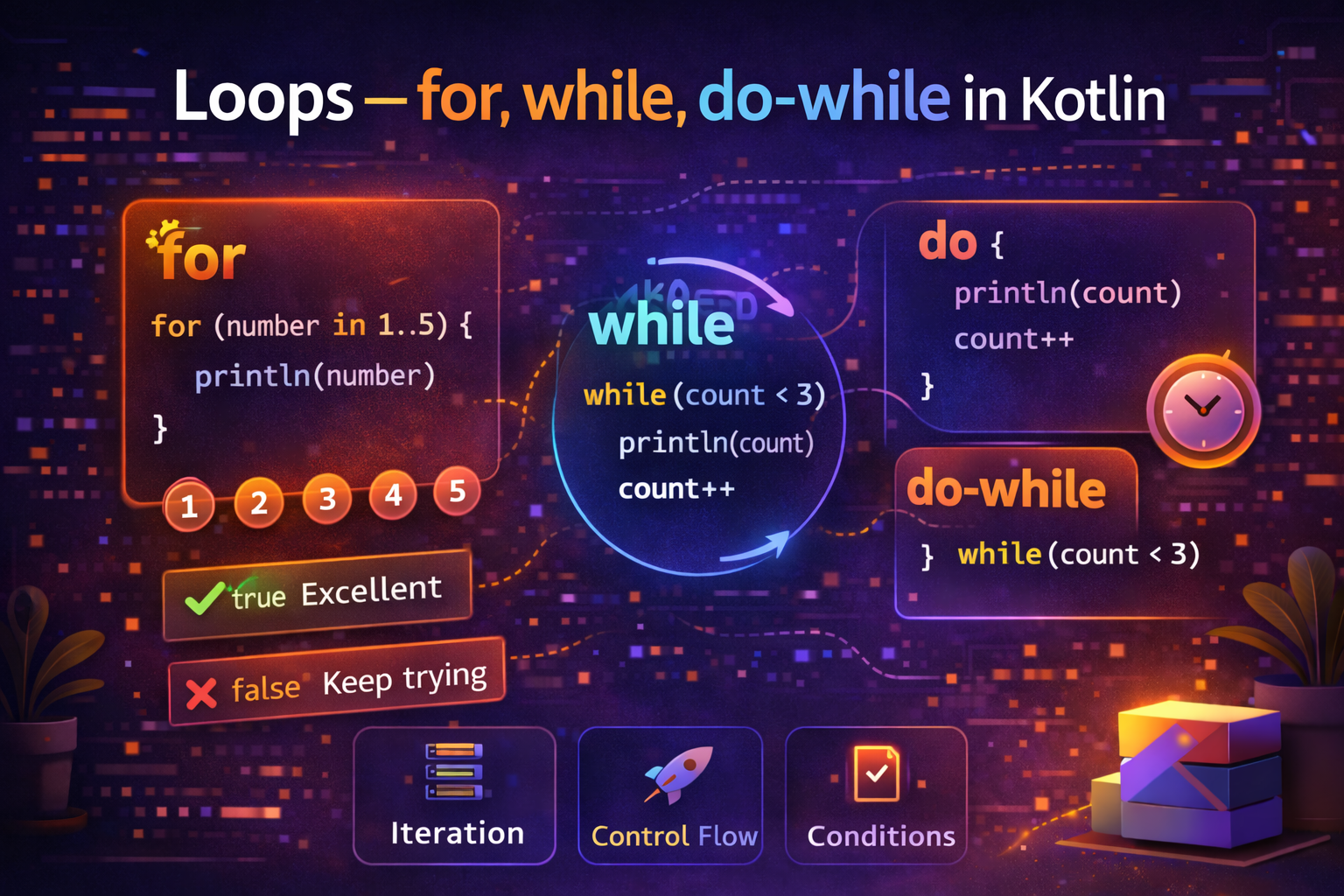
Loops let you repeat a block of code multiple times — iterating over a list, counting up or down, running until a condition changes. Kotlin has clean, expressive loop syntax that goes beyond what Java offers. This guide covers everything with practical Android examples.
Why Do We Need Loops?
Imagine you want to display 100 posts in a RecyclerView, or process every item in a shopping cart, or retry a network call up to 3 times. Writing the same code 100 times is not an option — you use a loop.
// Without a loop — impractical
println(items[0])
println(items[1])
println(items[2])
// ... 97 more lines

// With a loop — clean and scalable
for (item in items) {
    println(item)
}
for Loop — Iterate Over Collections and Ranges
The for loop in Kotlin iterates over anything that is iterable — ranges, lists, arrays, maps, and more.
Iterating Over a Range
A range is a sequence of numbers from a start to an end value.
// Print 1 to 5
for (i in 1..5) {
    println(i)
}
// Output: 1 2 3 4 5
The .. operator creates a closed range that includes both endpoints.
for (i in 1..10) {
    print("$i ")
}
// Output: 1 2 3 4 5 6 7 8 9 10
until — Excluding the End Value
Use until when you want to exclude the last value (common when working with indices):
for (i in 0 until 5) {
    print("$i ")
}
// Output: 0 1 2 3 4  (5 is excluded)
0 until 5 is equivalent to 0..4. This is very useful with list sizes:
val items = listOf("Apple", "Banana", "Cherry")

for (i in 0 until items.size) {
    println("$i: ${items[i]}")
}
// Output:
// 0: Apple
// 1: Banana
// 2: Cherry
step — Counting by Custom Increments
// Count by 2
for (i in 0..10 step 2) {
    print("$i ")
}
// Output: 0 2 4 6 8 10

// Count by 5
for (i in 0..100 step 5) {
    print("$i ")
}
// Output: 0 5 10 15 ... 100
downTo — Counting Backwards
for (i in 5 downTo 1) {
    print("$i ")
}
// Output: 5 4 3 2 1

// Countdown with step
for (i in 10 downTo 0 step 2) {
    print("$i ")
}
// Output: 10 8 6 4 2 0
Iterating Over a List
val fruits = listOf("Apple", "Banana", "Cherry", "Date")

for (fruit in fruits) {
    println(fruit)
}
// Output:
// Apple
// Banana
// Cherry
// Date
Iterating with Index — withIndex()
When you need both the index and the value:
val fruits = listOf("Apple", "Banana", "Cherry")

for ((index, fruit) in fruits.withIndex()) {
    println("$index: $fruit")
}
// Output:
// 0: Apple
// 1: Banana
// 2: Cherry
val fruits = listOf("Apple", "Banana", "Cherry")
for ((index, fruit) in fruits.withIndex()) {
println("$index: $fruit")
}
// Output:
// 0: Apple
// 1: Banana
// 2: CherryIterating Over a Map
val scores = mapOf("Alice" to 95, "Bob" to 87, "Charlie" to 92)

for ((name, score) in scores) {
    println("$name scored $score")
}
// Output:
// Alice scored 95
// Bob scored 87
// Charlie scored 92
Iterating Over a String
val word = "Kotlin"

for (char in word) {
    print("$char ")
}
// Output: K o t l i n
while Loop — Repeat While Condition is True
The while loop keeps running as long as its condition is true. The condition is checked before each iteration.
var count = 1

while (count <= 5) {
    println("Count: $count")
    count++
}
// Output:
// Count: 1
// Count: 2
// Count: 3
// Count: 4
// Count: 5
Important: If the condition is false from the start, the loop body never runs:
var count = 10

while (count <= 5) {
    println(count)  // never executes — 10 is not <= 5
}
Practical while Example — Retry Logic
var attempts = 0
var success = false
val maxAttempts = 3

while (attempts < maxAttempts && !success) {
    attempts++
    println("Attempt $attempts...")

    success = tryNetworkCall()  // returns true if successful

    if (!success) {
        println("Failed, retrying...")
        Thread.sleep(1000)  // wait 1 second before retry
    }
}

if (success) {
    println("Connected successfully!")
} else {
    println("Failed after $maxAttempts attempts")
}
Reading Input Until Condition is Met
var userInput = ""

while (userInput != "quit") {
    print("Enter command (or 'quit' to exit): ")
    userInput = readLine() ?: ""
    println("You entered: $userInput")
}

println("Goodbye!")
do-while Loop — Run At Least Once
The do-while loop is like while, but the condition is checked after each iteration. This guarantees the loop body runs at least once.
var count = 1

do {
    println("Count: $count")
    count++
} while (count <= 5)
// Output:
// Count: 1
// Count: 2
// Count: 3
// Count: 4
// Count: 5
The key difference from while:
var count = 10

// while — body never runs (condition false from start)
while (count <= 5) {
    println(count)  // never runs
}

// do-while — body runs ONCE even though condition is false
do {
    println(count)  // prints 10, then checks condition
} while (count <= 5)
// Output: 10
Practical do-while Example — Show Menu Once Then Repeat
var choice: Int

do {
    println("\\n=== Menu ===")
    println("1. View Posts")
    println("2. Write Post")
    println("3. Settings")
    println("0. Exit")
    print("Choose: ")
    choice = readLine()?.toIntOrNull() ?: -1

    when (choice) {
        1 -> viewPosts()
        2 -> writePost()
        3 -> openSettings()
        0 -> println("Exiting...")
        else -> println("Invalid choice, try again")
    }
} while (choice != 0)
Loop Control — break and continue
break — Exit the Loop Immediately
for (i in 1..10) {
    if (i == 5) break    // stop the loop when i reaches 5
    println(i)
}
// Output: 1 2 3 4
Practical example — find first matching item:
val users = listOf("Alice", "Bob", "Charlie", "Dave")
var foundUser: String? = null

for (user in users) {
    if (user.startsWith("C")) {
        foundUser = user
        break   // stop searching once found
    }
}

println(foundUser)  // Charlie
continue — Skip to Next Iteration
for (i in 1..10) {
    if (i % 2 == 0) continue   // skip even numbers
    println(i)
}
// Output: 1 3 5 7 9
Practical example — skip null or invalid items:
val emails = listOf("alice@email.com", "", "bob@email.com", null, "charlie@email.com")

for (email in emails) {
    if (email.isNullOrBlank()) continue   // skip empty/null emails
    println("Sending to: $email")
}
// Output:
// Sending to: alice@email.com
// Sending to: bob@email.com
// Sending to: charlie@email.com
Labeled Loops — Breaking Out of Nested Loops
When you have nested loops, break by default only exits the innermost loop. Use labels to break out of an outer loop.
// Without label — only breaks inner loop
for (i in 1..3) {
    for (j in 1..3) {
        if (j == 2) break   // only breaks inner loop
        println("$i, $j")
    }
}
// Output: 1,1  2,1  3,1

// With label — breaks outer loop
outer@ for (i in 1..3) {
    for (j in 1..3) {
        if (j == 2) break@outer   // breaks both loops
        println("$i, $j")
    }
}
// Output: 1,1
Practical example — search a 2D grid:
val grid = listOf(
    listOf(1, 2, 3),
    listOf(4, 5, 6),
    listOf(7, 8, 9)
)
val target = 5
var found = false

search@ for (row in grid) {
    for (value in row) {
        if (value == target) {
            found = true
            break@search   // stop searching all rows and columns
        }
    }
}

println(if (found) "Found $target!" else "Not found")
// Output: Found 5!
forEach — Functional Style Loop
Kotlin collections have a forEach function that's often used instead of a for loop:
val fruits = listOf("Apple", "Banana", "Cherry")

// for loop style
for (fruit in fruits) {
    println(fruit)
}

// forEach style
fruits.forEach { fruit ->
    println(fruit)
}

// Short form with 'it'
fruits.forEach { println(it) }
forEach with index:
fruits.forEachIndexed { index, fruit ->
    println("$index: $fruit")
}
// Output:
// 0: Apple
// 1: Banana
// 2: Cherry
When to use forEach vs for:
// Use for when you need break or continue
for (fruit in fruits) {
    if (fruit == "Banana") break  // works
}

// forEach doesn't support break/continue directly
fruits.forEach { fruit ->
    if (fruit == "Banana") return@forEach  // this is like continue, not break
}
repeat — Loop a Fixed Number of Times
When you just need to run something N times without caring about the index:
repeat(3) {
    println("Hello!")
}
// Output:
// Hello!
// Hello!
// Hello!

// With index
repeat(5) { index ->
    println("Attempt ${index + 1}")
}
// Output:
// Attempt 1
// Attempt 2
// Attempt 3
// Attempt 4
// Attempt 5
Real-World Android Examples
Processing a list of posts
fun loadPostPreviews(posts: List<Post>): List<PostPreview> {
    val previews = mutableListOf<PostPreview>()

    for (post in posts) {
        if (post.isDeleted) continue      // skip deleted posts
        if (previews.size >= 10) break    // show max 10 posts

        previews.add(PostPreview(
            id = post.id,
            title = post.title,
            excerpt = post.content.take(150) + "...",
            author = post.author
        ))
    }

    return previews
}
Building a formatted list for display
fun formatTagsList(tags: List<String>): String {
    return buildString {
        tags.forEachIndexed { index, tag ->
            append("#$tag")
            if (index < tags.size - 1) append("  ")  // space between tags
        }
    }
}

val tags = listOf("Kotlin", "Android", "Coroutines")
println(formatTagsList(tags))
// Output: #Kotlin  #Android  #Coroutines
Counting with while in a ViewModel
class TimerViewModel : ViewModel() {

    private val _timeLeft = MutableLiveData<Int>()
    val timeLeft: LiveData<Int> = _timeLeft

    fun startCountdown(seconds: Int) {
        viewModelScope.launch {
            var remaining = seconds

            while (remaining >= 0) {
                _timeLeft.value = remaining
                delay(1000)
                remaining--
            }
        }
    }
}
Loop Comparison — When to Use Which
| Loop | Use When |
|---|---|
for (x in collection) |
Iterating over a list, array, or map |
for (i in 1..n) |
Counting from one number to another |
for (i in 0 until n) |
Index-based iteration (like array access) |
while (condition) |
Unknown number of iterations, condition checked before |
do-while (condition) |
Must run at least once, condition checked after |
forEach { } |
Functional style iteration, no break needed |
repeat(n) { } |
Run something exactly N times |
Common Mistakes to Avoid
Mistake 1: Off-by-one errors with ranges
val items = listOf("A", "B", "C")  // size = 3

// ❌ IndexOutOfBoundsException — index 3 doesn't exist
for (i in 0..items.size) {
    println(items[i])
}

// ✅ Correct — use until
for (i in 0 until items.size) {
    println(items[i])
}

// ✅ Even better — iterate directly
for (item in items) {
    println(item)
}
Mistake 2: Modifying a list while iterating
val items = mutableListOf(1, 2, 3, 4, 5)

// ❌ ConcurrentModificationException
for (item in items) {
    if (item % 2 == 0) items.remove(item)
}

// ✅ Use removeIf or filter instead
items.removeIf { it % 2 == 0 }
// or
val filtered = items.filter { it % 2 != 0 }
Mistake 3: Infinite while loop
var count = 0

// ❌ Infinite loop — count never changes inside
while (count < 5) {
    println(count)
    // forgot: count++
}

// ✅ Always make sure the condition can become false
while (count < 5) {
    println(count)
    count++  // this is what stops the loop
}
Mistake 4: Using index loop when direct iteration is simpler
val names = listOf("Alice", "Bob", "Charlie")

// ❌ Unnecessary — Java style
for (i in 0 until names.size) {
    println(names[i])
}

// ✅ Kotlin style — cleaner
for (name in names) {
    println(name)
}
Summary
for (x in range/collection)— iterate over ranges, lists, arrays, and maps- Use
..for inclusive ranges,untilto exclude the end,stepfor custom increments,downToto count backwards while (condition)— runs as long as condition is true, checked before each iterationdo-while (condition)— like while but always runs at least oncebreakexits the loop,continueskips to the next iteration- Use labels (
outer@) to break out of nested loops forEachis a functional alternative tofor— useforwhen you needbreakrepeat(n)is the cleanest way to run something exactly N times- Always prefer iterating directly over a collection rather than using index-based loops
Loops are something you'll use in every single Android app you build — from loading lists to running timers to processing data. These patterns will become second nature very quickly.
Happy coding!
Comments (0)