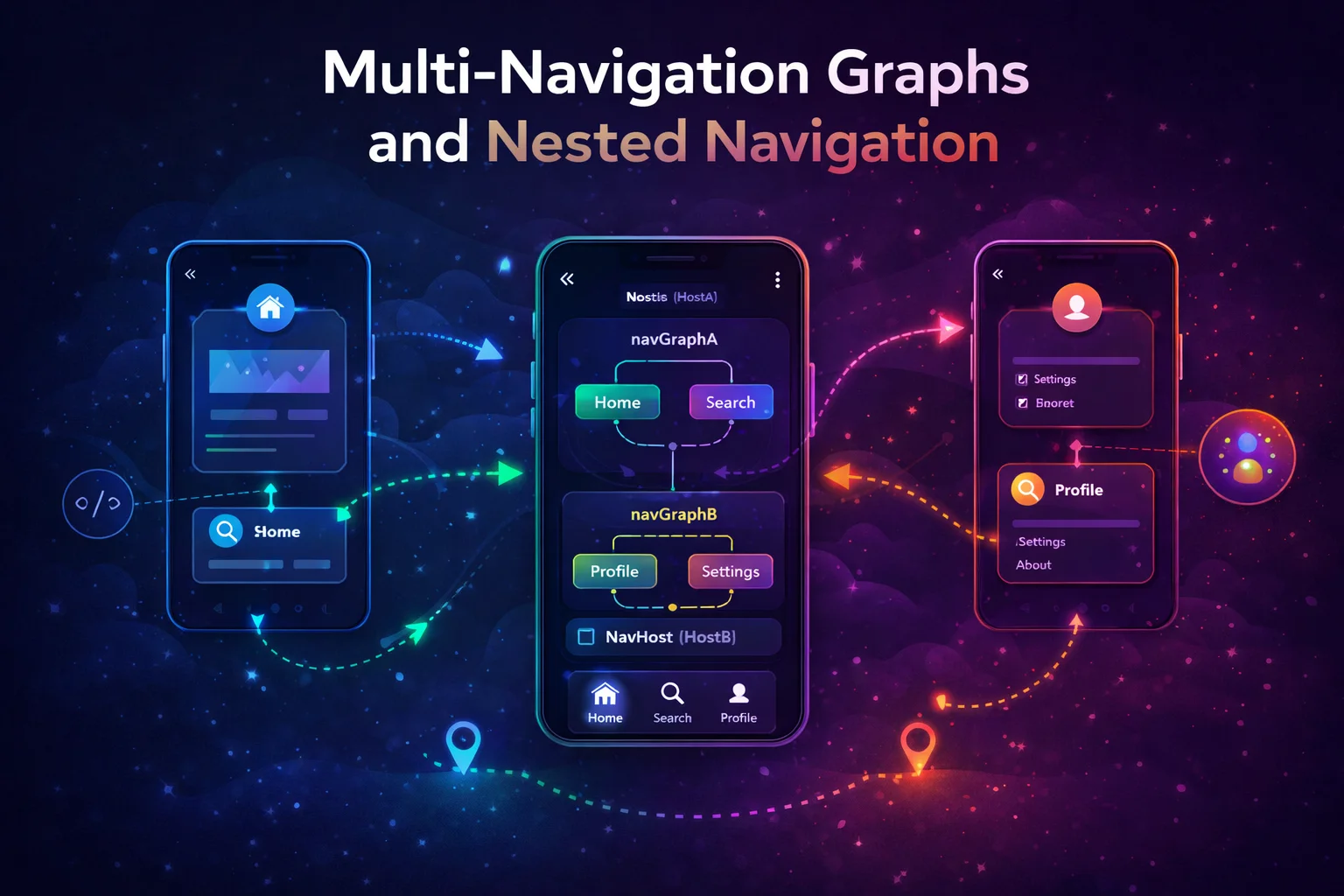
When your app grows beyond a handful of screens, a single flat navigation graph becomes a mess — 30 destinations, 50 actions, impossible to understand at a glance. Nested navigation graphs let you group related screens into sub-graphs: an auth flow, a checkout flow, an onboarding flow. Each group is self-contained, can be popped as a unit, and can share a ViewModel. This guide covers why you need nested graphs, how they work in both Fragment and Compose navigation, multi-module navigation, and the patterns that production apps actually use.
The Mental Model — Why Nested Graphs?
// Think of your app's navigation as a BOOK:
//
// FLAT GRAPH (one big table of contents):
//  Chapter 1: Login
//  Chapter 2: Register
//  Chapter 3: Forgot Password
//  Chapter 4: Home
//  Chapter 5: Article List
//  Chapter 6: Article Detail
//  Chapter 7: Cart
//  Chapter 8: Shipping
//  Chapter 9: Payment
//  Chapter 10: Confirmation
//  Chapter 11: Profile
//  Chapter 12: Edit Profile
//  Chapter 13: Settings
//  ... 30 more chapters
//
// Hard to see the structure! Which screens belong together?
//
//
// NESTED GRAPHS (organized into sections):
//  📖 SECTION: Auth
//  ├── Login
//  ├── Register
//  └── Forgot Password
//
//  📖 SECTION: Main
//  ├── Home
//  ├── Article List
//  └── Article Detail
//
//  📖 SECTION: Checkout
//  ├── Cart
//  ├── Shipping
//  ├── Payment
//  └── Confirmation
//
//  📖 SECTION: Profile
//  ├── Profile
//  ├── Edit Profile
//  └── Settings
//
// Now you can see the STRUCTURE at a glance
// Each section is independent — you can navigate INTO a section and POP the entire section
// THREE reasons to use nested graphs:
//
// 1. ORGANIZATION — group related screens, see app structure clearly
//
// 2. POP AS A UNIT — complete checkout → pop entire checkout flow
// Without nested graph: manually pop Cart, Shipping, Payment, Confirmation
// With nested graph: popUpTo(CheckoutGraph) { inclusive = true } — done!
//
// 3. SHARED VIEWMODEL — all screens in a flow share one ViewModel
// Cart, Shipping, Payment all need the same cart data
// Scope a ViewModel to the nested graph → shared across all its screens
// When graph is popped → ViewModel is cleared → clean!Nested Graphs in Compose Navigation
Step 1: Define routes for each graph and its screens
// Each nested graph has a GRAPH route and SCREEN routes

// Auth flow
@Serializable object AuthGraph       // the graph itself (not a screen)
// @Serializable is an ANNOTATION from kotlinx.serialization
// object because the graph has no arguments
@Serializable object Login           // screen inside the graph
@Serializable object Register
@Serializable object ForgotPassword

// Checkout flow
@Serializable object CheckoutGraph
@Serializable object Cart
@Serializable object Shipping
@Serializable object Payment
@Serializable object OrderConfirmation

// Main content (no nested graph needed — simple screens)
@Serializable object Home
@Serializable data class ArticleDetail(val articleId: String)

// Profile flow
@Serializable object ProfileGraph
@Serializable object Profile
@Serializable object EditProfile
@Serializable object Settings

// Naming convention:
// XxxGraph → the nested graph's route (not displayed, just a grouping)
// Xxx → individual screens inside the graph
Step 2: Build the NavHost with nested graphs
@Composable
fun AppNavigation() {
    val navController = rememberNavController()
    // rememberNavController() is a COMPOSABLE FUNCTION — creates and remembers NavController

    NavHost(
        navController = navController,
        startDestination = AuthGraph
        // App starts at AuthGraph — first screen is Login (the graph's startDestination)
    ) {
        // ═══ AUTH FLOW (nested graph) ═══════════════════════════════
        navigation<AuthGraph>(startDestination = Login) {
            // navigation<T>() is an INLINE EXTENSION FUNCTION on NavGraphBuilder
            // T = AuthGraph — the route for this nested graph
            // startDestination = Login — first screen when entering this graph
            // Everything inside is PART OF this nested graph

            composable<Login> {
                LoginScreen(
                    onLoginSuccess = {
                        // After login → go to Home, clear entire auth flow
                        navController.navigate(Home) {
                            popUpTo(AuthGraph) { inclusive = true }
                            // popUpTo(AuthGraph) — removes everything in the auth graph
                            // inclusive = true — also removes the graph entry itself
                            // Result: only Home exists in the back stack
                            // User can't press Back to return to Login!
                        }
                    },
                    onRegisterClick = {
                        navController.navigate(Register)
                        // Normal navigation WITHIN the nested graph
                    },
                    onForgotPasswordClick = {
                        navController.navigate(ForgotPassword)
                    }
                )
            }

            composable<Register> {
                RegisterScreen(
                    onRegistered = {
                        navController.navigate(Home) {
                            popUpTo(AuthGraph) { inclusive = true }
                        }
                    },
                    onBack = { navController.popBackStack() }
                )
            }

            composable<ForgotPassword> {
                ForgotPasswordScreen(
                    onBack = { navController.popBackStack() }
                )
            }
        }

        // ═══ HOME (simple destination, not a graph) ═════════════════
        composable<Home> {
            HomeScreen(
                onArticleClick = { id ->
                    navController.navigate(ArticleDetail(articleId = id))
                },
                onCartClick = {
                    navController.navigate(CheckoutGraph)
                    // Entering the checkout GRAPH — goes to Cart (startDestination)
                },
                onProfileClick = {
                    navController.navigate(ProfileGraph)
                }
            )
        }

        composable<ArticleDetail> { backStackEntry ->
            val route = backStackEntry.toRoute<ArticleDetail>()
            ArticleDetailScreen(articleId = route.articleId)
        }

        // ═══ CHECKOUT FLOW (nested graph) ════════════════════════════
        navigation<CheckoutGraph>(startDestination = Cart) {
            composable<Cart> {
                CartScreen(
                    onProceed = { navController.navigate(Shipping) },
                    onBack = { navController.popBackStack() }
                )
            }

            composable<Shipping> {
                ShippingScreen(
                    onProceed = { navController.navigate(Payment) },
                    onBack = { navController.popBackStack() }
                )
            }

            composable<Payment> {
                PaymentScreen(
                    onProceed = { navController.navigate(OrderConfirmation) },
                    onBack = { navController.popBackStack() }
                )
            }

            composable<OrderConfirmation> {
                ConfirmationScreen(
                    onDone = {
                        // Checkout complete → go Home, clear entire checkout
                        navController.navigate(Home) {
                            popUpTo(CheckoutGraph) { inclusive = true }
                            // Cart, Shipping, Payment, Confirmation — all gone
                        }
                    }
                )
            }
        }

        // ═══ PROFILE FLOW (nested graph) ═════════════════════════════
        navigation<ProfileGraph>(startDestination = Profile) {
            composable<Profile> {
                ProfileScreen(
                    onEditClick = { navController.navigate(EditProfile) },
                    onSettingsClick = { navController.navigate(Settings) },
                    onBack = { navController.popBackStack() }
                )
            }

            composable<EditProfile> {
                EditProfileScreen(onBack = { navController.popBackStack() })
            }

            composable<Settings> {
                SettingsScreen(
                    onLogout = {
                        navController.navigate(AuthGraph) {
                            popUpTo(0) { inclusive = true }
                            // Pop EVERYTHING — start fresh with auth
                        }
                    },
                    onBack = { navController.popBackStack() }
                )
            }
        }
    }
}
Back Stack Behaviour with Nested Graphs
// Let's trace the back stack through a real user journey:
//
// 1. App launches → AuthGraph → Login
//    Back stack: [Login]
//
// 2. User logs in → navigate(Home) with popUpTo(AuthGraph, inclusive)
//    Back stack: [Home]   (Login is gone — auth flow cleared)
//
// 3. User taps "Cart" → navigate(CheckoutGraph) → Cart
//    Back stack: [Home, Cart]
//
// 4. User proceeds → navigate(Shipping)
//    Back stack: [Home, Cart, Shipping]
//
// 5. User proceeds → navigate(Payment)
//    Back stack: [Home, Cart, Shipping, Payment]
//
// 6. User proceeds → navigate(OrderConfirmation)
//    Back stack: [Home, Cart, Shipping, Payment, OrderConfirmation]
//
// 7. User taps "Done" → navigate(Home) with popUpTo(CheckoutGraph, inclusive)
//    Back stack: [Home]   (entire checkout flow cleared!)
//
// 8. User presses Back → app exits (only Home was in the stack)
//
// Without nested graph:
// Step 7 would need: popUpTo(Cart) { inclusive = true }
// But what if user entered checkout from ArticleDetail?
// Then Cart isn't the right destination to pop to!
// Nested graph makes it simple: popUpTo(CheckoutGraph) — always correct
Sharing ViewModel Across a Nested Graph
One of the most powerful features of nested graphs — screens in the same flow can share a single ViewModel:
// WHY share a ViewModel?
// In the checkout flow:
// - Cart screen adds items
// - Shipping screen sets the address
// - Payment screen sets the payment method
// - Confirmation screen shows everything
//
// ALL four screens need access to the SAME data
// Without shared ViewModel: pass data through arguments (messy for complex objects)
// With shared ViewModel: all screens read/write the same instance

@HiltViewModel
// @HiltViewModel is an ANNOTATION from dagger.hilt.android.lifecycle
class CheckoutViewModel @Inject constructor(
    private val cartRepository: CartRepository,
    private val orderRepository: OrderRepository
) : ViewModel() {
    // ViewModel is an ABSTRACT CLASS from androidx.lifecycle

    val cartItems = MutableStateFlow<List<CartItem>>(emptyList())
    val shippingAddress = MutableStateFlow<Address?>(null)
    val paymentMethod = MutableStateFlow<PaymentMethod?>(null)

    val orderTotal: StateFlow<Double> = cartItems.map { items ->
        items.sumOf { it.price * it.quantity }
    }.stateIn(viewModelScope, SharingStarted.WhileSubscribed(5000), 0.0)

    fun setShippingAddress(address: Address) {
        shippingAddress.value = address
    }

    fun setPaymentMethod(method: PaymentMethod) {
        paymentMethod.value = method
    }

    suspend fun placeOrder(): Result<Order> {
        return orderRepository.placeOrder(
            items = cartItems.value,
            address = shippingAddress.value!!,
            payment = paymentMethod.value!!
        )
    }
}

// In the NavHost — scope the ViewModel to the GRAPH, not individual screens:
navigation<CheckoutGraph>(startDestination = Cart) {

    composable<Cart> { backStackEntry ->
        // Get the parent graph's back stack entry
        val parentEntry = remember(backStackEntry) {
            navController.getBackStackEntry(CheckoutGraph)
            // getBackStackEntry() is a FUNCTION on NavController
            // Returns the NavBackStackEntry for the CheckoutGraph
            // This entry is SHARED across all destinations in the graph
        }

        val viewModel: CheckoutViewModel = hiltViewModel(parentEntry)
        // hiltViewModel(viewModelStoreOwner) is a COMPOSABLE FUNCTION
        // By passing parentEntry instead of the default (current destination),
        // the ViewModel is scoped to the GRAPH — shared across all screens
        // CartScreen, ShippingScreen, PaymentScreen all get the SAME instance

        val items by viewModel.cartItems.collectAsStateWithLifecycle()
        CartScreen(items = items, onProceed = { navController.navigate(Shipping) })
    }

    composable<Shipping> { backStackEntry ->
        val parentEntry = remember(backStackEntry) {
            navController.getBackStackEntry(CheckoutGraph)
        }
        val viewModel: CheckoutViewModel = hiltViewModel(parentEntry)
        // SAME ViewModel instance as CartScreen!

        ShippingScreen(
            onAddressSubmitted = { address ->
                viewModel.setShippingAddress(address)
                navController.navigate(Payment)
            }
        )
    }

    composable<Payment> { backStackEntry ->
        val parentEntry = remember(backStackEntry) {
            navController.getBackStackEntry(CheckoutGraph)
        }
        val viewModel: CheckoutViewModel = hiltViewModel(parentEntry)
        // SAME ViewModel instance

        val total by viewModel.orderTotal.collectAsStateWithLifecycle()
        PaymentScreen(
            total = total,
            onPaymentSubmitted = { method ->
                viewModel.setPaymentMethod(method)
                navController.navigate(OrderConfirmation)
            }
        )
    }

    composable<OrderConfirmation> { backStackEntry ->
        val parentEntry = remember(backStackEntry) {
            navController.getBackStackEntry(CheckoutGraph)
        }
        val viewModel: CheckoutViewModel = hiltViewModel(parentEntry)

        val items by viewModel.cartItems.collectAsStateWithLifecycle()
        val address by viewModel.shippingAddress.collectAsStateWithLifecycle()
        val payment by viewModel.paymentMethod.collectAsStateWithLifecycle()

        ConfirmationScreen(
            items = items,
            address = address,
            payment = payment,
            onConfirm = {
                // Place order, then navigate away
                navController.navigate(Home) {
                    popUpTo(CheckoutGraph) { inclusive = true }
                }
                // CheckoutGraph popped → CheckoutViewModel CLEARED
                // Cart data, address, payment — all cleaned up automatically!
            }
        )
    }
}

// Lifecycle of the shared ViewModel:
// Enter CheckoutGraph → ViewModel created (first access)
// Navigate Cart → Shipping → Payment → Confirmation → SAME instance
// Pop CheckoutGraph → ViewModel.onCleared() called → resources freed
// Perfect lifecycle management!
Nested Graphs with Bottom Navigation
A common pattern: each bottom tab has its own nested graph with its own back stack:
// Each tab is a nested graph — keeps its own navigation history
@Serializable object HomeGraph
@Serializable object HomeTab
@Serializable data class ArticleDetail(val articleId: String)

@Serializable object SearchGraph
@Serializable object SearchTab
@Serializable data class SearchResults(val query: String)

@Serializable object ProfileGraph
@Serializable object ProfileTab
@Serializable object EditProfile

@Composable
fun MainScreen() {
    val navController = rememberNavController()
    val currentEntry by navController.currentBackStackEntryAsState()

    Scaffold(
        bottomBar = {
            NavigationBar {
                // Home tab
                NavigationBarItem(
                    selected = currentEntry?.destination?.parent?.route ==
                        HomeGraph::class.qualifiedName,
                    // Check if current destination is INSIDE HomeGraph
                    // destination.parent is the parent navigation graph
                    onClick = {
                        navController.navigate(HomeGraph) {
                            popUpTo(navController.graph.findStartDestination().id) {
                                saveState = true   // save tab state (scroll, etc.)
                            }
                            launchSingleTop = true
                            restoreState = true    // restore when switching back
                        }
                    },
                    icon = { Icon(Icons.Default.Home, "Home") },
                    label = { Text("Home") }
                )
                // ... Search tab, Profile tab (same pattern)
            }
        }
    ) { padding ->
        NavHost(navController, startDestination = HomeGraph, Modifier.padding(padding)) {

            // Home tab — its own nested graph
            navigation<HomeGraph>(startDestination = HomeTab) {
                composable<HomeTab> {
                    HomeScreen(
                        onArticleClick = { navController.navigate(ArticleDetail(it)) }
                    )
                }
                composable<ArticleDetail> { backStackEntry ->
                    val route = backStackEntry.toRoute<ArticleDetail>()
                    ArticleDetailScreen(route.articleId)
                }
                // ArticleDetail is INSIDE HomeGraph
                // Switching to Search tab saves Home's state (including Detail)
                // Switching back restores it — user is still on Detail!
            }

            // Search tab
            navigation<SearchGraph>(startDestination = SearchTab) {
                composable<SearchTab> {
                    SearchScreen(onSearch = { navController.navigate(SearchResults(it)) })
                }
                composable<SearchResults> { backStackEntry ->
                    val route = backStackEntry.toRoute<SearchResults>()
                    SearchResultsScreen(route.query)
                }
            }

            // Profile tab
            navigation<ProfileGraph>(startDestination = ProfileTab) {
                composable<ProfileTab> {
                    ProfileScreen(onEdit = { navController.navigate(EditProfile) })
                }
                composable<EditProfile> { EditProfileScreen() }
            }
        }
    }
}

// User flow:
// 1. Home tab: HomeTab → ArticleDetail (reading an article)
// 2. Taps Search tab → saves Home state (ArticleDetail is preserved)
// 3. SearchTab → types query → SearchResults
// 4. Taps Home tab → restores Home state → ArticleDetail is shown!
// 5. Presses Back → goes to HomeTab (within Home graph)
// Each tab remembers where the user was — proper tab navigation!
Nested Graphs in Fragment Navigation
<!-- nav_graph.xml — Fragment-based nested graphs -->

<navigation
    android:id="@+id/main_nav_graph"
    app:startDestination="@id/auth_graph">

    <!-- Auth nested graph -->
    <navigation
        android:id="@+id/auth_graph"
        app:startDestination="@id/loginFragment">
        <!-- navigation inside navigation = NESTED GRAPH -->

        <fragment
            android:id="@+id/loginFragment"
            android:name=".LoginFragment">
            <action
                android:id="@+id/action_login_to_home"
                app:destination="@id/homeFragment"
                app:popUpTo="@id/auth_graph"
                app:popUpToInclusive="true" />
            <!-- popUpTo auth_graph with inclusive = clear entire auth flow -->

            <action
                android:id="@+id/action_login_to_register"
                app:destination="@id/registerFragment" />
        </fragment>

        <fragment
            android:id="@+id/registerFragment"
            android:name=".RegisterFragment" />

        <fragment
            android:id="@+id/forgotPasswordFragment"
            android:name=".ForgotPasswordFragment" />

    </navigation>

    <!-- Main content -->
    <fragment
        android:id="@+id/homeFragment"
        android:name=".HomeFragment" />

    <!-- Checkout nested graph -->
    <navigation
        android:id="@+id/checkout_graph"
        app:startDestination="@id/cartFragment">

        <fragment android:id="@+id/cartFragment" android:name=".CartFragment" />
        <fragment android:id="@+id/shippingFragment" android:name=".ShippingFragment" />
        <fragment android:id="@+id/paymentFragment" android:name=".PaymentFragment" />
        <fragment android:id="@+id/confirmationFragment" android:name=".ConfirmationFragment" />

    </navigation>

</navigation>
// Navigate into a nested graph
findNavController().navigate(R.id.checkout_graph)
// Goes to cartFragment (the graph's startDestination)
// Pop entire nested graph
findNavController().popBackStack(R.id.checkout_graph, inclusive = true)
// Removes all checkout Fragments from the back stack
// Share ViewModel across the graph (Fragment):
class CartFragment : Fragment() {
private val checkoutViewModel: CheckoutViewModel by navGraphViewModels(R.id.checkout_graph)
// navGraphViewModels() is an EXTENSION FUNCTION on Fragment
// from navigation-fragment-ktx
// Scopes the ViewModel to the NESTED GRAPH (R.id.checkout_graph)
// All Fragments in checkout_graph get the SAME instance
}
class ShippingFragment : Fragment() {
private val checkoutViewModel: CheckoutViewModel by navGraphViewModels(R.id.checkout_graph)
// SAME instance as CartFragment — shared across the graph
}
// With Hilt:
private val checkoutViewModel: CheckoutViewModel
by navGraphViewModels(R.id.checkout_graph) {
defaultViewModelProviderFactory
// Hilt's factory — enables @HiltViewModel
}Multi-Module Navigation with Nested Graphs
In multi-module apps, each feature module provides its own navigation graph as a NavGraphBuilder extension function:
// :feature:auth module — provides auth navigation
// com/example/feature/auth/navigation/AuthNavigation.kt

fun NavGraphBuilder.authNavGraph(
    // NavGraphBuilder is a CLASS — extension function pattern
    onLoginSuccess: () -> Unit,
    // Callbacks for cross-module navigation
    // This module doesn't know about Home or CheckoutGraph!
) {
    navigation<AuthGraph>(startDestination = Login) {
        composable<Login> {
            LoginScreen(onLoginSuccess = onLoginSuccess)
        }
        composable<Register> { RegisterScreen() }
        composable<ForgotPassword> { ForgotPasswordScreen() }
    }
}


// :feature:checkout module — provides checkout navigation
// com/example/feature/checkout/navigation/CheckoutNavigation.kt

fun NavGraphBuilder.checkoutNavGraph(
    navController: NavController,
    // Only pass NavController if the module needs it for internal navigation
    onCheckoutComplete: () -> Unit
) {
    navigation<CheckoutGraph>(startDestination = Cart) {
        composable<Cart> { entry ->
            val parentEntry = remember(entry) {
                navController.getBackStackEntry(CheckoutGraph)
            }
            val viewModel: CheckoutViewModel = hiltViewModel(parentEntry)
            CartScreen(viewModel, onProceed = { navController.navigate(Shipping) })
        }
        composable<Shipping> { entry ->
            val parentEntry = remember(entry) {
                navController.getBackStackEntry(CheckoutGraph)
            }
            val viewModel: CheckoutViewModel = hiltViewModel(parentEntry)
            ShippingScreen(viewModel, onProceed = { navController.navigate(Payment) })
        }
        composable<Payment> { entry ->
            val parentEntry = remember(entry) {
                navController.getBackStackEntry(CheckoutGraph)
            }
            val viewModel: CheckoutViewModel = hiltViewModel(parentEntry)
            PaymentScreen(viewModel, onDone = onCheckoutComplete)
        }
    }
}


// :app module — assembles all navigation
// com/example/app/navigation/AppNavigation.kt

@Composable
fun AppNavigation() {
    val navController = rememberNavController()

    NavHost(navController = navController, startDestination = AuthGraph) {
        // Each feature module adds its own graph
        authNavGraph(
            onLoginSuccess = {
                navController.navigate(Home) {
                    popUpTo(AuthGraph) { inclusive = true }
                }
            }
        )

        composable<Home> {
            HomeScreen(
                onCartClick = { navController.navigate(CheckoutGraph) }
            )
        }

        checkoutNavGraph(
            navController = navController,
            onCheckoutComplete = {
                navController.navigate(Home) {
                    popUpTo(CheckoutGraph) { inclusive = true }
                }
            }
        )
    }
}

// Benefits:
// ✅ Feature modules don't know about each other
// ✅ :app is the single wiring point — connects everything
// ✅ Each module defines its own routes and screens
// ✅ Cross-module navigation via callbacks (not direct route references)
// ✅ Add/remove features by adding/removing navGraph calls
When to Use Nested Graphs
// ✅ USE nested graphs when:
// - Screens form a FLOW (auth, checkout, onboarding, setup wizard)
// - You need to POP an entire flow at once
// - Screens in the flow SHARE a ViewModel
// - You want to ORGANIZE a large navigation graph
// - Multi-module: each feature has its own graph

// ❌ DON'T use nested graphs when:
// - Only 1-2 screens — just use flat destinations
// - Screens don't form a logical group
// - You're adding complexity for no benefit

// Rule of thumb:
// If you find yourself writing popUpTo with a specific destination
// to clear multiple screens — that's a sign you need a nested graph
Common Mistakes to Avoid
Mistake 1: Forgetting to pop the nested graph after completing a flow
// ❌ Navigate to Home but checkout screens remain in back stack
navController.navigate(Home)
// Back: Home → Confirmation → Payment → Shipping → Cart → Home
// User can go back into the completed checkout — bad UX!

// ✅ Pop the entire nested graph
navController.navigate(Home) {
    popUpTo(CheckoutGraph) { inclusive = true }
}
// Back: Home → (app exits or previous screen) — clean!
Mistake 2: Using the destination’s entry instead of the graph’s entry for shared ViewModel
// ❌ Each screen creates its OWN ViewModel — not shared!
composable<Cart> {
    val viewModel: CheckoutViewModel = hiltViewModel()
    // hiltViewModel() without parent entry → scoped to Cart destination
    // ShippingScreen gets a DIFFERENT instance!
}

// ✅ Pass the graph's back stack entry — ViewModel is shared
composable<Cart> { entry ->
    val parentEntry = remember(entry) {
        navController.getBackStackEntry(CheckoutGraph)
    }
    val viewModel: CheckoutViewModel = hiltViewModel(parentEntry)
    // Scoped to CheckoutGraph → shared across all screens in the graph
}
Mistake 3: Navigating to a nested graph’s internal screen directly
// ❌ Jumping to Shipping directly — Cart is skipped, no graph entry exists
navController.navigate(Shipping)
// May crash or create an inconsistent back stack

// ✅ Navigate to the GRAPH — it goes to the startDestination (Cart)
navController.navigate(CheckoutGraph)
// System enters the graph properly: creates graph entry, shows Cart
Mistake 4: Creating deeply nested graphs (graph inside graph inside graph)
// ❌ Three levels deep — confusing, hard to debug
navigation<OuterGraph>(startDestination = MiddleGraph) {
    navigation<MiddleGraph>(startDestination = InnerGraph) {
        navigation<InnerGraph>(startDestination = Screen) {
            composable<Screen> { /* buried 3 levels deep! */ }
        }
    }
}

// ✅ Keep it flat — one level of nesting is almost always enough
navigation<AuthGraph>(startDestination = Login) { /* ... */ }
navigation<CheckoutGraph>(startDestination = Cart) { /* ... */ }
// Simple, clear, easy to understand
Mistake 5: Not using saveState/restoreState with bottom nav nested graphs
// ❌ Switching tabs loses the tab's navigation history
navController.navigate(SearchGraph)
// User was on ArticleDetail in HomeGraph → switching back starts at HomeTab!

// ✅ Save and restore state per tab
navController.navigate(SearchGraph) {
    popUpTo(navController.graph.findStartDestination().id) {
        saveState = true    // save HomeGraph state (including ArticleDetail)
    }
    launchSingleTop = true
    restoreState = true     // restore when switching back
}
// Now switching back to Home tab shows ArticleDetail — preserved!
Summary
- Nested navigation graphs group related screens into sub-graphs — organize large apps, pop flows as a unit, share ViewModels
navigation<T>(startDestination)(inline extension function on NavGraphBuilder) creates a nested graph with T as the graph route- Navigate into a graph with
navController.navigate(GraphRoute)— goes to the graph’s startDestination - Pop an entire graph with
popUpTo(GraphRoute) { inclusive = true }— clears all screens in the flow - Share ViewModel by passing the graph’s back stack entry:
hiltViewModel(navController.getBackStackEntry(GraphRoute)) - In Fragments, use
navGraphViewModels(R.id.graph_id)(extension function on Fragment) for graph-scoped ViewModels - Bottom nav: each tab gets its own nested graph with
saveState/restoreStatefor proper tab history - Multi-module: each feature provides a
NavGraphBuilderextension function — :app assembles them - Navigate to the graph, not to internal screens directly — the graph manages its startDestination
- Keep nesting one level deep — avoid graph-inside-graph-inside-graph
- Use nested graphs when screens form a flow (auth, checkout, onboarding) that should be popped together
Nested graphs are what separate a well-organized app from a tangled mess of navigation. Instead of 30 flat destinations with complex popUpTo logic, you have clear sections: enter the auth flow, complete it, pop it. Enter checkout, complete it, pop it. Each flow manages its own state through a shared ViewModel that’s automatically cleaned up when the flow ends. Once you use nested graphs, you won’t go back to flat navigation.
Happy coding!


Comments (0)