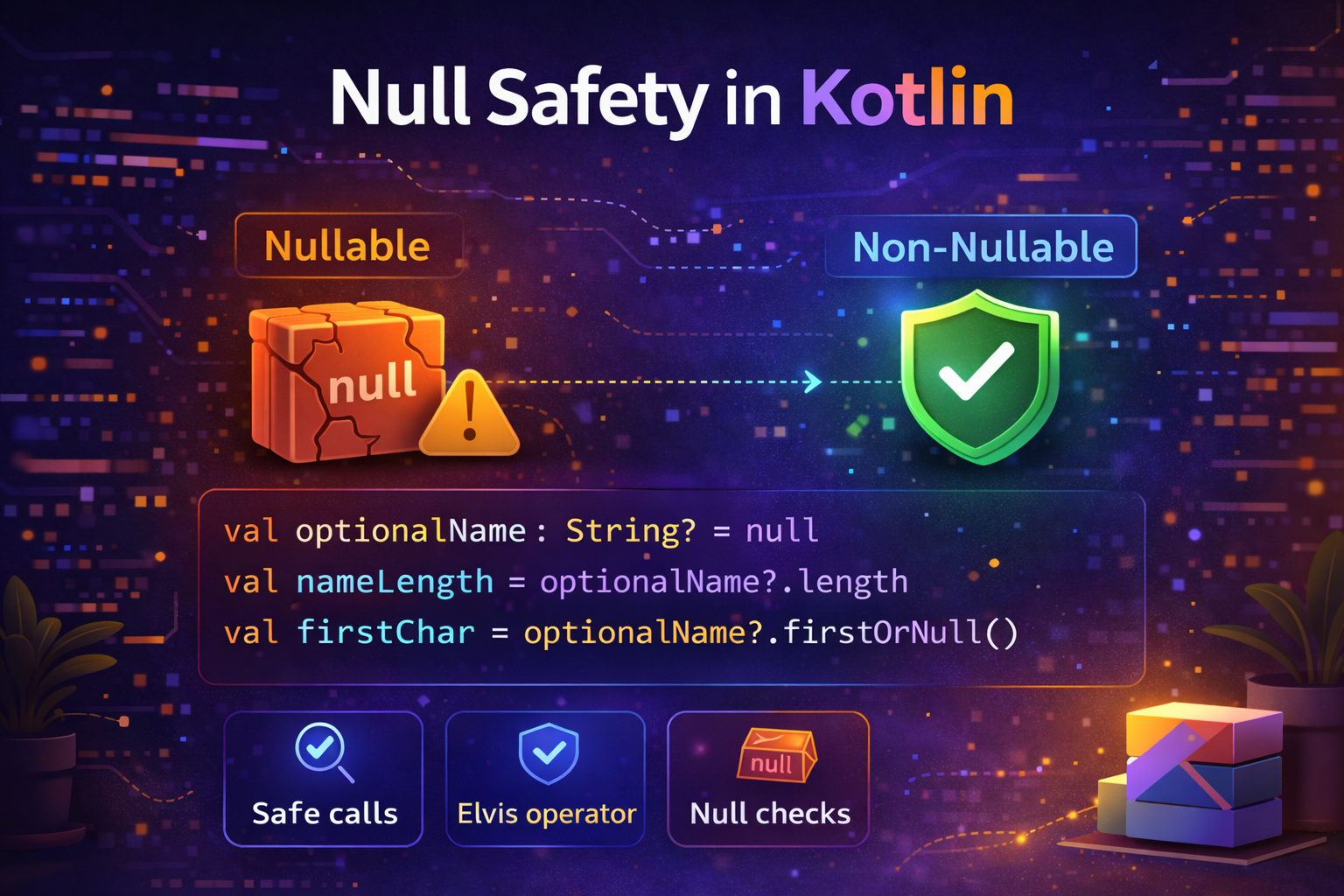
One of the most praised features of Kotlin is its built-in null safety system. If you've worked with Java or other languages, you've probably experienced the frustration of a NullPointerException crashing your app at runtime. Kotlin eliminates this entire category of bugs by making nullability a core part of the type system. This guide explains everything clearly with real examples.
What Is Null?
null means "no value" or "nothing here." It's not zero, not an empty string — it's the complete absence of a value.
var name: String = "John"   // has a value
var name: String = null     // null — no value at all
The problem with null is when you try to use a variable that is null as if it has a value — that causes a crash.
// Java — this compiles fine but crashes at runtime
String name = null;
int length = name.length();  // NullPointerException — app crashes!
Kotlin prevents this by making you declare upfront whether a variable can be null or not, and then forcing you to handle the null case before using the value.
Nullable vs Non-Nullable Types
In Kotlin, every type is non-nullable by default. That means a regular String can never hold null.
var name: String = "John"
name = null   // ❌ compile error — String cannot be null
To allow null, you add a ? after the type name — this creates a nullable type:
var name: String? = "John"  // can hold a String
name = null                  // ✅ allowed — String? can be null
This simple ? is the foundation of Kotlin's null safety. Every type has a nullable counterpart:
var a: Int = 5        // cannot be null
var b: Int? = null    // can be null

var c: Boolean = true    // cannot be null
var d: Boolean? = null   // can be null

var e: Double = 3.14     // cannot be null
var f: Double? = null    // can be null
The Problem — You Can't Use Nullable Variables Directly
Once you have a nullable variable, Kotlin won't let you use it as if it were definitely not null. The compiler forces you to handle the null case first.
var nickname: String? = "Johnny"

val length = nickname.length  // ❌ compile error
// Kotlin says: nickname could be null — you must handle that case
Kotlin gives you four clean ways to handle this.
1. Safe Call Operator — ?.
The safe call operator ?. calls the method or accesses the property only if the value is not null. If it is null, the whole expression returns null instead of crashing.
var nickname: String? = "Johnny"

val length = nickname?.length   // returns 6 if not null, returns null if null
Think of ?. as saying: "If this is not null, do this. Otherwise just give me null."
var nickname: String? = null
val length = nickname?.length   // returns null — no crash
Chaining safe calls:
You can chain multiple safe calls together:
data class User(val address: Address?)
data class Address(val city: City?)
data class City(val name: String?)

val user: User? = getUser()

// Without safe calls — crashes if anything is null
val cityName = user.address.city.name  // ❌ dangerous

// With safe calls — returns null if anything in the chain is null
val cityName = user?.address?.city?.name  // ✅ safe
Practical Android example:
class UserViewModel : ViewModel() {

    private var currentUser: User? = null

    fun getUserEmail(): String? {
        return currentUser?.email   // null if currentUser is null
    }

    fun getUserNameLength(): Int? {
        return currentUser?.name?.length  // null if user or name is null
    }
}
2. Elvis Operator — ?:
The Elvis operator ?: provides a default value when the left side is null. It's called Elvis because ?: looks like Elvis Presley's hair from the side 🕺
val nickname: String? = null
val length = nickname?.length ?: 0   // if null, use 0 instead
Think of ?: as saying: "If the left side is null, use the right side instead."
val name: String? = null
val displayName = name ?: "Guest"    // "Guest" if name is null

val age: Int? = null
val displayAge = age ?: 0            // 0 if age is null

val email: String? = getUserEmail()
val safeEmail = email ?: "no-email@default.com"
Combining with safe call:
This combination is the most common pattern in Kotlin:
val user: User? = getUser()

val name = user?.name ?: "Unknown"
val age = user?.age ?: 0
val email = user?.email ?: "Not provided"
Elvis with early return:
The right side of ?: can also be a return or throw:
fun processUser(user: User?) {
    val name = user?.name ?: return   // exit the function if name is null
    val email = user?.email ?: throw IllegalArgumentException("Email required")

    // Here we know name and email are not null
    sendWelcomeEmail(name, email)
}
Practical Android example:
fun displayUserProfile(user: User?) {
    nameTextView.text = user?.name ?: "Anonymous"
    ageTextView.text = user?.age?.toString() ?: "Age unknown"
    bioTextView.text = user?.bio ?: "No bio available"
    avatarUrl = user?.profileImageUrl ?: DEFAULT_AVATAR_URL
}
3. Not-Null Assertion — !!
The !! operator tells Kotlin: "I am 100% sure this is not null — trust me." If you're wrong and the value IS null, it throws a NullPointerException at runtime.
val name: String? = "John"
val length = name!!.length   // works if name is not null
val name: String? = null
val length = name!!.length // ❌ crashes — NullPointerExceptionWhen is !! acceptable?
Rarely. Only use !! when:
- You have already checked for null earlier and are logically certain it's not null
- You are in test code
- You are interfacing with Java code that guarantees non-null but Kotlin can't know that
// Acceptable — we just checked it ourselves
val name: String? = getName()
if (name != null) {
    val length = name.length  // smart cast — no !! needed here actually
}

// Acceptable in very specific cases where you know the value exists
val rootView = activity.window.decorView.rootView!!
In most cases, prefer ?. and ?: over !!.
// ❌ Avoid this pattern
val length = user!!.name!!.length

// ✅ Better
val length = user?.name?.length ?: 0
4. if null Check — Smart Cast
Kotlin is smart about null checks. When you check a nullable variable inside an if block, Kotlin automatically smart-casts it to the non-nullable type inside that block.
var name: String? = "John"

if (name != null) {
    // Inside here, Kotlin knows name is not null
    // It's automatically treated as String (not String?)
    println(name.length)   // ✅ no ?. needed here
    println(name.uppercase())
}
This also works with when:
val name: String? = getName()

when {
    name == null -> println("Name is null")
    name.isEmpty() -> println("Name is empty")    // smart cast here too
    else -> println("Name is: $name")
}
But smart cast doesn't work for var that could be changed by another thread:
var name: String? = "John"

if (name != null) {
    println(name.length)   // ❌ might not compile for var
    // another thread could set name = null between the check and .length
}

// Solution — use val or local variable
val localName = name
if (localName != null) {
    println(localName.length)  // ✅ smart cast works on val
}

// Or more idiomatically
name?.let { println(it.length) }
5. let — Run Code Only When Not Null
let is a scope function that runs a block of code only when the value is not null. It's perfect for performing an action on a nullable value.
val name: String? = "John"

name?.let {
    // 'it' refers to name, guaranteed non-null inside here
    println(it.length)
    println(it.uppercase())
    sendGreeting(it)
}
// If name is null, the entire block is skipped
Practical example:
val user: User? = getLoggedInUser()

user?.let { u ->
    // Only runs if user is not null
    displayName(u.name)
    loadAvatar(u.profileImageUrl)
    trackLogin(u.id)
}
Lateinit — Delayed Initialization
Sometimes you know a variable will be assigned before it's used, but you can't assign it at declaration time — like a View that gets set in onCreate().
class MainActivity : AppCompatActivity() {

    lateinit var nameTextView: TextView   // will be set in onCreate

    override fun onCreate(savedInstanceState: Bundle?) {
        super.onCreate(savedInstanceState)
        setContentView(R.layout.activity_main)

        nameTextView = findViewById(R.id.nameTextView)  // assigned here
        nameTextView.text = "Hello!"                    // used here
    }
}
lateinit tells Kotlin: "I'll assign this before I use it — don't enforce initialization at declaration."
Rules for lateinit:
- Only works with
var(notval) - Only works with non-primitive types (not
Int,Boolean, etc.) - Throws
UninitializedPropertyAccessExceptionif used before assignment
Check if lateinit is initialized:
if (::nameTextView.isInitialized) {
    nameTextView.text = "Safe to use"
}
Nullable Collections
Collections can also be nullable at two levels — the collection itself, or the elements inside:
// Nullable list — the list itself can be null
var nullableList: List<String>? = null

// List of nullable strings — list exists, but elements can be null
var listWithNulls: List<String?> = listOf("Alice", null, "Charlie")

// Both nullable
var nullableListWithNulls: List<String?>? = null
Filtering null values from a list:
val listWithNulls: List<String?> = listOf("Alice", null, "Bob", null, "Charlie")

val cleanList: List<String> = listWithNulls.filterNotNull()
// Result: ["Alice", "Bob", "Charlie"]
Real-World Android Example
Here's a complete example showing how null safety works in a real Android ViewModel:
data class UserProfile(
    val id: String,
    val name: String,
    val email: String?,           // email is optional
    val bio: String?,             // bio is optional
    val profileImageUrl: String?, // image is optional
    val age: Int?                 // age is optional
)

class ProfileViewModel : ViewModel() {

    private var userProfile: UserProfile? = null

    fun loadProfile(userId: String) {
        viewModelScope.launch {
            userProfile = withContext(Dispatchers.IO) {
                repository.getUserProfile(userId)
            }
            updateUI()
        }
    }

    private fun updateUI() {
        val profile = userProfile ?: return  // exit if null

        // Safe access with defaults
        val displayName = profile.name                        // always exists
        val displayEmail = profile.email ?: "Email not set"  // default if null
        val displayBio = profile.bio ?: "No bio available"   // default if null
        val displayAge = profile.age?.toString() ?: "Age hidden"

        // Safe action — only runs if image URL exists
        profile.profileImageUrl?.let { url ->
            loadImage(url)
        }

        // Update UI
        _uiState.value = ProfileUiState(
            name = displayName,
            email = displayEmail,
            bio = displayBio,
            age = displayAge
        )
    }
}
Common Mistakes to Avoid
Mistake 1: Overusing !!
// ❌ Dangerous — one null causes a crash
val name = user!!.profile!!.name!!

// ✅ Safe — handles null gracefully
val name = user?.profile?.name ?: "Unknown"
Mistake 2: Ignoring the safe call result
val user: User? = getUser()

// ❌ You're not handling the null case
user?.updateProfile()  // this runs, but what if it didn't?

// ✅ Handle both cases when needed
if (user != null) {
    user.updateProfile()
    showSuccess()
} else {
    showLoginPrompt()
}
Mistake 3: Making everything nullable unnecessarily
// ❌ Don't make things nullable if they don't need to be
var name: String? = "John"  // will this ever be null? If not, don't use ?

// ✅ Only use ? when null is a real possibility
var name: String = "John"
Mistake 4: Using lateinit for primitives
// ❌ Won't compile — lateinit doesn't work with primitives
lateinit var count: Int

// ✅ Use nullable or provide an initial value instead
var count: Int = 0
var count: Int? = null
Quick Reference
| Operator | Name | Meaning |
|---|---|---|
String? |
Nullable type | This variable can hold null |
?. |
Safe call | Call only if not null, return null otherwise |
?: |
Elvis operator | Use default value if null |
!! |
Not-null assertion | Force non-null, crash if null |
let |
Scope function | Run block only if not null |
lateinit |
Late initialization | Assign before first use |
is |
Type check + smart cast | Check type, auto-cast inside block |
Summary
- By default, no variable in Kotlin can be null — you must explicitly opt in with
? - Use
?.(safe call) to access properties and functions on nullable values without crashing - Use
?:(Elvis) to provide a default value when something is null - Avoid
!!— it defeats null safety. Use it only when absolutely certain - Kotlin smart-casts variables to non-nullable inside
if (x != null)blocks - Use
letto run a block of code only when a value is not null - Use
lateinitfor variables that can't be initialized at declaration but will always be set before use - Use
filterNotNull()to clean null values out of collections
Kotlin's null safety might feel restrictive at first — but within a week you'll realize it's actually liberating. You stop writing defensive null checks everywhere and start trusting your code to be correct.
Happy coding!



Comments (0)