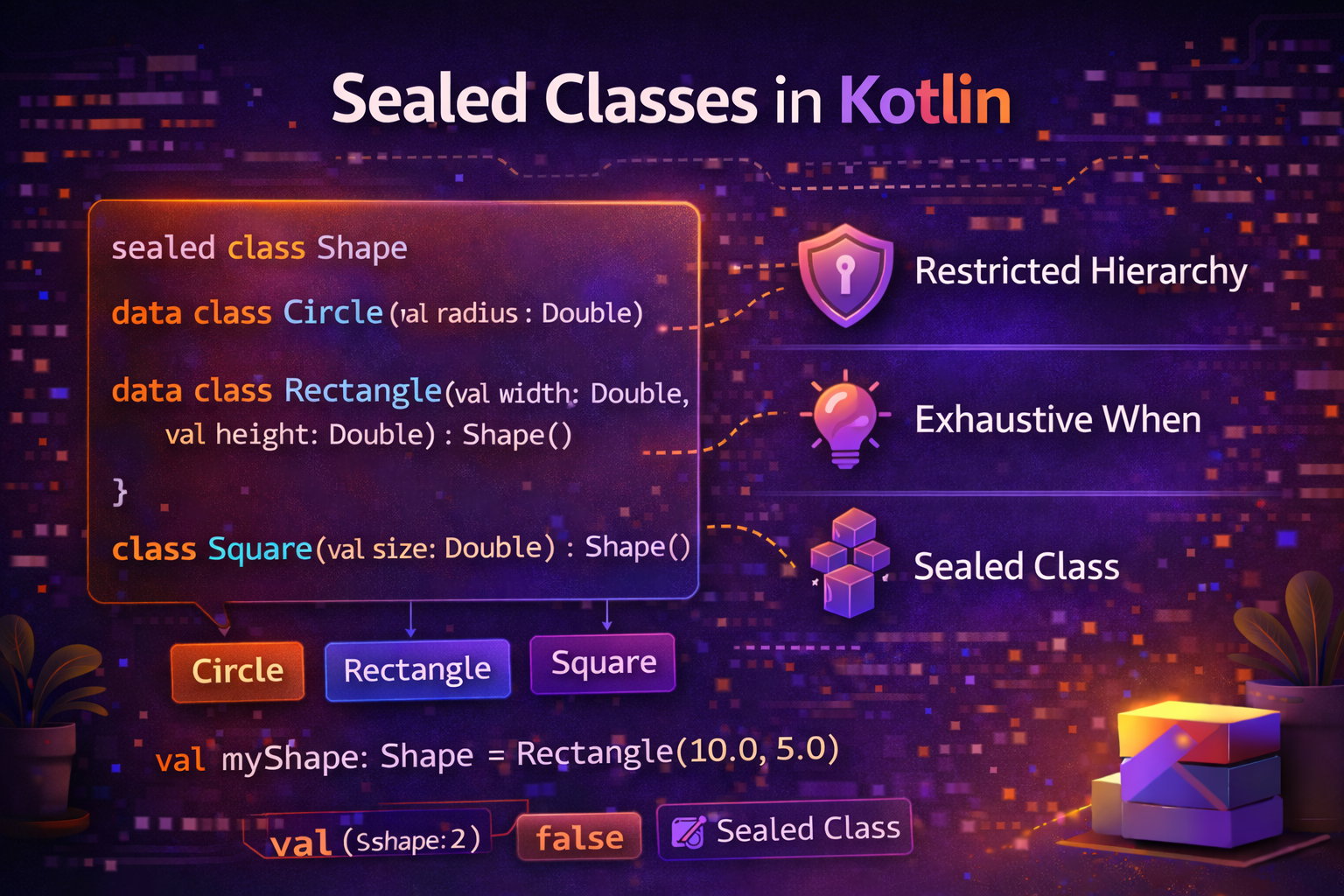
Sealed classes are one of the most powerful and most used features in modern Android development. They let you represent a restricted set of possibilities — like the different states a screen can be in, or the different outcomes of a network call. This guide explains everything from scratch with practical examples you'll recognize from real apps.
What Problem Do Sealed Classes Solve?
Imagine you're loading data from an API. The result can be one of three things:
- Loading — request is in progress
- Success — data came back
- Error — something went wrong
You need a type that can represent exactly these three states — no more, no less. This is exactly what sealed classes are for.
What Is a Sealed Class?
A sealed class is a class that restricts which other classes can extend it. All subclasses must be defined in the same file. This gives the compiler complete knowledge of all possible subtypes.
sealed class Result {
    object Loading : Result()
    data class Success(val data: String) : Result()
    data class Error(val message: String) : Result()
}
Now Result can only ever be Loading, Success, or Error. Nothing else. The compiler knows this — and that's what makes sealed classes powerful.
Real-world analogy: Think of a traffic light. It can only be Red, Yellow, or Green — never Purple or Blinking. A sealed class is like a traffic light — a fixed, known set of states.
Sealed Class vs Enum vs Regular Class
Before going deeper, let's understand why sealed classes exist alongside enums:
| Feature | Enum | Sealed Class |
|---|---|---|
| Fixed set of values | ✅ | ✅ |
| Each subtype can have different data | ❌ | ✅ |
| Each subtype can have different functions | ❌ | ✅ |
Compiler exhaustive check with when |
✅ | ✅ |
| Can be a data class | ❌ | ✅ |
| Can hold state | Limited | Full flexibility |
// Enum — every value is the same shape, no different data
enum class Direction { NORTH, SOUTH, EAST, WEST }

// Sealed class — each subtype can have completely different structure
sealed class Shape {
    data class Circle(val radius: Double) : Shape()
    data class Rectangle(val width: Double, val height: Double) : Shape()
    object Unknown : Shape()
}
Use enums for simple, uniform values. Use sealed classes when each case needs its own data or behavior.
Declaring a Sealed Class
sealed class NetworkResult<out T> {
    object Loading : NetworkResult<Nothing>()
    data class Success<T>(val data: T) : NetworkResult<T>()
    data class Error(val message: String, val code: Int? = null) : NetworkResult<Nothing>()
}
Subclasses of a sealed class can be:
object— for states with no data (like Loading)data class— for states with data (like Success or Error)- Regular
class— when you need mutable state or complex behavior
The Real Power — Exhaustive when
When you use when with a sealed class, the compiler checks that you've handled every possible case. If you add a new subtype later, every when that doesn't handle it will show a compile error. No runtime surprises.
sealed class UiState {
    object Loading : UiState()
    data class Success(val articles: List<Article>) : UiState()
    data class Error(val message: String) : UiState()
    object Empty : UiState()
}

fun handleState(state: UiState) {
    when (state) {
        is UiState.Loading  -> showLoading()
        is UiState.Success  -> showArticles(state.articles)
        is UiState.Error    -> showError(state.message)
        is UiState.Empty    -> showEmptyView()
        // No else needed — compiler knows all cases are covered
    }
}
If you add object Refreshing : UiState() later and forget to handle it in when, the compiler immediately warns you. This prevents bugs at compile time instead of runtime.
Most Common Use Case — UI State
This is the pattern you'll see in almost every modern Android codebase:
sealed class ArticleUiState {
    object Loading : ArticleUiState()
    object Empty : ArticleUiState()
    data class Success(val articles: List<Article>) : ArticleUiState()
    data class Error(val message: String, val retryable: Boolean = true) : ArticleUiState()
}

class ArticleViewModel(private val repository: ArticleRepository) : ViewModel() {

    private val _uiState = MutableStateFlow<ArticleUiState>(ArticleUiState.Loading)
    val uiState: StateFlow<ArticleUiState> = _uiState

    fun loadArticles() {
        _uiState.value = ArticleUiState.Loading

        viewModelScope.launch {
            try {
                val articles = repository.getArticles()

                _uiState.value = if (articles.isEmpty()) {
                    ArticleUiState.Empty
                } else {
                    ArticleUiState.Success(articles)
                }
            } catch (e: Exception) {
                _uiState.value = ArticleUiState.Error(
                    message = e.message ?: "Something went wrong",
                    retryable = true
                )
            }
        }
    }
}
In the Fragment — handling each state:
class ArticleFragment : Fragment() {

    override fun onViewCreated(view: View, savedInstanceState: Bundle?) {
        super.onViewCreated(view, savedInstanceState)

        viewLifecycleOwner.lifecycleScope.launch {
            viewModel.uiState.collect { state ->
                when (state) {
                    is ArticleUiState.Loading -> {
                        progressBar.visibility = View.VISIBLE
                        recyclerView.visibility = View.GONE
                        errorLayout.visibility = View.GONE
                        emptyLayout.visibility = View.GONE
                    }
                    is ArticleUiState.Success -> {
                        progressBar.visibility = View.GONE
                        recyclerView.visibility = View.VISIBLE
                        errorLayout.visibility = View.GONE
                        emptyLayout.visibility = View.GONE
                        adapter.submitList(state.articles)
                    }
                    is ArticleUiState.Error -> {
                        progressBar.visibility = View.GONE
                        recyclerView.visibility = View.GONE
                        errorLayout.visibility = View.VISIBLE
                        emptyLayout.visibility = View.GONE
                        errorMessage.text = state.message
                        retryButton.visibility = if (state.retryable) View.VISIBLE else View.GONE
                    }
                    is ArticleUiState.Empty -> {
                        progressBar.visibility = View.GONE
                        recyclerView.visibility = View.GONE
                        errorLayout.visibility = View.GONE
                        emptyLayout.visibility = View.VISIBLE
                    }
                }
            }
        }
    }
}
Second Most Common Use Case — API Result Wrapper
Wrap every API call result in a sealed class to handle success and failure consistently across your app:
sealed class ApiResult<out T> {
    data class Success<T>(val data: T) : ApiResult<T>()
    data class Error(
        val message: String,
        val code: Int? = null,
        val exception: Exception? = null
    ) : ApiResult<Nothing>()
    object Loading : ApiResult<Nothing>()
}

// Reusable safe API call function
suspend fun <T> safeApiCall(call: suspend () -> T): ApiResult<T> {
    return try {
        ApiResult.Success(call())
    } catch (e: IOException) {
        ApiResult.Error("No internet connection", exception = e)
    } catch (e: HttpException) {
        ApiResult.Error("Server error", code = e.code(), exception = e)
    } catch (e: Exception) {
        ApiResult.Error(e.message ?: "Unknown error", exception = e)
    }
}

// In repository
class UserRepository(private val apiService: ApiService) {

    suspend fun getUser(id: String): ApiResult<User> {
        return safeApiCall { apiService.getUser(id) }
    }

    suspend fun updateProfile(user: User): ApiResult<User> {
        return safeApiCall { apiService.updateProfile(user) }
    }
}

// In ViewModel
viewModelScope.launch {
    when (val result = repository.getUser(userId)) {
        is ApiResult.Loading -> showLoading()
        is ApiResult.Success -> showUser(result.data)
        is ApiResult.Error   -> showError(result.message)
    }
}
Sealed Classes for Navigation Events
sealed class NavigationEvent {
    object GoBack : NavigationEvent()
    data class GoToArticle(val articleId: String) : NavigationEvent()
    data class GoToProfile(val userId: String) : NavigationEvent()
    data class OpenUrl(val url: String) : NavigationEvent()
    object GoToLogin : NavigationEvent()
}

class HomeViewModel : ViewModel() {

    private val _navigationEvent = MutableSharedFlow<NavigationEvent>()
    val navigationEvent = _navigationEvent.asSharedFlow()

    fun onArticleClicked(articleId: String) {
        viewModelScope.launch {
            _navigationEvent.emit(NavigationEvent.GoToArticle(articleId))
        }
    }

    fun onProfileClicked(userId: String) {
        viewModelScope.launch {
            _navigationEvent.emit(NavigationEvent.GoToProfile(userId))
        }
    }

    fun onLogoutClicked() {
        viewModelScope.launch {
            authService.logout()
            _navigationEvent.emit(NavigationEvent.GoToLogin)
        }
    }
}

// In Fragment
viewLifecycleOwner.lifecycleScope.launch {
    viewModel.navigationEvent.collect { event ->
        when (event) {
            is NavigationEvent.GoBack           -> findNavController().popBackStack()
            is NavigationEvent.GoToArticle      -> navigateToArticle(event.articleId)
            is NavigationEvent.GoToProfile      -> navigateToProfile(event.userId)
            is NavigationEvent.OpenUrl          -> openBrowser(event.url)
            is NavigationEvent.GoToLogin        -> navigateToLogin()
        }
    }
}
Sealed Classes for Form Validation
sealed class ValidationResult {
    object Valid : ValidationResult()
    data class Invalid(val reason: String) : ValidationResult()
}

fun validateEmail(email: String): ValidationResult {
    return when {
        email.isBlank()        -> ValidationResult.Invalid("Email cannot be empty")
        !email.contains("@")   -> ValidationResult.Invalid("Email must contain @")
        !email.contains(".")   -> ValidationResult.Invalid("Email must contain a domain")
        email.length < 5       -> ValidationResult.Invalid("Email is too short")
        else                   -> ValidationResult.Valid
    }
}

fun validatePassword(password: String): ValidationResult {
    return when {
        password.isBlank()                      -> ValidationResult.Invalid("Password cannot be empty")
        password.length < 8                     -> ValidationResult.Invalid("At least 8 characters required")
        !password.any { it.isDigit() }          -> ValidationResult.Invalid("Must contain a number")
        !password.any { it.isUpperCase() }      -> ValidationResult.Invalid("Must contain an uppercase letter")
        else                                    -> ValidationResult.Valid
    }
}

// Usage
val emailResult = validateEmail(emailInput.text.toString())
when (emailResult) {
    is ValidationResult.Valid   -> emailLayout.error = null
    is ValidationResult.Invalid -> emailLayout.error = emailResult.reason
}
Sealed Interfaces — Kotlin 1.5+
Since Kotlin 1.5, you can also use sealed interface. The difference from sealed class is that a class can implement multiple sealed interfaces but can only extend one sealed class.
sealed interface Action {
    object Refresh : Action
    data class Search(val query: String) : Action
    data class Filter(val category: String) : Action
    object LoadMore : Action
}

// A class can implement multiple sealed interfaces
class CompositeAction : Action, AnotherSealedInterface {
    // ...
}
Sealed interfaces are useful when you need multiple inheritance — a class being part of more than one sealed hierarchy.
Adding Shared Behavior to Sealed Classes
You can add functions and properties to the sealed class itself — all subtypes inherit them:
sealed class PaymentMethod {
    abstract val name: String
    abstract val fee: Double

    fun displayInfo(): String = "$name (fee: ${fee * 100}%)"

    data class CreditCard(val last4Digits: String) : PaymentMethod() {
        override val name = "Credit Card"
        override val fee = 0.029
    }

    data class PayPal(val email: String) : PaymentMethod() {
        override val name = "PayPal"
        override val fee = 0.034
    }

    object Cash : PaymentMethod() {
        override val name = "Cash"
        override val fee = 0.0
    }
}

val method: PaymentMethod = PaymentMethod.CreditCard("4242")
println(method.displayInfo())   // Credit Card (fee: 2.9%)
println(method.fee)             // 0.029

val payment = PaymentMethod.PayPal("user@email.com")
println(payment.displayInfo())  // PayPal (fee: 3.4%)
Common Mistakes to Avoid
Mistake 1: Using else in when with sealed class
sealed class State { object A : State(); object B : State() }

// ❌ Using else — defeats the purpose
when (state) {
    is State.A -> handleA()
    else -> handleB()  // if you add State.C, compiler won't warn you
}

// ✅ Handle all cases explicitly
when (state) {
    is State.A -> handleA()
    is State.B -> handleB()
    // compiler now warns if you add State.C and forget to handle it
}
Mistake 2: Defining subclasses outside the file
// File: State.kt
sealed class State

// File: OtherFile.kt
class StateC : State()  // ❌ compile error — must be in same file
Mistake 3: Using sealed class when enum is enough
// ❌ Overkill — no different data per type needed
sealed class Direction {
    object North : Direction()
    object South : Direction()
    object East : Direction()
    object West : Direction()
}

// ✅ Enum is perfect here
enum class Direction { NORTH, SOUTH, EAST, WEST }
Mistake 4: Forgetting smart cast
sealed class Result { data class Success(val data: String) : Result() }

val result: Result = Result.Success("hello")

// ❌ Unnecessary cast
if (result is Result.Success) {
    println((result as Result.Success).data)
}

// ✅ Smart cast — no manual cast needed
if (result is Result.Success) {
    println(result.data)  // result is auto-cast to Result.Success
}
Summary
- A
sealed classrestricts which classes can extend it — all subclasses must be in the same file - The compiler knows all possible subtypes — giving you exhaustive
whenchecks - Subclasses can be
object(no data),data class(with data), or regularclass - Adding a new subtype causes compile errors everywhere you forgot to handle it — catches bugs early
- Most common uses: UI state, API results, navigation events, validation results
- Sealed classes differ from enums because each subtype can have different data and behavior
- Use
sealed interfacewhen you need a class to belong to multiple sealed hierarchies - Always handle every case explicitly in
when— never useelsewith sealed classes - Smart cast works inside
whenbranches — no manual casting needed
Sealed classes are one of the features that makes Kotlin code dramatically safer and more maintainable than Java. Once you start using them for UI state and API results, you'll wonder how you ever wrote Android apps without them.
Happy coding!
Comments (0)