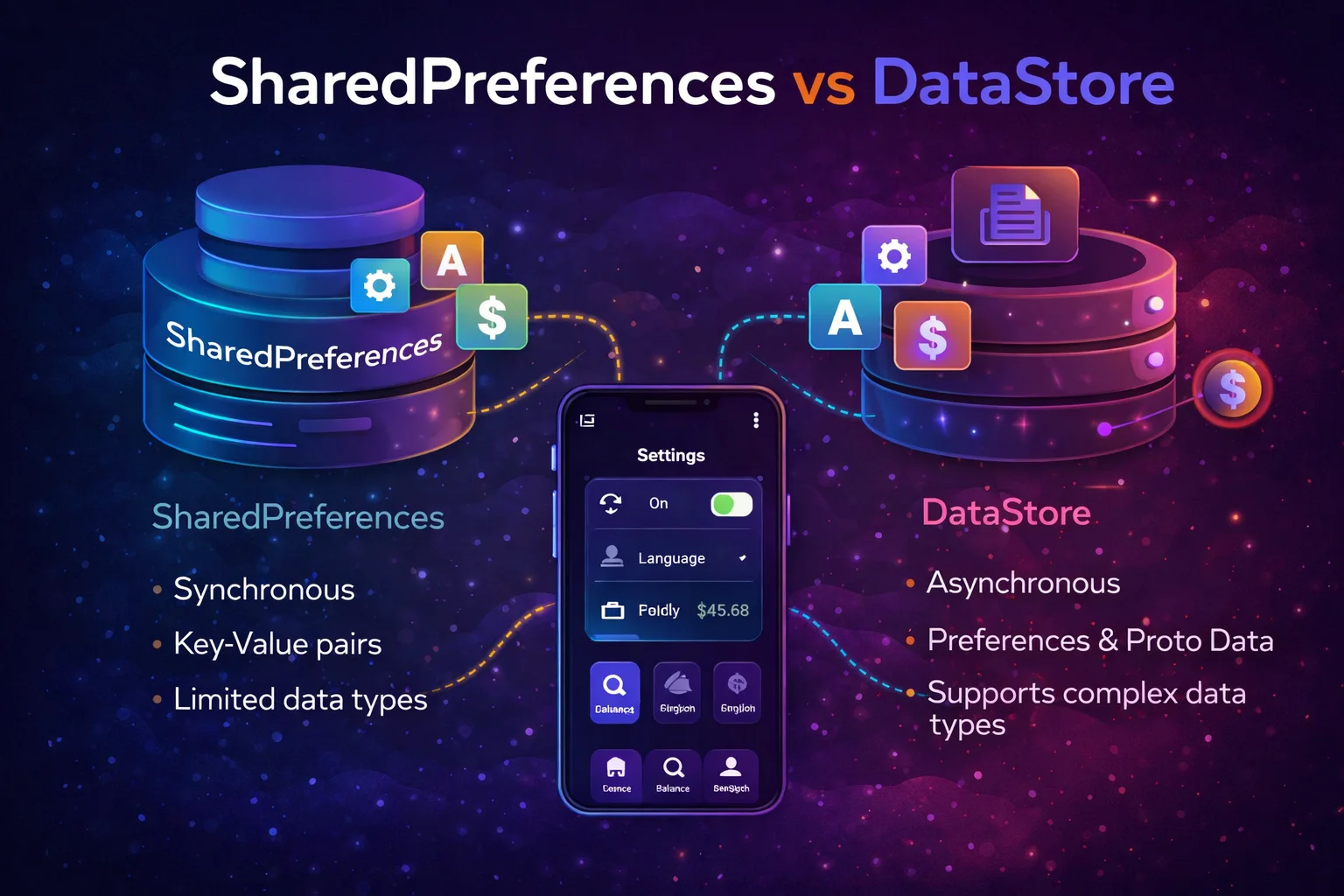
Every Android app needs to save small pieces of data — user preferences, theme selection, auth tokens, onboarding status, last sync timestamp. For 15 years, SharedPreferences was the only answer. It worked, but it had serious problems: it could block the main thread, crash your app on disk I/O, and had no type safety. DataStore is the modern replacement — built on coroutines and Flow, fully async, type-safe, and designed to avoid every problem SharedPreferences has. This guide covers both, compares them honestly, and shows you how to migrate.
The Mental Model — What Problem Are We Solving?
// Think of it like a NOTEBOOK where your app writes small notes:
//
// 📝 "dark_mode" = true
// 📝 "username" = "alice"
// 📝 "last_sync" = 1700000000
// 📝 "onboarding_done" = true
// 📝 "auth_token" = "eyJhbG..."
//
// These are KEY-VALUE pairs — simple data, not tables or lists
// They're stored as a FILE on the device's internal storage
// They survive app restarts, reboots, and updates
//
// SharedPreferences: writes this notebook SYNCHRONOUSLY (can freeze the UI)
// DataStore: writes this notebook ASYNCHRONOUSLY (never freezes the UI)
//
// For STRUCTURED data (articles, users, messages) → use Room database
// For SIMPLE key-value data (settings, flags, tokens) → use DataStore
SharedPreferences — The Legacy Way
Let’s understand SharedPreferences first, since many codebases still use it:
Reading and writing
// SharedPreferences is an INTERFACE from android.content
// getSharedPreferences() is a FUNCTION on Context
val prefs = context.getSharedPreferences("settings", Context.MODE_PRIVATE)
// "settings" → the file name (stored as settings.xml internally)
// MODE_PRIVATE → only your app can access it (always use this)

// READING — synchronous, happens on the calling thread
val isDarkMode = prefs.getBoolean("dark_mode", false)
// getBoolean() is a FUNCTION on SharedPreferences
// "dark_mode" → the key
// false → default value if key doesn't exist

val username = prefs.getString("username", null)
// getString() returns String? — nullable if key doesn't exist
val lastSync = prefs.getLong("last_sync", 0L)
val loginCount = prefs.getInt("login_count", 0)
val rating = prefs.getFloat("app_rating", 0f)

// WRITING — needs an Editor
prefs.edit()
    // edit() is a FUNCTION on SharedPreferences — returns SharedPreferences.Editor
    // Editor is an INTERFACE inside SharedPreferences
    .putBoolean("dark_mode", true)
    // putBoolean() is a FUNCTION on Editor
    .putString("username", "alice")
    .putLong("last_sync", System.currentTimeMillis())
    .apply()
    // apply() is a FUNCTION on Editor — writes ASYNCHRONOUSLY to disk
    // (but still blocks the calling thread to update in-memory cache)

// Or use commit() for synchronous write:
// prefs.edit().putBoolean("dark_mode", true).commit()
// commit() returns Boolean — true if write succeeded
// ⚠️ commit() blocks the thread until disk write completes — avoid on main thread
Kotlin extension (simpler syntax)
// core-ktx provides a cleaner edit extension
prefs.edit {
    // edit { } is an EXTENSION FUNCTION on SharedPreferences from core-ktx
    // Lambda receiver is SharedPreferences.Editor
    // Automatically calls apply() at the end
    putBoolean("dark_mode", true)
    putString("username", "alice")
}
// Cleaner than prefs.edit().putBoolean(...).apply()
Why SharedPreferences is problematic
// PROBLEM 1: Blocking the main thread
// getSharedPreferences() loads the ENTIRE file into memory on first call
// If the file is large, this BLOCKS the main thread → ANR risk
val prefs = context.getSharedPreferences("settings", MODE_PRIVATE)
// This line can take 50-200ms on first call — enough to drop frames

// PROBLEM 2: No type safety
// You can write a String and read it as an Int — runtime crash
prefs.edit { putString("count", "42") }
val count = prefs.getInt("count", 0)   // 💥 ClassCastException!

// PROBLEM 3: No error handling
// If disk write fails, apply() silently swallows the error
// commit() returns false but most code ignores it
prefs.edit().putString("token", newToken).apply()
// Did it work? Who knows! apply() doesn't tell you

// PROBLEM 4: No reactive updates
// Want to update UI when a preference changes?
// registerOnSharedPreferenceChangeListener() is unreliable and leaky
prefs.registerOnSharedPreferenceChangeListener { _, key ->
    // ⚠️ Listener is stored as a WeakReference — gets garbage collected!
    // ⚠️ No coroutines/Flow integration
}

// PROBLEM 5: Not safe for concurrent writes
// Two threads writing at the same time can lose data
// apply() can overwrite commit() because it's async

// PROBLEM 6: getString() returns nullable even for existing keys
val name: String? = prefs.getString("name", "default")
// Returns String? even though you provided a non-null default!
// Bug in the API — you always need to handle null
DataStore — The Modern Way
DataStore fixes every problem SharedPreferences has:
// DataStore vs SharedPreferences at a glance:
//
// ┌─────────────────────────┬──────────────────────┬──────────────────────┐
// │                         │ SharedPreferences    │ DataStore            │
// ├─────────────────────────┼──────────────────────┼──────────────────────┤
// │ API style               │ Synchronous          │ Async (Flow + suspend│
// │ Thread safety           │ ❌ Not safe           │ ✅ Fully safe         │
// │ Error handling          │ Silently fails       │ Exceptions in Flow   │
// │ Reactive updates        │ Weak listeners       │ Flow (first-class)   │
// │ Type safety             │ ❌ Runtime errors     │ ✅ Compile-time keys  │
// │ Blocking main thread    │ ❌ Yes (first read)   │ ✅ Never              │
// │ Coroutines support      │ ❌ None               │ ✅ Native             │
// │ Consistency             │ ❌ apply vs commit     │ ✅ Transactional      │
// │ Migration from SP       │ —                    │ ✅ Built-in           │
// └─────────────────────────┴──────────────────────┴──────────────────────┘
Setup
// build.gradle.kts
dependencies {
    // Preferences DataStore (key-value, like SharedPreferences replacement)
    implementation("androidx.datastore:datastore-preferences:1.1.1")
    // datastore-preferences is a LIBRARY from AndroidX

    // Proto DataStore (typed, schema-based — more advanced)
    // implementation("androidx.datastore:datastore:1.1.1")
    // We'll cover Proto DataStore separately
}
Creating a DataStore
// Create the DataStore as a TOP-LEVEL PROPERTY using the delegate
// This ensures only ONE instance exists for the entire app

// At the top of a file (not inside a class):
val Context.settingsDataStore: DataStore<Preferences> by preferencesDataStore(
    name = "settings"
    // preferencesDataStore() is an EXTENSION PROPERTY DELEGATE on Context
    // It's a PROPERTY DELEGATE (uses "by" keyword)
    // name = "settings" → the file name (stored as settings.preferences_pb)
    // Returns DataStore<Preferences>
    // DataStore is an INTERFACE from androidx.datastore
    // Preferences is a CLASS that holds key-value pairs (like a typed Map)
)

// ⚠️ IMPORTANT: create this at the TOP LEVEL of a file
// Not inside a class, not inside a function
// This ensures only ONE DataStore instance per file name
// Multiple instances of the same DataStore → crashes!

// Access it from any Context:
val dataStore = context.settingsDataStore
Defining keys
// DataStore uses TYPED KEYS — each key knows its type at compile time
// No more getString/getInt confusion!

object PreferenceKeys {
    val DARK_MODE = booleanPreferencesKey("dark_mode")
    // booleanPreferencesKey() is a TOP-LEVEL FUNCTION from datastore-preferences
    // Returns Preferences.Key<Boolean> — a typed key
    // You CAN'T accidentally read this as a String — compiler prevents it

    val USERNAME = stringPreferencesKey("username")
    // stringPreferencesKey() returns Preferences.Key<String>

    val LAST_SYNC = longPreferencesKey("last_sync")
    // longPreferencesKey() returns Preferences.Key<Long>

    val LOGIN_COUNT = intPreferencesKey("login_count")
    // intPreferencesKey() returns Preferences.Key<Int>

    val APP_RATING = floatPreferencesKey("app_rating")
    // floatPreferencesKey() returns Preferences.Key<Float>

    val SELECTED_TAGS = stringSetPreferencesKey("selected_tags")
    // stringSetPreferencesKey() returns Preferences.Key<Set<String>>
}

// Key types available:
// booleanPreferencesKey() → Preferences.Key<Boolean>
// stringPreferencesKey()  → Preferences.Key<String>
// intPreferencesKey()     → Preferences.Key<Int>
// longPreferencesKey()    → Preferences.Key<Long>
// floatPreferencesKey()   → Preferences.Key<Float>
// doublePreferencesKey()  → Preferences.Key<Double>
// stringSetPreferencesKey() → Preferences.Key<Set<String>>
//
// All are TOP-LEVEL FUNCTIONS from datastore-preferences
Reading data — reactive with Flow
// DataStore.data is a PROPERTY that returns Flow<Preferences>
// It emits the CURRENT preferences AND every future change
// Fully reactive — your UI updates automatically when preferences change

// Read a single value as Flow:
val isDarkModeFlow: Flow<Boolean> = context.settingsDataStore.data
    // data is a PROPERTY on DataStore<Preferences> — returns Flow<Preferences>
    .catch { exception ->
        // catch is an EXTENSION FUNCTION on Flow — handles read errors
        // Common error: IOException if file is corrupted
        if (exception is IOException) {
            emit(emptyPreferences())
            // emptyPreferences() is a TOP-LEVEL FUNCTION — creates empty Preferences
        } else {
            throw exception
        }
    }
    .map { preferences ->
        // map is an EXTENSION FUNCTION on Flow — transforms each emission
        preferences[PreferenceKeys.DARK_MODE] ?: false
        // preferences[key] uses the GET OPERATOR on Preferences
        // Returns the value for that key, or null if not set
        // ?: false provides a default
    }

// Read multiple values:
data class UserSettings(
    val isDarkMode: Boolean,
    val username: String,
    val lastSync: Long
)

val settingsFlow: Flow<UserSettings> = context.settingsDataStore.data
    .catch { if (it is IOException) emit(emptyPreferences()) else throw it }
    .map { prefs ->
        UserSettings(
            isDarkMode = prefs[PreferenceKeys.DARK_MODE] ?: false,
            username = prefs[PreferenceKeys.USERNAME] ?: "Guest",
            lastSync = prefs[PreferenceKeys.LAST_SYNC] ?: 0L
        )
    }

// Observe in ViewModel:
class SettingsViewModel(private val dataStore: DataStore<Preferences>) : ViewModel() {
    val settings: StateFlow<UserSettings> = dataStore.data
        .catch { if (it is IOException) emit(emptyPreferences()) else throw it }
        .map { prefs ->
            UserSettings(
                isDarkMode = prefs[PreferenceKeys.DARK_MODE] ?: false,
                username = prefs[PreferenceKeys.USERNAME] ?: "Guest",
                lastSync = prefs[PreferenceKeys.LAST_SYNC] ?: 0L
            )
        }
        .stateIn(viewModelScope, SharingStarted.WhileSubscribed(5000), UserSettings())
        // stateIn is an EXTENSION FUNCTION on Flow → converts to hot StateFlow
}

// In Compose:
val settings by viewModel.settings.collectAsStateWithLifecycle()
// UI automatically updates when ANY preference changes!
Writing data — suspend functions
// Writing is ALWAYS async — uses suspend functions, never blocks the main thread

// Write a single value:
suspend fun setDarkMode(enabled: Boolean) {
    context.settingsDataStore.edit { preferences ->
        // edit {} is a SUSPEND EXTENSION FUNCTION on DataStore<Preferences>
        // The lambda receives MutablePreferences — a CLASS you can modify
        // edit {} is TRANSACTIONAL — all changes in the lambda are applied atomically
        // If the lambda throws, NO changes are written (all-or-nothing)
        preferences[PreferenceKeys.DARK_MODE] = enabled
        // preferences[key] = value uses the SET OPERATOR on MutablePreferences
    }
}

// Write multiple values atomically:
suspend fun saveLoginInfo(username: String, timestamp: Long) {
    context.settingsDataStore.edit { preferences ->
        preferences[PreferenceKeys.USERNAME] = username
        preferences[PreferenceKeys.LAST_SYNC] = timestamp
        preferences[PreferenceKeys.LOGIN_COUNT] =
            (preferences[PreferenceKeys.LOGIN_COUNT] ?: 0) + 1
        // Read the current count, increment, write back — all atomic!
    }
    // ALL three values are written together
    // If the app crashes mid-write, NONE of them are saved (consistent!)
}

// Remove a value:
suspend fun clearUsername() {
    context.settingsDataStore.edit { preferences ->
        preferences.remove(PreferenceKeys.USERNAME)
        // remove() is a FUNCTION on MutablePreferences
    }
}

// Clear everything:
suspend fun clearAll() {
    context.settingsDataStore.edit { preferences ->
        preferences.clear()
        // clear() is a FUNCTION on MutablePreferences — removes all keys
    }
}

// Call from ViewModel:
fun toggleDarkMode() {
    viewModelScope.launch {
        // launch is an EXTENSION FUNCTION on CoroutineScope (builder)
        setDarkMode(!currentSettings.isDarkMode)
        // DataStore.data Flow automatically emits the updated value
        // → StateFlow updates → UI recomposes
    }
}
Complete DataStore in a Repository
// In production, wrap DataStore in a Repository class

class SettingsRepository @Inject constructor(
    private val dataStore: DataStore<Preferences>
    // Injected via Hilt — see DI module below
) {
    // READ — expose as Flow
    val settingsFlow: Flow<UserSettings> = dataStore.data
        .catch { if (it is IOException) emit(emptyPreferences()) else throw it }
        .map { prefs ->
            UserSettings(
                isDarkMode = prefs[PreferenceKeys.DARK_MODE] ?: false,
                username = prefs[PreferenceKeys.USERNAME] ?: "Guest",
                sortOrder = SortOrder.valueOf(
                    prefs[PreferenceKeys.SORT_ORDER] ?: SortOrder.NEWEST.name
                ),
                notificationsEnabled = prefs[PreferenceKeys.NOTIFICATIONS] ?: true
            )
        }

    // WRITE — suspend functions
    suspend fun setDarkMode(enabled: Boolean) {
        dataStore.edit { it[PreferenceKeys.DARK_MODE] = enabled }
    }

    suspend fun setUsername(username: String) {
        dataStore.edit { it[PreferenceKeys.USERNAME] = username }
    }

    suspend fun setSortOrder(order: SortOrder) {
        dataStore.edit { it[PreferenceKeys.SORT_ORDER] = order.name }
    }

    suspend fun setNotificationsEnabled(enabled: Boolean) {
        dataStore.edit { it[PreferenceKeys.NOTIFICATIONS] = enabled }
    }

    suspend fun clearAll() {
        dataStore.edit { it.clear() }
    }
}

data class UserSettings(
    val isDarkMode: Boolean = false,
    val username: String = "Guest",
    val sortOrder: SortOrder = SortOrder.NEWEST,
    val notificationsEnabled: Boolean = true
)

enum class SortOrder { NEWEST, OLDEST, POPULAR }

// Hilt module to provide DataStore:
@Module
// @Module is an ANNOTATION from Dagger — provides dependencies
@InstallIn(SingletonComponent::class)
// @InstallIn is an ANNOTATION — scope to application lifetime
object DataStoreModule {

    @Provides
    // @Provides is an ANNOTATION from Dagger — tells Hilt how to create this
    @Singleton
    // @Singleton is an ANNOTATION — one instance for entire app
    fun provideDataStore(@ApplicationContext context: Context): DataStore<Preferences> {
        // @ApplicationContext is an ANNOTATION from Hilt — provides app Context
        return context.settingsDataStore
    }
}
Migrating from SharedPreferences to DataStore
// DataStore has BUILT-IN migration from SharedPreferences
// It reads existing SharedPreferences data and imports it on first access

val Context.settingsDataStore: DataStore<Preferences> by preferencesDataStore(
    name = "settings",
    produceMigrations = { context ->
        listOf(
            SharedPreferencesMigration(context, "old_settings_prefs")
            // SharedPreferencesMigration is a CLASS from datastore-preferences
            // "old_settings_prefs" is the name of your existing SharedPreferences file
            // On first DataStore access:
            // 1. Reads ALL data from "old_settings_prefs"
            // 2. Copies it into the DataStore
            // 3. Deletes the old SharedPreferences file
            // This happens ONCE — automatically, transparently
        )
    }
)

// That's it! Your existing SharedPreferences data is now in DataStore
// All keys and values are preserved
// The old SharedPreferences file is deleted after migration
//
// ⚠️ Make sure the key names match between old SharedPreferences and new DataStore keys
// If old SP has key "dark_mode" → your DataStore key should also be "dark_mode"

// For custom migration logic (renaming keys, transforming values):
val Context.settingsDataStore by preferencesDataStore(
    name = "settings",
    produceMigrations = { context ->
        listOf(
            SharedPreferencesMigration(
                context = context,
                sharedPreferencesName = "old_prefs",
                keysToMigrate = setOf("dark_mode", "username")
                // Only migrate specific keys (ignore the rest)
            )
        )
    }
)
When to Use Which
// Q: Starting a NEW project?
// └── DataStore ✅ — no reason to use SharedPreferences in new code
//
// Q: Existing project with SharedPreferences that works fine?
// └── Keep it — migrate when you touch that code
//     SharedPreferences isn't "broken" — DataStore is just better
//
// Q: Need reactive updates (UI reacts to preference changes)?
// └── DataStore ✅ — Flow integration is built-in
//     SharedPreferences listeners are unreliable
//
// Q: Need to store complex typed objects (not just primitives)?
// └── Proto DataStore ✅ — schema-based, type-safe protocol buffers
//     Or just use Room for structured data
//
// Q: Need to store large amounts of data?
// └── Room database ✅ — DataStore/SharedPreferences are for SMALL key-value data
//     Don't store lists, arrays, or large JSON in DataStore
//
// Q: Need encrypted storage (auth tokens, sensitive data)?
// └── EncryptedSharedPreferences ✅ (from security-crypto library)
//     DataStore doesn't have built-in encryption yet
//     Or use EncryptedFile + DataStore (custom implementation)
Common Mistakes to Avoid
Mistake 1: Creating multiple DataStore instances for the same file
// ❌ Multiple instances → crash or data corruption
class ScreenA {
    val dataStore = context.preferencesDataStore(name = "settings")
}
class ScreenB {
    val dataStore = context.preferencesDataStore(name = "settings")
}
// Two instances for "settings" → IllegalStateException!

// ✅ Create ONCE at the top level of a file — reuse everywhere
// File: DataStoreModule.kt (top level, outside any class)
val Context.settingsDataStore: DataStore<Preferences> by preferencesDataStore(name = "settings")

// Access from anywhere:
context.settingsDataStore   // always the same instance
Mistake 2: Blocking the main thread with SharedPreferences
// ❌ First access loads entire file synchronously — blocks main thread
override fun onCreate(savedInstanceState: Bundle?) {
    val prefs = getSharedPreferences("settings", MODE_PRIVATE)
    // If file is large → 50-200ms freeze → dropped frames or ANR!
    val theme = prefs.getString("theme", "light")
}

// ✅ DataStore is fully async — never blocks
override fun onCreate(savedInstanceState: Bundle?) {
    lifecycleScope.launch {
        settingsDataStore.data.first().let { prefs ->
            // first() is an EXTENSION FUNCTION on Flow — collects first emission
            val theme = prefs[PreferenceKeys.THEME] ?: "light"
        }
    }
}
Mistake 3: Not handling errors in DataStore reads
// ❌ No error handling — corrupted file crashes the app
val flow = dataStore.data.map { prefs ->
    prefs[PreferenceKeys.DARK_MODE] ?: false
}
// If the file is corrupted → IOException → uncaught → crash!

// ✅ Always add .catch before .map
val flow = dataStore.data
    .catch { exception ->
        if (exception is IOException) {
            emit(emptyPreferences())   // use defaults on error
        } else {
            throw exception   // rethrow non-IO errors
        }
    }
    .map { prefs ->
        prefs[PreferenceKeys.DARK_MODE] ?: false
    }
Mistake 4: Storing large or complex data in DataStore
// ❌ Storing a JSON list of articles in DataStore
suspend fun saveArticles(articles: List<Article>) {
    dataStore.edit { prefs ->
        prefs[stringPreferencesKey("articles")] = Gson().toJson(articles)
        // Storing large JSON blob as a string — defeats the purpose!
    }
}

// ✅ Use Room for structured/large data — DataStore for simple preferences
// Room: articles, users, messages (tables with queries)
// DataStore: dark mode, sort order, username (simple key-value)
Mistake 5: Using commit() on SharedPreferences on the main thread
// ❌ commit() blocks until disk write completes — ANR risk
prefs.edit().putBoolean("dark_mode", true).commit()
// On slow storage, this can take 100ms+ — freezes the UI

// ✅ Use apply() (async) or better yet, switch to DataStore
prefs.edit().putBoolean("dark_mode", true).apply()
// apply() writes async — but still not as safe as DataStore

// ✅ Best: DataStore — fully async, no main thread concerns
dataStore.edit { it[PreferenceKeys.DARK_MODE] = true }
Summary
- SharedPreferences (interface from android.content) stores key-value data synchronously — can block main thread, no type safety, no error handling, unreliable listeners
- DataStore (interface from androidx.datastore) is the modern replacement — fully async with Flow and suspend, type-safe keys, transactional writes, built-in error handling
- Create DataStore as a top-level property delegate using
preferencesDataStore(name)— ensures single instance preferencesDataStore()is an extension property delegate on Context — creates and configures the DataStore- Define keys with
booleanPreferencesKey(),stringPreferencesKey(),intPreferencesKey(), etc. — all top-level functions, compile-time typed - Read with
dataStore.data(property returning Flow<Preferences>) — reactive, always up-to-date - Write with
dataStore.edit { }(suspend extension function) — atomic, transactional, never blocks - Always add
.catch { }before.mapwhen reading — handles IOException from corrupted files emptyPreferences()(top-level function) provides safe defaults when read fails- Migrate from SharedPreferences using
SharedPreferencesMigration(class) inproduceMigrations— automatic, one-time - Use DataStore for simple key-value data (settings, flags, tokens); use Room for structured data (articles, users)
- New projects should use DataStore only — no reason for SharedPreferences in new code
- Never create multiple DataStore instances for the same file name — crashes
DataStore is one of those upgrades that’s purely better with no downsides. It’s async (no main thread blocking), type-safe (no runtime key errors), reactive (Flow integration), and transactional (no partial writes). SharedPreferences served Android well for 15 years, but DataStore is the right choice for any code written today. Migrate when you touch existing preferences code, use DataStore for everything new.
Happy coding!


Comments (0)