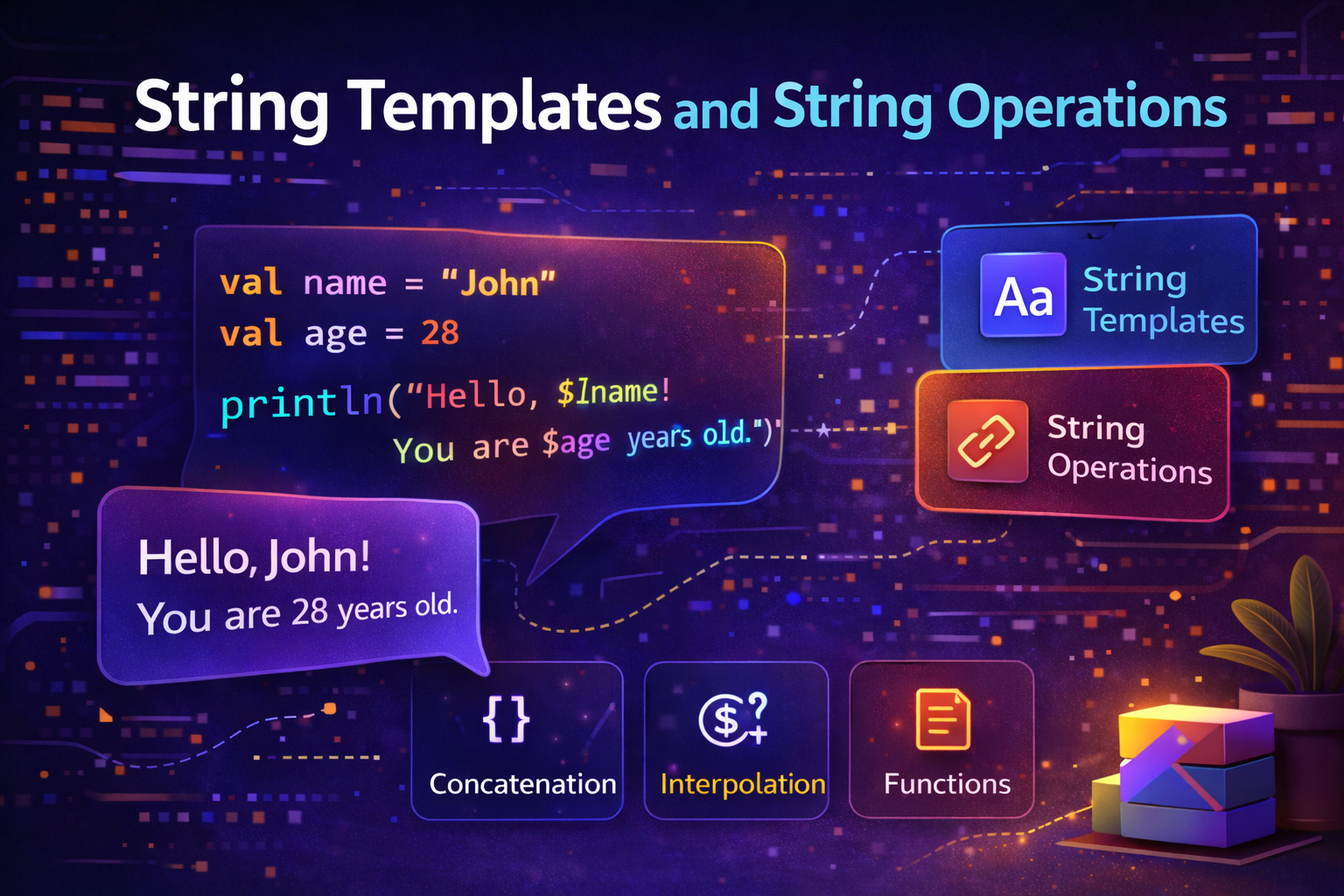
Strings are used everywhere in Android apps — displaying user names, formatting prices, building URLs, showing error messages. Kotlin makes working with strings much cleaner and more powerful than Java. This guide covers everything you need to know about strings in Kotlin with practical examples.
What Is a String?
A String is a sequence of characters — basically, text. In Kotlin, Strings are enclosed in double quotes.
val name = "John"
val message = "Hello, World!"
val empty = ""
val withNumbers = "Android 14"
Strings in Kotlin are immutable — once created, you can't change the characters inside them. When you "modify" a string, Kotlin actually creates a new string.
var greeting = "Hello"
greeting = greeting + " World"  // creates a NEW string "Hello World"
String Templates — The Kotlin Way
In Java, you build strings by concatenating with +. In Kotlin, you use string templates — embed variables and expressions directly inside the string using $.
Simple Variable Embedding — $variable
val name = "John"
val age = 25
val city = "New York"

// Java way — verbose and error-prone
val message = "Hello, " + name + "! You are " + age + " years old from " + city + "."

// Kotlin way — clean and readable
val message = "Hello, $name! You are $age years old from $city."
Just prefix the variable name with $ and it gets replaced with its value.
Expression Embedding — ${expression}
Use ${} when you need to run an expression, not just a variable:
val name = "John"
val price = 49.99
val quantity = 3

val upper = "Name in caps: ${name.uppercase()}"
val total = "Total: $${price * quantity}"
val length = "Name has ${name.length} characters"
val isLong = "Long name: ${name.length > 5}"
val nextYear = "Next year: ${2026 + 1}"
When to Use $ vs ${}
val name = "John"

// Use $ for simple variable names
val a = "Hello, $name"

// Use ${} for anything more complex
val b = "Hello, ${name.uppercase()}"    // method call
val c = "Hello, ${name + "!"}"          // expression
val d = "Count: ${items.size}"          // property access on variable
val e = "Result: ${if (score > 50) "Pass" else "Fail"}"  // if expression
Escaping the Dollar Sign
If you need a literal $ in your string:
val price = 9.99
val display = "Price: \\$${price}"        // Price: $9.99
val template = "\\$name"                  // literal: $name (not replaced)
Multiline Strings — Triple Quotes
For strings that span multiple lines, use triple quotes """:
val address = """
    123 Main Street
    New York, NY 10001
    United States
"""

val json = """
    {
        "name": "John",
        "age": 25,
        "city": "New York"
    }
"""
trimIndent() and trimMargin()
Triple-quoted strings include the leading whitespace. Use trimIndent() to remove it:
val address = """
    123 Main Street
    New York, NY 10001
    United States
""".trimIndent()

// Result (no leading spaces):
// 123 Main Street
// New York, NY 10001
// United States
Use trimMargin() with a custom margin prefix:
val poem = """
    |Roses are red,
    |Violets are blue,
    |Kotlin is awesome,
    |And so are you!
""".trimMargin()  // removes everything up to and including |
String Templates in Multiline Strings
Templates work inside triple-quoted strings too:
val name = "John"
val score = 95

val report = """
    Student Report
    ==============
    Name: $name
    Score: $score
    Grade: ${if (score >= 90) "A" else "B"}
    Status: ${if (score >= 60) "Passed" else "Failed"}
""".trimIndent()

println(report)
Output:
Student Report
==============
Name: John
Score: 95
Grade: A
Status: Passed
Common String Operations
Kotlin's String class comes packed with useful functions. Here are the ones you'll use most often in Android development.
Length and Access
val text = "Hello, Kotlin!"

println(text.length)          // 14
println(text[0])              // H — access by index
println(text[7])              // K
println(text.first())         // H — first character
println(text.last())          // ! — last character
println(text.get(0))          // H — same as text[0]
Case Conversion
val text = "Hello, Kotlin!"

println(text.uppercase())           // HELLO, KOTLIN!
println(text.lowercase())           // hello, kotlin!
println(text.capitalize())          // Hello, kotlin! (deprecated in newer Kotlin)
println("hello world".replaceFirstChar { it.uppercase() })  // Hello world
Checking Content
val text = "Hello, Kotlin!"

println(text.contains("Kotlin"))        // true
println(text.contains("Java"))          // false
println(text.contains("kotlin"))        // false — case-sensitive
println(text.contains("kotlin", ignoreCase = true))  // true

println(text.startsWith("Hello"))       // true
println(text.startsWith("hello"))       // false
println(text.endsWith("!"))             // true
println(text.endsWith("Kotlin!"))       // true

println(text.isEmpty())                 // false
println("".isEmpty())                   // true
println("   ".isEmpty())               // false — has spaces
println("   ".isBlank())               // true — only whitespace
println("".isBlank())                   // true
println(text.isNotEmpty())              // true
println(text.isNotBlank())              // true
Searching and Indexing
val text = "Hello, Kotlin!"

println(text.indexOf("Kotlin"))         // 7 — position of first match
println(text.indexOf("Java"))           // -1 — not found
println(text.lastIndexOf("l"))          // 3 — last occurrence
Trimming Whitespace
val padded = "   Hello, World!   "

println(padded.trim())          // "Hello, World!" — removes both ends
println(padded.trimStart())     // "Hello, World!   " — removes start only
println(padded.trimEnd())       // "   Hello, World!" — removes end only
Substring — Extracting Part of a String
val text = "Hello, Kotlin!"

println(text.substring(7))          // "Kotlin!" — from index 7 to end
println(text.substring(7, 13))      // "Kotlin" — from index 7 to 13 (exclusive)
println(text.take(5))               // "Hello" — first 5 characters
println(text.takeLast(7))           // "Kotlin!" — last 7 characters
println(text.drop(7))               // "Kotlin!" — remove first 7 characters
println(text.dropLast(1))           // "Hello, Kotlin" — remove last 1 character
Replacing Content
val text = "Hello, Java! Java is great."

println(text.replace("Java", "Kotlin"))
// "Hello, Kotlin! Kotlin is great." — replaces ALL occurrences

println(text.replaceFirst("Java", "Kotlin"))
// "Hello, Kotlin! Java is great." — replaces FIRST occurrence only

println(text.replace("java", "Kotlin", ignoreCase = true))
// Case-insensitive replacement

// Replace using regex
val messy = "Hello   World"
println(messy.replace(Regex("\\\\s+"), " "))  // "Hello World"
Splitting a String
val csv = "Alice,Bob,Charlie,Dave"
val names = csv.split(",")
// ["Alice", "Bob", "Charlie", "Dave"]

val sentence = "The quick brown fox"
val words = sentence.split(" ")
// ["The", "quick", "brown", "fox"]

// Split with limit — max number of parts
val limited = csv.split(",", limit = 2)
// ["Alice", "Bob,Charlie,Dave"]
Joining Strings
val names = listOf("Alice", "Bob", "Charlie")

println(names.joinToString())            // "Alice, Bob, Charlie"
println(names.joinToString(", "))        // "Alice, Bob, Charlie"
println(names.joinToString(" | "))       // "Alice | Bob | Charlie"
println(names.joinToString(
    separator = ", ",
    prefix = "[",
    postfix = "]"
))
// "[Alice, Bob, Charlie]"
String to Number Conversions
val numStr = "42"
val priceStr = "9.99"
val invalid = "abc"

val num = numStr.toInt()              // 42
val price = priceStr.toDouble()       // 9.99
val longVal = "1000000".toLong()      // 1000000L

// Safe conversions — return null if conversion fails
val safe1 = invalid.toIntOrNull()     // null — no crash
val safe2 = numStr.toIntOrNull()      // 42
val safe3 = "3.14".toDoubleOrNull()   // 3.14

// With default value using Elvis
val value = invalid.toIntOrNull() ?: 0   // 0 (default when conversion fails)
Checking if String is a Number
fun isNumeric(str: String): Boolean {
    return str.toDoubleOrNull() != null
}

println(isNumeric("123"))    // true
println(isNumeric("12.5"))   // true
println(isNumeric("abc"))    // false
println(isNumeric("12a"))    // false
String Comparison
val a = "Hello"
val b = "Hello"
val c = "hello"

// Structural equality — compares content
println(a == b)                              // true
println(a == c)                              // false — case-sensitive
println(a.equals(c, ignoreCase = true))      // true — case-insensitive

// Compare alphabetically
println("apple".compareTo("banana"))         // negative — apple comes first
println("banana".compareTo("apple"))         // positive — banana comes second
println("apple".compareTo("apple"))          // 0 — equal
StringBuilder — Building Strings Efficiently
When you need to build a string piece by piece (like in a loop), use StringBuilder. It's much more efficient than concatenating strings with + because it doesn't create a new string object each time.
// ❌ Inefficient — creates a new String object each iteration
var result = ""
for (i in 1..1000) {
    result += "$i, "   // 1000 String objects created!
}

// ✅ Efficient — builds in place
val sb = StringBuilder()
for (i in 1..1000) {
    sb.append(i)
    sb.append(", ")
}
val result = sb.toString()
StringBuilder operations:
val sb = StringBuilder()

sb.append("Hello")           // add to end
sb.append(", ")
sb.append("World")
sb.append("!")
sb.insert(5, " Beautiful")   // insert at position
sb.delete(5, 15)             // delete from index 5 to 15
sb.reverse()                 // reverse the string

println(sb.toString())       // final result

// Using buildString — cleaner syntax
val result = buildString {
    append("Hello")
    append(", ")
    append("Kotlin")
    append("!")
}
println(result)  // Hello, Kotlin!
Practical Android Examples
Building a URL with parameters
fun buildSearchUrl(query: String, page: Int, pageSize: Int): String {
    return "https://api.androidnewworld.com/search" +
            "?q=${query.replace(" ", "+")}" +
            "&page=$page" +
            "&size=$pageSize"
}

val url = buildSearchUrl("kotlin coroutines", 1, 20)
// https://api.androidnewworld.com/search?q=kotlin+coroutines&page=1&size=20
Formatting display text
fun formatPrice(price: Double, currency: String = "USD"): String {
    return "$currency ${"%.2f".format(price)}"
}

fun formatUserInfo(name: String, age: Int?, city: String?): String {
    val ageText = age?.let { ", $it years old" } ?: ""
    val cityText = city?.let { " from $it" } ?: ""
    return "$name$ageText$cityText"
}

println(formatPrice(9.99))                         // USD 9.99
println(formatPrice(1234.5, "EUR"))                // EUR 1234.50
println(formatUserInfo("John", 25, "New York"))    // John, 25 years old from New York
println(formatUserInfo("Jane", null, null))        // Jane
Validating user input
fun validateEmail(email: String): Boolean {
    return email.isNotBlank() &&
            email.contains("@") &&
            email.contains(".") &&
            email.length >= 5
}

fun validatePassword(password: String): String? {
    return when {
        password.isBlank() -> "Password cannot be empty"
        password.length < 8 -> "Password must be at least 8 characters"
        !password.any { it.isDigit() } -> "Password must contain a number"
        !password.any { it.isUpperCase() } -> "Password must contain an uppercase letter"
        else -> null  // null means valid
    }
}

println(validateEmail("john@example.com"))   // true
println(validateEmail("not-an-email"))       // false

println(validatePassword("abc"))             // Password must be at least 8 characters
println(validatePassword("abcdefgh"))        // Password must contain a number
println(validatePassword("Abcdefg1"))        // null — valid!
Quick Reference
| Operation | Code | Result |
|---|---|---|
| Template | "Hello, $name" |
Embeds variable |
| Expression | "Result: ${a + b}" |
Embeds expression |
| Length | text.length |
Number of characters |
| Uppercase | text.uppercase() |
ALL CAPS |
| Lowercase | text.lowercase() |
all lowercase |
| Contains | text.contains("x") |
true/false |
| Starts with | text.startsWith("Hi") |
true/false |
| Ends with | text.endsWith("!") |
true/false |
| Trim | text.trim() |
Remove whitespace |
| Replace | text.replace("a", "b") |
Swap characters |
| Split | text.split(",") |
List of parts |
| Substring | text.substring(0, 5) |
Extract part |
| To number | "42".toInt() |
42 |
| Safe to number | "abc".toIntOrNull() |
null |
| Is empty | text.isEmpty() |
true/false |
| Is blank | text.isBlank() |
true/false |
Summary
- Use string templates (
$variable,${expression}) instead of+concatenation - Use triple quotes
"""for multiline strings, with.trimIndent()to clean whitespace - Kotlin strings have dozens of built-in functions —
contains,replace,split,trim,substring, and more - Use
toIntOrNull()andtoDoubleOrNull()for safe String-to-number conversions - Use
StringBuilderorbuildStringwhen building strings in loops for better performance - String comparison with
==compares content (not reference like Java) - Use
equals(ignoreCase = true)for case-insensitive comparison
Strings are everywhere in Android development. Mastering these operations will make you significantly faster and your code much cleaner.
Happy coding!
Comments (0)