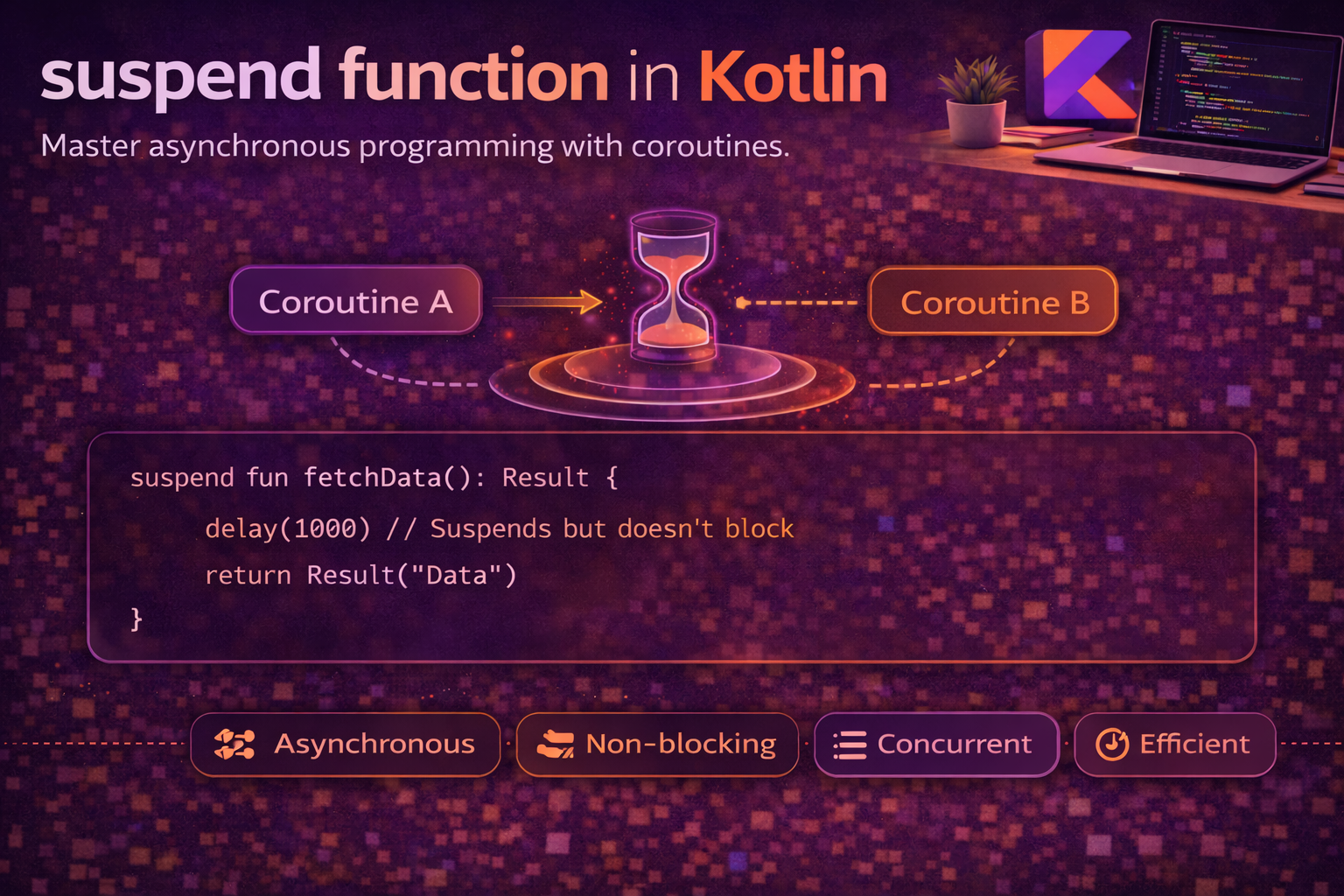
You use suspend functions every day in Android development — network calls, database queries, delays. But what actually happens when a coroutine “suspends”? How does it pause execution, free the thread, and then resume later exactly where it left off? The answer involves Continuation Passing Style (CPS), state machines, and a clever compiler transformation. Understanding this isn’t just academic — it explains why suspend functions can only be called from coroutines, why they don’t block threads, and how the entire coroutine system actually works under the hood. This guide takes you from the basics to the internals.
What is a Suspend Function?
A suspend function is a function that can pause its execution without blocking the thread, and resume later from exactly where it paused:
suspend fun fetchArticle(id: String): Article {
    val response = api.get("articles/$id")   // suspends here — thread is free
    val article = parseArticle(response)      // resumes here when response arrives
    cache.save(article)                       // may suspend again
    return article
}

// What makes this special:
// 1. At api.get() — the coroutine PAUSES, the thread goes to do other work
// 2. When the network response arrives — the coroutine RESUMES on an available thread
// 3. No thread is blocked waiting — the thread pool stays efficient
Suspend vs regular functions
// Regular function — runs start to finish, blocks the thread
fun getArticleBlocking(id: String): Article {
    val response = blockingHttpGet("articles/$id")   // thread BLOCKED until response
    return parseArticle(response)
}

// Suspend function — can pause and resume, doesn't block
suspend fun getArticle(id: String): Article {
    val response = api.get("articles/$id")   // thread FREE during network call
    return parseArticle(response)
}

// Key differences:
// - suspend functions can call other suspend functions
// - suspend functions can only be called from coroutines or other suspend functions
// - suspend functions don't block the thread — they suspend the coroutine
// - the thread is returned to the pool during suspension
Where you can call suspend functions
// ✅ From a coroutine builder
viewModelScope.launch {
    val article = fetchArticle("123")   // ✅ inside launch
}

// ✅ From another suspend function
suspend fun loadAndCache(id: String) {
    val article = fetchArticle(id)      // ✅ suspend calling suspend
    cache.save(article)
}

// ✅ From runBlocking (testing/main function)
fun main() = runBlocking {
    val article = fetchArticle("123")   // ✅ inside runBlocking
}

// ❌ From a regular function
fun loadArticle() {
    // val article = fetchArticle("123")   // ❌ compile error!
    // "Suspend function can only be called from a coroutine body"
}
How Suspension Actually Works
When the compiler sees a suspend function, it transforms it using Continuation Passing Style (CPS). The key idea: instead of returning a value directly, the function receives a Continuation object that tells it what to do next when the result is ready.
The Continuation interface
// This is the actual Kotlin interface (simplified)
interface Continuation<in T> {
    val context: CoroutineContext
    fun resumeWith(result: Result<T>)
}

// A Continuation is basically a callback that says:
// "When you have the result, call resumeWith() to continue execution"

// Extension functions for convenience:
fun <T> Continuation<T>.resume(value: T)
fun <T> Continuation<T>.resumeWithException(exception: Throwable)
CPS transformation — what the compiler does
// What YOU write:
suspend fun fetchArticle(id: String): Article {
    val response = api.get("articles/$id")
    val article = parseArticle(response)
    return article
}

// What the COMPILER generates (simplified):
fun fetchArticle(id: String, continuation: Continuation<Article>): Any? {
    // The compiler adds a Continuation parameter
    // Return type becomes Any? because it can return:
    //   - COROUTINE_SUSPENDED (if the function suspends)
    //   - The actual result (if it completes immediately)

    val response = api.get("articles/$id", continuation)
    if (response == COROUTINE_SUSPENDED) {
        return COROUTINE_SUSPENDED   // "I'm pausing, call continuation later"
    }
    val article = parseArticle(response as Response)
    return article
}

// COROUTINE_SUSPENDED is a special marker object that means:
// "This function didn't complete yet — it will call continuation.resumeWith() later"
The State Machine — How Resume Works
A suspend function with multiple suspension points is transformed into a state machine. Each suspension point becomes a state, and the function uses a label to track which state to resume from:
// What YOU write:
suspend fun loadData(): String {
    val user = fetchUser()         // suspension point 1
    val articles = fetchArticles() // suspension point 2
    return "${user.name}: ${articles.size} articles"
}

// What the COMPILER generates (simplified):
fun loadData(continuation: Continuation<String>): Any? {
    // The continuation is actually a state machine object
    class LoadDataStateMachine(completion: Continuation<String>) : ContinuationImpl(completion) {
        var label = 0          // current state
        var user: User? = null // intermediate results stored between suspensions
        var result: Any? = null
    }

    // Get or create the state machine
    val sm = continuation as? LoadDataStateMachine
        ?: LoadDataStateMachine(continuation)

    when (sm.label) {
        0 -> {
            // Initial state — call fetchUser()
            sm.label = 1   // next time, resume at state 1
            val result = fetchUser(sm)   // pass state machine as continuation
            if (result == COROUTINE_SUSPENDED) return COROUTINE_SUSPENDED
            sm.result = result
            // fall through to state 1 if fetchUser completed immediately
        }
        1 -> {
            // Resumed after fetchUser()
            sm.user = sm.result as User   // retrieve the result
            sm.label = 2   // next time, resume at state 2
            val result = fetchArticles(sm)
            if (result == COROUTINE_SUSPENDED) return COROUTINE_SUSPENDED
            sm.result = result
        }
        2 -> {
            // Resumed after fetchArticles()
            val articles = sm.result as List<Article>
            val user = sm.user!!
            return "${user.name}: ${articles.size} articles"
        }
    }
    // ... continues to next state
}
The suspension and resumption flow
// Step by step:

// 1. loadData() is called with label = 0
//    → calls fetchUser(stateMachine)
//    → fetchUser starts a network call and returns COROUTINE_SUSPENDED
//    → loadData returns COROUTINE_SUSPENDED
//    → THREAD IS FREE — goes back to the thread pool

// 2. Network response arrives
//    → stateMachine.resumeWith(Result.success(user))
//    → loadData() is called AGAIN, this time with label = 1
//    → retrieves user from stateMachine
//    → calls fetchArticles(stateMachine)
//    → fetchArticles returns COROUTINE_SUSPENDED
//    → THREAD IS FREE AGAIN

// 3. Second network response arrives
//    → stateMachine.resumeWith(Result.success(articles))
//    → loadData() is called AGAIN, with label = 2
//    → builds the result string
//    → calls original continuation.resumeWith(result)
//    → DONE

// Key insight: the function is called MULTIPLE TIMES
// Each time it jumps to the right state using the label
// Intermediate results are stored in the state machine object
Visualising the Thread Usage
suspend fun loadUserProfile(userId: String): UserProfile {
    println("1. Start - Thread: ${Thread.currentThread().name}")

    val user = withContext(Dispatchers.IO) {
        println("2. Fetching user - Thread: ${Thread.currentThread().name}")
        api.getUser(userId)   // network call
    }
    println("3. Got user - Thread: ${Thread.currentThread().name}")

    val posts = withContext(Dispatchers.IO) {
        println("4. Fetching posts - Thread: ${Thread.currentThread().name}")
        api.getPosts(userId)   // network call
    }
    println("5. Got posts - Thread: ${Thread.currentThread().name}")

    return UserProfile(user, posts)
}

// Output:
// 1. Start - Thread: main
// 2. Fetching user - Thread: DefaultDispatcher-worker-1    ← switched to IO
// 3. Got user - Thread: main                                ← back to main
// 4. Fetching posts - Thread: DefaultDispatcher-worker-2    ← switched to IO (maybe different thread!)
// 5. Got posts - Thread: main                                ← back to main

// Notice:
// - The coroutine MOVED between threads at each suspension point
// - The main thread was FREE during network calls
// - Resumption may happen on a DIFFERENT worker thread
suspendCoroutine and suspendCancellableCoroutine
These functions let you manually control when a coroutine suspends and resumes. They’re the bridge between callback-based APIs and the suspend world:
suspendCoroutine — basic version
// Convert a callback-based API to a suspend function
suspend fun fetchUser(id: String): User = suspendCoroutine { continuation ->
    // This block runs immediately
    // continuation is the "resume handle" — call it when result is ready

    api.getUser(id, object : Callback<User> {
        override fun onSuccess(user: User) {
            continuation.resume(user)          // ← resumes the coroutine with result
        }
        override fun onError(error: Throwable) {
            continuation.resumeWithException(error)   // ← resumes with exception
        }
    })

    // After setting up the callback, the coroutine SUSPENDS
    // The thread is free to do other work
    // When the callback fires, the coroutine RESUMES
}

// Usage — looks like a normal suspend call
val user = fetchUser("123")   // suspends until callback fires
suspendCancellableCoroutine — cancellation-aware (preferred)
// Always prefer suspendCancellableCoroutine in production code
suspend fun fetchUser(id: String): User = suspendCancellableCoroutine { continuation ->

    val call = api.getUser(id, object : Callback<User> {
        override fun onSuccess(user: User) {
            if (continuation.isActive) {   // check if not already cancelled
                continuation.resume(user)
            }
        }
        override fun onError(error: Throwable) {
            if (continuation.isActive) {
                continuation.resumeWithException(error)
            }
        }
    })

    // Clean up if the coroutine is cancelled while waiting
    continuation.invokeOnCancellation {
        call.cancel()   // cancel the network call too!
    }
}

// Why suspendCancellableCoroutine over suspendCoroutine:
// 1. Supports cancellation — invokeOnCancellation callback
// 2. Can check continuation.isActive before resuming
// 3. Prevents resuming an already cancelled coroutine
// 4. Fits into structured concurrency properly
Converting common Android APIs
// Location request → suspend function
suspend fun getCurrentLocation(): Location = suspendCancellableCoroutine { cont ->
    val request = LocationRequest.create().apply {
        priority = Priority.PRIORITY_HIGH_ACCURACY
        numUpdates = 1
    }

    val callback = object : LocationCallback() {
        override fun onLocationResult(result: LocationResult) {
            cont.resume(result.lastLocation)
        }
    }

    fusedLocationClient.requestLocationUpdates(request, callback, Looper.getMainLooper())

    cont.invokeOnCancellation {
        fusedLocationClient.removeLocationUpdates(callback)
    }
}

// Animation → suspend function
suspend fun View.awaitAnimation(): Unit = suspendCancellableCoroutine { cont ->
    val listener = object : Animator.AnimatorListener {
        override fun onAnimationEnd(animation: Animator) {
            cont.resume(Unit)
        }
        override fun onAnimationCancel(animation: Animator) {
            cont.resume(Unit)
        }
        override fun onAnimationStart(animation: Animator) {}
        override fun onAnimationRepeat(animation: Animator) {}
    }

    animate().setListener(listener).start()

    cont.invokeOnCancellation {
        animate().cancel()
    }
}

// Usage
val location = getCurrentLocation()
myView.awaitAnimation()   // suspends until animation completes
Why Suspend Functions Don’t Block
// BLOCKING — thread sits idle, waiting
fun blockingFetch(): String {
    val result = URL("https://api.example.com").readText()
    // Thread is OCCUPIED the entire time
    // Can't do anything else while waiting for network response
    // If this is the main thread → UI freezes
    return result
}

// SUSPENDING — thread is released during wait
suspend fun suspendingFetch(): String {
    val result = httpClient.get("https://api.example.com").bodyAsText()
    // Coroutine is SUSPENDED — but the thread is FREE
    // The thread goes back to the pool to handle other coroutines
    // When response arrives → coroutine RESUMES on an available thread
    return result
}

// The difference is crucial for the Main thread:
// Blocking main thread = frozen UI, ANR dialog
// Suspending on main thread = UI stays responsive

// How it works internally:
// 1. httpClient.get() registers a callback with the OS/networking layer
// 2. Returns COROUTINE_SUSPENDED
// 3. Thread is released back to Dispatchers.Main's event loop
// 4. When OS signals "response ready", callback fires
// 5. Callback calls continuation.resume(response)
// 6. Dispatcher schedules the coroutine to resume on an available thread
Suspend Function Patterns
Sequential execution
// Suspend functions run SEQUENTIALLY by default
suspend fun loadDashboard(): Dashboard {
    val user = fetchUser()           // waits for this to complete
    val articles = fetchArticles()   // THEN starts this
    val stats = fetchStats()         // THEN starts this
    return Dashboard(user, articles, stats)
}
// Total time = fetchUser + fetchArticles + fetchStats
Parallel execution with async
// Use async for parallel suspend calls
suspend fun loadDashboard(): Dashboard = coroutineScope {
    val user = async { fetchUser() }           // starts immediately
    val articles = async { fetchArticles() }   // starts immediately
    val stats = async { fetchStats() }         // starts immediately
    Dashboard(user.await(), articles.await(), stats.await())
}
// Total time = max(fetchUser, fetchArticles, fetchStats)

// ⚠️ async without coroutineScope is unsafe
// coroutineScope ensures all children complete or cancel together
Wrapping blocking code as suspend
// Move blocking work off the main thread using withContext
suspend fun readFile(path: String): String = withContext(Dispatchers.IO) {
    File(path).readText()   // blocking I/O, but on IO dispatcher
}

suspend fun heavyComputation(): Long = withContext(Dispatchers.Default) {
    (1..1_000_000L).sum()   // CPU work on Default dispatcher
}

// After withContext, execution resumes on the ORIGINAL dispatcher
viewModelScope.launch {   // Main thread
    val content = readFile("data.txt")   // switches to IO, returns to Main
    _content.value = content              // back on Main — safe for UI
}
Creating a custom suspend function from scratch
// A suspend function that waits for a condition
suspend fun waitUntil(
    intervalMs: Long = 100,
    timeoutMs: Long = 10_000,
    condition: () -> Boolean
): Boolean {
    val startTime = System.currentTimeMillis()
    while (!condition()) {
        if (System.currentTimeMillis() - startTime > timeoutMs) {
            return false   // timed out
        }
        delay(intervalMs)   // suspend, don't block
    }
    return true
}

// Usage
val ready = waitUntil(timeoutMs = 5000) { database.isReady() }
if (!ready) throw TimeoutException("Database not ready")
Real Android Patterns
Repository with suspend functions
class ArticleRepository(
    private val api: ArticleApi,
    private val dao: ArticleDao
) {
    // Simple suspend function — one async operation
    suspend fun getArticle(id: String): Article {
        return dao.getById(id) ?: api.fetchArticle(id).also { dao.insert(it) }
    }

    // Suspend function with parallel calls
    suspend fun getArticleWithComments(id: String): ArticleWithComments =
        coroutineScope {
            val article = async { api.fetchArticle(id) }
            val comments = async { api.fetchComments(id) }
            ArticleWithComments(article.await(), comments.await())
        }

    // Suspend function wrapping blocking work
    suspend fun exportToCsv(articles: List<Article>): File =
        withContext(Dispatchers.IO) {
            val file = File(cacheDir, "articles.csv")
            file.bufferedWriter().use { writer ->
                writer.write("id,title,date\n")
                articles.forEach { article ->
                    writer.write("${article.id},${article.title},${article.date}\n")
                }
            }
            file
        }
}
ViewModel calling suspend functions
class ArticleViewModel(private val repository: ArticleRepository) : ViewModel() {

    private val _uiState = MutableStateFlow<UiState>(UiState.Loading)
    val uiState: StateFlow<UiState> = _uiState

    fun loadArticle(id: String) {
        viewModelScope.launch {
            _uiState.value = UiState.Loading
            try {
                // Sequential suspend calls
                val articleWithComments = repository.getArticleWithComments(id)
                _uiState.value = UiState.Success(articleWithComments)
            } catch (e: CancellationException) {
                throw e   // always re-throw
            } catch (e: Exception) {
                _uiState.value = UiState.Error(e.message ?: "Unknown error")
            }
        }
    }
}
Safe API call wrapper
// Reusable suspend wrapper for API calls
suspend fun <T> safeApiCall(call: suspend () -> T): Result<T> {
    return try {
        Result.Success(call())
    } catch (e: CancellationException) {
        throw e   // never catch cancellation
    } catch (e: HttpException) {
        Result.Error("Server error: ${e.code()}")
    } catch (e: IOException) {
        Result.Error("Network error: check your connection")
    } catch (e: Exception) {
        Result.Error(e.message ?: "Unknown error")
    }
}

// Usage
fun loadArticles() {
    viewModelScope.launch {
        val result = safeApiCall { repository.getArticles() }
        when (result) {
            is Result.Success -> _articles.value = result.data
            is Result.Error -> _error.value = result.message
        }
    }
}
Retry with suspend
suspend fun <T> retryWithBackoff(
    times: Int = 3,
    initialDelayMs: Long = 1000,
    factor: Double = 2.0,
    block: suspend () -> T
): T {
    var currentDelay = initialDelayMs
    repeat(times - 1) {
        try {
            return block()
        } catch (e: CancellationException) {
            throw e
        } catch (e: Exception) {
            delay(currentDelay)
            currentDelay = (currentDelay * factor).toLong()
        }
    }
    return block()   // last attempt — let exception propagate
}

// Usage
val articles = retryWithBackoff(times = 3) {
    api.getArticles()   // retries up to 3 times with exponential backoff
}
Common Mistakes to Avoid
Mistake 1: Calling blocking code inside a suspend function without switching dispatchers
// ❌ Blocking the main thread despite being a suspend function
suspend fun readFile(): String {
    return File("data.txt").readText()   // BLOCKING I/O on current thread
}

// Adding suspend doesn't magically make blocking code non-blocking!
// The suspend keyword only ALLOWS the function to suspend —
// it doesn't do it automatically

// ✅ Use withContext to move blocking work to the right dispatcher
suspend fun readFile(): String = withContext(Dispatchers.IO) {
    File("data.txt").readText()   // blocking I/O on IO dispatcher
}
Mistake 2: Making a function suspend when it doesn’t need to be
// ❌ Unnecessary suspend — no suspension point inside
suspend fun formatName(first: String, last: String): String {
    return "$first $last"   // pure computation — no need for suspend
}

// ✅ Regular function — can be called from anywhere
fun formatName(first: String, last: String): String {
    return "$first $last"
}

// Rule: only mark a function suspend if it:
// - Calls other suspend functions
// - Uses delay()
// - Uses withContext()
// - Uses suspendCoroutine / suspendCancellableCoroutine
Mistake 3: Not using suspendCancellableCoroutine for callbacks
// ❌ suspendCoroutine doesn't support cancellation
suspend fun fetchData(): Data = suspendCoroutine { cont ->
    val call = api.getData(callback = { cont.resume(it) })
    // If coroutine is cancelled, the API call keeps running!
}

// ✅ suspendCancellableCoroutine cleans up on cancellation
suspend fun fetchData(): Data = suspendCancellableCoroutine { cont ->
    val call = api.getData(callback = { cont.resume(it) })
    cont.invokeOnCancellation { call.cancel() }   // cleanup!
}
Mistake 4: Resuming a continuation twice
// ❌ Crashes with IllegalStateException
suspend fun fetchData(): Data = suspendCancellableCoroutine { cont ->
    api.getData(
        onSuccess = { cont.resume(it) },
        onError = { cont.resumeWithException(it) }
    )
    // What if BOTH callbacks fire? Second resume crashes!
}

// ✅ Check isActive before resuming
suspend fun fetchData(): Data = suspendCancellableCoroutine { cont ->
    api.getData(
        onSuccess = { if (cont.isActive) cont.resume(it) },
        onError = { if (cont.isActive) cont.resumeWithException(it) }
    )
}
Summary
- A suspend function can pause execution without blocking the thread, then resume later from the exact same point
- The compiler transforms suspend functions using Continuation Passing Style (CPS) — adding a hidden
Continuationparameter - A
Continuationis essentially a callback:resumeWith(Result<T>)continues execution with the result - Multiple suspension points are compiled into a state machine with a
labeltracking the current state - When a function suspends, it returns
COROUTINE_SUSPENDED— the thread is freed to do other work - When the result arrives,
continuation.resume()is called and the function re-enters at the correct state - The
suspendkeyword doesn’t make blocking code non-blocking — usewithContextto move blocking work to the right dispatcher suspendCancellableCoroutinebridges callback-based APIs to the suspend world — always prefer it oversuspendCoroutine- Always check
continuation.isActivebefore resuming and useinvokeOnCancellationfor cleanup - Suspend functions run sequentially by default — use
asyncwithcoroutineScopefor parallel execution - Only mark a function
suspendif it actually calls other suspend functions or uses suspension primitives - Never resume a continuation more than once — it throws
IllegalStateException
Understanding how suspend functions work internally — CPS transformation, state machines, and continuations — is what separates someone who uses coroutines from someone who truly understands them. The next time a suspend call pauses your coroutine, you’ll know exactly what’s happening: the state is saved, the thread is freed, and a continuation is waiting to pick up right where you left off. No magic — just a brilliantly designed compiler transformation.
Happy coding!
Comments (0)