
Top 50 Android Interview Questions — 2026 Edition (with the Follow-Ups They Actually Ask)
I’ve been on both sides of the Android interview table for over a decade — running loops at three companies, getting interviewed at twice that many. The questions have shifted hard since 2022. View-based questions are out, Compose is mandatory, every senior loop has a coroutines deep dive, and “explain MVVM” has been replaced with “walk me through your state holder design and why you picked it.”
This is what 2026 actually looks like. 50 questions, grouped by what interviewers are testing, with the answers I’d give — and the follow-ups you should expect. No fluff, no “explain the four components of Android” from a 2014 textbook. If a question feels obvious, the follow-up usually isn’t.
Fundamentals (1–7)
1. What’s the difference between Application, Activity, and Service contexts — and when does it actually matter?
All three are Context, but lifetime differs. Application lives as long as the process. Activity dies on configuration change or when the user leaves. Service sits between. The mistake people make: holding an Activity context in a singleton (DI graph, repository, image loader). That’s a leak waiting to happen. Use Application for anything stored long-lived, Activity for UI-related things (theming, dialogs, starting activities). Follow-up they’ll ask: “Why can’t I show a Dialog with the Application context?” — because dialogs need a window token only an Activity has.
2. Process death vs configuration change — how do you recover from each?
Configuration change kills the Activity, not the process — ViewModel survives, in-memory state survives. Process death kills everything — OS later restarts your task with the saved bundle. ViewModel alone doesn’t survive process death. SavedStateHandle does (it’s backed by the saved bundle). Rule: anything the user typed or selected → SavedStateHandle. Anything derived from network or DB → let it reload.
3. What is Looper, Handler, and the main thread’s message queue?
The main thread runs a Looper that pulls Messages off a queue and dispatches them. Handler is how you post messages to a specific Looper. Every view.post { }, every UI update, every runOnUiThread ultimately becomes a message on this queue. Why interviewers care: it explains why blocking the main thread for 16ms causes jank (one missed frame), and why setContentView followed by view.findViewById(...).text = ... works even though the view isn’t laid out yet — layout is also queued.
4. Explain Doze mode and App Standby. Why should you care?
Doze kicks in when the device is unplugged, screen off, and stationary. Network is suspended, alarms are deferred, jobs are batched. App Standby applies to apps the user hasn’t touched recently — same restrictions. Practical impact: don’t use postDelayed for anything important, don’t expect background sync to fire on time, use WorkManager with appropriate constraints, and use setExactAndAllowWhileIdle only for genuinely time-critical alarms (and brace for OEM further-restricting it).
5. SharedPreferences vs DataStore — and why is the answer always DataStore now?
SharedPreferences has a synchronous API that secretly does disk I/O on the main thread (getString, commit), no type safety, and fails silently on corruption. DataStore is coroutine/Flow-based, type-safe (Proto variant), and handles errors as exceptions in the Flow. Migration is straightforward. The only reason to keep SharedPreferences in 2026 is legacy code you haven’t touched.
6. What does android:exported do and why did Android 12 change it?
exported=true means other apps can launch this component. Before Android 12, it defaulted to true if you had an intent filter — which exposed components people didn’t realize were exposed. Android 12+ requires you to explicitly declare it. Get this wrong and your app won’t install on Android 12+. Senior follow-up: “What’s the security risk of an exported activity?” — another app can launch it with crafted intent extras, so always validate inputs.
7. What’s the difference between commit() and apply() on SharedPreferences?
commit() is synchronous, returns a boolean. apply() is fire-and-forget, returns nothing. Both perform the in-memory update synchronously, but apply defers the disk write. The interview trap: people say “always use apply because it’s async” — not entirely true. apply blocks the main thread on Activity/Service lifecycle transitions because the system flushes pending writes. The real answer is: don’t use SharedPreferences (see Q5).
Lifecycle & Components (8–14)
8. Walk me through what happens when a user rotates the screen.
Activity’s onPause → onStop → onSaveInstanceState → onDestroy. New instance created: onCreate(savedState) → onStart → onRestoreInstanceState → onResume. ViewModel’s onCleared is not called — same instance attaches to the new Activity via ViewModelStore. That’s the entire reason ViewModel exists. Bonus points if you mention configChanges in the manifest as a way to opt out of recreation (rarely the right call, but valid for some OpenGL/video screens).
9. Why is onSaveInstanceState not enough?
Bundle has size limits (officially “small”, in practice TransactionTooLargeException around 1MB). It’s for UI state, not data. If you’re trying to save a list of 500 items there, you’re solving the wrong problem — that data should come from a repository that survives.
10. Fragment lifecycle vs Activity lifecycle — what’s the gotcha?
Fragments have two lifecycles: the fragment instance lifecycle (onCreate → onDestroy) and the view lifecycle (onCreateView → onDestroyView). The view dies when the fragment goes onto the back stack but the fragment instance survives. This is the source of every “why is my binding null” bug. Use viewLifecycleOwner for LiveData/Flow observers in fragments, never this.
11. Activity launch modes — explain singleTop vs singleTask.
singleTop: if the activity is already at the top of the back stack, reuse it (deliver via onNewIntent) instead of creating a new instance. singleTask: only one instance exists in the entire task; if it’s anywhere in the stack, bring it forward and clear everything above it. Real-world: singleTop for notification-driven entry points (avoid duplicate activities), singleTask for the main launcher activity if you want deep links to always return to the same instance.
12. What’s a BroadcastReceiver and why has it become almost useless in modern Android?
It listens for system or app broadcasts. Has “become almost useless” because Android 8+ banned most implicit broadcasts from manifest registration. You can register at runtime, but you need a host (Activity/Service) which has its own lifecycle issues. Most use cases moved to WorkManager (deferred work), LocalBroadcastManager got deprecated in favor of Flow/LiveData, and the system broadcasts that still work are mostly for system apps. If your app still has heavy BroadcastReceiver usage, it’s probably overdue for a refactor.
13. Foreground Service vs WorkManager — pick one for: download a 200MB file the user just tapped “Download.”
Foreground Service. WorkManager is for deferrable work — sync, periodic uploads, batched operations. A user-initiated download with active progress UI is the textbook foreground service case. WorkManager can be expedited, and the long-running variant works for some cases, but for visible-to-user transfers a Foreground Service with FOREGROUND_SERVICE_TYPE_DATA_SYNC is the right pick. Get the type wrong on Android 14+ and the system kills it.
14. What’s the difference between Service, IntentService, and JobIntentService?
Trick question, half of these are deprecated. Service still exists. IntentService was deprecated in API 30. JobIntentService was deprecated shortly after. The 2026 answer is: don’t use any of the deprecated ones. Use WorkManager for deferrable work, a properly-typed ForegroundService for active user work, and a coroutine-backed plain Service only when you have a specific reason. If an interviewer asks this and you parrot textbook answers without flagging the deprecation, that’s a red flag for them.
Jetpack Compose (15–22)
15. What is recomposition and what triggers it?
Recomposition is Compose re-running composable functions whose inputs (read state) changed, to update the tree. It’s triggered when a State<T> value that a composable read is written to. Critically: only composables that read the state recompose, not the entire tree. The compiler skips functions whose inputs are stable and unchanged. Senior follow-up: “What does ‘stable’ mean to the Compose compiler?” — a class is stable if its public properties are immutable or if it’s annotated @Stable/@Immutable.
16. remember vs rememberSaveable — when does it matter?
remember survives recomposition, dies on configuration change. rememberSaveable survives both (it uses SavedStateHandle under the hood). Rule of thumb: anything the user produced (text input, scroll position, expanded state) should be rememberSaveable. Anything derived (animation values, computed positions) can be plain remember.
17. LaunchedEffect vs DisposableEffect vs SideEffect.
LaunchedEffect(key): runs a coroutine when the composable enters composition; relaunches if key changes; cancelled when leaving. Use for one-shot async work tied to composition.
DisposableEffect(key): register/cleanup pairs that aren’t coroutines — sensor listeners, BroadcastReceivers, FragmentManager listeners. The onDispose block must be the last thing in the lambda.
SideEffect: runs after every successful composition. For publishing Compose state to non-Compose code (analytics, AnalyticsManager.track(...)). Don’t use it for anything expensive — it runs every recomposition.
18. What’s the difference between Modifier.fillMaxWidth() and Modifier.fillMaxSize()?
Width vs both dimensions, but the better answer is about order of modifiers. Modifier.padding(16.dp).fillMaxWidth() and Modifier.fillMaxWidth().padding(16.dp) produce different results. Modifiers are applied in order and each one can change constraints for the next. This is the “why is my Compose layout doing weird things” answer 80% of the time.
19. What’s a side effect, in Compose terms?
Anything that escapes the scope of the composable function — logging, analytics, navigation calls, mutating external state. Composables should be deterministic given their inputs. If you have a non-deterministic operation, wrap it in the appropriate effect handler. The classic mistake: calling navigate("next") directly in the body of a composable based on some condition — it’ll fire every recomposition.
20. derivedStateOf — what problem does it solve?
Imagine: val showFab = listState.firstVisibleItemIndex > 0. As you scroll, firstVisibleItemIndex changes constantly — every value triggers recomposition of anything reading showFab. But showFab only flips between true/false. derivedStateOf { listState.firstVisibleItemIndex > 0 } only emits when the derived value changes, not on every input change. Use it whenever you transform high-frequency state into low-frequency state.
21. State hoisting — what is it and why do we do it?
Move state out of a composable up to a caller, replacing it with two parameters: the value and a callback to change it. Why: makes the composable stateless (easier to preview, test, reuse), single source of truth, and the caller controls behavior. The pattern is so foundational that “is this composable stateful or stateless and why” is a common review question.
22. StateFlow vs SharedFlow for Compose UI state — pick one.
StateFlow. It always has a value, replays the latest to new collectors, dedupes (won’t emit if the new value == the current). That’s exactly what UI state wants. Use SharedFlow for events (snackbars, navigation triggers) where you don’t want a replay-on-rotation behavior. The classic bug: modeling a snackbar as StateFlow<String?> — rotation → collector resubscribes → snackbar shows again. Use a one-shot event flow or an explicit consumed-event pattern.
Architecture (23–29)
23. What does a ViewModel actually do, mechanically?
It’s a class scoped to a ViewModelStoreOwner (Activity, Fragment, or NavBackStackEntry) that survives configuration changes. The system holds it in a ViewModelStore keyed by class name. When the owner is finally destroyed (not configuration change), onCleared is called. That’s really it — the “business logic” convention is just that, a convention. Don’t pass Context to it. Don’t reference Views from it.
24. Repository pattern — what’s the actual point?
Single source of truth + abstract the source of data (network, cache, DB) from the rest of the app. The unit of organization is “the thing the rest of the app wants” (e.g., UserRepository exposes currentUser: Flow<User>), not “the technology” (you don’t want a class per data source if those data sources are implementation details). The pitfall: making repositories that just forward DAO calls 1:1, which adds zero value.
25. MVVM vs MVI — what’s the practical difference?
MVVM: ViewModel exposes multiple state holders or LiveData/StateFlow, view observes whichever it needs. MVI: a single immutable UiState data class, intents/events flow in, state flows out, view always renders the whole state. MVI’s benefit is determinism — given an intent, the state transition is one function. MVVM is lighter to set up. For a fitness tracker with five UI fields, MVVM is fine. For a checkout flow with 20 conditional UI states, MVI saves you from yourself.
26. Clean Architecture — do you actually need use cases?
Honest answer: not always. The point of a use case (GetTrendingProductsUseCase) is when business logic is shared across ViewModels or complex enough to deserve its own test surface. If your “use case” is repository.getProducts() wrapped in operator fun invoke(), you’ve added a layer for nothing. A senior interviewer wants to hear you can defend whether to add the layer, not parrot “Clean Architecture says we need three layers.”
27. How do you handle navigation in Compose with multi-module?
Each feature module exposes a navigation graph extension function (NavGraphBuilder.bookingGraph(...)) and a route constant. App module wires them together. Cross-feature navigation goes through an interface (BookingNavigator) provided by Hilt — the booking feature has a navigateToCheckout function but doesn’t know about the checkout feature’s implementation. Compile-time decoupling is the goal.
28. What problem does Hilt solve that manual DI doesn’t?
Boilerplate. Manual DI works fine until you have ten feature modules, each needing the same dozen dependencies, and you’re writing the same factory wiring in five places. Hilt generates the graph at compile time. It also handles the Android scope (@ActivityScoped, @ViewModelScoped) automatically — manually scoping a dependency to a Fragment’s lifecycle is doable but tedious.
29. Should every screen have a ViewModel?
Almost always yes — even a “dumb” screen benefits from process death survival via SavedStateHandle. Exception: pure presentational sub-screens that take all their state via parameters from a parent ViewModel. The bigger anti-pattern is the opposite — one mega-ViewModel for an entire flow with 30 fields and 40 functions. Split by screen.
Coroutines & Concurrency (30–36)
30. What is structured concurrency and why does it matter?
Every coroutine has a parent scope. When the scope is cancelled, all children are cancelled. When a child fails, by default the parent fails. This means you can’t leak coroutines — if your viewModelScope dies, every coroutine launched in it dies. Compare to manually starting threads in a fun and forgetting them. Structured concurrency is the single best argument for using coroutines over Thread or Executor.
31. launch vs async — pick one for: “fetch user, then fetch their orders”.
Trick question. Sequential? Just launch { val user = fetchUser(); val orders = fetchOrders(user.id) } — no async needed. async is for when you want parallel work and a result. launch for fire-and-forget side effects. The mistake: people use async { ... }.await() sequentially, which is just launch with extra steps and an exception-handling footgun.
32. Dispatchers.IO vs Dispatchers.Default.
IO: thread pool sized for blocking I/O, can grow to 64 threads. Use for network, disk, JNI calls that block. Default: thread pool sized to CPU cores. Use for CPU-bound work — JSON parsing, image decoding, computation. Picking the wrong one isn’t catastrophic but matters at scale: lots of CPU work on IO contends with actual I/O; lots of I/O on Default blocks CPU threads.
33. What’s wrong with this code?
// ❌ Find the bug
viewModelScope.launch {
    try {
        val a = async { api.fetchA() }
        val b = async { api.fetchB() }
        _state.value = State.Success(a.await(), b.await())
    } catch (e: Exception) {
        _state.value = State.Error(e)
    }
}
If fetchA throws, async will fail the parent scope (viewModelScope) before your try/catch catches it — cancelling other ViewModels using the same scope. Wrap in coroutineScope { } or supervisorScope { }. Senior version of this question is: “explain the difference between coroutineScope and supervisorScope” — the former propagates child failures up, the latter doesn’t.
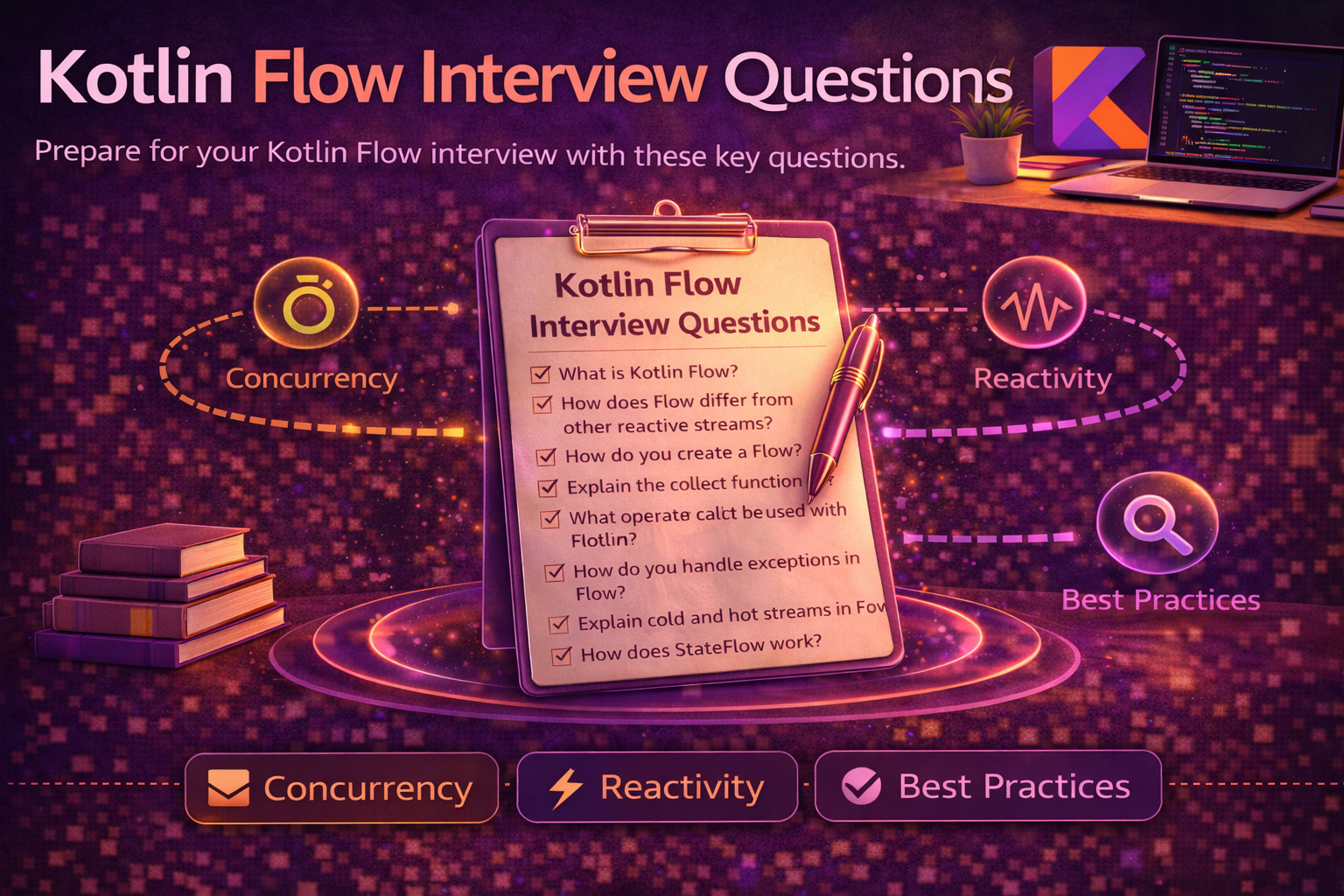
34. What does Flow’s coldness mean?
A cold Flow doesn’t produce anything until collected. Each collector gets its own independent emission. flow { emit(api.fetch()) } hits the network once per collector. To share, use shareIn or stateIn. StateFlow and SharedFlow are hot — they emit independently of collectors. Mixing this up causes either “why is my API hit five times” or “why does my Flow never emit until I touch it.”
35. Explain flatMapLatest with a real use case.
Search-as-you-type. User types “ban” → you start an API call. User types “bana” → cancel the previous call, start a new one. queryFlow.flatMapLatest { query -> api.searchFlow(query) } does this for free. Without it you’re manually tracking jobs and cancelling. Sister operators: flatMapMerge (run all in parallel), flatMapConcat (run sequentially).
36. StateFlow doesn’t emit when I set the same value twice. Why?
StateFlow uses equals() for distinctness. If you set value = currentValue — or any value that’s equal — collectors don’t see it. Usually a feature, occasionally a bug (when you have a State.Error and want to retrigger it). Workarounds: include a unique ID/timestamp in the state, model events as a separate one-shot channel.
Memory & Performance (37–42)
37. What’s the most common memory leak in Android?
Inner class or lambda holding a reference to Activity/Fragment/View, posted to a long-lived queue (Handler, RxJava subscription, callback registration without unregister). Or an anonymous listener registered with a long-lived service object. LeakCanary will spot 95% of them. The 5% it misses are usually static fields holding contexts and stuck Bitmaps.
38. Cold start, warm start, hot start — what’s being measured and what affects each?
Cold: process starts from scratch, Application.onCreate runs, first Activity creates. The big one. Affected by Application.onCreate work, dex loading, dependency graph initialization. Warm: process alive, but Activity needs to be created. Hot: Activity exists, just brought to foreground. To improve cold start: defer non-critical Application.onCreate work using App Startup library, lazy-init heavy SDKs, baseline profiles.
39. Baseline profiles — what are they and what do they actually do?
A precompiled list of code paths critical to startup and key user journeys. Bundled into the APK. ART AOT-compiles those paths on install instead of JIT-compiling them at runtime. Real-world impact: 20–40% faster cold start and scrolling on cold paths. Generation: write a Macrobenchmark test that exercises the journey, the Gradle plugin produces the profile. Free win, mandatory for any production app in 2026.
40. ANR — what triggers it, what tools do you use to debug?
Main thread blocked > 5 seconds for input dispatch, > 10 seconds for foreground services, > 20 seconds for foreground broadcast receivers. Tools: StrictMode in debug to catch I/O on main thread, Android Studio Profiler, the traces.txt the system writes on ANR, Play Console’s ANR section in production. Common causes: synchronous SharedPreferences, large Bitmap decoding on main, lock contention with a background thread, blocking inside RecyclerView.onBindViewHolder.
41. R8 vs ProGuard — and the question they really mean.
R8 replaced ProGuard officially. Same job — shrink, optimize, obfuscate — but R8 is faster and integrated with the Android build. The question is usually a setup for “why does my app crash in release but not debug?” — because R8 stripped a class accessed via reflection (Gson, Retrofit converters, etc.). Fix: add -keep rules, or use @Keep, or use libraries with bundled rules (most modern ones do).
42. How do you reduce APK size?
App Bundles (mandatory since 2021 for new apps): Play delivers per-device APKs with only the relevant ABI, density, language. WebP for images. Vector drawables for icons. R8’s shrinkResources for unused resources. android.bundle.enableUncompressedNativeLibs=true. Audit dependencies — one transitive Guava drag-in costs MBs. For very size-sensitive apps, dynamic feature modules to deliver chunks on demand.
Data & Networking (43–47)
43. Room — why use Flow return types instead of suspend functions?
Suspend functions return a snapshot. Flow returns updates — when the underlying tables change, Room re-runs the query and emits. UI reactively updates. For a banking app showing transaction history, Flow means a new transaction appears without manual refresh. Suspend functions are still right for one-shot reads (loading a single record by ID for an edit screen).
44. Migrating Room schemas — what happens if you forget?
App crashes on launch with IllegalStateException because the schema hash doesn’t match. Room enforces this strictly for safety. Options: provide a Migration with the SQL diff, or fallbackToDestructiveMigration (data is wiped — never use in production for user-data-bearing tables), or fallbackToDestructiveMigrationFrom(specificVersion) for controlled wipes. Always test migrations with MigrationTestHelper.
45. Retrofit — how do you handle errors?
Two layers. HTTP-level: 4xx/5xx come back as a successful Response with isSuccessful = false, not as exceptions. Network-level: no connectivity, timeout → IOException. Pattern: wrap in a Result sealed class, catch IOException for network errors, check response.code() for HTTP errors, parse response.errorBody() for the server’s error format. Don’t throw on 4xx — you lose the body.
46. OkHttp Interceptors — addInterceptor vs addNetworkInterceptor.
addInterceptor sees the request once before any network logic (caching, redirects, retries). addNetworkInterceptor sees every network call — including retries and redirects. Logging at the application level → addInterceptor. Auth header injection that should happen for redirects too → addNetworkInterceptor. Mixing them up is how you get duplicate logs or auth headers stripped on redirect.
47. Paging 3 — what does it actually solve over a homegrown implementation?
Three things you’d otherwise rebuild: (1) the “load more on scroll” trigger logic with proper threshold and cancellation, (2) RemoteMediator pattern for paged-cache integration with Room, (3) handling edge cases like config changes and process death without losing scroll position. Plus: it integrates with Compose’s LazyColumn via collectAsLazyPagingItems. Works well for feeds, search results, anything with cursored or offset pagination.
Testing & Build (48–50)
48. Unit test vs instrumented test — when do you write each?
Unit tests (JVM): pure logic — ViewModels, use cases, mappers, anything not touching the framework. Fast, run on every commit. Instrumented tests (device/emulator): UI interactions, Room migrations, hardware integrations. Slow, run pre-release. The mistake: instrumented testing things that could be unit tested. If you’re testing a ViewModel and you need an emulator, your ViewModel has an Android dependency it shouldn’t have.
49. How do you test a coroutine that uses Dispatchers.IO?
Don’t hardcode dispatchers. Inject a CoroutineDispatcher (or a wrapper) so tests can pass a TestDispatcher. Then use runTest { } — it skips delays, gives you advanceTimeBy, advanceUntilIdle, and proper exception propagation. Pair with Turbine for testing Flows. The whole pattern is covered in your codebase if you have a DispatcherProvider abstraction; if not, add one before the testing gets painful.
50. What’s in your build.gradle.kts that you’d defend in a code review?
This question is testing whether you understand your own build. Things worth defending: version catalog (libs.versions.toml) for dependency management, kotlinOptions.freeCompilerArgs for opt-ins, buildFeatures.buildConfig = false if you don’t use it, baseline profile plugin, R8 rules, android.namespace set per module, ABI splits if APK size matters. The wrong answer is “I don’t know, the senior set it up.” A senior Android engineer in 2026 owns their build files.
How These Show Up in Real Loops
A typical mid-to-senior Android loop in 2026 has: one fundamentals/core round, one Compose/UI round, one architecture/system design round, one coroutines/concurrency round, sometimes a coding round, and a behavioral. The questions above map roughly: 1–14 for the first round, 15–22 for Compose, 23–29 for architecture, 30–36 for concurrency, the rest sprinkled across all of them.
What I tell people preparing: don’t memorize answers. The questions you see in this post will be asked with twists — your follow-up will be a real bug from your codebase. The way to prepare is to be able to riff for 3 minutes on each topic, with a specific anecdote (“in my last project, we had this leak because…”), trade-offs, and a clear opinion. Interviewers can smell rehearsed answers from across the table.
Last thing: there is no “wrong” opinion on Compose vs Views, MVVM vs MVI, or Hilt vs Koin — there are only opinions you can’t defend. Pick one, know its trade-offs, be honest about where it falls short. That’s the difference between a junior who memorized the docs and a senior who’s shipped.
Happy coding!
Related articles
Android Memory & Performance Interview Questions — 17 Investigation-Driven Prompts for Senior Roles
Android Architecture Interview Questions — 20 Scenario-Driven Prompts for Senior Roles
DSA for Android Interviews 2026 — The Calibrated, Opinionated Roadmap
Jetpack Compose Interview Questions — 25 Deep-Dive Questions for Senior Android Roles in 2026
Comments (0)
Sign in to leave a comment.
No comments yet. Be the first to share your thoughts.