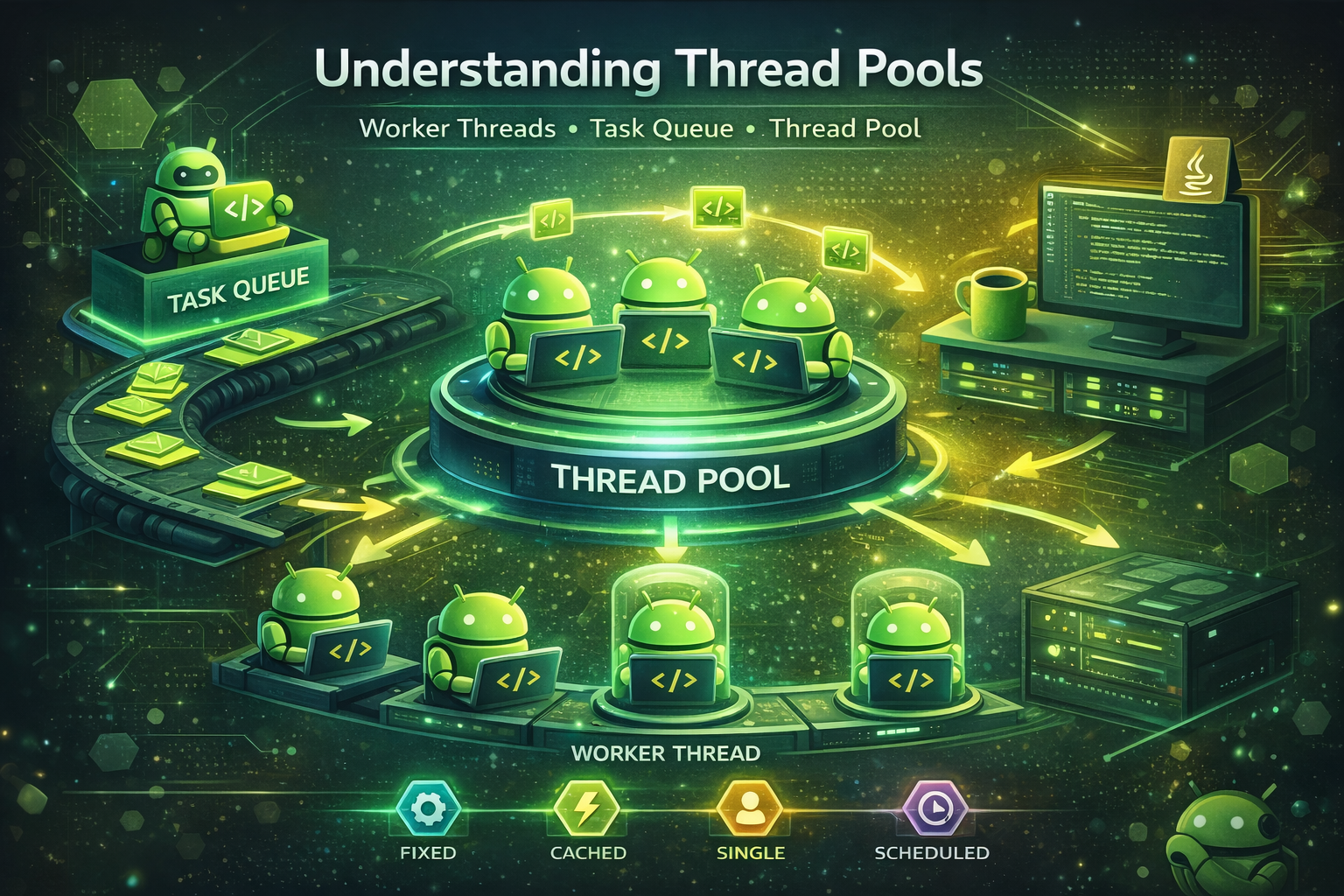
If you’ve ever wondered how apps handle multiple tasks at once without freezing — like loading images while playing music — thread pools are the answer. Even if you use Kotlin Coroutines daily, understanding thread pools matters because coroutines run on thread pools under the hood. This guide explains everything in plain language with real examples.
First, What Is a Thread?
Think of a thread as a worker in a restaurant kitchen. Your app is the restaurant. By default, your Android app has one main thread — one cook doing everything: taking orders, cooking food, washing dishes.
That works fine for small tasks. But if one task takes too long (like a slow network call), everything else stops — the UI freezes, the user sees an ANR (App Not Responding) error. Not good.
The solution? Hire more cooks — create more threads.
// Creating a new thread manually
Thread {
    val data = fetchDataFromNetwork()   // runs on a new thread
    runOnUiThread {
        textView.text = data            // switch back to main thread for UI
    }
}.start()

// Problem: every call creates a NEW thread
// Threads are expensive — each one uses ~1-2 MB of stack memory
// 100 threads = 100-200 MB just for thread stacks!
// Creating and destroying threads has CPU overhead too
What Is a Thread Pool?
Instead of hiring (creating) a new cook every time an order (task) comes in and firing them when done, a thread pool keeps a team of cooks on standby, ready to take the next task as soon as one finishes.
Real-world analogy: Imagine a call center with 5 customer service agents. Instead of hiring a new agent for every call and firing them when the call ends, the same 5 agents handle all incoming calls. When all 5 are busy, new calls wait in a queue. When an agent finishes, they pick up the next call in the queue.
That call center is a thread pool.
Benefits:
- No overhead from creating/destroying threads repeatedly
- Controlled number of threads (prevents memory overload)
- Tasks queue up and execute automatically
// Without thread pool — creates a NEW thread every time (wasteful)
for (i in 1..100) {
    Thread { doWork(i) }.start()   // 100 threads created! ~100-200 MB of stack memory
}

// With thread pool — reuses existing threads (efficient)
val executor = Executors.newFixedThreadPool(4)
for (i in 1..100) {
    executor.execute { doWork(i) }   // only 4 threads, 100 tasks queued
}
executor.shutdown()
How Worker Threads Work
Worker threads are the actual threads inside the pool — the individual agents in the call center. Here is how they work:
// Inside a thread pool with 3 worker threads:
//
// Task Queue: [Task1, Task2, Task3, Task4, Task5, Task6]
//
// Worker-1 picks Task1  →  executes  →  done  →  picks Task4
// Worker-2 picks Task2  →  executes  →  done  →  picks Task5
// Worker-3 picks Task3  →  executes  →  done  →  picks Task6
//
// Workers never stop — they keep picking tasks from the queue
// When the queue is empty, they sit idle waiting for new tasks
Types of Thread Pools
Java provides ready-made thread pools through the Executors class. Here are the main types.
1. Fixed Thread Pool
A fixed thread pool has a set number of threads that never changes.
Analogy: A restaurant with exactly 4 waiters. No more, no less. If all 4 are busy, new customers wait at the door until a waiter is free.
When to use: CPU-intensive tasks (image processing, data crunching), predictable workload, when you want controlled resource usage.
val executor = Executors.newFixedThreadPool(4)

// Submit 6 tasks — only 4 run at a time, 2 wait in queue
for (i in 1..6) {
    executor.execute {
        println("Task $i on: ${Thread.currentThread().name}")
        Thread.sleep(1000)
        println("Task $i done")
    }
}

executor.shutdown()

// Output:
// Task 1 on: pool-1-thread-1
// Task 2 on: pool-1-thread-2
// Task 3 on: pool-1-thread-3
// Task 4 on: pool-1-thread-4
// Task 1 done
// Task 5 on: pool-1-thread-1  ← thread reused!
// Task 2 done
// Task 6 on: pool-1-thread-2  ← thread reused!
2. Cached Thread Pool
A cached thread pool creates new threads as needed but reuses idle threads when available. Idle threads unused for 60 seconds are automatically removed.
Analogy: A taxi company with no fixed fleet. When demand is low, only 2 taxis are on the road. During rush hour, 20 taxis come out. After rush hour, the extra taxis park and eventually go home if not needed.
When to use: Many short-lived tasks, unpredictable workload that spikes and drops, I/O tasks where threads spend a lot of time waiting.
val executor = Executors.newCachedThreadPool()

// Submit 5 quick tasks — pool creates threads as needed
for (i in 1..5) {
    executor.execute {
        println("Task $i on: ${Thread.currentThread().name}")
        Thread.sleep(500)
    }
}

Thread.sleep(2000)

// Submit 2 more — idle threads are reused
for (i in 6..7) {
    executor.execute {
        println("Task $i on: ${Thread.currentThread().name}")   // reuses existing threads
    }
}

executor.shutdown()
Warning: If you submit thousands of tasks rapidly, a cached pool will create thousands of threads and crash your app with OutOfMemoryError. Use it only for short-lived tasks that complete quickly.
3. Single Thread Executor
A single thread executor has exactly one thread. Tasks execute one at a time, strictly in the order they were submitted.
Analogy: A pharmacy with one pharmacist. Customers line up and are served one at a time, in order. No one cuts the line.
When to use: Sequential operations that must not overlap (database writes, file logging), when order of execution matters, when you need to avoid race conditions without locks.
val executor = Executors.newSingleThreadExecutor()

// Tasks run one at a time, in order — guaranteed
executor.execute { println("1. Save user to DB") }
executor.execute { println("2. Update user preferences") }
executor.execute { println("3. Log user action") }

// Output is ALWAYS in order:
// 1. Save user to DB
// 2. Update user preferences
// 3. Log user action

executor.shutdown()

// This is the thread pool equivalent of Dispatchers.IO.limitedParallelism(1)
// in Kotlin coroutines
4. Scheduled Thread Pool
A scheduled thread pool runs tasks after a delay or repeatedly at fixed intervals.
Analogy: A school bell system. The bell rings at 8:00 AM to start school, again at 8:45 to change class, again at 8:50 when the next class starts. It keeps repeating on a schedule.
When to use: Polling an API at intervals, clearing a cache periodically, running health checks on a timer.
val scheduler = Executors.newScheduledThreadPool(2)

// Run ONCE after a 2-second delay
scheduler.schedule({
    println("One-time task after 2 seconds")
}, 2, TimeUnit.SECONDS)

// Run REPEATEDLY — first after 1 second, then every 3 seconds
scheduler.scheduleAtFixedRate({
    println("Repeated task at: ${System.currentTimeMillis()}")
}, 1, 3, TimeUnit.SECONDS)

// Let it run for 10 seconds then stop
Thread.sleep(10_000)
scheduler.shutdown()
Modern Android note: For periodic background work in Android, prefer WorkManager (survives app restarts, respects battery) or coroutines with delay() in a loop. Use ScheduledExecutorService only for in-process scheduling that doesn’t need to survive process death.
Proper Shutdown
Forgetting to shut down a thread pool is a common bug. The threads keep running even after you’re done with them, leaking memory.
val executor = Executors.newFixedThreadPool(4)

// Submit tasks...
executor.execute { doWork() }

// ❌ Wrong — pool keeps running forever, leaks threads
// (forgot to shut down)

// ✅ Graceful shutdown — finish current tasks, reject new ones
executor.shutdown()

// ✅ Wait for tasks to complete (with timeout)
executor.shutdown()
val finished = executor.awaitTermination(10, TimeUnit.SECONDS)
if (!finished) {
    executor.shutdownNow()   // force stop if tasks didn't finish in time
}

// shutdown()     → stops accepting new tasks, finishes running ones
// shutdownNow()  → cancels all tasks immediately, returns pending tasks
// awaitTermination() → blocks until all tasks finish or timeout
Quick Comparison
// ┌────────────────────┬───────────────────────┬──────────────────────────┬──────────────────────────┐
// │ Type               │ Threads               │ Best For                 │ Risk                     │
// ├────────────────────┼───────────────────────┼──────────────────────────┼──────────────────────────┤
// │ Fixed              │ Fixed number          │ CPU-heavy, predictable   │ Tasks queue if all busy  │
// │ Cached             │ Grows/shrinks         │ Short I/O tasks, bursts  │ Too many threads on      │
// │                    │ automatically         │                          │ heavy load               │
// │ Single Thread      │ Exactly 1             │ Sequential execution,    │ Slow if tasks are long   │
// │                    │                       │ no race conditions       │                          │
// │ Scheduled          │ Fixed number          │ Delayed/repeated tasks   │ Missed runs if busy      │
// └────────────────────┴───────────────────────┴──────────────────────────┴──────────────────────────┘
Thread Pools and Coroutines — How They Connect
Kotlin Coroutines don’t replace thread pools — they run on top of them. Every coroutine dispatcher is backed by a thread pool:
// ┌─────────────────────────┬────────────────────────┬──────────────────────┐
// │ Coroutine Dispatcher    │ Backed By              │ Thread Pool Type     │
// ├─────────────────────────┼────────────────────────┼──────────────────────┤
// │ Dispatchers.Default     │ SharedPool (CPU cores) │ Fixed                │
// │ Dispatchers.IO          │ SharedPool (up to 64)  │ Cached-like          │
// │ Dispatchers.Main        │ Android Main Looper    │ Single thread        │
// └─────────────────────────┴────────────────────────┴──────────────────────┘

// When you write:
viewModelScope.launch(Dispatchers.IO) {
    val data = repository.fetchData()
}
// Under the hood: the coroutine is scheduled on a worker thread
// from the IO thread pool. When it suspends (waiting for network),
// the thread is FREE to run other coroutines.
Threads vs Coroutines — the cost difference
// Each THREAD uses ~1-2 MB of stack memory
// Creating 10,000 threads = 10-20 GB of memory → crashes

fun main() {
    // ❌ This will crash with OutOfMemoryError
    repeat(10_000) {
        Thread { Thread.sleep(5000) }.start()
    }
}

// Each COROUTINE uses ~few hundred bytes
// Creating 100,000 coroutines = a few MB → runs fine

fun main() = runBlocking {
    // ✅ This works perfectly
    repeat(100_000) {
        launch {
            delay(5000)   // suspend, not block — thread is free
        }
    }
}

// Why? Because coroutines SHARE threads from the pool
// 100,000 coroutines might only use 8-64 threads
// When a coroutine suspends, the thread serves another coroutine
Creating custom dispatchers from thread pools
// You can convert any Java ExecutorService to a coroutine dispatcher
val customDispatcher = Executors.newFixedThreadPool(4).asCoroutineDispatcher()

viewModelScope.launch(customDispatcher) {
    // runs on your custom thread pool
}

// ⚠️ Must close when done to avoid thread leaks
customDispatcher.close()

// ✅ Modern approach: use limitedParallelism instead
val limitedDispatcher = Dispatchers.IO.limitedParallelism(4)
// No close() needed — reuses the existing IO thread pool

viewModelScope.launch(limitedDispatcher) {
    // max 4 coroutines run concurrently on IO threads
}
Common Mistakes to Avoid
Mistake 1: Not shutting down the executor
// ❌ Threads keep running forever, leaking memory
val executor = Executors.newFixedThreadPool(4)
executor.execute { doWork() }
// forgot executor.shutdown()!

// ✅ Always shut down when done
executor.shutdown()
executor.awaitTermination(10, TimeUnit.SECONDS)
Mistake 2: Doing UI work inside a thread pool
// ❌ Crashes with CalledFromWrongThreadException
executor.execute {
    val data = fetchData()
    textView.text = data   // UI update on background thread!
}

// ✅ Post back to main thread
executor.execute {
    val data = fetchData()
    runOnUiThread { textView.text = data }
}

// ✅ Even better with coroutines — no manual thread switching
viewModelScope.launch {
    val data = withContext(Dispatchers.IO) { fetchData() }
    textView.text = data   // automatically back on Main
}
Mistake 3: Using cached pool for heavy CPU tasks
// ❌ Creates too many threads competing for CPU
val executor = Executors.newCachedThreadPool()
for (i in 1..100) {
    executor.execute { heavyCpuWork() }   // 100 threads fighting for 8 CPU cores!
}

// ✅ Limit threads to CPU core count
val cores = Runtime.getRuntime().availableProcessors()
val executor = Executors.newFixedThreadPool(cores)
Mistake 4: Creating thread pools inside functions (new pool per call)
// ❌ Creates a NEW pool every time the function is called
fun fetchData() {
    val executor = Executors.newFixedThreadPool(4)   // wasteful!
    executor.execute { api.getData() }
}

// ✅ Reuse a single pool
class DataRepository {
    private val executor = Executors.newFixedThreadPool(4)   // created once

    fun fetchData() {
        executor.execute { api.getData() }
    }

    fun shutdown() {
        executor.shutdown()
    }
}

// ✅ Even better — just use coroutines with Dispatchers.IO
class DataRepository {
    suspend fun fetchData(): Data = withContext(Dispatchers.IO) {
        api.getData()
    }
}
Summary
- A thread pool keeps a set of pre-created threads ready to run tasks — no wasteful create/destroy cycle
- Worker threads pick up tasks from a queue, execute them, and go back for more
- Fixed pool — predictable thread count, best for CPU-heavy work
- Cached pool — grows/shrinks automatically, best for short-lived I/O tasks
- Single thread executor — exactly 1 thread, guarantees sequential execution
- Scheduled pool — runs tasks after a delay or at fixed intervals (prefer
WorkManagerfor Android background work) - Always call
shutdown()andawaitTermination()when done with a thread pool - Kotlin Coroutines run on top of thread pools —
Dispatchers.IOuses a cached-like pool,Dispatchers.Defaultuses a fixed pool - Coroutines are far cheaper than threads — 100K coroutines use a few MB, 100K threads would crash your app
- Use
limitedParallelism()instead of creating raw thread pools in modern Kotlin — no cleanup needed - In modern Android, prefer coroutines over raw thread pools — but understanding thread pools helps you understand what coroutines do under the hood
Understanding thread pools makes you a better developer — you stop guessing why your app is slow or why background work crashes, and start making deliberate, informed decisions. And when you use Kotlin Coroutines, you’ll know exactly what’s happening underneath.
Happy coding!

Comments (0)