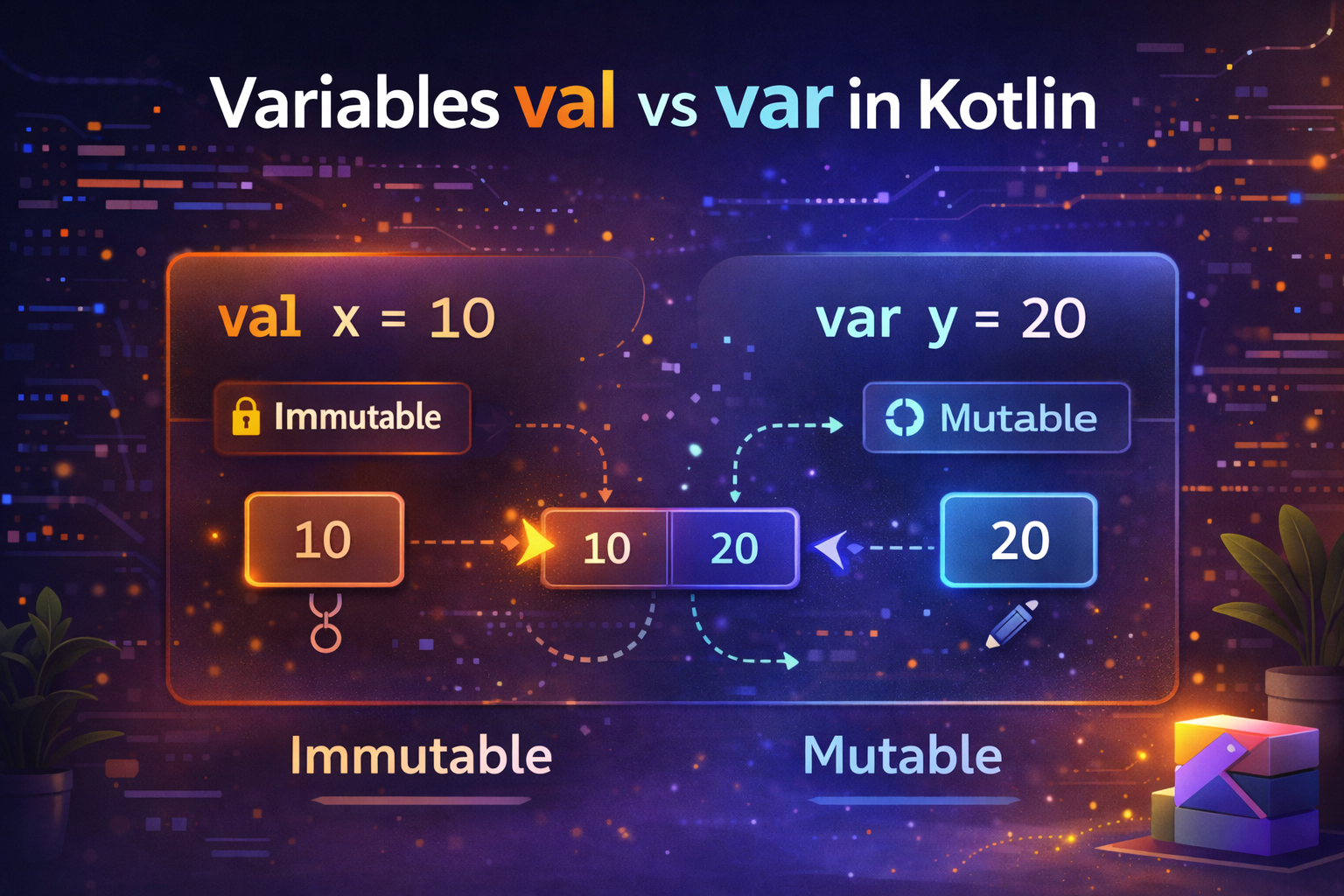
Variables are the foundation of any programming language. In Kotlin, the very first thing you'll notice is that there are two keywords for declaring variables — val and var. Understanding the difference between them is one of the most important basics to get right. This guide explains everything clearly with practical examples.
What Is a Variable?
A variable is a named container that holds a value. You give it a name, assign a value to it, and use that name throughout your code to refer to that value.
val name = "John"      // name is a variable holding the value "John"
val age = 25           // age is a variable holding the value 25
val — Read-Only Variable
val stands for value. Once you assign a value to a val, you cannot change it. It is read-only.
val name = "John"
name = "Jane"  // ❌ compile error — val cannot be reassigned
Think of val like a pen — once you write something, it's permanent.
Real-world analogy: Your date of birth. Once set, it never changes. You'd declare it as
val.
val dateOfBirth = "1995-06-15"  // will never change
val pi = 3.14159                // mathematical constant — never changes
val appName = "AndroidNewWorld" // app name — never changes
var — Mutable Variable
var stands for variable. A var can be reassigned — its value can change as many times as needed.
var score = 0
score = 10   // ✅ allowed
score = 25   // ✅ allowed again
score += 5   // ✅ now score is 30
Think of var like a whiteboard — you can erase and rewrite whenever you want.
Real-world analogy: Your current location. It changes constantly as you move. You'd declare it as
var.
var currentLocation = "Home"
currentLocation = "Office"   // changed
currentLocation = "Gym"      // changed again
val vs var — Side by Side
// val — cannot be reassigned
val username = "john_doe"
username = "jane_doe"  // ❌ error

// var — can be reassigned
var loginCount = 0
loginCount = 1         // ✅ works
loginCount++           // ✅ now 2
Type Declaration — Explicit vs Inferred
Kotlin can infer (figure out) the type from the value you assign. You don't always need to write the type.
Type inference — let Kotlin figure it out:
val name = "John"       // Kotlin infers: String
val age = 25            // Kotlin infers: Int
val price = 9.99        // Kotlin infers: Double
val isActive = true     // Kotlin infers: Boolean
Explicit type declaration — you specify the type:
val name: String = "John"
val age: Int = 25
val price: Double = 9.99
val isActive: Boolean = true
Both are valid. Use type inference when the type is obvious from the value. Use explicit types when it makes the code clearer or when you're declaring a variable without assigning a value yet.
Declaring without a value — must specify type:
val name: String           // declared but not assigned yet
// ... later in code ...
name = "John"              // assigned once — can't change after this

var score: Int             // declared but not assigned yet
score = 0                  // first assignment
score = 100                // can change — it's a var
Kotlin's Basic Data Types
When you declare a variable, it has a type. Here are the most common types you'll use:
Numbers
val age: Int = 25              // whole numbers (-2 billion to 2 billion)
val population: Long = 8000000000L  // very large whole numbers (note the L)
val price: Double = 19.99      // decimal numbers (more precise)
val rating: Float = 4.5f       // decimal numbers (less memory, note the f)
val small: Short = 100         // small whole numbers (-32768 to 32767)
val tiny: Byte = 127           // very small whole numbers (-128 to 127)
In practice, you'll use Int and Long for whole numbers, and Double for decimals almost all the time.
val itemCount = 42          // Int — most common for whole numbers
val fileSize = 5000000000L  // Long — when Int is too small
val temperature = 36.6      // Double — most common for decimals
String
val firstName = "John"
val lastName = "Doe"
val fullName = "$firstName $lastName"       // string template
val greeting = "Hello, ${fullName}!"        // expression in template
val multiLine = """
    This is
    a multi-line
    string
""".trimIndent()
Boolean
val isLoggedIn = true
val hasPermission = false
val canEdit = isLoggedIn && hasPermission   // both must be true
val canView = isLoggedIn || hasPermission   // at least one must be true
val isGuest = !isLoggedIn                  // opposite of isLoggedIn
Char
val grade: Char = 'A'       // single character, use single quotes
val initial: Char = 'J'
Null Safety with Variables
By default, Kotlin variables cannot hold null. This prevents the dreaded NullPointerException.
var name: String = "John"
name = null   // ❌ compile error — String cannot be null
To allow null, add a ? after the type:
var nickname: String? = null    // ✅ String? can be null
var middleName: String? = null  // some people don't have a middle name
When you have a nullable variable, Kotlin forces you to handle the null case:
var nickname: String? = "Johnny"

// Safe call — returns null instead of crashing
val length = nickname?.length       // length is Int? (could be null)

// Elvis operator — provide a default if null
val length = nickname?.length ?: 0  // length is Int (never null)

// Not-null assertion — use only when you're 100% sure it's not null
val length = nickname!!.length      // crashes if nickname is null
Practical example:
var userEmail: String? = null

// Later, user logs in
userEmail = "john@example.com"

// Safe way to use it
val domain = userEmail?.substringAfter("@") ?: "unknown"
println(domain)  // example.com
val vs var — Which Should You Use?
Always prefer val over var.
This is one of the most important best practices in Kotlin. Here's why:
valmakes your code predictable — you know the value won't change unexpectedlyvalmakes code easier to read — readers don't need to track whether the value changedvalis thread-safe by default — no two threads can modify it simultaneouslyvalcatches bugs — if you accidentally try to reassign, the compiler stops you
The rule of thumb:
Start with
val. Only change tovarif you actually need to reassign the value.
// Good — val for things that don't change
val userId = "abc123"
val apiBaseUrl = "https://api.example.com"
val maxRetries = 3

// Necessary var — these change by design
var retryCount = 0
var isLoading = false
var currentPage = 1
Real Android Examples
Here's how you'd use val and var in real Android code:
class UserProfileViewModel : ViewModel() {

    // val — these are set once and never change
    val userId: String = "user_123"
    val joinDate: String = "2024-01-15"

    // var — these change based on user actions or data loading
    var isLoading: Boolean = false
    var errorMessage: String? = null
    var currentTab: Int = 0
}
fun calculateOrderTotal(items: List<CartItem>): Double {
val taxRate = 0.08 // val — tax rate doesn't change in this calculation
val discount = 0.10 // val — discount doesn't change
var subtotal = 0.0 // var — we'll add to this in the loop
for (item in items) {
subtotal += item.price * item.quantity // subtotal changes each iteration
}
val tax = subtotal * taxRate // val — calculated once
val discountAmount = subtotal * discount // val — calculated once
return subtotal + tax - discountAmount
}Constants — const val
For values that are compile-time constants (known before the app runs), use const val. These must be declared at the top level or inside an object or companion object, and must be a primitive type or String.
// Top level constants
const val MAX_LOGIN_ATTEMPTS = 3
const val APP_VERSION = "2.0.1"
const val BASE_URL = "https://api.androidnewworld.com"

// Inside companion object
class NetworkConfig {
    companion object {
        const val TIMEOUT_SECONDS = 30
        const val MAX_CONNECTIONS = 10
    }
}

// Usage
if (loginAttempts >= MAX_LOGIN_ATTEMPTS) {
    lockAccount()
}
const val vs val — what's the difference?
const val MAX_SIZE = 100       // compile-time constant — value baked into bytecode
val currentTime = System.currentTimeMillis()  // runtime value — calculated when app runs
Use const val for fixed values like URLs, keys, limits, and configuration. Use val for everything else that doesn't change after being set.
Common Mistakes to Avoid
Mistake 1: Using var when val would work
// ❌ Unnecessary var
var name = "John"  // name never changes in this scope
println(name)

// ✅ Use val
val name = "John"
println(name)
Mistake 2: Declaring type when it's already obvious
// ❌ Redundant — type is obvious from the value
val name: String = "John"
val count: Int = 5

// ✅ Let Kotlin infer it
val name = "John"
val count = 5
Mistake 3: Using !! unnecessarily
var email: String? = getEmailFromUser()

// ❌ Risky — crashes if email is null
val domain = email!!.substringAfter("@")

// ✅ Safe — handles null gracefully
val domain = email?.substringAfter("@") ?: "no email"
Mistake 4: Forgetting L for Long values
// ❌ Error — this number is too big for Int
val bigNumber = 5000000000  // compile error

// ✅ Correct — add L to make it a Long
val bigNumber = 5000000000L
Summary
val— read-only, cannot be reassigned after first assignment. Prefer this by default.var— mutable, can be reassigned as many times as needed. Use only when the value must change.- Kotlin infers types automatically — you don't always need to write the type explicitly
- By default, variables cannot be null. Add
?to the type to allow null values - Use
const valfor compile-time constants like URLs, keys, and configuration values - Always start with
valand only switch tovarwhen reassignment is actually needed
Mastering val and var is the first step to writing clean, safe Kotlin code. Every Kotlin developer uses these dozens of times every day.
Happy coding!



Comments (0)