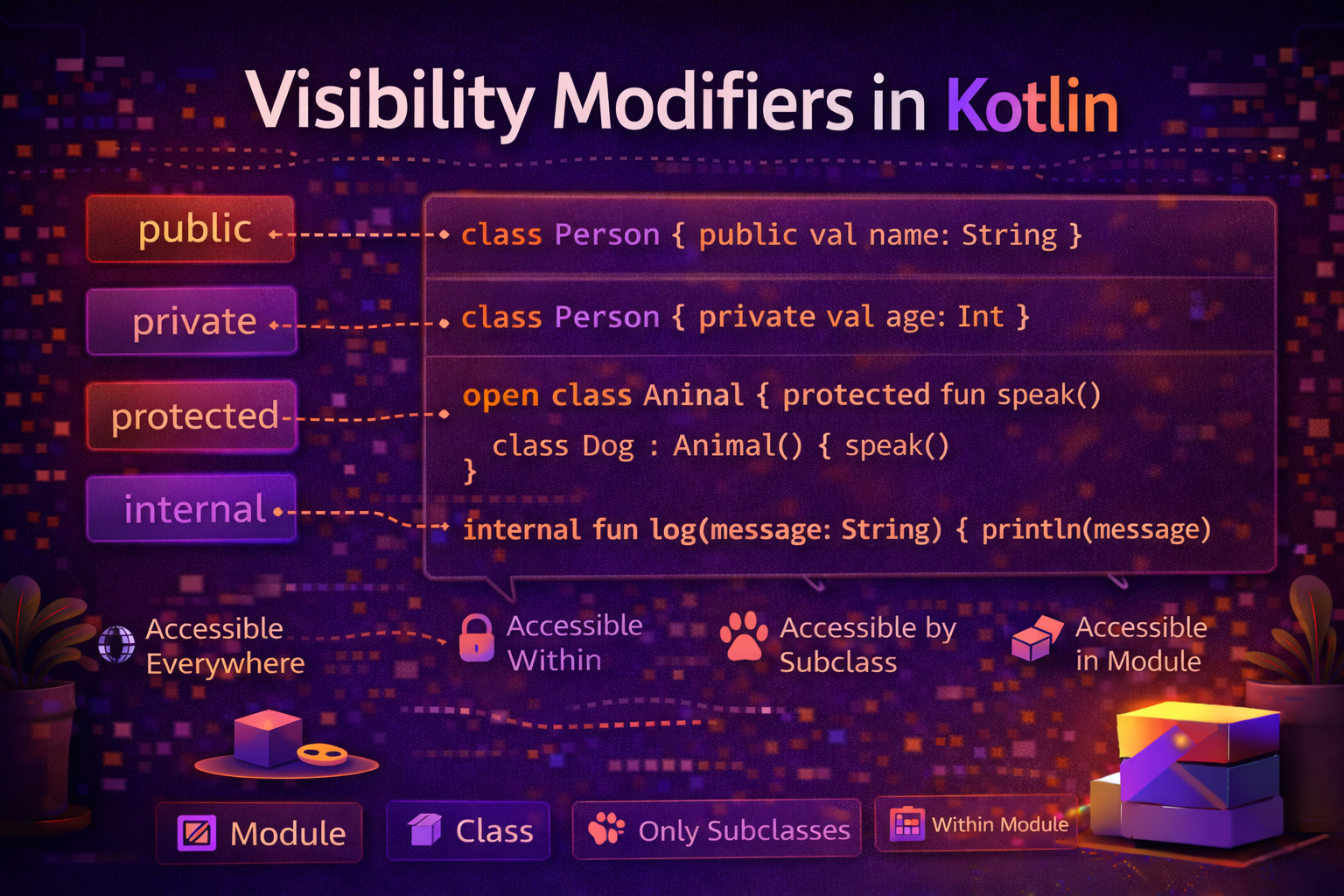
Visibility modifiers control who can see and use a class, function, or property. They are the foundation of encapsulation — one of the core principles of good software design. Getting visibility right means your code is safer, easier to maintain, and harder to misuse. This guide covers all four visibility modifiers in Kotlin with practical Android examples.
Why Visibility Modifiers Matter
Imagine you're building a BankAccount class. The account balance is a critical piece of data — you don't want anyone to just set it directly from outside the class. You want it modified only through deposit() and withdraw() methods that enforce rules.
// ❌ No visibility control — dangerous
class BankAccount {
    var balance = 1000.0   // anyone can set this to anything
}

val account = BankAccount()
account.balance = -99999.0   // no one stopped this

// ✅ With visibility control — safe
class BankAccount {
    private var balance = 1000.0   // only this class can touch it

    fun deposit(amount: Double) {
        require(amount > 0) { "Deposit must be positive" }
        balance += amount
    }

    fun getBalance() = balance
}

val account = BankAccount()
account.balance = -99999.0   // ❌ compile error — can't access private
account.deposit(500.0)       // ✅ only way in
This is encapsulation — hiding internal details and exposing only what's necessary.
The Four Visibility Modifiers
Kotlin has four visibility modifiers:
| Modifier | Visible To |
|---|---|
public |
Everyone — no restriction (default) |
private |
Only inside the file or class where it's declared |
protected |
Inside the class and all its subclasses |
internal |
Anywhere within the same module |
public — The Default
Everything in Kotlin is public by default. If you don't write any modifier, it's public.
class User(val name: String)       // public class
fun greet(user: User) = "Hello!"   // public function
val appName = "AndroidNewWorld"    // public property
public means anyone can access it — other classes, other files, other modules, even other apps (if it's a library).
// Explicitly written — but usually omitted since it's the default
public class Article(public val title: String) {
    public fun publish() { }
}
private — Most Restrictive
private means only the declaring scope can access it.
private in a class
class UserRepository {
    private val cache = mutableMapOf<String, User>()   // only this class
    private var lastFetchTime = 0L                     // only this class

    fun getUser(id: String): User? {
        return cache[id] ?: fetchFromNetwork(id)
    }

    private fun fetchFromNetwork(id: String): User? {
        // only called from within this class
        lastFetchTime = System.currentTimeMillis()
        return null // simplified
    }
}

val repo = UserRepository()
repo.cache          // ❌ error — private
repo.fetchFromNetwork("123")  // ❌ error — private
repo.getUser("123") // ✅ public — accessible
private in a file (top-level)
For top-level declarations (outside any class), private means visible only within that file:
// Utils.kt

private const val BASE_URL = "https://api.example.com"  // only in this file
private fun buildHeaders(): Map<String, String> { ... }  // only in this file

fun getArticles(): List<Article> {    // public — visible everywhere
    val headers = buildHeaders()      // ✅ can use private function here
    return fetchFrom(BASE_URL)        // ✅ can use private constant here
}
private constructor
class Config private constructor(val debug: Boolean) {
    companion object {
        fun create(debug: Boolean = false) = Config(debug)
    }
}

val config = Config(true)           // ❌ error — constructor is private
val config = Config.create(true)    // ✅ use the factory function
protected — Class and Subclasses Only
protected is like private but also visible to subclasses. It does not apply to top-level declarations — only to class members.
open class BaseViewModel : ViewModel() {

    protected val _isLoading = MutableStateFlow(false)   // visible to subclasses
    val isLoading = _isLoading.asStateFlow()             // public — visible to UI

    protected fun setLoading(loading: Boolean) {          // visible to subclasses
        _isLoading.value = loading
    }

    private fun internalCleanup() { }  // private — only BaseViewModel
}

class ArticleViewModel(private val repo: ArticleRepository) : BaseViewModel() {

    fun loadArticles() {
        viewModelScope.launch {
            setLoading(true)          // ✅ can access protected
            _isLoading.value = true   // ✅ can access protected
            val articles = repo.getArticles()
            setLoading(false)
        }
    }
}

// In Fragment
val vm: ArticleViewModel by viewModels()
vm.setLoading(true)    // ❌ error — protected, not accessible from Fragment
vm.isLoading           // ✅ public StateFlow — accessible
protected in inheritance chain
open class Animal(val name: String) {
    protected open fun breathe() {
        println("$name breathes")
    }
}

open class Mammal(name: String) : Animal(name) {
    override fun breathe() {     // ✅ can override — it's protected
        println("$name breathes with lungs")
    }

    fun live() {
        breathe()    // ✅ can call — within class hierarchy
    }
}

class Dog(name: String) : Mammal(name) {
    fun bark() {
        breathe()    // ✅ can call — subclass
    }
}

val dog = Dog("Rex")
dog.breathe()   // ❌ error — protected, not accessible from outside
dog.bark()      // ✅ bark() is public, and it calls breathe() internally
internal — Module-Wide Visibility
internal means visible anywhere within the same module. A module is a compiled unit — typically one Android app module, one library module, or one Gradle module.
// In your :core module
internal class DatabaseHelper(context: Context) {
    // Only visible within :core module
}

internal fun buildRetrofit(): Retrofit {
    // Only visible within this module
}

// This IS visible outside the module
class ArticleRepository internal constructor(
    private val db: DatabaseHelper
) {
    // public class, but internal constructor
    // other modules can use the class but can't construct it directly
}
Where internal is most useful:
// Library development — expose only what library consumers should use
// Everything marked internal is your implementation detail

// Public API — library consumers see this
class KotlinAnalytics {
    fun track(event: String) {
        internalTracker.send(event)   // uses internal implementation
    }
}

// Internal — library consumers don't see this
internal class InternalTracker {
    fun send(event: String) { /* ... */ }
}

internal fun validateEvent(event: String): Boolean { /* ... */ }
internal vs public in multi-module Android projects
// :network module

// public — other modules can use this
class ApiService {
    fun getArticles(): List<Article> = networkClient.get("/articles")
}

// internal — only :network module uses this
internal class NetworkClient {
    fun <T> get(endpoint: String): T { /* ... */ }
}

internal const val CONNECT_TIMEOUT = 30L
internal const val READ_TIMEOUT = 30L
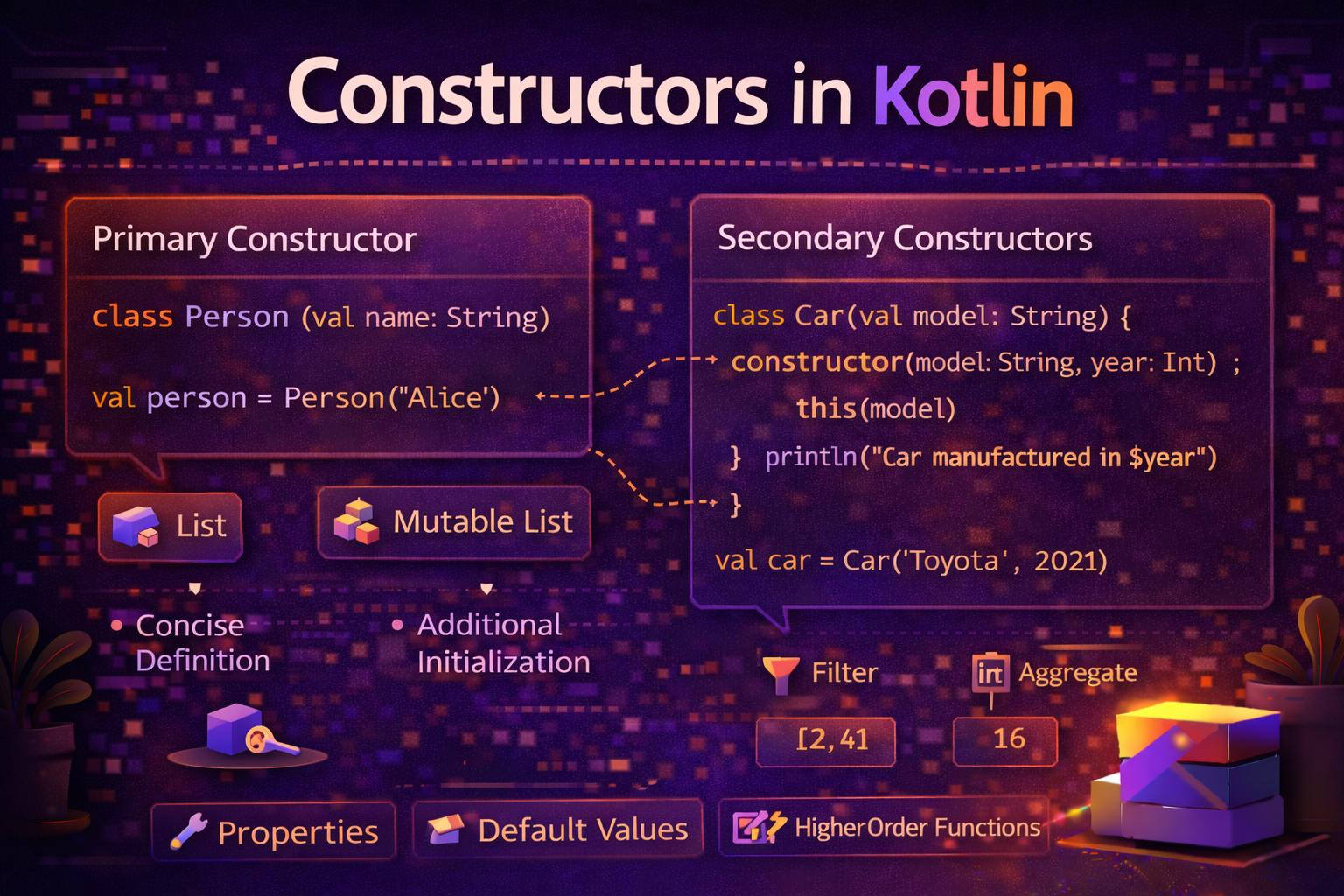
Visibility for Constructors
Constructors can have their own visibility modifier:
class Article
    private constructor(   // only this class or companion can create
        val title: String,
        val content: String
    ) {
    companion object {
        fun draft(title: String) = Article(title, "")
        fun published(title: String, content: String) = Article(title, content)
    }
}

val draft = Article.draft("New Post")          // ✅
val article = Article("Title", "Content")      // ❌ private constructor

// Internal constructor — other modules can reference the class but can't instantiate
class Config internal constructor(val debug: Boolean)
Visibility for Properties — get/set Separately
You can set different visibility for a property's getter and setter:
class Counter {
    var count: Int = 0
        private set    // setter is private — only this class can increment

    fun increment() {
        count++   // ✅ can set from inside the class
    }
}

val counter = Counter()
counter.increment()
println(counter.count)   // ✅ getter is public — can read
counter.count = 5        // ❌ error — setter is private
Real Android example — exposing StateFlow safely:
class ArticleViewModel : ViewModel() {

    // Private mutable — only ViewModel modifies it
    private val _articles = MutableStateFlow<List<Article>>(emptyList())

    // Public read-only — Fragment/Activity observes it
    val articles: StateFlow<List<Article>> = _articles

    // Private mutable loading state
    private val _isLoading = MutableStateFlow(false)
    val isLoading: StateFlow<Boolean> = _isLoading

    fun loadArticles() {
        viewModelScope.launch {
            _isLoading.value = true    // ✅ ViewModel can set private mutable
            _articles.value = repository.getArticles()
            _isLoading.value = false
        }
    }
}

// In Fragment
viewModel.articles.collect { /* read only */ }  // ✅
viewModel._articles.value = emptyList()         // ❌ private
This private _mutableState + public readOnlyState pattern is the most common visibility pattern in modern Android development.
Visibility at Top Level vs Inside a Class
The meaning of visibility modifiers is slightly different depending on where they're used:
// TOP LEVEL (outside any class)
private fun topLevelFun() { }   // visible only in this FILE
internal fun moduleWide() { }   // visible in this MODULE
public fun everywhere() { }     // visible EVERYWHERE

// INSIDE A CLASS
class MyClass {
    private fun classFun() { }      // visible only in this CLASS
    protected fun subclassFun() { } // visible in class + subclasses
    internal fun moduleFun() { }    // visible in this MODULE
    public fun everyoneFun() { }    // visible EVERYWHERE
}
Choosing the Right Modifier
Follow the principle of least privilege — give the minimum visibility required for the code to work.
Is it part of the public API?
  └─ Yes → public

Is it only needed by subclasses?
  └─ Yes → protected

Is it only needed within the module (multi-module project)?
  └─ Yes → internal

Is it only needed within the class or file?
  └─ Yes → private  ← default to this when in doubt
Real-World Android Example
Here's a complete Repository class demonstrating all four modifiers:
// Public — part of the public API
class ArticleRepository(
    private val apiService: ApiService,      // private — implementation detail
    private val articleDao: ArticleDao       // private — implementation detail
) {
    // Public — exposed to ViewModel
    suspend fun getArticles(category: String): List<Article> {
        return try {
            val remote = fetchFromApi(category)   // uses private function
            cacheArticles(remote)                  // uses private function
            remote
        } catch (e: Exception) {
            articleDao.getByCategory(category)
        }
    }

    // Public — exposed to ViewModel
    suspend fun getArticleById(id: String): Article? {
        return articleCache[id] ?: fetchArticleById(id)
    }

    // Private — implementation detail, not part of public API
    private val articleCache = mutableMapOf<String, Article>()

    // Private — called only from within this class
    private suspend fun fetchFromApi(category: String): List<Article> {
        return apiService.getArticles(category)
    }

    // Private — called only from within this class
    private suspend fun fetchArticleById(id: String): Article? {
        return apiService.getArticle(id)?.also {
            articleCache[id] = it
        }
    }

    // Private — implementation detail
    private fun cacheArticles(articles: List<Article>) {
        articles.forEach { articleCache[it.id] = it }
    }

    // Internal — only needed within this module, not exposed to app module
    internal fun clearCache() {
        articleCache.clear()
    }
}
Common Mistakes to Avoid
Mistake 1: Making everything public by default
// ❌ Exposing everything — dangerous and poor design
class UserViewModel : ViewModel() {
    val _uiState = MutableStateFlow(UiState())  // should be private
    val repository = UserRepository()           // should be private
    fun internalHelperFunction() { }            // should be private
}

// ✅ Expose only what the UI needs
class UserViewModel(private val repository: UserRepository) : ViewModel() {
    private val _uiState = MutableStateFlow(UiState())
    val uiState: StateFlow<UiState> = _uiState

    private fun internalHelper() { }
    fun loadUser(id: String) { }   // public — UI calls this
}
Mistake 2: Using protected when private is enough
open class Base {
    // ❌ protected — but no subclass actually needs this
    protected var internalCounter = 0

    // ✅ private — if no subclass uses it
    private var internalCounter = 0
}
Mistake 3: Confusing internal with private
// internal is NOT the same as private
internal class Helper   // visible to whole module (many files/classes)
private class Helper    // visible only in this file

// In a single-module app, internal is effectively public to your own code
// In a multi-module app or library, internal hides from other modules
Mistake 4: Forgetting private set on public var
// ❌ Public var — anyone can modify
class LoginViewModel : ViewModel() {
    var isLoggedIn = false   // Fragment could accidentally set this
}

// ✅ Public read, private write
class LoginViewModel : ViewModel() {
    var isLoggedIn = false
        private set   // only ViewModel can change it

    fun login() { isLoggedIn = true }
    fun logout() { isLoggedIn = false }
}
Quick Reference
| Modifier | Class members | Top-level |
|---|---|---|
public |
Visible everywhere | Visible everywhere |
private |
Visible inside the class only | Visible inside the file only |
protected |
Visible in class + subclasses | ❌ Not applicable |
internal |
Visible in same module | Visible in same module |
Summary
public— default, no restriction. Use for the public API of your class.private— most restrictive. Class members: visible only in the class. Top-level: visible only in the file. Default to this when in doubt.protected— visible in the class and its subclasses. Not applicable to top-level. Use for BaseViewModel patterns.internal— visible within the same module. Valuable in multi-module Android projects and library development.- The
private _mutableState+public readOnlyStatepattern is the standard for StateFlow in ViewModels - Use
private setto make a property publicly readable but privately writable - Follow the principle of least privilege — give the minimum visibility needed
Visibility modifiers are one of those things that separate beginners from experienced developers. Thoughtful use of private and internal makes your code more maintainable, easier to refactor, and much harder to accidentally break.
Happy coding!
Comments (0)