
Kotlin Coroutines & Flow from First Principles — The Complete Mental Model for Android
This is the post I wish existed when I started using coroutines. Not the API docs — those are fine. Not “here’s how to call a suspend function” — every tutorial covers that. What I needed was the mental model: why does this API exist, what problem does each piece solve, when do I reach for Flow vs. Channel vs. StateFlow, what does “hot vs. cold” actually mean in practice, and how do all these pieces fit together into a system I can reason about.
This post builds that mental model from scratch. We start with the simplest question — why do coroutines exist — and add one concept at a time, each unlocked by the limitation of the previous one. By the end, you’ll have the full picture: suspend functions, scopes, contexts, Jobs, Flow (cold), StateFlow and SharedFlow (hot), Channels, and the decision tree for when to use which. Examples come from a podcast player because podcasts naturally exercise every concept: downloading episodes (suspend), playback state (StateFlow), new episode feeds (cold Flow), player commands like play/pause/skip (Channel), playback position ticking every second (hot stream).
Pair this with the Coroutines Anti-Patterns post that covers the 10 most common production mistakes. This post teaches the model; that one teaches the pitfalls.
Why Coroutines Exist — The One-Sentence Answer
Android has a main thread that draws the UI at 60fps. Any work on the main thread that takes longer than ~16ms delays the next frame. Network calls take 200–2000ms. Database reads take 10–100ms. File I/O takes 5–50ms. If you do any of these on the main thread, the app freezes.
Before coroutines, the solutions were callbacks, RxJava, or manually managing threads. All of them work; all of them make code harder to read and reason about. Coroutines exist to let you write asynchronous code that reads like synchronous code — sequential, top-to-bottom, without callbacks or operators — while running on the right thread automatically.
// What we WANT to write (but can’t, because it blocks the main thread):
fun loadEpisodes() {
    val episodes = api.fetchEpisodes()      // Network: 500ms, blocks main thread ❌
    db.insertAll(episodes)                   // DB: 50ms, blocks main thread ❌
    _uiState.value = UiState.Loaded(episodes)
}

// What coroutines let us actually write:
fun loadEpisodes() {
    viewModelScope.launch {
        val episodes = api.fetchEpisodes()      // Suspends, doesn’t block ✅
        db.insertAll(episodes)                   // Suspends, doesn’t block ✅
        _uiState.value = UiState.Loaded(episodes)
    }
}
// Reads the same. Runs on the right threads. No callbacks.
That’s the pitch. Now let’s build the model that makes it work.
Concept 1: suspend Functions — The Building Block
A suspend function is a function that can pause without blocking the thread it’s running on. While paused, the thread is free to do other work. When the result is ready, the function resumes right where it left off.
// A suspend function — the “suspend” keyword is the only difference from a normal function
suspend fun downloadEpisode(episodeId: String): ByteArray {
    val response = httpClient.get(“https://api.podcasts.com/episodes/$episodeId/audio”)
    // This line SUSPENDS. The thread is released while the network call is in flight.
    // When the response arrives, execution resumes here.
    return response.body()
}

// You can only call a suspend function from:
// 1. Another suspend function
// 2. A coroutine (created by launch, async, etc.)
// You CANNOT call it from a regular function directly.
The mental model: suspend is a contract. The function promises “I might take a while, but I won’t block your thread while I wait.” The compiler enforces this — you can’t accidentally call a suspend function from non-suspend code.
Under the hood, the compiler transforms suspend functions into a state machine with callbacks. You don’t need to know the internals to use coroutines, but knowing this explains one thing: suspend is free at the call site. The overhead of suspending and resuming is roughly the cost of creating an object (a few microseconds). It’s not spinning up a thread.
Concept 2: Coroutine Scope — Who Owns This Work?
A suspend function can suspend, but something has to start it and own it. That’s the coroutine scope.
class PodcastViewModel : ViewModel() {
    fun loadFeed() {
        // viewModelScope is the SCOPE. It:
        // 1. Creates a coroutine (the launch block)
        // 2. OWNS the coroutine — when the ViewModel is cleared, the scope cancels it
        // 3. Provides a CoroutineContext (dispatcher, job, etc.)
        viewModelScope.launch {
            val feed = feedRepository.fetchFeed()
            _uiState.value = UiState.Loaded(feed)
        }
    }
}
Three scopes you’ll use in Android:
viewModelScope — tied to the ViewModel lifecycle. Cancelled when the ViewModel clears (user navigates away). Use for screen-level work: loading data, search, form submission.
lifecycleScope — tied to an Activity or Fragment lifecycle. Cancelled on destroy. In Compose apps, you rarely use this directly; it’s more relevant in View-based architectures.
Custom application scope — injected @Singleton scope that lives for the process. Use for work that should outlive any screen: analytics events, token refresh, background sync. (Never use GlobalScope — it’s the same idea but untestable and unsupervised.)
The rule: the scope defines the lifetime of the work. Pick the scope whose lifetime matches how long the work should live. Screen data in viewModelScope. Fire-and-forget in app scope. This is the single most important decision you make with each coroutine.
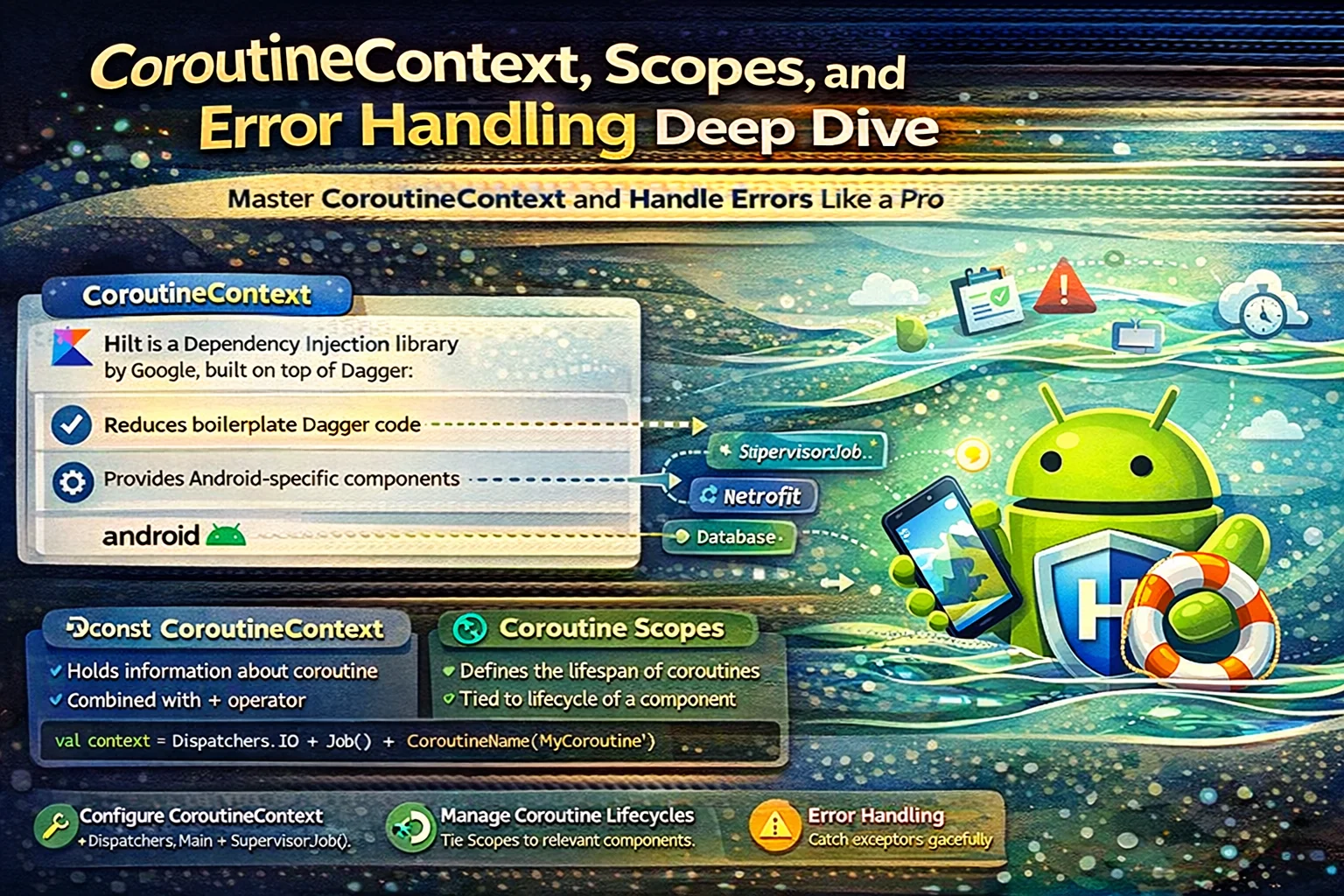
Concept 3: Coroutine Context — Where and How
Every coroutine runs in a context that includes three key elements:
Dispatcher — which thread (or thread pool) the coroutine runs on.
Dispatchers.Main           // The main/UI thread. Use for UI updates.
Dispatchers.Main.immediate // Same thread, skip re-dispatch if already there.
Dispatchers.IO             // A shared pool optimized for blocking I/O (64+ threads).
Dispatchers.Default        // A shared pool sized to CPU cores. Use for CPU-heavy work.
Dispatchers.Unconfined     // Runs on whatever thread resumes it. Almost never use this.
Job — represents the coroutine’s lifecycle. Can be cancelled, can have children. SupervisorJob is a variant where one child failing doesn’t cancel siblings (used in viewModelScope).
Other elements — CoroutineName (for debugging), CoroutineExceptionHandler (for unhandled exceptions).
// Combining context elements with the + operator
val scope = CoroutineScope(
    SupervisorJob() +           // Children don’t cancel each other
    Dispatchers.Main +          // Default to main thread
    CoroutineName(“PodcastScope”) // For debugging
)

// Switching context temporarily
viewModelScope.launch {
    // Running on Main (viewModelScope’s default)
    val episodes = withContext(Dispatchers.IO) {
        // Temporarily on IO for blocking file read
        parser.parseLocalFile(cacheFile)
    }
    // Back on Main
    _uiState.value = UiState.Loaded(episodes)
}
withContext is how you switch threads mid-coroutine. You don’t create a new coroutine — you suspend the current one, run the block on the specified dispatcher, and resume when it’s done. Think of it as “temporarily do this part on a different thread.”
Concept 4: launch vs. async — Fire-and-Forget vs. I-Need-the-Result
Two ways to start a coroutine, each for a different purpose:
// launch: fire-and-forget. Returns a Job (for cancellation), not a result.
viewModelScope.launch {
    feedRepository.refreshFeed()
    // I don’t need the return value. I just want this to happen.
}

// async: I need the result. Returns a Deferred<T>, which I .await().
viewModelScope.launch {
    val episodesDeferred = async { feedRepository.fetchEpisodes() }
    val subscriptionsDeferred = async { subscriptionRepo.fetchSubs() }
    // Both running concurrently!

    val episodes = episodesDeferred.await()       // Suspends until episodes ready
    val subscriptions = subscriptionsDeferred.await()  // Suspends until subs ready

    _uiState.value = UiState.Loaded(episodes, subscriptions)
    // Total time: max(episodes, subscriptions), not the sum.
}
Decision tree:
- Don’t need the return value →
launch - Need the return value →
async+.await() - Need multiple results in parallel → multiple
async, then.await()each
Key difference in exception handling: launch propagates exceptions immediately to the parent scope. async defers the exception until you call .await(). This is why swallowed exceptions in launch is the #1 coroutine bug (covered in the Anti-Patterns post).
Concept 5: Structured Concurrency — The Big Idea
This is the concept that makes coroutines fundamentally better than raw threads. Every coroutine has a parent, and the parent won’t complete until all its children complete (or are cancelled).
viewModelScope.launch {                         // Parent coroutine
    val a = async { fetchEpisodes() }           // Child 1
    val b = async { fetchSubscriptions() }      // Child 2
    _uiState.value = Loaded(a.await(), b.await())
}
// If viewModelScope is cancelled (user navigates away):
// → Parent coroutine is cancelled
// → Children a and b are AUTOMATICALLY cancelled
// → No leaked network calls. No orphaned threads. No callbacks firing into nothing.
What structured concurrency prevents:
- Leaked coroutines that run forever because nobody cancelled them
- Work that continues after the user has left the screen
- Race conditions from coroutines that outlive their intended lifetime
coroutineScope { } is the tool for creating a child scope inside a suspend function. It waits for all children to complete, and if any child fails, it cancels the others:
suspend fun loadPodcastDetail(podcastId: String): PodcastDetail {
    return coroutineScope {
        val episodes = async { episodeRepo.getEpisodes(podcastId) }
        val metadata = async { metadataRepo.getMetadata(podcastId) }
        PodcastDetail(episodes.await(), metadata.await())
        // If episodes fails, metadata is automatically cancelled.
        // The exception propagates to the caller.
    }
}
supervisorScope { } is the variant where one child’s failure doesn’t cancel siblings. Useful when the children are independent and partial success is acceptable.
Concept 6: Flow — A Stream of Values Over Time
So far we’ve covered one-shot operations: call a suspend function, get one result. But many things in Android are streams: the user’s playback position updating every second, new episodes arriving in a feed, search results updating as the user types.
Flow is a cold, asynchronous stream. “Cold” means it doesn’t produce values until someone collects it — like a recipe that doesn’t cook until someone follows the instructions.
// A Flow that emits the playback position every second
fun observePlaybackPosition(player: Player): Flow<Long> = flow {
    while (true) {
        emit(player.currentPositionMs)
        // emit() sends a value downstream to whoever is collecting
        delay(1_000)
        // delay() suspends without blocking — the thread is free for 1 second
    }
}

// Collecting the flow (consuming the values)
viewModelScope.launch {
    observePlaybackPosition(player).collect { positionMs ->
        _playbackPosition.value = positionMs
        // Called every second with the new position
    }
}
// collect {} is a TERMINAL OPERATOR — it suspends until the flow completes
// (which this one never does, so it runs until the scope is cancelled)
Key properties of cold Flow:
Cold: the flow { } block doesn’t execute until .collect { } is called. No collector = no work.
Each collector gets its own execution. If two composables collect the same flow, the flow { } block runs twice — two independent polling loops. This is important and often surprising. (We’ll fix this with hot flows shortly.)
Cancellation-aware. When the collecting scope is cancelled, the flow stops. No cleanup needed.
Flow Operators — Transforming Streams
Flow has operators similar to Kotlin collections but asynchronous:
// Transform values
episodeFlow.map { episode -> episode.title }       // Flow<Episode> → Flow<String>
episodeFlow.filter { it.isDownloaded }              // Only downloaded episodes

// Combine multiple flows
combine(playbackState, currentEpisode) { state, episode ->
    NowPlayingUi(state, episode)
}
// Emits whenever EITHER input changes

// Debounce (for search-as-you-type)
searchQuery.debounce(300)  // Wait 300ms of silence before emitting

// flatMapLatest (cancel previous work when new input arrives)
searchQuery
    .debounce(300)
    .flatMapLatest { query -> searchRepo.search(query) }
    // If user types “pod” then “podcast”, the search for “pod” is CANCELLED
    // and the search for “podcast” starts. Only latest result matters.
The three flatMap variants, because this is the #1 question developers ask:
flatMapLatest— cancel previous, keep latest. Search, autocomplete, “latest wins.”flatMapConcat— process one at a time, in order. Sequential task queue.flatMapMerge— process all concurrently. Batch operations, order doesn’t matter.
Concept 7: Hot vs. Cold — The Distinction That Changes Everything
This is where most developers get confused, so I want to be precise:
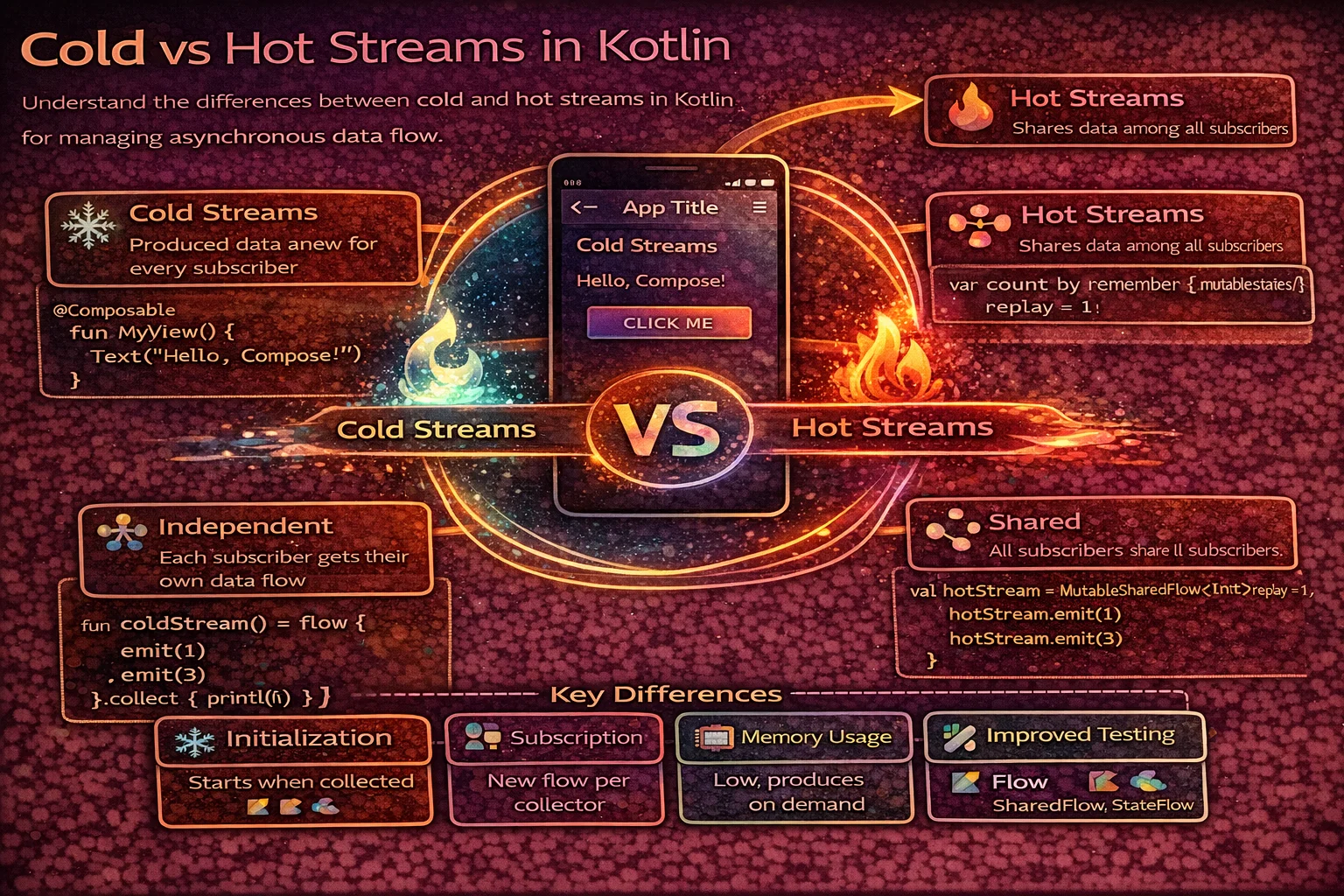
Cold stream (Flow): doesn’t produce values until collected. Each collector triggers its own independent execution. Like a vending machine — each customer presses the button and gets their own drink.
Hot stream (StateFlow, SharedFlow): produces values regardless of whether anyone is collecting. Collectors share the same stream of values. Like a radio station — it broadcasts whether you’re listening or not; when you tune in, you hear what’s playing now.
// COLD: each collector triggers a new database query
fun observeEpisodes(): Flow<List<Episode>> = flow {
    emit(db.episodeDao().getAll())  // Runs once per collector
}
// Collector A: runs the query. Collector B: runs the query AGAIN. Two DB hits.

// HOT: one shared state, multiple readers
val episodes: StateFlow<List<Episode>> = flow {
    emit(db.episodeDao().getAll())
}.stateIn(viewModelScope, SharingStarted.WhileSubscribed(5000), emptyList())
// The query runs ONCE. Both Collector A and Collector B read the same state.
// New collectors get the current value immediately (StateFlow always has a value).
When to use each:
- Cold Flow for data that’s produced on demand — one-shot transformations, database queries where each caller might want different parameters, streams that should only run when someone is listening.
- Hot Flow (StateFlow/SharedFlow) for data that represents shared state or shared events — UI state, user session, playback status, anything multiple consumers need simultaneously.
Concept 8: StateFlow — Observable State With a Current Value
StateFlow is the primary tool for UI state in Android. It’s a hot Flow that always has a current value, replays that value to new collectors, and only emits when the value actually changes (built-in distinctUntilChanged).
class PlayerViewModel : ViewModel() {
    // MutableStateFlow: writable. Private to the ViewModel.
    private val _playerState = MutableStateFlow(PlayerState.Idle)

    // StateFlow: read-only. Exposed to the UI.
    val playerState: StateFlow<PlayerState> = _playerState.asStateFlow()

    fun play(episode: Episode) {
        _playerState.value = PlayerState.Playing(episode)
        // All collectors immediately receive the new state.
        // If the value hasn’t changed (same episode, same state), no emission.
    }
}

// In Compose:
@Composable
fun PlayerScreen(viewModel: PlayerViewModel) {
    val state by viewModel.playerState.collectAsStateWithLifecycle()
    // collectAsStateWithLifecycle: stops collecting when the screen is backgrounded,
    // resumes when it comes back. ALWAYS use this in Compose, not collectAsState().

    when (state) {
        is PlayerState.Idle -> IdleScreen()
        is PlayerState.Playing -> NowPlayingScreen(state.episode)
        is PlayerState.Paused -> PausedScreen(state.episode)
    }
}
StateFlow is for state — “what’s true right now.” It always has a value. It replays on new subscription. It deduplicates. These properties make it perfect for UI state and terrible for events (because replay means events fire again on rotation — the snackbar-shows-twice bug from the Anti-Patterns post).
Concept 9: SharedFlow — Hot Stream Without a Current Value
SharedFlow is the more flexible hot Flow. Unlike StateFlow, it doesn’t require a current value, can replay a configurable number of past emissions, and doesn’t deduplicate.
class PlayerViewModel : ViewModel() {
    // SharedFlow with replay = 0: no current value, no replay to new collectors
    private val _playerEvents = MutableSharedFlow<PlayerEvent>()
    val playerEvents: SharedFlow<PlayerEvent> = _playerEvents.asSharedFlow()

    fun skipToNext() {
        viewModelScope.launch {
            player.skipToNext()
            _playerEvents.emit(PlayerEvent.SkippedToNext)
            // emit() is a SUSPEND function on SharedFlow
            // (on StateFlow, .value = x is not suspending)
        }
    }
}
SharedFlow vs. StateFlow decision:
┌─────────────────────────┬──────────────────────┬──────────────────────┐
│ Property                │ StateFlow            │ SharedFlow           │
├─────────────────────────┼──────────────────────┼──────────────────────┤
│ Has a current value?    │ Always               │ Only with replay > 0 │
│ Replays to new subs?    │ Yes (latest value)   │ Configurable (0..N)  │
│ Deduplicates?           │ Yes (distinctUntil)   │ No                   │
│ Initial value required? │ Yes                  │ No                   │
│ emit() suspends?        │ No (.value = x)      │ Yes                  │
│ Best for                │ STATE                │ EVENTS or shared     │
│                         │ (UI state, config)   │ streams (ticks,      │
│                         │                      │ messages)            │
└─────────────────────────┴──────────────────────┴──────────────────────┘
Most Android code uses StateFlow for UI state and rarely needs SharedFlow directly. SharedFlow shines when you need a hot event bus (multiple events that shouldn’t be deduplicated) or when you want to convert a cold Flow into a shared hot one with specific replay behavior.
Concept 10: Channel — For One-Shot Events Between Coroutines
A Channel is a communication primitive between coroutines. Unlike Flow (which is a stream from producer to consumer), a Channel is a pipe: values sent by one coroutine are received by exactly one other coroutine.
class PlayerViewModel : ViewModel() {
    // Channel for UI events that should be consumed exactly once
    private val _uiEvents = Channel<UiEvent>(Channel.BUFFERED)
    val uiEvents = _uiEvents.receiveAsFlow()

    fun onDownloadComplete(episode: Episode) {
        viewModelScope.launch {
            _uiEvents.send(UiEvent.ShowSnackbar(“${episode.title} downloaded”))
            // This event is received by EXACTLY ONE collector, ONCE.
            // Rotation doesn’t re-deliver it (unlike StateFlow).
        }
    }
}

// In Compose:
LaunchedEffect(Unit) {
    viewModel.uiEvents.collect { event ->
        when (event) {
            is UiEvent.ShowSnackbar -> snackbarHostState.showSnackbar(event.message)
            is UiEvent.NavigateTo -> navController.navigate(event.route)
        }
    }
}
When to use Channel vs. StateFlow vs. SharedFlow:
┌────────────────────────────────────────────────────────────────────┐
│ I need to...                              │ Use                    │
├───────────────────────────────────────────┼────────────────────────┤
│ Hold UI state (current value, survives    │ StateFlow              │
│ rotation, deduplicates)                   │                        │
├───────────────────────────────────────────┼────────────────────────┤
│ Fire a one-shot event (snackbar, navigate,│ Channel.receiveAsFlow  │
│ consumed exactly once)                    │                        │
├───────────────────────────────────────────┼────────────────────────┤
│ Share a hot stream with multiple          │ SharedFlow             │
│ collectors (ticks, messages, events       │ (replay = 0 or 1)     │
│ for multiple observers)                   │                        │
├───────────────────────────────────────────┼────────────────────────┤
│ Produce values on demand, per-collector   │ Cold Flow              │
│ (DB query, network, transformation)       │                        │
├───────────────────────────────────────────┼────────────────────────┤
│ Convert cold to hot (share upstream work) │ .stateIn() or          │
│                                           │ .shareIn()             │
└────────────────────────────────────────────────────────────────────┘
Concept 11: stateIn and shareIn — Making Cold Flows Hot
The bridge between cold and hot. You have a cold Flow from Room or a network poll; you want to share it as a StateFlow for the UI.
class PodcastViewModel : ViewModel() {
    // Cold: Room returns a Flow that re-queries on table changes
    // Each collector would trigger its own observation
    private val episodesFlow: Flow<List<Episode>> = episodeDao.observeAll()

    // Hot: shared StateFlow, one upstream observation, multiple readers
    val episodes: StateFlow<List<Episode>> = episodesFlow
        .stateIn(
            scope = viewModelScope,           // Lives as long as the ViewModel
            started = SharingStarted.WhileSubscribed(5_000),
            initialValue = emptyList()
        )
    // SharingStarted options:
    // Eagerly       → starts immediately, never stops. Rare.
    // Lazily        → starts on first collector, never stops. For config/one-time data.
    // WhileSubscribed(5000) → starts on first collector, stops 5s after last unsubscribes.
    //   The 5s buffer survives rotation (which takes ~1-2s). This is the DEFAULT CHOICE.
}
shareIn is the same but produces a SharedFlow instead of StateFlow:
// Share a cold Flow as a SharedFlow with replay = 1
val latestEpisode: SharedFlow<Episode> = newEpisodeNotifications
    .shareIn(viewModelScope, SharingStarted.WhileSubscribed(5_000), replay = 1)
Decision: stateIn when you need a current value (UI state). shareIn when you need a shared stream without the StateFlow constraints (no dedup, configurable replay).
Concept 12: Cancellation — The System That Keeps Everything Clean
Cancellation is cooperative in coroutines. When a scope is cancelled, all coroutines in it receive a CancellationException at their next suspend point. Code between suspend points runs to completion.
viewModelScope.launch {
    val episodes = api.fetchEpisodes()  // Suspend point 1
    // If cancelled HERE (between suspend points), the next line runs
    db.insertAll(episodes)              // Suspend point 2
    // CancellationException thrown AT the suspend point, not between them
}

// Practical implications:
// 1. Long-running non-suspending loops won’t be cancelled automatically:
while (true) {
    doHeavyComputation()  // Not a suspend point — this loop runs forever even if cancelled
}
// Fix: check isActive periodically
while (isActive) {
    doHeavyComputation()
}

// 2. NEVER catch CancellationException (or catch Exception and re-throw it):
try {
    api.fetchEpisodes()
} catch (e: CancellationException) {
    throw e  // ✅ ALWAYS re-throw. Swallowing it breaks structured concurrency.
} catch (e: Exception) {
    handleError(e)  // Handle real errors
}
The golden rule: cancellation flows down (parent cancels children) and exceptions flow up (child failure cancels parent, unless SupervisorJob). This is the tree structure that keeps everything clean.
Putting It All Together — The Podcast Player Architecture
Here’s how all the concepts compose in a real feature — the podcast player’s “Now Playing” screen:
class NowPlayingViewModel @Inject constructor(
    private val player: PodcastPlayer,
    private val episodeRepo: EpisodeRepository,
    private val analyticsScope: AppCoroutineScope  // Injected app-scoped
) : ViewModel() {

    // STATE: current playback info, shared via StateFlow
    val nowPlaying: StateFlow<NowPlayingUi> = combine(
        player.currentEpisode,              // StateFlow<Episode?>
        player.playbackState,               // StateFlow<PlaybackState>
        player.positionMs                   // Flow<Long> emitting every second
    ) { episode, state, position ->
        NowPlayingUi(episode, state, position)
    }.stateIn(viewModelScope, SharingStarted.WhileSubscribed(5_000), NowPlayingUi.Empty)

    // EVENTS: one-shot UI actions, via Channel
    private val _events = Channel<NowPlayingEvent>(Channel.BUFFERED)
    val events = _events.receiveAsFlow()

    // ACTIONS: user interactions
    fun onPlayPause() {
        viewModelScope.launch {
            try {
                player.togglePlayPause()
            } catch (e: CancellationException) { throw e }
            catch (e: Exception) {
                _events.send(NowPlayingEvent.ShowError(“Playback failed”))
            }
        }
    }

    fun onSkipForward() {
        viewModelScope.launch {
            player.seekForward(30_000)
            _events.send(NowPlayingEvent.ShowSkipFeedback(“+30s”))
        }
    }

    fun onMarkComplete(episode: Episode) {
        viewModelScope.launch {
            episodeRepo.markCompleted(episode.id)
        }
        // Fire-and-forget analytics in app scope (survives ViewModel clear)
        analyticsScope.scope.launch {
            analyticsService.track(“episode_completed”, episode.id)
        }
    }
}
Every concept from this post is in play:
- Suspend functions:
player.togglePlayPause(),episodeRepo.markCompleted() - Scopes:
viewModelScopefor screen work,analyticsScopefor fire-and-forget - StateFlow:
nowPlayingfor UI state - Channel:
_eventsfor one-shot UI events - Cold Flow + stateIn:
combineof multiple flows shared as hot StateFlow - Exception handling: try-catch with CancellationException re-throw
- Structured concurrency: everything tied to a scope with a defined lifetime
The Complete Decision Tree
┌──────────────────────────────────────────────────────────────────────┐
│ What do I need?                                                      │
├──────────────────────────────────────────────────────────────────────┤
│                                                                      │
│ One result from async work?                                          │
│   → suspend function                                                 │
│                                                                      │
│ One result, started from non-suspend code?                           │
│   → scope.launch { } or scope.async { }.await()                     │
│                                                                      │
│ A stream of values, produced on demand?                              │
│   → Cold Flow (flow { emit() })                                     │
│                                                                      │
│ A stream shared among multiple consumers?                            │
│   → Convert cold to hot: .stateIn() or .shareIn()                   │
│                                                                      │
│ UI state (current value, dedup, replay)?                             │
│   → StateFlow                                                        │
│                                                                      │
│ One-shot event (snackbar, navigate, consumed once)?                  │
│   → Channel<Event>(BUFFERED).receiveAsFlow()                        │
│                                                                      │
│ Hot event stream for multiple observers?                             │
│   → SharedFlow (replay = 0 or 1)                                    │
│                                                                      │
│ Parallel independent work?                                           │
│   → coroutineScope { async { } + async { } }                        │
│                                                                      │
│ Work that survives the screen?                                       │
│   → Injected application-scoped CoroutineScope                      │
│                                                                      │
│ Work that must complete even if cancelled?                           │
│   → withContext(NonCancellable) { } (use sparingly)                  │
│                                                                      │
└──────────────────────────────────────────────────────────────────────┘
Closing
Coroutines are one of those rare APIs where the surface is small but the mental model is deep. Twelve concepts — suspend, scope, context, launch/async, structured concurrency, cold Flow, hot vs. cold, StateFlow, SharedFlow, Channel, stateIn/shareIn, cancellation — and once you have them, the API is consistent and predictable. Every coroutine question reduces to: what scope, what dispatcher, what type of stream, and how does cancellation work here.
This post builds the model from scratch. The Coroutines Anti-Patterns post covers the 10 mistakes that happen when you use the model but miss an edge case. Together, they’re the coroutines education this blog was missing — the thing every other post assumed you already knew.
For the podcast player: suspend for downloads, StateFlow for playback state, cold Flow for position ticks shared via stateIn, Channel for UI events, app-scoped coroutine for analytics fire-and-forget. Six patterns, one feature. That’s the daily reality of coroutines in a production Android app.
Happy coding!
Comments (0)
Sign in to leave a comment.
No comments yet. Be the first to share your thoughts.